5 Best Studio Cameras for 2027 That Elevate Your Photography
Looking for the best studio cameras in 2027 to elevate your photography game? You’re in the right place!
Whether you’re shooting portraits, product shots, or live streams, having the right camera can make all the difference. The latest models offer incredible features that cater to various photography needs, from stunning image quality to versatile connectivity options.
Take the Blackmagic Design Studio Camera 4K Plus G2, for example. It’s known for its amazing low-light performance and seamless connectivity, making it a favorite among studio photographers.
Then there’s the Elgato Facecam 4K, which delivers superb video quality that really stands out.
If zoom capabilities matter most to you, the PTZOptics Studio 4K is a solid pick.
And for those who value portability, the Logitech Mevo Start is perfect for live streaming on the go.
Keep reading to find the ideal camera that fits your unique photography style!
| Image | Name | Editor's Rating | Price |
|---|---|---|---|

|
|
||

|
|
||

|
|
||
|
|
Blackmagic Design Studio Camera 4K Plus G2
- PERFECT FOR BROADCAST: The perfect mini studio camera features a cinematic 4K sensor up to 25,600 ISO, Active MFT lens...
- ADVANCED FEATURES: Light, miniaturized carbon composite body; Dual native ISO of 400 and 3200; 13 stops of dynamic...
- DESIGNED FOR LIVE PRODUCTION: The 4K Studio Plus G2 Camera is perfect for chat shows, television production, broadcast...
The Blackmagic Design Studio Camera 4K Plus G2 is designed to enhance live production with reliable, high-quality visuals. Its cinematic 4K sensor captures stunning detail and color, even in low light, thanks to dual native ISO settings. This helps professionals achieve clear, vibrant images without complicated adjustments.
The camera’s 7-inch LCD with sunshade improves on-set visibility, making it easier to monitor shots under various lighting conditions. Multiple connectivity options, including HDMI, 12G-SDI, and USB 3.1, offer versatile integration with different broadcast systems. This flexibility simplifies setup and adapts to diverse production needs.
Weighing only 7 pounds, the camera is comfortable to handle during long shoots. However, it requires compatible MFT lenses as no lens is included. Its autofocus and image stabilization assist in maintaining sharp footage but may not fully cover fast-action scenes.
Routine maintenance involves careful handling of the sensor and regular cleaning of connections to ensure optimal performance. Overall, this camera supports professionals in delivering consistent, high-quality live broadcasts.
Best for: Live production professionals needing a lightweight camera with excellent image quality and flexible connectivity.
What We Like:
- Cinematic 4K sensor with dual native ISO for clear images in low light
- Lightweight (7 pounds) and ergonomic for extended use
- Multiple connectivity options (HDMI, 12G-SDI, USB 3.1) for easy integration
Specification:
| Feature | Details |
|---|---|
| Manufacturer | Blackmagic Design |
| Dimensions | Not specified |
| Weight | 7 pounds (3.18 kg) |
| Sensor Resolution | 4K cinematic sensor |
| Connectivity | HDMI, 12G-SDI, USB 3.1 |
| Screen Size | 7-inch LCD with sunshade |
Blackmagic Micro Studio Camera 4K G2 Bundle
- PERFECT FOR BROADCAST: Designed as the perfect studio camera for ATEM switchers, this model has a 4K sensor up to...
- ADVANCED FEATURES: Light, miniaturized carbon composite body; Dual native ISO of 400 and 3200; 13 stops of dynamic...
- DESIGNED FOR LIVE PRODUCTION: The Micro Studio Camera 4K G2 is perfect for chat shows, television production, broadcast...
The Blackmagic Micro Studio Camera 4K G2 Bundle offers a powerful solution for live production challenges. Its compact design fits easily into tight spaces, making it ideal for multi-camera setups in sports, weddings, or educational events. This camera helps you capture stunning 4K footage with ease, even in low light, thanks to its dual native ISO.
With 13 stops of dynamic range, the camera preserves details in both bright and dark areas. Its ability to record in Blackmagic RAW ensures high-quality files that are flexible in post-production. The lightweight carbon composite body adds portability without sacrificing durability.
Maintenance is straightforward due to the solid build and minimal moving parts. The bundle includes essential cables for HDMI and USB-C, so you can connect quickly without extra purchases. While it lacks built-in stabilization and internal recording, these aspects can be managed with additional gear.
Best for: Live production professionals needing a versatile, compact camera for varied shooting environments like sports, weddings, and educational content.
What We Like:
- Dual native ISO for clear images in diverse lighting
- Compact and lightweight for flexible placement
- Multiple connectivity options including HDMI, 12G-SDI, and USB-C
- High dynamic range and Blackmagic RAW recording
- Durable carbon composite body
Specification:
| Feature | Description |
|---|---|
| Manufacturer | Blackmagic Design |
| Dimensions | Compact (exact size not specified) |
| Weight | Lightweight (exact weight not specified) |
| Sensor | 4K with dual native ISO |
| Body Material | Carbon composite |
| Connectivity | HDMI, 12G-SDI, USB Type-C |
Elgato Facecam 4K, 4K60 Studio Webcam, DSLR-Like Control
- Ultra HD Clarity in Every Frame - Capture crystal-clear video in stunning 4K resolution at 60 FPS, perfect for...
- DSLR-Like Image Quality - Enjoy sharp detail and vibrant color with a premium Sony STARVIS 2 CMOS sensor and Elgato...
- Creative Control with Camera Hub - Customize your visuals with powerful effects and settings using Elgato’s free...

Experience crisp, professional-quality video with the Elgato Facecam 4K, designed to enhance your streaming and content creation. This webcam captures stunning 4K resolution at 60 frames per second, delivering sharp details and vibrant colors that bring your visuals to life.
Its advanced Sony STARVIS 2 CMOS sensor ensures excellent performance in various lighting conditions. You can easily switch between automatic and manual modes, giving you precise control over your image. The intuitive Elgato Studio software allows you to customize your visuals to match your unique style.
Designed for easy maintenance, the Facecam’s durable build uses low-waste, eco-friendly materials. The USB-C connection simplifies setup and ensures reliable performance with laptops and PCs. While it’s not water-resistant and may require adapters for some devices, its high-quality construction makes it a solid choice for professional workflows.
Elevate your video content with a webcam that balances advanced functionality and thoughtful design to meet the demands of serious creators.
Best for: Content creators and streamers seeking high-resolution video with customizable professional features.
What We Like:
- DSLR-like image quality with accurate colors and fine details
- Flexible visual customization via Elgato Studio software
- Eco-conscious build using low-waste materials
- Smooth 4K60 fps capture for fluid motion
- Simple USB-C connectivity for modern devices
Specification:
| Feature | Details |
|---|---|
| Manufacturer | Elgato |
| Resolution | 4K (3840 x 2160) |
| Frame Rate | 60 FPS |
| Sensor | Sony STARVIS 2 CMOS |
| Connectivity | USB-C |
| Material | Low-waste, eco-friendly |
| Dimensions | Not specified |
| Weight | Not specified |
PTZOptics Studio 4K Camera with 12x Zoom
- Zoom: The PTZOptics Studio 4K Camera comes with 12x zoom, ideal for medium spaces
- Versatile Connectivity: The Studio 4K features SDI, HDMI, USB, and IP output and comes native with NDI HX2, allowing for...
- Durable: Designed for utility and endurance, its unobtrusive design, continuous operation, and a variety of mounting...
Experience seamless live streaming with the PTZOptics Studio 4K Camera, designed to deliver exceptional video quality and versatile functionality. Its 12x optical zoom allows you to capture detailed shots from a distance, making it ideal for dynamic event coverage. The 4K video resolution brings crisp, vibrant visuals that enhance any broadcast or recording.
This camera’s multiple connectivity options, including SDI, HDMI, and USB, provide flexibility for integration with various devices and streaming setups. The compact and lightweight design ensures easy installation in tight spaces or on different mounts. While it is not water-resistant, its built-in image stabilization helps maintain smooth footage during less stable conditions.
Maintenance is straightforward due to its durable build and simple manual focus system, allowing precise adjustments without complex calibration. The camera is well-suited for indoor environments such as meetings, worship services, and educational events where reliable, high-quality video is essential.
Best for: Professionals needing a dependable camera with high-resolution video and flexible connectivity for live streaming and event recording.
What We Like:
- Crisp 4K video capture enhances visual detail and clarity
- Versatile connectivity options support diverse streaming setups
- Lightweight and compact for easy mounting and placement
- 12x optical zoom captures distant subjects without loss of quality
- Image stabilization improves video smoothness in steady environments
Specification:
| Feature | Details |
|---|---|
| Manufacturer | PTZOptics |
| Dimensions | 6.7 x 5.9 x 5.9 inches |
| Weight | 3.6 pounds |
| Video Resolution | 4K UHD (3840 x 2160) |
| Optical Zoom | 12x |
| Still Resolution | 8 MP |
| Connectivity | SDI, HDMI, USB |
| Focus Type | Manual |
Logitech for Creators Mevo Start Wireless Live Streaming Camera – Black
No products found.
Experience seamless live streaming with the Logitech for Creators Mevo Start Wireless Live Streaming Camera. This compact device is designed to simplify your streaming setup, offering high-quality 1080p HD video that ensures your content looks professional. Its portability means you can take it anywhere, making it ideal for creators on the move.
The camera’s wireless connectivity options, including Wi-Fi and Ethernet, let you stream directly to platforms like YouTube and Twitch without hassle. With up to six hours of battery life, it supports extended sessions, although longer streams might require external power. The built-in microphone captures clear audio, and you can connect external sources for enhanced sound.
Managing your stream is intuitive with the intelligent app control. You can switch between multiple angles and use digital zoom to add dynamic shots, boosting viewer engagement. The compact design also makes maintenance straightforward, though you’ll need to provide your own Micro SD card for recording, as it’s not included.
Best for: Content creators and live streamers seeking a portable, high-quality camera that streamlines multi-angle broadcasting.
What We Like:
- Compact and lightweight design for easy portability
- Crisp 1080p HD video quality for professional streaming
- Flexible connectivity via Wi-Fi and Ethernet
- Intuitive app control for multi-angle management
- Built-in and external microphone support
Specification:
| Feature | Details |
|---|---|
| Manufacturer | Logitech |
| Dimensions | 3.43 x 1.34 x 2.97 inches |
| Weight | 8.2 ounces (0.51 lbs) |
| Color Options | Black |
Factors to Consider When Choosing a Studio Camera
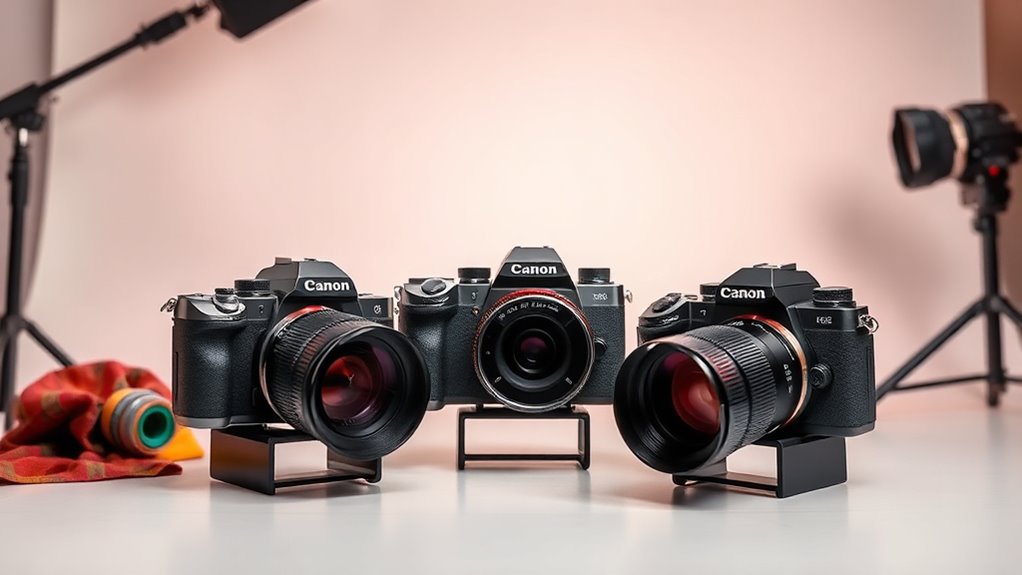
When you’re choosing a studio camera, several key factors can make or break your decision. You’ll want to evaluate resolution and image quality, as well as connectivity options that suit your setup.
Don’t forget to weigh the camera’s weight, sensor performance, and usability features to find the perfect fit for your needs. It’s all about matching the camera to what works best for you.
Resolution and Image Quality
Choosing a studio camera means paying close attention to resolution and image quality, as these factors greatly impact your production. Opting for a 4K camera (3840 x 2160 pixels) gives you four times the detail of 1080p, resulting in sharper images and greater flexibility for post-production cropping.
High dynamic range (HDR) capabilities will enhance your images, revealing details in both shadows and highlights. Look for cameras with dual native ISO settings, like 400 and 3200, to improve low-light performance while minimizing noise.
The sensor type, particularly CMOS, plays an essential role in light sensitivity and color reproduction. Finally, consider the aspect ratio—16:9 is standard for video, affecting your composition and how viewers perceive your work.
2. Connectivity Options Available
While high resolution and image quality are essential, connectivity options can make or break your studio setup. Look for cameras that offer multiple outputs, such as HDMI, SDI, and USB ports.
HDMI is great for consumer devices, while 12G-SDI supports high-bandwidth video transmission, which is vital for professional setups. If you’re into live streaming or remote production, consider cameras with IP output protocols like NDI for low-latency performance.
Also, make sure your camera is compatible with external audio sources through 3.5mm audio inputs or other interfaces. This will help keep your sound quality exceptional.
USB ports can boost functionality too, letting you record directly to storage devices or connect accessories. This makes your studio setup more versatile and efficient.
3. Weight and Portability
Considering the weight and portability of a studio camera can greatly influence your production experience. Lighter models, often under 1 pound, are ideal for on-the-go setups or tight spaces. Meanwhile, heavier cameras around 7 pounds can be cumbersome to transport.
Compact dimensions, like 2-3 inches in depth and width, allow you to fit your camera into smaller bags or cases easily. A lightweight design also makes setup and adjustments during live events smoother. This means you can quickly reposition without needing extra support equipment.
If you frequently move your gear between locations or need multiple angles in dynamic environments, thinking about the overall weight and form factor is key. It really helps maintain efficiency and flexibility in your shoots.
4. Sensor Performance Factors
When evaluating studio cameras, sensor performance plays an essential role in achieving high-quality images. You’ll want to take into account the native ISO capabilities; dual native ISO settings, like 400 and 3200, greatly boost low-light performance and dynamic range.
A higher dynamic range, measured in stops, helps capture details in both highlights and shadows, enhancing overall image quality. The sensor type, particularly CMOS, influences noise levels, color accuracy, and light responsiveness.
Resolution is also crucial; 4K sensors deliver much greater detail than lower resolutions. Finally, confirm the sensor supports various recording formats, like RAW, to give you flexibility in post-production.
This way, you can tweak color grading and adjustments without compromising image quality.
5. Usability and Control Features
After evaluating sensor performance, the next step is to focus on usability and control features that can considerably impact your production experience. Look for cameras with intuitive controls, like automatic exposure and customizable shooting modes, to meet various production needs.
Also, confirm your camera supports multiple connectivity options, including HDMI and SDI outputs, for seamless integration with streaming setups. Built-in features, such as color correction and audio inputs, enhance usability during live productions.
A lightweight and compact design is beneficial, especially in tight spaces or when capturing multiple angles. Finally, consider remote control capabilities or app integration, which simplify operation and allow for adjustments without needing physical access to the camera.
Frequently Asked Questions
What Lens Compatibility Options Are Available for Studio Cameras?
Most studio cameras offer a range of lens compatibility options, including prime and zoom lenses. You’ll find mounts for various brands, allowing you to choose lenses that suit your shooting style and needs.
This means you can easily switch lenses depending on the shot you want. It’s pretty flexible and convenient for different filming scenarios.
How Do Studio Cameras Perform in Low-Light Conditions?
Sure, if you’re hoping for a miracle in low-light, studio cameras won’t turn into wizards. They perform decently, capturing detail with proper settings, but don’t expect them to illuminate a black hole.
That said, with the right adjustments, you can still get some pretty good shots. Just don’t expect them to work magic in pitch-dark conditions. It’s all about managing your expectations and tweaking the settings.
Can Studio Cameras Be Used for Live Streaming?
Yes, studio cameras can definitely be used for live streaming. They offer excellent image quality and flexibility, allowing you to create professional-looking broadcasts.
Just make certain you have the right connectivity and settings for peak performance. It’s all about getting those details right so your stream looks smooth and sharp.
What Is the Typical Lifespan of a Studio Camera?
A studio camera’s lifespan can be like a well-tuned instrument, lasting 5 to 10 years with proper care.
You’ll want to maintain it regularly to guarantee peak performance and longevity for your creative endeavors. Taking good care of your gear really pays off in the long run.
Are Studio Cameras Suitable for Beginners in Photography?
Yes, studio cameras can be suitable for beginners. They offer user-friendly features that help you learn the basics of photography.
With a bit of practice, you’ll quickly develop your skills and gain confidence in a studio setting. It’s a great way to get comfortable with your camera and lighting.
Conclusion
When it comes to choosing the right studio camera, you want to guarantee it meets your unique needs. The options listed here for 2027 offer incredible features that can elevate your photography to new heights. Think of them as the smartphones of yesteryear, revolutionizing how we capture images.
Don’t just settle; invest in a camera that complements your creativity and helps you produce stunning visuals. Your art deserves the best tools available! With the best studio cameras, you can unlock new levels of detail, color accuracy, and versatility in your work. Whether you’re shooting portraits, products, or artistic projects, these cameras are designed to elevate your photography and bring your vision to life. Choosing the right studio camera today means setting yourself up for creative success tomorrow.