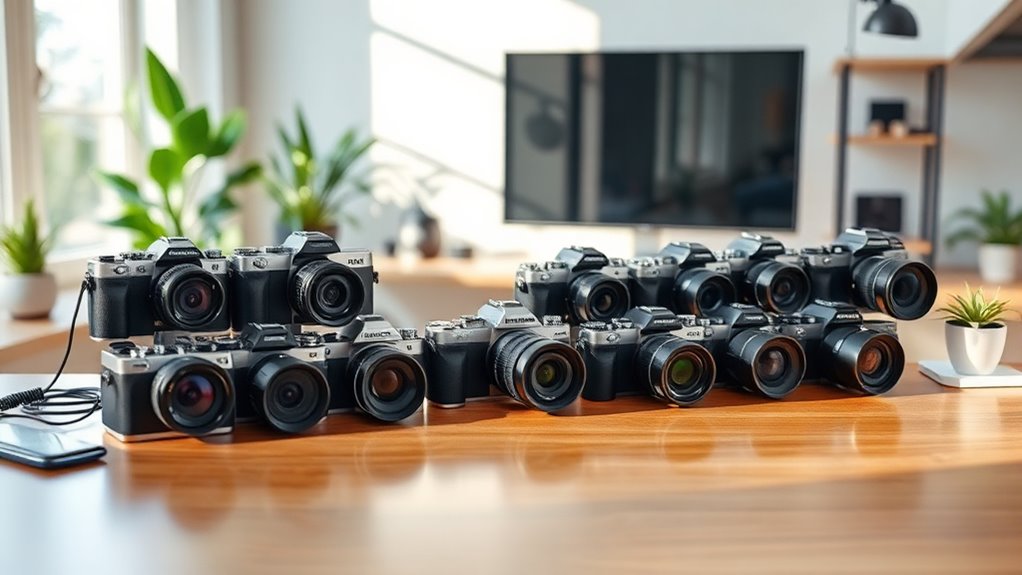
15 Best Cameras for Webinars in 2027 That Impress Every Audience
For impactful webinars in 2027, choosing the right webcam is key to impressing every audience. Whether you’re hosting a small meeting or a large virtual conference, having crystal-clear video quality and reliable performance makes all the difference.
Webcams like the Logitech Brio 101 or TRAUSI 1080P offer crisp Full HD clarity and are super easy to use with simple plug-and-play functionality. These models are perfect if you want straightforward, high-quality video without fuss.
Looking for something with outstanding detail and versatile framing? The EMEET C60E and S600 deliver true 4K resolution with PDAF autofocus and superior audio, ideal for more professional setups.
And if you want to take things up a notch, advanced options like the OBSBOT Tiny 2 Lite come with 4K AI tracking and PTZ controls, allowing dynamic presentations that keep your audience engaged. Curious about which webcam suits your needs best? Keep reading to uncover the perfect match!
| Image | Name | Editor's Rating | Price |
|---|---|---|---|

|
|
||

|
|
||

|
|
||

|
|
||

|
|
Logitech Brio 101 Full HD 1080p Webcam for PC, Built-in Mic, Black
- Compatible with Nintendo Switch 2’s new GameChat mode
- Auto-Light Balance: RightLight boosts brightness by up to 50%, reducing shadows so you look your best—compared to...
- Privacy with a Slide: The integrated webcam cover makes it easy to get total, reliable privacy when you're not on a...
Experience clear and professional video with the Logitech Brio 101 Full HD 1080p webcam, designed to enhance your online presence. This webcam delivers sharp 1080p video quality, helping you look your best during video calls, webinars, or streaming sessions.
Its 60-degree viewing angle and 5x optical zoom allow you to focus on what matters, making presentations and meetings more engaging. The built-in mono microphone captures clear audio, ensuring your voice is heard without extra setup.
Setup is straightforward with a plug-and-play USB-A connection compatible with Windows, macOS, and Chrome OS. The integrated privacy shutter offers peace of mind, giving you control over your camera’s visibility when not in use.
The sleek black design fits neatly into any workspace and requires minimal maintenance. However, its mono audio might not satisfy users seeking stereo sound, and the fixed focus lens limits manual adjustments.
Best for: Professionals and content creators needing a reliable, easy-to-use 1080p webcam with built-in audio for remote work and video conferencing.
What We Like:
- Crisp Full HD video with 5x optical zoom
- Built-in mono microphone for clear audio capture
- Integrated privacy shutter for enhanced security
- Plug-and-play USB-A compatibility with multiple operating systems
- Sleek, compact design fits any workspace
Specification:
| Feature | Details |
|---|---|
| Manufacturer | Logitech |
| Video Resolution | Full HD 1080p |
| Viewing Angle | 60 degrees |
| Optical Zoom | 5x |
| Microphone | Built-in mono |
| Connection | USB-A |
| Color | Black |
TRAUSI 1080P HD Webcam with Mic and Privacy Cover
- 【1080P HD Clarity with Wide-Angle Lens】Experience exceptional clarity with our 1080p Full HD Webcam. Its wide-angle...
- 【Noise-Reducing Built-In Microphone】Our webcam is equipped with an advanced noise-canceling microphone that ensures...
- 【Automatic Light Correction Technology】This cutting-edge technology dynamically adjusts video brightness and color...

Experience professional-grade video calls and content creation with the TRAUSI 1080P HD Webcam with Mic and Privacy Cover. This webcam ensures your visual presence is sharp and vibrant, solving common issues like poor lighting and unclear images during online meetings.
The camera’s wide-angle lens automatically adjusts to various lighting conditions, so you always look your best, whether you’re in a bright room or a dim space. Its built-in noise-canceling microphone delivers clear voice transmission, cutting through background noise for improved communication.
Designed for ease of use, this webcam connects via USB with simple plug-and-play compatibility across many devices. The secure sliding privacy cover protects your lens when not in use, offering peace of mind and easy maintenance.
While limited to 30fps, it suits most professional and streaming needs without demanding complex software setups. Its 5-foot USB cable offers flexibility but may require extension in larger setups. Overall, it’s a reliable, eco-friendly tool that enhances your online presence effortlessly.
Best for: Professionals and content creators seeking reliable 1080p video and clear audio for webinars, streaming, and virtual meetings.
What We Like:
- Sharp 1080p HD video with automatic light adjustment
- Noise-canceling microphone for clearer audio
- Privacy cover for lens protection
- Easy USB plug-and-play setup
- Compact design for versatile use
Specification:
| Feature | Details |
|---|---|
| Manufacturer | TRAUSI |
| Resolution | 1080p (1920×1080) |
| Frame Rate | 30 frames per second |
| Microphone | Built-in noise-canceling |
| Connection | USB |
| Cable Length | 5 feet (1.5 meters) |
| Privacy Cover | Sliding cover included |
EMEET C60E Dual-Camera 4K Webcam for Streaming, Wide-Angle & Telephoto
- 4K Dual-Camera Precision – The World's 1st Dual-Camera for Streaming features 2 cameras sharing a 1/2.8″ CMOS 4K...
- Max 11X Hybrid Zoom & PDAF Autofocus – The 4K webcam for PC offers smooth zoom from 1X to 11X—with examples like 3X...
- Smart Dual Control via Remote & EMEET STUDIO – C60E DUAL live streaming camera delivers a comprehensive image control...
Discover a new level of flexibility with the EMEET C60E Dual-Camera 4K Webcam, designed to enhance your streaming and webinar experience. This innovative webcam lets you easily switch between a wide-angle lens for group shots and a telephoto lens for detailed close-ups. It solves the common challenge of repositioning your camera during live sessions, allowing smooth transitions without interrupting your flow.
The EMEET C60E features 11x hybrid zoom and PDAF autofocus, ensuring your video remains sharp and clear at any distance. Control zoom and color settings in real time using the included remote or EMEET STUDIO software, putting creative adjustments at your fingertips. Dual omnidirectional microphones capture clear audio from up to 9.8 feet, improving communication quality during calls or streams.
Maintaining this webcam is straightforward thanks to its compact design and robust build. It connects via USB 2.0, which supports most setups but may limit bandwidth for higher-resolution modes. Note that zoom is unavailable at 4K 60FPS or in YUY2 video mode, and it does not support Windows Hello or some Chrome OS versions, which might restrict certain users.
With its dual-camera setup and versatile zoom, the EMEET C60E is ideal for professionals and content creators who need reliable, high-quality video for webinars and live streaming without complicated adjustments.
Best for: Professionals and streamers seeking versatile dual-lens 4K video with easy zoom and wide-angle options for dynamic presentations.
What We Like:
- Dual-camera design allows seamless switching between wide-angle and telephoto views.
- 11x hybrid zoom with PDAF autofocus keeps video sharp across distances.
- Remote control and software enable real-time zoom and color customization.
- Dual omnidirectional microphones ensure clear audio capture.
- Compact, durable design fits most workspaces easily.
Specification:
| Feature | Details |
|---|---|
| Manufacturer | EMEET |
| Resolution | 4K CMOS sensor |
| Zoom | 11x hybrid zoom |
| Audio | Dual omnidirectional mics |
| Connectivity | USB 2.0 |
| Dimensions | Compact size (exact dimensions not provided) |
| Compatibility | Major platforms; excludes Windows Hello and some Chrome OS versions |
EMEET S600 4K Webcam for Streaming, Sony 1/2.55” Sensor, PDAF Autofocus
- Unmatched 4K Streaming Quality - The EMEET S600 streaming camera boasts a high-definition 4K sony 1/2.55'' sensor...
- Advanced PDAF Autofocus & Light Balance – 4K webcam S600's PDAF(Phase Detection Autofocus) tech offers significant...
- Enhanced Audio Clarity & Customizable FOV - The EMEET S600 4K streaming webcam is equipped with premium microphones that...
Experience crystal-clear video with the EMEET S600 4K Webcam, designed to elevate your professional streaming and video calls. Its true 4K resolution paired with a Sony 1/2.55” sensor captures sharp, detailed images that keep you looking your best.
The webcam’s PDAF autofocus and digital image stabilization ensure your picture remains clear even when you move. This means no more blurry frames during dynamic presentations or live streams. The 73° wide-angle lens provides a natural perspective, ideal for solo presenters or small groups.
Built with convenience in mind, the compact design includes a privacy cover and versatile mounting options for secure setup anywhere. Dual noise-canceling microphones deliver crisp, distraction-free audio, helping you communicate effectively in any environment.
Maintenance is straightforward—just keep the lens clean and store the device in a dry place to preserve image quality. While it does not support Windows Hello or some Chrome OS versions, it excels as a reliable tool for professional video communication.
Best for: Professionals and content creators seeking high-resolution 4K video quality with dependable autofocus and clear audio for webinars, streaming, and video conferencing.
What We Like:
- True 4K resolution with Sony sensor for sharp, detailed video
- PDAF autofocus and digital stabilization maintain image clarity during movement
- Dual noise-canceling microphones provide clear, background-free sound
- Compact design with built-in privacy cover and flexible mounting options
Specification:
| Feature | Details |
|---|---|
| Manufacturer | EMEET |
| Sensor | Sony 1/2.55″ |
| Resolution | True 4K (3840 x 2160) |
| Autofocus | PDAF |
| Field of View | 73° wide-angle |
| Microphones | Dual noise-canceling |
| Dimensions | Compact size (exact size not specified) |
| Privacy Cover | Built-in |
Logitech C920x HD Pro PC Webcam with Microphone, Full HD 1080p/30fps Video
- Compatible with Nintendo Switch 2’s new GameChat mode
- HD lighting adjustment and autofocus: The Logitech webcam automatically fine-tunes the lighting, producing bright...
- Advanced capture software: Easily create and share video content with this Logitech camera that is suitable for use as a...
Step up your video calls and streaming with the Logitech C920x HD Pro PC Webcam, designed to deliver clear, professional-quality visuals. This webcam captures Full HD 1080p video at 30fps, ensuring your image is sharp and focused. Its wide 78-degree lens provides a natural field of view, so you stay well-framed during meetings or broadcasts.
The built-in dual microphones record natural stereo sound, improving communication with crisp, clear audio. Automatic light correction adjusts your image in dim environments, keeping you visible without complicated setup. USB plug-and-play connectivity makes installation quick and hassle-free on both Windows and macOS systems.
Maintenance is simple—its durable design requires minimal care, though it lacks a built-in privacy shutter, so consider additional lens covers for privacy. The included XSplit VCam software allows you to blur or replace backgrounds without a green screen, enhancing your presentation’s professionalism.
This webcam is ideal for anyone needing reliable video and audio quality for work, streaming, or online learning.
Best for: Professionals, streamers, and students requiring easy-to-use webcams for video conferencing and live presentations.
What We Like:
- Sharp Full HD 1080p video with autofocus and wide viewing angle
- Dual microphones provide natural stereo audio
- Automatic low-light correction improves visibility
- XSplit VCam license enables background customization without a green screen
Specification:
| Feature | Details |
|---|---|
| Manufacturer | Logitech |
| Dimensions | Approx. 3.9 x 1.5 x 0.9 inches |
| Weight | About 162 grams (0.36 lbs) |
| Video Resolution | Full HD 1080p at 30fps |
| Microphone | Dual stereo microphones |
| Connectivity | USB plug-and-play |
| Compatibility | Windows, macOS |
NexiGo N60 1080P Webcam with Microphone and Privacy Cover

- 【Full HD 1080P Webcam】Powered by a 1080p FHD two-MP CMOS, the NexiGo N60 Webcam produces exceptionally sharp and...
- 【Wide Compatibility】Works with USB 2.0/3.0, no additional drivers required. Ready to use in approximately one minute...
- 【Built-in Noise-Cancelling Microphone】The built-in noise-canceling microphone reduces ambient noise to enhance the...
Experience clear and professional video calls with the NexiGo N60 1080P Webcam. This webcam captures sharp Full HD 1080p video at 30 frames per second, making your online meetings and streaming sessions look smooth and detailed. Its wide 110-degree lens lets you include multiple people or a broader background without fuss.
The built-in noise-canceling microphone minimizes background noise, ensuring your voice is crisp and easy to understand. This feature is particularly useful in busy or noisy environments, helping you communicate effectively without distractions. The privacy cover offers peace of mind, giving you full control over when the camera is active.
Setup is simple with plug-and-play USB compatibility across Windows, macOS, and Linux, so you can start using it immediately without installing complex software. The webcam also supports adjustable field of view and low-light correction, enhancing image quality in various lighting conditions.
Compact and lightweight, the NexiGo N60 is easy to maintain and fits neatly on your monitor or laptop. However, it is not designed for outdoor use, as it lacks water resistance and is incompatible with gaming consoles. Its digital zoom may reduce image quality, so it’s best suited for standard video conferencing needs.
Best for: professionals and individuals needing an affordable, user-friendly webcam that delivers clear video and noise-reduced audio for online meetings and streaming.
What We Like:
- Full HD 1080p video at 30fps with a wide 110-degree lens
- Noise-canceling microphone improves voice clarity
- Privacy cover for enhanced security and control
- Easy plug-and-play USB setup with multiple OS support
- Low-light correction for better image quality indoors
Specification:
| Feature | Details |
|---|---|
| Manufacturer | NexiGo |
| Video Resolution | 1080p Full HD at 30 fps |
| Lens Angle | 110 degrees wide-angle |
| Microphone | Built-in noise-canceling |
| Compatibility | Windows, macOS, Linux |
| Connection | USB plug-and-play |
| Privacy Cover | Included |
| Dimensions | Compact design (exact size not specified) |
| Weight | Lightweight (exact weight not specified) |
EMEET NOVA 4K Webcam for PC, Ultra 4K HD, PDAF Autofocus, Dual Omni Mics

- Unrivaled 4K Performance - Experience unparalleled clarity with our EMEET NOVA 4K webcam, featuring a 30FPS rate and a...
- Precise Autofocus, Clear Display – This 4K webcam features PDAF tech for fast and accurate autofocus within a fixed...
- Superior Audio Clarity, Unmatched Compatibility – Featuring 2 built-in microphones that capture voices clearly, the...
Capture every detail with the EMEET NOVA 4K Webcam, designed to enhance your video calls and streaming sessions. Its crisp Ultra 4K resolution delivers sharp, clear images, solving the common problem of blurry or pixelated video during important meetings or presentations.
The webcam’s PDAF autofocus keeps your image consistently sharp without manual adjustments, allowing you to stay focused on your content. Dual omnidirectional microphones pick up natural sound from up to 8 feet, improving communication clarity in any environment.
Compact and practical, the NOVA features a 360° swivel mount for easy positioning and a built-in privacy cover to protect your data when not in use. Setup is simple with plug-and-play USB-A connectivity, requiring no complicated driver installations.
While it defaults to 1080p, switching to 4K is straightforward through software, though it lacks manual focus and image stabilization. Maintenance is minimal, with durable construction suited for daily professional use.
Best for: Professionals and content creators needing reliable 4K video quality with clear audio for webinars, streaming, and video conferencing.
What We Like:
- Sharp Ultra 4K video with PDAF autofocus for consistent clarity
- Dual omnidirectional mics capture clear sound at a distance
- Compact design with 360° swivel and privacy cover
- Easy plug-and-play USB-A connection
Specification:
| Feature | Detail |
|---|---|
| Manufacturer | EMEET |
| Resolution | Ultra 4K (2160p at 30 FPS) |
| Microphones | Dual omnidirectional |
| Mount | 360° swivel |
| Connectivity | USB-A plug-and-play |
| Privacy Cover | Built-in |
| Default Output | 1080p (switchable to 4K) |
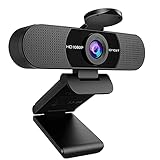
EMEET 1080P Webcam with Microphone, C960 Web Camera 2 Mics Streaming Webcam
- Full HD 1080P Webcam with Cover for Video Calls - EMEET computer webcam provides design and Optimization for...
- Built-in 2 Noise Reduction Mics - EMEET webcam with microphone for desktop is 2 built-in omnidirectional noise reduction...
- Low Dependence on Light Condition - Automatic low-light correction technology is applied in EMEET HD webcam 1080p so...
Experience professional-quality video and clear audio with the EMEET C960 1080P Webcam. Designed for effortless use, it delivers crisp Full HD 1080p video that ensures you look sharp in every meeting or webinar. The 90° wide-angle lens captures a broad view, while automatic low-light correction adapts to various environments, so you always appear well-lit.
This webcam’s dual noise-cancelling microphones offer clear voice pickup and minimize background distractions. Its plug-and-play USB connection simplifies setup, eliminating the need for complex installations. The universal clip and tripod-ready design provide flexible mounting options for any workspace.
Maintenance is straightforward with the detachable privacy cover, giving you control over your privacy when the camera is not in use. The compact and reliable build fits seamlessly into any professional or remote work setup, enhancing your video conferencing experience.
While the fixed focus may limit distance flexibility and it lacks compatibility with Windows Hello, the EMEET C960 remains a practical choice for clear, dependable video communication.
Best for: Professionals and remote workers needing a straightforward, high-quality webcam with reliable audio for virtual meetings and webinars.
What We Like:
- Sharp 1080p Full HD video with wide 90° field of view
- Dual noise-cancelling microphones reduce background noise
- Easy plug-and-play USB setup with versatile mounting options
- Detachable privacy cover for secure, convenient use
Specification:
| Feature | Details |
|---|---|
| Manufacturer | EMEET |
| Resolution | 1080p Full HD |
| Lens Angle | 90° wide-angle |
| Microphones | Dual noise-cancelling |
| Connection | USB plug-and-play |
| Mounting Options | Universal clip, tripod-ready |
| Privacy Cover | Detachable |
| Focus Type | Fixed focus |
EMEET PIXY Dual-Camera AI-Powered PTZ Camera 4K with Tripod, AI Tracking
No products found.
Step up your video production with the EMEET PIXY Dual-Camera AI-Powered PTZ Camera. This advanced device ensures you stay perfectly framed, whether you’re hosting webinars, leading fitness sessions, or running live commerce streams. Its dual-camera setup, featuring a 4K Sony sensor and AI face-position detector, delivers sharp images and autofocus in just 0.2 seconds.
The camera’s smooth 310° pan and 180° tilt, combined with intelligent AI tracking, automatically follows your movements for hands-free operation. You get precise framing and gesture control that adapts seamlessly to your activity. The included tripod offers adjustable height and swivel to fit any setup, while the built-in 3-mic array captures clear audio with multiple sound modes.
Designed for easy maintenance, the USB wired connection ensures stable performance without needing wireless setup or onboard storage. Although the field of view is fixed at 4K 30 FPS and 1080p 60 FPS, this limitation keeps video quality consistently sharp. Note that the remote control is sold separately to unlock full PTZ features.
Best for: Content creators and professionals seeking high-quality 4K video with AI tracking and versatile pan-tilt-zoom capabilities for streaming and presentations.
What We Like:
- Lightning-fast 0.2-second PDAF with dual-camera autofocus
- Wide PTZ range with AI-powered smooth tracking and gesture control
- Adjustable tripod and 3-mic array offering crisp, clear audio
Specification:
| Feature | Details |
|---|---|
| Manufacturer | EMEET |
| Dimensions | Not specified |
| Weight | Not specified |
| Material | Not specified |
| Color Options | Not specified |
NexiGo N680E Pro 4K Webcam with Ring Light

- 【Unmatched 4K Streaming Quality】The NexiGo N680E Pro has a Sony 1/2.5" 4K sensor for ultra-sharp, true-to-life video...
- 【PDAF Autofocus & Enhanced Audio Clarity】Keep your audience engaged with advanced PDAF autofocus, delivering faster...
- 【Tri-Tone Adjustable Ring Light】The built-in ring light offers three color temperature modes with a simple touch and...
Capture every detail with the NexiGo N680E Pro 4K Webcam, designed to enhance your video quality and lighting effortlessly. Its high-resolution 4K sensor and fast PDAF autofocus deliver sharp, clear images, making your presentations and streams look polished and professional.
The built-in tri-tone ring light offers adjustable brightness, providing soft, natural illumination without harsh glares. This feature solves common lighting issues, ensuring you always appear well-lit in any environment. Dual noise-canceling microphones filter out background noise, so your voice remains crisp and clear.
Setup is straightforward with a USB-A connection, compatible with major platforms like Zoom and Teams. The privacy shutter offers peace of mind, while versatile mounting options adapt to different monitors or desks. Maintenance is simple—just wipe the lens and ring light gently to keep the webcam performing at its best.
Best for: Professionals and content creators seeking reliable 4K video streaming with enhanced lighting and sound for webinars, meetings, and live broadcasts.
What We Like:
- Sharp 4K video capture with smooth 1080p streaming at 60 fps
- Adjustable tri-tone ring light for flattering, glare-free illumination
- Dual noise-canceling microphones for clear audio in noisy environments
- Privacy shutter and flexible mounting options for security and convenience
Specification:
| Feature | Details |
|---|---|
| Manufacturer | NexiGo |
| Dimensions | Compact, clip-mount design |
| Weight | Lightweight |
| Connectivity | USB-A |
| Video Resolution | 4K capture, 1080p at 60 fps |
| Lighting | Built-in tri-tone ring light |
| Microphones | Dual noise-canceling |
| Compatibility | Zoom, Teams, and major apps |
OBSBOT Tiny 2 Lite 4K Webcam for PC, AI Tracking PTZ Streaming Camera

- 【OBSBOT × EWC 2026 Official Partnership】As an Official OBSBOT Partner of the Esports World Cup 2026, OBSBOT powers...
- 【Stay Pro, Stay Productive】The new version Tiny 2 Lite webcam 4K streamlines some streaming features (whiteboard...
- 【Your Tracking Mode,Your Rule】The web cam boasts multiple tracking modes (e.g. upper body& hand tracking), to cater...
Experience seamless video communication with the OBSBOT Tiny 2 Lite, a 4K AI tracking webcam designed to elevate your presentations and streams. Its smart tracking technology keeps you perfectly framed, reducing distractions and letting you focus on delivering your message.
Featuring smooth pan, tilt, and zoom (PTZ) capabilities, this webcam adapts easily to various physical orientations. Whether you’re teaching, presenting, or streaming, the camera’s AI recognizes upper-body movement and hand gestures, allowing intuitive control without touching your device.
Setup is simple with plug-and-play functionality, but advanced users can customize tracking areas and camera presets through SDK and Stream Deck integration. This flexibility ensures professional-quality video for webinars, meetings, and content creation.
Maintenance is straightforward; the robust design requires minimal upkeep, making it a reliable tool for daily use. While it excels in educational and business settings, some creative streamers may find its features focused rather than expansive.
Best for: Educators, professionals, and streamers needing a high-quality 4K webcam with intelligent AI tracking and versatile PTZ functions.
What We Like:
- Crisp 4K resolution with a 1/2″ CMOS sensor for clear video
- AI tracking supports upper-body and hand gesture controls
- Smooth PTZ operation for precise framing
- Plug-and-play setup with SDK and Stream Deck customization
Specification:
| Feature | Details |
|---|---|
| Manufacturer | OBSBOT |
| Resolution | 4K UHD |
| Sensor | 1/2″ CMOS |
| PTZ Functionality | Pan, Tilt, Zoom |
| AI Tracking | Upper-body and hand gestures |
| Connectivity | USB plug-and-play |
| Dimensions | Not specified |
| Weight | Not specified |
Webcam for PC Plug and Play USB ,PDAF Autofocus 4K/30 FPS ,for Mac & PC

- 【 FLEXIBLE GOOSENECK DESIGN 】Danyesth WEBCAM features a flexible gooseneck with an integrated sturdy clamp for...
- 【 Upgrade 4K Webcam 】Danyesth 4K webcam gives you real control right at your fingertips. Four dedicated buttons give...
- 【 Built-in Noise-Canceling Mic 】Your voice, only clearer. The integrated noise-canceling microphone reduces...
Experience crystal-clear video with the Danyesth W15 webcam, designed to elevate your online meetings and streaming sessions. This plug-and-play USB webcam delivers stunning 4K UHD video at 30 FPS, ensuring your image remains sharp and vibrant without any complicated setup.
The PDAF autofocus keeps you in focus during movement, solving the common problem of blurry video in dynamic environments. Its 80° field of view and 5x zoom options allow flexible framing, perfect for one-on-one calls or focused presentations.
Adjust lighting effortlessly with six brightness levels, enhancing your appearance in any room. The built-in mic can be muted instantly with a button, giving you control over your audio during calls. The flexible 15.75-inch gooseneck and sturdy clamp offer versatile mounting options on desks or monitors.
Maintenance is simple—just plug it in and use. Compatible with Mac and PC, it supports popular platforms like Zoom and Teams, making it ideal for professionals who need reliable, high-resolution video without fuss. Note that it is designed for indoor use and does not include onboard storage.
Best for: Professionals and content creators needing a straightforward, high-quality webcam for sharp video conferencing and streaming on Mac or PC.
What We Like:
- Crisp 4K UHD video at 30 FPS with smooth PDAF autofocus
- Flexible mounting with a long gooseneck and sturdy clamp
- Six-level adjustable lighting for improved image clarity
- Easy mute button for quick audio control
- Plug-and-play compatibility with Mac and PC platforms
Specification:
| Feature | Details |
|---|---|
| Manufacturer | Danyesth |
| Resolution | 4K UHD (3840 x 2160) |
| Frame Rate | 30 FPS |
| Autofocus | PDAF |
| Zoom | 5x Optical and Digital |
| Field of View | 80° |
| Mounting | 15.75-inch gooseneck clamp |
| Connectivity | USB Plug and Play |
| Compatible OS | Mac, PC |
TONGVEO PTZ Conference Camera with 20X Zoom
No products found.
The TONGVEO PTZ Conference Camera with 20X Zoom is designed to elevate your video conferencing and streaming experience. Its smooth 1080p at 60fps video ensures clear and sharp visuals, making distant details easy to see. This camera helps professionals maintain a polished, detailed look without the hassle of constant adjustments.
With AI-powered auto tracking, the camera effortlessly follows one or multiple people, keeping the framing precise and professional. The silent pan and tilt motors allow for smooth movement across wide angles, making it ideal for dynamic meeting environments or large conference rooms.
Setup is straightforward thanks to plug-and-play compatibility with popular platforms like Zoom and OBS. This reduces downtime and technical challenges, so you can focus on your content. The ability to save up to 255 presets means quick access to preferred camera angles, improving efficiency during live sessions.
The camera’s design is sturdy but bulky, weighing 2.74 kg, which limits portability. It requires manual focus adjustments and is intended for indoor use only due to the lack of water resistance. Regular maintenance involves gentle cleaning and careful handling of the pan-tilt mechanisms to ensure long-term smooth operation.
Best for: Professionals and organizations needing precise, high-quality video capture with reliable AI tracking for webinars, streaming, and conferences.
What We Like:
- Smooth 1080p 60fps video with 20X optical zoom for detailed visuals
- AI auto tracking with multi-person modes and near-silent movement
- Plug-and-play setup compatible with major streaming platforms
- Wide pan and tilt range for versatile framing options
Specification:
| Feature | Details |
|---|---|
| Manufacturer | TONGVEO |
| Video Resolution | 1080p (1920×1080) |
| Frame Rate | 60fps |
| Optical Zoom | 20X |
| Pan Range | 350° |
| Tilt Range | 180° |
| Weight | 2.74 kg (6.04 lbs) |
| Focus | Manual |
| Connectivity | USB Plug-and-play |
G55 2K Webcam with Dual Speakers & Microphone for PC Laptop

- Dual 3W Stereo Speakers : Crisp, room-filling audio without headphones. No more tinny laptop sound or messy...
- Remote Control & 120° 5-Level Adjustable Wide-Angle : Control zoom, brightness, contrast, and hue without interrupting...
- 4 AI Noise-Canceling Mic Array : Four built-in mics with advanced AI filtering eliminate keyboard, fan, and street...
Experience clear and professional video calls with the G55 2K Webcam with Dual Speakers & Microphone. Designed to enhance your online meetings, this webcam delivers sharp 2K QHD video that makes you look your best on screen. Its wide-angle lens offers five adjustable fields of view, so you can easily customize your framing for any setting.
The built-in AI noise-canceling microphones ensure your voice is heard without background distractions. Meanwhile, the dual 3W stereo speakers provide clear audio output, making conversations smooth and natural. This combination helps you communicate effectively, whether in a webinar or virtual presentation.
Setup is simple with plug-and-play compatibility across popular platforms like Zoom and Teams. No drivers are needed, and included accessories such as a remote control, flexible tripod, and privacy cover add convenience and security. The webcam also performs well in low light and supports digital zoom for a crisp image at any distance.
Maintenance is straightforward, though note the remote uses a nonstandard battery which may require occasional replacement. The device is not water resistant, so it is best suited for indoor use.
Best for: Professionals and remote workers seeking reliable video and audio quality for online meetings and presentations.
What We Like:
- Crisp 2K QHD video with adjustable wide-angle lens
- AI noise-canceling microphones paired with dual stereo speakers
- Easy plug-and-play setup with major video platforms
- Includes remote control, flexible tripod, and privacy cover
Specification:
| Feature | Details |
|---|---|
| Manufacturer | G55 |
| Video Resolution | 2K QHD (2560 x 1440 pixels) |
| Lens Field of View | 40° to 120°, adjustable |
| Microphone | AI noise-canceling dual mics |
| Speakers | Dual 3W stereo speakers |
| Compatibility | Zoom, Teams, and more (plug-and-play) |
| Accessories | Remote control, flexible tripod, privacy cover |
| Power (Remote) | Nonstandard battery |
| Weight | Not specified |
| Water Resistance | No |
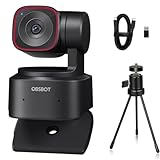
OBSBOT Tiny 2 Lite 4K PTZ Webcam AI-Tracking 1/2″ CMOS, W Mini Tripod
- ...
- ...
- 🎬【𝗖𝘂𝘀𝘁𝗼𝗺𝗶𝘇𝗲𝗱 𝗣𝗿𝗲𝘀𝗲𝘁 𝗠𝗼𝗱𝗲𝘀】Tiny 2 Lite enhance your...
Experience sharp, professional-quality video with the OBSBOT Tiny 2 Lite, a compact 4K PTZ webcam designed to enhance your online presence. Its 1/2″ CMOS sensor captures crisp 48MP images and smooth UHD 4K video at 30fps, ensuring every detail is clear. This webcam solves the frustration of poor framing by using AI-powered auto-tracking and gesture control, keeping you perfectly centered during calls or recordings.
The built-in mini tripod provides stable placement on any desk or surface, eliminating the need for extra equipment. Its autofocus and dual-mic noise reduction keep your image sharp and your voice clear, even in busy environments. The webcam connects easily via USB, making setup simple and compatible with most PCs and laptops.
Maintenance is straightforward, but note the device uses a nonstandard battery, which may require extra care for replacements. While it’s not water-resistant and lacks local storage options, it excels in indoor settings where reliable video and audio quality are essential.
Best for: Professionals, educators, and content creators needing a compact, high-resolution webcam with intelligent AI tracking for seamless video conferencing and streaming.
What We Like:
- Crisp 4K UHD video and 48MP stills with autofocus and HDR
- AI auto-tracking and gesture controls for hands-free framing
- Built-in mini tripod for stability and customizable presets
- Dual microphones with noise reduction for clear audio
Specification:
| Feature | Details |
|---|---|
| Manufacturer | OBSBOT |
| Sensor Type | 1/2″ CMOS |
| Video Resolution | UHD 4K at 30fps |
| Photo Resolution | 48MP |
| Connectivity | USB |
| Tripod | Built-in mini tripod |
| Microphones | Dual with noise reduction |
| Battery | Nonstandard type |
| Water Resistance | None |
Factors to Consider When Choosing a Camera for Webinars
When choosing a camera for webinars, you want to focus on resolution and clarity to guarantee a sharp image. Autofocus, zoom, and low-light performance also play vital roles in maintaining a professional look.
Don’t forget to check the microphone quality and compatibility with your setup for seamless connectivity. These factors together help ensure your webinar looks and sounds great.
Resolution and Clarity
Because clear visuals are essential for engaging webinars, you should choose a camera that delivers at least 1080p resolution at 30 frames per second. This guarantees text is readable and facial details appear natural.
If you plan to crop heavily or use multiple on-screen windows, 4K can help. But keep in mind, it demands more bandwidth.
Also, consider sensor size and lens quality—larger sensors and glass optics capture more light and dynamic range. This improves clarity, especially in varied lighting.
The camera’s compression and bitrate matter too. Aim for H.264 or H.265 encoding with about 3–5 Mbps for 1080p30 to avoid blockiness.
Finally, think about field of view. A narrower angle packs more pixels on your face, enhancing detail, which is essential for speaker clarity.
Autofocus and Zoom
Beyond resolution and clarity, autofocus and zoom play a big role in keeping your webinar visuals sharp and engaging. You’ll want a camera with fast phase-detection autofocus (PDAF) to lock focus quickly and minimize hunting, especially if you move around.
Make sure the autofocus works smoothly at your chosen resolution and frame rate—some cameras limit autofocus in 4K or 60fps modes. For framing flexibility, pick a model with optical zoom or a quality hybrid zoom; avoid relying on digital zoom since it degrades image detail.
Check the autofocus range and minimum focus distance so it suits your setup, whether close to a whiteboard or sitting back. And if you switch angles or move frequently, prioritize low-latency autofocus and smooth zoom control to keep your audience focused without distractions.
Low-Light Performance
Although webinar rooms often have less-than-ideal lighting, you can still achieve clear, professional visuals by choosing a camera with strong low-light performance. Look for models with larger sensors and lenses featuring lower f-numbers to capture more light and reduce noise.
Cameras offering automatic exposure control and intelligent low-light correction boost brightness by up to 50%, maintaining facial detail without manual tweaks. Pay attention to native resolution and noise-reduction processing to keep images sharp yet clean.
Avoid aggressive digital sharpening that amplifies grain. Built-in or adjustable image gain lets you balance brightness and noise—too much gain increases graininess.
If you want higher frame rates, make certain your camera maintains low-light quality since faster shutter speeds let in less light. This combination guarantees you look your best, no matter the lighting.
Microphone Quality
Choosing a camera with high-quality microphones greatly impacts your webinar’s audio clarity. Look for webcams featuring multi-mic arrays, like dual or tri-mic setups, which capture sound more accurately and offer spatial clarity—ideal for group webinars.
You’ll want to prioritize microphones with directional or noise-canceling designs, such as cardioid patterns or built-in noise suppression. These features help minimize background noise and focus on voices, making your audio much clearer.
Also, check the effective pickup range, usually around 8 to 10 feet, since sound quality drops beyond that distance. It’s a good idea to consider the sample rate and audio codecs, too. Higher-quality formats like PCM or AAC deliver clearer, more natural speech with low latency.
And hey, having mute buttons and software controls for gain and noise reduction can be a lifesaver. They help you manage audio levels smoothly during live sessions without any fuss.
Compatibility and Connectivity
While microphone quality shapes your webinar’s sound, the camera’s compatibility and connectivity determine how smoothly your video integrates with your setup. First, secure the camera’s physical connection—USB-A, USB-C, HDMI, or Ethernet—matches your computer or capture device ports, or that you have the right adapters.
Confirm the camera supports resolutions and frame rates your platform and hardware handle, like 1080p/60fps or 4K/30fps, to avoid quality loss. Check OS and platform compatibility, and whether the camera is plug-and-play or needs drivers.
Make sure it uses standard webcam protocols (UVC, MJPEG) for seamless recognition by apps like Zoom or OBS. Finally, consider cable length, power needs, and any extras like capture cards or tripods to keep your setup stable and reliable.
Privacy and Security
Since your camera captures live video, protecting your privacy and security is essential when selecting one for webinars. Choose webcams with a physical privacy shutter to block the lens when not in use, preventing unauthorized recording.
Also, opt for wired USB connections instead of wireless to reduce risks from network interception and ease firewall management.
Make certain the device supports encrypted drivers and complies with UVC standards or uses trusted vendor software to avoid vulnerabilities from unverified firmware.
Manage camera permissions carefully—grant access only to necessary apps and regularly audit them. Keep your camera’s firmware and your system updated, and disable unused remote features like cloud streaming or auto-upload.
These steps will help safeguard your privacy during every webinar session. It’s worth taking the time to set these up properly!
Frequently Asked Questions
How Do I Connect a Webcam to Different Webinar Platforms?
You just plug your webcam into your computer via USB, then open your webinar platform’s settings.
Select your webcam as the video source, and you’re all set to start streaming live to your audience.
It’s pretty straightforward, and most platforms recognize your webcam automatically once it’s connected.
If you encounter any issues, double-check your device settings or restart the platform.
Can I Use My Smartphone as a Webcam for Webinars?
Why buy a new webcam when you’ve got a smartphone ready to shine?
You can easily use your smartphone as a webcam by connecting it via apps like DroidCam or EpocCam.
This turns your phone into a powerful video tool. It’s a smart and budget-friendly way to upgrade your webinar setup!
What Lighting Setup Is Best for Webinar Video Quality?
You’ll want soft, even lighting from a ring light or LED panels placed at 45-degree angles. Avoid harsh shadows by using diffusers.
Also, make sure your background is well-lit to keep things looking professional and clear. This setup really helps boost your webinar video quality.
How Do I Troubleshoot Common Webcam Issues During Webinars?
You’ll find 87% of webinar issues stem from simple glitches. To troubleshoot, restart your webcam and check all connections.
Make sure your drivers are up to date, too. Sometimes, outdated software can cause problems without you even realizing it.
Also, close any apps that might be using your webcam or conflicting with your webinar software. It’s a common culprit.
Before you go live, test your video settings. This little step can save you from awkward moments and keep your stream smooth and professional.
Are External Microphones Better Than Built-In Webcam Mics?
Yes, external microphones usually deliver clearer, richer sound than built-in webcam mics. You’ll reduce background noise and echo, making your voice sound more professional during webinars.
Investing in one really boosts your audio quality. It’s definitely worth considering if you want to step up your sound game.
Conclusion
Choosing the right camera for your webinars is like picking the perfect lens for your story—you want clarity, focus, and a touch of magic that draws your audience in.
Whether you aim to capture every detail or showcase your vibrant personality, these top picks will help your presence shine bright like a lighthouse guiding viewers through the fog.
So, gear up and let your webcam be the window that opens doors to connection and success. With the best cameras for webinars in 2027, you’ll impress every audience by delivering crisp visuals and engaging content. Investing in a quality webcam ensures your message is clear and your professionalism stands out, creating a seamless online experience that keeps viewers coming back. Whether for professional meetings, online classes, or interactive presentations, the right camera makes all the difference in building trust and connection. Get ready to elevate your webinars with tools designed to put your best face forward every time!