3 Best Doorbell Cameras for Office Workers in 2027
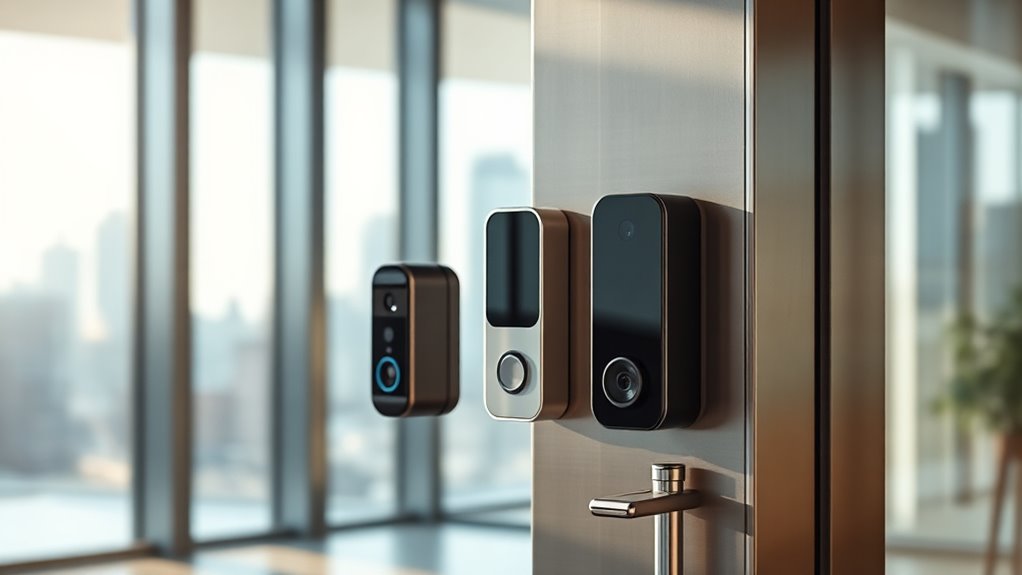
If you want top-tier office security in 2027, consider these three doorbell cameras designed especially for office workers. These smart doorbells offer high resolution, reliable connectivity, and advanced features to keep your workplace safe and efficient. Whether you want quick indoor alerts, clear video footage, or easy remote communication, these options have you covered.
SwitchBot’s Wireless Video Doorbell comes with a 4.3-inch monitor and works offline for enhanced privacy. It delivers fast indoor notifications without relying on cloud storage. The 1080P Battery-Powered model features AI human detection and two-way audio, so you can interact with visitors from anywhere.
Then there’s eufy’s Security Video Doorbell C31, which boasts 2K video clarity. It offers flexible power options—battery or wired—and doesn’t require a subscription. Curious about which one suits your office best? Let’s explore their strengths and setups together.
| Image | Name | Editor's Rating | Price |
|---|---|---|---|

|
|
||

|
|
||

|
|
SwitchBot Wireless Video Doorbell Camera with Monitor
- Installation instructions for the monitor: the monitor requires a power cable. Keep the indoor monitor and exterior...
- 2K HD Clarity, Ultra Wide Angle & Colour Night Vision: Equipped with impressive 2K full HD video resolution, a...
- 4.3 inch colour screen monitor: this screen for the video doorbell combines 6 functions. With a single touch of a...
Experience enhanced security and communication with the SwitchBot Wireless Video Doorbell Camera featuring a dedicated 4.3-inch indoor monitor. This monitor works independently of the internet, allowing you to answer calls and view your doorstep in real time without relying on Wi-Fi. It ensures privacy and uninterrupted access, ideal for busy office environments.
The doorbell’s 2K FHD camera captures sharp images through a 165° ultra-wide lens. Even in low light, color night vision provides clear visibility, helping you identify visitors day or night. Motion and tamper detection send instant alerts, keeping you informed of any activity around your entrance.
Designed for practicality, the device includes a 5000 mAh battery and mounts easily on walls, making installation and maintenance straightforward. While the monitor requires continuous power, its stable 2.4 GHz Wi-Fi connection supports reliable performance within a 5-meter range.
This system is tailored to improve safety and convenience, especially where internet access is limited or privacy is a priority.
Best for: office workers and homeowners seeking a dependable video doorbell with offline indoor monitoring and crisp video quality.
What We Like:
- 4.3-inch indoor monitor functions without internet dependency
- 2K FHD camera with wide-angle lens and color night vision
- Instant motion and tamper alerts for enhanced security
- Long-lasting 5000 mAh battery with easy wall mounting
Specification:
| Feature | Specification |
|---|---|
| Manufacturer | SwitchBot |
| Monitor Size | 4.3 inches |
| Camera Resolution | 2K Full HD |
| Lens Angle | 165° ultra-wide |
| Battery Capacity | 5000 mAh |
| Connectivity | 2.4 GHz Wi-Fi |
| Monitor Power | Requires constant power |
| Range (Doorbell to Monitor) | 5 meters |
Wireless Video Doorbell Camera with Receiver, 1080P Battery Powered
- 【Smart AI Human Detection】Intelligent human recognition tech filters out pets and passing vehicles effectively to...
- 【Upgraded IR Night Vision】Equipped with four infrared LEDs and premium image sensor, the doorbell captures sharp...
- 【Instant Push Alerts & Secure Cloud Storage】Receive instant phone alerts once movement is triggered; pre-record...
Stay connected to your office or home entrance with the Wireless Video Doorbell Camera with Receiver, 1080P Battery Powered. This wire-free system eliminates the hassle of complex installations while delivering reliable security. It captures clear 1080p HD video, so you never miss important details.
Enhanced IR night vision provides visibility up to 33 feet, even in complete darkness. The smart AI human detection helps cut down on false alerts caused by pets or passing vehicles. You’ll receive instant push notifications on your phone, keeping you informed in real time.
The built-in two-way audio allows easy communication with visitors or delivery personnel remotely. An intuitive app compatible with both Android and iOS lets you control settings and view footage from anywhere. The rechargeable battery offers flexibility, though it requires manual charging as no charger is included.
Cloud storage keeps your recordings secure but may require a subscription. The device operates on 2.4 GHz Wi-Fi, which you should confirm works well within your network.
Best for: Homeowners or office managers seeking a reliable, wire-free video doorbell with clear HD video, smart detection, and remote communication.
What We Like:
- Crisp 1080p HD video with enhanced night vision
- AI human detection reduces false alerts
- Two-way audio for convenient remote interaction
- Easy app-based control for Android and iOS
- Rechargeable battery for flexible placement
Specification:
| Feature | Details |
|---|---|
| Manufacturer | Wireless Video Doorbell |
| Dimensions | Not specified |
| Weight | Not specified |
| Power Source | Rechargeable Battery |
| Video Resolution | 1080p HD |
| Night Vision | IR up to 33 feet |
| Wi-Fi Frequency | 2.4 GHz |
| Compatibility | Android & iOS app |
eufy Security Video Doorbell C31, 2K FHD, Battery or Wired, No Subscription
- Crystal-Clear Welcome in 2K FHD : Experience 2K FHD clarity with a 4:3 view for clear and detailed visuals of your...
- Real-Time Chat, Seamless Experience : When someone rings the doorbell, a pop-up video call appears on your phone. If...
- Dual Power Options : The quick-release rechargeable 6,500mAh battery allows for easy setup. When wiring, ensure the...
Stay in control of your office entrance with the eufy Security Video Doorbell C31, designed to provide clear, detailed monitoring in 2K FHD. This doorbell helps you identify visitors instantly with a crisp video feed and live calls sent directly to your phone. You can confidently see who’s at the door without missing a moment.
The device offers flexible power options, allowing you to use a rechargeable battery or hardwire it for continuous 24/7 operation. This means you can choose what fits your workspace best, whether you want hassle-free battery maintenance or constant power for uninterrupted security. Its 120° vertical view ensures full head-to-toe coverage.
Maintaining the doorbell is simple through the eufy app, which supports real-time chat and voice messaging without any subscription fees. This makes communication with visitors easy and cost-effective. Plus, compatibility with Alexa and Google Assistant adds hands-free convenience to your security setup.
While installation is straightforward, hardwiring requires bypassing an existing mechanical chime, which may add complexity. It connects via 2.4 GHz Wi-Fi, so ensure your network supports this for reliable performance.
Best for: Small business owners or office managers who want a subscription-free, high-resolution video doorbell with flexible power options to monitor their entrance remotely.
What We Like:
- Sharp 2K FHD video with a wide 120° field of view for thorough monitoring
- Dual power choices: rechargeable battery or hardwiring for continuous recording
- No subscription fees with live video calls and voice messaging through the eufy app
- Hands-free compatibility with Alexa and Google Assistant
Specification:
| Feature | Details |
|---|---|
| Manufacturer | eufy Security |
| Video Resolution | 2K Full HD (2560×1920) |
| Field of View | 120° vertical |
| Power Options | Rechargeable battery, Hardwired |
| Wireless | 2.4 GHz Wi-Fi |
| App Features | Real-time chat, Voice messaging |
| Assistant Support | Alexa, Google Assistant |
| Installation | Battery or wired (requires chime bypass if wired) |
Factors to Consider When Choosing a Doorbell Camera for Office Workers
When choosing a doorbell camera for your office, focus on video quality to guarantee clear images and smooth footage.
Consider power source options and connectivity to keep the device reliable throughout the workday. Don’t forget to check motion detection accuracy and audio features so you can communicate effectively and catch every important visitor.
Video Quality Essentials
Selecting the right video quality for your office doorbell camera guarantees clear identification and reliable security. Aim for at least 1080p resolution to capture sharp facial features and readable license plates within 3 to 10 meters.
Opt for a wide field of view between 120° and 165°, or adjustable framing, so you get full doorway context without distortion. Cameras recording in a 16:9 or head-to-toe aspect ratio help identify standing visitors better than narrow 4:3 crops.
Make sure your camera performs well in low light, offering color night vision or infrared capabilities to keep footage usable in dim conditions. Finally, choose a camera that records at 15 to 30 frames per second and uses efficient compression like H.264 or H.265 to balance smooth video with manageable storage and bandwidth.
Power Source Options
Considering power source options plays a vital role in choosing the right doorbell camera for your office. Battery-powered models offer flexible placement and keep working during outages. Just make sure to check battery capacity (mAh) and runtime so you don’t have to recharge them too often.
Hardwired cameras provide continuous power, which is great for features like 24/7 recording and means you won’t have to swap batteries. However, installing them might require some wiring skills and you may need to bypass mechanical chimes.
Plug-in systems power indoor monitors but need nearby outlets. That can sometimes limit where you can place them.
Solar-assisted options can extend battery life outdoors if there’s enough sunlight and the panels are well placed.
If uninterrupted operation during work hours is critical for you, prioritize setups with battery backup or UPS compatibility. That way, your doorbell camera stays functional even during brief power failures.
Connectivity and Range
To get the most out of your office doorbell camera, you’ll want to make sure it connects reliably to your Wi-Fi network and covers the necessary range. Choose a camera that supports 2.4 GHz Wi-Fi for better wall penetration or dual-band Wi-Fi if your office network is busy and needs higher throughput.
Remember, typical indoor range varies from 5 to 30 meters, but materials like concrete and metal can weaken signals. If your entryway has weak Wi-Fi, consider cameras with repeater features or plan to add a Wi-Fi extender or mesh node.
For offices with limited internet, select cameras that work locally via direct monitor pairing or LAN connections. Also, make certain your camera’s placement balances power access with strong Wi-Fi coverage to avoid connectivity issues.
Motion Detection Accuracy
Cut down on false alarms by choosing a doorbell camera with advanced human or AI-based motion detection. These systems reduce unnecessary alerts from pets, vehicles, or moving foliage by over 50% compared to basic sensors.
You’ll want a camera with adjustable sensitivity and customizable detection zones. This way, you can focus on walkways or entry points while ignoring busy sidewalks or parking lots.
Check the detection range and field of view—ideally 10–15 meters and 120–165°—to capture approaching visitors clearly. Also, look for features like pre-roll recording and timestamped clips for better event context and review accuracy.
Finally, make sure the camera delivers near-instant motion-triggered alerts. Delays of several seconds can slow down timely responses from reception or security staff.
Audio Communication Features
While clear video is essential, you’ll also want a doorbell camera with robust audio communication features to guarantee seamless interaction between office staff and visitors. Look for two-way audio with noise suppression and echo cancellation to assure clear conversations, even in noisy reception areas.
High-quality microphones and speakers with wind and ambient noise reduction help maintain intelligibility for deliveries or maintenance up to 3–5 meters away. Push-to-talk or quick response buttons let busy employees send preset messages without launching a full app call.
Integration with desktop or mobile apps that show real-time audio call pop-ups and allow call transfers confirms no visitor goes unnoticed. Support for simultaneous monitoring on multiple devices and call recording with timestamps helps with staff handoffs and creates a reliable audit trail.
Installation Flexibility
Audio communication features can only perform well if your doorbell camera is installed in the right spot with reliable power and network connections. You’ll want to pick between battery-powered, hardwired, or plug-in models based on your office wiring and whether you prefer uninterrupted power or easy removal for recharging.
Check your Wi-Fi signal strength—2.4 GHz often works better for range, but 5 GHz offers faster speeds. A local repeater might be needed to maintain stable live views and notifications.
Consider if indoor monitors or secondary receivers are necessary for staff without smartphones, and plan for AC outlets and cable routing. Finally, assess mounting options and surface types, ensuring screw installation, anchors, or adhesive mounts are possible, while positioning the camera for optimal coverage and compliance with privacy policies.
Storage and Privacy
When selecting a doorbell camera for your office, you’ll need to carefully weigh storage options and privacy protections to keep your footage secure and compliant. If you prefer avoiding cloud providers, pick cameras supporting local storage like microSD cards or network video recorders, giving you full control over your recordings.
Should you choose cloud storage, check retention limits, encryption during transit and at rest, and fees for extended storage. Make certain your device or app uses end-to-end encryption and strong account safeguards, such as unique passwords and two-factor authentication, to block unauthorized access.
Be mindful of local laws and company policies about recording employees and visitors. Finally, regularly audit who can access footage, use role-based permissions, and review activity logs to maintain strict control over your video data.
Frequently Asked Questions
How Do Doorbell Cameras Integrate With Smart Office Systems?
You can easily integrate doorbell cameras with smart office systems by connecting them to your network. This setup enables real-time alerts, video feeds, and access control through your office’s centralized platform or mobile app.
It’s a great way to enhance both security and convenience. Plus, managing everything from one place makes your office smarter and more efficient.
What Are the Best Privacy Settings for Office Doorbell Cameras?
You want privacy settings that balance transparency with security—disable continuous recording, enable motion detection only for specific zones, and activate encryption.
That way, you protect sensitive info while keeping your office safe and accessible.
Can Doorbell Cameras Record Audio Conversations Legally in Offices?
You can’t record audio conversations legally in offices without consent in many places.
Check local laws carefully, as some regions require all parties’ permission before recording audio to avoid legal issues or privacy violations.
How Do Weather Conditions Affect Doorbell Camera Performance?
You might be surprised how weather can impact your doorbell camera’s performance. Rain, snow, or extreme heat can blur lenses, drain batteries faster, or disrupt signals.
But don’t worry! Choosing weather-resistant models helps you avoid these frustrating issues. It’s definitely worth considering if you want reliable footage no matter the conditions.
Are There Doorbell Cameras With Facial Recognition for Office Use?
Yes, you’ll find doorbell cameras with facial recognition designed for office use. They help you identify visitors quickly, enhance security, and streamline access control.
This makes your workplace safer and more efficient without extra hassle. It’s a smart upgrade for any office looking to boost security easily.
Conclusion
Choosing the right doorbell camera might seem like a small decision, but it’s exactly what keeps your office secure and connected.
Funny how these three options—SwitchBot, a wireless 1080P, and the eufy C31—each bring unique features that fit your busy life perfectly. Just like your workday, they balance reliability and convenience.
So, picking one isn’t just about tech; it’s about making your office a safer, smarter place without missing a beat. When you consider security and ease of use, these doorbell cameras stand out as top choices for office workers in 2027. They help you stay connected and in control, even on your busiest days.