6 Best Cameras for 3D Printer Time-Lapse in 2027
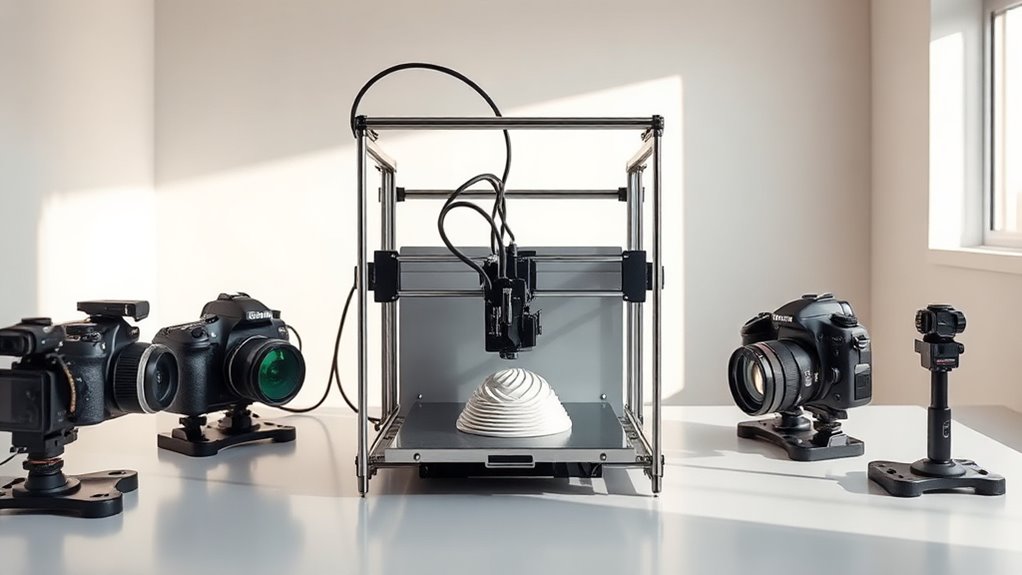
If you want crisp time-lapse videos of your 3D prints in 2027, choosing the right camera is key. The Creality Nebula WiFi Camera stands out for real-time streaming and easy setup, making it perfect for capturing every detail as your print progresses.
Another great pick is the SainSmart WonderMaker ZR, which offers effortless installation and HD quality footage. Both options are designed to keep your workspace tidy and efficient.
The FLASHFORGE AD5X and Creality K1 AI bring smart monitoring features to the table, including failure detection that helps you avoid wasted prints.
Plus, kits like the Printer Camera Monitor add WiFi control, giving you more flexibility and convenience.
These cameras work well with popular 3D printers, ensuring you get those perfect layer-by-layer shots without hassle. Exploring these choices will definitely help you capture every layer perfectly.
| Image | Name | Editor's Rating | Price |
|---|---|---|---|

|
|
||

|
|
||

|
|
Creality Nebula WiFi Camera for 3D Printers
No products found.
The Creality Nebula WiFi Camera transforms how you monitor your 3D prints. It lets you watch every detail of your print job remotely, reducing the need to stay physically near your printer. With real-time video streaming through the Creality Cloud app, you can keep an eye on your prints from your phone or PC with ease.
This camera is designed to work seamlessly with compatible Creality models like the Ender-3 V3 KE and CR-10 SE. Its simple WiFi connection setup minimizes downtime, while the app notifies you instantly if a print error occurs. You can even pause or stop prints remotely to prevent wasted filament and time.
Maintenance is straightforward, with no complex routines required. The camera’s design focuses on durability and consistent performance, supported by clear user manuals to assist with setup and troubleshooting. It also features an automatic time-lapse function, creating detailed videos that highlight each printed layer for easy review.
While it offers excellent remote monitoring, the camera requires a stable WiFi network and is only compatible with select Creality printers. This makes it ideal for users invested in the Creality ecosystem who want reliable and convenient print supervision.
Best for: Creality 3D printing users seeking efficient remote print monitoring and control with minimal setup.
What We Like:
- Real-time remote monitoring and print control via WiFi and app.
- Automatic time-lapse videos capturing detailed print progress.
- Easy setup with clear instructions and durable design.
- Instant alerts for print errors to prevent filament waste.
Specification:
| Feature | Details |
|---|---|
| Manufacturer | Creality |
| Compatible Printers | Ender-3 V3 KE, CR-10 SE |
| Connectivity | WiFi |
| Dimensions | Not specified |
| Weight | Not specified |
| Color Options | Not specified |
SainSmart WonderMaker ZR 3D Printer Camera
- [Perfect Compatibility]: Designed exclusively for WonderMaker ZR 3D printers. Seamless integration with the printer’s...
- [Real-Time Monitoring]: Keep an eye on one or multiple ZR printers simultaneously. Stream live video to your computer or...
- [ime-Lapse Filming]: Automatically capture every print from start to finish and create shareable time-lapse videos...
Experience effortless real-time monitoring for your 3D prints with the SainSmart WonderMaker ZR Camera. Designed specifically for the WonderMaker ZR 3D printer, this camera lets you keep a close eye on your prints from anywhere. You can watch live video streams on your computer or mobile device, helping you catch issues early.
The setup is simple thanks to its plug-and-play design — no tools or complicated installation required. Once connected, it automatically records high-definition time-lapse videos, letting you review print progress without manual effort. This feature also helps document your projects for quality control or sharing.
Maintenance is minimal since the camera is compact and lightweight, fitting snugly with your printer without obstructing operations. Although currently compatible only with WonderMaker ZR printers, future software updates will add multi-printer monitoring capabilities, ideal for workshops or print farms.
With this camera, you reduce the risk of print failures and material waste by spotting problems as they happen. It offers a practical, integrated solution for improving print success and workflow efficiency.
Best for: owners of WonderMaker ZR 3D printers seeking convenient, real-time print monitoring and automatic time-lapse recording.
What We Like:
- Quick, tool-free plug-and-play installation
- High-definition live streaming and time-lapse capture
- Early problem detection reduces wasted prints
- Compact design fits seamlessly with WonderMaker ZR printers
Specification:
| Feature | Details |
|---|---|
| Manufacturer | SainSmart |
| Compatible Model | WonderMaker ZR 3D Printer |
| Dimensions | Compact, lightweight design |
| Installation | Plug-and-play, tool-free |
| Video Output | High-definition live stream |
FLASHFORGE AD5X 3D Printer Camera Kit
No products found.
The FLASHFORGE AD5X Camera Kit brings real-time monitoring and time-lapse capabilities to your AD5M and Pro 3D printers. This compact accessory helps you keep a close eye on your prints without needing to be physically present. It solves the common problem of print failures by allowing you to catch issues early through clear visual feedback.
Designed to be easily retrofitted, the camera integrates smoothly with your existing setup. Its lightweight and compact design ensures it won’t interfere with your workspace or printer operation. Maintenance is straightforward, as the minimal size reduces potential points of failure.
The AD5X kit improves your printing workflow by producing clear time-lapse videos that document your print progress. This feature not only enhances monitoring but also creates useful visual records for troubleshooting or sharing your work.
While it supports only specific Flashforge models, this camera kit offers a tailored solution for AD5M and Pro users. Its focused compatibility streamlines installation and use, but may limit options for other printer models.
Best for: Flashforge AD5M and Pro users seeking an easy-to-install camera for monitoring prints and capturing time-lapse footage.
What We Like:
- Easy retrofit design for existing printers
- Compact and lightweight, preserving workspace
- Clear time-lapse video to track print progress
- Enables early detection of print issues
Specification:
| Feature | Details |
|---|---|
| Manufacturer | Flashforge |
| Compatible Models | AD5M, Pro |
| Weight | Just over 1 ounce (~28 g) |
| Dimensions | Compact, fits neatly on printer |
| Color | Not specified |
Creality K1 AI Camera for 3D Printers
No products found.
The Creality K1 AI Camera transforms how you monitor 3D prints, offering real-time oversight that saves time and material. With this device, you can watch your prints remotely through Creality Cloud or Creality Print, catching issues before they escalate.
Its smart failure detection pauses printing automatically, preventing wasted filament and costly errors. This proactive feature helps maintain smooth printing sessions and reduces frustration caused by unexpected print failures.
Designed for easy setup, the camera fits seamlessly onto Creality K1 MAX, K1 SE, and K1C models. Pairing it with the AI Lidar (sold separately) adds an extra layer of safety by detecting foreign objects on the print platform, avoiding collisions before printing begins.
The compact and lightweight design ensures it doesn’t interfere with the printing process or workspace. It also enables creating impressive time-lapse videos, allowing users to showcase their projects from start to finish effortlessly.
Best for: 3D printing enthusiasts using Creality K1 MAX, K1 SE, or K1C models who want real-time print monitoring, failure detection, and enhanced print safety features.
What We Like:
- Real-time print monitoring via Creality Cloud and Creality Print
- Automatic failure detection pauses printing to save filament
- Time-lapse video creation to document prints
- Foreign object detection with optional AI Lidar integration
- Compact design tailored for Creality K1 series printers
Specification:
| Specification | Details |
|---|---|
| Manufacturer | Creality |
| Compatible Models | K1 MAX, K1 SE, K1C |
| Weight | Lightweight (exact weight N/A) |
| Installation | Reserved interface for easy setup |
| Additional Feature | AI Lidar compatibility (sold separately) |
Printer Camera Monitor Smart Kit with WiFi Control
- Wide Compatibility: Applicable to most of printer models such as CR-10, CR-10 V3, CR-10S Pro V2, Ender-3, Ender-5 Pro...
- Remote Monitoring: Crea-lity Smart Kit enables remote monitoring and real-time printing. Control the printer work and...
- Time-lapse Photography: It captures the 3D printing wonderful scenes that cannot be detected by the naked eye, and...
Experience effortless remote monitoring with the Sunydog Printer Camera Monitor Smart Kit with WiFi Control. This device lets you keep a close eye on your 3D prints without being physically present. Its HD 1080P camera delivers clear visuals, helping you spot issues early and save time on failed prints.
Designed for smooth connectivity, the kit uses 2.4GHz Wi-Fi to stream real-time updates to multiple devices. You can monitor your projects from anywhere via the Creality Cloud, supporting multi-user access for teams or shared setups. This flexibility enhances workflow management and reduces interruptions.
The compact design fits neatly alongside popular printers like the CR-10 and Ender series. Maintenance is simple, requiring only occasional lens cleaning to preserve image clarity. Time-lapse videos are automatically backed up to the cloud, making it easy to review or share your print progress.
While the 2.4GHz Wi-Fi ensures broad compatibility, it may face interference in crowded networks. A stable internet connection is essential to fully benefit from cloud features. The small form factor may restrict camera placement in some setups, but overall it balances convenience and functionality well.
Best for: 3D printing enthusiasts and professionals seeking reliable remote monitoring and multi-device access for their projects.
What We Like:
- Crisp 1080P video with automatic time-lapse cloud backup
- Supports multiple operating systems and popular 3D printer models
- Real-time multi-user access for enhanced monitoring convenience
Specification:
| Feature | Details |
|---|---|
| Manufacturer | Sunydog |
| Dimensions | Compact (exact size unspecified) |
| Weight | Lightweight (exact weight unspecified) |
| Connectivity | 2.4GHz Wi-Fi |
| Video Resolution | HD 1080P |
| Compatible Printers | CR-10, Ender series |
| Supported OS | Windows, Linux, Mac |
FLASHFORGE Camera Kit for Adventurer 3D Printer
- Official Camera Kit: Compatible with FLASHFORGE 3d printers including Adventurer 5M, Adventurer 5M Pro, and AD5X for...
- Remote Control: With the compatible Flash Maker App, users could view and control the 3D printer from anywhere, offering...
- Easy Installation: The camera kit is designed for simplicity and easy of use, including all necessary components for a...
Experience the convenience of real-time monitoring with the FLASHFORGE Camera Kit, designed to keep you connected to your 3D prints from anywhere. This camera kit is tailored for the FLASHFORGE Adventurer 5M, Pro, and AD5X models, enabling smooth remote observation through the Flash Maker App. With this setup, you can easily oversee your print jobs without needing to stay by the printer.
Installation is straightforward, as the kit includes all necessary parts for a quick and hassle-free setup. Its compact and lightweight design (just 1.41 ounces) ensures it won’t interfere with your printer’s operation or take up extra space. Maintenance is minimal, requiring only occasional cleaning to keep the camera lens clear for optimal viewing.
The primary function of this accessory is to enhance your control over print jobs by providing live updates and remote access. While it focuses on monitoring and basic control features, it fits seamlessly into your existing workflow, making print management more efficient and less hands-on.
This camera kit is ideal for users looking to improve their 3D printing experience with remote monitoring and control, especially for those who own compatible FLASHFORGE Adventurer models.
Best for: Users of FLASHFORGE Adventurer 5M, Pro, and AD5X 3D printers who want convenient real-time remote monitoring and control of their print jobs.
What We Like:
- Enables seamless live monitoring through the Flash Maker App
- Quick installation with all components included
- Lightweight, compact design does not add bulk
- Clear remote access enhances print supervision
Specification:
| Feature | Details |
|---|---|
| Manufacturer | FLASHFORGE |
| Compatible Models | Adventurer 5M, Pro, AD5X |
| Weight | 1.41 oz (40 g) |
| Dimensions | Compact size (exact dimensions not specified) |
| Release Date | April 2024 |
Factors to Consider When Choosing a Camera for 3D Printer Time-Lapse
When choosing a camera for your 3D printer time-lapse, focus on image quality to capture every detail clearly. Make sure the camera is compatible with your printer and easy to install.
Also, look for connectivity options that suit your setup. It’s important to have a camera that fits seamlessly with your workflow.
Don’t forget to check if it supports time-lapse functionality. This will help streamline your recording process and save you time.
Image Quality Essentials
Since capturing the intricate details of your 3D print is essential, choosing a camera with high-definition capabilities and a resolution of at least 1080p will guarantee crisp, clear time-lapse videos. You’ll want a camera with a broad viewing angle—around 70 degrees or more—to cover the entire print bed, ensuring no detail goes unnoticed.
Low-light performance matters too; a minimum illumination below 10 lux helps maintain image quality even in dim conditions. Don’t overlook frame rate either—higher frame rates produce smoother, more fluid time-lapse playback, making your printing process visually appealing.
Compatibility With Printers
Choosing the right camera for your 3D printer means making certain it’s fully compatible with your specific model. Look for cameras designed to integrate seamlessly with your printer to avoid functionality issues.
If you own multiple printers, consider a camera that supports various models for greater versatility. Verify that the camera works with the latest printer firmware and software updates to guarantee smooth time-lapse performance.
Also, check if the camera offers features tailored to your printing needs, like remote monitoring or failure detection. These can be really invaluable.
Finally, review the installation requirements carefully to confirm the camera fits your printer hardware without needing extensive modifications. Prioritizing compatibility assures your time-lapse captures run flawlessly and enhance your 3D printing experience.
Installation And Setup
Several key factors can make installation and setup of a 3D printer camera straightforward and hassle-free. You should look for cameras with a plug-and-play design, so you won’t need extensive technical skills or extra tools.
Opt for models that feature a reserved interface, simplifying the connection to your printer. Lightweight and compact cameras are ideal since they attach securely without blocking your printer’s operation.
Make sure the installation instructions are clear and detailed, guiding you through every step smoothly. Finally, check that the camera is compatible with your 3D printer models and any apps you’re using, ensuring seamless integration and functionality.
Focusing on these factors will save you time and avoid frustration during setup. It really makes the whole process much easier!
Connectivity Options Available
When you pick a camera for 3D printer time-lapse, connectivity options play a crucial role in how easily you can monitor and control your print jobs. Choose a camera with WiFi so you can check progress from your phone or PC without hassle.
Make sure it supports multiple operating systems, like Windows, Linux, and Mac, to fit your setup perfectly. If your WiFi is spotty, an Ethernet connection provides a more stable link.
Look for cameras that allow multi-user access, enabling teammates to monitor the print simultaneously. Also, check which streaming protocols it uses—H.264 and MJPG guarantee smooth, high-quality video for real-time viewing and time-lapse recording.
These connectivity features streamline your workflow and keep you connected every step of the way. It’s all about making things easy and reliable so you can focus on creating great prints.
Time-Lapse Functionality
Although connectivity is essential, time-lapse functionality is what truly brings your 3D printer’s progress to life. When choosing a camera, look for one that automatically captures images layer by layer, creating smooth, condensed videos without manual effort.
High-definition image quality matters—it guarantees you capture every fine detail for professional, engaging results. Some cameras also back up your footage to the cloud, making storage and sharing effortless.
Advanced features like real-time alerts or print failure detection can be game-changers, helping you start recording only when the print runs smoothly. Prioritizing these time-lapse features lets you showcase your 3D prints impressively and efficiently, turning hours of printing into fascinating, shareable videos with minimal hassle.
Remote Monitoring Features
Capturing stunning time-lapse videos is just one part of enhancing your 3D printing experience. Remote monitoring features let you track your print progress in real-time through a web browser or mobile app, giving you the freedom to oversee prints from anywhere.
Many cameras send instant alerts if something goes wrong, so you can act quickly to prevent print failures and save materials. Some systems even allow you to stop prints remotely, avoiding costly mistakes before they escalate.
Look for high-definition image quality to clearly see nozzle movements and print details, which helps with quality checks. Additionally, multi-user access lets several people monitor or share the printing process simultaneously, making collaboration easier and more efficient.
Price And Warranty Considerations
Since camera options for 3D printer time-lapse vary widely in price and features, you’ll want to carefully balance your budget with your needs. Start by considering cameras that fit your price range without sacrificing essential functions or compatibility.
Don’t forget to check warranty terms—a longer warranty offers peace of mind about durability and performance. Look for brands that provide solid customer support, which can be a lifesaver if problems arise.
Also, factor in potential extra costs like installation accessories or software that might not be included upfront. Finally, read user reviews to evaluate reliability and performance.
This research helps guarantee your investment supports consistent, high-quality time-lapse captures without unexpected expenses or downtime.
Frequently Asked Questions
Can These Cameras Record in 4K Resolution?
Yes, many of these cameras can record in 4K resolution, giving you crisp, detailed time-lapse videos. You’ll find models with excellent image quality, smooth frame rates, and easy connectivity.
These features help you capture every 3D print perfectly. So, whether you’re a pro or just starting out, there’s a camera that fits your needs.
Are These Cameras Compatible With All 3D Printer Brands?
Yes, you’ll find most of these cameras compatible with all 3D printer brands, thanks to universal USB or Wi-Fi connections. Just verify your printer’s software supports external camera integration for smooth time-lapse recording.
It’s pretty straightforward, but double-checking never hurts. That way, you can enjoy hassle-free monitoring and awesome time-lapse videos of your prints.
Do These Cameras Support Live Streaming to Social Media?
Yes, these cameras support live streaming to social media platforms like YouTube and Twitch. You’ll find built-in Wi-Fi and easy app integration, letting you share your 3D printing process in real-time without extra hardware or complicated setups.
It’s pretty straightforward to get started. Just connect, stream, and show off your work as it happens!
What Is the Average Battery Life of These Cameras?
You won’t need to charge constantly; these cameras typically offer around 4 to 6 hours of battery life.
If you’re capturing long prints, having a power source handy guarantees your shots won’t miss a single moment.
Can These Cameras Be Used for Other Types of Time-Lapse Filming?
Yes, you can use these cameras for various time-lapse projects like nature, cityscapes, or construction. They’re versatile, letting you capture smooth, high-quality footage in different environments beyond 3D printing.
Whether you’re shooting sunsets or busy streets, these cameras handle it all with ease. So, go ahead and get creative with your time-lapse filming!
Conclusion
When you’re capturing your 3D prints, it’s funny how the right camera can make all the difference—like how the Creality Nebula and SainSmart WonderMaker both surprise you with sharp, clear time-lapses.
You might not expect that the perfect camera is also easy to use and fits your budget. So, as you pick your gear, remember: the best camera isn’t just about specs—it’s about how effortlessly it brings your creations to life on screen.
Choosing the best camera for 3D printer time-lapse in 2027 means balancing image quality, ease of use, and affordability. A great camera will highlight every detail of your print while being simple enough to set up and operate. In the end, the right camera helps you showcase your 3D printing journey with stunning clarity and smooth motion, making your time-lapses truly stand out.