14 Best Camera Placements for Video Calls in 2027
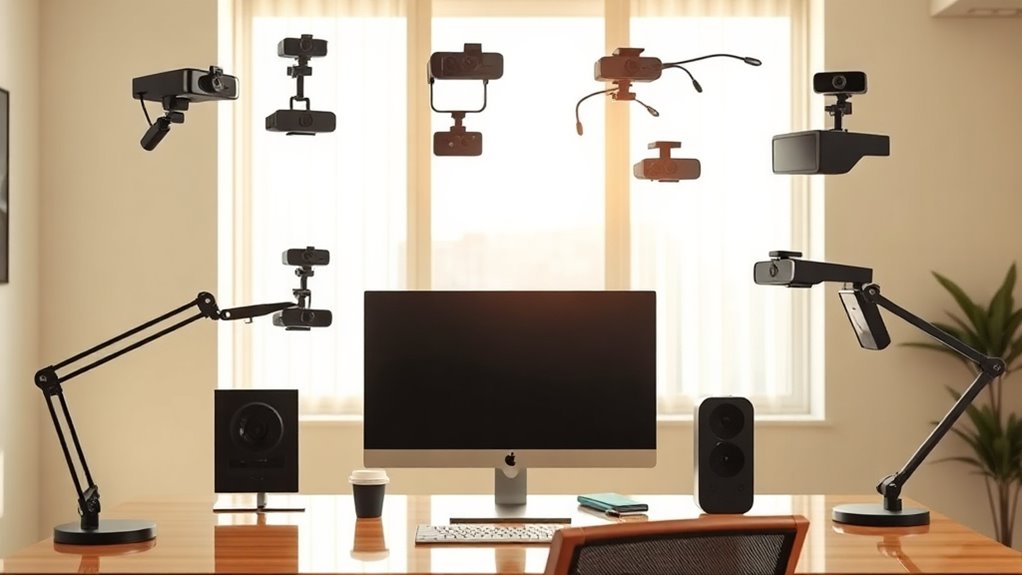
For the best video calls in 2027, placing your webcam at eye level or just a bit above is key. Aim for about 4 to 6 inches over your desk—that way, your face is captured clearly and naturally. This simple trick really helps you look your best on screen.
Using stable mounts like telescopic stands or magnetic mounts makes a huge difference. They keep your camera steady and let you adjust angles easily without hassle.
Plus, when your setup is solid, you can focus on your call instead of fumbling with equipment.
Don’t forget lighting! Good lighting, whether from adjustable LED panels or natural window light, can totally change how you appear on video.
And cable management? It keeps your workspace tidy and distraction-free. Keep experimenting, and you’ll soon master pairing your camera with mounts and lighting for professional-quality video calls.
| Image | Name | Editor's Rating | Price |
|---|---|---|---|

|
|
||

|
|
||

|
|
||

|
|
||
|
|
Logitech Brio 101 Full HD 1080p Webcam for PC, Built-in Mic, Black
- Compatible with Nintendo Switch 2’s new GameChat mode
- Auto-Light Balance: RightLight boosts brightness by up to 50%, reducing shadows so you look your best—compared to...
- Privacy with a Slide: The integrated webcam cover makes it easy to get total, reliable privacy when you're not on a...
Experience sharp, clear video calls with the Logitech Brio 101 Full HD 1080p webcam. Designed to enhance your virtual meetings, it delivers crisp images and clear sound, making communication effortless. Its built-in microphone ensures your voice is heard with clarity, eliminating common audio issues.
The webcam’s RightLight technology improves lighting by boosting brightness up to 50%. This reduces shadows and enhances your appearance even in dim environments. A convenient privacy shutter adds an extra layer of security, allowing you to cover the lens when not in use.
Setup is straightforward with plug-and-play compatibility across popular platforms like Zoom and Microsoft Teams. The sleek black design fits seamlessly on any desk or laptop. Plus, the webcam is eco-conscious, made from recycled plastic, reflecting thoughtful design and sustainability.
Maintenance is simple; just wipe the lens and body occasionally to keep your video quality sharp. The 60-degree viewing angle focuses on you, ideal for one-on-one calls but may limit wider group shots.
Best for: Professionals and remote workers seeking a reliable webcam that improves video and audio quality for everyday virtual meetings.
What We Like:
- Crisp Full HD 1080p video with enhanced lighting
- Clear audio from built-in microphone
- Privacy shutter for added security
- Easy plug-and-play setup
- Eco-friendly design using recycled plastic
Specification:
| Feature | Details |
|---|---|
| Manufacturer | Logitech |
| Resolution | Full HD 1080p |
| Microphone | Built-in |
| Connectivity | USB-A |
| Color | Black |
| Viewing Angle | 60 degrees |
| Material | Recycled plastic |
Webcam Stand for Desk, Telescopic Webcam Mount Camera Phone Stand
- 【Premium Metal Stability】Built with a weighted metal base and anti-slip padding, this webcam stand stays steady on...
- 【Eye-Level Camera Positioning】The adjustable height design helps raise your webcam to a more natural eye-level...
- 【360° Flexible Angle Control】With a swivel ball head for smooth rotation and tilt adjustment, you can quickly...
A stable and adjustable stand can transform your video calls and recordings. The LenTok L29 Webcam Stand for Desk offers reliable support for both webcams and smartphones. Its premium metal build and weighted base ensure your setup stays steady while protecting your desk with anti-slip padding.
The telescopic design allows easy height adjustment for perfect eye-level framing. A 360° swivel ball head lets you smoothly rotate and tilt your camera or phone to capture the best angles. This versatility helps you achieve professional-looking video without hassle.
Compact and foldable, the stand is easy to store or carry on the go. Maintaining it is simple—just wipe clean with a soft cloth to keep the metal surface looking sharp. It’s compatible with popular webcams like the Logitech C920 and most smartphones, making it a versatile addition to your workspace.
While it excels for webcams and smartphones, this stand may not support heavier camera equipment. It uses a standard 1/4” screw mount, so adapters might be needed for some accessories. The phone holder fits most devices but may not accommodate very large or thick cases.
Best for: Professionals, content creators, and remote workers needing a stable, adjustable webcam and smartphone stand for enhanced video communication.
What We Like:
- Durable metal construction with weighted base and anti-slip padding for desk protection
- Telescopic height adjustment and 360° swivel ball head for flexible positioning
- Foldable design for easy storage and portability
Specification:
| Feature | Details |
|---|---|
| Manufacturer | LenTok |
| Dimensions | Adjustable height (telescopic) |
| Weight | Weighted base (exact weight not specified) |
| Material | Premium metal |
| Color Options | Not specified |
USB 1080P Streaming Webcam with Mic and Rotation
- 🎬Manual focus - Adjust the focus of the USB desktop webcam manually for crystal clear images and videos Desktop...
- 🎬Wide-angle lens - Capture a wider field of view with the wide-angle lens, ensuring that everyone is in the frame...
- 🎬Easy switch between portrait and landscape mode - Easily switch between portrait and landscape mode for your videos...
Experience clear and flexible video communication with the USB 1080P Streaming Webcam with Mic and Rotation. Designed to enhance your video calls, this webcam delivers crisp 1080P HD quality at 30Hz, ensuring every detail is sharp and vibrant. Its wide-angle lens captures a broader view, making group calls or streaming more engaging.
The webcam’s 360-degree rotation and adjustable height, supported by a durable titanium alloy hose, allow you to find the perfect angle effortlessly. Switching between portrait and landscape modes is seamless, adapting to your needs without disruption. This flexibility makes it ideal for varied setups and environments.
Built-in microphone technology provides clear audio, reducing the need for external equipment. The USB plug-and-play connection simplifies setup, letting you start calls or streams without technical hassle. Its compact and portable design fits neatly on any desktop, supporting productivity on the go.
Maintenance is straightforward; the durable materials and simple manual focus require minimal attention, though occasional adjustments may be needed for optimal clarity. While it lacks clamping or tripod options, its stable base suits most standard surfaces.
Best for: Professionals and students seeking a versatile, high-quality webcam for video conferencing, online learning, and live streaming with easy adjustments and clear sound.
What We Like:
- Crisp 1080P HD video with wide-angle lens for enhanced viewing.
- Smooth 360-degree rotation and height adjustment for versatile positioning.
- Clear built-in microphone with easy USB plug-and-play setup.
- Compact, portable design fits most desktop environments.
Specification:
| Feature | Details |
|---|---|
| Manufacturer | Swokely |
| Resolution | 1080P HD at 30Hz |
| Lens | Wide-angle |
| Rotation | 360 degrees |
| Adjustable Height | Yes, titanium alloy hose |
| Connectivity | USB plug-and-play |
| Dimensions | Compact, desktop-friendly |
| Weight | Lightweight |
2 Pack Webcam and Phone Light Mount Clips
- Package: 2x Fill Light Clip
- It Can Be Used with Computers, Mobile Phones, Mirrors, And Fill Lights. It Is Suitable for Meeting Rooms, Live...
- Universal Fill Light Clamp, The Clamp Can Be Opened 40 Degrees, And the Clamp Handle Can Be Rotated 180 Degrees
Experience flexible and secure mounting with the 2 Pack Webcam and Phone Light Mount Clips. These clips provide a reliable solution for positioning your webcam or phone light exactly where you need it. The versatile clamp design allows for easy attachment to flat surfaces like monitors, phones, or mirrors, helping you achieve professional video call setups without hassle.
The mounts offer a 40-degree clamp opening and 180-degree rotation, so you can adjust angles smoothly for optimal lighting and camera placement. Their universal 1/4”-20 screw fits most photography accessories, making them adaptable to various streaming and virtual meeting equipment. This design ensures stable support for standard fill lights and cameras.
Designed for indoor use, these clips are easy to maintain. Simply wipe clean with a dry cloth to keep them in good condition. While they don’t support heavier lighting gear or outdoor use, their sturdy construction works well in offices, studios, and home setups.
Each pack includes two mounts, making it easier to manage multiple devices or lighting sources. With RecDec’s thoughtful design, you improve your video quality and create a more polished appearance during live broadcasts or tutorials.
Best for: professionals and content creators needing secure and adjustable mounts for webcams, phone lights, and accessories during video calls and streaming.
What We Like:
- Adjustable clamp with wide opening and smooth rotation
- Universal screw compatibility with most accessories
- Two clips per pack for versatile setup options
- Easy to clean and maintain for indoor environments
Specification:
| Feature | Details |
|---|---|
| Manufacturer | RecDec |
| Dimensions | Clamp opening: 40° |
| Rotation Range | 180° |
| Screw Size | 1/4”-20 universal |
| Color Options | Not specified |
| Weight | Not specified |
| Material | Not specified |
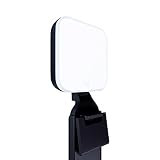
Logitech for Creators Litra Glow Premium LED Streaming Light – Graphite
- Natural skin tones, radiant look: Logitech’s TrueSoft technology delivers balanced, full-spectrum LED light with...
- Wide, flattering light: Litra Glow's frameless diffuser radiates wide, soft light that flatters the subject and...
- Safe for all-day streaming: Whether gaming, podcasting or broadcasting, Litra Glow adjustable LED light has cleared even...

Logitech’s Litra Glow Premium LED Streaming Light is designed to enhance your video presence seamlessly. It delivers adjustable, natural-looking skin tone lighting that improves how you appear on camera. This light reduces harsh shadows, making video calls and streams more professional and flattering.
You can easily control brightness and color temperature through the G HUB app. Whether you need warm candlelight or cool blue tones, the Litra Glow adapts to your environment and mood. Its TrueSoft Technology ensures full-spectrum light with cinematic color accuracy, enhancing your natural complexion.
The premium frameless diffuser softens light for smooth, even illumination. Its patent-pending 3-way adjustable monitor mount offers precise control over height, tilt, and rotation. This flexibility helps you position the light exactly where it’s needed for the best effect.
Lightweight and USB-powered, the Litra Glow is simple to set up and maintain. It is made for indoor use and pairs easily with desktop computers and laptops. This makes it ideal for streamers, remote professionals, and content creators who want consistent, high-quality lighting during long sessions.
Best for: Streamers and remote professionals needing customizable, natural skin tone lighting to improve video calls and streaming quality.
What We Like:
- TrueSoft Technology delivers balanced, full-spectrum light for flattering skin tones.
- 3-way adjustable mount allows precise positioning for optimal lighting angles.
- USB-powered design with app control provides simple brightness and color adjustments.
- Frameless diffuser ensures soft, even light without harsh shadows.
Specification:
| Feature | Details |
|---|---|
| Manufacturer | Logitech |
| Dimensions | Not specified |
| Weight | Lightweight |
| Material | Not specified |
| Color Options | Graphite |
Zoom Lighting for Computer, Adjustable Desk Ring Light for Video Calls

- Uniform and Soft Illumination: LitONES desk video conference light utilizes advanced edge-lit technology, delivering...
- Perfect Lighting: The zoom meeting light integrates side-illuminated LED technology and high CRI of 97.8, delivering...
- Ergonomically Design: This stylish 7-inch full-screen webcam light features a sturdy metal base to ensure durability...
Lighting can make or break your video call appearance. The Zoom Lighting for Computer, Adjustable Desk Ring Light by LitONES solves common lighting challenges by providing soft, even illumination that highlights your natural features. Its advanced edge-lit technology ensures your colors look vibrant and true to life.
With three color temperatures and ten brightness levels, you can easily tailor the light to any room or time of day. The ergonomic design adjusts in height from 22 to 32.5 inches and rotates 360°, giving you complete control over your lighting angles for the perfect setup.
This ring light is designed for convenience and long-term use. It features a sturdy metal base for stability and includes a universal phone holder, making it ideal for video calls or content creation. Powered by USB, it integrates smoothly with most computer setups.
Maintenance is simple thanks to its durable construction and easy-to-clean surfaces. However, its size may require ample desk space, and the USB power requirement limits compatibility with some devices. The weighted base ensures stability but reduces portability.
Best for: professionals and remote workers needing reliable, adjustable lighting for video conferencing and streaming.
What We Like:
- High CRI of 97.8 for accurate, vibrant colors
- Adjustable height and 360° rotation for customizable lighting
- Universal phone holder enhances versatility
- USB-powered for easy integration with computers
- Stable metal base ensures steady positioning
Specification:
| Feature | Details |
|---|---|
| Manufacturer | LitONES |
| Dimensions | 7L x 7W x 28.5H inches |
| Height Adjustment | 22 to 32.5 inches |
| Rotation | 360° |
| Color Temperature | 3 options |
| Brightness Levels | 10 levels |
| CRI | 97.8 |
| Power Source | USB |
| Base Material | Metal |
1080P Webcam with Microphone and Privacy Cover

- 【Crystal-Clear 1080P HD Video】This 1080p webcam for PC delivers sharp, true Full HD video at 30 frames per second...
- 【Built-In Noise-Canceling Microphone】This computer camera with microphone features dual noise-reducing digital mics...
- 【Privacy Shutter for Added Security】This secure USB webcam includes a built-in privacy cover, letting you physically...
Experience sharp, clear video calls with the NIVEOLI 1080P Webcam with Microphone and Privacy Cover. This webcam helps professionals communicate confidently by delivering crisp 1080P HD video at 30fps. Enhanced HDR technology ensures your image stays bright and detailed, even in low-light environments.
Designed for ease of use, it features a built-in privacy shutter that physically blocks the lens when not active. This simple mechanism helps protect your privacy without needing software controls. The adjustable clip fits securely on monitors or laptops, making setup quick and stable.
Dual noise-canceling microphones capture rich stereo sound while minimizing background noise. This improves voice clarity during calls, reducing misunderstandings and fatigue. The plug-and-play USB connection works across major platforms, so you can start your meetings without hassle.
Maintenance is straightforward; the lens cover keeps the camera clean when stored. Although it operates at 30fps and uses USB 2.0, it meets most professional and content creator needs for video quality and security.
Best for: Professionals and content creators needing reliable video and audio with privacy features for online meetings and streaming.
What We Like:
- Clear 1080P HD video with HDR for low-light clarity
- Dual noise-canceling microphones for clear audio
- Physical privacy shutter for enhanced security
- Easy clip-on design fits various monitors and laptops
Specification:
| Feature | Details |
|---|---|
| Manufacturer | NIVEOLI |
| Resolution | 1080P HD (1920×1080) |
| Frame Rate | 30 fps |
| Microphones | Dual noise-canceling |
| Connection | USB 2.0 |
| Weight | 0.19 kg (190 grams) |
| Privacy Cover | Built-in shutter |
NEEWER BASICS 5″ Monitor Light, Zoom Lighting for Video Conference, NL10

- 【Introducing NEEWER BASICS】 Simple and practical, NEEWER BASICS is an economical product line that focuses on...
- 【Edge Lit Technology for Soft Zoom Lighting】 At 5"x5", the 10W laptop & monitor backlight for video conferencing...
- 【Adjustable Light】 NEEWER NL10 monitor light is equipped with120 bi color LEDs for up to 656lux/0.5m, offering 5 CCT...
The NEEWER BASICS 5″ Monitor Light NL10 is designed to enhance your video calls and streaming sessions with soft, natural lighting. It solves common issues like harsh shadows and uneven illumination by providing smooth, evenly diffused light that keeps your face looking clear and professional on camera.
This light features 120 bi-color LEDs with adjustable color temperature and brightness levels. You can quickly tailor the light to suit different environments and skin tones, ensuring consistent and flattering lighting every time. Its high CRI of 95 guarantees true-to-life colors, so your appearance stays accurate on screen.
The compact design allows easy mounting on monitors, laptops, or desks using the detachable stand with four height settings. It also offers flexible positioning with a 180° tilt and 360° rotation, helping you find the perfect angle without hassle. Powered by USB-C, it’s simple to connect and maintain, though it’s intended for indoor use only.
Best for: professionals and content creators who need versatile, adjustable lighting for video conferencing and streaming.
What We Like:
- Soft, evenly diffused light with high color accuracy
- Flexible mounting and positioning options
- Multiple color temperature and brightness settings for customization
- USB-C powered for easy connectivity
Specification:
| Feature | Details |
|---|---|
| Manufacturer | NEEWER |
| Dimensions | 5 inches |
| Weight | Not specified |
| Material | Not specified |
| Color Options | Not specified |
Anker PowerConf C200 2K Webcam for PC/Laptop/Mac, Low-Light Correction
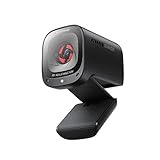
- 2K Ultra-Clear Resolution: Enjoy sharp, detailed video with this 2K resolution webcam for professional-grade...
- Advanced Audio Clarity with AI Noise Cancellation: This webcam features dual mics to ensure voices are crystal clear...
- Superior Low-Light Performance: This webcam captures crisp images in dim settings without extra lighting, perfect for...
Experience crystal-clear video even in low-light settings with the Anker PowerConf C200 2K Webcam. Its advanced 2K resolution and CMOS sensor ensure sharp, detailed images, making your virtual meetings more professional and engaging. The webcam’s low-light correction adapts to dim environments, so you remain visible without adjusting room lighting.
Designed for flexibility, the PowerConf C200 offers three customizable viewing angles—65°, 78°, and 95°—allowing you to frame yourself perfectly. Dual microphones equipped with AI noise cancellation capture your voice clearly, reducing background distractions for seamless communication. The webcam is simple to connect via USB and works with both Windows and macOS systems.
Maintaining privacy is effortless thanks to the built-in cover, which protects your camera when not in use. Its compact and lightweight design fits easily on laptops or monitors, making it ideal for professionals who need a reliable video solution for remote work or online presentations.
Best for: professionals and remote workers seeking a high-quality webcam that balances sharp video, clear audio, and privacy features.
What We Like:
- Ultra-clear 2K resolution with CMOS sensor for sharp visuals
- Dual microphones with AI noise cancellation for crisp audio
- Adjustable viewing angles for personalized framing
- Built-in privacy cover for security and peace of mind
Specification:
| Feature | Details |
|---|---|
| Manufacturer | Anker |
| Resolution | 2K (2560 x 1440) |
| Sensor Type | CMOS |
| Viewing Angles | 65°, 78°, 95° |
| Microphones | Dual with AI noise cancellation |
| Connectivity | USB |
| Compatibility | Windows 7/macOS 10.11 or later |
| Weight | Lightweight (approx. 0.2 lb / 90 g) |
| Privacy Cover | Built-in |
SMALLRIG Camera Mount C Stand, 15″-35″ Adjustable Desk Clamp Table Tripod

- [Multifunctional Desktop Stand] The desktop light stand is equipped with a 1/4" ball head and a ring light adapter...
- [Height Adjustable Camera Table Mount] The camera light stand is designed with 3 sections extending poles. You can...
- [Angle Adjustable Camera Table Stand] Thanks to the ball head (1/4" screw), you can freely adjust the angle of the...
Experience greater flexibility with the SMALLRIG Camera Mount C Stand, designed to enhance your video setup without cluttering your workspace. This adjustable desk clamp tripod smoothly extends from 15 to 35 inches, allowing you to position your camera or ring light exactly where you need it. Its compact design clamps securely to desks up to 1.85 inches thick, making it ideal for smaller workspaces.
The mount offers 360° rotation and a tilt range from -90° to +45°, so you can easily find the perfect angle for video calls or live streaming. Crafted from lightweight aviation aluminum alloy, it is durable yet portable, supporting smartphones, DSLRs, or ring lights with ease. The height adjustment is simple, using a rubber wingnut for quick and stable changes.
Maintenance is straightforward thanks to its robust build and detachable ball head with standard 1/4-20 threads. This design not only makes device attachment effortless but also ensures long-lasting performance. Keep in mind, the maximum table thickness and height range might limit some setups, but it covers most typical uses well.
Best for: content creators and live broadcasters needing a versatile and space-saving camera mount for smartphones, DSLRs, or ring lights.
What We Like:
- Durable yet lightweight aviation aluminum alloy construction
- Space-saving adjustable desk clamp fits tables up to 1.85 inches thick
- Smooth 360° rotation and versatile tilt for precise positioning
Specification:
| Feature | Details |
|---|---|
| Manufacturer | SMALLRIG |
| Height Range | 15″ – 35″ |
| Desk Clamp Max | 1.85 inches |
| Material | Aviation aluminum alloy |
| Rotation | 360° |
| Tilt Range | -90° to +45° |
Webcam Mount Stand with Phone Holder Clamp

- 33 Inch Gooseneck Arm: Our webcam arm features a high-density aluminum core to add stability, significantly minimizing...
- Secure Clamp Base: Made of Strong and thicken ABS material, it is more stable and durable. The upgraded base clamp...
- 360° Adjustable Camera Rotation: 360-degree rotating ball joint on web cam mount supports different viewing angles to...
The Webcam Mount Stand with Phone Holder Clamp is designed to enhance your video calls and streaming setup with ease and precision. Its 33-inch flexible gooseneck lets you position your camera or phone exactly where you need it, eliminating awkward angles and shaky footage.
Crafted with a high-density aluminum core, the arm maintains stability without drooping over time. The clamp’s anti-slip sponge pad protects your desk or table surface while providing a secure grip. This means you can set up your device on various surfaces without worrying about scratches or slips.
The 360° rotating ball joint offers versatile adjustment, allowing you to capture the perfect shot or maintain eye contact during calls. Its universal clamp supports a wide range of webcams and smartphones, accommodating devices up to 0.7 kg.
Maintenance is simple—just tighten or reposition the stand as needed to ensure optimal stability. The compact design keeps your workspace tidy and supports seamless transitions between work and play.
Best for: professionals and content creators seeking a stable, adaptable mounting solution for webcams and smartphones during streaming, video conferencing, or casual photography.
What We Like:
- Durable 33-inch gooseneck with aluminum core provides steady support.
- Anti-slip clamp protects surfaces and secures devices firmly.
- 360° rotating ball joint allows precise angle adjustments.
- Universal clamp fits multiple device types with 1/4 thread compatibility.
- Compact design reduces desk clutter while maintaining functionality.
Specification:
| Feature | Details |
|---|---|
| Manufacturer | — |
| Dimensions | 33 inches (gooseneck) |
| Weight Capacity | 0.7 kg |
| Clamp Opening | 2.6 / 6.6 cm |
| Material | High-density aluminum core |
| Color Options | — |
SMALLRIG Camera Desk Mount Table Stand, 13″-35.4″ Adjustable Light Stand

- Two in One Table Mount: The extendable desk mount is equipped with one 1/4" ballhead and one adapter for ring light...
- Height Adjustable: The desktop light stand is designed with 3 sections extending poles, with a height-adjustable from...
- 360° Swivel Ballhead: The ballhead with top 1/4" screw ensures 360° panoramic rotation for panoramic shooting...
Experience precise and flexible camera positioning with the SMALLRIG Camera Desk Mount Table Stand. Designed to solve common setup challenges, this stand adjusts easily from 13″ to 35.4″ in height, helping you achieve the perfect viewing angle for video calls or content creation. Its 360° swivel ball head and extension arm deliver versatile, multi-angle shooting options.
Built from durable aviation aluminum alloy, the stand offers strong stability on desks up to 5cm thick. The integrated, non-disassemblable base ensures a secure hold, reducing wobble during use. It supports devices weighing up to 10kg, though the extension arm is best suited for lighter accessories under 2kg.
Maintenance is simple due to its solid construction and fixed base, minimizing parts that could loosen or require frequent adjustment. This stand adapts well to various devices, including DSLR cameras, smartphones, and ring lights, improving video quality through reliable and customizable camera placement.
Best for: Professionals and content creators seeking a stable, adjustable desk mount for cameras and lighting during streaming, video calls, and photography.
What We Like:
- Wide height adjustment range with 360° swivel ball head
- Durable aviation aluminum alloy construction
- Stable, integrated base for steady support
- Supports up to 10kg on main mount
- Flexible use with cameras, smartphones, and lighting equipment
Specification:
| Feature | Details |
|---|---|
| Manufacturer | SMALLRIG |
| Height Range | 13″ to 35.4″ (33cm to 90cm) |
| Load Capacity | Up to 10kg main mount |
| Extension Arm Load | Under 2kg |
| Desk Clamp Max Thickness | 5cm (1.96 inches) |
| Material | Aviation Aluminum Alloy |
| Base Type | Integrated, non-disassemblable |
Puroma Webcam Stand GooseNeck Mount Desktop Camera for Logitech Webcam
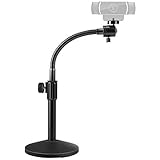
- Excellent Stability: Equipped with 4 non-slip pieces of cotton on the bottom of the metallic base to keep Puroma webcam...
- Durable: Made of premium metal material offers longer life for daily use, it also can be extended up to approximately...
- Adjustable: 3/8"-1/4" screw thread and the steel ball head make the tripod head can be rotated 360°horizontally and...
The Puroma Webcam Stand offers flexible and precise positioning for Logitech webcams, enhancing video calls, streaming, and recordings. Its goose-neck arm extends up to 21 inches, allowing you to easily find the perfect angle. This adjustability helps reduce awkward framing and improves your on-camera presence.
Designed with a premium metal build and powder-coated finish, this stand ensures long-lasting durability. The stable base features non-slip cotton pads that protect your desk from scratches and prevent unwanted movement. This keeps your setup clean and secure throughout use.
Compatible with popular Logitech webcams like the C920 and BRIO, the stand fits any device with a standard 1/4’’ screw hole. Its smooth 360° horizontal and 140° vertical rotation enables quick adjustments without hassle. However, larger or heavier webcams may require more robust support.
Maintenance is simple due to the sturdy materials and finish, which resist wear and keep the stand looking professional. The included tripod head adds versatility for varied mounting options.
Best for: Professionals and content creators needing a durable, adjustable webcam stand for precise positioning with Logitech webcams.
What We Like:
- Durable metal construction with protective powder coating
- Flexible goose-neck arm with wide rotation angles
- Stable base with non-slip cotton pads for secure placement
- Compatible with standard 1/4’’ screw hole webcams
Specification:
| Feature | Details |
|---|---|
| Manufacturer | Puroma |
| Dimensions | Arm extends up to 21 inches |
| Weight | Not specified |
| Material | Premium metal |
| Color Options | Powder-coated finish |
LZYDD Magnetic 360° Rotatable Webcam Mount

- Magnetic Quick-Release Design – Effortlessly attach or detach your webcam from the mount in 1 second without twisting...
- 360° Full-Rotation Adjustment – The swivel joint supports 360° horizontal rotation , allowing you to fine-tune the...
- Dual Compatibility with Monitor & Tripod – The clip-on base fits monitors/desktops with 1–5cm thickness, and the...
Experience seamless webcam adjustments with the LZYDD Magnetic 360° Rotatable Webcam Mount. Designed for professionals, it eliminates the hassle of screws or tools, allowing you to attach or detach your webcam in just one second. This quick magnetic release ensures your setup stays efficient during fast-paced video calls or streaming sessions.
Its strong magnetic hold keeps your webcam stable on various surfaces, while the 360° swivel joint provides smooth angle adjustments for perfect framing. The clip-on base fits monitors or desktops between 1 and 5 cm thick, adapting easily to different workstations without extra equipment.
Crafted from durable ABS plastic, this mount offers reliable support whether clipped on or mounted on a tripod. Maintenance is simple—just wipe it clean with a dry cloth to keep it looking new. The mount’s design helps reduce setup time and improves your overall video experience.
While the magnetic grip is powerful, it may not suit very heavy or unusually shaped webcams. Also, it fits only certain monitor thicknesses, so check compatibility before purchase.
Best for: Professionals and content creators who need a fast, secure, and adjustable webcam mounting solution for video calls, live streaming, or online classes.
What We Like:
- Magnetic quick-release for fast webcam swaps without tools
- 360° swivel joint for precise angle control
- Compatible with popular webcams like Logitech Brio and Insta360 Link2C
- Clip-on base fits monitors/desktops 1–5 cm thick
- Durable ABS plastic construction ensures long-lasting support
Specification:
| Feature | Details |
|---|---|
| Manufacturer | LZYDD |
| Dimensions | Fits monitors/desktops 1–5 cm thick |
| Weight | Not specified |
| Material | ABS plastic |
| Color Options | Not specified |
Factors to Consider When Choosing Camera Placement for Video Calls
When choosing your camera placement for video calls, you’ll want to focus on the right height, lighting, and background to create a professional look.
Make sure the angle is adjustable and the mount is stable to avoid distractions.
Paying attention to these factors helps you stay comfortable and look your best on screen.
Optimal Camera Height
How high should you position your camera for the best video call experience? Aim to place your camera at eye level or slightly above. This height creates a natural, engaging interaction and avoids unflattering angles that can distract from your message.
Typically, positioning the camera 4 to 6 inches above your desk works well to capture your face and upper body clearly. Make sure your camera aligns directly with your face to keep the focus on you, minimizing distractions.
Using adjustable stands or mounts lets you easily tweak the height to match your seating position and personal comfort. By setting your camera at the ideal height, you enhance communication and make your video calls feel more professional and connected.
Lighting Conditions Impact
Besides setting your camera at the right height, lighting plays a big role in how you appear on video calls. You want a Color Rendering Index (CRI) above 90 to show vibrant, true-to-life colors.
Natural light is your best friend—position your camera facing a window for soft, even illumination that reduces harsh shadows. Avoid backlighting since it creates silhouettes and lowers clarity; instead, direct the light toward you.
Using adjustable lighting like ring lights or softboxes lets you control brightness and color temperature, improving skin tone. Multiple light sources help eliminate shadows and add dimension, making your video feed look more engaging and professional.
Proper lighting guarantees you look clear and vibrant, enhancing how you connect with others on calls. It really makes a noticeable difference!
Background Considerations
Choosing the right background is essential for making a strong impression during video calls. You want to keep your space clean and clutter-free, as a tidy background boosts professionalism.
Opt for neutral or soft colors to prevent distractions and keep the focus on you. Be mindful of lighting behind you; avoid bright or reflective surfaces that cause glare or shadows on your face.
Also, pick a background that suits the meeting’s tone—a bookshelf works well for formal settings, while a casual space fits informal chats. Steer clear of busy or patterned backdrops, as they can pull attention away from your message.
Camera Angle Adjustment
Once you’ve set a clean and suitable background, the next step is to focus on your camera angle. Position your camera at eye level to create a natural connection and enhance engagement during calls.
Use mounts with 360° swivel or tilt features so you can adjust the angle precisely, avoiding unflattering views. Keep a proper distance to capture clear facial expressions and body language, which are key for effective communication.
Adjusting the angle also helps optimize lighting and reduce background distractions, guaranteeing a professional look. Choose flexible setups like adjustable stands to quickly reposition your camera for different environments or participant layouts.
This adaptability guarantees you maintain the best framing and presentation regardless of the situation. It’s all about making sure you look your best, no matter where or who you’re talking to.
Stability and Mounting
Three key factors guarantee your camera stays perfectly positioned during video calls: stability, adjustability, and secure mounting. A stable mount minimizes shaking, delivering a clear image that improves your video quality.
You’ll want an adjustable stand to set your camera at eye level, avoiding awkward angles and ensuring natural engagement. Look for mounts with weighted bases or anti-slip padding; these prevent accidental shifts or falls, keeping your camera steady throughout your call.
Versatile mounting options, like clamps or screw mounts, let you adapt to different setups and devices. Flexible designs such as goosenecks or telescopic arms offer smooth, precise adjustments, so you can quickly reposition your camera as needed.
Prioritizing these features guarantees consistent, professional video call experiences every time.
Privacy and Security
Although having a clear and stable camera setup is important, you also need to prioritize privacy and security when placing your webcam for video calls. Make certain your webcam has a built-in privacy shutter or cover to block the lens when not in use, preventing unauthorized viewing.
Position your camera at eye level to maintain professionalism while keeping sensitive areas out of view. Use mounting options like magnetic or adjustable stands to quickly reposition the camera if privacy concerns arise, without sacrificing video quality.
Choose a clean, neutral background to avoid revealing personal information accidentally. And don’t forget to regularly check your video settings and connectivity to guarantee your camera activates only when you want it to, protecting your privacy during private moments.
Device Compatibility
Choosing the right camera placement involves more than just finding a good angle—it also requires ensuring your webcam works smoothly with your device. First, make sure your camera is compatible with your operating system, whether it’s Windows, macOS, or Chrome OS. This way, you can avoid connection hiccups.
Next, check the connectivity options like USB-A or USB-C so you won’t need extra adapters. It’s always better to have a direct connection without fuss. Also, confirm the webcam supports popular video platforms such as Zoom, Microsoft Teams, and Google Meet for seamless calls.
Don’t forget to consider mounting compatibility—look for desk clamps or tripod mounts that fit your setup. Finally, verify the stability and load capacity of your mounts to keep your camera steady and secure during video calls. This will help keep your video clear and professional every time.
Cable Management Solutions
Managing your camera’s cables effectively plays an essential role in keeping your video call setup neat and professional. You want to reduce distractions by organizing cords with cable clips and ties, securing them along walls or desks to prevent tangling and tripping hazards.
Using cable sleeves bundles multiple cables together, improving aesthetics and making future adjustments easier. Consider installing cable channels or raceways at the base of your desk to hide and protect wires while keeping them accessible.
When possible, opt for wireless devices to minimize cable clutter, speeding up setup and breakdown. Thoughtful cable management not only enhances your workspace’s appearance but also guarantees a safer, more efficient video call environment.
Frequently Asked Questions
How Do I Improve My Background for Video Calls?
You can improve your background by decluttering, adding soft lighting, and choosing a neutral or professional backdrop. Avoid distracting items, use plants or artwork for visual interest, and guarantee your camera angle highlights the space well.
Try to keep things simple but visually appealing. A few well-placed items can make a big difference without overwhelming the scene. Just make sure your setup looks tidy and inviting.
What Are the Best Apps for Virtual Backgrounds?
Like wielding a magic wand, you’ll love apps like Zoom, Microsoft Teams, and Snap Camera. They let you transform your background instantly, making your video calls feel less ordinary and more like a scene from a dream.
It’s pretty cool how a simple tap can change your entire backdrop. Suddenly, you’re not just in your room—you could be anywhere!
How Can I Reduce Video Call Lag and Latency?
You can reduce video call lag by using a wired internet connection and closing unnecessary apps. Updating your software also helps keep things running smoothly.
Lowering the video resolution can make a big difference, too. Plus, try choosing servers that are closer to your location for faster connections.
And don’t forget to restart your device every now and then. It clears out temporary issues and can improve performance.
What Lighting Color Temperature Is Best for Video Calls?
For fantastic face-focused footage, favor a 5000K to 6500K color temperature—cool, crisp, and clear. This daylight-balanced light reduces red-rubrics and yellow-yawns, letting you look lively, natural, and professional during every video call.
It really makes a difference in how you come across on screen. Plus, it helps keep your facial features sharp and well-defined. So, next time you’re setting up for a call, remember to check your lighting color temperature!
How Do I Position Multiple Cameras for Group Calls?
You should position multiple cameras at different angles—one front-facing for the main view, and others capturing side perspectives. Make sure they’re at eye level and spaced evenly to cover everyone clearly.
You don’t want any overlapping views or blind spots during group calls. That way, everyone stays in frame and looks good on screen. It’s all about keeping things balanced and natural.
Conclusion
Choosing the perfect camera placement for your video calls can feel like revealing the secret to flawless communication. With options like the Logitech Brio 101 and adjustable mounts, you’ll never settle for awkward angles again.
Remember, your camera placement can make or break your virtual presence, so don’t just aim for good—aim for legendary clarity and connection. With these tips, your video calls will shine brighter than a supernova, every single time!
When you nail the right camera angle, it’s not just about looking good—it’s about creating a connection. Whether you’re presenting, collaborating, or just catching up, the best camera placement enhances your presence and boosts confidence.
So, invest a little time figuring out your setup. From eye-level positioning to optimizing lighting and background, these 14 best camera placements for video calls in 2027 will transform your virtual meetings into seamless, engaging experiences. Get ready to make every call a masterpiece of clarity and connection!