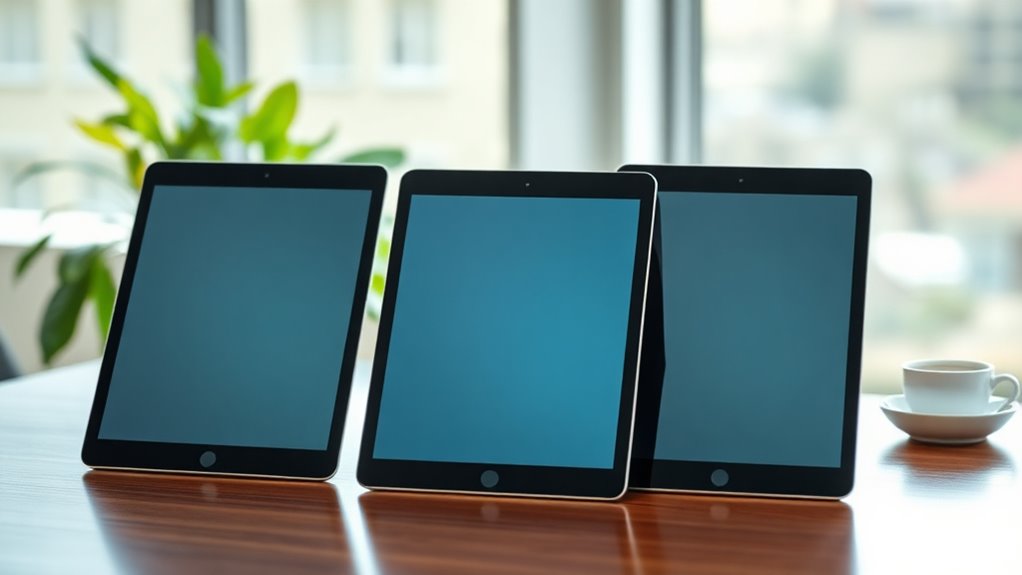
3 Best iPads for Video Calls Camera in 2027
If you want flawless video calls in 2027, the Apple iPad 11-inch A16 with its 12MP Center Stage camera is a top choice. It delivers sharp, centered video and smooth 1080p recording, making your calls look professional and clear.
Perfect for work or catching up with friends, this iPad ensures you’re always in focus.
The renewed Apple iPad Pro 11″ 2nd Gen also shines with its 7MP TrueDepth camera and advanced audio system. This combo offers clear, rich communication that makes conversations feel natural and immersive.
Whether it’s a business meeting or a casual chat, you’ll sound and look great.
Pair either iPad with a 60 LED Portable Selfie Light to conquer lighting challenges. Good lighting can make all the difference in how you appear on video calls.
Keep exploring to discover how these features boost your video call experience and productivity.
| Image | Name | Editor's Rating | Price |
|---|---|---|---|

|
|
||

|
|
||

|
|
Apple iPad 11-inch A16, 128GB, Blue
- WHY IPAD — The 11-inch iPad is now more capable than ever with the superfast A16 chip, a stunning Liquid Retina...
- PERFORMANCE AND STORAGE — The superfast A16 chip delivers a boost in performance for your favorite activities. And...
- 11-INCH LIQUID RETINA DISPLAY — The gorgeous Liquid Retina display is an amazing way to watch movies or draw your next...

Experience seamless video calls and everyday productivity with the Apple iPad 11-inch A16, designed to keep you connected and efficient. Its 12MP Center Stage front camera intelligently tracks your movements, ensuring you stay centered in the frame during video chats. This feature helps you communicate clearly without the hassle of adjusting your position.
The vibrant 11-inch Liquid Retina display brings sharp visuals and true-to-life colors, enhancing your viewing experience for both calls and media. Powered by the efficient A16 chip, the iPad handles multitasking smoothly, reducing lag and improving app responsiveness. This makes it ideal for work, study, or entertainment on the go.
With a sleek and lightweight design, this iPad is easy to carry and maintain. The durable build allows for everyday use without worry, while the stylish Blue finish provides a modern look. Keep in mind, the base model offers 128GB of storage, which is sufficient for most users but may require management if storing many apps and media files.
This model supports the 1st generation Apple Pencil, suitable for basic note-taking or sketching needs. However, it lacks cellular connectivity, so a reliable Wi-Fi connection is necessary for uninterrupted access when away from home or office.
Best for: users seeking a portable, stylish tablet focused on high-quality video calls and smooth performance in everyday tasks.
What We Like:
- 12MP Center Stage camera for clear, well-framed video calls
- Powerful A16 chip ensures smooth multitasking
- Lightweight design with a vibrant 11-inch Liquid Retina display
- Stylish Blue color adds a modern touch
Specification:
| Feature | Details |
|---|---|
| Manufacturer | Apple |
| Display | 11-inch Liquid Retina |
| Processor | A16 chip |
| Storage | 128GB |
| Front Camera | 12MP Center Stage |
| Color Options | Blue |
| Pencil Support | 1st generation Apple Pencil |
60 LED Portable Selfie Light with Tripod Adapter
- 【Best Light Effect CRI 97+】This slim and lightweight LED light will brighten up your beauty in front of the...
- 【3 Light Modes & 10 Brightness Levels】The selfie light has 3 Light Modes (White, Natural, Warm) from 2500K-6500K...
- 【Multi-Function Design】With 160° rotation adjustable LED light panel for precise light positioning on your mobile...
Experience clearer, more professional video calls with the 60 LED Portable Selfie Light. Designed to solve common lighting challenges, this compact light lets you control brightness and color temperature from 2500K to 6500K. This flexibility ensures you always have the perfect lighting, whether indoors or outdoors.
The light’s 160° rotating panel allows precise positioning to eliminate shadows and enhance your appearance. Compatible with phones, tablets, and tripods, it adapts easily to different setups. Its lightweight design makes it simple to carry, so you can maintain high-quality lighting wherever you go.
With a rechargeable 2200mAh battery, you can enjoy up to 15 hours of use at low brightness. However, battery life decreases to about 4 hours at 50% brightness, so plan charging accordingly. The included clip, USB-C cable, and mounts add to its versatility and ease of use.
Maintenance is straightforward—just keep the USB-C port clean and recharge regularly to ensure optimal performance. This portable selfie light is especially useful for professionals and content creators who need adjustable and reliable lighting on the move.
Best for: Professionals and content creators requiring portable, adjustable lighting for video calls, selfies, and vlogging.
What We Like:
- High CRI of 97+ with adjustable brightness and color temperature for natural lighting
- Lightweight and compact with 160° rotation for versatile positioning
- Long battery life up to 15 hours at low brightness with easy USB-C charging
- Multiple mounting options included for flexible use
Specification:
| Feature | Details |
|---|---|
| Manufacturer | ALTSON |
| Dimensions | Compact, pocket-friendly |
| Weight | Lightweight |
| Battery Capacity | 2200mAh rechargeable |
| Color Temperature | Adjustable 2500K–6500K |
| Brightness Levels | Adjustable with 3 modes |
| Rotation | 160° rotating panel |
| Compatibility | Phones, tablets, tripods |
Apple iPad Pro 11″ 2nd Gen 128GB Renewed
- 11-Inch Edge-to-Edge Liquid Retina Display with ProMotion, True Tone, and P3 Wide Color
- A12Z Bionic Chip with Neural Engine - 802.11AX Wi-Fi 6 - Up to 10 Hours of Battery Life/Charge
- 12MP Wide Camera, 10MP Ultra Wide Camera, 7MP TrueDepth Front Camera, and LIDAR Scanner
Experience the power and versatility of the Apple iPad Pro 11″ 2nd Gen Renewed, designed to enhance your productivity and creative workflows. Its advanced 7MP TrueDepth front camera ensures your video calls are crisp and clear, making remote meetings more effective and engaging. The Liquid Retina display brings visuals to life, improving your viewing experience for work and entertainment.
Powered by the efficient A12Z Bionic chip and 6GB of RAM, this iPad Pro handles multitasking with ease. You can switch between apps seamlessly without slowdowns, helping you stay focused and productive throughout the day. The four-speaker audio system and five studio-quality microphones ensure your voice is heard clearly during calls and recordings.
Connectivity is smooth with Wi-Fi 6 and a USB-C port, allowing fast data transfer and stable internet access. The 128GB of storage provides ample space for documents, media, and apps, while compatibility with the Magic Keyboard and Apple Pencil makes this tablet a complete tool for professionals and creatives alike.
Routine maintenance is simple; keep the device clean and charge it daily to maintain battery health. While the 128GB storage suits most users, those with extensive media libraries may find it limiting. The product’s renewed condition offers great value but comes with a shorter warranty period.
Best for: Professionals and creatives seeking a powerful, versatile tablet with excellent video calling features and premium accessory support.
What We Like:
- Smooth performance with A12Z Bionic chip and 6GB RAM
- Clear video calls via 7MP TrueDepth front camera
- Immersive audio with four speakers and five microphones
- Supports Magic Keyboard and Apple Pencil
- Fast connectivity through Wi-Fi 6 and USB-C port
Specification:
| Feature | Details |
|---|---|
| Manufacturer | Apple |
| Display Size | 11 inches |
| Storage Capacity | 128 GB |
| Processor | A12Z Bionic chip |
| RAM | 6 GB |
| Camera | 7MP TrueDepth (front) |
| Audio | Four speakers, five mics |
| Connectivity | Wi-Fi 6, USB-C |
| Compatibility | Magic Keyboard, Apple Pencil |
Factors to Consider When Choosing an iPad for Video Calls Camera
When choosing an iPad for video calls, you’ll want to focus on camera resolution and front camera features to guarantee clear visuals. Don’t forget to check for video stabilization and audio quality, as they make conversations smoother and more natural.
Also, consider display brightness and clarity so you can see others clearly, even in different lighting conditions. These little details really make a big difference when you’re chatting with friends or colleagues.
Camera Resolution Quality
Choosing an iPad with a high-resolution camera, like 12MP, can dramatically improve the clarity and detail of your video calls, making you appear more professional. A higher resolution captures sharper images, letting others see you clearly, even in less-than-ideal lighting.
You’ll also want to confirm the camera supports 1080p HD recording, as this guarantees smooth, lifelike video during conversations. While resolution is key, features like Smart HDR boost dynamic range, balancing shadows and highlights so your image looks natural regardless of lighting conditions.
These enhancements help maintain a crisp, vibrant video feed, which is essential for seamless communication. By focusing on camera resolution quality, you confirm your iPad delivers superior video calls every time.
Front Camera Features
Anyone looking to enhance their video calls should pay close attention to front camera features on an iPad. A 12MP front camera delivers clear, detailed images, essential for sharp video quality.
Look for 1080p HD video recording to guarantee your calls look professional and polished, especially during business meetings. Features like Center Stage automatically keep you and other participants in frame, making conversations feel more natural and engaging.
Smart HDR enhances lighting and color balance, producing natural skin tones even in tricky lighting conditions. While video stabilization is useful, you’ll learn more about it later.
For now, focus on these core front camera features to get the best video call experience from your iPad without compromise.
Video Stabilization Technology
Video stabilization technology plays an essential role in delivering smooth, clear video calls by minimizing camera shake and blurriness. When choosing an iPad for video calls, look for models with advanced digital stabilization algorithms that analyze motion and adjust the video feed in real-time.
Optical image stabilization (OIS) is another important feature. It physically adjusts the lens to counteract movement, which is especially useful in low-light settings.
Some iPads combine both electronic and optical stabilization, providing maximum clarity and fluidity even in dynamic environments. This technology not only guarantees a professional appearance but also enhances the overall viewing experience for everyone on the call.
Prioritizing video stabilization will keep your video feed steady and sharp. That way, your calls look polished and engaging every time.
Microphone And Audio Quality
Although a great camera captures your image clearly, the quality of your iPad’s built-in microphones plays an equally essential role in ensuring your voice comes through crisp and clear during calls. Look for iPads with multiple microphones, as they often provide better sound capture and effective noise cancellation.
A dual-microphone setup, in particular, reduces background noise and focuses on your voice, making conversations smoother and more professional. Studio-quality microphones elevate your audio experience, especially in business meetings or content creation.
Pay attention to microphone placement—it should minimize obstructions and be close enough to your mouth to pick up your voice accurately. Also, consider specs like frequency response and sensitivity, which reveal how well the iPad captures the full range of your vocal tones for clear communication.
Display Brightness And Clarity
When you’re on a video call, having an iPad with a bright, high-resolution display makes a noticeable difference in how clearly you see others and how comfortable your eyes feel. Aim for at least 500 nits of brightness to guarantee visibility in well-lit rooms, making video calls more vibrant and easier to follow.
High-resolution screens, like those with 2360-by-1640 pixels, deliver sharp, detailed images so participants look crisp. Features like True Tone adjust colors based on your environment, reducing eye strain and providing natural visuals.
An 11-inch Liquid Retina display not only enhances clarity but also improves framing, helping you engage effortlessly during conversations. Choosing an iPad with these display qualities greatly boosts your video call experience.
Connectivity And Compatibility
A bright, clear display sets the stage, but your iPad’s connectivity and compatibility play a big role in keeping your video calls smooth and professional. You’ll want an iPad that supports Wi-Fi 6 for faster, more reliable internet, minimizing interruptions.
Make sure it’s compatible with popular video conferencing apps so you don’t run into any hiccups during your calls. Look out for advanced camera features like Center Stage, which keeps you perfectly framed no matter where you move.
Don’t forget to check if your iPad supports external accessories like microphones or tripods to boost your audio and video quality. Plus, having USB-C ports is a huge plus since they let you connect peripherals or external displays, making your setup even better.
Focusing on these factors will make sure your iPad handles video calls smoothly and looks great doing it.
Battery Life During Calls
Since video calls can last for hours, you’ll want an iPad with strong battery life to avoid interruptions. Look for models with around 40 watt-hours of battery capacity. They can last up to 10 hours on video calls depending on settings.
Keep your brightness low to extend battery life, since higher brightness drains power faster. Energy-efficient processors also help maintain longer usage during calls.
If you expect long sessions, consider an iPad that supports fast charging. That way, you can quickly top up your battery during breaks.
Balancing these factors guarantees your device won’t die mid-call, keeping your conversations smooth and stress-free. Prioritize battery performance to enjoy uninterrupted video calls every time.
Frequently Asked Questions
Can iPads Connect to External Webcams for Better Video Quality?
You can’t directly connect external webcams to iPads for better video quality.
However, you can use apps or hardware like capture cards with adapters to stream from external cameras. It does require some extra setup and compatible software, though.
What Apps Work Best for Video Calls on iPads?
You’ll find FaceTime, Zoom, Microsoft Teams, and Google Meet work best for video calls on iPads.
Fun fact: over 60% of remote workers prefer Zoom for its reliability and user-friendly interface during meetings.
It’s no wonder Zoom’s such a hit—it just makes things easier when you’re connecting with others. Plus, all these apps are optimized to run smoothly on iPads, so you get a great experience no matter which one you pick.
How Does iPad Battery Life Affect Long Video Calls?
Your iPad’s battery life directly impacts how long you can stay on video calls without interruptions. If it’s low, you’ll need to charge soon or risk the call dropping unexpectedly.
Are There Privacy Concerns With iPad Video Call Cameras?
Yes, you should be cautious with iPad video call cameras since hackers could potentially access them. Always keep your software updated and use strong passwords.
Also, it’s a good idea to cover the camera when you’re not using it to protect your privacy. Taking these simple steps can really help keep your information safe.
Can iPads Support Multiple Video Call Participants Simultaneously?
Yes, iPads can support multiple video call participants simultaneously. You’ll enjoy smooth group calls on apps like FaceTime, Zoom, or Teams.
These apps let you stay connected with friends, family, or colleagues without any hassle or lag. So, whether it’s a work meeting or a catch-up with friends, your iPad has got you covered.
Conclusion
When choosing an iPad for video calls, you want a device that delivers crisp visuals and clear audio. The Apple iPad 11-inch A16 and the iPad Pro 11″ 2nd Gen both excel in these areas, especially when paired with accessories like the 60 LED Portable Selfie Light.
Did you know 85% of video call users say good lighting greatly improves their experience? It really makes a difference in how you look and feel during calls.
With the right iPad and setup, your video calls will look professional every time. Whether it’s for work meetings or catching up with friends, having the best iPad for video calls camera can transform your experience. So, if you want sharp video quality and clear audio in 2027, these iPads are definitely worth considering!