5 Best Budget Cameras for Content Creators in 2027
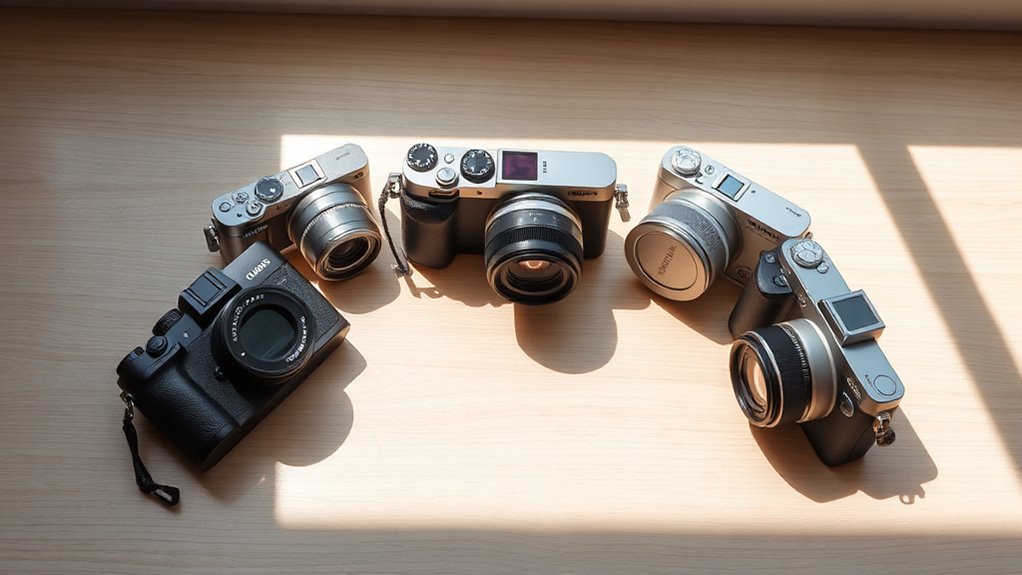
If you’re creating content on a budget in 2027, the Canon EOS R50 V (Body Only) is a fantastic choice. It features a sharp 24.2 MP APS-C sensor that delivers crisp images and a fast Dual Pixel autofocus system to keep your shots in perfect focus. This camera is ideal for content creators who want quality without breaking the bank.
The R50 bundle with the 14–30mm stabilized lens is perfect for vloggers who need wide-angle shots and smooth video footage. Plus, if you’re after something lightweight, there are 2K and 4K vlogging cameras with AI tracking and WiFi features to consider. These options make filming on the go super easy.
Don’t forget the R50 Mirrorless Kit, which offers versatility with a versatile everyday lens. Exploring these choices will help you find the best fit for your style and workflow. So, whether you’re shooting videos or snapping photos, there’s a budget-friendly camera out there for you.
| Image | Name | Editor's Rating | Price |
|---|---|---|---|

|
|
||

|
|
||

|
|
||

|
|
||

|
|
4K Vlogging Camera, Handheld Camera for Beginners, AI Face Tracking, WiFi
- 1. 【4K Video & 75MP Photo】 Capture clear 4K UHD video and up to 75MP photos with this compact vlogging camera for...
- 2. 【PDAF Autofocus & EIS Stabilization】 Built-in PDAF autofocus quickly locks onto faces and subjects, while EIS...
- 3. 【AI Face Tracking & 330° Rotation】 The smart AI tracking camera automatically detects and follows faces across a...
Capture your most memorable moments with ease using the 4K Vlogging Camera. Designed for beginners, this camera simplifies content creation by offering clear, high-resolution 4K videos and sharp 75MP photos. Its AI face tracking and smooth 330° rotation keep you perfectly framed without extra effort.
The camera’s compact, handheld design features a 1.72-inch touchscreen, allowing you to navigate settings and apply beauty modes or creative filters effortlessly. Electronic Image Stabilization helps reduce shake, making every handheld shot crisp and professional-looking. Remote control and live preview via WiFi add convenience, letting you manage shoots from your smartphone.
Maintenance is straightforward, though it requires 2 AAAA batteries, so keeping spare batteries handy is recommended for uninterrupted use. While it has a fixed 1x optical zoom, its other features compensate by enhancing your creative control and shooting experience.
Best for: Beginners and aspiring vloggers seeking an affordable, easy-to-use camera with advanced features like 4K recording, AI face tracking, and WiFi connectivity.
What We Like:
- Sharp 4K video and 75MP photos with fast PDAF autofocus
- AI face tracking with 330° rotation for consistent framing
- Electronic Image Stabilization for smooth handheld footage
- WiFi connectivity for remote control and live smartphone preview
Specification:
| Feature | Details |
|---|---|
| Manufacturer | Not specified |
| Dimensions | Not specified |
| Weight | Not specified |
| Sensor Type | 1/2.5-inch CMOS |
| Photo Resolution | 75 Megapixels |
| Video Resolution | 4K UHD |
| Screen Size | 1.72 inches touchscreen |
| Zoom | Fixed 1x optical |
| Battery Type | 2 AAAA batteries |
| Connectivity | WiFi |
Canon EOS R50 V Mirrorless Camera (Body Only)
- Enjoy interchangeable lens video shooting with the first EOS V series camera body.
- Built for creators with a redesigned user interface including a Vertical Video tripod mount and Front Record button.
- Slow and Fast mode – this allows creative control of the video frame rate and playback speed.

The Canon EOS R50 V Mirrorless Camera (Body Only) is designed to help content creators capture stunning images and videos with ease. Its 24.2 MP APS-C sensor combined with the DIGIC X processor ensures sharp, detailed photos, making every shot look professional without complicated settings.
This camera’s Dual Pixel CMOS AF II system offers smooth and accurate autofocus with 45 phase-detection points. It tracks people, animals, and vehicles intelligently, so you won’t miss important moments even when subjects move quickly. Shooting 4K video at up to 59.94p or slow-motion Full HD at 119.8 fps expands your creative options.
The compact and lightweight body supports Canon RF lenses, providing flexibility to match different shooting styles. Wireless connectivity via Wi-Fi and Bluetooth makes transferring files and remote control simple, enhancing your workflow. However, the camera lacks a built-in flash and comes as a body-only package, requiring investment in lenses separately.
Maintenance is straightforward thanks to its robust build and easy-to-clean sensor area, allowing you to keep the camera ready for any shoot. Its compact design makes it ideal for on-the-go creators who need quality without bulk.
Best for: Content creators and vloggers seeking a versatile APS-C mirrorless camera with advanced autofocus and video features.
What We Like:
- Reliable Dual Pixel CMOS AF II with smart tracking
- Sharp 24.2 MP sensor paired with DIGIC X processor
- Supports Canon RF lenses for versatile shooting options
- Lightweight, compact design for easy portability
- Built-in Wi-Fi and Bluetooth for seamless connectivity
Specification:
| Feature | Details |
|---|---|
| Manufacturer | Canon |
| Sensor | 24.2 MP APS-C CMOS |
| Processor | DIGIC X |
| Autofocus Points | 45 phase-detection points |
| Video Resolution | 4K up to 59.94p, Full HD up to 119.8 fps |
| Connectivity | Wi-Fi, Bluetooth |
| Dimensions | Compact body (specific size not provided) |
| Weight | Lightweight (exact weight not provided) |
| Lens Mount | Canon RF |
2K Vlogging Camera with Rotating Lens, Handheld Content Creator Camera
- 【All-in-one Vlog Starter Kit】 Tired of juggling your phone, extra memory cards, and bulky rigs just to capture one...
- 【Flip from POV to Selfie in One Twist】 Fixed-lens rivals force you to unmount the device every time you want to face...
- 【2K Clarity with All-day Power】 Underpowered handheld camera often die right when the concert starts. A 2000mAh...
Capture your best moments with ease using the 2K Vlogging Camera with Rotating Lens from CAMWORLD. This compact device solves the challenge of switching between selfie and point-of-view shots smoothly. Its 180° rotating wide-angle lens lets you flip the view effortlessly, enhancing your content creation experience.
Weighing just 3.63 oz, the camera is designed for comfortable handheld use and easy portability. Its 2K video quality and 8MP photos deliver sharp, clear visuals, making it ideal for daily vlogging or travel adventures. The 1.69-inch HD screen provides real-time previews, helping you frame every shot perfectly.
With up to 7 hours of continuous recording, this camera supports long shooting sessions without frequent recharging. The built-in Wi-Fi and dedicated app allow for seamless remote control and quick file transfers. However, manual focus might require some practice, and the device lacks water resistance, so extra care is needed in wet conditions.
Best for: Content creators and vloggers seeking a lightweight, portable camera with easy selfie switching and reliable 2K video quality for platforms like YouTube and TikTok.
What We Like:
- Lightweight and compact for effortless handheld use
- 180° rotating lens for quick selfie and POV transitions
- Long battery life supporting up to 7 hours of recording
- Real-time preview on a bright 1.69-inch HD screen
- Easy remote control and file transfer via Wi-Fi and app
Specification:
| Feature | Details |
|---|---|
| Manufacturer | CAMWORLD |
| Dimensions | Palm-sized |
| Weight | 3.63 oz (approx. 103 g) |
| Video Resolution | 2K |
| Photo Resolution | 8MP |
| Lens | 180° rotating wide-angle |
| Screen Size | 1.69 inches HD |
| Connectivity | Built-in Wi-Fi |
Canon EOS R50 V Mirrorless Camera with 14-30mm Lens Bundle
- Items Included:Canon EOS R50 V Mirrorless Camera, Canon RF-S 14-30mm f/4-6.3 IS STM PZ Lens (Canon RF), Canon LP-E...
- Compact Yet Powerful Mirrorless Performance: The Canon EOS R50 V delivers professional image quality in a lightweight...
- Versatile 14-30mm RF-S Lens Included: This kit includes the Canon RF-S 14-30mm f/4-6.3 IS STM lens, offering wide-angle...
Capture every moment with precision and ease using the Canon EOS R50 V Mirrorless Camera bundled with the versatile 14-30mm lens. This camera empowers beginners and emerging content creators to produce stunning photos and vivid 4K videos without complexity. Its 24.2MP APS-C sensor and DIGIC X processor work together to deliver sharp detail and smooth footage, enhancing your storytelling.
Designed for flexibility, the fully articulating flip screen and vertical video mode make framing shots effortless, especially for vloggers. The RF-S 14-30mm lens offers wide-angle coverage and built-in image stabilization, reducing blur and expanding creative possibilities in various environments.
Portability is a key advantage with this lightweight setup, supporting USB-C livestreaming and Dual Pixel autofocus to keep your subject in perfect focus. While the lens’s variable aperture may challenge low-light settings, and the camera lacks a built-in flash or weather sealing, it remains a reliable tool for everyday creative use.
Maintenance is straightforward—regular lens cleaning and careful handling ensure long-term performance. This camera is ideal for those seeking an intuitive system that grows with their skills without overwhelming technical barriers.
Best for: Enthusiasts and beginner content creators looking for an adaptable mirrorless camera optimized for photography, vlogging, and 4K video capture.
What We Like:
- Crisp 24.2MP sensor paired with fast DIGIC X processor.
- Articulating screen and vertical video mode enhance shooting flexibility.
- Lightweight RF-S 14-30mm lens with image stabilization.
- USB-C livestreaming and Dual Pixel autofocus for smooth operation.
- Compact design perfect for on-the-go creativity.
Specification:
| Specification | Details |
|---|---|
| Manufacturer | Canon |
| Dimensions | Approx. 4.7 x 3.3 x 2.7 in (12 x 8.3 x 6.9 cm) |
| Weight | Approx. 0.9 lbs (400 g) |
| Sensor | 24.2MP APS-C |
| Lens | RF-S 14-30mm f/4-6.3 |
| Video Resolution | 4K at 30 fps |
| Connectivity | USB-C |
| Autofocus | Dual Pixel CMOS AF |
| Screen | Fully articulating flip screen |
Canon EOS R50 Mirrorless Camera Kit with Lens
- This Digital Camera Bundle Items Includes: Canon EOS R50 Mirrorless Camera USA Model With Limited 1-Year Manufacturer...
- Camera Carrying Case, Canon R-F-5 Camera Cover, Canon E-49 Lens Cap, Canon Lens Dust Cap RF, Canon EM-200DB Neck Strap...
- A compact and lightweight camera, the black Canon EOS R50 is a highly versatile mirrorless camera with a sophisticated...
Capture your creative vision with the Canon EOS R50 Mirrorless Camera Kit, designed to deliver professional-quality results without complexity. This lightweight camera empowers creators to shoot stunning 24.2 MP images and smooth 6K UHD videos effortlessly. Its compact design makes it ideal for on-the-go photography and videography.
With the advanced Dual Pixel CMOS AF II system, autofocus is fast and precise, tracking moving subjects like people, animals, and vehicles. This feature solves common focusing challenges, letting you concentrate on capturing moments instead of adjusting settings. The vari-angle touchscreen further simplifies framing and reviewing shots from any angle.
The included RF-S 18-45mm lens covers versatile focal lengths, making it suitable for everyday photography and video projects. While the lens aperture range of f/4.5–6.3 may limit low-light performance, the camera’s digital stabilization helps reduce shake during handheld recording. Maintenance is straightforward thanks to the durable build and simple card slot design, although it accommodates only one SD card.
Built-in Wi-Fi enhances sharing and remote control, streamlining your workflow. The EOS R50 is perfect for creators seeking a balance of quality, portability, and ease of use.
Best for: Budget-conscious photographers and content creators wanting a compact mirrorless camera with high-resolution imaging and reliable autofocus.
What We Like:
- Sharp 24.2 MP APS-C sensor paired with DIGIC X processor for clear images and smooth video
- Fast and accurate Dual Pixel CMOS AF II with extensive subject tracking
- Versatile RF-S 18-45mm lens included for everyday shooting needs
- Vari-angle touchscreen and built-in Wi-Fi for flexible shooting and easy sharing
Specification:
| Feature | Details |
|---|---|
| Manufacturer | Canon |
| Sensor Resolution | 24.2 Megapixels |
| Lens Included | RF-S 18-45mm f/4.5–6.3 |
| Video Resolution | Up to 6K UHD |
| Autofocus System | Dual Pixel CMOS AF II |
| Screen Size | 3 inches (vari-angle) |
| Connectivity | Built-in Wi-Fi |
| Card Slot | Single SD/SDHC slot |
| Weight | Lightweight (approx. 0.43 kg) |
Factors to Consider When Choosing a Budget Camera for Content Creators
When picking a budget camera, you’ll want to focus on key features like image quality and reliable autofocus to keep your content sharp. Video resolution and stabilization are important too, helping your footage look smooth and professional.
Don’t forget connectivity options that make sharing your work quick and easy. These little details can really make a difference when you’re creating content on the go.
Image Quality Essentials
Although budget cameras come with limitations, understanding key image quality factors can help you choose one that meets your creative needs. Start by prioritizing sensor size and resolution—larger sensors like APS-C with around 20–24 MP deliver clearer 4K stills and better low-light performance than smaller 1/2.5-inch sensors at similar megapixels.
Next, consider lens aperture; wider apertures (lower f-numbers) allow more light in and create pleasing background blur, essential for vlogs and portraits. Also, check video capabilities: 10-bit color depth and frame rates like 4K at 30–60p or 1080p at 120p offer more flexibility in editing and smooth slow-motion.
Finally, look for effective stabilization—multi-axis in-body or optical systems help reduce shake when shooting handheld, making your footage cleaner and more professional. It really makes a difference when you’re moving around or filming on the go.
Autofocus and Tracking
Mastering autofocus and tracking is crucial for content creators who want sharp, professional footage without constantly adjusting focus manually. Look for cameras with phase-detection or hybrid AF systems, as they lock subjects faster and maintain smooth focus during video.
Check how many AF points the camera offers and their coverage—more points with wider coverage help track moving subjects, even off-center. Prioritize models with subject detection modes like eye or animal tracking and real-time algorithms that reduce focus hunting during run-and-gun shooting.
Also, verify continuous AF responsiveness and compatibility with your desired frame rates, especially if you shoot fast action. Finally, consider whether the camera’s stabilization works with autofocus to minimize jitter and keep focus locked when you or your subject moves.
Video Resolution Options
After ensuring your camera handles autofocus and tracking well, the next step is to weigh video resolution options. Choosing between 4K and 1080p depends on your priorities.
4K offers sharper detail and more flexibility for cropping or color grading but demands more storage, faster memory cards, and powerful editing gear. On the other hand, 1080p saves battery life, reduces file sizes, and works great for social media or streaming where bandwidth matters.
Higher frame rates like 60–120 fps at 1080p allow smooth slow-motion but can limit resolution on budget models. Don’t forget to check codecs and bitrates—efficient codecs with higher bitrates keep your footage crisp, while low-bitrate 4K might underperform compared to high-bitrate 1080p.
Match your choice to your content platform and editing workflow. It really comes down to what fits your needs best!
Stabilization Features Importance
When choosing a budget camera, you should prioritize stabilization features to guarantee your footage stays smooth and professional-looking. Optical image stabilization (OIS) or in-body image stabilization (IBIS) can reduce motion blur and shaking by 2–5 stops, perfect for handheld shooting.
Electronic image stabilization (EIS) helps too but may crop your frame or cause warping during fast moves. The best results come from hybrid systems combining IBIS/OIS with EIS, especially for 4K video.
If you vlog or shoot on the go, look for 3-axis or 5-axis stabilization paired with autofocus tracking to keep your subject steady without extra editing. Keep in mind that active stabilization uses more battery and processing power, potentially limiting your recording time on budget models.
Connectivity and Sharing
Because sharing your content quickly and efficiently is essential, you should prioritize connectivity features when choosing a budget camera. Look for models with built-in Wi‑Fi and Bluetooth to simplify instant transfer and remote control, ensuring fast pairing and wireless file browsing.
USB-C connectivity with UVC/UAC webcam support lets you livestream or make high-quality video calls without extra capture cards. Cameras offering clean HDMI or USB streaming modes are a plus.
Check for native app compatibility and reliable companion apps that enable remote shooting, live preview, and one-tap social uploads—review app ratings and update frequency. On-camera FTP or direct cloud upload options can automate backups, reducing footage loss risk.
Also, consider supported file formats, transfer speeds, and whether the camera creates lower-resolution proxies or auto-compresses files for faster mobile uploads. It all adds up to making your sharing process smoother and faster.
Battery Life Expectations
Sharing your content seamlessly depends not only on connectivity but also on having enough battery power to keep your camera running. Real-world battery life often hits just 60–70% of the manufacturer’s stated time when you use features like LCD screens, autofocus, Wi-Fi, or stabilization.
Expect continuous video recording to last between 1.5 and 4 hours per full charge, depending on resolution and frame rate. Shooting in 4K or at high frame rates can slash battery life by 30–70%.
To avoid interruptions, carry at least one spare battery or an external USB power bank. Also, disable battery-draining features such as continuous autofocus, Wi-Fi, and image stabilization when you don’t need them.
That way, you can stretch your shooting time and keep your workflow smooth.
Portability and Design
Several key design features can make a budget camera much easier to carry and use throughout your shoots. Choose a lightweight body, ideally under 1 lb (450 g), with compact dimensions to keep handheld vlogging, travel, and long sessions comfortable.
A fully or vari-angle articulating touchscreen helps you frame selfies and vertical videos without awkward angles. Look for built-in grips and accessible physical controls like record buttons, zoom, and exposure dials so you can operate the camera one-handed while moving.
Battery life matters too—opt for cameras using small, common rechargeable batteries with long runtimes or easy spare swaps. Finally, make sure your camera supports tripod or handheld mounts and includes hot shoe or accessory mounts for lights and mics, letting you maintain a compact, versatile setup on the go.
Frequently Asked Questions
How Long Does the Battery Typically Last on Budget Content Creator Cameras?
You’ll usually get about 1.5 to 3 hours of battery life on budget content creator cameras, depending on usage.
To maximize it, turn off Wi-Fi, lower screen brightness, and carry extra batteries when filming longer sessions. This way, you won’t have to worry about your camera dying mid-shoot.
Are There Any Recommended Accessories for Budget Cameras in 2027?
Yes, you should grab extra batteries, a reliable tripod, and external microphones. Also, consider lens filters and portable LED lights to boost your content quality without breaking the bank.
These accessories really enhance your shooting experience. They make a big difference, especially if you’re working with a budget camera.
Can These Cameras Be Used for Live Streaming Effectively?
Yes, you can use these budget cameras for live streaming effectively. Just connect them via USB or HDMI, and pair with compatible software.
Make sure you have good lighting and audio to deliver clear, professional-quality streams without breaking your budget. It’s easier than you might think!
What Is the Average Weight of These Budget Content Creator Cameras?
You’ll find these cameras pleasantly lightweight, usually tipping the scales around 300 to 500 grams.
That means you won’t feel bogged down, making your content creation and live streaming sessions much more enjoyable and mobile.
Do These Budget Cameras Support External Microphones for Better Audio Quality?
Yes, most budget cameras support external microphones, letting you improve audio quality easily.
You’ll find models with 3.5mm mic jacks or USB-C ports, so you can plug in better mics for clearer, professional sound.
Conclusion
Choosing the right budget camera can make all the difference in your content creation journey. Whether you prioritize 4K video, AI face tracking, or versatile lenses, there’s a perfect option waiting for you.
Don’t let budget constraints hold you back from producing amazing content. After all, why settle for less when you can get the best value without compromising quality?
Your creative potential deserves a camera that keeps up with your vision. Investing in one of the best budget cameras for content creators in 2027 means you can capture stunning visuals and smooth footage without breaking the bank.
Remember, the right camera will elevate your videos and photos, making your content stand out. So, explore these affordable options and start creating content that truly reflects your passion and style!