11 Best Computer Monitors with Camera for 2027
If you’re looking for the best computer monitors with camera in 2027, you want sharp visuals and seamless video calls. Monitors that combine great screen quality with built-in webcams are becoming a must-have for work and play.
Whether it’s for virtual meetings, streaming, or content creation, having a monitor with an integrated camera makes everything easier and tidier.
Take, for example, the ASUS BE24EQK. It offers a Full HD display and a built-in webcam, perfect for crisp video chats.
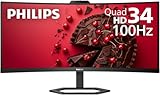
Or check out the Philips 34″ Curved UWQHD monitor, which features a 5MP camera and USB-C docking for easy connectivity. These monitors don’t just look good—they also boost your productivity.
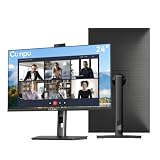
If smooth motion is important, consider CUNPU’s 24″ or 27″ models. They come with 5MP webcams and eye-care technology to reduce strain.
These options blend ergonomic design with smart connectivity, so you stay comfortable and efficient throughout your day.
Keep reading to discover more top picks and features that fit your setup perfectly.
| Image | Name | Editor's Rating | Price |
|---|---|---|---|
|
|
||
|
|
||
|
|
||
|
|
||

|
|
ASUS BE24EQK 24 Inch 1080P Computer Monitor, Webcam, HDMI, DisplayPort, VGA
- Complete Video Conferencing Solution: Ready for telecommuting and online learning with integrated 2MP adjustable Full HD...
- Display Specifications: Aspect Ratio is 16:9 with Viewing Angle (CR10) of 178/ 178 and Brightness (Typ) of 300cd/ for...
- Full HD Frameless Display: 24-inch 16:9 Full HD (1920 x 1080) frameless IPS panel with wide viewing angles for immersive...

Experience seamless video calls and vibrant visuals with the ASUS BE24EQK, a 24-inch Full HD monitor designed to enhance your daily work and communication. Its IPS panel delivers sharp 1920 x 1080 resolution with consistent colors and wide viewing angles, making every detail clear and easy on the eyes.
The monitor features a built-in 2MP adjustable Full HD webcam and a microphone array with noise reduction, ensuring clear and professional video conferences without the need for extra devices. Integrated stereo speakers further simplify your setup by providing decent audio quality right out of the box.
Designed for long hours at your desk, the ASUS BE24EQK includes eye care technologies like flicker-free display and Low Blue Light filters to reduce strain. Its slim, frameless design fits neatly into multi-monitor setups and modern workspaces, while multiple inputs (HDMI, DisplayPort, VGA, USB) offer flexible connectivity options.
Maintenance is straightforward with its durable build and ergonomic features that support comfortable positioning. However, its 60 Hz refresh rate and 72% NTSC color gamut may limit appeal for high-end gaming or color-critical tasks. The monitor’s weight (12.8 pounds) also means it’s best suited for stationary use rather than frequent moves.
Best for: professionals and remote workers needing a reliable, ergonomic monitor with integrated webcam and versatile connectivity for video calls and multitasking.
What We Like:
- Adjustable 2MP Full HD webcam with noise-reducing microphone array
- IPS panel with eye care tech for comfortable, long-term use
- Multiple connectivity options including HDMI, DisplayPort, VGA, and USB
- Frameless design ideal for clean, multi-monitor setups
Specification:
| Feature | Details |
|---|---|
| Manufacturer | ASUS |
| Screen Size | 24 inches |
| Resolution | 1920 x 1080 (Full HD) |
| Panel Type | IPS |
| Webcam | 2MP adjustable Full HD |
| Connectivity | HDMI, DisplayPort, VGA, USB |
| Refresh Rate | 60 Hz |
| Color Gamut | 72% NTSC |
| Weight | 12.8 lb (5.8 kg) |
| Design | Frameless |
27″ 2K IPS Monitor with Pop-Up Webcam
- Monitor with Camera and Microphone: Thinlerain 27 inch video conference monitor revolutionizes your setup with a 3MP...
- Immersive 2K Clarity & Smooth Performance: Feast your eyes on stunning detail with a 27-inch 2K (2560x1440) IPS display...
- Vertical Monitor with Ultra-Flex Ergonomic Multi-function Stand: Customize your comfort with a stand that offers height...
Experience sharp and vibrant visuals with the 27″ 2K IPS Monitor with Pop-Up Webcam. This monitor enhances your video calls by combining crisp 2560 x 1440 resolution and a full 100% sRGB color gamut. Its pop-up 3MP webcam offers instant privacy, helping you control when you’re on camera.
Designed for comfort, the monitor features easy height, tilt, swivel, and pivot adjustments. Portrait mode support adds versatility for multitasking and professional workflows. This adaptable design reduces strain during long hours of use.
Connectivity is straightforward with HDMI, DisplayPort, and USB-C options. The USB-C connection powers the webcam and microphone, ensuring seamless video conferencing and clear audio input. Dual built-in speakers complete your setup for everyday use.
Maintenance is simple thanks to the discreet pop-up camera, which keeps the lens protected when not in use. The monitor’s ergonomic flexibility and built-in privacy features make it a practical choice for work and play.
Best for: professionals and gamers seeking high-resolution visuals with flexible ergonomics and integrated privacy controls.
What We Like:
- Crisp 27″ 2K IPS display with vibrant 100% sRGB color accuracy
- Pop-up 3MP webcam with built-in microphone for privacy and convenience
- Adjustable height, tilt, swivel, and pivot with portrait mode support
- Multiple connectivity options including USB-C for webcam functionality
Specification:
| Feature | Details |
|---|---|
| Manufacturer | Not specified |
| Screen Size | 27 inches |
| Resolution | 2560 x 1440 (2K) |
| Panel Type | IPS |
| Color Gamut | 100% sRGB |
| Webcam | 3MP pop-up |
| Connectivity | HDMI, DisplayPort, USB-C |
| Audio | Dual speakers, built-in mic |
| Ergonomics | Height, tilt, swivel, pivot, portrait mode |
Philips 34″ Curved USB-C Computer Monitor UWQHD 100Hz Webcam VA 34E1C5600HE
- EXPAND YOUR HORIZONS: 3440 x1440 UltraWide QHD (WQHD) resolution with 21:9 aspect ratio for efficient productivity
- CURVED IMMERSION: The 1500R radius curved VA panel allows for more immersion and better color accuracy. It can also help...
- RICH COLORS FOR WORK AND PLAY: Ultra Wide-Color technology produces true-to-life images and a wider spectrum of colors...
The Philips 34″ Curved USB-C Monitor transforms your workspace with its immersive UltraWide QHD display. Its 3440 x 1440 resolution and 1500R curved VA panel reduce eye strain and enhance focus, ideal for handling multiple tasks simultaneously. The 21:9 aspect ratio gives you ample screen space to organize your workflow efficiently.
This monitor’s 100Hz refresh rate ensures smooth visuals, perfect for fast-moving content and reducing screen flicker. With LowBlue mode, it helps protect your eyes during long hours of use. The integrated 5MP webcam with Windows Hello offers quick, secure login and clear video calls, enhancing productivity without extra peripherals.
USB-C docking simplifies your setup by delivering power up to 65W while transferring data and video through a single cable. This reduces clutter and keeps your workspace tidy. The monitor’s tilt adjustment and VESA mount compatibility allow easy customization for a comfortable viewing angle.
Maintenance is straightforward with a durable VA panel that balances color vibrancy and contrast. However, the fixed height and swivel may limit ergonomic options, and the modest 5-watt speakers might require external audio for richer sound.
Best for: Professionals and multitaskers needing a high-resolution ultrawide monitor with seamless USB-C connectivity and built-in webcam features for enhanced productivity and video conferencing.
What We Like:
- Immersive 34″ curved VA panel with 3440 x 1440 resolution and 100Hz refresh rate
- Integrated 5MP webcam with Windows Hello facial recognition and noise-canceling microphone
- USB-C docking with 65W power delivery for simplified connectivity
- Flicker-free and LowBlue modes support eye comfort during extended use
Specification:
| Feature | Details |
|---|---|
| Manufacturer | Philips |
| Screen Size | 34 inches |
| Panel Type | VA |
| Resolution | 3440 x 1440 (UltraWide QHD) |
| Refresh Rate | 100Hz |
| Aspect Ratio | 21:9 |
| Curvature | 1500R |
| Webcam | 5MP with Windows Hello |
| Connectivity | USB-C with 65W power delivery |
| Adjustment | Tilt only |
| Mount Compatibility | VESA |
| Speakers | 5W stereo |
CUNPU 24″ Monitor with Camera, 5MP Webcam FHD Monitor with Mic & Speakers
- 【All-in-one Video Conferencing Monitor】Pop-up 5MP 2K FHD webcam, dual-channel stereo microphone, and speaker make...
- 【Smooth & Fluid 120Hz IPS Display】Enjoy ultra-smooth visuals with a 120Hz refresh rate via HDMI, or 75Hz via VGA...
- 【Eye Comfort For All-day Productivity】The latest CUNPU 2026 monitor adopts DC dimming technology to effectively...
Enjoy sharp and clear video calls with the CUNPU 24″ Monitor with Camera, designed to enhance remote work and online learning. Its 5MP pop-up webcam delivers crisp images, ensuring you look your best during meetings or classes.
The monitor’s vibrant 24-inch IPS display offers full HD resolution with a smooth 120Hz refresh rate. This combination provides excellent color accuracy and fluid visuals, helping reduce eye strain during long hours in front of the screen.
Built-in dual stereo microphones and speakers allow for seamless communication without extra devices. The monitor also includes eye comfort features like DC dimming and an anti-glare matte surface to minimize fatigue during extended sessions.
Flexible setup options include an adjustable stand and VESA mount compatibility, allowing you to create an ergonomic workspace. Multiple connectivity choices such as HDMI, VGA, and USB-B ensure easy integration with your devices.
Best for: Remote workers and online learners seeking a versatile all-in-one monitor with integrated webcam and audio for effective video conferencing and productivity.
What We Like:
- Crisp 5MP pop-up webcam with built-in dual microphones and speakers
- Eye-friendly DC dimming and anti-glare matte finish
- Adjustable stand and VESA mount for ergonomic flexibility
- Multiple connectivity options: HDMI, VGA, USB-B
Specification:
| Feature | Details |
|---|---|
| Manufacturer | CUNPU |
| Display Size | 24 inches |
| Resolution | 1920×1080 (FHD) |
| Refresh Rate | 120Hz |
| Webcam | 5MP pop-up |
| Microphones | Dual stereo |
| Speakers | Built-in stereo |
| Connectivity | HDMI, VGA, USB-B |
| Stand | Adjustable |
| Mount | VESA compatible |
| Eye Comfort | DC dimming, anti-glare |
CUNPU 27″ Monitor with Camera, 5MP Webcam QHD Monitor with Mic & Speakers
- 【All-in-one Video Conferencing Monitor】 Pop-up 5MP 2K HD webcam, dual-channel stereo microphone, and speaker make...
- 【Stunning QHD Clarity & Ultra-Smooth 120Hz】The CUNPU 27-inch Monitor with webcam delivers breathtaking detail with...
- 【Eye Comfort For All-day Productivity】The latest CUNPU monitor adopts DC dimming technology to effectively eliminate...
Experience crystal-clear video calls and vivid visuals with the CUNPU 27″ Monitor with Camera. Its pop-up 5MP webcam ensures sharp, professional-grade video quality, making remote meetings more effective. The QHD display delivers vibrant colors with 99% sRGB coverage, helping you see every detail clearly.
Designed for comfort and productivity, this monitor offers full ergonomic adjustments. You can easily change the height, tilt, swivel, and pivot to create an ideal workspace. Eye strain is reduced thanks to DC dimming and an anti-glare matte finish, allowing longer, more comfortable use.
Built-in dual-channel stereo microphones and speakers enhance communication without extra devices. The monitor also supports AMD FreeSync and G-Sync, which smooth out graphics for a seamless experience, although its 10ms response time suits professional use better than fast-paced gaming.
Maintenance is straightforward with the pop-up webcam protecting itself when not in use. Its size and weight mean a sturdy desk or mount is recommended for stability. This monitor balances functionality, comfort, and clear communication for busy professionals.
Best for: Professionals and remote workers needing a high-quality video conferencing monitor with excellent display clarity, audio features, and ergonomic design.
What We Like:
- Sharp 27″ QHD display with 99% sRGB for detailed visuals
- Integrated pop-up 5MP webcam with built-in mic and speakers
- Full ergonomic adjustments for personalized comfort
- Eye-friendly features like DC dimming and anti-glare finish
- Smooth graphics support via AMD FreeSync and G-Sync
Specification:
| Feature | Details |
|---|---|
| Manufacturer | CUNPU |
| Screen Size | 27 inches |
| Resolution | 2560×1440 (QHD) |
| Color Coverage | 99% sRGB |
| Webcam | 5MP pop-up |
| Audio | Dual-channel mic, speakers |
| Ergonomics | Height, tilt, swivel, pivot |
| Special Features | DC dimming, anti-glare |
| Response Time | 10ms |
23.8″ FHD IPS Monitor with Webcam & Speakers

- ALL-IN-ONE VIDEO CONFERENCING: Built-in adjustable 3MP webcam, microphone array and dual speakers simplify video calls...
- COMPACT 120HZ FULL HD DISPLAY: The 23.8-inch 1920x1080 IPS panel combines a 120Hz refresh rate, 1ms VRB response time...
- WIDE 105% sRGB COLOR GAMUT: Enjoy rich, vivid color across presentations, documents, media and creative tasks. The...
Experience clear and vibrant visuals with the 23.8″ FHD IPS monitor designed to enhance your video calls and daily work. Its full HD 1080p resolution and wide viewing angles ensure sharp images and consistent colors, reducing eye strain during extended use.
The built-in 3MP adjustable webcam and array microphone deliver clear video and audio, solving common communication challenges in remote meetings. Dual speakers provide balanced sound without the need for extra devices, making it ideal for multimedia presentations and online classes.
Connectivity is versatile, supporting HDMI, DisplayPort, VGA, and USB 2.0, so you can easily link multiple devices. The sleek, frameless design combined with tilt adjustment and VESA mount compatibility offers ergonomic flexibility, although the tilt range is somewhat limited.
Anti-glare and Eye Care features protect your eyes during long sessions, helping you maintain focus and comfort. Regular cleaning of the screen and webcam with a soft cloth will keep your display clear and functioning optimally.
Best for: Professionals and students who require a reliable monitor for video conferencing, multimedia use, and comfortable long-term viewing.
What We Like:
- Crisp 1080p display with vibrant 105% sRGB color and wide 178° viewing angles
- Built-in adjustable 3MP webcam and array microphone for clear communication
- Multiple input options (HDMI, DisplayPort, VGA, USB 2.0) for device compatibility
- Anti-glare and Eye Care technologies to reduce eye fatigue
Specification:
| Feature | Details |
|---|---|
| Manufacturer | SKitphrati |
| Screen Size | 23.8 inches |
| Resolution | 1920 x 1080 (Full HD) |
| Panel Type | IPS |
| Color Gamut | 105% sRGB |
| Webcam | 3MP adjustable |
| Speakers | Dual built-in |
| Connectivity | HDMI, DisplayPort, VGA, USB 2.0 |
| Tilt Adjustment | -5° to +5° |
| Mount Compatibility | VESA |
| Eye Care Features | Anti-glare, Eye Care |
Lenovo ThinkVision 22″ FHD IPS Conferencing Monitor with 4ms Response Time

- Features: 22-inch IPS FHD (1920x1080), 1 x HDMI, 1 x Displayport, 1 x USB-A, 1 x USB-B, -5 to +23.5 degrees Adjustable...
- Built for Video Conferencing – This monitor includes a built-in webcam alongside dual-array microphones and a 2W...
- Adjustable Comfort – Adjust the screen's height, tilt, swivel, and pivot to match your comfort. Alternatively, you can...
Experience clear and efficient virtual meetings with the Lenovo ThinkVision 22″ FHD IPS Conferencing Monitor. Designed to enhance your workspace, this monitor delivers sharp visuals that reduce eye strain during long hours. Its 22-inch Full HD display with a wide 178° viewing angle ensures consistent color accuracy from multiple positions.
The built-in webcam, dual microphones, and 2W speakers simplify video calls by integrating essential conferencing tools directly into the screen. A convenient ThinkShutter privacy cover offers peace of mind when the camera is not in use. Adjustable stand options—height, tilt, swivel, and pivot—allow you to customize your viewing angle for comfort and productivity.
Connectivity is versatile with HDMI, DisplayPort, USB-A, and USB-B ports, complemented by the included Dockztorm hub that supports fast data syncing. While the 60 Hz refresh rate and 250-nit brightness serve most professional needs, they may limit performance in bright environments or fast-moving visuals.
Maintaining the monitor is straightforward, with durable materials and easy cable management to keep your desk tidy. This all-in-one conferencing display streamlines your remote work setup by combining essential features in a single, ergonomic device.
Best for: professionals and remote workers seeking a reliable, all-in-one conferencing monitor with sharp visuals and versatile ergonomic adjustments.
What We Like:
- Sharp 22″ Full HD IPS display with wide viewing angles and quick 4ms response time
- Integrated webcam, dual microphones, speakers, and privacy shutter for seamless video calls
- Adjustable stand with height, tilt, swivel, and pivot for personalized comfort
- Multiple connectivity options plus included Dockztorm hub for efficient data syncing
Specification:
| Feature | Details |
|---|---|
| Manufacturer | Lenovo |
| Display Size | 22 inches |
| Resolution | Full HD (1920 x 1080) |
| Panel Type | IPS |
| Response Time | 4 ms |
| Refresh Rate | 60 Hz |
| Brightness | 250 nits |
| Viewing Angle | 178° |
| Audio Output | 2W speakers |
| Connectivity | HDMI, DisplayPort, USB-A, USB-B |
| Stand Adjustments | Height, tilt, swivel, pivot |
| Additional Features | Built-in webcam, dual microphones, ThinkShutter privacy cover, Dockztorm hub included |
27” Business Webcam Monitor with 3MP Camera

- DISPLAY SPECS: 27-inch IPS monitor featuring 1080P resolution and smooth 120Hz refresh rate for clear, fluid visuals
- INTEGRATED WEBCAM: Built-in adjustable 3MP camera with microphone array for professional video conferencing
- CONNECTIVITY: Multiple input options including HDMI, DisplayPort, VGA, and USB 2.0 ports for versatile device...
Experience clear and efficient video meetings with this 27-inch IPS business monitor featuring a built-in 3MP camera. Designed to make remote communication effortless, it delivers sharp 1080P visuals and a smooth 120Hz refresh rate, reducing lag and eye strain during long calls.
The adjustable webcam and microphone array ensure you are always captured clearly, enhancing your professional presence. Integrated stereo speakers eliminate the need for extra audio devices, keeping your workspace clutter-free and organized.
Connectivity options are versatile with HDMI, DisplayPort, VGA, and USB 2.0 ports. This flexibility allows you to connect multiple devices without hassle. Its frameless design and eye care technology add both style and comfort, promoting productivity throughout your workday.
Maintenance is simple, requiring only regular cleaning of the screen and camera lens to keep images crisp. While the USB 2.0 ports limit transfer speeds and the 3MP camera is modest compared to specialized webcams, this monitor balances core business features with user convenience.
Best for: Business professionals and remote workers needing a reliable 27-inch monitor with integrated webcam and audio for smooth video conferencing.
What We Like:
- Crisp 1080P resolution with smooth 120Hz refresh rate
- Adjustable 3MP camera and microphone array for clear video calls
- Multiple ports for flexible device connections
- Integrated stereo speakers reduce extra equipment needs
- Frameless design with eye care technology for comfort
Specification:
| Feature | Details |
|---|---|
| Manufacturer | Not specified |
| Display Size | 27 inches |
| Resolution | 1920 x 1080 (1080P) |
| Refresh Rate | 120Hz |
| Camera | 3MP adjustable webcam |
| Connectivity | HDMI, DisplayPort, VGA, USB 2.0 |
| Audio | Integrated stereo speakers |
| Design | Frameless, eye care technology |
22″ FHD Touch Screen Monitor with Webcam
No products found.
Experience seamless interaction and clear communication with the 22″ FHD Touch Screen Monitor with Webcam. Designed to enhance your workflow, it offers a sharp Full HD 1920×1080 display that delivers vivid visuals and bright images at 400 cd/m². The responsive 10-point touch screen allows smooth navigation, making tasks faster and more intuitive.
This monitor integrates an HD webcam and built-in speakers, streamlining video calls without the need for extra devices. Its versatile connectivity options, including HDMI, VGA, and USB Type-C, support both video input and power delivery, reducing cable clutter and simplifying setup.
The sleek design features a slim bezel and modern white finish that complements any workspace. Maintenance is straightforward with a durable screen surface, though the glossy finish may reflect bright light in some environments. VESA compatibility means you can mount it easily to fit your preferred setup.
While the 22-inch size suits focused work and interactive use, it might feel limited for heavy multitasking. Also, the single HDMI and VGA ports could restrict connections with multiple devices.
Best for: professionals and students needing an all-in-one touchscreen monitor with integrated webcam and versatile connectivity for video conferencing and productivity.
What We Like:
- Crisp Full HD display with bright visuals and responsive touch
- Integrated HD webcam and speakers for easy video calls
- USB Type-C port supports video and power delivery
- Slim bezel and modern design fit any workspace
- VESA mount compatibility for flexible setup
Specification:
| Feature | Details |
|---|---|
| Manufacturer | Pisichen |
| Screen Size | 22 inches |
| Resolution | 1920 x 1080 (Full HD) |
| Brightness | 400 cd/m² |
| Touch Points | 10-point touch |
| Connectivity | HDMI, VGA, USB Type-C |
| Webcam | Built-in HD webcam |
| Speakers | Integrated |
| Color | White |
| Mounting | VESA compatible |
ASUS BE249QFK 24 Inch 1080P FHD Computer Monitor, Webcam, HDMI, DisplayPort

- Integrated Video Conferencing Solution: Full HD webcam, mic array and stereo speakers for video conferencing and online...
- High-Quality Display: 23.8-inch Full HD (1920x1080) frameless IPS panel with wide viewing angles and 99% sRGB color...
- Smooth Motion Technology: 100Hz refresh rate delivers a seamless, tear-free visual experience
Experience clear communication and vibrant visuals with the ASUS BE249QFK, designed to enhance your productivity and video conferencing needs. This 24-inch Full HD monitor features a sharp 1080p IPS display that delivers consistent colors and smooth images, ideal for long work sessions and detailed tasks.
The built-in 2MP webcam and array microphone ensure clear video calls without extra devices. Integrated stereo speakers provide decent audio for meetings, while eye care technologies help reduce fatigue during extended use. The ergonomic stand allows easy adjustments for the perfect viewing angle, promoting comfort throughout the day.
Connectivity options like HDMI, DisplayPort, and USB 2.0 cover various devices and peripherals, making this monitor versatile for both office setups and remote work. Its design also supports VESA mounting, offering flexible placement to suit your workspace.
Regular maintenance is simple—just clean the screen gently to maintain image clarity and keep ports dust-free for optimal performance. While the Full HD resolution meets most needs, those requiring higher pixel density might find it limiting.
Best for: Professionals and remote workers needing a versatile all-in-one monitor with reliable video conferencing features and ergonomic adjustability.
What We Like:
- Crisp 24-inch Full HD IPS display for vibrant visuals
- Integrated 2MP webcam and microphone for clear video calls
- Adjustable stand with tilt, swivel, pivot, and height options
- Multiple connectivity ports including HDMI and DisplayPort
- Eye care features reduce strain during extended use
Specification:
| Feature | Details |
|---|---|
| Manufacturer | ASUS |
| Screen Size | 23.8 inches (60.5 cm) |
| Resolution | 1920 x 1080 (Full HD) |
| Refresh Rate | 100 Hz |
| Panel Type | IPS LED |
| Webcam | 2MP Full HD |
| Microphone | Array Mic |
| Speakers | Built-in stereo |
| Connectivity | HDMI, DisplayPort, D-Sub, USB 2.0, Audio In, Earphone Jack |
| Adjustability | Tilt, swivel, pivot, height |
| Mount Compatibility | VESA |
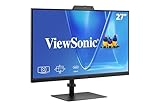
ViewSonic VG2741V 27 Inch 1080p Webcam Monitor, 120Hz, USB C Conferencing
- VIDEO CONFERENCING DISPLAY: This 27 inch monitor combines Full HD resolution and a 120Hz refresh rate with a built-in...
- WINDOWS HELLO SUPPORT: The integrated 5MP IR webcam adds compatible Windows Hello sign-in to this computer monitor...
- USB C AND VIDEO CONNECTIVITY: USB C, HDMI, and DisplayPort let this 120Hz monitor connect with compatible laptops and...
The ViewSonic VG2741V is designed to enhance your video conferencing experience with its integrated 5MP IR webcam and built-in Windows Hello support. This ensures secure, hassle-free logins and clear communication. A privacy shutter and adjustable camera angle provide added control and peace of mind during calls.
This 27-inch Full HD monitor offers a smooth 120Hz refresh rate combined with SuperClear® IPS technology. It delivers vibrant, consistent colors and wide 178-degree viewing angles, reducing eye strain during long work sessions. The ergonomic stand allows for comfortable positioning to suit your workspace.
Connectivity is straightforward and flexible with HDMI, DisplayPort, and USB-C ports. This makes it easy to link with various laptops and desktops without extra adapters. The monitor also features eye care technologies like a blue light filter and flicker-free screen to help minimize fatigue.
While it excels in video conferencing and general productivity, its brightness level of 250 nits may challenge visibility in very bright rooms. The 1080p resolution suits most tasks but may not meet needs for detailed creative work. At 11.7 pounds, it is stable but less portable for frequent moves.
Best for: Professionals and remote workers seeking a secure, ergonomic monitor optimized for video calls and everyday productivity.
What We Like:
- Integrated 5MP IR webcam with privacy shutter and Windows Hello support
- Smooth 120Hz refresh rate with SuperClear® IPS for vibrant, wide-angle visuals
- Versatile connectivity with HDMI, DisplayPort, and USB-C ports
- Eye care features reduce fatigue during extended use
Specification:
| Feature | Details |
|---|---|
| Manufacturer | ViewSonic |
| Screen Size | 27 inches |
| Resolution | 1920 x 1080 (Full HD) |
| Refresh Rate | 120Hz |
| Webcam | 5MP IR with privacy shutter |
| Connectivity | HDMI, DisplayPort, USB-C |
| Weight | 11.7 lbs (5.3 kg) |
| Panel Technology | SuperClear® IPS |
Factors to Consider When Choosing a Computer Monitor With Camera
When choosing a computer monitor with a camera, you’ll want to focus on camera resolution, display size, and overall screen quality to suit your needs. Don’t forget to check connectivity options and built-in audio features for seamless communication.
Also, consider ergonomics and adjustability to guarantee comfortable use throughout the day. It’s all about making sure your setup works for you, not the other way around.
Camera Resolution Quality
Although camera resolution quality is just one factor to contemplate, it plays an essential role in how clear and detailed your video will appear during calls or recordings. You’ll want a camera with higher megapixels—like 5MP instead of 2MP—to capture sharper images.
Full HD webcams, offering 1920×1080 resolution, are a solid choice for crisp video. But don’t overlook lens and sensor quality; they impact color accuracy and low-light performance considerably.
Also, consider features like noise cancellation and privacy shutters, which improve your experience during meetings. If you want smoother video with less motion blur, look for webcams supporting higher refresh rates, such as 120Hz.
Choosing the right camera resolution guarantees your video looks professional and clear every time.
Display Size And Resolution
Since you’ll spend hours looking at your monitor, choosing the right display size and resolution is essential for comfort and productivity. Larger screens, like 27 inches, give you more space to multitask compared to smaller 22-inch options.
Higher resolutions such as 2560 x 1440 (QHD) or 3440 x 1440 (UltraWide QHD) deliver sharper, more detailed visuals than standard Full HD. The aspect ratio matters too—16:9 is common, but wider 21:9 ratios enhance immersion for videos and gaming.
Don’t overlook brightness; monitors with around 350 nits work well in brighter rooms. Also, consider refresh rates—60Hz is standard, but 120Hz offers smoother motion, which benefits fast-paced content.
Picking the right combination guarantees your monitor with a camera meets your daily needs effectively. It’s all about finding what works best for you!
Connectivity And Ports
Choosing the right display size and resolution sets the stage for a comfortable viewing experience, but how you connect your monitor with a camera to your devices plays an equally important role.
You’ll want a monitor with a variety of ports like HDMI, DisplayPort, and USB to guarantee it’s compatible with your laptop, desktop, or other gadgets. USB-C connectivity is especially handy since it handles power, data, and video through one cable, cutting down on clutter.
Make sure the monitor supports multiple input options to switch easily between devices. Also, check for USB-A or USB-B ports to integrate smoothly with conferencing software and peripherals.
Some models even support multi-display setups, letting you expand your workspace effortlessly. It’s all about making your setup flexible and user-friendly!
Audio And Microphone Features
One of the key factors to evaluate when selecting a computer monitor with a camera is its audio and microphone features, as they directly impact your communication quality. Look for integrated microphones with noise-canceling and echo cancellation technologies. These help reduce background noise and feedback during calls.
Monitors with beamforming microphones can focus on your voice, enhancing clarity even in noisy environments. Adjustable microphone arrays let you position the mic for ideal sound capture based on your seating. This way, you get the best audio experience no matter where you sit.
Additionally, built-in stereo speakers can simplify your setup by eliminating the need for external audio devices. They provide clear sound for video calls and multimedia. Prioritizing these features guarantees your interactions remain professional and hassle-free.
Ergonomics And Adjustability
When you spend long hours in front of your computer, ergonomic features and adjustability become essential for comfort and productivity. Look for monitors that offer adjustable height, tilt, swivel, and pivot options so you can customize your setup to reduce neck and eye strain.
VESA mount compatibility adds versatility, letting you fit your monitor perfectly into your workspace. Choosing a larger screen, around 27 inches, helps you view multiple windows without squinting, boosting efficiency.
Integrated webcams and microphones streamline your desk, eliminating extra gear and supporting ergonomic video calls. Prioritizing these factors guarantees your monitor not only looks good but also supports your health and comfort during long work sessions.
Eye Care Technologies
Although integrated cameras enhance video calls, you’ll want a monitor with advanced eye care technologies to protect your vision during long hours in front of the screen. Look for Flicker-Free technology, which reduces screen flicker that often causes eye strain and fatigue.
Low Blue Light technology is essential, as it minimizes harmful blue light emissions, helping prevent digital eye strain and making long viewing sessions more comfortable. An anti-glare surface also improves visibility by cutting down reflections and distracting glare, especially in bright rooms.
Adjustable brightness settings let you tailor the screen’s luminance to your environment, reducing strain from overly bright or dim displays. Some monitors even feature DC Dimming technology, which smooths brightness adjustments and further limits flicker, keeping your eyes comfortable throughout the day.
Warranty And Support Options
Warranty and support options play an essential role in your decision to buy a computer monitor with a camera. Typically, warranties last between one to four years, giving you peace of mind against manufacturing defects or malfunctions.
Look for warranties that include advanced replacement services. That way, you can get a quick replacement without waiting for repairs. Some monitors also come with complimentary software subscriptions, which adds extra value.
Pay close attention to what the warranty covers—parts, labor, backlight, or just limited aspects. It’s vital to review the terms and conditions carefully, as they outline coverage limits, exclusions, and the claim process.
Choosing a monitor with solid warranty and support guarantees you’re protected and can enjoy your purchase worry-free. It’s definitely worth taking the time to pick the right one!
Frequently Asked Questions
How Secure Are Built-In Webcams on These Monitors?
Built-in webcams can be secure if you keep your software updated and use physical covers when not in use.
You shouldn’t rely solely on built-in security though. It’s always a good idea to use strong passwords and enable two-factor authentication for extra protection.
Can These Monitors Connect to Multiple Devices Simultaneously?
Yes, many of these monitors let you connect multiple devices simultaneously via multiple inputs like HDMI and USB-C.
You can easily switch between devices without unplugging, making your workflow smoother and more efficient.
It’s super convenient, especially if you’re juggling a laptop, desktop, or even a gaming console. Switching back and forth is a breeze!
What Is the Average Lifespan of Monitors With Built-In Cameras?
Like a reliable companion, these monitors with built-in cameras usually last around 5 to 7 years.
You’ll want to keep them updated and cared for, so they don’t lose their sharpness or functionality over time.
Taking a little time for maintenance can really pay off in the long run!
Do These Monitors Support External Microphone Inputs?
Yes, many monitors with built-in cameras support external microphone inputs through 3.5mm jacks or USB ports.
You’ll want to check your model’s specs to verify compatibility and get the best audio quality for your setup.
It’s pretty handy to have that option, especially if you’re aiming for clearer sound during calls or recordings.
Are There Any Privacy Features Like Webcam Covers Included?
Yes, some monitors include built-in webcam covers or sliding shutters to protect your privacy.
You’ll find models with physical covers or electronic shutters, letting you easily block the camera when you’re not using it for added security.
It’s a simple feature, but definitely handy if you want that extra peace of mind.
Conclusion
You might think adding a monitor with a built-in camera limits your options or breaks your budget, but that’s not true. These monitors combine quality display and reliable webcams, perfect for work or virtual meetings without extra clutter.
You’ll save desk space and enjoy crisp visuals and clear video calls. Plus, having the camera built right into the monitor means fewer cables and less hassle.
With so many great choices, you can easily find one that fits your style and needs without compromise. Whether you want a sleek design, excellent picture quality, or top-notch webcam performance, there’s a computer monitor with camera for you.
In the end, choosing a monitor with a built-in camera is smart for both productivity and convenience. It helps keep your workspace tidy and enhances your video call experience. So, if you’re looking for the best computer monitors with cameras in 2027, you’ll find plenty that balance affordability, quality, and style perfectly.