3 Best Canon Printers for 2027 That Deliver Stunning Prints
Looking for the best Canon printers in 2027? You’ve come to the right place!
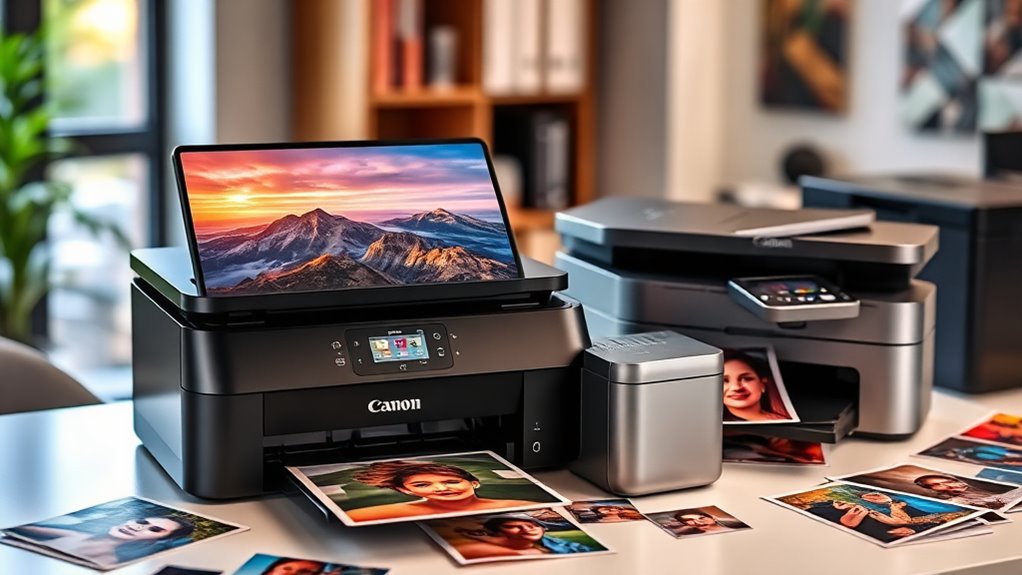
Whether you need high-volume printing, vibrant photo quality, or a compact design for everyday use, Canon has something for you. These top Canon printers combine stunning print results with smart features that make your life easier.
Check out the Canon MegaTank G3270 for high-volume, wireless printing that won’t slow you down.
Then there’s the PIXMA TS6520, known for its vibrant borderless images and intuitive OLED display.
If you want something compact and reliable for daily tasks, the PIXMA TR4720 fits the bill perfectly.
Each model delivers stunning prints while offering versatile features like automatic duplex printing.
You’ll find the perfect fit for your needs. Stay tuned to discover more about their specifications and unique benefits!
| Image | Name | Editor's Rating | Price |
|---|---|---|---|

|
|
||

|
|
||

|
|
Canon MegaTank G3270 All-in-One Wireless Color Printer
- Wireless Print/Copy/Scan
- Up to 2 years of ink included (2)
- Print up to 6,000 black & white / 7,700 color pages using a single set of inks! (1)

The Canon MegaTank G3270 All-in-One Wireless Color Printer is designed to meet the needs of users who require reliable, high-volume printing without frequent ink changes. Its innovative MegaTank system reduces the hassle of constant cartridge replacements by delivering up to 6,000 black and white or 7,700 color pages from a single set of ink bottles. This feature makes it ideal for busy home offices or small businesses looking to save time and money.
With its compact build, the printer fits neatly into limited spaces, making it suitable for various environments. Wireless connectivity allows seamless printing from smartphones and tablets, simplifying the process and supporting mobile workflows. This wireless feature also helps reduce cable clutter on desks.
Maintenance is straightforward, thanks to the refillable ink tanks, which are easy to monitor and replenish. While it offers good print quality, color printing is moderately slower, which users should consider if speed is a priority. The single paper tray limits simultaneous use of different media types, so users may need to swap paper based on their tasks.
Best for: Budget-conscious users needing efficient, high-volume printing with simple maintenance.
What We Like:
- High ink capacity reduces frequent refills
- Compact and space-saving design
- Wireless printing from multiple devices
- Easy-to-maintain refillable ink tanks
Specification:
| Feature | Details |
|---|---|
| Manufacturer | Canon |
| Dimensions | Compact (exact size not provided) |
| Weight | Not specified |
| Color Options | Standard color |
Canon PIXMA TS6520 Wireless Color Inkjet Printer, 1.42″ OLED Display, White
- Affordable Versatility - A budget-friendly all-in-one printer perfect for both home users and hybrid workers, offering...
- Crisp, Vibrant Prints - Experience impressive print quality for both documents and photos, thanks to its 2-cartridge...
- Effortless Setup & Use - Get started quickly with easy setup for your smartphone or computer, so you can print, scan...
The Canon PIXMA TS6520 offers a smart solution for everyday printing challenges. Its wireless design and hybrid ink system ensure sharp documents and vibrant photos without hassle. You can print borderless images up to 8.5” x 11”, perfect for school projects or family memories.
Maintenance is straightforward with the intuitive 1.42” OLED display that makes checking ink levels and printer status quick and easy. Automatic duplex printing reduces paper use, helping you save resources and cut costs. This feature is especially useful in busy home or small office settings.
Connecting devices is seamless thanks to dual-band Wi-Fi and mobile compatibility. Whether you use a smartphone or laptop, the printer adapts to your workflow without complicated setup. Its compact size fits well in limited spaces, making it a practical choice.
Though print speeds may be slower with color documents, the quality remains consistent. Cartridge costs should be monitored for heavy use, but the printer’s reliable performance balances this drawback.
Best for: Families and students needing a versatile, easy-to-use all-in-one printer for daily tasks.
What We Like:
- All-in-one design for printing, scanning, and copying
- Hybrid ink system delivers sharp text and vivid colors
- Automatic duplex printing saves paper and supports eco-friendly use
- Easy monitoring via 1.42” OLED display
- Dual-band Wi-Fi ensures smooth wireless connectivity
Specification:
| Feature | Details |
|---|---|
| Manufacturer | Canon |
| Dimensions (W×D×H) | Approx. 14.7″ × 12.9″ × 5.1″ |
| Weight | Approx. 13.7 lbs |
| Color Options | White |
| Display | 1.42” OLED |
| Connectivity | Dual-band Wi-Fi, Mobile compatible |
Canon PIXMA TR4720 All-in-One Wireless Printer
- Wireless 4-in-1 (print | copy | scan | fax)..Power Consumption: 7W (0.8W Standby / 0.3W Off)
- Print speed up to: 4" x 6" Borderless Photo (PP-201): Approx. 65.0 Seconds / Black Document (Letter/Simplex): Approx...
- Designed for easy ink cartridge installation and replacement.
Looking for a printer that handles all your daily tasks without taking up much space? The Canon PIXMA TR4720 All-in-One Wireless Printer offers printing, scanning, copying, and faxing in a compact design. It helps reduce clutter while delivering sharp prints with up to 4800 x 1200 dpi resolution. This makes it easy to produce professional-quality documents and photos at home or in a small office.
The printer’s automatic duplex feature cuts paper use and streamlines workflow. A 100-sheet front tray means fewer refills during busy days. Wireless and USB connectivity allow for flexible placement and easy access from multiple devices. You can also print directly from your smartphone or tablet using compatible apps.
Maintenance is straightforward, and the printer is energy-efficient, which suits users looking for sustainable and cost-effective solutions. While black document prints are quick at 8.8 ipm, color printing is slower, which might affect users with high-volume color needs. The 99-copy limit and photo print speed should be considered for heavier tasks.
Designed to simplify everyday printing challenges, the PIXMA TR4720 fits well in homes or small offices aiming for convenience and quality in one compact machine.
Best for: Home users and small office environments requiring a versatile all-in-one printer with reliable wireless features.
What We Like:
- Compact design fits limited spaces.
- Automatic duplex printing reduces paper waste.
- Wireless and mobile printing enhance convenience.
- High resolution delivers clear, sharp prints.
- Easy maintenance and energy-efficient operation.
Specification:
| Feature | Details |
|---|---|
| Manufacturer | Canon |
| Dimensions (W×D×H) | Approx. 17.7 × 11.7 × 7.5 in (45 × 29.7 × 19 cm) |
| Weight | Approx. 11.7 lb (5.3 kg) |
| Color Options | Black |
| Connectivity | USB, Wi-Fi |
| Print Resolution | Up to 4800 x 1200 dpi |
Factors to Consider When Choosing a Cannon Printer
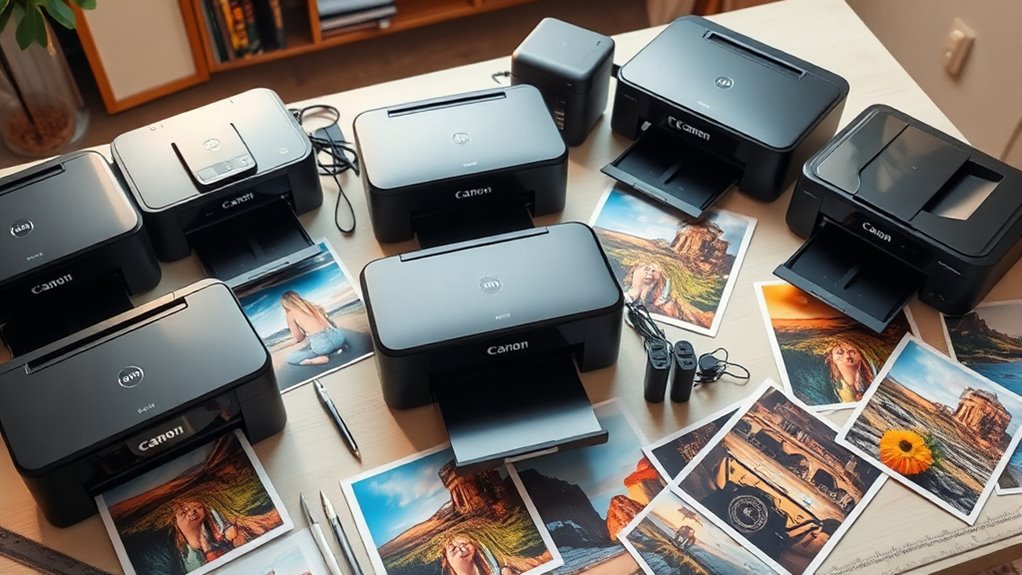
When you’re choosing a Canon printer, you’ll want to evaluate several key factors. Think about print quality, functionality, and the available connectivity options that suit your needs.
Also, the type of ink system can greatly influence your printing experience, so keep that in mind as well. It’s all about finding what works best for you!
Factors to Consider When Choosing Canon Printer
Choosing the right Canon printer involves several key factors that can really impact your printing experience. First, think about the print speed. Some models can deliver up to 14 pages per minute for black and white and 9 for color. That’s super helpful if you’ve got a lot to print.
Next up, check the print resolution. It can range from 4800 x 1200 dpi to 1200 x 1200 dpi, which means you’ll get sharp text and vibrant images. You’ll definitely want to consider that if quality matters to you.
Also, take a look at the ink system. MegaTank systems can save you a bunch by printing thousands of pages per set, unlike the usual cartridges that run out fast. It’s a smart choice if you want to avoid constantly swapping ink.
Finally, think about connectivity options like Wi-Fi, USB, and mobile printing. Plus, multifunction features such as scanning and copying can really boost usability and convenience. It’s all about picking what fits your needs best.
Print Quality Standards
Print quality standards play an essential role in your overall printing experience. When choosing a Canon printer, consider the resolution, measured in dots per inch (dpi).
Higher resolutions, like 4800 x 1200 dpi, yield sharper text and vibrant colors. A hybrid ink system combining dye and pigment inks enhances print quality, providing both vivid images and crisp text.
Look for borderless printing capability for full-page prints, perfect for your photos and creative projects. Additionally, keep an eye on print speed, as faster rates can sometimes compromise detail.
Finally, guarantee consistency in print quality across various media types, from glossy photo paper to plain documents, to meet all your versatile printing needs.
Functionality and Features
Functionality is key in finding the right Canon printer for your needs. First, consider whether you want an all-in-one model that can print, copy, scan, and fax. This added versatility can save you space and money.
Next, evaluate print speed; options range from about 6 pages per minute for color to 14 for black and white, impacting your efficiency. If you often print photos, look for borderless printing capabilities for those edge-to-edge results.
Additionally, checking the maximum print resolution is essential—higher resolutions like 4800 x 1200 dpi yield sharper text and vibrant colors. Finally, automatic features such as duplex printing help reduce paper usage, making your choice more eco-friendly.
Connectivity Options Available
When selecting a Canon printer, connectivity options play a crucial role in ensuring it fits seamlessly into your tech setup. Many Canon models offer USB and Wi-Fi connectivity, catering to different user preferences.
If you need a stable wireless connection, look for dual-band Wi-Fi options that support both 2.4GHz and 5GHz frequencies. Mobile printing capabilities let you print directly from your smartphone or tablet, adding convenience to your workflow.
Some models even support voice control systems, allowing for hands-free operation. Additionally, Canon often incorporates mobile app support, enabling you to manage printing and scanning tasks directly from your devices.
Choose a printer that matches your connectivity needs for the best experience. It really makes a difference in how smoothly everything works together.
Ink System Type
Choosing the right ink system type can greatly affect your printing experience and costs. When you consider options like single-use cartridges versus refillable tanks, think about your printing habits.
Canon’s MegaTank system stands out, yielding up to 6,000 black and 7,700 color pages from a single set of inks. It’s perfect for high-volume users.
If vibrant colors and sharp text matter, hybrid systems that combine dye and pigment inks might be what you need.
Continuous ink supply systems (CISS) offer a sustainable approach, reducing waste and the frequency of ink replacements.
Size and Design
Selecting the right size and design for your Canon printer can make a big difference in how well it fits into your space and lifestyle. Compact models are ideal for both home and office settings, easily sliding onto desks or shelves without hogging space.
Check the dimensions—something like 21.9″ D x 16.4″ W x 10.6″ H can help you visualize fitting it into tighter spots. Weight matters too; a printer around 13.2 pounds can be simpler to move when needed.
A sleek, modern design not only enhances your decor but also guarantees functionality. And don’t overlook the layout of control panels or displays—intuitive designs make it easier to operate and monitor your printer, improving your overall experience.
Print Speed Considerations
After you’ve settled on the size and design of your Canon printer, print speed becomes a vital factor in your decision-making process. Typically measured in pages per minute (ppm), faster speeds are essential for high-volume printing tasks.
Keep in mind that black and white documents usually print quicker than color ones, with significant variations among models. Some printers specify speeds for different types of prints; for instance, borderless photo prints may take longer than standard documents.
Additionally, look for automatic duplex printing features to enhance efficiency by enabling double-sided printing. Finally, remember that higher print resolutions can slow speeds, affecting how quickly you receive detailed documents.
Balance speed and quality for the best results.
Paper Handling Capacity
When it comes to paper handling capacity, understanding how many sheets a printer can hold in its input tray is essential for your printing efficiency. If you frequently print large documents or photos, opt for models with a capacity of 100 sheets or more. This feature means fewer interruptions for refills.
Also, consider the maximum media size the printer can handle. It determines whether you can print standard letter-size documents or larger formats.
Automatic duplex printing can boost your efficiency by allowing double-sided printing, reducing paper usage. Finally, check the supported paper sizes—different printers accommodate various formats like letter, legal, and photo sizes. This enhances versatility for all your printing projects.
Frequently Asked Questions
What Is the Average Lifespan of a Canon Printer?
The average lifespan of a Canon printer typically ranges from 3 to 5 years, depending on usage and maintenance. Regular care can extend its life, so keep it clean and replace cartridges as needed.
Taking good care of your printer really makes a difference. It’s all about keeping things tidy and making sure you don’t wait too long to swap out those cartridges. That way, your Canon printer can keep running smoothly for years!
Can Canon Printers Print Directly From Smartphones?
Imagine capturing a sunset and instantly sharing it with loved ones.
Yes, Canon printers let you print directly from your smartphone, making those moments tangible.
It’s like holding your memories in your hands, beautifully preserved.
Are Canon Printers Compatible With Third-Party Ink?
Yes, Canon printers can work with third-party ink, but results may vary. It’s best to check compatibility for your specific model.
Using original ink often guarantees better print quality and reliability. So, if you want the safest bet, sticking with Canon’s own cartridges is usually a good idea.
How Do I Troubleshoot Common Canon Printer Issues?
Did you know that 30% of printer issues stem from simple errors? To troubleshoot common Canon printer problems, check connections, restart the device, clean the print head, and verify you’re using the correct paper type.
It’s often the little things that cause the biggest headaches. So, before calling support, give these quick fixes a try!
What Is the Warranty Period for Canon Printers?
Canon printers typically come with a one-year warranty, covering parts and labor.
If you register your printer online, you might access extended support or additional warranty options.
Conclusion
In the world of printing, choosing the right Canon printer can feel like finding a needle in a haystack. With options like the MegaTank G3270, PIXMA TS6520, and TR4720, you’re bound to find a perfect match for your needs.
Whether you crave vibrant colors or efficient printing, these models are your ticket to stunning results. So, don’t hesitate—dive into the world of Canon printers and elevate your printing game today!
Canon printers offer a blend of quality, reliability, and innovation that makes them stand out. From home use to professional projects, the MegaTank G3270, PIXMA TS6520, and TR4720 deliver excellent print quality and performance. Choosing the right Canon printer means investing in vibrant prints, seamless functionality, and long-term satisfaction. Explore these top Canon printers for 2027 and experience the difference in every page you print!