11 Best Canon 3-in-1 Printers for 2027 That Deliver Quality Prints
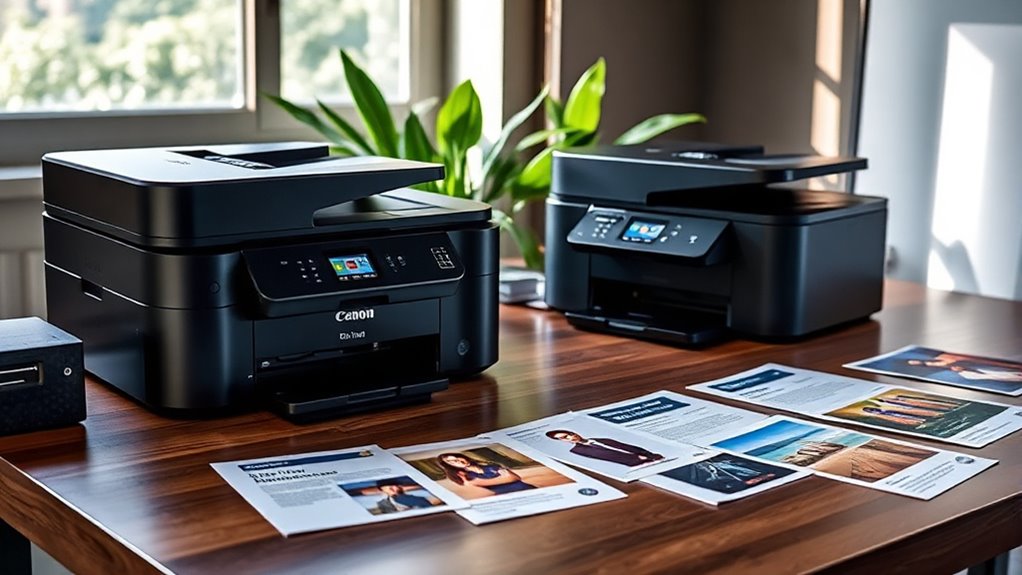
If you’re searching for the best Canon 3-in-1 printers for 2027, you’re in luck! There are some fantastic options that combine printing, scanning, and copying all in one device.
Whether you need something compact for your home office or a high-volume machine for busy workspaces, Canon has you covered.
The Canon PIXMA TR4720 is perfect if you want a small, versatile printer that won’t take up much space. On the other hand, the MegaTank G3270 is a great choice for those who print a lot and want to save on ink costs.
Looking for style and reliability? The PIXMA TS4320 fits the bill with its sleek design. And if speed is your priority, the imageCLASS MF753Cdw II stands out with its fast print rates.
Each model also offers easy connectivity and simple maintenance. Stick around to find out more about these top Canon 3-in-1 printers!
| Image | Name | Editor's Rating | Price |
|---|---|---|---|

|
|
||

|
|
||

|
|
||

|
|
||

|
|
Canon PIXMA TR4720 All-in-One Wireless Printer
- Wireless 4-in-1 (print | copy | scan | fax)..Power Consumption: 7W (0.8W Standby / 0.3W Off)
- Print speed up to: 4" x 6" Borderless Photo (PP-201): Approx. 65.0 Seconds / Black Document (Letter/Simplex): Approx...
- Designed for easy ink cartridge installation and replacement.

The Canon PIXMA TR4720 All-in-One Wireless Printer offers a compact and efficient solution for managing everyday office tasks. Designed to simplify your workflow, it handles printing, scanning, copying, and faxing with ease. This versatility helps busy home offices and small businesses save time and space.
With print speeds of 8.8 ipm for black and 4.4 ipm for color, it meets moderate printing demands without overwhelming delays. The 100-sheet front paper tray supports various media sizes, while automatic duplex printing reduces paper use and manual effort. USB and Wi-Fi connectivity enable seamless mobile and desktop printing, enhancing convenience.
Maintenance is straightforward, thanks to its ENERGY STAR certification, which ensures energy-efficient operation. While it lacks an Ethernet port and has limited paper capacity, this printer excels in environments where wireless flexibility and compact design matter most.
Best for: Small businesses and home offices needing a versatile all-in-one printer with space-saving features.
What We Like:
- Prints, scans, copies, and faxes in one device
- ENERGY STAR certified for energy efficiency
- Easy wireless and USB connectivity
- Automatic duplex printing saves time and paper
Specification:
| Feature | Details |
|---|---|
| Manufacturer | Canon |
| Dimensions | Approx. 17.7 x 11.7 x 7.5 in (45 x 30 x 19 cm) |
| Weight | Approx. 12.1 lb (5.5 kg) |
| Color Options | Black |
| Connectivity | USB, Wi-Fi |
Canon PIXMA TS3720 Wireless All-in-One Printer
No products found.
Looking for a printer that can handle all your home office tasks without hassle? The Canon PIXMA TS3720 Wireless All-in-One Printer is designed to simplify your daily printing, copying, and scanning needs. Its compact white design fits neatly in any space, making it a practical addition to your workspace.
This printer addresses common frustrations like slow printing and connectivity issues. With a print speed of 7.7 pages per minute for black and 4 pages for color, it delivers documents promptly. The dual-band Wi-Fi ensures a strong, stable connection, so you can print directly from your smartphone using the Canon PRINT app.
Maintenance is straightforward with easy-to-replace ink cartridges and a rear paper tray that holds 60 sheets. While the paper capacity is limited, it keeps the printer lightweight and compact at just 8.7 pounds. The simple 1.5” LCD screen offers basic navigation without overwhelming users.
The Canon PIXMA TS3720 is ideal for families and home office users who want an affordable, reliable all-in-one printer that covers everyday tasks efficiently.
Best for: Families and home office users needing a compact, multifunction printer for routine printing, scanning, and copying.
What We Like:
- Combines printing, copying, and scanning in one device
- Supports mobile printing via the Canon PRINT app
- Compact and lightweight design fits small spaces
- Dual-band Wi-Fi for stable wireless connections
- Easy-to-replace ink cartridges simplify upkeep
Specification:
| Feature | Details |
|---|---|
| Manufacturer | Canon |
| Dimensions | Not specified |
| Weight | 8.7 lb (3.95 kg) |
| Color | White |
| Print Speed | 7.7 ppm (black), 4 ppm (color) |
| Paper Tray Capacity | 60 sheets |
Canon MegaTank G3270 All-in-One Wireless Color Printer
- Wireless Print/Copy/Scan
- Up to 2 years of ink included (2)
- Print up to 6,000 black & white / 7,700 color pages using a single set of inks! (1)
The Canon MegaTank G3270 All-in-One Wireless Color Printer offers a smart solution for busy homes and small offices that need reliable, long-lasting printing. Its standout feature is a high ink capacity, allowing you to print thousands of pages without frequent cartridge changes. This reduces downtime and keeps your workflow smooth.
Designed for ease of use, it connects seamlessly via USB or Wi-Fi. The printer supports borderless printing and features a clear 1.35” LCD display that simplifies navigation and setup. Its compact design fits well in tight spaces without sacrificing functionality.
Print speeds reach up to 11 pages per minute for black-and-white and 6 pages per minute for color. This balance of speed and sharp quality, with a resolution of 4800 x 1200 dpi, meets everyday document and photo needs efficiently.
Maintenance is straightforward thanks to its refillable ink tanks, which lower running costs and minimize waste. However, the printer’s 100-sheet paper capacity and single tray may require manual adjustments for different media types. Weighing 13.2 pounds, it’s stable but less portable than lighter models.
Best for: Households and small offices seeking a cost-effective all-in-one printer with a large ink supply and wireless connectivity.
What We Like:
- High ink capacity reduces frequent replacements
- Fast print speeds for everyday tasks
- Easy setup with USB and Wi-Fi connections
- User-friendly 1.35” LCD display
- Supports borderless printing for photos and documents
Specification:
| Feature | Details |
|---|---|
| Manufacturer | Canon |
| Dimensions | Not specified |
| Weight | 13.2 lb (6 kg) |
| Connectivity | USB, Wi-Fi |
| Print Resolution | Up to 4800 x 1200 dpi |
| Paper Capacity | 100 sheets |
Canon PIXMA TS4320 – Wireless Color Inkjet Printer with Print, Copy, Scan
- Affordable Versatility - A budget-friendly all-in-one printer perfect for both home users and hybrid workers, offering...
- Crisp, Vibrant Prints - Experience impressive print quality for both documents and photos, thanks to its 2-cartridge...
- Effortless Setup & Use - Get started quickly with easy setup for your smartphone or computer, so you can print, scan...
The Canon PIXMA TS4320 offers a compact and stylish solution for home offices and small spaces. Its sleek design fits neatly on desks without taking up much room. This printer simplifies everyday tasks by combining printing, copying, and scanning in one device, making it ideal for busy environments.
With its 2-cartridge hybrid ink system, the PIXMA TS4320 delivers sharp, clear prints at up to 1200 x 1200 dpi. It produces color pages at a steady pace of 9 per minute and black-and-white pages at 14 per minute, helping you handle daily documents efficiently. Wireless connectivity with dual-band Wi-Fi enables easy mobile printing, eliminating the hassle of cables.
Maintenance is straightforward thanks to its hybrid ink setup, which reduces cartridge replacement frequency. The automatic two-sided printing feature also helps conserve paper, supporting both eco-friendliness and cost savings. While it lacks advanced display options, the printer remains user-friendly and practical for most everyday needs.
Best for: Home users or small office workers seeking a compact, reliable printer for routine printing, copying, and scanning tasks.
What We Like:
- Compact design saves desk space
- Reliable wireless and mobile printing options
- Automatic two-sided printing reduces paper waste
- Crisp print quality with hybrid ink system
Specification:
| Specification | Details |
|---|---|
| Manufacturer | Canon |
| Dimensions (W x D x H) | 12.0 x 14.6 x 5.0 inches |
| Weight | 15.5 lb |
| Ink System | 2-cartridge hybrid ink |
| Print Resolution | Up to 1200 x 1200 dpi |
| Connectivity | Dual-band Wi-Fi |
Canon Color imageCLASS MF753Cdw II – All-in-One Color Duplex Laser Printer
- Color, Wireless, Duplex 4-in-1: Print, scan, copy, fax.
The Canon Color imageCLASS MF753Cdw II offers a powerful solution for busy small and home offices. It tackles the challenge of managing multiple tasks by combining print, scan, copy, and fax functions in one device. This all-in-one printer helps streamline workflows and reduces the need for several machines.
With a print speed of up to 35 pages per minute and sharp 1200 x 1200 dpi resolution, it delivers crisp documents quickly. The automatic duplex printing feature saves paper and effort, making large jobs easier to handle. Wireless connectivity adds convenience, allowing seamless printing from computers and mobile devices.
Designed for reliability, this model requires minimal maintenance, so users can focus on their work without frequent interruptions. Its expandable paper capacity supports varied printing needs, though it only accepts media up to legal size. The printer’s weight makes it less portable, but it remains a sturdy and dependable office companion.
Best for: Small and home offices needing a multifunctional printer that simplifies document handling and boosts productivity.
What We Like:
- Fast print speeds enhance office efficiency
- High-resolution output ensures clear, professional documents
- Wireless printing from multiple devices adds flexibility
- Automatic duplexing reduces paper waste and manual effort
- Expandable paper capacity supports larger print jobs
Specification:
| Feature | Details |
|---|---|
| Manufacturer | Canon |
| Dimensions | Not specified |
| Weight | 50 lb (22.7 kg) |
| Color Options | Not specified |
| Print Resolution | 1200 x 1200 dpi |
| Print Speed | Up to 35 pages per minute |
| Media Size | Up to legal size |
Canon Megatank G3290 All-in-One Wireless Printer
- Wireless Print/Copy/Scan (2)
- Up to 2 years of ink included
- Print up to 6,000 black & white / 7,700 color pages using a single set of inks! (1)
If you need a reliable printer that handles large print jobs without constant ink changes, the Canon Megatank G3290 wireless printer is a practical solution. It delivers high-volume printing with up to 6,000 black-and-white and 7,700 color pages per ink set, reducing interruptions and keeping your workflow smooth.
This all-in-one printer offers sharp, vibrant prints at a resolution of 4800 x 1200 dpi, making documents look professional every time. Its 2.7” color touchscreen simplifies operation, allowing you to easily access settings and manage print tasks. Wireless connectivity and mobile printing via the Canon PRINT app add flexibility, letting you print directly from your phone or tablet.
Designed with the home office in mind, the G3290 combines compactness with useful features like automatic duplex printing. Maintenance is straightforward, although the 100-sheet paper capacity means you’ll need to refill more often during heavy use. Initial wireless setup might require some technical know-how.
Best for: Home and home office users who need efficient, high-volume printing with crisp color and black-and-white output.
What We Like:
- High page yield cuts down on frequent ink replacements.
- Intuitive 2.7” color touchscreen for easy control.
- Wireless and mobile printing boost convenience.
- Auto-duplex printing saves time and paper.
- Compact design fits well in smaller workspaces.
Specification:
| Feature | Details |
|---|---|
| Manufacturer | Canon |
| Dimensions (W×D×H) | Approx. 17.7 × 13.7 × 7.5 in (45 × 35 × 19 cm) |
| Weight | Approx. 7.7 lb (3.5 kg) |
| Ink Type | Refillable ink tanks |
| Print Resolution | Up to 4800 x 1200 dpi |
| Paper Capacity | 100 sheets |
| Connectivity | Wireless, Mobile Printing |
Canon PIXMA TS7720 Wireless Color Inkjet Printer

- ALL-IN-ONE: Print, Copy, Scan features for full control at your fingertips.
- FAST PRINT SPEEDS: Print approximately 15 (black) / 10 (color) images per minute.
- EASY SETUP: Get running in just a few minutes thanks to a streamlined and easy setup process out of the box.
The Canon PIXMA TS7720 redefines home printing with its smart wireless connectivity and compact design. It effortlessly fits into any workspace, making printing, scanning, and copying more accessible. This all-in-one printer helps you tackle everyday tasks without clutter or complexity.
Its print speeds of up to 15 pages per minute in black and 10 in color keep your workflow moving smoothly. The intuitive 2.7” LCD touchscreen allows easy control and setup. Dual paper trays accommodate different media types, including photo paper, so you can switch tasks without interruption.
Maintenance is straightforward, but keep in mind that the ink system may require frequent cartridge changes when printing color documents. The auto-duplex feature minimizes paper use by printing on both sides, adding efficiency to your routine. Borderless printing options help produce professional-quality photos at home.
Best for: Home users who need a compact, versatile printer for wireless photo and document printing with simple operation.
What We Like:
- Wireless printing from multiple devices
- Easy-to-use 2.7” touchscreen interface
- Dual paper trays for varied media
- Auto-duplex printing for efficiency
- Compact design fits small spaces
Specification:
| Feature | Details |
|---|---|
| Manufacturer | Canon |
| Dimensions | 14.7 x 12.8 x 5.2 inches |
| Weight | 13.2 lbs |
| Color Options | Black |
| Print Speed | Up to 15 ppm (black), 10 ppm (color) |
Canon PIXMA TR4720 All-in-One Wireless Printer

- Product 1: PRINT, COPY, SCAN, FAX: The PIXMA TR4720 is a true 4-in-1 printer that is compact, versatile and...
- Product 1: EASY SETUP: Enjoy simple setup through the Canon PRINT Inkjet/SELPHY app[1].
- Product 1: EASY TO INSTALL: Designed for easy ink cartridge installation and replacement.
Looking for a compact printer that handles all your everyday office tasks? The Canon PIXMA TR4720 is designed to simplify your work. It combines printing, copying, scanning, and faxing into one device, saving space and reducing clutter.
Setup is straightforward with the Canon PRINT Inkjet/SELPHY app. This lets you connect quickly and print directly from your smartphone or tablet. The auto document feeder helps you manage multi-page documents efficiently, cutting down the time spent on manual handling.
Maintenance is easy, though keep in mind the included starter ink cartridges have limited capacity and may need replacing sooner. Its compact design means it holds less paper than larger models, so frequent refills might be necessary. Print speeds are moderate, suitable for typical home or small office use rather than heavy workloads.
With its user-friendly design and wireless functionality, the PIXMA TR4720 is a practical solution for small spaces and everyday printing needs.
Best for: Small office users or home-based professionals needing a compact, multifunction wireless printer.
What We Like:
- All-in-one device for printing, scanning, copying, and faxing
- Easy wireless setup through Canon PRINT app
- Mobile printing from smartphones and tablets
- Auto document feeder for multi-page tasks
- Compact design fits well in limited spaces
Specification:
| Feature | Details |
|---|---|
| Manufacturer | Canon |
| Dimensions (W×D×H) | 17.7 × 12.3 × 7.5 inches |
| Weight | 11.1 lbs (5.04 kg) |
| Color Options | Black |
Canon imageCLASS MF273dw Monochrome Wireless Laser Printer

- Wireless 3-in-1: Print | Copy | Scan
- Print up to 30 Pages Per Minute (BW, Letter)
- First Print Out in Approximately 5.3 Seconds (Letter)
The Canon imageCLASS MF273dw delivers dependable high-speed monochrome printing designed for busy professionals. It helps you maintain a smooth workflow by producing up to 30 pages per minute and getting your first page out in just 5.3 seconds. This printer combines three essential functions—printing, copying, and scanning—into one compact device that fits neatly on your desk.
Its auto-duplex printing feature reduces paper usage by automatically printing on both sides. The wireless and USB connectivity options allow you to print directly from multiple devices, enhancing convenience in any work environment. With a 150-sheet paper capacity, it balances ample input without frequent refills, making it suitable for moderate workloads.
Maintenance is straightforward, with a design focused on efficiency and ease of use. While it offers high-quality prints at 2400 x 600 dpi resolution, it’s important to note it supports only monochrome output. The absence of a flatbed scanner limits some scanning capabilities but keeps the device compact and simple.
Overall, the MF273dw is built to improve productivity and reduce waste in small to medium office settings. Its combination of speed, multifunctionality, and space-saving design meets the needs of professionals managing everyday document tasks.
Best for: Busy professionals needing a reliable, fast monochrome printer with versatile copying and scanning in a compact design.
What We Like:
- Fast printing speed up to 30 pages per minute
- Auto-duplex printing saves paper and reduces waste
- Wireless and USB connectivity for flexible device use
- Compact footprint fits well in limited workspace
- Easy maintenance supporting efficient workflow
Specification:
| Feature | Details |
|---|---|
| Manufacturer | Canon |
| Dimensions | Compact (exact size not provided) |
| Weight | Not specified |
| Print Speed | Up to 30 ppm |
| Print Resolution | Up to 2400 x 600 dpi |
| Paper Capacity | 150 sheets |
| Connectivity | Wi-Fi, USB |
| Functions | Print, Copy, Scan |
| Color | Monochrome |
Canon PIXMA TS6520 Wireless Color Inkjet Printer, 1.42″ OLED Display, White

- Affordable Versatility - A budget-friendly all-in-one printer perfect for both home users and hybrid workers, offering...
- Crisp, Vibrant Prints - Experience impressive print quality for both documents and photos, thanks to its 2-cartridge...
- Effortless Setup & Use - Get started quickly with easy setup for your smartphone or computer, so you can print, scan...
Experience hassle-free printing with the Canon PIXMA TS6520, designed to meet the needs of busy families and students. This all-in-one wireless color inkjet printer offers reliable performance with easy setup and smooth connectivity. Its compact design fits neatly in most spaces, making it an ideal choice for home or study areas.
The dual-band Wi-Fi ensures stable connections, allowing you to print from smartphones, tablets, or laptops without interruptions. The 1.42″ OLED display provides clear status updates and ink level monitoring, minimizing downtime and simplifying maintenance. This keeps the printer ready to handle your daily tasks efficiently.
Print sharp black-and-white documents at up to 14 pages per minute or vibrant color pages at 9 pages per minute. The auto-duplex feature automatically prints on both sides of the paper, helping reduce waste and saving you money. The hybrid ink system balances crisp text with rich photo quality for versatile use.
While it supports standard 8.5″ x 11″ media, this size limitation may not fit larger projects. Additionally, its print speed is moderate compared to premium models, and it requires specific cartridges (PG-295 and CL-286), which could restrict ink options.
Best for: Families and students seeking a compact, reliable all-in-one printer that combines ease of use with efficient wireless functionality.
What We Like:
- Compact design fits easily into small spaces.
- Dual-band Wi-Fi enables seamless wireless printing.
- 1.42″ OLED display simplifies monitoring and maintenance.
- Auto-duplex printing reduces paper waste.
- Hybrid ink system delivers sharp text and vibrant colors.
Specification:
| Feature | Details |
|---|---|
| Manufacturer | Canon |
| Dimensions | Compact (exact size not provided) |
| Weight | Not specified |
| Color Options | White |
| Display | 1.42″ OLED |
| Connectivity | Wireless, Dual-band Wi-Fi |
| Ink Type | Hybrid ink system |
| Media Size | Up to 8.5″ x 11″ |
Canon imagePROGRAF PRO-310 Wireless Inkjet Photo Printer

- 9 COLOR + CHROMA OPTIMIZER pigment-based ink system produces gallery-quality prints.
- EASE OF USE — ultimate productivity with Anti-Clogging System and Skew Correction.
- MATTE BLACK INK offers enhanced black density and wider dark area reproduction range.
The Canon imagePROGRAF PRO-310 redefines how professional photographers and artists bring their visions to life. It delivers stunning print quality with vibrant colors and sharp details, making it easier to produce gallery-worthy prints. This printer’s advanced 9-color pigment ink system enhances color accuracy and depth, solving the common problem of dull or washed-out images.
Designed for ease of use, the PRO-310 features a 3″ color LCD and wireless connectivity options like Wi-Fi and Ethernet. This allows seamless integration with your workflow, enabling quick and flexible printing from multiple devices. Its compact 13-inch design fits comfortably in most studios, balancing functionality with practicality.
Maintenance is straightforward thanks to LUCIA PRO II technology, which ensures durable, scratch-resistant prints with consistent gloss. The matte black ink further improves black density, adding richness to monochrome images. While it focuses solely on printing, this specialization helps it excel in producing high-quality photo prints.
Weighing 31.6 pounds, the printer is sturdy but less portable, so it’s best suited for stationary use. Its print speed is moderate, at about 2 pages per minute, prioritizing quality over quick output.
Best for: Professional photographers and artists seeking precise color reproduction and durable, museum-quality prints.
What We Like:
- High-quality 9-color pigment ink system for vivid, accurate colors
- User-friendly 3″ color LCD and versatile wireless connectivity
- Durable prints with gloss uniformity and scratch resistance
- Compact design tailored for studio environments
Specification:
| Feature | Details |
|---|---|
| Manufacturer | Canon |
| Dimensions | 13″ (width) |
| Weight | 31.6 lb (14.3 kg) |
| Ink System | 9-color pigment-based |
| Connectivity | Wi-Fi, Ethernet, USB |
| Display | 3″ color LCD |
Factors to Consider When Choosing a Canon 3 in 1 Printer
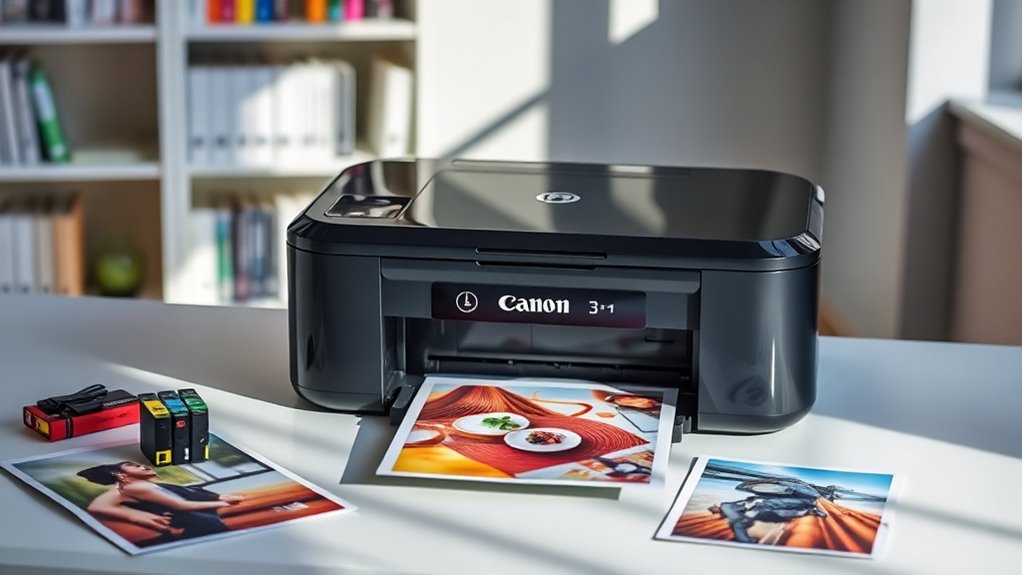
When choosing a Canon 3-in-1 printer, you should focus on several key factors to guarantee it meets your needs. Consider the essential features, print quality, and connectivity options that will best suit your environment.
Also, don’t forget to evaluate the size and design of the printer. Plus, think about the cost of replacement ink to make a well-informed decision. It’s all about finding the right balance for your setup!
Key Features to Evaluate
Choosing the right Canon 3-in-1 printer involves evaluating several key features that can greatly impact your printing experience. First, check the print speed, measured in pages per minute (ppm); higher speeds are ideal for busy environments.
Next, consider print resolution, which is expressed in dots per inch (dpi)—higher resolutions guarantee sharper text and vibrant images. Don’t overlook connectivity options; USB and Wi-Fi capabilities make it easy to print from various devices.
Features like automatic duplex printing can save paper and reduce environmental impact by allowing double-sided printing. Finally, assess the paper handling capacity, including tray sizes and supported media types, to meet your diverse printing needs efficiently.
Print Quality Considerations
Print quality plays an important role in your overall printing experience, so it’s essential to take into account several factors before selecting a Canon 3-in-1 printer.
First, consider the printer’s resolution, typically measured in dots per inch (dpi). Resolutions like 4800 x 1200 dpi are ideal for photo printing, while 1200 x 1200 dpi works well for standard documents.
The type of ink system also matters; pigment-based inks offer better longevity and color accuracy compared to dye-based inks. A hybrid ink system blends both types for vibrant colors and sharp text.
Don’t forget about media size and paper type, as specialized papers can greatly enhance color reproduction and sharpness. This leads to a more satisfying print outcome overall.
Connectivity Options Available
Considering the variety of tasks you’ll tackle with a Canon 3-in-1 printer, having multiple connectivity options is essential. Many Canon models come with USB, Wi-Fi, and Ethernet capabilities, making them versatile for any setup.
Wireless connectivity often includes dual-band options (2.4GHz and 5GHz), ensuring stable connections for mobile printing and remote access. You’ll love the mobile printing features supported by various apps, allowing seamless printing from your smartphone or tablet.
Some printers even offer Wi-Fi Direct, letting you connect directly to the printer without a network, which simplifies the process. Plus, compatibility with popular printing protocols like Apple AirPrint and Mopria enhances convenience, making it easier than ever to print from your smart devices.
Size and Design Factors
When selecting a Canon 3-in-1 printer, you’ll want to pay close attention to size and design factors that fit your workspace. Consider the weight and dimensions, as compact models easily fit into home or small office settings.
Look for sleek designs that blend seamlessly with your décor, enhancing your environment. Evaluate the paper handling capacity; a larger tray reduces the need for frequent refills, boosting efficiency during high-volume tasks.
Features like an auto document feeder streamline scanning and copying, making multi-page handling easier. Finally, verify the design allows easy access to ink cartridges and paper trays, simplifying maintenance and operation.
Balancing these factors will help you choose a printer that meets your needs effectively. It’s all about finding what works best for your space and workflow.
Cost of Replacement Ink
While weighing your options for a Canon 3-in-1 printer, you’ll want to keep an eye on the cost of replacement ink, as it can greatly influence your overall expenses. Inkjet cartridges typically range from $10 to $50 each, and some models need multiple cartridges, while others use a single set for all colors, which can help cut costs.
Printers with MegaTank or similar refillable systems may have a higher initial price but yield thousands of pages per refill, making them more economical in the long run. It’s definitely worth considering if you do a lot of printing.
Consider the average page yield; some cartridges print only 200-300 pages, while others can manage up to 6,000. And if you print infrequently, you’ll want to factor in how quickly cartridges might dry out, which can be a real hassle.
Frequently Asked Questions
What Is the Average Lifespan of a Canon 3-In-1 Printer?
A Canon 3-in-1 printer typically lasts around three to five years with regular use. To maximize its lifespan, keep it clean, use quality paper, and replace ink cartridges promptly.
You’ll enjoy reliable prints longer! Just a little care goes a long way with these printers.
Are Canon 3-In-1 Printers Compatible With Mac and Windows?
Yes, Canon 3-in-1 printers are compatible with both Mac and Windows systems. You can easily connect and use them with your devices, ensuring seamless printing, scanning, and copying across different platforms without any hassle.
It’s super convenient because you don’t have to worry about compatibility issues. Just plug in your printer, and you’re good to go!
How Can I Troubleshoot Printing Issues With My Canon Printer?
To troubleshoot printing issues with your Canon printer, start by checking all the connections to make sure everything is plugged in properly. Next, verify that the ink levels are sufficient so your prints don’t come out faded or incomplete.
It’s also a good idea to restart both your printer and computer. Sometimes, a simple reboot can fix little glitches that cause printing problems.
If that doesn’t do the trick, update your printer drivers to the latest version. Outdated drivers can often lead to errors or communication issues between your devices.
Finally, run the printer’s built-in diagnostic tool. It can help identify potential errors and guide you through fixing them. Give these steps a try, and your printer should be back up and running smoothly!
What Types of Paper Can I Use With Canon 3-In-1 Printers?
Your Canon printer’s like a gourmet chef, ready to create masterpieces with various papers. You can use plain, glossy, matte, and photo paper, ensuring vibrant prints.
Just pick what suits your project best!
Do Canon 3-In-1 Printers Come With a Warranty?
Yes, Canon 3-in-1 printers typically come with a warranty. You should check the specific model’s details, but most offer at least a one-year limited warranty.
This usually covers manufacturing defects and helps guarantee your printer’s reliability. So, it’s a good idea to keep your warranty info handy just in case!
Conclusion
Choosing the right Canon 3-in-1 printer can feel like finding the perfect pair of shoes. Just like you wouldn’t wear heels for a hike, you need to evaluate your printing habits and needs.
Whether you’re printing family photos or important documents, there’s a model that fits. With options like the PIXMA TR4720 or the imageCLASS series, you’re bound to find a printer that feels just right.
These Canon all-in-one printers deliver quality prints, scans, and copies, making your life easier. So, take your time, consider what features matter most, and pick a Canon 3-in-1 printer that helps you step up your printing game effortlessly. With the best Canon 3-in-1 printers for 2027, you’ll get reliable performance and great value every time.