11 Best Canon All-in-One Printers for Mac in 2027
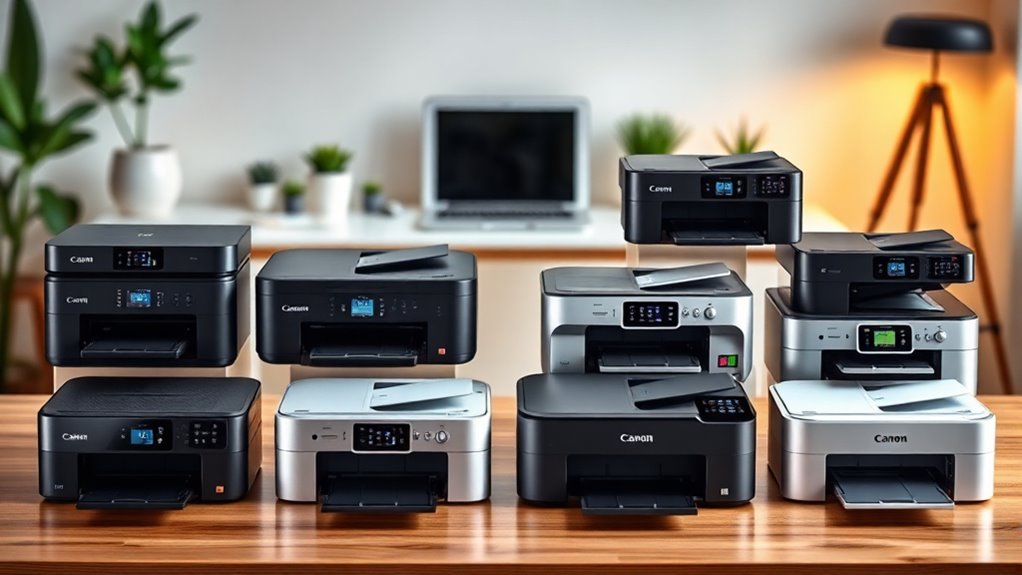
In 2027, finding the best Canon all-in-one printer for your Mac can really boost your productivity and make your printing tasks a breeze.
Whether you’re working from home or the office, having a reliable printer that seamlessly connects with your Mac is a game changer.
Canon offers a variety of models designed to meet different needs—from vibrant photo printing to cost-effective, high-volume document handling.
The Canon PIXMA TS6520 delivers stunning, vibrant print quality that’s perfect for photos and detailed documents.
Meanwhile, the MegaTank G3270 is ideal if you want to save on ink costs while printing large volumes.
Need something versatile? The PIXMA TR4720 combines printing, scanning, copying, and faxing all in one neat package.
And don’t forget options like the PIXMA TS7720 and imageCLASS MF665Cdw, which offer excellent features for both home and office use.
Explore these options to find the best fit for your needs, and discover extra features that can enhance your overall printing experience.
| Image | Name | Editor's Rating | Price |
|---|---|---|---|

|
|
||

|
|
||

|
|
||

|
|
||

|
|
Canon PIXMA TS6520 Wireless Color Inkjet Printer, 1.42″ OLED Display, White
- Affordable Versatility - A budget-friendly all-in-one printer perfect for both home users and hybrid workers, offering...
- Crisp, Vibrant Prints - Experience impressive print quality for both documents and photos, thanks to its 2-cartridge...
- Effortless Setup & Use - Get started quickly with easy setup for your smartphone or computer, so you can print, scan...

The Canon PIXMA TS6520 offers a smart solution for those seeking a reliable and efficient all-in-one printer. Its wireless color inkjet technology lets you print sharp text and vibrant images with ease. This printer’s compact and stylish design fits neatly into any home or office space, minimizing clutter.
Maintaining the printer is simple thanks to its 2-cartridge hybrid ink system, which balances quality and ease of replacement. The 1.42” OLED display provides clear updates on ink levels and printer status, helping you avoid interruptions. Auto-duplex printing saves paper, making it practical and eco-friendly.
Connectivity is seamless with dual-band Wi-Fi, ensuring stable wireless connections for multiple devices. You can print directly from your smartphone or tablet, perfect for busy families or students on the go. While the print speed is moderate, it meets everyday printing needs without overwhelming complexity.
The Canon PIXMA TS6520 is designed for ease of use, combining functionality and thoughtful features to enhance your printing experience. Its compact footprint and user-friendly interface make it an excellent choice for everyday tasks.
Best for: Families and students seeking a reliable, user-friendly wireless color inkjet printer for everyday home or school use.
What We Like:
- Compact and stylish design suits small spaces
- Auto-duplex printing reduces paper waste
- Dual-band Wi-Fi provides reliable wireless connectivity
- Easy-to-read 1.42” OLED display for ink and status monitoring
- Hybrid ink system balances print quality and maintenance
Specification:
| Feature | Details |
|---|---|
| Manufacturer | Canon |
| Dimensions | Compact (exact size not provided) |
| Weight | Not specified |
| Ink System | 2-cartridge hybrid ink |
| Display | 1.42” OLED |
| Connectivity | Dual-band Wi-Fi, Wireless |
| Color | White |
Canon MegaTank G3270 All-in-One Wireless Color Printer
- Wireless Print/Copy/Scan
- Up to 2 years of ink included (2)
- Print up to 6,000 black & white / 7,700 color pages using a single set of inks! (1)
Experience efficient printing, scanning, and copying with the Canon MegaTank G3270 All-in-One Wireless Color Printer. Designed to streamline your daily tasks, this compact inkjet printer fits comfortably in small spaces while delivering reliable performance. Its MegaTank technology lets you print thousands of pages, reducing the hassle of frequent ink replacements.
The printer’s wireless connectivity simplifies managing documents from smartphones and tablets. This means you can print directly without needing a computer, saving time and effort. The G3270’s user-friendly interface and straightforward maintenance make it ideal for users who want convenience and efficiency.
While the print speed is moderate, it balances quality and consistency, especially for black and white documents. The single paper tray suits light to moderate printing needs but may require refilling during heavy use. This printer is best for users who prioritize cost-effective, everyday printing without complex features.
Best for: Home users and small office environments needing a compact, reliable all-in-one printer for routine tasks.
What We Like:
- High ink yield with MegaTank technology reduces refill frequency
- Wireless printing from mobile devices enhances flexibility
- Compact design fits well in limited workspace
- Easy maintenance supports hassle-free operation
Specification:
| Feature | Details |
|---|---|
| Manufacturer | Canon |
| Dimensions | Approx. 17.7 x 14.7 x 7.5 in (45 x 37.3 x 19 cm) |
| Weight | Approx. 7.6 lb (3.45 kg) |
| Color Options | Black |
| Connectivity | Wi-Fi |
Canon PIXMA TS7720 Wireless All-in-One Inkjet Printer
- ALL-IN-ONE: Print, Copy, Scan features for full control at your fingertips.
- FAST PRINT SPEEDS: Print approximately 15 (black) / 10 (color) images per minute.
- EASY SETUP: Get running in just a few minutes thanks to a streamlined and easy setup process out of the box.
Experience hassle-free printing with the Canon PIXMA TS7720, designed to simplify your home office tasks. This wireless all-in-one inkjet printer offers fast, reliable printing, copying, and scanning, helping you stay productive without delays. Its compact design fits neatly on your desk, saving space without sacrificing functionality.
The printer delivers sharp, vibrant prints with a resolution of up to 1200 x 1200 dpi. Print speeds of 15 pages per minute in black and 10 in color keep your workflow smooth. Wireless connectivity and a high-speed USB port make it easy to print directly from smartphones, tablets, or computers.
Maintenance is straightforward with a two-cartridge ink system, though it may require more frequent replacements compared to printers with individual color cartridges. The 2.7” LCD touchscreen simplifies navigation, while auto-duplex and borderless printing add convenience for creative projects.
Keep in mind, the PIXMA TS7720 supports media sizes up to 8.5” x 11”, which suits standard home office needs but limits larger print jobs. Its compact paper handling capacity is ideal for everyday tasks rather than bulk printing.
Best for: Home office users needing a compact, efficient all-in-one printer for everyday printing, copying, and scanning.
What We Like:
- Fast print speeds for black and color documents.
- High print resolution for clear, vibrant images.
- Wireless and USB connectivity options.
- Intuitive 2.7” LCD touchscreen interface.
- Auto-duplex and borderless printing features.
Specification:
| Feature | Details |
|---|---|
| Manufacturer | Canon |
| Dimensions | Compact (exact size not provided) |
| Weight | Not specified |
| Ink System | Two-cartridge ink system |
| Max Media Size | 8.5” x 11” (Letter) |
| Connectivity | Wireless, High-speed USB |
| Display | 2.7” LCD touchscreen |
Canon PIXMA TR4720 All-in-One Wireless Printer
- Wireless 4-in-1 (print | copy | scan | fax)..Power Consumption: 7W (0.8W Standby / 0.3W Off)
- Print speed up to: 4" x 6" Borderless Photo (PP-201): Approx. 65.0 Seconds / Black Document (Letter/Simplex): Approx...
- Designed for easy ink cartridge installation and replacement.
The Canon PIXMA TR4720 All-in-One Wireless Printer is a practical solution for busy homes and small offices that need a reliable, all-in-one device. It streamlines your tasks by combining printing, scanning, copying, and faxing into one compact unit. This versatility helps reduce clutter and saves space on your desk.
Designed to fit neatly anywhere, its sleek black finish complements any environment. The printer supports automatic duplex printing, which saves paper and effort. You’ll also appreciate the 100-sheet front tray that handles everyday printing demands without constant refilling.
Maintenance is straightforward with easy ink cartridge replacement, allowing you to keep the printer running smoothly with minimal downtime. It’s ENERGY STAR certified, ensuring efficient power use without compromising performance. The mobile printing feature and Alexa integration provide added convenience by letting you print from your phone or receive ink alerts via voice commands.
While color print speeds are moderate and photo printing takes a bit longer, the overall functionality makes it a dependable choice. The Canon PIXMA TR4720 helps simplify your daily printing needs with smart features and practical design.
Best for: Small offices or home users seeking a compact printer that manages multiple tasks efficiently.
What We Like:
- Combines printing, scanning, copying, and faxing in one device
- Supports mobile printing and Alexa integration for convenience
- Automatic duplex printing saves paper
- ENERGY STAR certified for energy efficiency
- Easy ink cartridge replacement for simple maintenance
Specification:
| Feature | Details |
|---|---|
| Manufacturer | Canon |
| Dimensions | Compact size (exact size not specified) |
| Weight | Not specified |
| Material | Plastic |
| Color Options | Black |
Canon PIXMA TS4320 – Wireless Color Inkjet Printer with Print, Copy, Scan
- Affordable Versatility - A budget-friendly all-in-one printer perfect for both home users and hybrid workers, offering...
- Crisp, Vibrant Prints - Experience impressive print quality for both documents and photos, thanks to its 2-cartridge...
- Effortless Setup & Use - Get started quickly with easy setup for your smartphone or computer, so you can print, scan...
The Canon PIXMA TS4320 is a compact printer designed to simplify printing tasks for students and home office users. Its sleek design and lightweight build make it easy to fit into small spaces without sacrificing functionality. This printer offers reliable wireless connectivity, allowing seamless printing from smartphones, tablets, or Macs.
With print resolutions up to 1200 x 1200 dpi, the PIXMA TS4320 produces sharp color and black-and-white documents. It helps users manage everyday printing needs efficiently, thanks to its auto-duplex feature that reduces paper use. The integrated flatbed scanner adds versatility by enabling quick copying and scanning of documents at home.
Maintenance is straightforward with easy access to ink cartridges, ensuring minimal downtime. While print speeds are moderate and the output tray holds up to 100 sheets, this printer prioritizes quality and convenience over high-volume output. Its simple interface suits those who need dependable performance without complex controls.
Best for: students and home office users seeking a compact, all-in-one wireless inkjet printer with reliable print and scan functions.
What We Like:
- High-quality color and black-and-white prints up to 1200 x 1200 dpi
- Wireless printing compatible with multiple mobile devices
- Integrated flatbed scanner for copying and scanning documents
- Auto-duplex printing helps reduce paper waste
Specification:
| Feature | Details |
|---|---|
| Manufacturer | Canon |
| Dimensions | 11.7 x 14.5 x 5.2 in |
| Weight | 15.5 lb (7.03 kg) |
| Print Resolution | Up to 1200 x 1200 dpi |
| Connectivity | Dual-band Wi-Fi, USB |
| Color Options | Black |
Canon PIXMA TR8620a All-in-One Printer

- Never run out of ink. Connect your printer to Alexa and receive notifications when you’re running low. Alexa can even...
- Enrolling in Smart Reorders with Alexa ensures that you never have too much or too little ink supplies. No subscription...
- Wireless 4-in-1 (Print | Copy | Scan | Fax)
The Canon PIXMA TR8620a All-in-One Printer offers a smart solution for users who need a device that handles multiple tasks efficiently. It combines printing, copying, scanning, and faxing in a single machine, making it ideal for busy home offices and creative projects. The printer’s fast output and high resolution ensure crisp documents and vivid images every time.
Maintenance is straightforward with individual ink tanks, allowing you to replace only the colors you need, which helps manage ink expenses better. The 200-sheet capacity and auto duplex feature reduce the hassle of frequent paper refills and manual double-sided printing. Wireless connectivity and Alexa compatibility simplify printing from various devices and voice commands.
This printer is designed with user convenience in mind, featuring a responsive touchscreen and a 20-sheet automatic document feeder. These elements streamline workflows by speeding up multi-page scans and copies. Its sturdy build supports moderate use with a monthly duty cycle of up to 1,000 pages, suitable for most home and small office environments.
Though it weighs 17.4 pounds, which limits portability, its comprehensive functionality and ease of use make it a valuable addition to a workspace. The Canon PIXMA TR8620a balances performance and practicality for those needing versatile all-in-one printing solutions.
Best for: Home office users and creative professionals seeking an efficient and multifunctional all-in-one printer.
What We Like:
- Combines print, scan, copy, and fax in one device
- High-quality prints with up to 4800 x 1200 dpi resolution
- Easy maintenance with five individual ink tanks
- Large 200-sheet capacity and automatic duplex printing
- User-friendly touchscreen and 20-sheet auto document feeder
Specification:
| Feature | Details |
|---|---|
| Manufacturer | Canon |
| Dimensions (W x D x H) | 14.5 x 12.7 x 7.7 inches |
| Weight | 17.4 lb (7.9 kg) |
| Color Options | Black |
| Print Resolution | Up to 4800 x 1200 dpi |
| Monthly Duty Cycle | 1,000 pages |
| Paper Capacity | 200 sheets |
Canon Color imageCLASS MF665Cdw – Wireless, All-in-One Duplex Laser Printer

- Color, Wireless, Duplex 4-in-1: Print, scan, copy, fax.
- Fast Print Speeds: Print up to 26 ppm in both color and monochrome and spend less time waiting with a quick first print...
- Easy Wireless Setup: Setup your wireless connection and get up and running in just a few steps.
Experience seamless productivity with the Canon Color imageCLASS MF665Cdw, a wireless all-in-one duplex laser printer designed to simplify your daily tasks. This device combines printing, scanning, copying, and faxing, helping you manage multiple functions without clutter or complexity.
Its fast print speed of up to 26 pages per minute and quick first page output reduce wait times, keeping your workflow smooth. The 250-sheet capacity and 50-sheet automatic document feeder minimize interruptions, allowing you to focus on what matters most.
Maintenance is straightforward, but keep in mind that genuine toner cartridges may have a higher cost, which could affect long-term expenses. The printer’s robust design suits small offices or home workspaces where space is available for a slightly larger device.
With support for mobile printing via Canon PRINT and Apple AirPrint, it adapts well to hybrid work environments. The Canon Color imageCLASS MF665Cdw is built for reliability and versatility, making it a practical choice for everyday office needs.
Best for: Small and home offices needing a multifunctional printer that handles diverse tasks efficiently.
What We Like:
- Combines print, scan, copy, and fax in one device
- Fast print speed with quick first page output
- Large paper capacity with automatic document feeder
- Wireless connectivity with mobile printing support
- Reliable performance for hybrid work settings
Specification:
| Feature | Details |
|---|---|
| Manufacturer | Canon |
| Dimensions (W×D×H) | 16.5 × 18.4 × 15.0 inches |
| Weight | 38.6 lb (17.5 kg) |
| Technology | Color Laser |
| Connectivity | Wireless, USB |
| Paper Capacity | 250 sheets |
| Automatic Document Feeder | 50 sheets |
Canon TS5320 All-in-One Wireless Printer
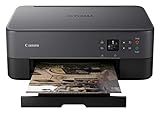
- With a 1.44 inch OLED display & LED status bar easily navigate and view your printer status; The OLED display displays...
- The Pixma TS5320 has a compact & stylish design that fits your space and personality; Not only is it small, but it comes...
- Designed for ease of use and simple replacement, the Pixma TS5320 only needs 2 fine cartridges for great print quality...
Experience effortless printing with the Canon TS5320 All-in-One Wireless Printer. Designed to simplify your workflow, this compact device handles printing, scanning, and copying with ease. Its high resolution ensures your documents and photos come out crisp and vibrant, enhancing both personal and professional projects.
Connecting to your devices is seamless thanks to multiple wireless options including AirPrint, Bluetooth, and Wi-Fi. This flexibility lets you print from your Mac, iPhone, or other devices without hassle. The intuitive 1.44-inch OLED display makes navigation straightforward, reducing setup time and errors.
Maintenance is straightforward with a two-cartridge ink system, though it may require more frequent replacements for heavy users. Its modest paper capacity suits everyday tasks but might need frequent refills during larger jobs. The compact design fits well in home offices or small workspaces, available in four stylish colors.
The Canon TS5320 improves productivity by combining versatile functions in a user-friendly package. It’s ideal for those needing reliable all-in-one performance without sacrificing space or style.
Best for: Individuals or small offices seeking a compact, stylish all-in-one printer with versatile wireless connectivity.
What We Like:
- Combines printing, scanning, and copying in one compact unit
- High-quality prints at 4800 x 1200 dpi resolution
- Multiple wireless connectivity options for ease of use
- User-friendly OLED display for simple operation
Specification:
| Feature | Details |
|---|---|
| Manufacturer | Canon |
| Dimensions | Compact design (exact size not provided) |
| Weight | Not specified |
| Color Options | Four colors |
| Connectivity | AirPrint, Bluetooth, Wi-Fi, USB |
Canon MegaTank MAXIFY GX2020 All-in-One Wireless Printer

- Wireless Print/Copy/Scan/Fax (2)
- Print up to 3,000 black & white / 3,000 color pages using a single set of inks! (1)
- 2.7” LCD Color Touchscreen
Looking for a versatile printer that handles all your office tasks with ease? The Canon MegaTank MAXIFY GX2020 combines printing, copying, scanning, and faxing in one compact wireless device. It streamlines your workflow, reducing clutter and saving desk space.
This printer is designed to keep your productivity high with fast print speeds of 15 ppm for black and white and 10 ppm for color. Its high-capacity ink tanks deliver up to 3,000 pages per refill, minimizing interruptions and lowering maintenance efforts. The 2.7-inch touchscreen makes operation straightforward, while the 35-sheet Automatic Document Feeder handles multi-page jobs efficiently.
Maintenance is simple with easy-to-refill MegaTank ink bottles, helping you avoid frequent replacements. The wireless and Chromebook compatibility ensures seamless connectivity across devices, making it suitable for busy home offices and small businesses that demand reliable, everyday functionality.
Though it weighs 17.8 pounds and the color print resolution maxes out at 600 x 1200 dpi, this printer balances performance and convenience for users who prioritize volume and versatility over professional photo quality.
Best for: Small businesses or home offices needing high-volume printing with multifunction capabilities in a compact design.
What We Like:
- High-capacity ink tanks reduce refill frequency
- Fast black and color print speeds boost efficiency
- Intuitive touchscreen simplifies operation
- Supports wireless and Chromebook connectivity
- Automatic Document Feeder speeds up multi-page tasks
Specification:
| Feature | Details |
|---|---|
| Manufacturer | Canon |
| Dimensions (W x D x H) | 16.4 x 12.6 x 7.3 inches |
| Weight | 17.8 pounds |
| Color Options | Black |
| Connectivity | Wireless, Chromebook compatible |
Canon Color imageCLASS MF753Cdw II – All-in-One Color Duplex Laser Printer

- Color, Wireless, Duplex 4-in-1: Print, scan, copy, fax.
The Canon Color imageCLASS MF753Cdw II delivers reliable performance tailored for busy small offices and hybrid work setups. Its fast printing speed of up to 35 pages per minute helps reduce wait times and keep workflows smooth. The sharp 1200 x 1200 dpi resolution ensures every document looks professional and clear.
This all-in-one device combines printing, scanning, copying, and faxing, simplifying multiple tasks in one machine. Its automatic duplex printing helps cut paper waste and lowers operating costs. The customizable touchscreen interface makes navigation straightforward, minimizing setup and maintenance hassle.
Wireless connectivity allows effortless printing from laptops, smartphones, or tablets, supporting flexible work styles. While it weighs around 50 pounds, its compact design fits well in limited office spaces. Paper handling is efficient, though larger print jobs may require more frequent refills without optional expansion.
Overall, the MF753Cdw II balances functionality with ease of use and sustainability, making it a practical choice for offices needing a reliable and versatile all-in-one printer.
Best for: Small offices and hybrid work environments seeking an efficient, multifunctional color laser printer.
What We Like:
- Fast print speeds up to 35 ppm improve productivity
- High-resolution output (1200 x 1200 dpi) ensures sharp documents
- Automatic duplex printing reduces paper usage
- Easy wireless printing from multiple devices
- Intuitive touchscreen simplifies operation
Specification:
| Feature | Details |
|---|---|
| Manufacturer | Canon |
| Model | Color imageCLASS MF753Cdw II |
| Dimensions (W×D×H) | 16.5 × 18.5 × 17.7 inches |
| Weight | 50 lbs (22.7 kg) |
| Printing Technology | Color Duplex Laser |
| Print Speed | Up to 35 pages per minute |
| Print Resolution | 1200 x 1200 dpi |
| Connectivity | Wireless, USB, Ethernet |
Canon Pixma MG3620 Wireless All-in-One Printer
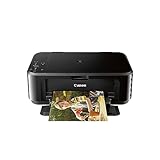
- Wireless 3-in-1 (print | copy | scan)
- Easily print and scan photos and documents directly from your mobile devices.
- 9.9 / 5.7 ipm print speed
The Canon Pixma MG3620 Wireless All-in-One Printer is designed to simplify everyday home printing tasks. It offers reliable printing, scanning, and copying in a compact size that fits easily into small spaces. This printer helps you handle documents and photos with sharp, vibrant results, resolving common home office frustrations.
Its wireless features, including support for AirPrint and Google Cloud Print, make mobile printing effortless. You can print directly from your smartphone or tablet without connecting cables. This flexibility keeps your workspace tidy and reduces setup time.
Maintenance is straightforward with a manageable paper tray that holds up to 100 sheets. The printer accommodates standard paper sizes up to 8.5 x 14 inches, making it suitable for various document types. While print speeds are moderate, the focus remains on quality and dependability.
The MG3620’s simple LCD display keeps controls accessible, though it lacks advanced touch features. Overall, it delivers consistent performance for everyday use, especially in home environments where space and ease of use are priorities.
Best for: Home users needing a compact, wireless printer for everyday printing, scanning, and copying tasks.
What We Like:
- High-resolution printing at 4800 x 1200 dpi for clear, colorful output
- Wireless printing with AirPrint and Google Cloud Print compatibility
- Compact, space-saving design ideal for small home offices
- Simple maintenance with a 100-sheet capacity and versatile paper handling
Specification:
| Feature | Details |
|---|---|
| Manufacturer | Canon |
| Dimensions (W×D×H) | 17.7 × 12.0 × 5.9 inches |
| Weight | 8.7 lbs (3.95 kg) |
| Print Resolution | Up to 4800 × 1200 dpi |
| Print Speed | 5.7 ipm (color), 9.9 ipm (B&W) |
| Paper Capacity | 100 sheets |
| Max Paper Size | 8.5 × 14 inches |
| Connectivity | Wireless (AirPrint, Google Cloud Print) |
Factors to Consider When Choosing a Canon All-in-One Printer for Mac
When choosing a Canon all-in-one printer for your Mac, it’s essential to evaluate factors like connectivity options and print quality. You’ll also want to reflect on size and design, as well as ink efficiency and costs.
Finally, verify that the printer is compatible with your macOS version to guarantee smooth operation. Taking these steps will help ensure you pick the right printer that fits your needs perfectly.
Connectivity Options Available
Choosing a Canon all-in-one printer for your Mac means looking at the connectivity options that make everything run smoothly. Many models come with dual-band Wi-Fi, so you get stable connections over both 2.4GHz and 5GHz bands. That kind of flexibility really helps with reliable performance.
USB connectivity is pretty common too, which lets you connect directly to your Mac for fast data transfer. If you’re more into wireless, compatibility with Apple AirPrint means you can print easily without installing extra software.
Some printers even support Bluetooth printing, so you can quickly print jobs from your Mac and other nearby devices. To make things even better, the Canon PRINT app lets you print and scan right from your Mac or other iOS devices. It’s a great way to keep your workflow smooth and efficient.
Print Quality Considerations
Print quality plays a significant role in your overall printing experience with a Canon all-in-one printer for Mac. To guarantee sharp text and vivid colors, look for printers with higher dpi values. Ideally, up to 4800 x 1200 dpi is great for excellent photo prints.
The ink system also matters; individual tank systems yield better color accuracy and less waste. Don’t overlook the paper type—specialty photo papers can really enhance color depth compared to standard options.
Features like borderless printing are essential for professional-looking documents and photos. And finally, check how well the printer handles various media types. Consistency in print quality across formats like glossy paper and cardstock can make a big difference in your results.
Size and Design Factors
While evaluating a Canon all-in-one printer for your Mac, size and design play an essential role in guaranteeing it fits seamlessly into your workspace. Start by checking the printer’s physical dimensions; it should comfortably fit in your designated area, especially if space is limited.
Don’t overlook the weight either—heavier models might require a sturdy surface and can be less portable when relocation is necessary. A design that matches your aesthetic preferences can make a difference, as many models come in various colors and styles.
Look for features like an intuitive control interface or touchscreen display to enhance your experience. Finally, confirm the printer’s paper handling capacity aligns with your printing needs, especially for larger documents or multiple paper types.
Ink Efficiency and Costs
When it comes to selecting a Canon all-in-one printer for your Mac, ink efficiency and costs are major factors to contemplate. Look for models that offer high-yield cartridges, as they can print thousands of pages, greatly lowering your cost per page.
Many printers feature a hybrid ink system, combining pigment and dye-based inks. This mix enhances print quality and extends cartridge life.
Automatic duplex printing can also help you save ink and paper by allowing double-sided prints. It’s a simple way to cut down on waste.
Additionally, consider ink tank systems that provide refills. These tend to be more economical compared to traditional cartridges.
Compatibility With macOS Versions
Choosing a Canon all-in-one printer for your Mac means ensuring compatibility with the macOS versions you plan to use. Not all models support every version, so it’s essential to check compatibility.
Look for printers that come with drivers specifically designed for macOS; these make communication between your printer and computer seamless. Additionally, opt for printers that support AirPrint, as this feature allows you to print wirelessly without needing extra drivers.
Don’t forget to verify that the printer’s firmware is regularly updated. This helps enhance compatibility with the latest macOS updates.
And finally, consider the availability of manufacturer support and documentation for macOS users. This can be a real lifesaver when it comes to installation and troubleshooting. Trust me, it’ll save you time and frustration down the line.
Frequently Asked Questions
Are These Printers Compatible With macOS Updates?
Yes, these printers are compatible with macOS updates. Canon regularly releases drivers to guarantee smooth functionality.
Just keep your software updated, and you’ll enjoy seamless printing without any issues on your Mac. It’s really that simple!
What Is the Average Lifespan of Canon Printer Ink Cartridges?
Canon printer ink cartridges typically last around 6 months to a year, depending on usage—like a fleeting summer romance.
To maximize lifespan, keep your printer active and store cartridges properly when not in use. It really helps to avoid drying out or clogging.
Just remember, the more you print, the better the ink stays fresh!
How Do I Troubleshoot Wireless Connectivity Issues?
To troubleshoot wireless connectivity issues, check your printer’s Wi-Fi settings and confirm it’s connected to the correct network.
If everything looks good there, try restarting both your printer and router. Sometimes, a quick reboot can work wonders.
Also, don’t forget to update any necessary drivers on your Mac. Keeping those up to date helps avoid connection hiccups.
Can I Print From My iPhone or iPad?
Printing from your iPhone or iPad’s as easy as pie. Just connect your device to the same Wi-Fi network as your printer, select your document, and hit print.
You’ll have your pages in moments! It’s really that simple. No fuss, no hassle.
Are There Any Recommended Printer Maintenance Tips?
To keep your printer running smoothly, regularly clean the print heads and check for software updates. Using high-quality ink is also super important.
You should perform occasional deep cleaning cycles too. These tips’ll extend its lifespan and boost your print quality. Easy, right? Just a little care goes a long way!
Conclusion
Finding the right Canon all-in-one printer for your Mac doesn’t have to feel like searching for a needle in a haystack. With options like the PIXMA TS6520 and MegaTank G3270, you’ll surely find a printer that fits your needs.
Just remember to weigh factors like connectivity and print quality. So, whether you’re printing out documents for work or photos for your scrapbook, you can enjoy seamless printing—no magic wands required!
Choosing the best Canon all-in-one printer for Mac means considering ease of use, compatibility, and performance. With so many models available, it’s easier than ever to pick a reliable printer that suits your workflow. Whether you want crisp documents or vibrant photo prints, these Canon printers deliver excellent results. So go ahead, explore the options and upgrade your Mac printing experience today!