7 Best Canon Colour Printers with Ink Tank for 2027
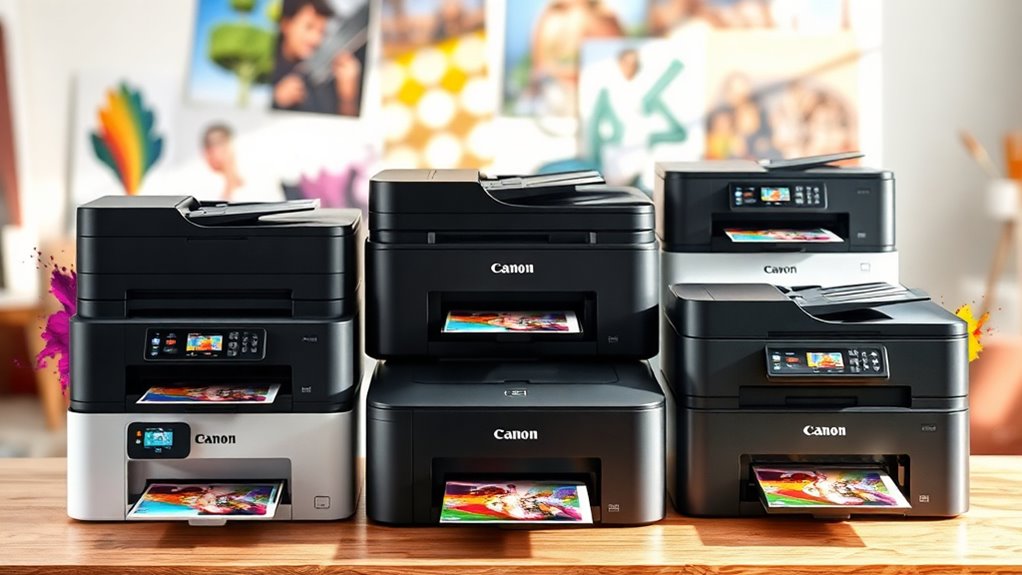
If you’re searching for the best Canon color printers with ink tanks in 2027, you’ve come to the right place.
Canon’s MegaTank series, including the G3270 and G3290, along with the MAXIFY GX2020, are top contenders. These printers combine high-quality color output with efficient ink usage, making them perfect for both home and office settings.
The PIXMA G620, TS6520, and TS4320 also pack impressive features and deliver sharp, vibrant prints.
Plus, the CLI-36 ink tank ensures your colors stay bright and consistent. These models offer cost-effective printing solutions, thanks to their high page yields and versatile connectivity options.
Whether you need a printer for heavy-duty tasks or casual use, there’s a Canon ink tank printer that fits your needs.
Dive in and discover which one matches your printing style and budget!
| Image | Name | Editor's Rating | Price |
|---|---|---|---|

|
|
||

|
|
||

|
|
||

|
|
||

|
|
Canon MegaTank G3270 All-in-One Wireless Color Printer
- Wireless Print/Copy/Scan
- Up to 2 years of ink included (2)
- Print up to 6,000 black & white / 7,700 color pages using a single set of inks! (1)

The Canon MegaTank G3270 All-in-One Wireless Color Printer is designed to meet the needs of users who require a dependable, high-volume printing solution. Its compact size fits well in both home offices and small workplaces, making it easy to integrate without taking up much space. This printer helps reduce interruptions by delivering clear black-and-white prints at up to 11 pages per minute and vibrant color prints at 6 pages per minute.
With an impressive resolution of 4800 x 1200 dpi, the G3270 produces sharp text and detailed images. The built-in MegaTank ink system allows users to print thousands of pages before needing a refill, minimizing maintenance efforts and lowering running costs. Its wireless and USB connectivity options provide flexible printing choices, including convenient access from smartphones and tablets.
Though the printer offers solid functionality, it has a modest paper capacity of 100 sheets and a single tray design, which may require more frequent paper refills and limit handling of multiple media types. Print speeds can be slower compared to some premium models, especially when printing in color.
Overall, the Canon MegaTank G3270 balances functionality, ease of use, and affordability for everyday printing needs.
Best for: Small businesses or individuals looking for an affordable, versatile inkjet printer with high-volume capabilities.
What We Like:
- Efficient MegaTank system reduces the frequency of ink replacements.
- Compact design fits easily in home or office spaces.
- Wireless and USB connectivity enable easy printing from mobile devices.
Specification:
| Feature | Details |
|---|---|
| Manufacturer | Canon |
| Dimensions | Compact (exact size not specified) |
| Weight | Not specified |
| Printing Technology | Inkjet |
| Print Speed (B&W) | Up to 11 pages per minute |
| Print Speed (Color) | Up to 6 pages per minute |
| Resolution | 4800 x 1200 dpi |
| Paper Capacity | 100 sheets |
| Connectivity | USB, Wi-Fi |
| Color Options | Color printer |
Canon Megatank G3290 All-in-One Wireless Printer
- Wireless Print/Copy/Scan (2)
- Up to 2 years of ink included
- Print up to 6,000 black & white / 7,700 color pages using a single set of inks! (1)
Experience hassle-free printing with the Canon Megatank G3290 All-in-One Wireless Printer, designed to meet the needs of home and home office users. Its integrated MegaTank ink system allows you to print thousands of pages without frequent refills, cutting down on maintenance time and ink expenses. This means you can focus more on your work and less on replacing cartridges.
The printer combines printing, copying, and scanning in a compact, sleek design that fits comfortably in any workspace. Its wireless connectivity offers the freedom to print directly from your mobile devices or computer, improving productivity and convenience.
Operating the printer is straightforward thanks to the 2.7-inch LCD touchscreen, which simplifies navigation and settings management. While printing speeds are moderate, the high-quality output at 4800 x 1200 dpi ensures crisp and vibrant documents and photos.
Setup may require some patience due to the MegaTank system, but once done, routine maintenance is minimal. The printer’s sturdy build at 14.2 pounds offers stability but limits portability compared to lighter models.
Best for: Individuals or small offices needing a cost-efficient, versatile all-in-one printer for everyday tasks.
What We Like:
- Large ink capacity reduces frequent refills and lowers running costs.
- Wireless connectivity enhances ease of use and flexibility.
- Clear 2.7” touchscreen simplifies operation.
- Supports various media types including borderless prints and banners.
Specification:
| Feature | Details |
|---|---|
| Manufacturer | Canon |
| Dimensions | Not specified |
| Weight | 14.2 lb (6.44 kg) |
| Color Options | Not specified |
| Print Resolution | Up to 4800 x 1200 dpi |
Canon MegaTank MAXIFY GX2020 All-in-One Wireless Printer
- Wireless Print/Copy/Scan/Fax (2)
- Print up to 3,000 black & white / 3,000 color pages using a single set of inks! (1)
- 2.7” LCD Color Touchscreen
The Canon MegaTank MAXIFY GX2020 transforms your home office experience with its all-in-one capabilities. This printer handles printing, copying, scanning, and faxing, streamlining your workflow in one compact device. Its wireless connectivity and Chromebook compatibility allow quick setup and seamless integration into your workspace.
Maintenance is simplified thanks to the high-yield ink tanks, delivering up to 3,000 pages per refill. This reduces interruptions and lowers running costs, making it ideal for busy users. The automatic duplex printing feature helps save paper, promoting efficiency and sustainability.
Designed for productivity, the GX2020 prints black and white documents at a steady 15 pages per minute. While color printing is slower at 10 pages per minute, it still meets the needs of everyday office tasks. The 2.7-inch touchscreen provides straightforward navigation, making operation intuitive.
Though its weight of 17.8 pounds and larger footprint may require more desk space, the robust design supports consistent performance. The printer’s versatility and user-friendly features help improve daily office management without hassle.
Best for: Home office users who need a versatile all-in-one printer that balances efficiency, ease of use, and cost-effective maintenance.
What We Like:
- High ink yield reduces frequent refills and lowers costs
- Reliable wireless setup with Chromebook compatibility
- Easy-to-use 2.7-inch touchscreen interface
- Automatic duplex printing saves paper
- Steady print speed for black and white documents
Specification:
| Feature | Details |
|---|---|
| Manufacturer | Canon |
| Dimensions (W×D×H) | Approx. 17.5 × 13.7 × 7.5 in |
| Weight | 17.8 lb (8.1 kg) |
| Color Options | Black |
Canon PIXMA G620 Wireless All-in-One Printer
- Never run out of ink. Connect your printer to Alexa and receive notifications when you’re running low. Alexa can even...
- Enrolling in Smart Reorders with Alexa ensures that you never have too much or too little ink supplies. No subscription...
- MEGATANK HIGH PAGE YIELD: Print up to 3,800 4” x 6” color photos on a full set of ink.
The Canon PIXMA G620 Wireless All-in-One Printer is designed to meet the needs of photography enthusiasts who demand high-quality prints without hassle. Its 6-color dye-based ink system, including Red and Gray, delivers vivid images with a wider color range, ensuring your photos stand out with exceptional detail. This printer helps you avoid frequent ink replacements by producing up to 3,800 4” x 6” photos from a single ink set, saving time and money.
With a maximum print resolution of 4800 x 1200 dpi, the device produces sharp and clear prints suitable for both personal and professional use. Its wireless connectivity options, including USB, Wi-Fi, and Alexa compatibility, allow for easy printing from various devices, simplifying your workflow. The printer’s compact form factor makes it easy to fit into home offices or creative spaces without taking up too much room.
Maintenance is straightforward, thanks to the efficient ink system that reduces downtime and ensures consistent print quality. While its print speed is moderate at 3.9 pages per minute, this balance supports detailed image printing without sacrificing quality. Weighing 19.5 pounds, it offers stability but may be less convenient to move frequently.
Best for: Photography enthusiasts seeking an efficient all-in-one printer for high-quality photo printing.
What We Like:
- High photo yield with up to 3,800 prints per ink set
- Expanded color spectrum from a 6-color dye ink system
- Crisp print resolution of 4800 x 1200 dpi
- Versatile connectivity options including Wi-Fi and Alexa
- Compact design fits well in limited spaces
Specification:
| Feature | Details |
|---|---|
| Manufacturer | Canon |
| Dimensions (in) | 17.6 D x 19.1 W x 10.1 H |
| Weight (lb) | 19.5 |
| Ink System | 6-color dye-based (includes Red and Gray) |
| Print Resolution | 4800 x 1200 dpi |
| Connectivity | USB, Wi-Fi, Alexa compatible |
Canon PIXMA TS6520 Wireless Color Inkjet Printer, 1.42″ OLED Display, White
- Affordable Versatility - A budget-friendly all-in-one printer perfect for both home users and hybrid workers, offering...
- Crisp, Vibrant Prints - Experience impressive print quality for both documents and photos, thanks to its 2-cartridge...
- Effortless Setup & Use - Get started quickly with easy setup for your smartphone or computer, so you can print, scan...
The Canon PIXMA TS6520 offers a smart solution for everyday printing challenges. Its compact design and sleek white finish make it a subtle addition to any home or office space without taking up much room. This printer helps users produce sharp text and vibrant images, ideal for documents and photos alike.
Maintaining print quality is simple with the 2-cartridge hybrid ink system, designed to deliver crisp results while managing ink usage efficiently. The intuitive 1.42” OLED display provides clear information on ink levels and settings, making upkeep straightforward and hassle-free.
Wireless connectivity supports dual-band Wi-Fi, allowing seamless printing from smartphones, tablets, and laptops. This feature removes the need for cables, simplifying setup and increasing convenience. Auto-duplex printing further enhances efficiency by reducing paper waste.
With print speeds up to 14 pages per minute, the PIXMA TS6520 handles daily tasks promptly. It suits users who want reliable performance without complex features. However, those needing high-volume output or specialized options might find it limited.
Best for: Families and students seeking a compact, easy-to-use all-in-one printer for everyday printing needs.
What We Like:
- Compact design fits well in small workspaces.
- Clear, vivid printing from the hybrid ink system.
- Easy wireless setup with dual-band Wi-Fi.
- User-friendly 1.42” OLED display for monitoring.
- Auto-duplex printing saves paper.
Specification:
| Feature | Details |
|---|---|
| Manufacturer | Canon |
| Dimensions (W×D×H) | Approx. 14.8 × 12.2 × 5.0 in |
| Weight | Approx. 12.5 lbs |
| Ink System | 2-cartridge hybrid ink |
| Display | 1.42-inch OLED |
| Connectivity | Dual-band Wi-Fi, Wireless |
| Color | White |
Canon PIXMA TS4320 – Wireless Color Inkjet Printer with Print, Copy, Scan

- Affordable Versatility - A budget-friendly all-in-one printer perfect for both home users and hybrid workers, offering...
- Crisp, Vibrant Prints - Experience impressive print quality for both documents and photos, thanks to its 2-cartridge...
- Effortless Setup & Use - Get started quickly with easy setup for your smartphone or computer, so you can print, scan...
The Canon PIXMA TS4320 is designed to simplify your home office tasks with its all-in-one functionality. It handles printing, copying, and scanning in a compact, wireless setup that fits easily on any desk. This printer connects smoothly via dual-band Wi-Fi, allowing you to print directly from your smartphone or computer without hassle.
Its high-quality prints reach resolutions up to 1200 x 1200 dpi, delivering sharp text and vibrant images. The TS4320 also offers automatic two-sided printing, helping to reduce paper use and keep your costs down. This feature is especially useful for producing professional-looking documents while being eco-friendly.
Maintenance is straightforward with this model. Despite its small footprint, it weighs just 15.5 pounds and is easy to move or store away when not in use. The printer’s 100-sheet paper capacity suits everyday printing needs but may require frequent refills for larger tasks.
While it lacks an advanced display screen and may print color documents slower than high-end models, the TS4320 balances functionality and convenience. It is a solid choice for those needing reliable performance without extra bulk or complexity.
Best for: Home users seeking a compact, wireless printer that efficiently handles everyday printing, copying, and scanning.
What We Like:
- Combines print, copy, and scan in a sleek, compact device.
- High-resolution output ensures clear and vibrant results.
- Automatic two-sided printing reduces paper waste.
- Dual-band Wi-Fi enables easy wireless connectivity.
- Lightweight design is easy to place and move as needed.
Specification:
| Feature | Details |
|---|---|
| Manufacturer | Canon |
| Dimensions | Not specified |
| Weight | 15.5 lb (7.03 kg) |
| Printer Type | Wireless Color Inkjet |
| Connectivity | Dual-band Wi-Fi |
| Paper Capacity | 100 sheets |
Canon CLI-36 Color Ink Tank for Printers

- Compatible with PIXMA iP100, iP110, TR150 and TR160 Printers.
- Canon CLI-36 Color ink yields up to 249 pages.
- Genuine Canon inks provide peak performance that is specifically designed for compatible Canon printers.
Experience crisp, vibrant prints with the Canon CLI-36 Color Ink Tank, designed to enhance your home or small office printing. This genuine ink tank ensures your documents and photos come out with sharp details and rich colors, thanks to its high-quality dye-based inks.
The ink tank is compatible with select Canon PIXMA printers like the iP100 and TR150, making it easy to maintain your device. Its compact and lightweight design allows for hassle-free installation and replacement, minimizing downtime during busy print tasks.
With a print resolution of up to 9600 x 2400 dpi, this ink tank delivers precise color accuracy and fine detail. It supports printing up to 249 pages, offering a balance between performance and efficiency for everyday use.
While the dye-based ink produces vibrant colors, it may be less water-resistant compared to pigment-based inks. Also, compatibility is limited to specific Canon models. Still, this OEM cartridge ensures reliable print quality and consistent results.
Best for: Home and small office users needing vibrant, high-quality prints with compatible Canon printers.
What We Like:
- High print resolution for detailed, accurate color output
- Lightweight and easy to install design
- Efficient page yield suitable for regular printing demands
Specification:
| Manufacturer | Canon |
|---|---|
| Compatible Models | PIXMA iP100, TR150 and select others |
| Print Resolution | 9600 x 2400 dpi |
| Ink Type | Dye-based (Cyan, Magenta, Yellow, Black) |
| Page Yield | Up to 249 pages |
| Weight | 1.44 oz (41 g) |
Factors to Consider When Choosing a Canon Colour Printer With Ink Tank
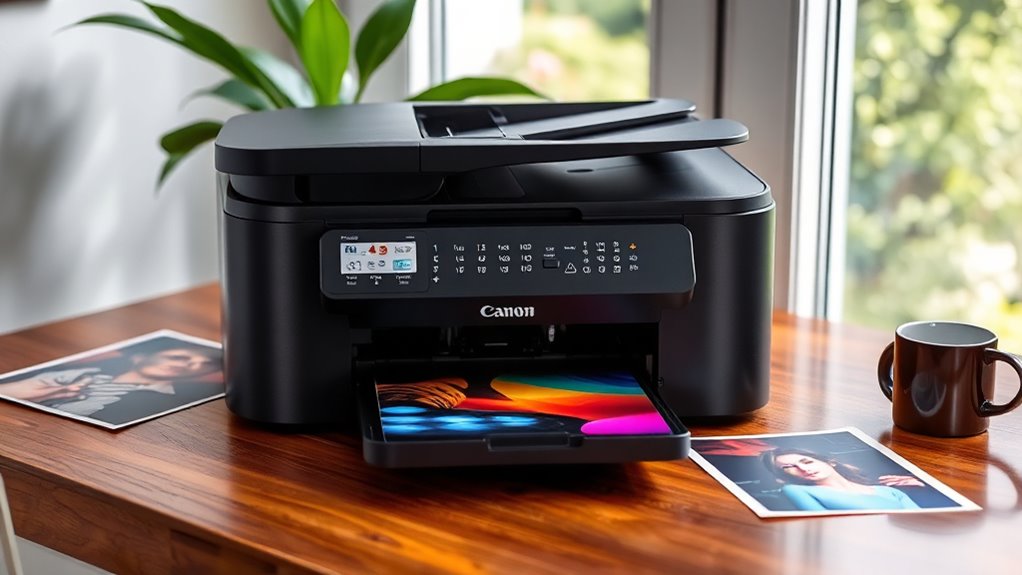
When you’re choosing a Canon colour printer with an ink tank, consider your print speed requirements and quality expectations.
You’ll also want to look at the connectivity options available and guarantee the printer can handle the media sizes you need.
Each of these factors plays an essential role in finding the right fit for your printing needs. So, take your time and think about what matters most to you.
Factors to Consider When Choosing Canon Colour Printer With Ink Tank
Choosing the right Canon colour printer with an ink tank can greatly impact your printing experience and budget. First, consider the print yield; some models can produce up to 6,000 black-and-white pages and 7,700 color pages per set. This really helps with long-term cost efficiency.
Next, evaluate print resolution—aim for at least 4800 x 1200 dpi for high-quality text and images. You want your prints to look sharp and professional, right?
Connectivity options matter too. Make sure the printer supports USB, Wi-Fi, and mobile printing for seamless device integration. It’s super convenient to print directly from your phone or laptop without any hassle.
Finally, think about functionality. All-in-one features like scanning and copying can really enhance your printer’s utility. That way, it becomes a versatile tool for home or office tasks.
Keep these factors in mind to find the perfect match for your needs. It’ll make your printing life so much easier!
Print Speed Requirements
Understanding print speed requirements is essential, especially if you need to handle large volumes of documents efficiently. Print speed is usually measured in pages per minute (PPM).
For color documents, expect speeds between 6 and 14 PPM, while black and white can reach 9 to 15 PPM, perfect for high-volume text printing. Keep in mind the initial page print time, as some models may take longer to produce the first page.
Automatic duplex printing can boost productivity greatly, allowing for double-sided prints without manual effort. This saves both time and paper.
However, if you’re focusing on photo printing, be aware that speeds drop to around 3 to 6 PPM due to the need for higher resolution and quality.
Print Quality Expectations
How can you guarantee your prints look vibrant and professional? Start by checking the printer’s maximum print resolution. A higher dpi, like 4800 x 1200, delivers sharper images.
Also, consider the type of ink. Dye-based inks usually produce more vivid colors, while pigment-based inks offer longevity.
Pay attention to page yield. A printer that maintains quality over more pages guarantees consistency.
Extra colors in the ink system, such as red or gray, expand the color gamut, enhancing accuracy and richness.
Finally, don’t underestimate regular maintenance and the paper quality you use. Both are essential for preventing issues like smudging and fading, ensuring your prints always look their best.
Connectivity Options Available
Achieving vibrant, professional prints is just one part of the equation; connectivity options play a significant role in enhancing your printing experience. Many Canon color printers with ink tanks offer versatile connectivity, including USB and Wi-Fi, making it easy to set up in any environment.
With wireless capabilities, you can print directly from your smartphone or tablet using apps like Canon PRINT. Some models even support dual-band Wi-Fi, ensuring a stable connection by utilizing both 2.4GHz and 5GHz networks.
If you prefer a direct link, USB connections provide a reliable alternative. Plus, compatibility with protocols like Apple AirPrint and Mopria Print Service makes printing from different operating systems a breeze, adding to your convenience.
Media Size Compatibility
When choosing a Canon color printer with an ink tank, media size compatibility is essential to your printing needs. Consider the maximum media size the printer can handle, as this affects your versatility for various documents and projects.
Many ink tank printers support standard sizes like 8.5″ x 11″ (letter) and 8.5″ x 14″ (legal). Some can even accommodate larger formats, such as banners up to 8.5″ x 47.2″.
Look for borderless printing capabilities if you want edge-to-edge prints on media like 4″ x 6″ photos. It really makes a difference for photo printing!
Additionally, check the paper handling capacity; some printers can hold up to 100 sheets of plain paper. Compatibility with various media types, including cardstock and glossy photo paper, enhances your printer’s utility and flexibility.
Ink Yield and Cost
Media size compatibility sets the stage for your printing needs, but ink yield and cost are where you’ll really see the impact on your budget. Choosing a Canon color printer with high ink yield can save you money over time.
Some models offer up to 7,700 color pages per ink set, considerably lowering your cost per print. Larger refillable bottles also reduce how often you need to purchase ink, minimizing waste and expenses.
Expect average costs per page for color printing to range from 2.5 to 5 cents, depending on the printer. Plus, high-capacity tanks allow you to print around 3,800 4” x 6” photos, making them an excellent investment for photo lovers.
Additional Features Offered
Choosing a Canon color printer with an ink tank means considering several additional features that can enhance your printing experience. Look for automatic duplex printing to save on paper and resources.
Mobile printing capabilities through compatible apps let you print directly from your smartphone or tablet, adding convenience. A touchscreen display can greatly improve user experience by making navigation and access to settings intuitive.
If you’re into photography or creative projects, models with borderless printing deliver high-quality results without margins. Finally, consider energy-efficient features like Energy Star certification, which helps minimize power consumption during operation.
These features not only optimize your printing tasks but also contribute to a more sustainable approach. It’s a win-win for both you and the environment!
Frequently Asked Questions
What Is the Average Ink Yield of Canon Megatank Printers?
Canon MegaTank printers typically yield about 6,000 pages for black and around 7,000 pages for color prints.
This impressive capacity means you can print more while spending less on ink replacements.
Are Canon Ink Tank Printers Compatible With Mobile Printing Apps?
Yes, Canon ink tank printers are compatible with mobile printing apps. You can easily print from your smartphone or tablet, which makes things super convenient.
Whenever you need high-quality prints, just use your mobile device and get the job done quickly. It’s really that simple!
How Do I Clean the Print Head on a Canon Ink Tank Printer?
Isn’t it frustrating when your prints come out blurry?
To clean the print head, first access the maintenance menu on your printer. Then, select “Print Head Cleaning” and follow the prompts.
You’ll enjoy clearer prints afterward!
Can I Use Third-Party Ink With Canon Megatank Printers?
Yes, you can use third-party ink with Canon MegaTank printers, but it’s risky. It may void your warranty or affect print quality.
Always check compatibility and consider using Canon’s ink for the best performance. It’s usually safer to stick with the original ink to avoid any headaches.
What Warranty Options Are Available for Canon Color Ink Tank Printers?
Canon offers limited warranties for their color ink tank printers, typically covering one year or a specific number of prints.
You can also purchase extended warranties for added protection. This way, you help ensure your printer’s longevity and performance.
Conclusion
In your search for the perfect Canon color printer with an ink tank, remember that each model offers unique features tailored to different needs. As you weigh your options, consider not just the specs, but how each printer could transform your printing experience.
What if the right choice could elevate your creativity or streamline your work? The answer might just be one click away, waiting to redefine how you print in 2027.
Choosing the best Canon colour printer with ink tank isn’t just about technology — it’s about finding a device that fits your lifestyle. Whether you’re a student, a small business owner, or a creative professional, there’s a printer designed to meet your demands while saving you time and money. So, dive into the world of Canon ink tank printers and discover how 2027’s best models can bring your ideas to life with vibrant, cost-effective printing.