12 Best Canon ImageCLASS Printers for 2027 That Impress
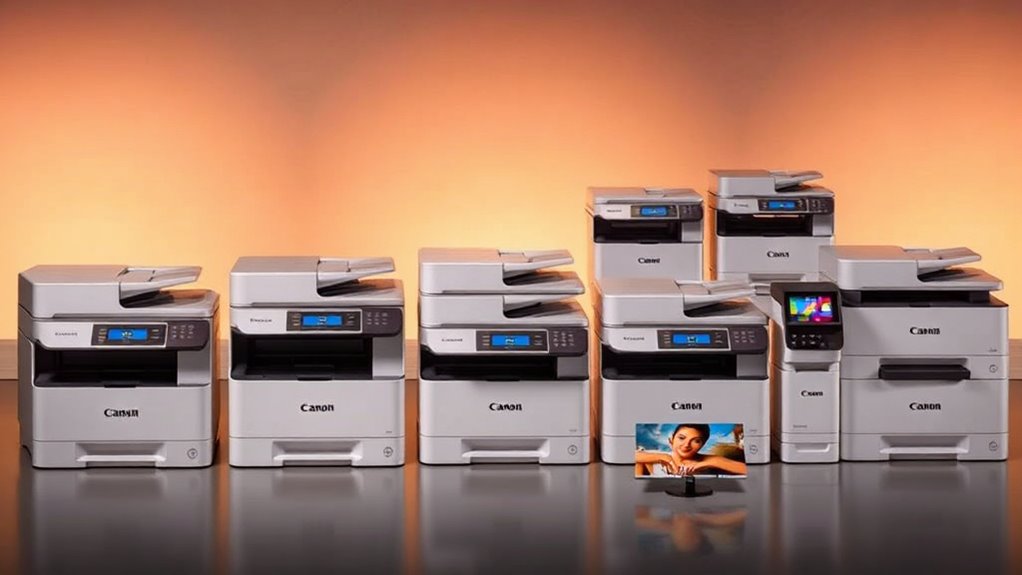
If you’re searching for the best Canon ImageCLASS printers for 2027, you’re in the right place. Models like the Canon Color imageCLASS MF753Cdw II and the MF665Cdw are sure to impress with their versatile functionality and fast print speeds.
These printers handle a variety of tasks effortlessly, making them great choices for both home and office use.
The MegaTank G3270 stands out if you need high-volume printing without breaking the bank. It’s designed to keep your printing costs low while delivering quality results.
Meanwhile, the imageCLASS MF287dw offers a perfect balance of efficiency and compact design, ideal for smaller spaces.
Take some time to explore the full range of Canon ImageCLASS printers. You’ll find plenty of options that can upgrade your printing experience and meet your specific needs.
Whether it’s speed, cost-efficiency, or versatility you’re after, there’s a model for you.
| Image | Name | Editor's Rating | Price |
|---|---|---|---|

|
|
||

|
|
||

|
|
||

|
|
||

|
|
Canon Color imageCLASS MF753Cdw II – All-in-One Color Duplex Laser Printer
- Color, Wireless, Duplex 4-in-1: Print, scan, copy, fax.

The Canon Color imageCLASS MF753Cdw II is designed to streamline your office tasks with its all-in-one functionality. It handles printing, scanning, copying, and faxing, reducing the need for multiple devices and saving valuable space. This versatile color laser printer delivers sharp, professional-quality prints at speeds up to 35 pages per minute, helping you stay productive during busy workdays.
Its wireless connectivity and mobile printing support make it easy to print from various devices without hassle. The customizable touchscreen simplifies navigation, allowing you to manage jobs quickly and intuitively. Maintenance is straightforward, though it requires Canon Genuine Toner 069, which ensures consistent print quality but may come at a higher cost.
Weighing 50 pounds, the device is sturdy but less portable, and its standard paper capacity of 250 sheets suits small to medium print volumes. Optional paper trays can expand this capacity if needed, adapting to growing office demands. Overall, the MF753Cdw II balances multifunctionality with reliable performance for modern work environments.
Best for: Small or home offices and hybrid workspaces needing a multifunction color laser printer that combines efficiency and quality.
What We Like:
- Fast printing speed up to 35 pages per minute
- High-resolution prints at 1200 x 1200 dpi
- Wireless and mobile printing capabilities
- Intuitive customizable touchscreen interface
- Compact design with multifunction features
Specification:
| Feature | Details |
|---|---|
| Manufacturer | Canon |
| Dimensions (W×D×H) | Approx. 16.5 × 18.8 × 17.7 inches (41.9 × 47.8 × 45 cm) |
| Weight | 50 lb (22.7 kg) |
| Color Options | White |
| Print Resolution | 1200 x 1200 dpi |
| Print Speed | Up to 35 pages per minute |
Canon Color imageCLASS MF665Cdw – Wireless, All-in-One Duplex Laser Printer
- Color, Wireless, Duplex 4-in-1: Print, scan, copy, fax.
- Fast Print Speeds: Print up to 26 ppm in both color and monochrome and spend less time waiting with a quick first print...
- Easy Wireless Setup: Setup your wireless connection and get up and running in just a few steps.
The Canon Color imageCLASS MF665Cdw brings versatility and efficiency to small offices and home workspaces. It combines printing, scanning, copying, and faxing in one robust device, helping you manage tasks seamlessly. Its wireless capability lets you print from multiple devices, reducing clutter and boosting convenience.
This printer speeds through tasks at up to 26 pages per minute, cutting down wait times. The 250-sheet paper tray and 50-sheet duplex document feeder reduce frequent refills, so your workflow stays smooth. Automatic two-sided printing minimizes paper use, making it a practical choice for eco-conscious users.
Maintenance is straightforward with user-friendly controls and easy access to replaceable toner cartridges. While the toner cost may add up, the device’s efficient design helps balance running expenses. The printer’s size demands some dedicated space but offers a solid build that fits professional environments.
Best for: Small offices or home setups that require a versatile and efficient all-in-one color laser printer.
What We Like:
- Fast print speed up to 26 ppm
- Wireless printing from various devices
- Efficient duplex printing reduces paper use
- Large paper capacity for extended jobs
- Easy maintenance with accessible toner replacement
Specification:
| Feature | Details |
|---|---|
| Manufacturer | Canon |
| Dimensions (W×D×H) | 17.7 × 18.5 × 15.4 in |
| Weight | 43.7 lb |
| Color Options | White and gray |
| Connectivity | Wireless, USB |
Canon imageCLASS MF465dw II Wireless Duplex Laser Printer
- Monochrome Wireless, Duplex 4-in-1: Print, Scan, Copy, Fax
- Print up to 42 ppm
- Easy Wireless Setup
Experience seamless productivity with the Canon imageCLASS MF465dw II, designed to meet the demands of small and home offices. This wireless laser printer delivers fast, high-quality monochrome prints, helping you complete tasks without delay. Its speed of up to 42 pages per minute ensures you stay on schedule, while the quick first-page output reduces waiting time.
Beyond printing, this 4-in-1 device also copies, scans, and faxes, consolidating multiple functions into one space-saving machine. The customizable 5-inch color touchscreen makes navigating menus straightforward, reducing setup time and simplifying daily operations. Wireless connectivity further enhances convenience by allowing easy printing from various devices without cables.
Maintenance is streamlined with a standard 250-sheet paper capacity and an automatic document feeder, minimizing manual handling. While it offers robust performance, note that this printer supports only monochrome output and may require additional paper trays for larger workloads.
Best for: Professionals and small office users seeking a versatile, efficient monochrome laser printer for everyday document management.
What We Like:
- Fast print speed of up to 42 ppm for quick job turnaround
- 4-in-1 functionality reduces the need for multiple devices
- Intuitive 5-inch touchscreen improves user experience
- Wireless connectivity enables flexible printing options
Specification:
| Feature | Details |
|---|---|
| Manufacturer | Canon |
| Dimensions (W×D×H) | 16.5 × 17.7 × 14.1 inches |
| Weight | 36.3 lb (16.5 kg) |
| Color Options | White with black accents |
| Paper Capacity | 250 sheets (standard) |
| Connectivity | Wireless, USB |
Canon Color imageCLASS LBP646Cdw Wireless Laser Printer
- Single-Function, Color, Wireless, Duplex Printer: Print only. — No Scanning, Copying, or Faxing
- Fast Print Speeds: Print up to 26 ppm in both color and monochrome and spend less time waiting with a quick first print...
- Easy Wireless Setup: Setup your wireless connection and get up and running in just a few steps.
Experience seamless printing with the Canon Color imageCLASS LBP646Cdw, designed to meet the demands of busy home offices. This wireless laser printer delivers sharp, vibrant prints quickly, helping you stay productive without delays. Its fast print speed reduces waiting time, so you can focus on what matters most.
Setup and maintenance are straightforward, thanks to its wireless connectivity and easy-to-use mobile printing compatibility. You can print directly from your smartphone or tablet using apps like Canon PRINT and Apple AirPrint, making everyday tasks more convenient. The automatic duplex feature also helps cut down on paper use, supporting eco-friendly practices.
Built for single-function printing, this model prioritizes efficient document output without the extra bulk of scanning or copying features. Its compact design fits comfortably in limited spaces, though the paper capacity is modest, requiring occasional refills during heavy use.
Overall, the Canon Color imageCLASS LBP646Cdw offers reliable, high-quality color printing with features that simplify your workflow and reduce waste, ideal for home office environments.
Best for: Home office users needing a fast, wireless color laser printer for straightforward document printing.
What We Like:
- Quick print speeds of up to 26 pages per minute in color and black-and-white
- Easy wireless setup with mobile printing support for on-the-go convenience
- Automatic duplex printing to save paper and reduce waste
- Compact design that fits well in small workspaces
Specification:
| Feature | Details |
|---|---|
| Manufacturer | Canon |
| Dimensions (W×D×H) | 16.5 × 15.7 × 14.3 inches |
| Weight | 37.7 lb (17.1 kg) |
| Printing Technology | Color Laser |
| Print Speed | Up to 26 ppm (color and mono) |
| Print Resolution | 1200 × 1200 dpi |
| Connectivity | Wireless, Mobile Printing |
| Paper Capacity | 250-sheet standard cassette, 1-sheet multipurpose tray |
Canon MegaTank G3270 All-in-One Wireless Color Printer
- Wireless Print/Copy/Scan
- Up to 2 years of ink included (2)
- Print up to 6,000 black & white / 7,700 color pages using a single set of inks! (1)
The Canon MegaTank G3270 is designed to meet the demands of home and small office users who need an efficient all-in-one solution. It combines printing, scanning, and copying in a compact unit that fits comfortably on any desk. This printer helps reduce downtime with its high-capacity ink tanks, allowing you to print thousands of pages before needing a refill.
Its MegaTank system offers impressive ink efficiency, supporting up to 6,000 black-and-white pages and 7,700 color pages per refill. This feature cuts the hassle and cost of frequent cartridge changes, making maintenance straightforward and budget-friendly. Wireless connectivity enhances convenience, enabling seamless printing from smartphones and tablets without the clutter of cables.
The printer’s design focuses on practicality, though it has a single paper tray and moderate print speeds—up to 11 pages per minute in black and 6 in color—suitable for typical home or office tasks. Its energy-efficient operation also helps lower power consumption, supporting eco-conscious use.
Best for: Those seeking a cost-effective, all-in-one printer with high-volume printing capabilities for home or small office use.
What We Like:
- High page yield with MegaTank ink system
- Compact footprint ideal for limited spaces
- Wireless printing from mobile devices
- Energy-efficient design for reduced power use
Specification:
| Feature | Details |
|---|---|
| Manufacturer | Canon |
| Dimensions (inches) | Approx. 17.7 x 14.8 x 7.5 |
| Weight (lbs) | About 9.7 |
| Color Options | Black |
| Connectivity | Wireless, USB |
Canon MegaTank MAXIFY GX2020 All-in-One Wireless Printer

- Wireless Print/Copy/Scan/Fax (2)
- Print up to 3,000 black & white / 3,000 color pages using a single set of inks! (1)
- 2.7” LCD Color Touchscreen
The Canon MegaTank MAXIFY GX2020 offers a smart solution for small businesses needing reliable, high-volume printing. Its all-in-one wireless design allows you to print, copy, scan, and fax seamlessly, streamlining office tasks. This versatility helps reduce clutter and keeps workflows smooth.
With a high print yield of up to 3,000 pages per ink set, it minimizes interruptions for ink replacement. The printer delivers sharp black and white prints at 15 pages per minute and color prints at 10 pages per minute, supporting everyday business demands without sacrificing quality.
Maintenance is straightforward thanks to its refillable ink tanks, which keep running costs low. The 2.7-inch touchscreen makes operation intuitive, while the 35-sheet automatic document feeder speeds up multi-page jobs. Its compact size fits comfortably on most desktops, saving valuable workspace.
While it weighs 17.8 pounds, which limits portability, its automatic duplex printing feature helps save paper and improves efficiency. Initial wireless setup may require some technical know-how, but once configured, it offers stable connectivity and consistent performance.
Best for: Small businesses seeking an efficient and cost-effective all-in-one printer for medium to high-volume tasks.
What We Like:
- High ink yield reduces frequent refills.
- Automatic duplex printing saves paper.
- Easy navigation with a 2.7-inch touchscreen.
- Compact design fits small office spaces.
- Multifunctional: print, copy, scan, and fax capabilities.
Specification:
| Feature | Details |
|---|---|
| Manufacturer | Canon |
| Dimensions (W x D x H) | Not specified |
| Weight | 17.8 lb (8.07 kg) |
| Color Options | Not specified |
| Connectivity | Wireless |
Canon imageCLASS MF273dw Wireless Monochrome Laser Printer

- Wireless 3-in-1: Print | Copy | Scan
- Print up to 30 Pages Per Minute (BW, Letter)
- First Print Out in Approximately 5.3 Seconds (Letter)
Experience seamless productivity with the Canon imageCLASS MF273dw, designed to keep your office running smoothly. This wireless monochrome laser printer delivers fast and reliable printing, helping you meet tight deadlines without hassle. Its compact design fits easily into any workspace, saving valuable room.
The multifunction device handles printing, copying, and scanning, streamlining your daily tasks into one efficient machine. Auto duplex printing reduces paper use and manual effort, while the 150-sheet capacity supports regular workloads with minimal refilling. The quick first print time gets your documents ready fast, so you spend less time waiting.
Maintenance is straightforward, with easy access to consumables and durable components built to last. Wireless and USB connectivity options enhance flexibility, allowing you to print from multiple devices without complicated setup. However, the monochrome output means it’s best suited for black-and-white documents, and the 24.7-pound weight makes it less ideal for frequent moves.
Best for: Professionals and small offices that require a reliable, multifunction monochrome laser printer for everyday tasks.
What We Like:
- Fast print speeds up to 30 pages per minute
- Multifunction capabilities: print, copy, scan
- Auto duplex printing to save paper
- Wireless and USB connectivity for versatile use
- Compact design fits small workspaces
Specification:
| Feature | Specification |
|---|---|
| Manufacturer | Canon |
| Dimensions | Not specified |
| Weight | 24.7 lb (11.2 kg) |
| Color Options | Monochrome (Black & White) |
| Connectivity | Wi-Fi, USB |
Canon Color imageCLASS MF751Cdw II Wireless Printer
- Color, Wireless, Duplex 3-in-1: Print, scan, copy.
- Fast Print Speeds: Print up to 35 ppm in both color and monochrome and spend less time waiting with a quick first print...
- Easy Wireless Setup: Setup your wireless connection and get up and running in just a few steps.
Experience seamless printing with the Canon Color imageCLASS MF751Cdw II, designed to meet the demands of busy offices. This wireless all-in-one printer handles printing, scanning, and copying with ease, helping you streamline daily tasks. Its fast print speeds up to 35 pages per minute reduce wait times and keep your workflow smooth.
The intuitive 5-inch color touchscreen makes operation straightforward, so you can navigate settings quickly. Mobile printing support lets you send documents directly from your smartphone or tablet, eliminating the hassle of connecting cables. Automatic duplex printing helps minimize paper use, supporting eco-friendly practices while cutting costs.
Maintenance is simplified with intuitive controls and reliable performance, reducing downtime and service needs. The printer supports legal-sized media, fitting many professional document requirements. While it weighs 45 pounds, its design focuses on stability and durability for office environments.
Best for: Small to medium-sized businesses and home offices needing a versatile and efficient all-in-one color laser printer.
What We Like:
- Fast output speeds enhance productivity
- User-friendly 5-inch color touchscreen
- Wireless connectivity with mobile printing convenience
- Automatic duplex printing conserves paper
- Robust design built for daily office use
Specification:
| Feature | Details |
|---|---|
| Manufacturer | Canon |
| Dimensions | Not specified |
| Weight | 45 lb (20.4 kg) |
| Media Size | Up to legal size |
| Connectivity | Wireless, mobile printing |
| Touchscreen | 5-inch color display |
Canon imageCLASS MF287dw Wireless All-in-One Laser Printer

- Print up to 35 pages-per-minute with a first print out of time of less than 4.9 seconds (letter)
- Print on-the-go with Canon Print App, Canon PRINT Business, Apple AirPrint and Mopria Print Service
- High capacity toner option keeps up with your printing needs and limits toner replacement interruptions
The Canon imageCLASS MF287dw offers a powerful all-in-one solution designed to streamline your daily office tasks. Its fast printing speed of up to 35 pages per minute helps reduce waiting times, making it ideal for busy environments. Whether you need to print, copy, scan, or fax, this monochrome laser printer handles it all efficiently.
Maintenance is straightforward with a 250-sheet paper capacity that minimizes frequent refills. The device’s wireless connectivity ensures easy setup and allows seamless printing from multiple devices via Wi-Fi. Mobile printing is supported through the Canon Print App and Apple AirPrint, providing flexibility and convenience.
This printer is built for home offices or small workgroups that require reliable monochrome output. Its compact design balances functionality and space-saving, although its weight of 27.6 pounds means it’s not intended for frequent relocation. The first print out time of under 4.9 seconds keeps productivity steady but may not suit ultra-fast print demands.
Overall, the Canon imageCLASS MF287dw helps improve workflow by combining multiple functions in one reliable, wireless device.
Best for: Small offices or home users needing a dependable monochrome all-in-one laser printer for varied document tasks.
What We Like:
- Rapid print speed up to 35 ppm for efficient output
- Wireless connectivity with mobile printing support for flexible use
- All-in-one capability reduces the need for multiple devices
- Large paper capacity lowers interruptions during busy periods
Specification:
| Feature | Details |
|---|---|
| Manufacturer | Canon |
| Dimensions (W×D×H) | 16.1 × 15.8 × 11.9 inches |
| Weight | 27.6 lb (12.5 kg) |
| Printing Technology | Monochrome Laser |
| Connectivity | Wi-Fi, USB |
| Paper Capacity | 250 sheets |
Canon imageCLASS MF275dw All-In-One Wireless Laser Printer
No products found.
The Canon imageCLASS MF275dw offers a practical solution for busy home offices needing reliable document management. Its fast print speed of up to 30 pages per minute reduces wait times, ensuring you stay productive throughout the day. The first page prints in just 5.3 seconds, helping you handle urgent tasks with ease.
Designed as an all-in-one device, it combines printing, scanning, copying, and faxing in one compact unit. The 6-line adjustable touchscreen simplifies operation and makes navigation straightforward. Wireless connectivity and compatibility with mobile printing apps like Apple AirPrint provide versatile options for printing directly from smartphones or tablets.
Maintenance is convenient with a 150-sheet paper cassette and a 35-sheet automatic document feeder, allowing you to complete multi-page jobs without constant refilling. While it only supports monochrome printing, it excels in delivering sharp, clear text documents. Being ENERGY STAR certified, it balances performance with energy efficiency, helping to reduce electricity costs.
Best for: Small business owners and home office users who need a dependable monochrome all-in-one printer with fast output.
What We Like:
- Rapid print speed boosts office efficiency
- Intuitive touchscreen enhances user experience
- ENERGY STAR certification supports energy savings
- Wireless and mobile printing flexibility
- Automatic document feeder streamlines multi-page tasks
Specification:
| Feature | Details |
|---|---|
| Manufacturer | Canon |
| Dimensions (W x D x H) | 16.1 x 15.7 x 12.4 inches |
| Weight | 31.9 lb (14.46 kg) |
| Color Options | White |
| Paper Capacity | 150 sheets |
| Automatic Document Feeder | 35 sheets |
| Connectivity | Wireless, USB |
Canon imageCLASS LBP246dw II Wireless Laser Printer

- Monochrome, Wireless, Duplex Printer: Print only.
- Fast Print Speeds: Print up to 42 pages per minute and spend less time waiting with a quick first print time of...
- Easy Wireless Setup: Setup your wireless connection and get up and running in just a few steps.
The Canon imageCLASS LBP246dw II redefines fast, reliable printing for busy professionals. It delivers up to 42 pages per minute, helping you complete print jobs swiftly and stay ahead of deadlines. This printer’s automatic duplex printing reduces paper waste, lowering your operating costs while maintaining sharp, clear text at 1200 x 1200 dpi resolution.
Designed for efficiency, the LBP246dw II holds a standard 250 sheets and can expand to 900 sheets with an optional cassette. This capacity keeps you focused on your work instead of frequent reloading. Wireless setup is simple, letting you print easily from your smartphone or tablet using the Canon PRINT app or Apple AirPrint.
Maintenance is straightforward, with reliable toner replacement and minimal downtime. The printer’s monochrome laser design ensures crisp black-and-white prints, ideal for professional documents without the distraction of color. While it doesn’t scan or copy, its focused functionality suits users who prioritize fast, high-quality print output.
Best for: Busy professionals and small offices needing quick, efficient monochrome printing with easy wireless connectivity.
What We Like:
- High-speed printing at up to 42 ppm improves workflow.
- Automatic duplexing cuts paper use and costs.
- Wireless printing via Canon PRINT app and Apple AirPrint.
- Expandable paper capacity supports larger print jobs.
- Sharp 1200 x 1200 dpi resolution for clear text documents.
Specification:
| Feature | Details |
|---|---|
| Manufacturer | Canon |
| Dimensions (W×D×H) | 15.7 x 15 x 10.4 inches |
| Weight | 19.8 lbs (9 kg) |
| Printing Technology | Monochrome Laser |
| Print Speed | Up to 42 pages per minute |
| Resolution | 1200 x 1200 dpi |
| Paper Capacity | 250 sheets standard, expandable to 900 |
| Connectivity | Wireless, USB |
Canon Color imageCLASS LBP674Cdw II Wireless Laser Printer
- Color, Wireless, Duplex Printer: Print only.
- Fast Print Speeds: Print up to 35 ppm in both color and monochrome and spend less time waiting with a quick first print...
- Easy Wireless Setup: Setup your wireless connection and get up and running in just a few steps.
Experience fast, high-quality printing that fits seamlessly into your busy workspace. The Canon Color imageCLASS LBP674Cdw II delivers crisp, vibrant color prints at speeds up to 35 pages per minute, helping you meet tight deadlines without compromise. Its sharp 1200 x 1200 dpi resolution ensures professional-looking documents every time.
Designed for convenience, this color laser printer offers multiple wireless options including Wi-Fi, Ethernet, and USB connectivity. Mobile printing is effortless with support for Apple AirPrint, making it easy to print from smartphones and tablets. The intuitive 5-inch color touchscreen simplifies operation, allowing quick access to essential functions.
Maintenance is straightforward, with easy-to-replace toner cartridges and a robust build that supports high-volume use. While it focuses on printing only, the device excels at delivering consistent, high-quality output ideal for office environments. Its weight means it is best suited for a stationary setup rather than frequent relocation.
Best for: Small to medium-sized businesses requiring a reliable, efficient color laser printer with strong wireless capabilities.
What We Like:
- Fast printing speed minimizes wait times
- High-resolution output produces sharp, vibrant colors
- User-friendly 5-inch color touchscreen enhances usability
- Versatile wireless and mobile printing options
- Simple maintenance for continuous operation
Specification:
| Feature | Details |
|---|---|
| Manufacturer | Canon |
| Dimensions | Not specified |
| Weight | 40 lb (approx. 18.1 kg) |
| Color Options | Standard (color model) |
| Connectivity | Wi-Fi, Ethernet, USB |
Factors to Consider When Choosing a Canon ImageClass Printer
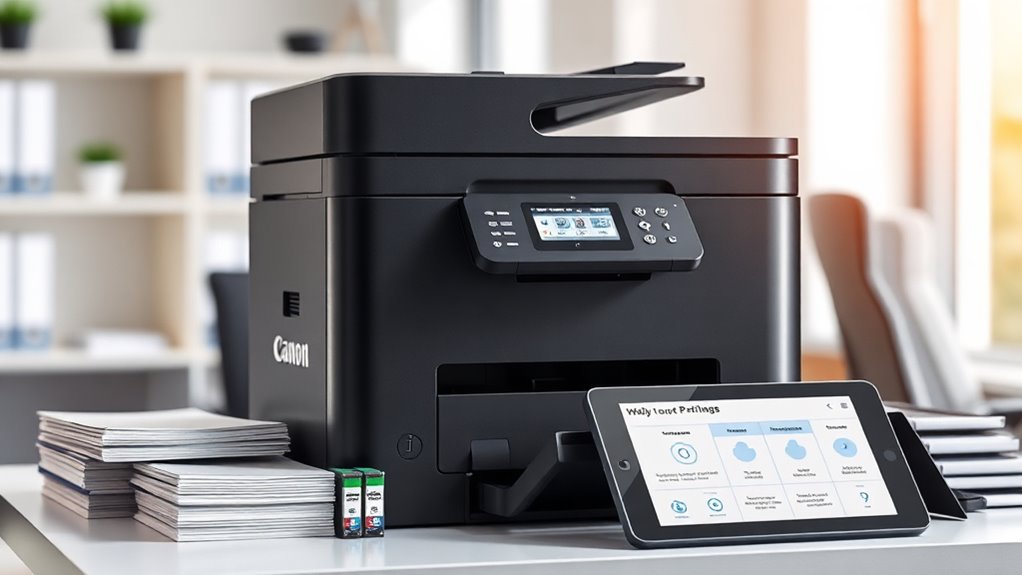
When you’re choosing a Canon ImageCLASS printer, you’ll want to contemplate several key factors. Think about your print speed needs, paper handling capacity, and available connectivity options.
Also, evaluate the functionality and features that will best suit your workflow. Taking the time to consider these will help you find the perfect fit for your printing tasks.
Factors to Consider When Choosing Canon Imageclass Printer
Choosing the right Canon ImageCLASS printer can greatly impact your office’s productivity and efficiency. Start by considering print speed; models range from 26 to 42 pages per minute, so pick one that fits your workflow.
Next, evaluate print resolution—up to 1200 x 1200 dpi guarantees your documents look sharp and professional. Don’t overlook paper handling capacity. Many printers come with a standard 250-sheet cassette, but if you handle larger jobs, look for options that expand to 900 sheets.
Connectivity is vital, too. Confirm the printer supports wireless and mobile printing for added convenience. Finally, check the warranty and support services; many models offer a 3-year limited warranty for peace of mind.
Print Speed Requirements
To guarantee your workflow runs smoothly, understanding print speed requirements is crucial. Print speed is measured in pages per minute (ppm), with options ranging from 11 ppm for some inkjet models to up to 42 ppm for monochrome laser printers.
If you’re in a high-volume printing environment, faster speeds can greatly enhance productivity. Keep in mind that initial page print time varies; some models can produce the first page in as little as 4.9 seconds, which is essential for quick access.
Don’t forget to evaluate both color and monochrome speeds, as they often differ. Finally, efficient duplex printing also impacts overall speed and can help reduce your operational costs.
Choose wisely to match your needs!
Paper Handling Capacity
Understanding paper handling capacity is essential for optimizing your printing experience with Canon imageCLASS printers. These printers generally feature a standard paper capacity of 250 sheets in the main cassette and 50 sheets in the multipurpose tray, catering to diverse printing tasks.
If you need more, many models allow expandable options, increasing total capacity up to 900 sheets with additional cassettes. You’ll also appreciate the Automatic Document Feeders (ADF), which typically hold around 50 sheets, streamlining duplex scanning and copying.
Plus, with support for legal-size media (8.5 x 14 inches), you can handle larger documents effortlessly. The duplex printing feature saves paper and reduces costs, making your printing process more efficient overall.
Connectivity Options Available
When selecting a Canon imageCLASS printer, consider the various connectivity options that can enhance your printing experience. These printers typically offer USB, Ethernet, and Wi-Fi, giving you flexibility for different office setups.
If you often print from your mobile devices, many models support apps like Canon PRINT, Apple AirPrint, and Mopria Print Service. This means you can print directly from your smartphones and tablets without any hassle.
The wireless setup is usually straightforward, requiring just a few steps to connect to your network. Plus, some models feature Wi-Fi Direct, letting you print quickly without joining the same network.
For those in networked environments, Ethernet options guarantee stable and reliable connections. This makes your printing tasks seamless and worry-free.
Functionality and Features
Choosing the right Canon imageCLASS printer involves more than just connectivity options; functionality and features play a significant role in meeting your specific needs. First, decide if you need an all-in-one printer for printing, scanning, copying, and faxing, or if a single-function printer suffices.
Evaluate print speeds, as they can range from 11 pages per minute for inkjets to 42 for laser models. Make sure it aligns with your workload.
Look for duplex printing to save paper and reduce waste. Also, consider paper handling capacity, which varies from 100 to 900 sheets, to minimize reloads.
Finally, verify connectivity options—wireless, USB, or Ethernet—to confirm compatibility with your devices and seamless setup in your workspace. It’s all about finding what fits your needs best!
Print Quality Standards
Print quality is a crucial factor in selecting a Canon imageCLASS printer, as it directly impacts the clarity and professionalism of your documents. Most models offer impressive resolutions, with color prints achieving up to 1200 x 1200 dpi, ensuring your graphics and images pop.
Monochrome models, while typically lower at 600 x 600 dpi, still deliver crisp black and white text. You’ll appreciate the initial print speed, with some printers producing the first page in as little as 4.9 seconds, enhancing your workflow.
For the best results, consider using genuine toner cartridges, which maintain high output quality and longevity. This also allows for substantial page yields. This combination of features will help you achieve the print quality you need.
Warranty and Support
Understanding the warranty and support options can greatly enhance your experience with a Canon imageCLASS printer. Most models come with a limited warranty ranging from 1 to 3 years, giving you peace of mind.
Canon’s extensive Service and Support network guarantees you have reliable assistance for troubleshooting and maintenance, so you’re never left in the dark. Plus, a 30-day return guarantee through major retailers allows you to return the printer if it doesn’t meet your expectations.
With spare parts available for up to 5 years, you can be confident in the long-term usability of your printer. All these factors contribute to a supportive ownership experience that makes a Canon imageCLASS printer a solid choice.
Energy Efficiency Ratings
When selecting a Canon imageCLASS printer, you’ll want to pay close attention to energy efficiency ratings. They can greatly impact your operational costs and environmental footprint.
Look for ENERGY STAR certification. This guarantees the printer meets strict energy efficiency guidelines set by the U.S. Environmental Protection Agency. Printers with EPEAT Silver ratings also show a commitment to environmentally responsible design.
Energy-efficient models often consume as little as 1 watt in standby mode. That drastically reduces power usage and can save you money over time.
Also, consider options with automatic duplex printing. This helps cut paper consumption and energy expenditure.
Regular maintenance and high-yield toner cartridges can further boost efficiency. They extend the printer’s lifespan and minimize replacements, which ultimately saves you money and resources.
Frequently Asked Questions
What Is the Average Lifespan of a Canon Imageclass Printer?
A Canon ImageCLASS printer typically lasts around 5 to 7 years with regular use and proper maintenance.
You can extend its lifespan by keeping it clean and using quality toner cartridges for peak performance.
Just a little care goes a long way in making sure your printer keeps running smoothly!
How Do I Troubleshoot Common Printing Issues With Canon Printers?
To troubleshoot common printing issues, check your ink levels and make sure the printer is connected properly. Clearing any paper jams is also a good idea.
Next, update your printer drivers if you haven’t done that recently. Sometimes a quick restart of both the printer and your computer can fix things too.
These steps usually solve most problems pretty quickly. Give them a try and see if that helps!
Are Canon Imageclass Printers Compatible With Third-Party Ink?
Yes, Canon ImageCLASS printers can work with third-party ink, but you might face quality issues or void warranties.
It’s best to research specific brands and reviews before making a decision on alternative ink options.
That way, you can avoid surprises and get the best results for your printer.
What Warranty Options Are Available for Canon Imageclass Printers?
You’ll find Canon ImageCLASS printers typically come with a one-year limited warranty, covering parts and labor.
Coincidentally, you can often purchase extended plans for additional peace of mind. This way, your printer stays protected beyond that initial period.
How Can I Recycle or Dispose of Old Canon Printers Responsibly?
You can recycle or dispose of old Canon printers responsibly by checking local e-waste programs, returning them to manufacturers, or donating them to schools or nonprofits.
Always remove personal information before disposal.
It’s pretty easy to find places that accept old electronics, so don’t hesitate to look around in your community.
And if your printer still works, giving it to a school or nonprofit is a great way to extend its life.
Conclusion
In your search for the perfect Canon imageCLASS printer, prioritize performance, price, and purpose. Each model shines in its unique way, offering superb solutions for your printing needs.
Don’t settle for less when you can select a stellar system that suits your style and specifications. By considering these compelling choices, you’ll find a fantastic fit that fulfills your printing desires.
These Canon imageCLASS printers deliver delightful results every time, making them a smart investment for home or office use. Whether you need fast printing, high-quality output, or cost efficiency, there’s a model tailored just for you.
Happy printing, and enjoy the exceptional performance and reliability that Canon imageCLASS printers bring to your workspace!