12 Best Canon Inkjet Printers for Home Use in 2027
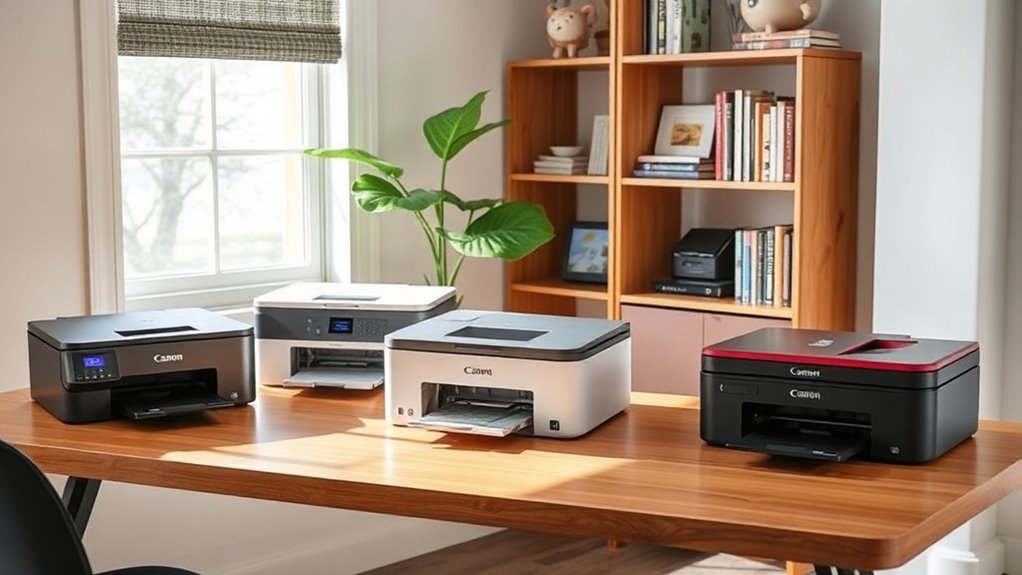
If you’re on the hunt for the best Canon inkjet printers for home use in 2027, you’re in the right place. Canon offers some fantastic models that combine quality, affordability, and smart features.
Whether you need something for casual printing or more intense multitasking, there’s a printer that fits the bill.
You can’t go wrong with the PIXMA TS6520 and the MegaTank G3270. They both deliver multifunctionality and cost efficiency, making them great choices for everyday use.
The PIXMA TS7720 stands out with its user-friendly touchscreen, which makes navigating settings a breeze.
On the other hand, the G3290 is all about saving on print costs. If multitasking is your priority, the TS9521Ca is an excellent pick.
Each of these printers brings unique strengths to your home setup. Take a closer look to discover which model fits your needs perfectly!
| Image | Name | Editor's Rating | Price |
|---|---|---|---|

|
|
||

|
|
||

|
|
||

|
|
||

|
|
Canon PIXMA TS6520 Wireless Color Inkjet Printer, 1.42″ OLED Display, White
- Affordable Versatility - A budget-friendly all-in-one printer perfect for both home users and hybrid workers, offering...
- Crisp, Vibrant Prints - Experience impressive print quality for both documents and photos, thanks to its 2-cartridge...
- Effortless Setup & Use - Get started quickly with easy setup for your smartphone or computer, so you can print, scan...

Experience hassle-free home printing with the Canon PIXMA TS6520, designed to meet everyday needs with elegance and efficiency. This compact all-in-one printer combines printing, scanning, and copying in a single device, helping you save space without compromising functionality. Its sleek white design fits seamlessly into any home office or study area.
The 1.42” OLED display makes monitoring ink levels and printer status straightforward, reducing interruptions and maintenance surprises. Its hybrid ink system delivers vibrant colors and sharp text, enhancing documents and photos alike. Automatic duplex printing helps you cut paper use and supports more sustainable printing habits.
Connectivity is simple and reliable with dual-band Wi-Fi, allowing you to print directly from your smartphone or tablet with ease. While it supports standard media sizes up to 8.5” x 11”, larger formats are not compatible, making it ideal for everyday documents rather than specialty prints.
Ink cartridges may need frequent replacement with heavy use, so keeping spares on hand can ensure uninterrupted operation. Overall, the TS6520 balances quality and convenience for regular home printing tasks.
Best for: Families and students needing a compact, versatile all-in-one printer for home use.
What We Like:
- Compact, stylish design fits well in small workspaces
- Clear OLED screen for easy monitoring and operation
- Dual-band Wi-Fi ensures stable mobile printing
- Automatic duplex printing saves paper and time
Specification:
| Feature | Details |
|---|---|
| Manufacturer | Canon |
| Dimensions | Compact size (exact dimensions not specified) |
| Weight | Not specified |
| Color Options | White |
| Display | 1.42″ OLED |
| Connectivity | Dual-band Wi-Fi |
Canon MegaTank G3270 All-in-One Wireless Color Printer
- Wireless Print/Copy/Scan
- Up to 2 years of ink included (2)
- Print up to 6,000 black & white / 7,700 color pages using a single set of inks! (1)
The Canon MegaTank G3270 All-in-One Wireless Color Printer is designed to simplify everyday printing tasks. Its compact size and lightweight build fit comfortably in home offices or small spaces, making it easy to integrate without clutter. This printer tackles printing, scanning, and copying with straightforward functionality.
With MegaTank technology, you get high-yield ink tanks that reduce the hassle of frequent refills. You can print thousands of pages—up to 6,000 black and 7,700 color—on a single set of inks, which helps lower ongoing costs and maintenance efforts. Wireless connectivity adds convenience by allowing direct printing from smartphones and tablets.
The printer delivers decent speeds, up to 11 pages per minute for black and white and 6 for color, suitable for moderate daily use. However, the 100-sheet paper capacity and single tray design mean it may require regular attention during larger print jobs, limiting flexibility for varied paper types.
Overall, the Canon MegaTank G3270 balances affordability, ease of use, and efficient ink management, making it a practical choice for families and home offices focused on cost-effective, reliable printing.
Best for: Families and home offices needing an affordable, efficient all-in-one printer with wireless convenience.
What We Like:
- High page yield reduces ink refills and cost
- Compact design fits small spaces easily
- Wireless printing from mobile devices
- Simple maintenance with refillable ink tanks
Specification:
| Feature | Details |
|---|---|
| Manufacturer | Canon |
| Dimensions | Compact (exact not provided) |
| Weight | 13.2 lb (6 kg) |
| Color Options | Wireless Color Printer |
| Connectivity | Wireless (smartphone/tablet compatible) |
Canon PIXMA TS7720 Wireless All-in-One Inkjet Printer
- ALL-IN-ONE: Print, Copy, Scan features for full control at your fingertips.
- FAST PRINT SPEEDS: Print approximately 15 (black) / 10 (color) images per minute.
- EASY SETUP: Get running in just a few minutes thanks to a streamlined and easy setup process out of the box.
Experience seamless home printing with the Canon PIXMA TS7720, designed to simplify your everyday tasks. This all-in-one printer combines printing, scanning, and copying in a compact unit that fits easily into any space. It helps you quickly produce sharp documents and vibrant photos, reducing wait times and boosting productivity.
The printer’s intuitive 2.7” LCD touchscreen makes operation straightforward, so you can set up and manage your print jobs without hassle. Its two-cartridge FINE Hybrid ink system delivers rich colors and crisp text, although it may require more frequent ink replacements compared to models with separate color cartridges.
Handling various media sizes up to 8.5” x 11”, the PIXMA TS7720 supports versatile printing needs, including borderless photos. While color printing is slower than black-and-white, its output quality ensures professional-looking results for home projects.
Maintenance is simple, with easy cartridge changes and straightforward paper loading. This printer is ideal for users seeking a reliable, compact device that covers multiple functions with ease.
Best for: Home users needing a compact all-in-one printer for everyday printing, scanning, and copying tasks.
What We Like:
- Combines print, copy, and scan in one compact design
- High-quality prints with vibrant colors and sharp text
- Easy-to-use 2.7” LCD touchscreen interface
- Supports borderless printing on standard media sizes
Specification:
| Feature | Details |
|---|---|
| Manufacturer | Canon |
| Dimensions | Compact design (exact size not specified) |
| Weight | Not specified |
| Ink System | 2-cartridge FINE Hybrid |
| Max Print Resolution | Up to 1200 x 1200 dpi |
| Media Size | Up to 8.5” x 11” |
Canon Megatank G3290 All-in-One Wireless Printer
- Wireless Print/Copy/Scan (2)
- Up to 2 years of ink included
- Print up to 6,000 black & white / 7,700 color pages using a single set of inks! (1)
The Canon Megatank G3290 All-in-One Wireless Printer is designed to reduce your printing expenses significantly. Its MegaTank system delivers up to 6,000 black-and-white and 7,700 color pages per ink set, helping you avoid frequent cartridge replacements and lowering overall maintenance efforts. This feature is ideal for users who need a reliable, cost-efficient printer without the hassle of constant ink purchases.
The printer’s 2.7-inch LCD touchscreen offers straightforward navigation, making setup and daily use quick and simple. Wireless connectivity allows seamless printing from smartphones and tablets, so you can print documents or photos directly without a computer. Its auto-duplex printing minimizes paper use, supporting eco-friendly habits and saving supplies.
Compact and weighing just 14.2 pounds, the G3290 fits well in smaller home offices or family spaces. It supports media handling for up to 100 sheets, suitable for moderate printing volumes. While its print speed may be slower than some models, it matches the needs of most home or small office users.
Best for: Budget-conscious families and home offices seeking an efficient and cost-effective printing solution.
What We Like:
- High page yield reduces the need for frequent ink refills
- Easy-to-use 2.7-inch LCD touchscreen interface
- Wireless printing from mobile devices enhances convenience
- Auto-duplex feature saves paper automatically
- Compact design fits well in limited spaces
Specification:
| Specification | Details |
|---|---|
| Manufacturer | Canon |
| Dimensions (W×D×H) | Not specified |
| Weight | 14.2 lb (6.44 kg) |
| Connectivity | Wireless |
| Display | 2.7-inch LCD touchscreen |
| Paper Capacity | Up to 100 sheets |
Canon PIXMA TS9521Ca – Wireless Home All-in-One Inkjet Printer
- ALL-IN-ONE: Print, Copy, Scan features for full control at your fingertips. Comes with a 1 year limited warranty.
- FAST PRINT SPEEDS: Print approximately 15 (black) / 10 (color) images per minute.
- EASY SETUP and INSTALL: Get running in just a few minutes thanks to a streamlined and easy setup process out of the box...
Experience efficient multitasking with the Canon PIXMA TS9521Ca, designed to streamline your home office duties. This wireless all-in-one printer handles printing, copying, and scanning with ease, reducing the need for multiple devices. Its high-resolution output ensures your documents and photos are crisp and clear every time.
The printer’s 200-sheet capacity and automatic duplex feature minimize interruptions and save paper, making daily tasks smoother. A 4.3” touch LCD offers intuitive control, letting you navigate functions quickly without hassle. Wireless and USB connectivity options allow for flexible setup in any home environment.
Maintenance is straightforward with easy ink replacement and reliable performance, helping you avoid downtime. The printer’s size provides ample workspace but may require a dedicated area in smaller rooms. Its print speed balances quality and efficiency, suitable for moderate home office use.
Overall, the Canon PIXMA TS9521Ca offers a balanced solution for users needing reliable multifunctional printing with convenience and quality.
Best for: Home users who need a versatile and dependable all-in-one printer for everyday printing, copying, and scanning.
What We Like:
- Sharp prints with up to 4800 x 1200 dpi resolution
- Large 200-sheet paper capacity with automatic duplex printing
- Easy-to-use 4.3” touch LCD screen
- Wireless and USB connectivity options
Specification:
| Feature | Details |
|---|---|
| Manufacturer | Canon |
| Dimensions (W×D×H) | Approx. 17.2 × 13.7 × 5.9 in |
| Weight | Approx. 13.9 lbs (6.3 kg) |
| Color Options | White |
| Connectivity | Wi-Fi, USB |
Canon PIXMA TR8620a All-in-One Printer (Black)

- Never run out of ink. Connect your printer to Alexa and receive notifications when you’re running low. Alexa can even...
- Enrolling in Smart Reorders with Alexa ensures that you never have too much or too little ink supplies. No subscription...
- Wireless 4-in-1 (Print | Copy | Scan | Fax)
The Canon PIXMA TR8620a All-in-One Printer offers a practical solution for busy homes and small offices that need more than just basic printing. It simplifies everyday tasks by combining printing, scanning, copying, and faxing in one device. This versatility helps streamline workflows and reduces the need for multiple machines.
Its wireless and USB connectivity ensures easy integration with Alexa and Android devices, making remote printing straightforward. The printer handles various media sizes efficiently with a 200-sheet capacity and automatic duplex printing, helping to save time and paper.
Maintenance is manageable thanks to five individual ink tanks, allowing users to replace only the colors they need. However, the printer weighs 17.4 pounds, which might require a dedicated space, and has a monthly duty cycle of 1,000 pages, suited best for moderate printing volumes.
The 20-sheet auto document feeder and touchscreen LCD enhance usability, providing a smooth experience for scanning and copying multiple pages. Energy efficiency is also addressed with ENERGY STAR certification, supporting greener office practices.
Best for: Families and small offices seeking an all-in-one printer with versatile functionality and reliable performance for everyday document handling.
What We Like:
- Combines printing, scanning, copying, and faxing in one device
- Wireless connectivity compatible with Alexa and Android devices
- Supports automatic duplex printing and various media sizes
- User-friendly touchscreen and auto document feeder
- ENERGY STAR certified for energy-efficient operation
Specification:
| Feature | Details |
|---|---|
| Manufacturer | Canon |
| Dimensions (W x D x H) | Not specified |
| Weight | 17.4 lb (7.9 kg) |
| Color Options | Black |
| Connectivity | Wireless, USB |
| Print Resolution | Up to 4800 x 1200 dpi |
| Print Speed | 15 ipm (black), 10 ipm (color) |
| Paper Capacity | 200 sheets |
| Auto Document Feeder | 20 sheets |
| Monthly Duty Cycle | 1,000 pages |
| ENERGY STAR Certified | Yes |
Canon PIXMA TR4720 All-in-One Wireless Printer

- Wireless 4-in-1 (print | copy | scan | fax)..Power Consumption: 7W (0.8W Standby / 0.3W Off)
- Print speed up to: 4" x 6" Borderless Photo (PP-201): Approx. 65.0 Seconds / Black Document (Letter/Simplex): Approx...
- Designed for easy ink cartridge installation and replacement.
Looking for a compact all-in-one printer that simplifies your home office tasks? The Canon PIXMA TR4720 offers printing, copying, scanning, and faxing in a single device. Its space-saving design fits neatly on your desk, reducing clutter and streamlining your workflow.
This printer handles everyday document needs with ease. It prints black-and-white pages at 8.8 ipm and color pages at 4.4 ipm, helping you stay productive without long waits. The 100-sheet front paper tray supports various media sizes up to standard letter size, making it versatile for different projects.
Maintenance is straightforward, with easy access to ink cartridges and energy-efficient operation thanks to its ENERGY STAR certification. Mobile printing and Alexa integration add convenience, allowing you to print directly from your smartphone or by voice commands.
While the color print speed is moderate and the paper tray capacity is limited, the PIXMA TR4720 is ideal for users who value multifunctionality in a compact package. Note that duplex copying requires manual intervention due to the absence of an automatic document feeder.
Best for: Home office users and small businesses needing a space-efficient, multifunction printer with modern connectivity.
What We Like:
- Multifunction design: print, copy, scan, and fax in one device
- Supports mobile printing via Canon apps and voice commands
- ENERGY STAR certified, reducing power consumption
- Compact footprint fits small workspaces
Specification:
| Feature | Details |
|---|---|
| Manufacturer | Canon |
| Dimensions | Compact (exact dimensions not provided) |
| Weight | Not specified |
| Paper Capacity | 100 sheets |
| Supported Media Size | Up to 8.5 x 11 inches |
| Print Speed (B/W) | 8.8 ipm |
| Print Speed (Color) | 4.4 ipm |
| Connectivity | Wireless, Mobile printing, Alexa integration |
Canon PIXMA TS3720 Wireless All-in-One Printer
No products found.
The Canon PIXMA TS3720 is designed to simplify everyday printing tasks for families and home users. This wireless all-in-one printer handles printing, copying, and scanning with ease, making it a practical solution for busy households. Its compact design fits seamlessly into small spaces, helping to keep your workspace organized.
Connectivity is straightforward with dual-band Wi-Fi, ensuring a reliable connection for all your devices. Mobile printing is also supported through compatible apps, so you can print directly from your smartphone or tablet without hassle. This convenience eliminates the need for a wired setup and streamlines your workflow.
Maintenance is hassle-free thanks to easy-to-replace ink cartridges. While the print speed is moderate—7.7 pages per minute for black and 4 for color—it balances quality with efficiency for typical home use. The 60-sheet rear paper tray suits smaller print volumes but may require frequent refills for larger jobs.
The 1.5-inch LCD screen provides basic navigation, keeping operation simple without overwhelming you with complex menus. Overall, the Canon PIXMA TS3720 offers a reliable and user-friendly printing experience suited to daily home tasks.
Best for: Families and home users seeking a reliable all-in-one printer for everyday printing, copying, and scanning needs.
What We Like:
- Combines printing, copying, and scanning in one compact unit
- Supports mobile printing for on-the-go convenience
- Easy-to-replace ink cartridges reduce maintenance effort
- Dual-band Wi-Fi provides stable wireless connectivity
- Compact size fits well in limited spaces
Specification:
| Feature | Details |
|---|---|
| Manufacturer | Canon |
| Dimensions | Compact (exact size not specified) |
| Weight | Not provided |
| Color Options | Not specified |
| Connectivity | Dual-band Wi-Fi |
| Display | 1.5-inch LCD screen |
Canon PIXMA TS702a Wireless Printer (Print Only)
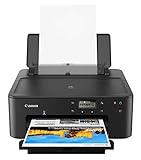
- Efficient Everyday Printing: It can print great looking borderless photos and even supports various paper types & sizes...
- Print Connectivity: Whether that is a smartphone, tablet or computer. Have peace of mind and connect with...
- Big Performance with Compact Design: With a 350 SHEET plain paper capacity the PIXMA TS702 is ready to take on large...
The Canon PIXMA TS702a Wireless Printer offers a simple and effective solution for home users who need reliable, high-quality printing without extra functions. Its print-only design focuses on delivering sharp, vibrant documents quickly, helping you stay productive without distractions.
With a 350-sheet capacity, this printer reduces the hassle of frequent paper refills, making it suitable for busy households or home offices. The fast print speeds of 15 pages per minute in black and white and 10 in color allow you to complete tasks efficiently.
Automatic duplex printing cuts paper use and saves time by handling double-sided printing with ease. The compact design fits neatly into any workspace, while wireless connectivity options like AirPrint and Wi-Fi let you print directly from your devices without cables.
Maintenance is straightforward, as the printer’s focused functionality means fewer components to manage. However, it does not support scanning or copying, which may limit users seeking an all-in-one device. Weighing 14.4 pounds, it is stable but not ideal for frequent relocation.
Best for: Home users seeking a compact, reliable print-only printer for everyday document needs.
What We Like:
- High sheet capacity reduces paper refilling
- Fast black and color print speeds
- Automatic duplex printing saves time and paper
- Wireless connectivity supports easy device printing
- Compact design fits small spaces
Specification:
| Feature | Details |
|---|---|
| Manufacturer | Canon |
| Dimensions | Compact (specific size not provided) |
| Weight | 14.4 lb (6.53 kg) |
| Color Options | Not specified |
| Connectivity | Wi-Fi, AirPrint |
Canon PIXMA G620 Wireless All-in-One Printer

- Never run out of ink. Connect your printer to Alexa and receive notifications when you’re running low. Alexa can even...
- Enrolling in Smart Reorders with Alexa ensures that you never have too much or too little ink supplies. No subscription...
- MEGATANK HIGH PAGE YIELD: Print up to 3,800 4” x 6” color photos on a full set of ink.
The Canon PIXMA G620 Wireless All-in-One Printer offers a practical solution for users who need high-quality photo printing without compromise. Its compact design fits neatly into smaller spaces, making it ideal for home offices or creative studios. This printer addresses the challenge of producing vibrant, detailed prints while keeping ink costs low.
Equipped with a 6-color ink system, the printer delivers a wider color range that enhances photo realism and sharpness. You can print up to 3,800 4” x 6” photos on a full ink set, which helps reduce frequent cartridge replacements and lowers your overall printing expense. The system is designed for users who want professional-quality results without hassle.
Connectivity is straightforward with USB and Wi-Fi options, allowing flexible placement and easy access from multiple devices. The printer supports wireless printing compatible with Alexa, adding convenience to your workflow. Maintenance is simplified thanks to the efficient ink system and straightforward refilling process.
While the print speed is moderate at 3.9 pages per minute, and the paper tray holds up to 50 sheets, this printer is best suited for photo enthusiasts rather than high-volume document printing. Weighing 19.5 pounds, it is portable enough for occasional relocation but not optimized for frequent transport.
Best for: Photography enthusiasts seeking a compact all-in-one printer that produces vibrant, cost-effective photo prints with versatile connectivity.
What We Like:
- Wide color gamut from a 6-color ink system for vivid prints
- High page yield reduces ink replacement frequency
- USB and Wi-Fi connectivity with Alexa compatibility
- Compact design fits easily in small workspaces
Specification:
| Feature | Details |
|---|---|
| Manufacturer | Canon |
| Dimensions | Not specified |
| Weight | 19.5 lb (8.85 kg) |
| Color Options | Not specified |
| Connectivity | USB, Wi-Fi, Alexa compatible |
Canon PIXMA TR7820 – Wireless Home All-in-One Printer

- ALL-IN-ONE: Print, Copy, Scan features for full control at your fingertips.
- FAST PRINT SPEEDS: Print approximately 15 (black) / 10 (color) images per minute.
- EASY SETUP: Get running in just a few minutes thanks to a streamlined and easy setup process out of the box.
The Canon PIXMA TR7820 is a smart choice for those who need a reliable all-in-one printer at home. It handles printing, copying, and scanning with ease, helping you complete daily tasks quickly. Its wireless design means you can print from your smartphone or computer without hassle.
Designed to save space, this compact printer fits comfortably in any home office or family room. The 2.7” LCD touchscreen makes navigation simple, so you spend less time setting up and more time getting work done. Automatic duplex printing helps reduce paper waste and keeps your workflow smooth.
Maintaining the TR7820 is straightforward with its two-cartridge ink system, though this might lead to more frequent replacements if you print a lot. The 100-sheet paper capacity suits typical home use but can require refills for bigger jobs. Print speeds are moderate, balancing quality and efficiency.
Energy Star certification ensures it uses power efficiently, helping lower energy costs. Overall, this device combines ease of use with dependable performance for everyday home printing needs.
Best for: Families and home offices needing a compact and versatile all-in-one printer for regular printing, copying, and scanning.
What We Like:
- Compact design fits well in small spaces
- Wireless printing from mobile devices
- Energy Star certified for power efficiency
- Easy-to-use touchscreen interface
Specification:
| Feature | Details |
|---|---|
| Manufacturer | Canon |
| Dimensions (W×D×H) | Approx. 17.7 × 12.7 × 7.5 in |
| Weight | Approx. 13.8 lb |
| Color Options | Black |
Canon PIXMA TR160 Color Wireless Portable Printer

- LIGHTWEIGHT AND PORTABLE - Connect and print on the go with the PIXMA TR160. This lightweight portable printer can fit...
- HIGH-QUALITY PRINTING ON THE GO - Print documents and photos up to 8.5” x 11” that showcase sharp black text and...
- SIMPLE & EASY CONNECTIVITY - Printing is only an app away when using the Canon PRINT app, Apple AirPrint4, or Mopria...
Experience true portability with the Canon PIXMA TR160, designed for users who need quality printing on the move. This lightweight printer weighs just 4.5 pounds and fits easily into any bag, making it a dependable companion for travel or remote work. Its compact design ensures you can print documents and photos without being tied to an office.
The PIXMA TR160 solves common mobile printing challenges by offering wireless connectivity through the Canon PRINT app, Apple AirPrint, and USB Type C. You can print effortlessly from your smartphone or laptop, enhancing productivity wherever you are. Its energy-efficient operation supports longer use, especially when paired with the optional battery for cordless printing.
Maintenance is straightforward with the 5-Color Hybrid Ink System, which delivers sharp text and vibrant images at a maximum resolution of 4800 x 1200 dpi. This system helps reduce ink waste and keeps your prints looking professional. While the print speed is moderate, the quality ensures every page meets your standards.
This printer handles standard media sizes up to 8.5” x 11”, suitable for most documents and photos. However, larger format printing is not supported, and the optional battery must be purchased separately to unlock full portability. The PIXMA TR160 balances convenience, quality, and energy efficiency in a compact package.
Best for: Professionals and travelers needing a lightweight, portable printer that delivers high-quality prints with versatile wireless options.
What We Like:
- Compact and lightweight for easy transport
- High-resolution output for sharp documents and vivid photos
- Multiple wireless connectivity options for flexible printing
- Energy-efficient design supports extended use
- Simple maintenance with hybrid ink system
Specification:
| Feature | Details |
|---|---|
| Manufacturer | Canon |
| Dimensions | 12.7 x 7.3 x 2.6 inches |
| Weight | 4.5 pounds |
| Ink System | 5-Color Hybrid Ink System |
| Max Print Resolution | 4800 x 1200 dpi |
| Connectivity | Wireless, USB Type C |
| Max Media Size | 8.5 x 11 inches |
| Battery | Optional (sold separately) |
Factors to Consider When Choosing a Canon Inkjet Printer for Home
When you’re choosing a Canon inkjet printer for home use, it’s crucial to take into account several key factors. Think about print quality, connectivity options, and how much you’ll spend on ink over time.
Also, don’t forget to factor in the printer’s size and speed to guarantee it fits your needs. These things really make a difference when you’re setting up your home office or workspace.
Print Quality Assessment
To guarantee you get the best results from your Canon inkjet printer at home, it’s essential to take into account several key factors that influence print quality. First, look for a high resolution, ideally up to 4800 x 1200 dpi, for sharper images and finer details.
The type of ink system also matters—hybrid or dye-based inks can enhance color vibrancy and text clarity. Consider whether a two-cartridge system meets your needs or if individual ink tanks for each color will improve quality and reduce waste.
Don’t overlook borderless printing capabilities for edge-to-edge images, especially for photos. And finally, using specialized paper, like glossy photo paper, can greatly boost print quality compared to standard options.
Connectivity Options Available
Connectivity options play an essential role in your overall experience with a Canon inkjet printer at home. Many models offer dual-band Wi-Fi, supporting both 2.4GHz and 5GHz frequencies for stable connections in various environments.
You can easily print from your smartphone or tablet, thanks to compatibility with mobile printing apps like Apple AirPrint and Google Cloud Print. It’s super convenient when you don’t want to fuss with cables.
If you prefer a wired setup, USB connectivity is commonly available, providing a direct link to your computer. Some printers even feature wireless direct mode, allowing you to print without a router—perfect for on-the-go needs.
And if you want a more stable connection, especially in a home office, consider models with Ethernet ports. They can really help boost your printing efficiency.
Ink Cost Efficiency
Choosing the right Canon inkjet printer for home use involves more than just connectivity options; ink cost efficiency is a key factor too.
Consider models like the Canon MegaTank printers, such as the G3270 and G3290. They let you print up to 6,000 black and white or 7,700 color pages from a single ink set. This dramatically cuts your ink costs per page.
Hybrid ink systems also optimize ink usage, giving you sharp text and vibrant colors at lower costs. If you prefer simplicity, Canon PIXMA models like the TS6520 use two cartridges, making replacements easier and potentially cheaper.
Plus, with MegaTank systems, the cost per 4” x 6” photo is only around 2.5 cents. That makes them really budget-friendly for your printing needs.
Size and Design
When selecting a Canon inkjet printer for your home, size and design play essential roles in ensuring it fits your space and style. Many Canon models boast compact dimensions, often under 18 inches wide and deep, making them perfect for small home offices.
You’ll also appreciate the stylish aesthetics, as these printers come in various colors and finishes that seamlessly blend with your décor. If portability is important to you, some models weigh as little as 4.5 pounds, allowing for easy relocation.
Plus, the user-friendly layouts, featuring intuitive control interfaces like touchscreens, make operation a breeze. Space-saving features, such as foldable paper trays, enhance functionality without sacrificing valuable space in your home.
Printing Speed Considerations
While many factors influence your printing experience, speed is essential for efficient home use. Printing speed is measured in pages per minute (ppm), with black-and-white outputs ranging from 8.8 to 15 ppm and color averaging between 4 to 10 ppm.
If you frequently print large documents, a higher speed can greatly boost your productivity. Remember, factors like the printer’s technology, the complexity of the job, and the type of media can all affect speed.
Additionally, features like auto-duplex printing can save time by allowing double-sided printing, though it might slow down individual page speeds. So, consider your specific needs—students or families with high-volume requirements will benefit from printers designed for faster performance.
Additional Functionality Features
As you explore options for a Canon inkjet printer, considering additional functionality features can really enhance your home printing experience. Look for all-in-one models that print, scan, and copy to save space and boost versatility.
Automatic duplex printing is a must for reducing paper waste and improving efficiency, especially during large jobs. If you’re into photography or creative projects, choosing a printer with borderless printing capabilities will give you professional results.
An integrated touchscreen display simplifies navigation, giving you quick access to settings and ink levels. And don’t forget to check if your printer supports mobile printing apps like Apple AirPrint and Canon PRINT. That way, you can easily print directly from your smartphone or tablet.
Warranty and Support Options
Choosing a Canon inkjet printer for home use involves more than just looking at print quality and speed; warranty and support options play a crucial role in your decision. Most Canon printers come with a limited one-year warranty, covering manufacturing defects and typical usage issues.
You’ll also find many models have a 30-day return guarantee, letting you return the printer if you’re not satisfied. Canon’s customer support network is there to assist with warranty claims and general inquiries, ensuring you have the help you need.
If you want extra peace of mind, consider purchasing an extended warranty. Plus, Canon provides documentation and online resources to help you troubleshoot and optimize your printer’s performance.
Frequently Asked Questions
What Is the Average Lifespan of Canon Inkjet Printers?
Canon inkjet printers typically last around three to five years, depending on usage and maintenance.
Regularly cleaning printheads and using quality ink can extend their lifespan.
This way, you get the most out of your investment.
Are Canon Inkjet Printers Compatible With Mobile Printing Apps?
Yes, Canon inkjet printers are compatible with mobile printing apps. You can easily print from your smartphone or tablet using Canon’s app or popular services like Apple AirPrint and Google Cloud Print.
It’s super convenient! Just a few taps and your document or photo is ready to go. No need to fuss with cables or computers.
How Often Should I Replace Ink Cartridges?
You should replace ink cartridges when they run low or when print quality declines.
Typically, this can be every few weeks to a couple of months, depending on your printing habits and usage frequency.
It really just depends on how much you print and what kind of documents you’re working on. So, keep an eye on your prints and swap out cartridges as needed!
Can Canon Printers Print on Photo Paper?
Yes, Canon printers can print on photo paper. Just select the appropriate paper setting in your printer’s settings, and you’ll get vibrant, high-quality prints.
These prints will showcase your photos beautifully. Enjoy your printing experience!
What Are the Warranty Options for Canon Inkjet Printers?
Canon inkjet printers typically come with a one-year limited warranty. This covers defects in materials and workmanship.
You can also purchase extended warranty options for added peace of mind. This way, you’re ensuring your printer’s longevity and reliability.
Conclusion
When choosing a Canon inkjet printer for your home, remember to prioritize quality, connectivity, and versatility. Look for models that fit your printing needs, whether it’s for photos, documents, or crafts.
Consider the size and design that complements your space, and don’t forget about cost-effectiveness with ink options. By focusing on these factors, you’ll not only enhance your home office but also elevate your creative projects.
Choosing the best Canon inkjet printer means balancing performance with convenience. With the right printer, you can bring your ideas to life with every print, making it perfect for home use in 2027. So, think about your specific needs, from photo printing to everyday documents, and find a model that offers reliability and great value. This way, your investment in a Canon inkjet printer will pay off with excellent prints and smooth connectivity, helping you get the most out of your home printing experience.