14 Best Canon MegaTank Printers for 2027 You Can’t Miss
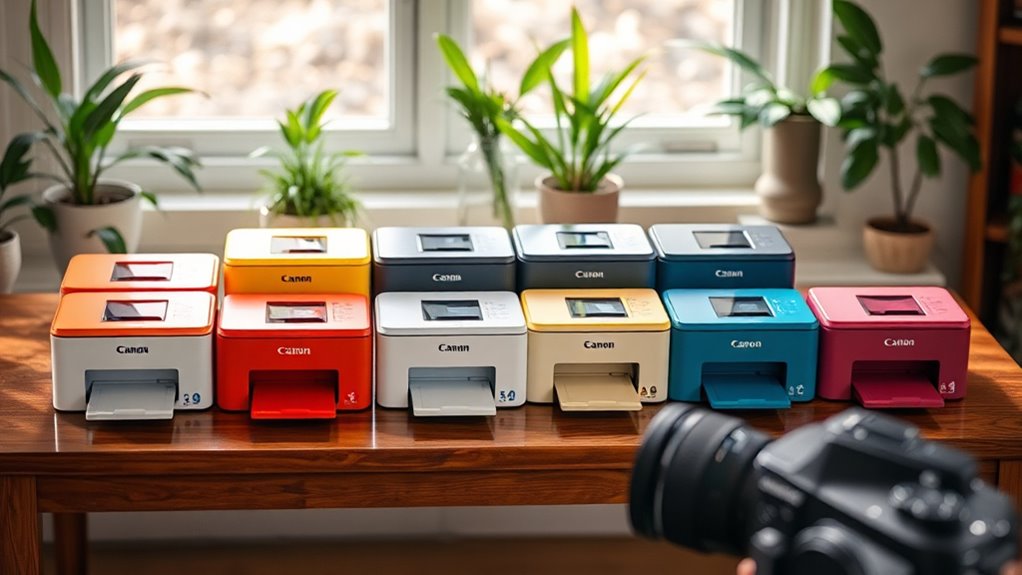
If you’re on the hunt for the best Canon MegaTank printers in 2027, you’re in luck! These printers are known for their incredible ink efficiency and cost savings, making them perfect for both home and office use.
Whether you need high-volume printing or crisp photo quality, Canon MegaTank has options that fit the bill.
The Canon MegaTank G3270 and G3290 are fantastic choices if you want cost-effective, high-volume printing without breaking the bank.
For small businesses, the MAXIFY GX2020 stands out with its reliability and professional performance.
And if photography is your passion, the PIXMA G620 produces stunning, vibrant prints that will impress.
Each model comes with great features like wireless connectivity and impressive page yields.
So, keep reading to find out which Canon MegaTank printer suits your unique needs best!
| Image | Name | Editor's Rating | Price |
|---|---|---|---|

|
|
||

|
|
||

|
|
||

|
|
||

|
|
Canon MegaTank G3270 All-in-One Wireless Color Printer
- Wireless Print/Copy/Scan
- Up to 2 years of ink included (2)
- Print up to 6,000 black & white / 7,700 color pages using a single set of inks! (1)

The Canon MegaTank G3270 All-in-One Wireless Color Printer offers an effective solution for those seeking affordable, high-quality printing. Its compact design fits well in tight spaces, making it ideal for home or small office setups. The printer’s wireless functionality streamlines your workflow, helping you stay productive without clutter.
This model addresses common printing challenges by combining versatility with low maintenance. The MegaTank system significantly reduces ink costs by allowing up to 6,000 black-and-white and 7,700 color pages per refill. This means fewer interruptions and less hassle with frequent ink replacements.
Functionality extends beyond printing; this all-in-one device also copies and scans, making it a convenient tool for everyday tasks. While print speeds are moderate, the borderless printing feature ensures professional-quality photos and documents. Its 1.35-inch LCD screen provides basic control, though it may feel small for detailed navigation.
Best for: Home and small office users seeking a cost-effective, versatile printer with efficient ink management.
What We Like:
- High page yield reduces ink replacement frequency
- Compact multifunction design saves space
- Borderless printing enhances presentation quality
- Wireless connectivity supports flexible placement
Specification:
| Feature | Details |
|---|---|
| Manufacturer | Canon |
| Dimensions | Not specified |
| Weight | 13.2 lb (6.0 kg) |
| Printer Type | All-in-One Wireless Inkjet |
| Color Options | Color printing supported |
Canon Megatank G3290 All-in-One Wireless Printer
- Wireless Print/Copy/Scan (2)
- Up to 2 years of ink included
- Print up to 6,000 black & white / 7,700 color pages using a single set of inks! (1)
If you need a printer that handles large volumes without constant refills, the Canon Megatank G3290 fits the bill. Its innovative MegaTank system allows you to print thousands of pages, reducing interruptions and lowering running costs. This makes it perfect for busy home offices or small businesses.
The printer’s wireless connectivity and intuitive 2.7” color touchscreen make setup and operation straightforward. You can easily navigate menus and print from multiple devices without hassle. Auto-duplex printing saves paper by printing on both sides automatically.
Designed to handle various media types, including photos, envelopes, and banners, this all-in-one device offers flexibility for different projects. Despite its compact size, it’s built to fit snugly in limited workspaces while delivering reliable performance.
Maintenance is simple with easily refillable ink tanks, ensuring minimal downtime and avoiding the expense of cartridges. Although the printer is bulkier than some compact models, its robust functionality and cost-efficiency outweigh this drawback. Color accuracy is suitable for everyday use but may fall short for professional photo-quality printing.
Best for: Home and home office users who require a dependable, cost-effective all-in-one printer for high-volume tasks.
What We Like:
- High page yield with low cost per page for black-and-white and color prints
- Wireless connectivity combined with an easy-to-use touchscreen
- Supports multiple media types, including photos and banners
- Auto-duplex printing for efficient paper use
- Simple ink refilling system reduces maintenance time
Specification:
| Feature | Details |
|---|---|
| Manufacturer | Canon |
| Dimensions (inches) | 14.3D x 16.4W x 7H |
| Weight (approx.) | Not specified |
| Color Options | Not specified |
Canon MAXIFY GX2020 All-in-One Wireless Color Printer
- Wireless Print/Copy/Scan/Fax (2)
- Print up to 3,000 black & white / 3,000 color pages using a single set of inks! (1)
- 2.7” LCD Color Touchscreen
The Canon MAXIFY GX2020 All-in-One Wireless Color Printer is designed to keep small businesses and home offices running smoothly. Its high print yield of up to 3,000 pages per ink set means fewer interruptions for replacements, saving time and reducing hassle. This makes it ideal for users who require consistent, reliable printing without frequent supply changes.
With wireless connectivity and a compact design, the printer fits well in tight office spaces while offering flexibility for multiple users. Fast print speeds—15 pages per minute for black and white and 10 for color—help you complete tasks efficiently. The 2.7-inch touchscreen simplifies navigation, making daily operations straightforward.
Maintenance is easy thanks to the large ink tanks, which reduce the frequency of refills. The 35-sheet automatic document feeder boosts productivity by handling multi-page documents with minimal effort. It supports various media types, from standard paper to envelopes and photo paper, giving you versatility in your printing projects.
While the printer is fairly heavy at 17.8 pounds, its sturdy build supports frequent use. The color print resolution maxes out at 600 x 1200 dpi, which may not suit professional photo printing but is sufficient for most business documents. Some users might find the initial setup a bit more involved compared to simpler models.
Best for: Small businesses and home offices looking for a reliable, high-yield all-in-one printer that balances speed and versatility.
What We Like:
- High page yield reduces ink replacement frequency
- Fast black-and-white and color printing speeds
- Wireless connectivity for flexible workspace integration
- 35-sheet automatic document feeder for multi-page tasks
- Supports a variety of media types for diverse printing needs
Specification:
| Feature | Details |
|---|---|
| Manufacturer | Canon |
| Dimensions (W x D x H) | 17.7 x 14.6 x 7.7 inches |
| Weight | 17.8 pounds |
| Color Options | Black |
| Connectivity | Wireless |
| Print Speed (B&W) | 15 pages per minute |
| Print Speed (Color) | 10 pages per minute |
| Max Color Resolution | 600 x 1200 dpi |
| Ink Yield | Up to 3,000 pages per set |
| Automatic Document Feeder | 35 sheets |
Canon PIXMA G620 Wireless All-in-One Printer
- Never run out of ink. Connect your printer to Alexa and receive notifications when you’re running low. Alexa can even...
- Enrolling in Smart Reorders with Alexa ensures that you never have too much or too little ink supplies. No subscription...
- MEGATANK HIGH PAGE YIELD: Print up to 3,800 4” x 6” color photos on a full set of ink.
Experience seamless printing, copying, and scanning with the Canon PIXMA G620 Wireless MegaTank Printer. Designed to fit comfortably in any home or small office, its compact build saves space while delivering reliable performance. This all-in-one printer simplifies your workflow by combining multiple functions in a single device.
The 6-color dye-based ink system produces vibrant, high-quality prints that stand out. With CHROMALIFE 100 technology, your photos stay vivid and fade-resistant for years, ensuring lasting memories. The MegaTank design allows for easy ink refills, minimizing maintenance and reducing printing costs significantly.
Connectivity options include USB and Wi-Fi, enabling smooth wireless printing from various devices. Integration with Alexa adds a hands-free convenience, letting you manage print jobs effortlessly. While the printer handles everyday tasks efficiently, its moderate print speed and sheet capacity suit small to medium workloads best.
Best for: Individuals or families needing a compact, cost-effective all-in-one printer that excels in producing high-quality photo prints.
What We Like:
- Low-cost printing at around 2.5 cents per 4” x 6” photo
- Durable, vibrant prints with CHROMALIFE 100 technology
- Wireless and USB connectivity with Alexa compatibility
- Easy-to-maintain MegaTank ink system
- Compact design fits well in limited spaces
Specification:
| Feature | Details |
|---|---|
| Manufacturer | Canon |
| Dimensions | Not specified |
| Weight | 19.5 lb (8.85 kg) |
| Ink System | 6-color dye-based MegaTank |
| Connectivity | USB, Wi-Fi, Alexa support |
Canon PIXMA TS6520 Wireless Color Inkjet Printer, 1.42″ OLED Display, White
- Affordable Versatility - A budget-friendly all-in-one printer perfect for both home users and hybrid workers, offering...
- Crisp, Vibrant Prints - Experience impressive print quality for both documents and photos, thanks to its 2-cartridge...
- Effortless Setup & Use - Get started quickly with easy setup for your smartphone or computer, so you can print, scan...
The Canon PIXMA TS6520 wireless printer blends compact design with reliable functionality, making printing at home or school straightforward. Its sleek white finish fits neatly into any workspace, helping you keep your environment organized and clutter-free.
Equipped with a 1.42” OLED display, monitoring ink levels and printer status becomes simple. This feature helps reduce unexpected interruptions, ensuring your tasks flow smoothly. The 2-cartridge hybrid ink system delivers sharp text and vibrant colors, enhancing every document and photo.
Maintenance is easy with auto-duplex printing, which cuts paper use in half and supports eco-friendly habits. Dual-band Wi-Fi provides stable wireless connections, allowing seamless printing from your smartphone or tablet without complicated setups.
The TS6520 handles everyday printing needs efficiently, with speeds up to 14 pages per minute. While it lacks some advanced options found in higher-end models, it offers a balanced solution for users prioritizing ease and quality.
Best for: Families and students needing a straightforward, efficient all-in-one color inkjet printer for home or study use.
What We Like:
- Compact and elegant design fits any room
- Clear OLED display simplifies operation and monitoring
- Dual-band Wi-Fi ensures reliable mobile printing
- Auto-duplex printing cuts paper waste
- Sharp text and vivid colors from hybrid ink system
Specification:
| Feature | Details |
|---|---|
| Manufacturer | Canon |
| Dimensions | Not specified |
| Weight | Not specified |
| Ink System | 2-cartridge hybrid ink |
| Display | 1.42″ OLED |
| Connectivity | Dual-band Wi-Fi |
| Color Options | White |
Canon PIXMA TR7820 – Wireless Home All-in-One Printer

- ALL-IN-ONE: Print, Copy, Scan features for full control at your fingertips.
- FAST PRINT SPEEDS: Print approximately 15 (black) / 10 (color) images per minute.
- EASY SETUP: Get running in just a few minutes thanks to a streamlined and easy setup process out of the box.
The Canon PIXMA TR7820 is designed to simplify your home office tasks. This wireless all-in-one printer combines printing, copying, and scanning into a single compact device. Its reliable performance helps you manage everyday documents efficiently without taking up much space.
With a print speed of 15 pages per minute for black and 10 for color, it balances speed and quality. The printer supports a maximum resolution of 1200 x 1200 dpi, ensuring clear and sharp prints. Handling up to 100 sheets in the cassette and 35 sheets in the automatic document feeder reduces frequent paper refills.
Maintenance is straightforward with just two cartridges, though this may require more frequent replacements. The 2.7” LCD touchscreen offers easy navigation, making operation simple for all users. Mobile printing options allow you to print directly from smartphones or computers, adding flexibility to your workflow.
Best for: Home users seeking a compact, reliable all-in-one printer that efficiently handles printing, copying, and scanning.
What We Like:
- Combines multiple functions in one space-saving device
- Easy-to-use 2.7” LCD touchscreen interface
- Supports wireless and mobile printing for convenience
- Automatic document feeder handles multi-page jobs
- Decent print speed suitable for everyday use
Specification:
| Feature | Details |
|---|---|
| Manufacturer | Canon |
| Dimensions (W x D x H) | 17.7 x 13.2 x 7.5 in |
| Weight | 15.4 lb |
| Color Options | Black |
| Print Technology | Inkjet |
| Max Print Resolution | 1200 x 1200 dpi |
| Paper Input Capacity | 100 sheets + 35 ADF |
Canon Color imageCLASS MF753Cdw II – All-in-One Color Duplex Laser Printer

- Color, Wireless, Duplex 4-in-1: Print, scan, copy, fax.
The Canon Color imageCLASS MF753Cdw II transforms your small or home office with its reliable and efficient printing capabilities. It delivers sharp prints at 1200 x 1200 dpi, ensuring every document looks professional and clear. This printer handles busy workdays smoothly with a print speed of up to 35 pages per minute, reducing wait times.
Its automatic duplex feature cuts paper usage and saves time by printing on both sides effortlessly. The intuitive 5-color touchscreen simplifies navigation, making setup and maintenance straightforward. With a 250-sheet capacity expandable up to 850 sheets, it adapts to growing workloads without constant refills.
Wireless connectivity offers seamless mobile printing, allowing you to print from various devices without hassle. Although it weighs 50 pounds, making it less portable, its robust design supports consistent performance. Keep in mind, it supports media sizes up to legal size, which fits most office needs.
Best for: Small and home offices seeking a dependable all-in-one color laser printer with fast output and versatile features.
What We Like:
- High-quality 1200 x 1200 dpi resolution for crisp prints
- Fast printing at up to 35 pages per minute
- Automatic duplex printing saves time and resources
- Expandable paper capacity for larger jobs
- User-friendly 5-color touchscreen interface
Specification:
| Feature | Details |
|---|---|
| Manufacturer | Canon |
| Dimensions (W x D x H) | 17.7 x 19.1 x 15.7 inches |
| Weight | 50 lbs (22.7 kg) |
| Print Resolution | 1200 x 1200 dpi |
| Print Speed | Up to 35 pages per minute |
| Paper Capacity | 250 sheets (expandable to 850) |
| Media Size Supported | Up to legal size (8.5 x 14 in) |
| Connectivity | Wireless |
Canon PIXMA G6020 All-in-One Wireless Printer

- Wireless Print/Copy/Scan (2)
- Up to 2 years of ink included - Disclaimer: Claim of up to two (2) years of ink based on average monthly document print...
- Print up to 6,000 black & white / 7,700 color pages using a single set of inks! (1)
Experience hassle-free printing with the Canon PIXMA G6020 All-in-One Wireless Printer, designed to meet your everyday needs. This versatile device prints, copies, and scans, making it ideal for both home and small office environments. Its high-quality output at 4800 x 1200 dpi ensures sharp documents and vibrant images.
Maintaining this printer is simple and cost-effective. With refillable ink tanks included, you can save up to $1,175 on ink over time. The printer comes with two years of ink to keep your workflow running smoothly without frequent interruptions.
Designed for efficiency, the PIXMA G6020 offers automatic duplex printing and a large paper capacity, reducing the need for constant paper refills. Although it weighs 17.8 pounds, making it less portable, its wireless capability allows flexible placement without tangled cords.
While black and white prints deliver fast results at 13 pages per minute, color printing is slower at 6.8 pages per minute. The basic 2-line LCD screen provides essential controls but lacks advanced features.
Best for: Users who need a cost-efficient, multifunctional wireless printer for daily home or small office tasks.
What We Like:
- High page yield with up to 6,000 black and 7,700 color pages per ink set
- Significant ink savings with included refillable tanks
- Automatic duplex printing for two-sided documents
- Wireless connectivity supports flexible setup
- Clear, detailed print quality at 4800 x 1200 dpi
Specification:
| Feature | Details |
|---|---|
| Manufacturer | Canon |
| Dimensions | Not specified |
| Weight | 17.8 lb (8.07 kg) |
| Color Options | Not specified |
| Print Resolution | 4800 x 1200 dpi |
| Print Speed B&W | 13 pages per minute |
| Print Speed Color | 6.8 pages per minute |
Canon Megatank GX7120 Wireless All-in-One Printer

- Up to 2 years of ink included in the box.Claim of up to two (2) years of ink based on average monthly document print...
- EASY SETUP Get running in just a few minutes thanks to a streamlines and easy setup process out of the box.
- 2.7” LCD TOUCH SCREEN Get the job done easy with an intuitive and easy to use 2.7” touchscreen LCD.
The Canon Megatank GX7120 Wireless All-in-One Printer is designed to streamline printing tasks for busy home offices. Its fast print speeds of 15.5 pages per minute in color and 24 pages per minute in black and white help reduce wait times, keeping your workflow smooth and uninterrupted. The printer’s compact design fits easily into tight spaces without sacrificing performance.
Setup and navigation are simple thanks to the intuitive 2.7″ LCD touchscreen. This feature allows quick access to settings and functions, minimizing downtime and frustration. Wireless connectivity adds convenience, enabling easy printing from multiple devices without tangled cables.
Maintenance is hassle-free with up to two years of included ink, cutting down on frequent refills and lowering overall printing costs. The printer supports various media sizes, making it versatile for different document types. However, its 50-sheet capacity limits high-volume output, and the weight of 28.6 pounds reduces portability.
Best for: Home offices needing a reliable, fast printer that balances quality and efficient ink use.
What We Like:
- Up to two years of ink included, reducing refill frequency
- Quick print speeds for both color and black-and-white documents
- Easy-to-use 2.7″ LCD touchscreen interface
- Wireless connectivity for flexible placement
- Compact design suitable for small office spaces
Specification:
| Feature | Details |
|---|---|
| Manufacturer | Canon |
| Dimensions | Compact size (specifics not provided) |
| Weight | 28.6 lb (13 kg) |
| Color Options | Not specified |
| Connectivity | Wireless |
Canon MegaTank G3270 All-in-One Wireless Printer

- Wireless Print/Copy/Scan
- Up to 2 years of ink included (2)
- Print up to 6,000 black & white / 7,700 color pages using a single set of inks! (1)
Discover a printer that meets your everyday needs with the Canon MegaTank G3270 All-in-One Wireless Printer. This compact inkjet machine simplifies tasks like printing, scanning, and copying, making it a reliable choice for home or small office use. Its lightweight design fits easily into tight spaces without sacrificing performance.
With a high ink capacity capable of producing up to 7,700 color pages, the MegaTank G3270 reduces downtime for refills. This helps you stay productive while cutting costs on replacement ink. The printer connects seamlessly via USB or Wi-Fi, allowing you to print directly from your PC or smartphone with ease.
Maintenance is straightforward thanks to its user-friendly setup and a 100-sheet paper tray, which minimizes constant paper loading. Though print speeds are moderate—11 pages per minute for black and white and 6 for color—it balances speed and quality for everyday documents. Features like borderless printing and an LCD display add convenience and versatility.
Best for: Users seeking a budget-conscious, multifunction printer that handles basic office tasks reliably.
What We Like:
- Large ink reservoir supports extended printing without frequent refills
- Multiple connectivity options for flexible device compatibility
- Compact and lightweight for easy placement in limited spaces
- Borderless printing enhances photo and graphic output quality
Specification:
| Specification | Details |
|---|---|
| Manufacturer | Canon |
| Dimensions (W×D×H) | Approx. 17.7 × 13.1 × 7.6 inches (45 × 33.3 × 19.3 cm) |
| Weight | 13.2 lb (6 kg) |
| Color Options | Black |
Canon Megatank GX4020 All-in-One Wireless Inkjet Printer

- Wireless Print/Copy/Scan/Fax (2)
- Up to 2 years of ink included (3)
- Print up to 6,000 black & white / 14,000 color pages using a single set of inks! (1)
The Canon MegaTank GX4020 brings a compact yet efficient solution to small office environments. It integrates printing, copying, scanning, and faxing into one device, streamlining multiple tasks. Its wireless function removes the hassle of cables, making printing more flexible and convenient.
Maintenance is simplified with high ink yields, providing up to 6,000 black and 14,000 color pages. This reduces the frequency of refills and lowers overall ink expenses. The 2.7-inch LCD touchscreen offers easy navigation and control, enhancing the user experience.
Designed with productivity in mind, it prints at 18 pages per minute in black and white and 13 pages for color documents. The semi-automatic document feeder handles up to 50 sheets, easing multi-page scanning and copying jobs. However, its 20.9-pound weight may limit portability, and smaller paper capacity could require more frequent replenishment.
Energy Star certification highlights its energy efficiency, balancing performance with environmental responsibility. The Canon MegaTank GX4020 is an all-in-one printer that fits well into busy, space-conscious offices needing reliable, cost-effective printing.
Best for: Small office users seeking a versatile, low-maintenance all-in-one wireless printer with high ink capacity.
What We Like:
- High ink yield reduces refill frequency and cost.
- Wireless capability enhances convenience and workspace flexibility.
- 2.7-inch color touchscreen simplifies operation.
- Handles multiple functions in a single device.
- Energy Star certified for eco-friendly performance.
Specification:
| Feature | Details |
|---|---|
| Manufacturer | Canon |
| Dimensions (W×D×H) | Not specified |
| Weight | 20.9 lb (9.48 kg) |
| Color Options | Not specified |
| Ink Yield | Up to 6,000 black, 14,000 color pages |
| Touchscreen | 2.7-inch LCD color |
| Document Feeder Capacity | 50 sheets |
| Print Speed | 18 ppm black, 13 ppm color |
| Wireless | Yes |
| Energy Star Certified | Yes |
Canon Megatank GX6120 Wireless All-in-One Printer

- Up to 2 years of ink included in the box.Claim of up to two (2) years of ink based on average monthly document print...
- EASY SETUP Get running in just a few minutes thanks to a streamlines and easy setup process out of the box.
- 2.7” LCD TOUCH SCREEN Get the job done easy with an intuitive and easy to use 2.7” touchscreen LCD.
Looking for a printer that handles multiple tasks without taking up much space? The Canon Megatank GX6120 Wireless All-in-One Printer is designed to simplify your daily printing, scanning, and copying needs. Its compact, white design fits neatly into any workspace, helping you stay organized without clutter.
This printer helps reduce interruptions with up to two years of included ink, meaning fewer replacements and less hassle. The user-friendly 2.7” LCD touchscreen allows you to navigate menus quickly, making setup and daily use straightforward. An automatic document feeder streamlines multi-page scanning and copying.
Maintenance is easy thanks to the large ink tanks, which lower running costs and minimize frequent refills. While the printer supports Wi-Fi and USB connections for versatile use, keep in mind the 50-sheet feeder capacity suits moderate workloads. Its print speed is adequate for everyday tasks but may not meet demands for high-volume printing.
Best for: Home offices and small workgroups needing a reliable, space-saving all-in-one printer with low maintenance and easy operation.
What We Like:
- Includes up to two years of ink, cutting down on refill frequency
- 2.7” LCD touchscreen simplifies navigation and control
- Automatic document feeder boosts efficiency for scanning and copying
- Compact design fits well in limited spaces
- Supports wireless and USB connectivity
Specification:
| Feature | Details |
|---|---|
| Manufacturer | Canon |
| Dimensions | Compact (exact size not provided) |
| Weight | Not specified |
| Color | White |
| Connectivity | Wi-Fi, USB |
| Ink Supply | Up to 2 years included |
| Paper Capacity | 50 sheets (automatic feeder) |
Canon Megatank GX1020 All-in-One Wireless Printer
No products found.
The Canon MegaTank GX1020 All-in-One Wireless Printer is designed to handle the demands of busy small businesses and home offices. It simplifies high-volume printing by delivering up to 3,000 pages per ink set, helping you avoid frequent refills and interruptions. This makes managing large print jobs more efficient and cost-effective.
Its multifunction capabilities include printing, copying, and scanning, covering all essential office tasks in one device. The automatic duplex feature lets you print on both sides of the paper, saving time and reducing paper consumption. Navigation is easy thanks to the intuitive 2.7″ LCD touchscreen.
Connectivity options include dual-band WiFi and USB, ensuring a stable and flexible connection to your devices. Although the printer weighs 15.4 pounds, it offers robust media compatibility, supporting photo paper and envelopes for diverse project needs. Setup may require some attention, but the effort ensures reliable long-term performance.
Print quality delivers vibrant colors and sharp text, suitable for most business documents and creative projects. While it may not meet the highest professional photo resolution, it strikes a good balance for everyday office use.
Best for: Small businesses and home offices that require reliable, high-volume printing with versatile media support.
What We Like:
- High ink yield reduces refilling frequency
- Automatic duplex printing saves paper and time
- Clear, user-friendly LCD touchscreen
- Dual-band WiFi and USB connectivity
- Supports a variety of media types
Specification:
| Feature | Details |
|---|---|
| Manufacturer | Canon |
| Dimensions | Not specified |
| Weight | 15.4 lb (7.0 kg) |
| Color Options | Not specified |
| Connectivity | Dual-band WiFi, USB |
| Display | 2.7″ LCD touchscreen |
Canon PIXMA G3290 MegaTank All-in-One Printer (6706C022) Bundle

- Items Include: Canon PIXMA G3290 MegaTank All-in-One Printer for Home Office, Photos, Flyers, Invitations, Labels...
- Built to handle daily printing with less friction, the Canon PIXMA G3290 Wireless MegaTank All-in-One Printer combines...
- Connectivity and convenience matter just as much as print quality, which is why this model is positioned for flexible...
Experience hassle-free printing with the Canon PIXMA G3290 MegaTank All-in-One Printer. This versatile device handles printing, copying, and scanning, streamlining your daily tasks. Its high-resolution output ensures your documents and photos come out crisp and vibrant every time.
Designed with a MegaTank ink system, it reduces frequent ink replacements, helping you print large volumes without interruption. Wireless connectivity allows easy access from laptops and smartphones, making remote printing straightforward and convenient.
Maintenance is simple thanks to included print heads and a cleaning kit, keeping the printer running smoothly. While it offers moderate print speeds, especially for color prints, it balances performance with efficiency. The sturdy design supports regular use but is less suited for frequent relocation.
The printer is ideal for everyday home or office use, where dependable, all-in-one functionality is essential. Its design minimizes downtime, helping you stay productive with minimal effort.
Best for: Users needing a dependable all-in-one printer for everyday printing, copying, and scanning tasks.
What We Like:
- Sharp print quality with up to 4800 x 1200 dpi resolution
- MegaTank system reduces ink refill frequency
- Wireless printing from multiple devices
- Includes print heads and cleaning kit for easy maintenance
- Compact design fits well in home or small office spaces
Specification:
| Feature | Details |
|---|---|
| Manufacturer | Canon |
| Dimensions (W×D×H) | 17.7 × 14.7 × 7.5 inches |
| Weight | 21.6 lb (9.8 kg) |
| Color Options | Black |
| Print Resolution | Up to 4800 x 1200 dpi |
Factors to Consider When Choosing a Canon Mega Tank Printer
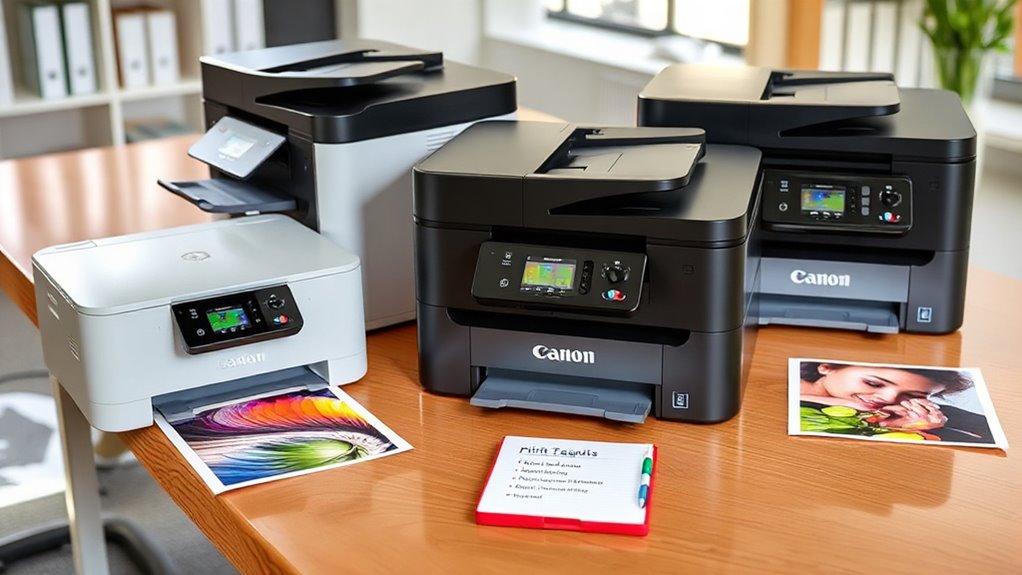
When you’re choosing a Canon MegaTank printer, there are several key factors to keep in mind. You’ll want to evaluate features like print speed, ink yield, and connectivity options that fit your needs.
Don’t forget to think about the size and design that would best suit your workspace. It’s all about finding the right balance between functionality and convenience.
Key Features To Examine
Choosing a Canon MegaTank printer involves examining several key features that can greatly enhance your printing experience. First, consider the print resolution, with a maximum of 4800 x 1200 dpi for sharp, vibrant images.
You’ll also want to evaluate the page yield—some models can print up to 6,000 black and white and 7,700 color pages, cutting down on ink replacements. Connectivity options are vital too; look for USB and Wi-Fi capabilities for seamless integration with your devices.
Additionally, features like automatic duplex printing and mobile printing enhance convenience and save time. By focusing on these aspects, you’ll guarantee a printer that meets your needs and boosts productivity.
Print Speed Considerations
How important is print speed in your decision-making process for a Canon MegaTank printer? Print speed is measured in pages per minute (ppm), with typical black and white speeds ranging from 11 to 24 ppm.
Color prints usually lag behind, at about 6 to 10 ppm, so think about your primary needs. If you frequently tackle high-volume printing tasks, opting for a faster model can save you a lot of waiting time.
Keep in mind that automatic duplex printing features may slow things down, as they take extra time to flip the paper. Ultimately, always weigh print speed against print resolution; faster speeds can sometimes compromise quality, especially for color documents and images.
Ink Yield Efficiency
While print speed is important, ink yield efficiency can really make a difference in your overall printing experience with a Canon MegaTank printer. These printers usually offer impressive ink yield. Some models can produce up to 6,000 black & white pages and 7,700 color pages from just one ink set.
That means fewer replacements and lower costs—about 2.5 cents per 4” x 6” color photo. Plus, many models even come with enough ink to last up to two years. This makes them super convenient for high-volume users.
The refillable ink tanks make topping up the ink easy, so you don’t have to worry about frequent interruptions. Overall, Canon MegaTank printers offer sustainable, long-lasting performance that’s perfect for both home and office use.
Connectivity Options Available
When selecting a Canon MegaTank printer, connectivity options play an essential role in your decision-making process. Many models offer both USB and Wi-Fi, giving you flexibility for various setups.
If you’re often on the go, wireless connectivity allows easy mobile printing from your smartphone or tablet, making it super convenient. Some printers even feature dual-band Wi-Fi (2.4GHz and 5GHz) for a more stable connection and reduced interference, which is a huge plus.
Additionally, certain models are compatible with voice-activated devices, enabling hands-free operation for added accessibility. Most MegaTank printers also provide straightforward setup processes for both wired and wireless connections, ensuring you can get started quickly without hassle.
Size And Design Preferences
Choosing the right size and design for your Canon MegaTank printer is crucial, especially if you have limited space. Compact models, measuring around 14.3″ D x 16.4″ W x 7″ H, fit perfectly in small home offices or tight desks.
They weigh between 13.2 and 19.5 pounds, offering portability without sacrificing stability. Many designs feature a sleek aesthetic that complements modern workspaces, often available in neutral colors like white or black.
Remember, dimensions can vary considerably, from approximately 14.3″ to 21.9″ in depth. So, make sure it fits your designated area.
A compact footprint combined with features like automatic document feeders can really boost usability in tight spaces. This makes your printing experience seamless and efficient.
Frequently Asked Questions
How Do Megatank Printers Compare in Cost to Traditional Inkjet Printers?
MegaTank printers typically save you money in the long run. Their refillable ink tanks reduce printing costs considerably compared to traditional inkjet printers.
Those inkjets? They require frequent cartridge replacements, which means higher ongoing expenses. So, if you print a lot, MegaTank printers can be a smarter, more cost-effective choice.
Can I Use Third-Party Ink With Canon Megatank Printers?
Did you know that using third-party ink can save you up to 60% on printing costs? It’s pretty impressive how much you can cut down your expenses just by switching inks.
You can use third-party ink with Canon MegaTank printers, but keep in mind it might void your warranty. Plus, it could affect the print quality, so it’s a bit of a trade-off.
What Type of Paper Is Best for Megatank Printers?
For MegaTank printers, use high-quality inkjet paper for vibrant colors and sharp details. If you’re printing photos, glossy or satin finishes work best.
When it comes to documents, standard printer paper is a reliable choice. It does the job well and keeps things simple.
Are Megatank Printers Eco-Friendly?
Yes, MegaTank printers are eco-friendly. Their refillable ink tanks reduce waste from cartridges, and you can print more pages per refill.
How Often Should I Clean My Megatank Printer?
You should clean your MegaTank printer every few months. But let’s be honest—it’s not like you’re printing a masterpiece daily, right?
Just keep an eye on print quality, and clean as needed. Easy enough!
Conclusion
In the vast ocean of printing options, choosing the right Canon MegaTank printer can feel like finding a needle in a haystack. However, with their impressive efficiency and cost-effectiveness, these printers offer a delightful escape from the mundane.
Whether you need vibrant color prints or reliable all-in-one functionality, there’s a perfect match waiting for you. So, plunge into and discover your ideal Canon MegaTank companion—it might just transform your printing experience into something extraordinary!
With Canon MegaTank printers, you get the best of both worlds: high-quality prints and budget-friendly ink solutions. These printers are designed to keep your printing smooth and affordable, making them a smart choice for home, office, or creative use.
If you’re looking for reliability, versatility, and vibrant results, a Canon MegaTank printer is definitely worth considering. Dive into this selection and find the perfect Canon MegaTank printer for your needs—it’s a game-changer in the world of printing!