10 Best Canon MegaTank Printers for 2027
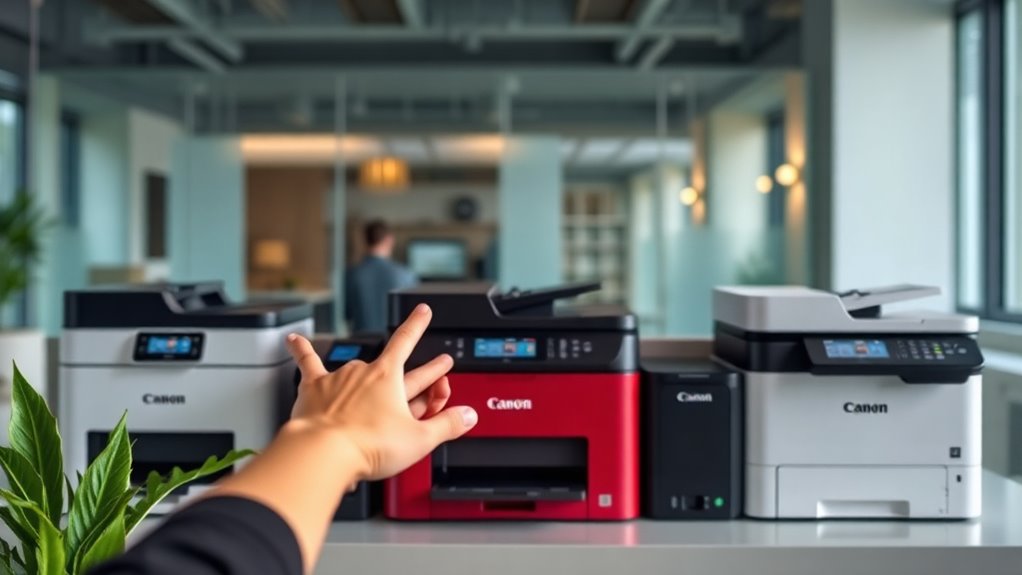
If you’re on the hunt for the best Canon MegaTank printers for 2027, you’re in the right place. These printers are perfect for anyone wanting reliable performance without constantly worrying about ink refills.
Whether you need a printer for home use, a small office, or something that handles high-volume tasks, Canon has you covered.
Models like the G3270 and G3290 are great choices for homes and small offices. They offer high ink yields, so you get more prints for your money.
The PIXMA G620 stands out if photo quality is your top priority. And for those with heavy printing needs, the MAXIFY GX2020 delivers powerful performance without compromising on quality.
Choosing the right Canon MegaTank printer can make a big difference, so keep exploring to find the perfect fit for your needs.
| Image | Name | Editor's Rating | Price |
|---|---|---|---|

|
|
||

|
|
||

|
|
||

|
|
||

|
|
Canon MegaTank G3270 All-in-One Wireless Color Printer
- Wireless Print/Copy/Scan
- Up to 2 years of ink included (2)
- Print up to 6,000 black & white / 7,700 color pages using a single set of inks! (1)

The Canon MegaTank G3270 All-in-One Wireless Color Printer is designed to enhance your printing experience with convenience and efficiency. Its compact design fits easily into any home or office space, solving the problem of bulky printers that take up too much room. This printer offers reliable, versatile functionality for everyday tasks.
Thanks to Canon’s MegaTank technology, you can print thousands of pages before needing to refill ink. This reduces maintenance time and lowers running costs, making it ideal for users who want consistent output without frequent interruptions. The printer handles both black-and-white and color printing with ease.
Wireless connectivity allows you to print directly from smartphones and tablets, streamlining your workflow. This feature eliminates the hassle of cables and makes printing more accessible from anywhere in your space. Though the print speed is moderate, it balances quality and performance well for typical home or small office use.
The single paper tray supports straightforward operation but may require manual switching for different paper types. Overall, this printer meets the needs of users seeking an efficient, space-saving device with long-lasting ink supply.
Best for: Home and small office users needing a compact, versatile printer with high ink capacity and wireless convenience.
What We Like:
- High ink yield reduces frequent replacements
- Compact and space-saving design
- Wireless printing from mobile devices
- Easy maintenance with refillable ink tanks
Specification:
| Feature | Details |
|---|---|
| Manufacturer | Canon |
| Dimensions | Compact size (exact dimensions not provided) |
| Weight | Not specified |
| Color Options | Standard Canon printer colors |
Canon Megatank G3290 All-in-One Wireless Printer
- Wireless Print/Copy/Scan (2)
- Up to 2 years of ink included
- Print up to 6,000 black & white / 7,700 color pages using a single set of inks! (1)
The Canon MegaTank G3290 All-in-One Wireless Printer offers a practical solution for home office printing challenges. Its all-in-one functionality lets you print, scan, and copy with ease, reducing the need for multiple devices. This helps save space and streamline your workflow.
Thanks to the innovative MegaTank ink system, you get a high page yield of up to 6,000 black-and-white and 7,700 color pages per ink set. This means fewer interruptions for refills and lower running costs. The printer delivers sharp images with print resolutions up to 4800 x 1200 dpi, ensuring professional-quality results.
Maintenance is straightforward with easy-to-refill ink tanks, minimizing downtime. The 2.7” LCD color touchscreen makes navigation simple, while wireless connectivity supports mobile and remote printing. Auto-duplex printing adds convenience by handling double-sided documents automatically.
The printer’s compact design suits smaller workspaces, but its 14.2-pound weight may limit portability. The paper tray holds up to 100 sheets, which fits typical home office needs but might require frequent refills for heavy use.
Best for: Home and small office users needing a versatile, low-maintenance printer with wireless capabilities.
What We Like:
- High ink capacity reduces refill frequency
- Crisp print quality with high resolution
- User-friendly touchscreen interface
- Wireless printing for mobile convenience
- Automatic double-sided printing
Specification:
| Feature | Details |
|---|---|
| Manufacturer | Canon |
| Dimensions (W×D×H) | 17.7 × 12.7 × 5.9 inches |
| Weight | 14.2 lb (6.44 kg) |
| Color Options | Black |
Canon PIXMA G620 Wireless All-in-One Printer
- Never run out of ink. Connect your printer to Alexa and receive notifications when you’re running low. Alexa can even...
- Enrolling in Smart Reorders with Alexa ensures that you never have too much or too little ink supplies. No subscription...
- MEGATANK HIGH PAGE YIELD: Print up to 3,800 4” x 6” color photos on a full set of ink.
The Canon PIXMA G620 Wireless All-in-One Printer delivers vibrant, detailed prints that bring your photos to life. Its 6-color dye-based ink system, including Red and Gray, expands the color range for rich, accurate images. This system also helps reduce the cost and frequency of ink replacements, making it a practical choice for frequent photo printing.
Designed to fit neatly into any workspace, the printer’s compact build ensures it won’t dominate your desk. It handles everyday printing tasks with ease, while its wireless connectivity adds convenience for seamless printing from multiple devices. The printer supports media sizes up to 8.5 x 14 inches, accommodating most common photo and document dimensions.
Maintenance is straightforward with easy-to-replace ink bottles that help minimize mess and downtime. While the print speed is moderate at 3.9 pages per minute, the focus here is on quality over speed. The printer’s weight of 19.5 pounds means it’s better suited for a stationary setup rather than frequent relocation.
Best for: Photography enthusiasts seeking high-quality, cost-effective photo prints in a compact, wireless printer.
What We Like:
- Expanded color gamut with 6-color dye-based ink system
- Low cost per photo for frequent printing
- Compact design fits easily into small spaces
- Wireless connectivity for flexible printing options
- Simple ink refill system reduces maintenance hassle
Specification:
| Feature | Details |
|---|---|
| Manufacturer | Canon |
| Dimensions (W×D×H) | Compact, fits small spaces |
| Weight | 19.5 lb (8.85 kg) |
| Ink System | 6-color dye-based |
| Max Media Size | 8.5 x 14 inches |
| Connectivity | Wireless |
Canon MAXIFY GX2020 All-in-One Wireless Color Printer
- Wireless Print/Copy/Scan/Fax (2)
- Print up to 3,000 black & white / 3,000 color pages using a single set of inks! (1)
- 2.7” LCD Color Touchscreen
The Canon MAXIFY GX2020 All-in-One Wireless Color Printer is designed to keep busy professionals and home offices running smoothly. Its versatile functions let you print, copy, scan, and fax without cluttering your workspace. This compact device fits easily on your desk, helping you maintain an organized and efficient environment.
With print speeds of 15 pages per minute in black and white and 10 in color, it reduces wait times for important documents. The intuitive 2.7-inch touchscreen simplifies operation, while the 35-sheet Automatic Document Feeder supports multitasking and boosts productivity throughout your workday.
Maintenance is straightforward thanks to its high-yield ink system, which prints up to 3,000 pages per ink set. This means fewer interruptions for cartridge changes, allowing you to focus more on your tasks. However, the printer’s ink system may need specific upkeep to maintain optimal performance over time.
While the MAXIFY GX2020 weighs 17.8 pounds, making it less ideal for frequent moves, its compact design and reliable output make it a strong choice for high-volume printing needs. Its print resolution is adequate for most business tasks but may not satisfy users requiring top-tier photo quality.
Best for: Professionals and home office users who need a dependable all-in-one printer with robust ink capacity and versatile functionality.
What We Like:
- High ink yield reducing cartridge replacements
- Fast print speeds for efficient workflow
- Easy-to-navigate touchscreen interface
- Compact design with automatic document feeder
- Suitable for high-volume office tasks
Specification:
| Feature | Details |
|---|---|
| Manufacturer | Canon |
| Dimensions (W×D×H) | Not specified |
| Weight | 17.8 lb (8.1 kg) |
| Color Options | Not specified |
| Connectivity | Wireless |
Canon Megatank GX7120 Wireless All-in-One Printer
- Up to 2 years of ink included in the box.Claim of up to two (2) years of ink based on average monthly document print...
- EASY SETUP Get running in just a few minutes thanks to a streamlines and easy setup process out of the box.
- 2.7” LCD TOUCH SCREEN Get the job done easy with an intuitive and easy to use 2.7” touchscreen LCD.
The Canon MegaTank GX7120 Wireless All-in-One Printer is designed to simplify busy office workflows. It combines printing, copying, scanning, and faxing in one compact device. This versatility helps reduce clutter and speeds up daily tasks.
Maintenance is hassle-free with high-capacity ink tanks that can last up to two years. This feature lowers running costs and minimizes interruptions. The printer’s wireless connectivity also allows you to print from multiple devices without cables, adding convenience.
The user-friendly 2.7″ LCD touchscreen makes operation straightforward for all users. Print speeds of 15.5 pages per minute in color and 24 in black and white keep up with demanding workloads. However, its 28.6-pound weight can make relocation difficult, and the 50-sheet capacity may limit high-volume printing.
Overall, the Canon MegaTank GX7120 is a practical choice for offices seeking efficient, multifunction printing with easy maintenance and reliable performance.
Best for: Busy offices needing multifunction printing with cost-effective ink solutions and wireless convenience.
What We Like:
- Long-lasting ink tanks reduce refill frequency and costs
- Fast printing speeds support productivity
- Intuitive 2.7″ LCD touchscreen eases navigation
- Wireless setup enables printing from various devices
- Compact design fits well in limited workspace
Specification:
| Feature | Details |
|---|---|
| Manufacturer | Canon |
| Dimensions (W×D×H) | Not specified |
| Weight | 28.6 lb (13 kg) |
| Color Options | Not specified |
| Connectivity | Wireless |
| Functions | Print, Copy, Scan, Fax |
Canon PIXMA PRO-200S Wireless Inkjet Photo Printer

- 8 COLOR dye-based ink system produces vibrant, high quality prints.
- BORDERLESS PRINTING from 3.5” x 3.5” up to 13” x 19”.
- HIGH SPEED PRINTING — bordered A3+ print in just 90 seconds or bordered 8" x 10" print in 53 seconds.
The Canon PIXMA PRO-200S transforms how photographers and artists produce vibrant, detailed prints. Its high-resolution output of 4800 x 2400 dpi ensures every image is sharp and rich in color. This wireless inkjet printer simplifies your workflow by supporting various print sizes, including borderless photos up to 13” x 19”.
Designed for ease of use, the PRO-200S features intuitive connectivity options like Wi-Fi, Ethernet, and USB. This flexibility allows seamless integration into any creative workspace. The compact design fits comfortably in studios without taking up too much space.
Maintenance is straightforward with the 3.0-inch color LCD monitor, which makes checking ink levels quick and hassle-free. The dye-based 8-color ink system delivers vibrant results but requires regular ink replacement to maintain print quality. Note that this model focuses solely on printing, without scanning or copying capabilities.
Its print speed is adequate for moderate workloads but may not satisfy high-volume demands. Weighing 32 pounds, the printer is relatively portable for studio use but not ideal for frequent transport.
Best for: Photographers and artists seeking a reliable wireless inkjet printer that produces high-quality, vivid prints across a range of sizes.
What We Like:
- Exceptional 4800 x 2400 dpi resolution for crisp, vibrant images
- Supports borderless printing from small to large formats
- Multiple connectivity options including Wi-Fi and Ethernet
- User-friendly 3.0-inch color LCD for easy ink monitoring
Specification:
| Feature | Details |
|---|---|
| Manufacturer | Canon |
| Dimensions (W×D×H) | Not specified |
| Weight | 32 lb (14.5 kg) |
| Ink System | 8-color dye-based |
| Print Resolution | 4800 x 2400 dpi |
| Max Print Size | 13” x 19” |
| Connectivity | Wi-Fi, Ethernet, USB |
| Display | 3.0-inch color LCD |
Canon PIXMA TS9521Ca – Wireless Home All-in-One Inkjet Printer

- ALL-IN-ONE: Print, Copy, Scan features for full control at your fingertips. Comes with a 1 year limited warranty.
- FAST PRINT SPEEDS: Print approximately 15 (black) / 10 (color) images per minute.
- EASY SETUP and INSTALL: Get running in just a few minutes thanks to a streamlined and easy setup process out of the box...
Experience seamless home printing with the Canon PIXMA TS9521Ca, designed to meet diverse needs effortlessly. This all-in-one inkjet printer combines printing, copying, and scanning into one compact device, making it ideal for busy households.
The intuitive 4.3-inch touch LCD screen simplifies navigation, allowing you to manage tasks without hassle. Its high print resolution of 4800 x 1200 dpi ensures sharp text and vibrant images, enhancing your projects and documents.
With a 200-sheet capacity and a 20-sheet auto document feeder, this printer handles multiple media types and batch scanning smoothly. Wireless connectivity enables printing directly from smartphones and tablets, offering convenience throughout your home.
Maintenance involves replacing five individual ink cartridges, which supports efficient ink use but may increase running costs. While print speeds are moderate, particularly for color prints, the PIXMA TS9521Ca balances functionality with quality.
Best for: Families or individuals seeking a versatile all-in-one wireless printer that supports various media types and simplifies home office or creative tasks.
What We Like:
- Crisp, high-resolution printing for detailed photos and documents
- Easy-to-use 4.3” touch LCD screen for quick operation
- Wireless printing from mobile devices for added convenience
- Handles multiple paper types with a large capacity and auto feeder
Specification:
| Feature | Details |
|---|---|
| Manufacturer | Canon |
| Dimensions (W×D×H) | 17.3 × 14.3 × 5.9 inches |
| Weight | Approximately 13.3 lbs |
| Printer Type | All-in-One Inkjet |
| Color Options | Standard (Black/White) |
| Connectivity | Wireless, USB |
| Screen | 4.3-inch Touch LCD |
| Paper Capacity | 200 sheets + 20-sheet ADF |
| Print Resolution | Up to 4800 x 1200 dpi |
Canon PIXMA G6020 All-in-One Wireless Printer

- Wireless Print/Copy/Scan (2)
- Up to 2 years of ink included - Disclaimer: Claim of up to two (2) years of ink based on average monthly document print...
- Print up to 6,000 black & white / 7,700 color pages using a single set of inks! (1)
The Canon PIXMA G6020 All-in-One Wireless Printer is designed to meet the demands of users who need reliable, high-volume printing without breaking the bank. This multifunctional device allows you to print, copy, and scan, making everyday tasks more efficient. Its high ink capacity means fewer replacements, saving you time and money.
With the ability to print up to 6,000 black-and-white pages and 7,700 color pages per ink set, this printer reduces interruptions and lowers overall costs. The crisp print resolution of 4800 x 1200 dpi ensures your documents and images come out sharp and professional. It also supports automatic duplex printing, helping you save paper and streamline your workflow.
Maintaining the PIXMA G6020 is straightforward thanks to its refillable ink tanks, which make it easier to manage ink levels and reduce waste. The 350-sheet input capacity means you can handle large print jobs without frequent refills, ideal for busy offices or households.
While weighing 17.8 pounds and featuring a basic 2-line LCD, it may not suit users needing ultra-portability or advanced display options. However, its robust design and cost-efficient operation make it a solid choice for those focused on volume and value.
Best for: Budget-conscious users and small businesses needing efficient, high-capacity printing solutions.
What We Like:
- High page yield reduces ink replacement frequency and cost.
- Multifunctional design supports printing, copying, and scanning.
- Automatic duplex printing saves paper and time.
- Large 350-sheet capacity minimizes paper refills.
- Refillable ink tanks simplify maintenance and reduce waste.
Specification:
| Feature | Details |
|---|---|
| Manufacturer | Canon |
| Dimensions | Not specified |
| Weight | 17.8 lb (8.07 kg) |
| Material | Not specified |
| Color Options | Not specified |
Canon Megatank GX1020 All-in-One Wireless Printer
No products found.
The Canon MegaTank GX1020 offers a smart solution for those who need a reliable all-in-one printer that handles everyday tasks effortlessly. It helps reduce interruptions with a high page yield, allowing you to print up to 3,000 pages in black or color without frequent ink changes. This minimizes downtime and keeps your workflow smooth.
Designed for ease of use, the GX1020 features a 2.7″ LCD touchscreen that simplifies navigating print, copy, and scan functions. Its automatic duplex printing saves paper and time, making it ideal for busy households or small offices that want efficient document management.
Connectivity is straightforward with dual-band WiFi, USB, and wired LAN options. This ensures seamless printing from multiple devices, whether at home or in a small office setting. The printer’s compact design and moderate weight make it practical while maintaining energy efficiency.
Maintenance is simplified by the MegaTank system, which reduces the hassle and cost of ink replacements. However, the setup process might feel a bit challenging for some users, especially when connecting wirelessly. The print resolution meets most needs, though it may not satisfy those requiring high-end photo or graphic quality.
Best for: Busy households or small offices that require a reliable and efficient all-in-one printing solution.
What We Like:
- High page yield with economical ink usage
- Easy-to-use 2.7″ LCD touchscreen interface
- Versatile connectivity including dual-band WiFi and wired LAN
- Automatic duplex printing for paper and time savings
- Compact, energy-efficient design suitable for limited spaces
Specification:
| Feature | Details |
|---|---|
| Manufacturer | Canon |
| Dimensions | Not specified |
| Weight | 15.4 lb (7.0 kg) |
| Color Options | Not specified |
| Connectivity | Dual-band WiFi, USB, Wired LAN |
Canon Megatank GX3020 All-in-One Wireless Printer

- Wireless Print/Copy/Scan (2)
- Up 2 years of ink included (3)
- Print up to 6,000 black & white / 14,000 color pages using a single set of inks! (1)
Experience seamless printing with the Canon Megatank GX3020 All-in-One Wireless Printer, designed to simplify your daily tasks. It combines printing, copying, and scanning in one compact device, ideal for busy home offices or small businesses. The wireless feature offers hassle-free connectivity, keeping your workspace clutter-free.
This printer addresses frequent ink replacement issues by including up to two years of ink. You can print an impressive 6,000 black-and-white pages or 14,000 color pages before a refill is needed. This reduces downtime and maintenance, letting you focus on your work without interruptions.
With fast print speeds of 18 pages per minute for black-and-white and 13 pages per minute for color, productivity remains high. The 1.35″ monochrome LCD screen makes operation straightforward, although it offers fewer visual cues compared to color displays.
The Canon GX3020 supports mobile printing and auto-duplex printing, adding convenience for everyday use. Its large 350-sheet paper capacity ensures fewer reloads, making it a dependable choice for high-volume printing tasks.
Best for: Small office or home users who need a versatile, high-capacity all-in-one printer with low maintenance.
What We Like:
- Long-lasting ink supply reduces frequent replacements
- Fast printing speeds enhance workflow efficiency
- Wireless and mobile printing increase convenience
- Auto-duplex printing saves paper and effort
- Large paper capacity minimizes interruptions
Specification:
| Feature | Details |
|---|---|
| Manufacturer | Canon |
| Dimensions | Not specified |
| Weight | 18.2 lb (8.25 kg) |
| Display | 1.35″ Monochrome LCD |
| Paper Capacity | 350 sheets |
| Connectivity | Wireless |
Factors to Consider When Choosing the Canon Megatank Printer 2026
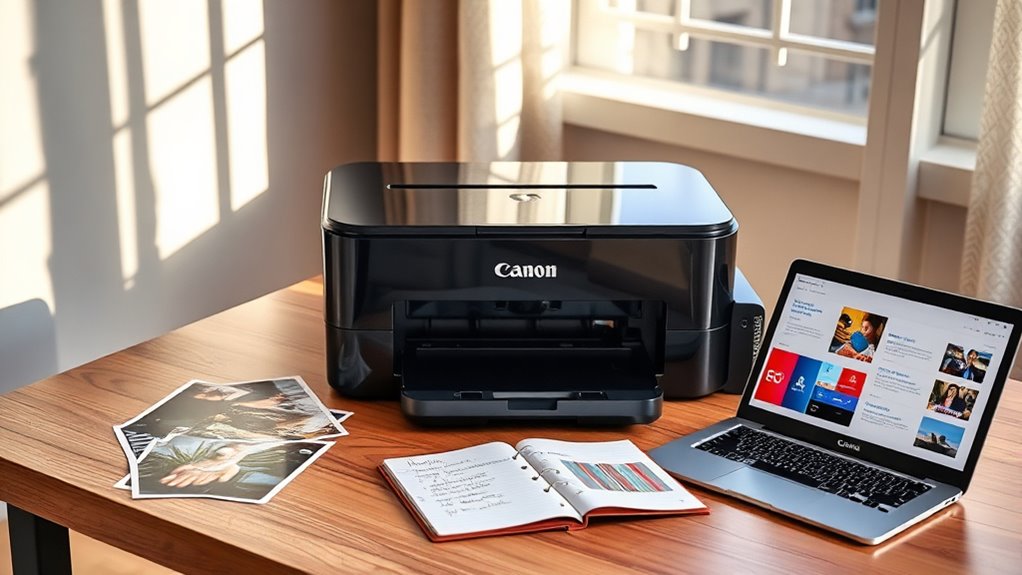
When you’re choosing a Canon MegaTank printer for 2026, you’ll want to evaluate key features that match your needs. Reviewing print quality and cost-effectiveness will help guarantee you get great value.
Don’t forget to compare connectivity options and consider the size and design to fit your space. It’s all about finding the right balance for what you need. Take your time to make sure it’s a perfect fit!
Key Features Evaluation
Choosing a Canon MegaTank printer means considering several key features that can elevate your printing experience. First, look at print speed; many models print black and white documents at 11 to 24 pages per minute, and color documents at 6 to 18 pages.
Next, consider page yield—enjoy up to 6,000 black and white pages and 7,700 color pages per ink set. This means you won’t need to replace your ink too often, which is pretty convenient.
Additionally, a high print resolution of up to 4800 x 1200 dpi guarantees sharp text and vibrant colors. Don’t overlook connectivity options like USB, Wi-Fi, and mobile printing for seamless integration.
Finally, automatic duplex printing enhances productivity while saving paper. It’s a smart choice for your printing needs.
Print Quality Assessment
Print quality plays a significant role in your overall satisfaction with a Canon MegaTank printer. With resolutions up to 4800 x 1200 dpi, you can expect sharp, vibrant prints that bring your text and images to life.
The 6-color dye-based ink system in some models enhances the color gamut, resulting in more accurate photo reproductions. If you’re a photo enthusiast, you’ll appreciate the borderless printing options, perfect for full-page prints.
Speed is also a factor; black-and-white prints can reach up to 24 pages per minute, while color prints hit around 15 pages per minute. This caters to your varying needs.
Cost-Effectiveness Analysis
Considering the rising costs of printing, Canon MegaTank printers stand out as a smart choice for budget-conscious users. They offer substantial savings, with ink sets yielding up to 6,000 black and white pages and 7,700 color pages. This drastically lowers your cost per page compared to traditional cartridge systems.
You can save up to $1,175 in ink costs over time, making these printers perfect for high-volume printing needs. Plus, certain models come with up to two years of ink included, so you won’t face immediate additional expenses.
If you’re into photo printing, the average cost per 4” x 6” color photo is just 2.5 cents. Automatic duplex printing further reduces paper use, enhancing your overall savings. It’s a great way to keep your printing budget in check without sacrificing quality.
Connectivity Options Comparison
When it comes to selecting the right Canon MegaTank printer for your needs, connectivity options play an essential role. Most models offer USB and Wi-Fi, making it easy to connect with smartphones and tablets.
Dual-band Wi-Fi (2.4/5 GHz) enhances speed and stability, ensuring smooth wireless printing. If you prefer mobile printing, many printers support dedicated apps, allowing you to print effortlessly from your devices.
For areas with weak Wi-Fi signals, consider models with Ethernet connectivity for a reliable wired option. Additionally, some printers are compatible with cloud services and voice-activated devices like Alexa, offering modern solutions for a seamless printing experience.
Choose wisely to match your connectivity needs!
Size and Design Considerations
Choosing the right size and design for your Canon MegaTank printer can greatly impact your overall printing experience. First, consider the dimensions; models can vary from 14.3″ D x 16.4″ W x 7″ H to over 28″ in depth.
If you need portability, pay attention to weight, with options ranging from 13.2 pounds to over 32 pounds. Compact designs are ideal for limited spaces, fitting nicely on desks or shelves.
Also, think about paper handling capacity—some printers support up to 350 sheets, reducing the frequency of refills. Finally, evaluate the layout and accessibility of controls.
User-friendly touchscreens can enhance your experience compared to basic monochrome displays, making operation smoother and more intuitive.
Warranty and Support Options
Understanding the warranty and support options for Canon MegaTank printers can greatly enhance your purchasing decision. Most models come with a 1-year limited warranty, covering defects and issues.
If you opt for the Canon MAXIFY GX2020, you can benefit from an extended warranty of up to 3 years or 60,000 pages. This gives you some extra peace of mind.
Additionally, Canon offers a 30-day return policy, so you can return the printer if it doesn’t meet your needs. Their extensive service network guarantees you’ll have access to customer support for troubleshooting and maintenance.
Plus, spare parts remain available for up to 5 years after purchase. This helps you keep your printer running efficiently over time.
Frequently Asked Questions
How Do Canon Megatank Printers Compare to Traditional Inkjet Printers?
Canon MegaTank printers offer lower cost-per-page and less frequent refills compared to traditional inkjet printers. You’ll enjoy high-quality prints while saving money and time, making them an efficient choice for home or office use.
Plus, because you don’t have to replace ink cartridges as often, it’s way more convenient. It’s a smart option if you print a lot and want to avoid the hassle of constant refills.
What Is the Average Cost of Replacement Ink for Megatank Printers?
The average cost of replacement ink for MegaTank printers is around $15 to $25 per bottle, depending on the color. You’ll save considerably compared to traditional inkjet cartridges, making it a cost-effective choice for printing.
It’s pretty straightforward—these bottles go a long way, so you don’t have to keep buying new ones all the time. Plus, the price per page ends up being much lower, which is great if you do a lot of printing.
Are Canon Megatank Printers Compatible With Mobile Printing Apps?
Like a bridge to creativity, Canon MegaTank printers connect seamlessly with mobile printing apps.
You’ll find it easy to print from your smartphone or tablet, turning your ideas into vibrant reality with just a few taps.
It’s super convenient, right? Just a couple of clicks and you’re all set to go!
How Long Do Canon Megatank Printers Typically Last?
Canon MegaTank printers typically last five to ten years, depending on usage and maintenance.
If you take care of it well, you’ll enjoy reliable performance and consistent print quality throughout its lifespan.
Can Megatank Printers Handle Different Paper Sizes and Types?
Yes, MegaTank printers handle various paper sizes and types, from letter to legal and glossy to matte.
You’ll enjoy versatility, whether you’re printing documents, photos, or creative projects. All with stunning quality.
Conclusion
In summary, choosing a Canon MegaTank printer guarantees you’ll enjoy high-quality prints and significant savings on ink. These printers are built to last and help you cut down on costly cartridge replacements.
You might worry about the initial cost, but remember that these printers are designed for efficiency and long-term use, making them a smart investment. Plus, with their user-friendly features, you’ll find they suit both home and office needs perfectly.
Don’t let upfront cost deter you; the savings and convenience will pay off in no time! Investing in one of the best Canon MegaTank printers for 2027 means you get reliable performance and excellent value, making it easier to manage your printing needs without breaking the bank.