10 Best Canon Photo Printers for 2027 That Deliver Stunning Prints
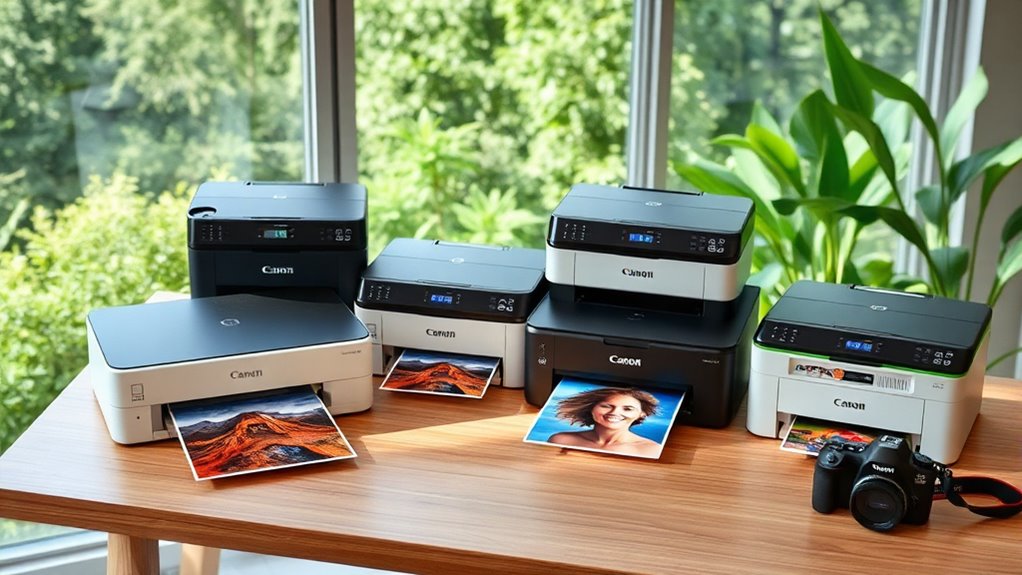
If you’re on the hunt for the best Canon photo printers in 2027, you’re in luck! Canon offers a fantastic range of photo printers that deliver stunning prints with vibrant colors and sharp details.
Whether you need something portable, professional, or perfect for everyday use, there’s a Canon printer that fits the bill.
The Canon SELPHY CP1500 is ideal for those who want portable printing on the go. Meanwhile, the PIXMA PRO-200S shines when it comes to producing professional-quality images that truly impress.
For exceptional color accuracy, the imagePROGRAF PRO-310 stands out as a top choice. And if you’re managing a busy household, the PIXMA TS6520 is designed to keep up with your everyday printing needs.
Each printer has unique features tailored to different users. Keep reading to explore more about these incredible machines and find the perfect one for you!
| Image | Name | Editor's Rating | Price |
|---|---|---|---|

|
|
||

|
|
||

|
|
||

|
|
||

|
|
Canon SELPHY CP1500 Compact Photo Printer White
No products found.
The Canon SELPHY CP1500 Compact Photo Printer is designed to bring high-quality photo printing wherever you go. Its lightweight and compact design makes it easy to carry, solving the problem of bulky printers that limit mobility. You can print sharp, vibrant photos quickly without needing a computer or complex setup.
This printer supports wireless connectivity through Wi-Fi and AirPrint, allowing seamless printing from smartphones and tablets. Its 3.5-inch display offers simple, on-the-spot photo editing, giving you control over your prints. The printer uses specialized photo paper that produces water-resistant images with instant drying, ensuring long-lasting memories.
Maintenance is straightforward with minimal upkeep required. The compact size and efficient design mean you can set it up or pack it away quickly. While it focuses on smaller print sizes like 4”x6” and 2.1”x2.1” squares, this model is ideal for personal use or casual photographers who prioritize convenience over volume.
Best for: Individuals needing a portable, easy-to-use photo printer for quick, high-quality prints on the go.
What We Like:
- Lightweight and compact for easy transport
- Water-resistant, instant-dry photos that last up to 100 years
- Wireless printing with Wi-Fi, AirPrint, and USB connectivity
Specification:
| Feature | Details |
|---|---|
| Manufacturer | Canon |
| Dimensions | 7.2 x 5.2 x 2.3 inches |
| Weight | 1.58 kg |
| Color Options | White |
Canon SELPHY CP1500 Wireless Printer with RP-108IN Ink, Paper & Bag
- PRINT STUNNING PHOTOS ANYWHERE - Create vibrant, lab-quality 4x6 photos in seconds with the Canon SELPHY CP1500 compact...
- COMPLETE READY-TO-PRINT BUNDLE - Includes Canon SELPHY CP1500 Wireless Compact Photo Printer, Canon KP-108IN Color Ink...
- WIRELESS AND EASY TO USE - Print directly from compatible smartphones, tablets, cameras, and computers using Wi-Fi...

Experience the convenience of printing high-quality photos wherever you go with the Canon SELPHY CP1500 Wireless Printer. This compact photo printer fits easily in your bag, making it an ideal choice for travelers and event-goers. Its lightweight design ensures you can carry it effortlessly for quick prints on the move.
Using dye-sublimation technology, this printer produces vibrant 4×6 photos that can last up to 100 years. The included RP-108IN ink and paper set provides 108 sheets, allowing you to start printing immediately. This combination offers durability against water and fading, so your memories stay sharp over time.
Wireless connectivity allows you to print directly from your smartphone or tablet using the SELPHY Photo Layout app. This feature simplifies photo sharing and printing without the need for cables or a computer. An optional battery pack enhances portability for use at events or outdoor locations.
Maintenance is straightforward with the dedicated ink and paper set, though keep in mind that supplies are specific to this model. The printer’s compact size and ease of use make it perfect for capturing and preserving moments wherever life takes you.
Best for: Anyone needing a portable photo printer that delivers long-lasting, vibrant prints for travel, celebrations, or everyday snapshots.
What We Like:
- Compact, lightweight design ideal for on-the-go printing
- Durable prints with up to 100 years of lifespan
- Wireless printing via smartphone and tablet app
- Includes 108 sheets of photo paper and ink set
- Optional battery pack for added portability
Specification:
| Feature | Details |
|---|---|
| Manufacturer | Canon |
| Dimensions | Compact, fits easily in a bag |
| Weight | Lightweight for travel |
| Print Size | 4×6 inches |
| Included Supplies | RP-108IN ink and paper set (108 sheets) |
| Connectivity | Wireless (smartphone/tablet) |
Canon PIXMA PRO-200S Wireless Inkjet Photo Printer
- 8 COLOR dye-based ink system produces vibrant, high quality prints.
- BORDERLESS PRINTING from 3.5” x 3.5” up to 13” x 19”.
- HIGH SPEED PRINTING — bordered A3+ print in just 90 seconds or bordered 8" x 10" print in 53 seconds.
The Canon PIXMA PRO-200S delivers vibrant, high-quality photo prints that meet the demands of serious photographers and artists. Its advanced 8-color dye-based ink system ensures rich colors and sharp details, making every image come to life on paper.
This wireless inkjet printer supports various media sizes, including borderless printing up to 13” x 19”. Quick print speeds mean you won’t wait long for a bordered A3+ print, taking just 90 seconds. The device’s intuitive 3.0-inch color LCD monitor helps you manage settings and monitor ink levels with ease.
Designed for convenient setup, the PRO-200S offers multiple connectivity options like Wi-Fi, Ethernet, and USB. While it excels at producing gallery-quality prints, it focuses solely on printing, without copying or scanning functions. Its sturdy build and larger footprint require a dedicated workspace.
Maintenance is straightforward, with clear ink level displays to help you plan replacements. The printer is Energy Star certified, promoting efficient energy use without compromising performance.
Best for: Photographers and artists who need vibrant, professional-quality prints with flexible media handling.
What We Like:
- High-quality prints with an 8-color dye-based ink system
- Fast print speed, 90 seconds for a bordered A3+ print
- Multiple connectivity options including Wi-Fi, Ethernet, and USB
- Easy-to-use 3.0-inch color LCD monitor
- Energy Star certified for efficient power use
Specification:
| Feature | Details |
|---|---|
| Manufacturer | Canon |
| Dimensions (W x D x H) | Approx. 23.5 x 14 x 7.9 inches |
| Weight | 32 pounds (14.5 kg) |
| Ink System | 8-color dye-based ink |
| Max Print Resolution | 4800 x 2400 dpi |
| Max Media Size | Borderless up to 13” x 19” |
Canon imagePROGRAF PRO-310 Wireless Inkjet Photo Printer
- 9 COLOR + CHROMA OPTIMIZER pigment-based ink system produces gallery-quality prints.
- EASE OF USE — ultimate productivity with Anti-Clogging System and Skew Correction.
- MATTE BLACK INK offers enhanced black density and wider dark area reproduction range.
Experience professional-grade photo printing with the Canon imagePROGRAF PRO-310, designed to deliver exceptional color accuracy and detail. This compact wireless inkjet printer addresses the challenge of producing gallery-quality prints in small studio spaces.
Its 9-color pigment-based ink system ensures vibrant colors and sharp images, making it ideal for photographers who demand precision. The printer supports various media sizes up to A4, allowing versatile use without compromising quality.
Maintaining the PRO-310 is straightforward, with reliable wireless and USB connectivity that fits seamlessly into your workflow. Its compact design, weighing just 31.6 pounds, saves space while offering professional-level functionality.
While the print speed of 2 pages per minute suits moderate workloads, it may not be ideal for high-volume printing. The printer focuses solely on printing tasks, lacking copying or multifunction features.
Best for: Professional photographers seeking a compact wireless printer that delivers precise, vivid prints with ease.
What We Like:
- Accurate and vivid color reproduction with 9-color pigment ink
- Compact size fits well in limited studio spaces
- Flexible connectivity options: Wi-Fi, Ethernet, and USB
- Supports various media sizes up to A4
- Simple integration into professional workflows
Specification:
| Feature | Details |
|---|---|
| Manufacturer | Canon |
| Dimensions (in) | 28.7 (D) x 18.6 (W) x 14.04 (H) |
| Weight | 31.6 lb (14.3 kg) |
| Ink System | 9-color pigment-based ink |
| Max Resolution | 1200 x 1200 dpi |
| Connectivity | Wi-Fi, Ethernet, USB |
| Max Media Size | Up to A4 |
Canon PIXMA TS6520 Wireless Color Inkjet Printer, 1.42″ OLED Display, White
- Affordable Versatility - A budget-friendly all-in-one printer perfect for both home users and hybrid workers, offering...
- Crisp, Vibrant Prints - Experience impressive print quality for both documents and photos, thanks to its 2-cartridge...
- Effortless Setup & Use - Get started quickly with easy setup for your smartphone or computer, so you can print, scan...
The Canon PIXMA TS6520 is designed to simplify printing for busy households and students. Its compact size and sleek white finish make it easy to fit into any workspace without taking up much room. The 1.42” OLED display provides clear, real-time updates on ink levels and printer status, helping you stay on top of maintenance with minimal effort.
This all-in-one printer handles both documents and photos with sharp text and vibrant colors, thanks to its 2-cartridge hybrid ink system. It supports borderless printing and automatic duplexing, reducing paper waste and making it a more eco-conscious choice. Wireless connectivity and mobile printing options ensure you can print directly from your smartphone, tablet, or laptop, offering flexible convenience.
Maintenance is straightforward, with easy cartridge replacement and intuitive controls that keep the printer running smoothly. While print speeds are moderate at up to 14 pages per minute, the PIXMA TS6520 balances quality and functionality rather than high-volume output.
Best for: Families and students needing a reliable, easy-to-use all-in-one printer for home or school tasks.
What We Like:
- Compact design fits easily into small spaces
- Clear OLED display simplifies monitoring and maintenance
- Vivid print quality with hybrid ink system
- Supports wireless and mobile printing
- Eco-friendly features like automatic duplexing
Specification:
| Feature | Details |
|---|---|
| Manufacturer | Canon |
| Dimensions | Compact (exact size not provided) |
| Weight | Not specified |
| Color Options | White |
| Display | 1.42″ OLED |
| Ink System | 2-cartridge hybrid ink |
Canon SELPHY CP1500 Wireless Printer with Ink & Paper
- SUPERIOR PRINT QUALITY - Achieve vibrant, detailed photos with 300 x 300 dpi dye-sublimation thermal transfer printing...
- VERSATILE CONNECTIVITY OPTIONS - Seamlessly print from various devices using Wi-Fi (802.11 b/g), USB 2.0 Type C, or...
- ENHANCED EASE OF USE - Navigate effortlessly with the intuitive 3.5" LCD screen and enjoy wireless printing...
Experience the convenience of high-quality photo printing anywhere with the Canon SELPHY CP1500. This compact printer uses dye-sublimation technology to produce vibrant, long-lasting images that resist fading and water damage. Its portability means you can capture and share memories instantly, whether at home or on the go.
The printer connects effortlessly via Wi-Fi or USB, allowing you to print directly from smartphones, tablets, or cameras. An optional battery pack enhances mobility by enabling up to 54 prints without needing a power source. The intuitive 3.5-inch LCD screen makes navigation and setup straightforward.
Maintenance is simple with easy-to-replace ink and paper cartridges designed specifically for this model. Its smaller 4 x 6-inch print size focuses on delivering sharp, detailed photos ideal for personal keepsakes or events. While the media size is limited, the SELPHY CP1500 excels in producing durable prints with customizable finishes.
Best for: Individuals seeking a portable, reliable photo printer for vibrant, long-lasting prints on the move.
What We Like:
- Vivid 300 x 300 dpi dye-sublimation print quality
- Multiple connectivity options including Wi-Fi and USB
- Compact, lightweight design with optional battery for true portability
- User-friendly 3.5-inch LCD for easy operation
Specification:
| Feature | Details |
|---|---|
| Manufacturer | Canon |
| Dimensions | Approx. 7.1 x 5.1 x 2.5 inches |
| Weight | Approx. 1.6 lbs |
| Print Technology | Dye-sublimation |
| Max Print Size | 4 x 6 inches |
| Connectivity | Wi-Fi, USB, Card Slots |
| Display | 3.5-inch LCD |
Canon SELPHY QX20 Wireless Compact Photo Printer

- Compact and portable photo printer with built-in battery and integrated paper tray.
- Prints on Canon’s new XC-20L (2.1” x 3.4”) Card-size sticker paper as well as with the existing XS-20L (2.7” x...
- Connect and print directly from Android and iOS devices via easy-to-use QR code Wi-Fi connection.
The Canon SELPHY QX20 Wireless Compact Photo Printer is designed for those who want quick, high-quality prints wherever they go. Its compact size and lightweight design make it easy to carry, solving the problem of bulky printers when traveling or attending events. You can print vibrant photos directly from your smartphone without needing cables.
This printer uses dye-sublimation technology to produce water-resistant, long-lasting prints that can withstand the test of time. It supports two popular print sizes, including card and square formats, completing each print in about 40 seconds. This makes it ideal for sharing memories instantly.
Maintenance is straightforward with an integrated paper tray and built-in battery, allowing you to print without constant setup or power sources. The Canon SELPHY Photo Layout app connects via QR code Wi-Fi, simplifying wireless printing and eliminating complicated pairing processes.
While it offers convenience and durability, the printer’s limited print sizes may not satisfy those needing larger photos. Also, paper is sold separately, which requires additional budgeting for supplies.
Best for: Anyone needing a portable, user-friendly photo printer to create quick, vibrant prints directly from smart devices.
What We Like:
- Lightweight and compact for easy portability
- Dye-sublimation printing ensures durable, water-resistant photos
- Wireless printing via QR code with a dedicated mobile app
- Built-in battery and integrated paper tray enhance convenience
Specification:
| Specification | Details |
|---|---|
| Manufacturer | Canon |
| Dimensions | 5.7 x 4 x 1.3 inches |
| Weight | 1.4 pounds |
| Printing Technology | Dye-sublimation |
| Print Sizes | 2.1” x 3.4” (card), 2.7” x 2.7” (square) |
| Connectivity | QR code Wi-Fi via app |
Canon IP8720 Wireless Printer, AirPrint and Cloud Compatible, Black
No products found.
Canon’s IP8720 Wireless Printer redefines photo printing for creative professionals. It delivers crisp, vibrant images up to 13 x 19 inches, perfect for showcasing your best work. The high print resolution ensures every detail shines, making your prints truly stand out.
Designed for convenience, this printer supports wireless printing through AirPrint and Google Cloud Print. You can easily send photos from any Wi-Fi-enabled device without hassle. Its quiet mode keeps noise low, letting you print without distractions.
Maintenance is straightforward with Canon’s 6-color ink system, including gray ink for smooth tonal transitions. While it requires specific Canon cartridges, the print quality justifies the investment. Printing a 4 x 6 photo takes just 36 seconds, balancing speed and quality.
This printer suits photographers who need large-format prints with precise color accuracy. Its borderless printing capability simplifies framing and presentation, enhancing your creative projects.
Best for: Photographers and creatives needing detailed, large-format photo prints with wireless convenience.
What We Like:
- High-resolution output delivers sharp, vibrant photos
- Wireless printing via AirPrint and Google Cloud Print
- Quiet mode ensures a peaceful printing environment
- Borderless printing up to 13” x 19” for professional results
Specification:
| Feature | Detail |
|---|---|
| Manufacturer | Canon |
| Dimensions (W x D x H) | Approx. 23.8 x 14.0 x 6.5 inches |
| Weight | Approx. 18.7 lbs |
| Color Options | Black |
| Print Resolution | Up to 9600 x 2400 dpi |
Canon PIXMA TR8620a All-in-One Printer

- Never run out of ink. Connect your printer to Alexa and receive notifications when you’re running low. Alexa can even...
- Enrolling in Smart Reorders with Alexa ensures that you never have too much or too little ink supplies. No subscription...
- Wireless 4-in-1 (Print | Copy | Scan | Fax)
The Canon PIXMA TR8620a All-in-One Printer offers a practical solution for those needing a versatile device that handles multiple tasks in one compact unit. It simplifies everyday printing, scanning, copying, and faxing, making it ideal for home offices or small businesses. You can easily print high-quality documents and photos without complicated setup.
This printer supports wireless and USB connections, allowing smooth printing directly from smartphones or tablets. Its 20-sheet auto document feeder and 200-sheet paper capacity reduce interruptions and increase productivity. The intuitive touchscreen ensures quick access to functions and settings, streamlining your workflow.
Maintenance is straightforward thanks to five individual ink tanks, which let you replace only the colors you need. However, the monthly duty cycle of 1,000 pages means it’s best suited for moderate printing demands. Weighing 17.4 pounds, it balances portability with a sturdy design but may not be ideal for frequent relocation.
The Canon PIXMA TR8620a stands out by combining multifunctionality with user-friendly features, helping users manage diverse printing tasks efficiently and with quality results.
Best for: Small office workers or home users needing an all-in-one printer with reliable performance and easy mobile printing.
What We Like:
- Multifunctional design handles print, scan, copy, and fax in one device
- Sharp print quality up to 4800 x 1200 dpi
- User-friendly touchscreen for simple control
- Wireless and USB connectivity supports mobile device printing
- Individual ink tanks reduce waste and simplify maintenance
Specification:
| Feature | Details |
|---|---|
| Manufacturer | Canon |
| Dimensions (W×D×H) | 14.7 × 11.7 × 7.5 inches |
| Weight | 17.4 lb (7.9 kg) |
| Print Resolution | Up to 4800 × 1200 dpi |
| Connectivity | Wireless, USB |
| Paper Capacity | 200 sheets |
| Auto Document Feeder | 20 sheets |
Canon Office Products CP910 BK Wireless Color Photo Printer

- Air Print enabled! Print wirelessly and effortlessly from your compatible iPhone, iPad, or iPod touch- no drivers needed
- Print beautiful borderless photos with the Portrait Image Optimize feature
- Mobile Device Printing allows you to send images directly from your compatible smartphone or tablet right to your...
If you need a compact and wireless photo printer that fits seamlessly into your busy lifestyle, the Canon SELPHY CP910 is a smart solution. It delivers vibrant, borderless 4 x 6-inch prints with sharp detail, thanks to its high 10,000 dpi resolution. This printer simplifies photo printing, making it easy to preserve your memories on the go.
The lightweight design, weighing just 1.8 pounds, ensures you can take it anywhere without hassle. Its wireless connectivity allows you to print directly from your smartphone or tablet using AirPrint or Wi-Fi, eliminating the need for cables or drivers. You can also connect via USB when needed.
Maintenance is straightforward with a modest 20-sheet capacity, suitable for quick print jobs but requiring frequent paper refills for larger tasks. The dye sublimation printing technology provides rich, durable colors, ideal for photos but less suited for everyday document printing.
Overall, the Canon SELPHY CP910 combines portability, ease of use, and high-quality output, making it a practical choice for casual photographers and travelers who want instant, professional-looking prints.
Best for: Users seeking a portable, wireless photo printer for high-quality 4 x 6 prints on the move.
What We Like:
- Wireless printing from mobile devices without drivers
- Sharp, vibrant borderless photos at 10,000 dpi resolution
- Lightweight and easily portable design
- Simple setup with AirPrint and Wi-Fi connectivity
Specification:
| Feature | Details |
|---|---|
| Manufacturer | Canon |
| Dimensions | Not specified |
| Weight | 1.8 lb (approx. 0.82 kg) |
| Print Size | Up to 4 x 6 inches |
| Connectivity | Wi-Fi, USB, AirPrint |
| Printing Technology | Dye sublimation |
Factors to Consider When Choosing a Canon Photo Printer
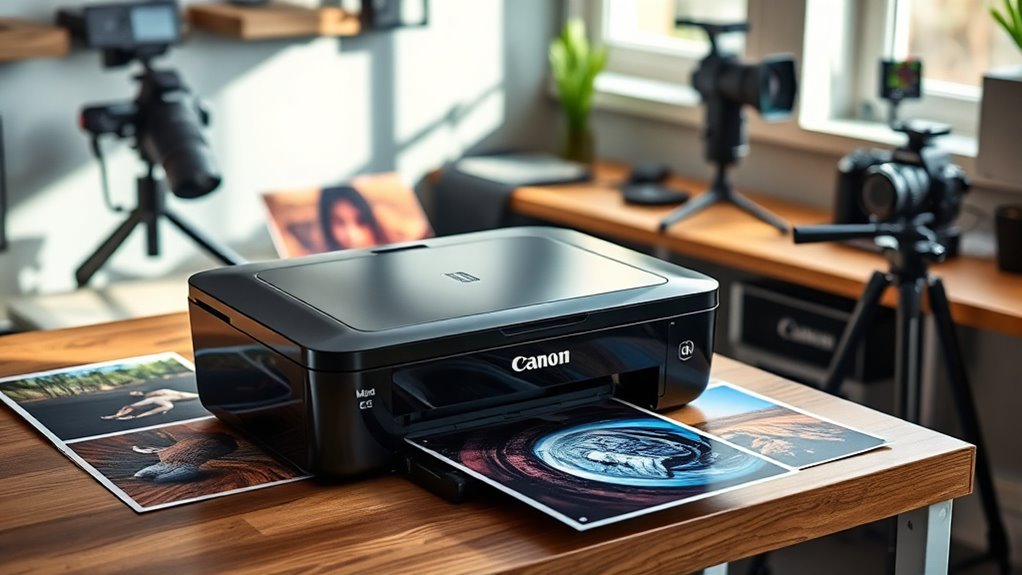
When choosing a Canon photo printer, you’ll want to evaluate several key factors. Print quality and resolution can make a big difference in your images.
Also, print size options will determine how versatile your setup is. It’s worth considering what sizes you’ll print most often.
Additionally, think about connectivity features, portability, and the type of ink system that best suits your needs. These can really impact your overall experience.
Print Quality and Resolution
Print quality and resolution play essential roles in your choice of a Canon photo printer. Higher resolutions, like 4800 x 2400 dpi, deliver sharper, more detailed images than lower resolutions, such as 300 x 300 dpi.
If you’re after vibrant colors and smooth gradations, consider dye-sublimation printing technology, which excels in photo prints. It really brings your pictures to life with rich, vivid tones.
Additionally, the ink type matters; pigment-based inks enhance color stability and resist fading over time. This means your prints will last longer and stay looking great.
Customizable finishes, like glossy or satin, can elevate the visual appeal of your photos. Plus, look for instant drying capabilities to avoid smudging and keep your prints pristine right after printing.
Choosing wisely will lead to stunning prints you’ll cherish for years. It’s definitely worth spending a little extra time picking the right features!
Print Size Options
Choosing the right print size can greatly impact your photo printing experience. Canon photo printers offer a range of options, from standard sizes like 4”x6” and 2.1”x2.1” square to larger formats up to 13”x19” for more extensive projects.
If you’re keen on borderless printing, many models allow for full-bleed images. This enhances the visual appeal of your photos without distracting white margins.
You can also select customizable finishes, like glossy or satin, to match your style or project needs. Keep in mind that while compact portable printers are perfect for quick snapshots, they usually limit sizes to smaller formats like 2.1”x3.4”.
Ultimately, the right size can elevate your prints considerably. It’s all about finding what fits your project best!
Connectivity Features
Connectivity features play an essential role in your photo printing experience, especially if you want convenience and flexibility. Many Canon photo printers offer wireless options like Wi-Fi, AirPrint, and compatibility with mobile printing apps. This lets you print seamlessly from your smartphone or tablet.
You can also take advantage of USB 2.0 Type C connections for direct printing from computers and USB flash drives, which enhances versatility. Some models allow direct printing from camera memory cards, making on-the-go printing a breeze.
Plus, optional battery packs in certain models let you print wirelessly even in remote locations. Enhanced mobile printing features, like QR code connectivity and dedicated apps, guarantee you have personalized options and effects at your fingertips.
Portability and Design
When you’re ready to print your favorite photos, portability and design become key factors in ensuring a smooth experience. Look for compact models that weigh as little as 1.4 pounds and measure 5.7D x 4W x 1.3H inches, making transport easy.
Built-in batteries are a great feature for wireless printing on-the-go. Integrated paper trays streamline setup, reducing the need for extra accessories.
A sleek, modern design enhances usability whether you’re at home or traveling. Lightweight options around 6 pounds are perfect for events and trips, ensuring you don’t sacrifice print quality.
Ink System Type
Ink systems play an essential role in your photo printing experience, influencing everything from color vibrancy to longevity. Canon offers various ink types, particularly dye-sublimation and pigment-based inks.
If you’re after vibrant colors and smooth gradients, dye-sublimation printers are a perfect choice for high-quality photos. On the other hand, pigment-based inks excel in fade resistance and longevity, often lasting over 100 years. That makes them ideal for archival prints.
Consider the number of ink colors too; printers with more colors typically deliver richer, more accurate prints. Hybrid ink systems combine the best of both worlds, offering vivid photos while ensuring sharp text for documents.
Choosing the right ink system can greatly enhance your printing results. So, it’s worth thinking about what matters most to you before making a decision.
Media Handling Capacity
Media handling capacity is an essential factor in selecting a Canon photo printer, especially if you’re tackling larger projects. The maximum number of sheets a printer can hold affects your printing efficiency; for instance, models with a capacity of 100 sheets or more minimize the need for constant paper replenishment.
You’ll also want to take into account the range of print sizes supported, from standard 4”x6” borderless photos to larger formats up to 13”x19”. Versatility matters too—some printers can handle various media types, including glossy photo paper, labels, and sticker sheets.
Reflect on your project needs; the right media size and type can greatly enhance your printing experience and the quality of your final products. So, it pays off to choose a printer that matches what you usually print.
Durability and Longevity
Durability and longevity are essential factors to think about when choosing a Canon photo printer. Some dye-sublimation printers can produce prints that last up to 100 years, resisting fading and damage from water and markers.
Instant drying technology lets you handle prints right after they come out, preventing smudging and boosting durability. Many compact printers also offer customizable finishes like glossy and semi-gloss, which add extra protection against wear and tear.
Using high-quality materials, such as water-resistant photo paper, plays a vital role in making sure your images last longer. Plus, certain printers feature special ink systems that improve color stability and scratch resistance, so your photos keep their vibrancy over time.
Additional Functionalities and Apps
When you’re choosing a Canon photo printer, it’s essential to contemplate the additional functionalities and apps that enhance your printing experience. Many models come with dedicated smartphone apps, like the SELPHY Photo Layout app, allowing you to create collages and apply fun effects.
Seamless connectivity is a breeze with Wi-Fi, AirPrint, and USB support, making it easy to print directly from your devices. It really makes life simpler when you can print without any hassle.
Look for advanced features like borderless printing and customizable finishes, which can elevate your photos. Integrated displays simplify navigation and image editing, making it easier to get your prints just right.
Plus, instant drying capabilities guarantee your prints are ready to handle right away—perfect for events. These functionalities truly transform your printing process into a more enjoyable and creative experience.
Frequently Asked Questions
How Do I Maintain My Canon Photo Printer for Optimal Performance?
To maintain your Canon photo printer, regularly clean the print heads and use quality paper. Keeping your printer dust-free also makes a big difference.
Make sure to update the drivers and perform routine maintenance. Running test prints helps guarantee peak performance and vibrant prints. It’s pretty simple but super effective!
What Types of Media Can I Use With Canon Photo Printers?
Imagine capturing a sunset’s glow. With Canon photo printers, you can use glossy, matte, fine art, or even canvas media.
Each choice enhances your prints, making memories come alive in vibrant color and detail.
It’s pretty amazing how the right media can change the whole feel of your photos, don’t you think?
Are Canon Photo Printers Compatible With Mobile Devices?
Yes, Canon photo printers are compatible with mobile devices. You can easily connect via Wi-Fi or Bluetooth, allowing you to print photos directly from your smartphone or tablet.
It’s simple and convenient for on-the-go printing! Just a few taps and your photos are ready to go.
How Do I Troubleshoot Common Printing Issues?
When prints stall like a train at a crossing, check connections first. Restart your printer, update drivers, and guarantee ink levels are sufficient.
If problems persist, consult the manual or reach out for support. Sometimes a little extra help is all you need to get things moving again.
Where Can I Find Replacement Ink and Paper for My Printer?
You can find replacement ink and paper for your printer at local electronics stores, online retailers like Amazon, or directly on Canon’s website.
Just make sure to double-check compatibility with your specific printer model before purchasing. It’ll save you from any hassle later on!
Conclusion
In a world where memories fade, choosing the right Canon photo printer can help you preserve those moments in vivid detail. Whether you need a compact option for on-the-go printing or a professional-grade machine for stunning landscapes, you’ve got plenty of choices.
Do your research and pick one that fits your needs—you won’t regret it. After all, a picture’s worth a thousand words, and with the right printer, your photos will truly shine.
When selecting the best Canon photo printer, consider what matters most to you: print quality, speed, size, or wireless features. These printers are designed to deliver stunning prints that capture every detail and color perfectly.
So, whether you’re printing cherished family photos or breathtaking travel shots, investing in a top Canon photo printer for 2027 ensures your memories stay vibrant for years to come. With the right Canon photo printer, your photos won’t just be images—they’ll be lifelong treasures that speak volumes.