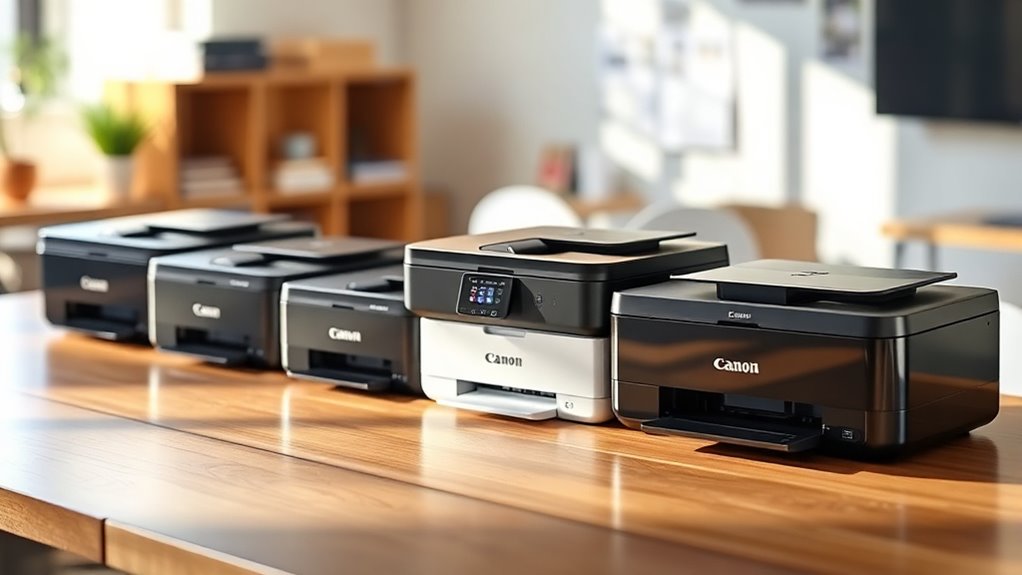
13 Best Canon Pixma Inkjet Printers for 2027
If you’re on the hunt for the 13 best Canon Pixma inkjet printers for 2027, you’re in the right place.
These printers offer fantastic options for both home and office use, combining quality, speed, and smart features. Whether you need something compact or a powerhouse for heavy printing, Canon’s Pixma lineup has you covered.
Models like the Canon PIXMA TS6520 and MegaTank G3270 stand out with impressive features such as high print speeds and seamless wireless connectivity.
The PIXMA TS7720 is great if you want fast printing without sacrificing quality, while the TR7820 adds multifunctionality for scanning and copying needs.
Stick around, and you’ll find out which Canon Pixma inkjet printer fits your lifestyle perfectly.
| Image | Name | Editor's Rating | Price |
|---|---|---|---|

|
|
||

|
|
||

|
|
||

|
|
||

|
|
Canon PIXMA TS6520 Wireless Color Inkjet Printer, 1.42″ OLED Display, White
- Affordable Versatility - A budget-friendly all-in-one printer perfect for both home users and hybrid workers, offering...
- Crisp, Vibrant Prints - Experience impressive print quality for both documents and photos, thanks to its 2-cartridge...
- Effortless Setup & Use - Get started quickly with easy setup for your smartphone or computer, so you can print, scan...

The Canon PIXMA TS6520 offers a straightforward printing solution for everyday needs. Its compact design fits well in homes and small offices, saving space without sacrificing performance. This printer simplifies printing tasks, making it easy to produce sharp documents and vibrant photos.
Wireless connectivity removes the hassle of cables. With dual-band Wi-Fi, you can print directly from smartphones, tablets, or laptops. This flexibility supports a smooth workflow whether you’re working from home or managing school projects.
Maintenance is user-friendly thanks to the 1.42” OLED display. It clearly shows ink levels and printer status, helping you avoid unexpected interruptions. The two-cartridge hybrid ink system ensures consistent print quality, though heavy users may need to replace cartridges more often.
Automatic duplex printing saves time and paper by printing on both sides. While the print speed of up to 14 pages per minute is suitable for everyday use, it may not meet the demands of high-volume printing. The TS6520 balances functionality with ease of use for reliable daily performance.
Best for: Families and students seeking a reliable and user-friendly all-in-one printer for everyday tasks.
What We Like:
- Compact design fits easily into limited spaces
- Dual-band Wi-Fi supports smooth wireless printing
- Clear OLED display for easy maintenance and monitoring
- Automatic duplex printing helps save paper
Specification:
| Feature | Details |
|---|---|
| Manufacturer | Canon |
| Dimensions (W x D x H) | 14.5 x 11.7 x 5.5 inches |
| Weight | 12.1 lb (5.5 kg) |
| Color Options | White |
| Display | 1.42” OLED |
Canon MegaTank G3270 All-in-One Wireless Color Printer
- Wireless Print/Copy/Scan
- Up to 2 years of ink included (2)
- Print up to 6,000 black & white / 7,700 color pages using a single set of inks! (1)
The Canon MegaTank G3270 All-in-One Wireless Color Printer is designed to simplify your daily printing tasks. It combines printing, copying, and scanning into one compact device, making it ideal for both home and office settings. Its space-saving design fits neatly on your desk without adding clutter.
With MegaTank technology, this printer tackles ink replacement headaches by offering a high page yield. You can print up to 6,000 black-and-white pages and 7,700 color pages from a single set of inks, reducing the hassle and cost of frequent refills. This feature ensures you spend less time on maintenance and more on productivity.
The G3270 supports wireless printing, allowing you to send documents directly from smartphones and tablets. Although it offers moderate print speeds of 11 pages per minute for black-and-white and 6 for color, it balances functionality with energy efficiency.
Its single paper tray design is simple but may require manual paper changes for different media types. Overall, this printer delivers reliable performance with easy upkeep, suited for users needing consistent, versatile printing without space or budget strain.
Best for: Home and office users who want a compact, cost-effective all-in-one printer with efficient ink usage and wireless connectivity.
What We Like:
- High ink capacity with up to 7,700 color pages per refill
- Compact and lightweight design for limited spaces
- Wireless printing from multiple mobile devices
- Combines print, copy, and scan functions in one unit
Specification:
| Feature | Details |
|---|---|
| Manufacturer | Canon |
| Dimensions (W×D×H) | Compact (exact size not specified) |
| Weight | 13.2 lb (6 kg) |
| Color Options | Not specified |
Canon PIXMA TS7720 Wireless All-in-One Printer
- ALL-IN-ONE: Print, Copy, Scan features for full control at your fingertips.
- FAST PRINT SPEEDS: Print approximately 15 (black) / 10 (color) images per minute.
- EASY SETUP: Get running in just a few minutes thanks to a streamlined and easy setup process out of the box.
The Canon PIXMA TS7720 Wireless All-in-One Printer blends compact design with versatile functionality, making it an ideal choice for busy families and home offices. It addresses common printing frustrations by delivering sharp, high-quality prints quickly, with speeds of 15 pages per minute for black and 10 for color. This efficiency helps you stay productive without lengthy wait times.
Setting up this printer is straightforward thanks to its intuitive 2.7” LCD touchscreen and various connectivity options, including wireless from multiple devices. This ease of use simplifies the printing process and reduces downtime. Its ability to handle different media types means you can print everything from important documents to vibrant photos without hassle.
Maintenance is kept simple, though the two-cartridge ink system may result in higher running costs over time. The compact size helps save space but limits maximum paper size to 8.5” x 11”, which may not suit all large-format needs. Features like auto-duplex printing help reduce paper waste and save time during busy print tasks.
Overall, this printer is designed to fit seamlessly into home environments where versatility, speed, and ease of use are priorities.
Best for: Families and home offices needing a reliable, space-saving printer that handles diverse printing tasks efficiently.
What We Like:
- Fast print speeds for both black and color documents
- Easy setup with touchscreen and wireless connectivity
- Supports various paper types, including photo media
- Auto-duplex printing reduces paper use
- Compact footprint fits small spaces
Specification:
| Feature | Details |
|---|---|
| Manufacturer | Canon |
| Dimensions | Compact (exact size not provided) |
| Weight | Not specified |
| Color Options | Not specified |
| Maximum Print Resolution | Up to 1200 x 1200 dpi |
| Maximum Paper Size | 8.5” x 11” |
Canon PIXMA TS4320 – Wireless Color Inkjet Printer with Print, Copy, Scan
- Affordable Versatility - A budget-friendly all-in-one printer perfect for both home users and hybrid workers, offering...
- Crisp, Vibrant Prints - Experience impressive print quality for both documents and photos, thanks to its 2-cartridge...
- Effortless Setup & Use - Get started quickly with easy setup for your smartphone or computer, so you can print, scan...
The Canon PIXMA TS4320 redefines home printing with its sleek, compact design and versatile functionality. It solves common connectivity hassles by offering dual-band Wi-Fi, allowing seamless printing from smartphones through the Canon PRINT App or Apple AirPrint. This makes managing documents and photos effortless from virtually anywhere in your home.
Its integrated flatbed scanner and copier simplify everyday tasks, reducing the need for multiple devices. The printer delivers vibrant color prints at up to 1200 x 1200 dpi, ensuring sharp and vivid results for both documents and images. This quality output supports a variety of home projects, from school assignments to personal photo printing.
Efficient paper use is addressed with automatic 2-sided printing, helping you reduce waste and save costs. While its print speed is moderate at 9 pages per minute, it remains suitable for daily use. The compact size and 15.5-pound weight make it easy to place in small workspaces without clutter.
Maintenance is straightforward, but the printer’s limited 100-sheet paper capacity means you might need to refill more often. The absence of an advanced display screen could restrict ease of use for some complex tasks, though basic functions remain accessible and user-friendly.
Best for: Home users seeking a compact, wireless printer that handles printing, copying, and scanning with ease.
What We Like:
- Easy wireless printing via smartphone apps and dual-band Wi-Fi
- Automatic duplex printing conserves paper
- Compact design fits small spaces perfectly
- High-resolution color printing for clear, vibrant documents
- Simple maintenance with integrated scanner and copier functions
Specification:
| Feature | Details |
|---|---|
| Manufacturer | Canon |
| Dimensions | Compact (exact size not specified) |
| Weight | 15.5 lb (7.03 kg) |
| Color Options | Not specified |
| Print Resolution | Up to 1200 x 1200 dpi |
| Paper Capacity | 100 sheets |
| Connectivity | Dual-band Wi-Fi, Canon PRINT App, Apple AirPrint |
Canon PIXMA PRO-200S Wireless Inkjet Photo Printer
- 8 COLOR dye-based ink system produces vibrant, high quality prints.
- BORDERLESS PRINTING from 3.5” x 3.5” up to 13” x 19”.
- HIGH SPEED PRINTING — bordered A3+ print in just 90 seconds or bordered 8" x 10" print in 53 seconds.
Experience professional photo printing with the Canon PIXMA PRO-200S Wireless Inkjet Photo Printer. Designed for photographers who demand vivid color accuracy, this printer brings images to life with its advanced 8-color dye-based ink system. It ensures your photos have rich detail and smooth gradients, making every print truly stand out.
This printer supports borderless printing from 3.5” x 3.5” up to 13” x 19”, giving you flexibility for various projects. Whether creating small portfolio prints or large display pieces, it adapts to your needs. The wireless and wired connectivity options let you set up the printer easily in any workspace.
Maintaining the PIXMA PRO-200S is straightforward, with a clear 3.0-inch color LCD that simplifies navigation and settings adjustments. While it focuses solely on printing, the device delivers consistent, high-quality output with every use.
At 32 pounds, it prioritizes performance over portability. This printer is a strong choice for users who want superior photo prints without multifunction distractions.
Best for: Photographers seeking reliable, high-quality photo printing with versatile size options.
What We Like:
- 8-color dye-based ink delivers vibrant, precise colors
- Borderless printing supports a wide range of photo sizes
- Multiple connectivity options including Wi-Fi, Ethernet, and USB
- Intuitive 3.0-inch color LCD for easy control
Specification:
| Feature | Details |
|---|---|
| Manufacturer | Canon |
| Dimensions | Not specified |
| Weight | 32 lb (14.5 kg) |
| Ink Type | 8-color dye-based ink |
| Max Print Size | 13” x 19” |
| Connectivity | Wi-Fi, Ethernet, USB |
| Display | 3.0-inch color LCD |
Canon Megatank G3290 All-in-One Wireless Printer

- Wireless Print/Copy/Scan (2)
- Up to 2 years of ink included
- Print up to 6,000 black & white / 7,700 color pages using a single set of inks! (1)
The Canon Megatank G3290 is designed to meet the printing demands of both home and office environments with ease. Its MegaTank system allows you to print thousands of pages without frequent ink changes, reducing downtime and maintenance hassles. This makes it ideal for users who value uninterrupted productivity.
This all-in-one printer delivers vibrant prints at a high resolution of 4800 x 1200 dpi, ensuring sharp documents and colorful images. The auto-duplex printing feature helps save paper by automatically printing on both sides, making it both cost-effective and eco-friendly. Navigating the printer is simple thanks to its 2.7” LCD touchscreen, which streamlines setup and operation.
Wireless connectivity enhances flexibility, allowing you to print directly from mobile devices with ease. Despite weighing 14.2 pounds, the printer’s compact design fits comfortably in most workspaces. While setup may require some effort, once configured, it offers reliable performance with minimal upkeep.
Best for: Home users and small offices seeking a versatile, cost-effective all-in-one printer with high page yield and wireless convenience.
What We Like:
- High page yield reduces frequent ink refills
- Auto-duplex printing saves paper and time
- Intuitive 2.7” color touchscreen for easy control
- Wireless connectivity supports mobile printing
- Compact design fits well in limited spaces
Specification:
| Feature | Details |
|---|---|
| Manufacturer | Canon |
| Dimensions | Not specified |
| Weight | 14.2 lb (approx. 6.44 kg) |
| Color Options | Not specified |
| Ink System | MegaTank refillable ink |
Canon PIXMA G620 Wireless All-in-One Printer

- Never run out of ink. Connect your printer to Alexa and receive notifications when you’re running low. Alexa can even...
- Enrolling in Smart Reorders with Alexa ensures that you never have too much or too little ink supplies. No subscription...
- MEGATANK HIGH PAGE YIELD: Print up to 3,800 4” x 6” color photos on a full set of ink.
The Canon PIXMA G620 Wireless All-in-One Printer offers a practical solution for photography lovers who want vibrant, long-lasting prints without frequent ink replacements. Its 6-color dye-based ink system, including red and gray inks, delivers a wider color range that brings photos to life with rich details and true tones.
Designed for convenience, this compact printer fits well in small spaces and connects easily via USB, Wi-Fi, and Alexa. You can print from multiple devices without hassle. The printer also supports high-volume printing, producing up to 3,800 4” x 6” photos per full ink set, which reduces overall printing costs to about 2.5 cents per photo.
Maintenance is straightforward thanks to the efficient ink system, but users should note the 50-sheet paper capacity, which suits moderate print jobs rather than large batches. The print speed is modest at 3.9 pages per minute, so it’s better suited for quality over quick output.
Thanks to CHROMALIFE 100 technology, your prints remain vibrant and fade-resistant over time. This balance of quality, cost-efficiency, and connectivity makes the PIXMA G620 ideal for home or small office use where photo printing is a priority.
Best for: Photography enthusiasts seeking cost-effective, high-quality photo printing in a compact all-in-one device.
What We Like:
- High page yield with low cost per print
- Wide color gamut with enhanced red and gray inks
- Multiple connectivity options including Wi-Fi and Alexa
- Durable prints with CHROMALIFE 100 technology
- Compact design fits easily into limited spaces
Specification:
| Feature | Details |
|---|---|
| Manufacturer | Canon |
| Dimensions (W x D x H) | 17.7 x 14.4 x 7.4 inches |
| Weight | 19.5 lb (8.85 kg) |
| Ink System | 6-color dye-based ink |
| Connectivity | USB, Wi-Fi, Alexa compatible |
| Paper Capacity | 50 sheets |
Canon PIXMA TS9521Ca – Wireless Home All-in-One Inkjet Printer

- ALL-IN-ONE: Print, Copy, Scan features for full control at your fingertips. Comes with a 1 year limited warranty.
- FAST PRINT SPEEDS: Print approximately 15 (black) / 10 (color) images per minute.
- EASY SETUP and INSTALL: Get running in just a few minutes thanks to a streamlined and easy setup process out of the box...
Experience hassle-free creativity with the Canon PIXMA TS9521Ca, designed to meet diverse home and personal printing needs. This all-in-one printer combines printing, copying, and scanning in a compact, wireless design that fits seamlessly into your workspace.
The printer handles media sizes from 3.5” x 3.5” to 11” x 17”, making it versatile for projects like scrapbooking, photo printing, and business cards. Its high print resolution of 4800 x 1200 dpi ensures sharp, professional-quality results every time.
Maintenance is straightforward, with user-friendly controls accessible via a 4.3” touch LCD screen. Wireless connectivity enables easy setup and mobile printing, helping you stay productive without clutter or cables.
While the print speed is moderate, it balances quality and versatility well for home use. This device suits creative individuals and families who want a reliable, multifunctional printer tailored to varied media types and sizes.
Best for: Creative individuals and families needing a versatile wireless all-in-one printer for detailed, multi-format projects.
What We Like:
- High-resolution printing for professional-quality output
- Supports a wide range of media sizes including large-format prints
- Intuitive 4.3” touch LCD for easy navigation and setup
- Wireless connectivity enhances convenience and mobility
Specification:
| Feature | Details |
|---|---|
| Manufacturer | Canon |
| Dimensions | Compact design (exact size not provided) |
| Weight | Not specified |
| Media Sizes | 3.5” x 3.5” to 11” x 17” |
| Connectivity | Wireless |
| Display | 4.3” touch LCD |
Canon PIXMA TR8620a All-in-One Printer

- Never run out of ink. Connect your printer to Alexa and receive notifications when you’re running low. Alexa can even...
- Enrolling in Smart Reorders with Alexa ensures that you never have too much or too little ink supplies. No subscription...
- Wireless 4-in-1 (Print | Copy | Scan | Fax)
The Canon PIXMA TR8620a All-in-One Printer is designed to simplify everyday office tasks. It handles printing, scanning, copying, and faxing in a single compact device. This helps you reduce clutter and manage documents efficiently in your home office or small business.
With sharp print quality up to 4800 x 1200 dpi, your documents and photos look vibrant and professional. The 200-sheet paper capacity and automatic duplex printing save time by reducing the need for frequent paper refills and manual double-sided printing.
Maintenance is straightforward thanks to five individual ink tanks, allowing you to replace only the colors you need. The 20-sheet auto document feeder speeds up scanning and copying jobs, improving workflow without constant supervision.
Wireless connectivity and Alexa compatibility add convenience by enabling remote printing and voice commands. Weighing 17.4 pounds, this printer fits comfortably on a desk but is less portable for frequent relocation. Keep in mind its monthly duty cycle of 1,000 pages suits moderate printing needs rather than heavy workloads.
Best for: Home offices and small businesses requiring a versatile all-in-one printer with reliable performance and smart features.
What We Like:
- All-in-One functionality for multiple office tasks
- High-resolution printing for crisp, clear documents
- Efficient paper handling with large capacity and duplex printing
- Easy maintenance with individual ink tanks
- Wireless setup and voice control support
Specification:
| Feature | Details |
|---|---|
| Manufacturer | Canon |
| Dimensions (W×D×H) | Approx. 14.6 × 12.9 × 7.5 in (37.1 × 32.8 × 19.1 cm) |
| Weight | 17.4 lb (7.9 kg) |
| Print Resolution | Up to 4800 x 1200 dpi |
| Paper Capacity | 200 sheets |
| Auto Document Feeder | 20 sheets |
| Monthly Duty Cycle | Up to 1,000 pages |
| Connectivity | Wireless, Alexa compatible |
Canon PIXMA TR4720 All-in-One Wireless Printer

- Wireless 4-in-1 (print | copy | scan | fax)..Power Consumption: 7W (0.8W Standby / 0.3W Off)
- Print speed up to: 4" x 6" Borderless Photo (PP-201): Approx. 65.0 Seconds / Black Document (Letter/Simplex): Approx...
- Designed for easy ink cartridge installation and replacement.
The Canon PIXMA TR4720 is a compact, all-in-one wireless printer designed to simplify your home or small office tasks. It handles printing, scanning, and faxing with ease, offering reliable performance in a small footprint. This device addresses common workflow challenges by combining essential functions into one space-saving unit.
With print speeds of 8.8 ipm for black and 4.4 ipm for color, it balances quality and efficiency. The high resolution of 4800 x 1200 dpi ensures sharp text and vibrant images, making it suitable for documents and photos alike. Automatic duplex printing helps reduce paper use and speeds up multi-page jobs.
Connectivity options like USB and Wi-Fi support flexible printing from various devices, including smartphones. The 100-sheet front paper tray accommodates multiple paper sizes but may require regular refilling in busy settings. Maintenance is straightforward, with ENERGY STAR certification underscoring its energy efficiency.
While lacking advanced features such as a touchscreen interface, the PIXMA TR4720 provides dependable functionality in a user-friendly design. It is well-suited for users needing a versatile printer without unnecessary complexity.
Best for: Small office or home users seeking a compact all-in-one printer that handles everyday tasks efficiently.
What We Like:
- High-quality prints with 4800 x 1200 dpi resolution
- Automatic duplex printing saves time and paper
- Multiple connectivity options including Wi-Fi and USB
- ENERGY STAR certified for energy efficiency
Specification:
| Feature | Details |
|---|---|
| Manufacturer | Canon |
| Dimensions | Compact (exact size not specified) |
| Weight | Not specified |
| Paper Capacity | 100 sheets |
| Print Resolution | Up to 4800 x 1200 dpi |
| Print Speed | 8.8 ipm (black), 4.4 ipm (color) |
| Connectivity | USB, Wi-Fi |
| Functions | Print, Scan, Fax |
| Energy Rating | ENERGY STAR certified |
Canon PIXMA TS3720 Wireless All-in-One Printer
No products found.
The Canon PIXMA TS3720 Wireless All-in-One Printer is a smart choice for home users who need a compact and versatile device. It streamlines daily tasks by combining printing, copying, and scanning into one sleek unit. This design helps save space without sacrificing essential functions.
Connectivity is simple and reliable thanks to its dual-band Wi-Fi, enabling stable wireless connections. Mobile printing is also straightforward with the Canon PRINT app, making it easy to print documents or photos directly from your smartphone. This feature boosts convenience for busy households.
Maintenance is hassle-free with an easy-to-replace ink system that helps manage printing costs effectively. The rear paper tray holds up to 60 sheets, which suits light to moderate printing needs but may require frequent refills for larger jobs. Its compact size fits comfortably on desks or shelves.
Print speeds are moderate, at 7.7 pages per minute for black and 4 pages for color prints. While this works well for typical home use, it may be less suitable for high-volume printing tasks. The 1.5-inch LCD screen offers basic navigation but is smaller than some users may prefer.
Best for: Home users seeking a compact, efficient all-in-one printer with wireless capabilities for everyday document and photo printing.
What We Like:
- Combines printing, copying, and scanning in one compact device
- Stable dual-band Wi-Fi and mobile printing via Canon PRINT app
- Easy-to-replace ink cartridges for cost-effective maintenance
- Compact design fits small spaces with flexible placement options
Specification:
| Feature | Details |
|---|---|
| Manufacturer | Canon |
| Dimensions | Approx. 14.5 x 11.7 x 5.7 inches (W x D x H) |
| Weight | Approx. 8.0 lbs |
| Color Options | White |
| Paper Capacity | 60 sheets (rear tray) |
Canon PIXMA TS702a Wireless Printer (Print Only)
- Efficient Everyday Printing: It can print great looking borderless photos and even supports various paper types & sizes...
- Print Connectivity: Whether that is a smartphone, tablet or computer. Have peace of mind and connect with...
- Big Performance with Compact Design: With a 350 SHEET plain paper capacity the PIXMA TS702 is ready to take on large...
Experience hassle-free printing with the Canon PIXMA TS702a, a wireless inkjet printer designed to streamline your home office tasks. Its compact build and light weight let you place it almost anywhere, eliminating clutter and saving space. This printer delivers sharp, vibrant prints, helping your documents and projects stand out.
Designed for efficiency, it prints up to 15 black-and-white pages and 10 color pages per minute. The automatic duplex printing feature helps reduce paper use, making it eco-friendly and cost-effective. Connecting is simple, with Wi-Fi and Ethernet options that support smartphones, tablets, and computers.
Maintenance is straightforward with one paper tray, though larger print jobs may require frequent refills. The print-only design means it focuses solely on delivering high-quality prints without scanning or copying, keeping operations uncomplicated. While it lacks a built-in touchscreen, settings can be managed easily through connected devices.
This printer suits those who need a reliable, space-saving solution for quality printing without extra functions. Its user-friendly connectivity and efficient printing help improve productivity and reduce waste.
Best for: Individuals needing a compact, high-quality printer dedicated to home office printing without scanning or copying features.
What We Like:
- Compact size fits easily in small spaces
- High resolution up to 4800 x 1200 dpi produces sharp, colorful prints
- Automatic duplex printing saves paper and costs
- Wireless and Ethernet connectivity offers versatile device support
- Simple maintenance with a straightforward paper tray
Specification:
| Feature | Details |
|---|---|
| Manufacturer | Canon |
| Dimensions | Not specified |
| Weight | 14.4 lb (6.53 kg) |
| Material | Not specified |
| Color Options | Not specified |
Canon PIXMA TR7820 – Wireless Home All-in-One Printer

- ALL-IN-ONE: Print, Copy, Scan features for full control at your fingertips.
- FAST PRINT SPEEDS: Print approximately 15 (black) / 10 (color) images per minute.
- EASY SETUP: Get running in just a few minutes thanks to a streamlined and easy setup process out of the box.
The Canon PIXMA TR7820 offers a smart solution for home users needing a reliable all-in-one printer. It handles printing, copying, and scanning tasks smoothly, helping you stay productive without hassle. Its wireless connectivity makes it easy to print from your smartphone or computer, eliminating messy cables.
With print speeds of 15 pages per minute in black and 10 in color, this printer keeps up with everyday demands. The 2.7” LCD touchscreen simplifies navigation, so managing tasks is straightforward. Automatic duplex printing helps save paper, while borderless printing delivers professional-quality photos and documents.
Maintenance is straightforward, though the 100-sheet paper capacity means you’ll need to refill more often for larger print jobs. Using just two cartridges—one black and one color—can raise ink expenses over time. Initial setup may require some technical know-how, but the compact design fits neatly into any home office space.
This versatile printer combines essential functions with user-friendly features, making it a practical choice for busy households.
Best for: Home users who want a compact, easy-to-use all-in-one printer for everyday printing, copying, and scanning.
What We Like:
- Fast print speeds for quick task completion
- Intuitive 2.7” touchscreen for easy operation
- Wireless printing from multiple devices
- Automatic duplex printing reduces paper waste
- Compact design fits well in small workspaces
Specification:
| Feature | Details |
|---|---|
| Manufacturer | Canon |
| Dimensions (W×D×H) | Approx. 17.7 × 12.0 × 7.5 in (45 × 30.5 × 19 cm) |
| Weight | Approx. 13.8 lb (6.3 kg) |
| Color Options | Black |
| Connectivity | Wireless, USB |
Factors to Consider When Choosing a Canon Pixma Inkjet Printer
When choosing a Canon Pixma inkjet printer, you’ll want to evaluate several key factors. Print quality, connectivity options, and ink efficiency can greatly impact your overall experience.
Plus, think about the size, design, speed, and performance to find the best fit for your needs. It’s all about matching the printer to how you plan to use it.
Print Quality Standards
Print quality is an essential factor to take into account in your search for a Canon Pixma inkjet printer. Look for models with high resolutions, like 4800 x 1200 dpi, to guarantee your images are sharp and detailed.
A hybrid ink system that combines dye and pigment inks will enhance both color vibrancy and text clarity. Consider printers that offer borderless printing, which can elevate the visual appeal of your photos and creative projects.
Additionally, consistent print speeds between 6 to 15 pages per minute can impact your productivity, especially in high-volume settings. Features like auto-duplex printing not only improve the professional finish of your documents but also promote efficiency by reducing paper usage.
Connectivity Options Available
Choosing the right connectivity options can make a significant difference in your printing experience with a Canon Pixma inkjet printer. Many models offer dual-band Wi-Fi, supporting both 2.4GHz and 5GHz connections for stable wireless printing from your devices.
If you prefer mobile printing, you’ll appreciate compatibility with services like Apple AirPrint, Google Cloud Print, and Canon’s PRINT app. For those who prefer wired connections, most printers include USB ports for direct access from your computer or laptop.
Some even feature Ethernet ports, perfect for office environments. Additionally, select models support voice compatibility, allowing you to print hands-free through your smart home devices.
These options guarantee you find the right setup for your needs.
Ink Efficiency Considerations
Considering ink efficiency is essential for maximizing both your printing quality and cost savings with a Canon Pixma inkjet printer. Canon offers various ink systems, like hybrid and MegaTank, with MegaTank models yielding up to 7,700 color pages per ink set.
Look for auto-duplex printing to save paper and reduce ink consumption. Print resolutions can reach up to 4800 x 1200 dpi, allowing for vibrant color reproduction. But keep in mind, different media types may affect ink usage.
Also, think about whether the printer uses a two-cartridge or individual cartridge system, as this impacts efficiency. Regular maintenance features, such as automatic cleaning and ink level monitoring, will help optimize ink usage and prolong cartridge life.
These little things make a big difference, ensuring efficient printing performance every time.
Size and Design Factors
When maximizing your printing efficiency, it’s also important to think about size and design factors in a Canon Pixma inkjet printer. Consider the printer’s dimensions and weight; compact models fit easily in tight spaces, while larger ones need dedicated desk space.
If portability matters to you, opt for lightweight options that you can move around easily. Assess the setup area, ensuring there’s enough clearance for paper handling and access to connectivity ports for smooth operation.
Don’t overlook the design aesthetics; many models boast stylish finishes that enhance your workspace. Finally, think about the paper handling capacity and tray design, as some printers offer multiple trays or larger capacities, making them more user-friendly in busy environments.
Speed and Performance Metrics
Speed and performance metrics play an essential role in your decision-making process for a Canon Pixma inkjet printer. Print speeds vary considerably; you can expect black-and-white prints to range from about 7.7 to 15 pages per minute, while color prints typically sit between 4 and 10 pages per minute.
With a maximum print resolution of up to 4800 x 1200 dpi, you’ll achieve high-quality outputs for both documents and photos. Many models feature auto-duplex printing for efficient two-sided printing, helping you save paper.
Additionally, some printers come with a high-capacity paper tray that holds up to 200 sheets, minimizing the need for frequent refills. Fast initial page print times can be as quick as 9.5 seconds, enhancing your workflow.
User-Friendly Features
Investing in a Canon Pixma inkjet printer isn’t just about speed and performance; user-friendly features can really enhance your printing experience. Many models come with intuitive displays, like 1.42” OLED or 2.7” LCD touchscreens. This makes it super easy to monitor status and navigate settings.
Wireless connectivity options, including dual-band Wi-Fi and mobile printing compatibility, let you print seamlessly from various devices. Auto-duplex printing saves paper and streamlines your workflow by automatically printing on both sides.
Plus, the setup processes for smartphones and computers are a breeze, so you don’t need to be a tech expert to get started. Some models even offer voice compatibility for hands-free operation. That’s perfect if you prefer quick, voice-activated commands.
All in all, these features make printing simpler and more efficient. It just takes the hassle out of your day.
Warranty and Support Availability
Choosing the right Canon Pixma inkjet printer involves more than just looking at features; warranty and support availability play essential roles too. Most Canon PIXMA printers come with a standard 1-year limited warranty, covering manufacturing defects under normal use.
Plus, when you buy through authorized retailers like Amazon, you’ll enjoy a 30-day return guarantee, making returns easy if needed. Canon’s customer support network is there for you, helping with warranty claims and technical issues.
Depending on the model, extended support for parts and service may last up to five years. To enhance your experience, you can also access online resources, including FAQs and troubleshooting guides, ensuring you get help whenever you need it.
Frequently Asked Questions
What Types of Paper Are Compatible With Canon PIXMA Printers?
Canon Pixma printers work well with various paper types, including plain, photo, glossy, and matte. You can also use specialty papers like cardstock and labels, enhancing your printing experience for different projects.
Pretty cool, right? This gives you lots of options depending on what you need to print.
Enjoy the versatility!
How Often Should I Replace the Ink Cartridges?
You should replace ink cartridges every 1-2 months, depending on usage. Notably, studies show that printers can waste up to 30% of ink through cleaning cycles, so monitor your prints to optimize replacements.
It’s a good idea to keep an eye on how often you’re printing. That way, you won’t replace cartridges too early or wait too long and get poor print quality. Just a little attention goes a long way!
Can These Printers Connect to Mobile Devices?
Yes, these printers can connect to mobile devices. You can easily print from your smartphone or tablet using Wi-Fi, Bluetooth, or dedicated apps.
It’s super convenient to get your documents and photos printed quickly without any hassle. Just a few taps and you’re good to go!
What Is the Warranty Period for Canon PIXMA Printers?
Canon Pixma printers typically come with a one-year warranty. If you register your product, you might also gain access to additional support options.
It’s always a good idea to check the specific model’s warranty details for confirmation. That way, you know exactly what coverage you have.
Are There Any Recommended Maintenance Tips for These Printers?
Maintaining your Canon Pixma printer’s like nurturing a delicate plant. Regularly clean the print head, check ink levels, and use quality paper.
Don’t forget to update drivers and perform software maintenance to keep everything running smoothly. It really helps to stay on top of these little tasks. That way, your printer won’t let you down when you need it most.
Conclusion
When picking the perfect Canon PIXMA printer, prioritize performance, price, and purpose. Each model boasts unique features, so you’ll find one that fits your printing needs like a glove.
Whether you’re crafting colorful creations or tackling tasks at home, these printers promise to deliver delightful designs and dependable durability.
Immerse yourself in your decisions with confidence. Soon, you’ll be enjoying exceptional prints and vibrant visuals that make every project pop!
Choosing from the best Canon PIXMA inkjet printers ensures you get reliable quality and versatility. No matter if you need a printer for photos, documents, or creative projects, these models cover all bases. With their user-friendly features and affordable price points, investing in a Canon PIXMA printer is a smart move for anyone looking to bring their ideas to life with stunning, crisp results.