4 Best Cameras for YouTube Channels in 2027 (Top Picks)
For a YouTube channel in 2027, choosing the right camera is key to creating standout content. Whether you’re into vlogging, tutorials, or cinematic shots, having the best camera with solid video quality and features makes a huge difference.
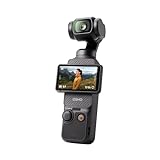
Consider the DJI Osmo Pocket 3. It’s pocket-sized but packs a punch with 4K video at 120fps and built-in gimbal stabilization, perfect for smooth, professional-looking footage on the go.
Then there’s the Sony ZV-E10. This one sports a large APS-C sensor and offers versatile lens options, giving you superb image quality and creative flexibility.
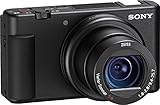
If compactness is your priority, the Sony ZV-1 is a great pick. It’s excellent for vlogging with fast autofocus and a mic input for clear audio.
And for those who want an ultra-wide fixed lens that’s incredibly user-friendly, the Sony ZV-1F fits the bill.
Each camera strikes a balance between portability, audio options, and video features. Keep exploring until you find the perfect fit that matches your style and channel needs!
| Image | Name | Editor's Rating | Price |
|---|---|---|---|
|
|
||

|
|
||
|
|
||

|
|
DJI Osmo Pocket 3 Vlogging Camera with 1” CMOS & 4K/120fps Video
- Capture Stunning Footage - Osmo Pocket 3 vlogging camera features a 1-inch CMOS sensor and records in 4K resolution at...
- Effortlessly Frame Your Shots - Get the ideal composition with Osmo Pocket 3's expansive 2-inch touch screen that...
- Ultra-Steady Footage - Say goodbye to shaky videos! Osmo Pocket 3's advanced 3-axis mechanical stabilization delivers...
Capture stunning moments with the DJI Osmo Pocket 3, a vlogging camera designed to enhance your video quality without weighing you down. Its 1-inch CMOS sensor delivers vibrant, sharp images, while the ability to shoot 4K video at 120fps offers smooth, professional slow-motion footage. This compact device solves the challenge of bulky cameras by fitting easily into your pocket.
The Osmo Pocket 3’s 3-axis gimbal stabilization ensures every shot remains steady, even when you’re on the move. Its fast autofocus paired with ActiveTrack 6.0 keeps your subject perfectly in focus, allowing you to focus on creativity rather than technical distractions. The rotatable 2-inch touchscreen supports both horizontal and vertical shooting, adapting to your content style.
Maintenance is straightforward thanks to the durable build and quick battery charging, although note the charger is sold separately. Its compatibility with the DJI Mic 2 enhances audio quality, making it a complete solution for vloggers. However, this camera is not water-resistant, so take care when shooting in wet environments.
Best for: Content creators and vloggers seeking a compact, professional camera that offers smooth 4K slow-motion video and vibrant colors.
What We Like:
- Compact design with smooth 3-axis gimbal stabilization
- High-quality 1-inch sensor with sharp 9.4 MP photos and 10-bit color depth
- Fast autofocus and ActiveTrack 6.0 for reliable subject tracking
- Supports DJI Mic 2 for superior audio recording
Specification:
| Feature | Details |
|---|---|
| Manufacturer | DJI |
| Sensor Size | 1-inch CMOS |
| Photo Resolution | 9.4 MP |
| Video Resolution | 4K at 120fps |
| Gimbal | 3-axis |
| Screen Size | 2-inch rotatable touchscreen |
| Weight | Lightweight (pocket-sized) |
| Water Resistance | No |
| Battery Charger | Sold separately |
Sony ZV-E10 APS-C Mirrorless Camera with 16-50mm Lens Black
- 24.2MP APS-C Exmor CMOS Sensor and fast BIONZ X processor
- 4K Movie oversampled from 6k w/ full pixel readout, no pixel binning
- Product Showcase Setting transitions focus from face to object

Experience a new level of creativity with the Sony ZV-E10 APS-C Mirrorless Camera, designed specifically for content creators and vloggers. Its 24.2 MP APS-C sensor captures detailed, vibrant images, while 4K video recording without pixel binning ensures your footage is sharp and clear. This camera helps you produce professional-quality videos effortlessly.
The lightweight body, weighing just 16 ounces, and the 3.0-inch flip-out touchscreen make handheld shooting comfortable and intuitive. This design simplifies framing and reviewing shots, especially when vlogging or recording on the go. The camera’s 425-point Fast Hybrid Autofocus with Real-Time Eye AF keeps your subject perfectly in focus, reducing the need for constant manual adjustments.
Audio clarity is enhanced by the built-in directional microphone with a windscreen, minimizing unwanted noise during outdoor shoots. Connectivity options like USB livestreaming, Wi-Fi, and Bluetooth provide seamless integration with your workflow, allowing quick sharing and remote control.
Maintenance is straightforward with a durable build, but note that the kit lens’s aperture range (f/3.5–f/5.6) may limit low-light performance. Also, the single memory card slot supports UHS-I speeds, which might affect storage flexibility. There is no built-in electronic viewfinder, which could be a challenge in bright environments.
Best for: Creators and vloggers seeking a lightweight, user-friendly mirrorless camera with advanced autofocus and crisp 4K video capabilities.
What We Like:
- Sharp, vibrant 24.2 MP APS-C sensor with oversampled 4K video
- Lightweight body and versatile flip-out touchscreen for easy handheld use
- Fast Hybrid Autofocus with Real-Time Eye AF for precise focusing
- Built-in directional microphone with windscreen for clear audio capture
- USB livestreaming and wireless connectivity for streamlined content sharing
Specification:
| Feature | Details |
|---|---|
| Manufacturer | Sony |
| Dimensions | Approx. 4.6 x 2.6 x 2.4 in (11.7 x 6.6 x 6.1 cm) |
| Weight | 16 oz (approx. 0.45 kg) |
| Sensor | 24.2 MP APS-C |
| Lens | 16-50mm kit lens (f/3.5–f/5.6) |
| Screen | 3.0-inch flip-out touchscreen |
| Autofocus Points | 425-point Fast Hybrid AF |
| Connectivity | USB, Wi-Fi, Bluetooth |
| Memory Card Slot | Single, UHS-I compatible |
| Color | Black |
Sony ZV-1 Digital Camera for Vlogging and Streaming
- 20.1MP stacked back illuminated 1” Exmor RS CMOS sensor w/ DRAM. Large aperture 24-70mm1 F1.8-2.8 ZEISS Vario-Sonnar T...
- Fast Hybrid Autofocus and Real Time Eye Autofocus and Real-time Autofocus tracking.
- Side flip-out 3.0” LCD screen that also tilts up and down for easier to compose selfie shots
Capture professional-quality 4K video effortlessly with the Sony ZV-1 Digital Camera, crafted for vloggers and streamers who need reliable performance in a compact package. This camera solves the challenge of bulky gear, offering sharp images and smooth bokeh thanks to its 20.1MP 1-inch sensor paired with a ZEISS 24–70mm f/1.8–2.8 lens.
The Sony ZV-1 ensures your content stays crisp with Fast Hybrid AF and Real-time Eye AF, which track subjects accurately during recording. Its flip-out touchscreen simplifies framing, making it easy to shoot from various angles. Clear audio is guaranteed with a built-in directional microphone and a 3.5mm jack for external mics.
Designed for handheld use, it features excellent image stabilization and a lightweight body that reduces fatigue during long shoots. However, note the absence of a built-in viewfinder, which might make bright outdoor shooting challenging. Battery life requires monitoring for extended sessions, and there is only one memory card slot.
Best for: Content creators and vloggers seeking a compact, easy-to-use camera that delivers sharp 4K video with reliable autofocus and stabilization.
What We Like:
- High-quality 20.1MP sensor combined with ZEISS lens for detailed images and smooth background blur.
- Fast Hybrid AF with Real-time Eye AF ensures sharp focus on moving subjects.
- Flip-out touchscreen and lightweight design support versatile, handheld shooting.
- Built-in directional mic and 3.5mm jack provide flexible audio options.
Specification:
| Feature | Details |
|---|---|
| Manufacturer | Sony |
| Sensor | 20.1MP 1-inch |
| Lens | ZEISS 24–70mm f/1.8–2.8 |
| Autofocus | Fast Hybrid AF, Real-time Eye AF |
| Display | Flip-out touchscreen |
| Microphone Input | Built-in directional mic, 3.5mm jack |
| Stabilization | Optical SteadyShot |
| Dimensions (W×H×D) | Approx. 4.0 × 2.4 × 1.7 in (10.1 × 6.1 × 4.3 cm) |
| Weight | Approx. 294 g (0.65 lb) |
Sony ZV-1F Camera with 20mm Lens (Black) Bundle
- Sony USA Authorized. ZV-1 digital camera (black) with 64GB Extreme PRO card, memory card reader, soft case, flexible...
- Made for Vloggers and Creators – The Sony ZV-1F/B is a compact, lightweight vlogging camera designed specifically for...
- Sharp Stills and Smooth 4K Video – Featuring a 20.1 MP 1-inch Exmor RS sensor, the ZV-1F/B produces detailed still...
Experience effortless content creation with the Sony ZV-1F Camera with 20mm Lens. This compact and lightweight camera is designed to solve the common challenges vloggers face, such as bulky gear and complicated settings. Its ultra-wide fixed 20mm ZEISS lens captures selfies and wide group shots with ease, making framing simple and natural.
The 20.1 MP 1-inch Exmor RS sensor delivers crisp images and smooth 4K video, enhancing visual quality without the need for constant adjustments. The flip-out 3-inch touchscreen allows intuitive control and framing from multiple angles, while the directional microphone with windscreen reduces unwanted noise for clearer audio.
Maintaining the camera is straightforward, thanks to the included cleaning kit and durable design. The bundle also provides a flexible tripod and a 64GB SanDisk card, so you can start shooting immediately without extra purchases. Connectivity options like Wi-Fi, Bluetooth, and USB-C streamline file transfers and remote control.
While the fixed lens limits zoom options and there’s no built-in flash, this camera excels in portability and ease of use. Battery life is suitable for typical sessions, but having spare batteries is advisable for longer shoots.
Best for: content creators and vloggers seeking a versatile, pocket-sized camera tailored for selfie and handheld video recording.
What We Like:
- Ultra-wide 20mm ZEISS lens optimizes selfies and group shots
- Crisp 20.1 MP sensor with 4K video for high-quality visuals
- Flip-out touchscreen and directional mic enhance usability
- Bundle includes tripod, memory card, and cleaning kit for convenience
- Multiple connectivity options for seamless workflow integration
Specification:
| Feature | Details |
|---|---|
| Manufacturer | Sony |
| Sensor | 20.1 MP 1-inch Exmor RS |
| Lens | Fixed 20mm ZEISS |
| Video Resolution | 4K |
| Screen Size | 3-inch flip-out touchscreen |
| Connectivity | Wi-Fi, Bluetooth, USB-C |
| Included Accessories | 64GB SanDisk card, tripod, cleaning kit |
| Color Options | Black |
| Weight | Approx. 294g (0.65 lb) |
Factors to Consider When Choosing a Camera for a Youtube Channel
When choosing a camera for your YouTube channel, you’ll want to focus on video quality and how well the autofocus performs during your shoots.
Don’t forget to check the audio capabilities, since clear sound is just as important as sharp visuals.
Also, consider how portable the camera is and how long the battery lasts to match your filming style.
Video Quality Needs
Although choosing the right camera can feel overwhelming, focusing on your video quality needs will help you narrow down the options effectively. Start by selecting a sensor size that suits your shooting environment—larger sensors (1″ and above) excel in low light and offer better depth of field.
Next, match your target resolution and frame rate to your content style: 4K at 24–30 fps for cinematic videos, 4K/60 fps for smooth motion, or 1080p/120 fps+ for slow motion. If you plan heavy color grading, aim for 10-bit color depth and log profiles to retain detail.
Also, consider maximum recording times and heat management for longer shoots or streaming. Finally, prioritize stabilization options if you’ll be shooting handheld to keep your footage steady and professional-looking.
Autofocus Performance
Choosing a camera that delivers sharp, reliable focus can make a significant difference in your video quality, especially as you move beyond basic image specs. Look for cameras with advanced phase-detection or hybrid AF systems and a high number of AF points to lock onto subjects quickly and track them smoothly.
Real-time subject detection—covering eyes, faces, bodies, or animals—and continuous AF modes reduce focus hunting, which is vital for vlogs and on-the-go shooting. Don’t forget to check how well the autofocus works in low light, as poor performance here means missed shots.
Also, evaluate AF tracking stability and changeover smoothness, and opt for cameras offering customizable AF speeds. Finally, guarantee the camera supports touch-to-focus and continuous autofocus while recording, especially at high frame rates like 4K/60 or 4K/120.
Audio Capabilities
You’ll often find that built-in microphones on cameras struggle to deliver clear, focused audio. They tend to pick up unwanted room echo and background noise. That’s why choosing a camera with an external microphone input—whether 3.5mm, hotshoe, or USB-C—is vital for improving vocal clarity.
If you plan on doing interviews or multi-person shoots, look for models supporting dual-channel recording or external wireless transmitters. Also, prioritize cameras that record audio at 48 kHz/16-bit or higher and offer manual gain control plus audio level monitoring to avoid clipping and distortion.
Real-time audio monitoring via headphone output is essential. It lets you catch issues while filming instead of in post-production. Focusing on these audio capabilities will dramatically boost your YouTube content’s professionalism and viewer engagement.
Portability and Size
Clear audio is just one piece of the puzzle when creating engaging YouTube content. Portability and size matter just as much, especially if you’re capturing spontaneous moments.
You’ll want a smaller, pocketable camera—typically under 300 grams and about the size of a smartphone—to make daily carry effortless. Cameras with compact designs, built-in stabilization, and flip or side-articulating screens help you frame shots easily while on the move.
Keep in mind weight and grip ergonomics; anything over 500 grams can tire your hand during long handheld shoots. Also, look for removable or expandable storage options so you don’t have to swap cards constantly when traveling light.
Balancing these factors guarantees your camera stays a convenient tool, not a burden, for creating content on the go.
Battery Life Expectations
Battery life often makes or breaks your shooting experience, especially when you’re capturing long vlogs or streaming live. Shooting in 4K, using high frame rates, continuous autofocus, or active stabilization can slash your runtime by 30–70% compared to still photos.
To avoid surprises, check both the battery’s rated capacity and the manufacturer’s stated runtime. But really, focus on real-world video recording times at your preferred settings.
Plan to carry 2–3 batteries or use external power for shoots lasting 2–6 hours. Most cameras give you about 60–180 minutes per charge under typical use, so it’s good to be prepared.
Fast charging or USB-C power delivery support is a plus. It lets you recharge quickly and keep shooting longer without much downtime.
Connectivity Options
Although great image quality is essential, your camera’s connectivity options can make or break your YouTube workflow. Make sure it supports USB video class (UVC) or webcam-compatible USB output so you can livestream or use it as a webcam without extra gear.
A clean micro-HDMI or full HDMI output with continuous power is key for long recording or streaming sessions and works well with capture cards. Built-in Wi-Fi and Bluetooth should offer reliable remote control and fast file transfers—check app compatibility and speeds.
Don’t overlook external microphone inputs and headphone jacks for monitoring audio in real time. Finally, guarantee your camera can charge via USB-C Power Delivery or an AC adapter while recording, so you won’t lose power during pivotal shoots or streams.
Budget Considerations
When choosing a camera for your YouTube channel, setting a realistic budget helps you make smarter decisions about what gear to prioritize. Define a total range—$300 to $800 for starters, $800 to $2,000 for prosumers—to balance your spend among the camera body, lenses, audio, and stabilization.
Remember to allocate 30–40% of your budget to audio and lighting since good mics and lights boost perceived quality more than an expensive camera. Don’t forget recurring costs like memory cards, batteries, tripods, and editing software, which can add 10–30% more.
Focus on features matching your content, like low-light ability and autofocus, and plan scalability. Spend modestly if you’ll upgrade lenses and audio later, or invest in modular gear for longer-term growth.
Frequently Asked Questions
How Do I Improve Lighting for Youtube Videos?
You can improve lighting by using soft, diffused light sources like ring lights or softboxes. Position lights at 45-degree angles to avoid harsh shadows, and use natural light when possible to create a bright, flattering look.
It really helps to experiment with the placement a bit. Try moving the lights around until you find what looks best on camera. Also, mixing natural light with your artificial lights can make your videos look super professional.
What Editing Software Is Best for Beginners?
You’ll love using iMovie if you’re on a Mac—it’s simple and free.
For Windows, try Shotcut or DaVinci Resolve; both offer beginner-friendly tools and great tutorials to help you edit videos quickly and effectively.
How Often Should I Upload Videos to Grow My Channel?
Consistency is your secret ingredient; aim to upload at least once a week to gently nurture your audience’s interest.
This steady rhythm helps you grow your channel while keeping your content fresh and engaging.
Sticking to a schedule makes it easier for viewers to know when to expect new videos, which keeps them coming back for more.
What Are the Best Microphones for Clear Audio?
You should go for the Rode VideoMic Pro+, Shure SM7B, or the Blue Yeti.
They deliver clear, professional audio, and you’ll find them reliable and easy to use for your YouTube videos every time.
These mics are favorites among creators because they make your voice sound crisp and natural.
Plus, setting them up is usually straightforward, so you can focus on making great content without fuss.
How Can I Optimize Video Titles and Descriptions for SEO?
Don’t beat around the bush—use keywords your audience searches for in titles and descriptions.
Keep titles clear and catchy, descriptions detailed with relevant tags, and always include a call-to-action to boost your video’s visibility and engagement.
This way, your content gets found more easily, and viewers know exactly what to expect.
Plus, a strong call-to-action nudges them to like, comment, or subscribe, which helps your video perform even better.
Conclusion
Choosing the perfect camera for your YouTube channel isn’t just important—it’s life-changing! Whether you’re capturing cinematic 4K magic with the DJI Osmo Pocket 3 or rocking flawless vlogs on the Sony ZV-E10, your content will explode with quality and style.
These cameras don’t just record moments—they create legends. So grab one, start filming, and watch your channel shoot to stardom faster than a rocket on a sugar rush!
If you want your YouTube videos to stand out, investing in the right camera is key. The best cameras for YouTube channels in 2027 offer incredible features like 4K resolution, excellent autofocus, and compact designs that fit your lifestyle. Choosing one of these top picks ensures your videos look professional and engaging, helping you grow your audience and boost your channel’s success. So, pick the perfect camera today and take your YouTube content to the next level!