14 Best Cameras for MacBook Pro in 2027 You Can’t Miss
If you want crisp Full HD or stunning 4K video on your MacBook Pro, models like the Logitech C920x and Brio 4K deliver sharp resolution and smooth autofocus. These cameras are perfect for video calls, streaming, or content creation, providing clear and vibrant visuals every time.
You’ll appreciate webcams with built-in noise-canceling mics, privacy shutters, and smart light correction for any environment, such as TRAUSI 1080P or NexiGo N680E Pro. These features ensure your video looks great and your audio stays clear, no matter where you are.
Plus, many webcams offer easy plug-and-play compatibility across macOS, Windows, and Chrome OS. Keep exploring to find the perfect webcam tailored just for your needs and take your MacBook Pro video experience to the next level.
| Image | Name | Editor's Rating | Price |
|---|---|---|---|

|
|
||

|
|
||

|
|
||

|
|
||

|
|
Logitech C920x HD Pro PC Webcam with Microphone, Full HD 1080p/30fps Video
- Compatible with Nintendo Switch 2’s new GameChat mode
- HD lighting adjustment and autofocus: The Logitech webcam automatically fine-tunes the lighting, producing bright...
- Advanced capture software: Easily create and share video content with this Logitech camera that is suitable for use as a...
Experience sharp, vibrant video quality with the Logitech C920x HD Pro webcam. Designed to enhance your virtual presence, this webcam delivers crisp Full HD 1080p video at 30fps, ensuring your image stays clear during calls and streams. Its automatic focus and wide 78-degree lens keep you perfectly framed without manual adjustments.
The dual microphones capture natural stereo sound, making your voice come through clearly and naturally. This feature improves communication, whether you’re presenting in a meeting or interacting with followers online. The webcam is easy to set up with USB plug-and-play compatibility, supporting both macOS and Windows platforms.
Its sleek, compact design fits seamlessly with your MacBook Pro or desktop setup. The included 3-month XSplit VCam license lets you customize your background, adding a professional touch to your video calls and streams. Regular cleaning of the glass lens with a soft cloth helps maintain image clarity and performance.
While it lacks a built-in privacy shutter and is not water-resistant, its consistent performance and user-friendly setup make it a dependable choice for various video needs. The Logitech C920x balances quality and convenience for everyday use.
Best for: Professionals and content creators seeking a reliable webcam with crisp 1080p video and natural stereo audio for video conferencing, streaming, and presentations on macOS and Windows.
What We Like:
- Clear Full HD 1080p video with autofocus and wide viewing angle
- Dual microphones capture natural stereo sound
- Easy USB plug-and-play setup for macOS and Windows
- Includes 3-month XSplit VCam license for background customization
- Compact, sleek design complements most workspaces
Specification:
| Feature | Details |
|---|---|
| Manufacturer | Logitech |
| Video Resolution | Full HD 1080p @ 30fps |
| Lens | Five-element glass lens |
| Viewing Angle | 78 degrees |
| Microphones | Dual stereo microphones |
| Compatibility | macOS, Windows |
| Connectivity | USB Plug-and-play |
| Dimensions | Compact size (exact size not specified) |
| Color Options | Black |
Logitech Brio 101 Full HD 1080p Webcam for PC, Built-in Mic, Black
- Compatible with Nintendo Switch 2’s new GameChat mode
- Auto-Light Balance: RightLight boosts brightness by up to 50%, reducing shadows so you look your best—compared to...
- Privacy with a Slide: The integrated webcam cover makes it easy to get total, reliable privacy when you're not on a...
Step up your video calls with the Logitech Brio 101 Full HD 1080p Webcam, designed to deliver sharp, professional-quality video. Its crisp 1080p resolution and 60-degree field of view ensure you’re seen clearly, improving communication in meetings or streaming.
The webcam’s RightLight technology automatically balances lighting, enhancing brightness and reducing shadows. This feature helps maintain a natural look even in dim or uneven lighting conditions, letting you stay focused without adjusting your environment.
With a built-in mono microphone, the Brio 101 captures clear audio, so your voice comes through without distractions. The USB-A plug-and-play design simplifies setup, making it compatible with MacBook Pro, Windows, macOS, and Chrome OS platforms.
Maintaining privacy is straightforward with the integrated shutter, which physically blocks the lens when not in use. The compact, eco-conscious design uses recycled materials, making it a smart choice for sustainable users.
Best for: Professionals and content creators needing a reliable Full HD webcam that works seamlessly across multiple systems for video conferencing and streaming.
What We Like:
- Crisp 1080p video with automatic light balancing
- Clear audio from built-in mono microphone
- Easy USB-A plug-and-play compatibility
- Privacy shutter for physical lens protection
- Compact design with recycled materials
Specification:
| Feature | Details |
|---|---|
| Manufacturer | Logitech |
| Resolution | Full HD 1080p |
| Viewing Angle | 60 degrees |
| Microphone | Built-in mono microphone |
| Connectivity | USB-A plug-and-play |
| Compatibility | Windows, macOS, Chrome OS |
| Color | Black |
TRAUSI 1080P HD Webcam with Noise-Canceling Mic
- 【1080P HD Clarity with Wide-Angle Lens】Experience exceptional clarity with our 1080p Full HD Webcam. Its wide-angle...
- 【Noise-Reducing Built-In Microphone】Our webcam is equipped with an advanced noise-canceling microphone that ensures...
- 【Automatic Light Correction Technology】This cutting-edge technology dynamically adjusts video brightness and color...

Experience clear and professional video quality with the TRAUSI 1080P HD Webcam featuring a noise-canceling microphone. It ensures your video calls and content creation are smooth and visually sharp, eliminating typical communication hurdles like blurry images or background noise. This webcam enhances your online presence by delivering crisp Full HD video at 30 fps, perfect for meetings or streaming sessions.
Designed with a wide-angle lens and fixed focus, it captures a broad view while maintaining simplicity in setup and use. Automatic light correction adjusts the image to suit different lighting conditions, helping you look your best regardless of your environment. The addition of a privacy cover adds a layer of security and peace of mind when the webcam is not in use.
Maintenance is straightforward with plug-and-play USB connectivity, requiring no complex installation. Keep in mind, the fixed focus is best suited for standard distances, and the device requires a 1 A battery, which may need replacement over time. It’s not water resistant, so it’s ideal for indoor settings.
Best for: Professionals and creators needing reliable 1080p video and clear audio for remote work, streaming, and online teaching on laptops or desktops.
What We Like:
- Crisp 1080p Full HD video with wide-angle view
- Noise-canceling microphone for clear audio
- Automatic light correction for varied lighting
- Privacy cover for lens protection
- Easy plug-and-play USB setup
Specification:
| Feature | Details |
|---|---|
| Manufacturer | TRAUSI |
| Resolution | 1080p Full HD (1920×1080) |
| Frame Rate | 30 fps |
| Lens | Wide-angle, fixed focus |
| Microphone | Built-in noise-canceling |
| Connectivity | USB plug-and-play |
| Power | Requires 1 A battery |
| Privacy Cover | Included |
Logitech Brio 4K Webcam, Ultra HD Web Camera with Autofocus 5x Digital Zoom
- Spectacular video quality: superb resolution, frame rate, color, and detail, featuring autofocus and 5x digital zoom...
- Look great in any light: RightLight 3 automatically adjusts exposure and contrast to compensate for glare and...
- Adjustable field of view: Choose from three dFOV presets to perfectly frame your video; frame an ideal head and...
Experience professional-grade video clarity with the Logitech Brio 4K Webcam, designed to enhance your virtual presence. This webcam delivers sharp, ultra-high-definition video that brings every detail to life, making it easier to connect and communicate with confidence.
Its 4K UHD resolution combined with 5x digital zoom and precise autofocus ensures your image stays clear and focused, even during close-ups. Dual noise-canceling microphones capture crisp audio from up to 1.2 meters, reducing background distractions for clear conversations.
Setup is simple with plug-and-play USB-A and USB-C connectivity, compatible with Mac, Windows, and ChromeOS. The RightLight 3 technology and HDR automatically adjust to different lighting conditions, providing optimal brightness and contrast without manual tweaking.
Maintaining this webcam is hassle-free due to its durable design and straightforward connection options. Whether for streaming, video conferencing, or remote collaboration, the Logitech Brio 4K Webcam improves your video quality and audio clarity, helping you present your best self every time.
Best for: Professionals and content creators who need outstanding video and audio performance on MacBook Pro and other platforms for streaming and remote work.
What We Like:
- Crisp 4K UHD video with 5x digital zoom and autofocus for detailed visuals.
- Dual noise-canceling microphones ensure clear audio capture.
- Easy plug-and-play USB-A and USB-C connectivity across multiple operating systems.
- RightLight 3 and HDR adapt to various lighting environments for natural image quality.
Specification:
| Feature | Details |
|---|---|
| Manufacturer | Logitech |
| Resolution | Ultra HD 4K (3840 x 2160) |
| Frame Rate | 30 fps |
| Zoom | 5x Digital Zoom |
| Microphones | Dual Noise-Canceling |
| Connectivity | USB-A and USB-C |
| Compatible OS | Mac, Windows, ChromeOS |
| Dimensions (inches) | Approx. 2.8 x 1.1 x 0.8 |
| Weight (lbs) | Approx. 0.2 |
NexiGo N680E Pro 4K Webcam with Ring Light
- 【Unmatched 4K Streaming Quality】The NexiGo N680E Pro has a Sony 1/2.5" 4K sensor for ultra-sharp, true-to-life video...
- 【PDAF Autofocus & Enhanced Audio Clarity】Keep your audience engaged with advanced PDAF autofocus, delivering faster...
- 【Tri-Tone Adjustable Ring Light】The built-in ring light offers three color temperature modes with a simple touch and...
Experience crystal-clear video like never before with the NexiGo N680E Pro 4K Webcam. Designed to enhance your video calls and recordings, this webcam delivers sharp autofocus that keeps you in perfect focus at all times. You’ll no longer worry about blurry images or poor lighting during important meetings or live streams.
The integrated tri-tone ring light provides adjustable brightness, ensuring you look professional in any setting. Whether you’re in a dim room or under bright lights, this built-in feature balances your appearance naturally without additional equipment. It’s a simple way to improve your on-camera presence effortlessly.
Equipped with dual noise-canceling microphones, the N680E Pro captures clear audio by minimizing background noise. This makes your conversations and content clear and easy to understand. The included privacy shutter offers peace of mind when the camera is not in use, protecting your privacy.
Maintenance is straightforward—just keep the lens clean and store the webcam safely when not in use. Its USB plug-and-play design means setup is quick and compatible with MacBook Pro and other devices. The 80° field of view is perfect for individual use or small groups.
Best for: Professionals and content creators who need reliable 4K video quality with built-in lighting and sharp autofocus for streaming, conferencing, or recording.
What We Like:
- Sharp 4K and smooth 1080p video with Phase Detection Autofocus
- Adjustable tri-tone ring light for consistent, natural lighting
- Dual noise-canceling microphones for clear, crisp audio
- Privacy shutter enhances security and peace of mind
Specification:
| Feature | Details |
|---|---|
| Manufacturer | NexiGo |
| Sensor | Sony 1/2.5″ CMOS |
| Video Resolution | 4K UHD, 1080p at 60FPS |
| Autofocus | Phase Detection Autofocus |
| Field of View | 80° |
| Microphones | Dual noise-canceling mics |
| Lighting | Tri-tone ring light |
| Connectivity | USB-A |
| Compatibility | MacBook Pro, Windows, Linux |
EMEET C960 1080P Webcam with Microphone, 2 Mics, 90° FOV, Computer Camera

- 1080P Webcam with Cover for Video Calls - EMEET computer webcam provides design and Optimization for professional video...
- Built-in 2 Omnidirectional Mics - EMEET webcam with microphone for desktop features 2 built-in omnidirectional...
- Automatic Light Adjustment - Automatic exposure adjustment is applied in EMEET HD webcam 1080p so that the streaming...
Experience clear and vibrant video calls with the EMEET C960 1080P Webcam, designed to enhance your communication in well-lit environments. Its Full HD resolution combined with a 90° wide-angle view ensures you stay sharp and visible, making remote meetings and recordings more engaging and professional.
The webcam’s dual omnidirectional microphones capture clear audio, minimizing background noise so your voice comes through crisp and natural. With automatic exposure and color adjustment, your image stays balanced without manual tweaking, saving you time and effort.
This compact camera clips easily onto your MacBook Pro or monitor, offering a sleek look without clutter. Setup is straightforward—just plug it into your Mac’s USB port, no drivers needed. Remember to enable permissions in your operating system and apps for smooth use.
Maintenance is simple; the included privacy cover protects your lens when not in use, ensuring your security and keeping the camera clean. However, the fixed focus limits performance in low light or complex scenes, and it requires a direct USB connection for optimal results.
Best for: Users seeking an easy-to-use Full HD webcam with clear audio for video calls and recordings in well-lit spaces, particularly MacBook Pro users.
What We Like:
- Sharp 1080p video with a 90° wide field of view
- Dual omnidirectional mics for clear, reliable sound
- Plug-and-play USB setup with no drivers required
- Privacy cover included for lens protection
- Compact design fits well on laptops and monitors
Specification:
| Feature | Details |
|---|---|
| Manufacturer | EMEET |
| Resolution | 1080p Full HD |
| Field of View (FOV) | 90° |
| Microphones | Dual omnidirectional |
| Connectivity | USB (plug-and-play) |
| Compatibility | MacBook Pro, USB-enabled PCs |
| Dimensions | Compact design (specific size not provided) |
| Included Accessories | Privacy cover |
EMEET C960 Ultra 4K Webcam for Mac&PC, 1/1.5″ Sensor, Low Light Enhancement

- Larger 1/1.5'' Sensor Pro Imaging - EMEET C960 Ultra 4K Webcam features a 1/1.5'' sensor significantly larger than a...
- Mac-Optimized, PC Compatible - C960 Ultra webcam 4K is built as a true webcam for Mac with seamless plug-and-play via...
- All-Metal Build with Stable Design - EMEET C960 Ultra web cam 4K is a premium web camera featuring a full-metal body for...
Experience crystal-clear video like never before with the EMEET C960 Ultra 4K Webcam. Its large 1/1.5″ CMOS sensor captures stunning 4K resolution, ensuring your video is sharp and vibrant even in dim lighting. This webcam solves common low-light issues, making your virtual meetings and recordings look professional no matter the environment.
The ultra-fast 0.2-second PDAF autofocus keeps your image in perfect focus from just 20 cm up to 3 meters. This means you can move naturally without worrying about blurry shots. Its low-light enhancement and dynamic range optimization work together to deliver clear visuals in any setting, improving your video quality effortlessly.
Designed with a sleek metal body, the C960 offers durability and efficient heat dissipation for extended use. A rotating privacy cover adds a layer of security when the webcam is not in use. Plus, dual microphones capture natural sound, enhancing your online presence with crisp audio.
Setup is simple and Mac-optimized, with plug-and-play USB-C connectivity that supports major apps like Zoom and OBS without extra drivers. Keep your workspace clean by easily maintaining the webcam’s metal surface.
Best for: Professionals and content creators seeking reliable 4K video quality with excellent low-light performance and fast autofocus on Mac or PC.
What We Like:
- Large 1/1.5″ CMOS sensor enhances video clarity in low light.
- Rapid 0.2-second PDAF autofocus keeps subjects sharp at varying distances.
- Sturdy metal construction with heat dissipation and privacy cover.
- Dual microphones deliver clear, natural sound.
- Plug-and-play USB-C connection for hassle-free setup.
Specification:
| Feature | Details |
|---|---|
| Manufacturer | EMEET |
| Sensor Size | 1/1.5″ CMOS |
| Resolution | Ultra Sharp 4K (8.3 MP stills) |
| Autofocus | PDAF, 0.2 seconds |
| Connectivity | USB-C |
| Body Material | Metal |
| Privacy Cover | Rotating, built-in |
| Compatible Systems | Mac & PC |
| Microphones | Dual, noise-reducing |
Logitech C922x HD Pro PC Webcam, 1080p

- Compatible with Nintendo Switch 2’s new GameChat mode
- HD lighting adjustment and autofocus: The Logitech webcam automatically fine-tunes the lighting, producing bright...
- Advanced capture software: Easily create and share video content with this Logitech camera that is suitable for use as a...
Experience crystal-clear video calls and streaming with the Logitech C922x HD Pro PC Webcam. It delivers sharp Full HD 1080p video at 30 fps, ensuring your image stays vibrant and smooth. Whether you’re broadcasting or conferencing, the wide 118.6-degree field of view lets you capture more of your surroundings without sacrificing detail.
This webcam’s advanced five-element glass lens with an f/1.8 aperture adapts to different lighting conditions. Autofocus and automatic light correction keep your image clear, even in dim environments. Its compact design fits easily on your monitor or laptop for hassle-free setup and use.
Dual stereo microphones provide natural sound for calls and recordings, improving audio quality without needing extra equipment. Plus, it’s compatible with macOS and popular communication apps like Zoom and Microsoft Teams, making it versatile across platforms.
Maintenance is straightforward—simply keep the lens clean for the best image quality. The included 3-month XSplit VCam license allows for seamless background effects without a green screen, enhancing your presentations or streams.
Best for: Streamers, video callers, and content creators needing reliable Full HD 1080p video with wide-angle coverage and natural stereo audio for professional streaming and conferencing.
What We Like:
- Crisp 1080p video at 30 fps with autofocus and light correction
- Wide 118.6-degree field of view captures more detail
- Dual stereo microphones for clear, natural sound
- Compact design fits most monitors and laptops
- Includes 3-month XSplit VCam license for background effects
Specification:
| Feature | Details |
|---|---|
| Manufacturer | Logitech |
| Dimensions | Approx. 3.7 x 2.7 x 1.7 inches |
| Weight | Approximately 5.3 oz (150 g) |
| Lens | Five-element glass, f/1.8 aperture |
| Field of View | 118.6 degrees |
| Video Resolution | 1080p at 30 fps |
| Microphones | Dual stereo |
| Compatibility | macOS, Zoom, Microsoft Teams |
1080P HD Webcam with Microphone and Privacy Cover

- 【1080P HD Clarity with Wide-Angle Lens】Experience exceptional clarity with the Shcngqio TWC29 1080p Full HD Webcam...
- 【Noise-Reducing Built-In Microphone】Our webcam is equipped with an advanced noise-canceling microphone that ensures...
- 【Automatic Light Correction Technology】This cutting-edge technology dynamically adjusts video brightness and color...
Experience clear, professional video calls and streaming with the 1080P HD Webcam with Microphone and Privacy Cover. This webcam delivers sharp 1920×1080 resolution at 30 frames per second, ensuring your image stays crisp even in low light. The wide-angle lens captures more of your surroundings, making it ideal for presentations or group chats.
Designed to enhance your audio, the built-in microphone features noise-canceling technology that reduces background sounds. This means your voice comes through clearly, improving communication during remote work or online meetings. The webcam’s automatic light correction adjusts exposure, so you always look your best.
Maintain your privacy with the convenient slide-on cover that physically blocks the camera when not in use. This simple feature provides peace of mind without the need for complicated software settings. The USB plug-and-play connection and adjustable clip make installation quick and stable on your MacBook Pro or other devices.
While the fixed focus lens may limit sharpness for close-up shots, it performs well for typical video calls. Note that video files are saved in AVI format, which may need conversion for some editing software.
Best for: professionals and remote workers seeking a straightforward, high-quality 1080p webcam with clear audio and privacy features.
What We Like:
- Crisp Full HD video with wide-angle lens for enhanced visuals
- Noise-canceling microphone improves audio clarity
- Slide-on privacy cover ensures camera security
- Easy USB setup and adjustable clip for versatile use
Specification:
| Feature | Details |
|---|---|
| Manufacturer | Not specified |
| Resolution | 1920×1080 (1080p) |
| Frame Rate | 30 fps |
| Lens Type | Wide-angle, fixed focus |
| Microphone | Built-in, noise-canceling |
| Connectivity | USB plug-and-play |
| Privacy Cover | Slide-on |
| Dimensions | Not specified |
| Weight | Not specified |
Pro HD 1080p/30fps Webcam with Tripod, External USB-C Camera for PC/Laptop
No products found.
Experience clear, professional-quality video with the Pro HD 1080p/30fps Webcam. This external USB-C camera is designed to enhance your video calls, streaming, and content creation by delivering sharp 1080p footage at a smooth 30 frames per second.
Its wide-angle lens with autofocus and low-light correction ensures you stay visible and well-focused even in dim environments. The digital image stabilization keeps your video steady, minimizing distractions from shaky movements.
Audio clarity is equally prioritized with dual noise-cancelling microphones that capture sound clearly from up to 10 feet away. This webcam’s clip-on design, paired with a sturdy telescopic tripod and 360° rotation, offers versatile and stable positioning on any desk or laptop.
Maintenance is simple since the webcam is driver-free and macOS compatible. A manual privacy shutter adds an extra layer of security by blocking the lens when not in use. This combination of features makes it a practical choice for MacBook Pro users and other USB-C device owners.
Best for: Professionals and creators who need a reliable, high-quality webcam for video conferencing, streaming, and content creation.
What We Like:
- Sharp 1080p video quality with autofocus and low-light correction
- Dual noise-cancelling microphones for clear audio capture
- Versatile tripod with 360° rotation for flexible setup
- Driver-free, plug-and-play compatibility with macOS
- Manual privacy shutter for added security
Specification:
| Manufacturer | Dimensions (in) | Weight (lb) | Material | Color Options |
|---|---|---|---|---|
| Pro HD | 3.5 x 2.1 x 1.8 | 0.15 | Plastic | Black |
Logitech MX Brio Ultra HD 4K Webcam for Streaming and Collaboration

- Compatible with Nintendo Switch 2’s new GameChat mode
- Ultra HD 4K webcam: meet or stream in 4K resolution at 30fps or 1080p at 60fps, with our most advanced webcam sensor...
- AI-enhanced image quality: Experience 2x better face visibility with finer image details in difficult light (2), with...
Experience crystal-clear video calls and streaming with the Logitech MX Brio Ultra HD 4K Webcam. Designed to enhance professional communication, this webcam delivers stunning 4K resolution at 30 frames per second. Its AI-powered technology improves face visibility and image detail, even in challenging low-light environments.
Setup is straightforward with a sleek USB-C connection, making it compatible across macOS, Windows, and popular platforms like Zoom. The webcam’s dual microphones feature noise suppression, ensuring your voice is heard clearly without distractions. This makes remote collaboration smoother and more effective.
The MX Brio offers precise image controls and a unique Show Mode, allowing users to share notes or sketches on screen seamlessly. Its compact graphite design fits neatly into any workspace, combining functionality with style. Maintenance is simple—just keep the lens clean for optimal performance.
While the 4K video is limited to 30 fps and zoom is digital rather than optical, the MX Brio balances high resolution with versatile usability. It’s ideal for professionals who need superior video quality with enhanced collaboration tools.
Best for: professionals and content creators seeking ultra-high-definition 4K video quality with AI enhancements for clear visuals and seamless collaboration during streaming and video calls.
What We Like:
- Delivers ultra HD 4K video at 30 fps with AI-enhanced clarity in low light
- Dual beamforming microphones with AI noise suppression for clear audio
- Unique Show Mode facilitates easy sharing of notes and sketches
- Compact, stylish graphite design with simple USB-C setup
- Compatible with macOS, Windows, and major conferencing platforms
Specification:
| Feature | Details |
|---|---|
| Manufacturer | Logitech |
| Resolution | Ultra HD 4K (3840×2160) |
| Frame Rate | 30 fps |
| Microphones | Dual beamforming with AI noise suppression |
| Connectivity | USB-C |
| Compatible OS | macOS, Windows |
| Color | Graphite |
| Dimensions | Ultra-compact design, exact size not specified |
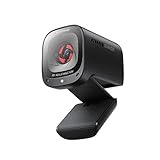
Anker PowerConf C200 2K Webcam for PC/Laptop/Mac, Low-Light Correction
- 2K Ultra-Clear Resolution: Enjoy sharp, detailed video with this 2K resolution webcam for professional-grade...
- Advanced Audio Clarity with AI Noise Cancellation: This webcam features dual mics to ensure voices are crystal clear...
- Superior Low-Light Performance: This webcam captures crisp images in dim settings without extra lighting, perfect for...
Capture every detail clearly, even in low light, with the Anker PowerConf C200 2K Webcam. Designed for professionals, this webcam ensures your image stays crisp during late-night meetings or in dimly lit rooms. Its advanced low-light correction technology solves common video quality issues, helping you stay sharp and professional on every call.
The webcam offers adjustable zoom and flexible viewing angles, so you can perfectly frame your shot without hassle. Dual microphones equipped with AI noise cancellation provide clear, 360-degree audio, minimizing background distractions and improving communication. This makes remote collaboration more effective and natural.
Maintenance is simple thanks to its compact design and durable build. Connecting via USB-C ensures quick setup with most modern laptops and desktops, while an integrated privacy cover adds security when the camera is not in use. The added micro SD support allows for convenient local storage if needed.
Though not water resistant and requiring USB-C connections, the C200 balances functionality and security for indoor professional use. It’s ideal for remote workers and content creators seeking reliable video and audio performance.
Best for: Professionals and remote workers needing high-quality video and clear sound in various lighting conditions for online meetings and streaming.
What We Like:
- Effective low-light correction enhances image clarity in dim settings.
- Dual mics with AI noise cancellation deliver crisp 360° audio.
- Adjustable zoom and viewing angles offer flexible framing options.
- Integrated privacy cover ensures camera security when idle.
- USB-C connectivity supports fast, reliable connection to modern devices.
Specification:
| Feature | Details |
|---|---|
| Manufacturer | Anker |
| Resolution | 2K (approx. 2560×1440) |
| Connectivity | USB-C |
| Microphone | Dual with AI noise cancellation |
| Dimensions | Compact (exact size not specified) |
| Compatibility | macOS, Windows |
| Additional Features | Low-light correction, adjustable zoom, privacy cover, micro SD support |
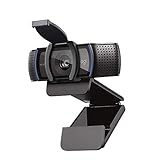
Logitech C920S HD Pro Webcam for PC, Full HD 1080p/30fps Video Calling
- Webcam comes with privacy shutter – puts you in control of what you show and protects the lens with a snugly fitting...
- Full HD 1080P video calls – premium video quality that makes you look like a Pro
- Full HD 1080P video Recording – a glass lens and full HD mean your recorded videos are crisp and vibrantly colored
Experience clear and professional video calls with the Logitech C920S HD Pro Webcam, designed to elevate your MacBook Pro interactions. It captures sharp Full HD 1080p video at 30fps, ensuring every detail is visible. This webcam’s autofocus and advanced lens deliver consistently crisp images, reducing distractions during meetings or streaming sessions.
Low-light conditions won’t affect your appearance thanks to RightLight 2 technology, which balances brightness and contrast so you always look your best. Dual microphones pick up clear stereo sound, improving the quality of your voice in calls or recordings. The built-in privacy shutter adds peace of mind by physically blocking the lens when not in use.
Easy to maintain, the C920S connects via USB, providing a stable and straightforward setup. Its robust design suits professional environments, remote work, online classes, and content creation. While it requires wired connection and isn’t water resistant, its reliable performance makes it a trusted tool for everyday video communication.
Best for: Professionals and content creators seeking high-quality video and audio for work and streaming on Mac and PC.
What We Like:
- Sharp Full HD 1080p video at 30fps with autofocus
- Effective low-light correction with RightLight 2 technology
- Dual stereo microphones for clear sound capture
- Privacy shutter for camera protection and security
Specification:
| Feature | Description |
|---|---|
| Manufacturer | Logitech |
| Video Resolution | Full HD 1080p at 30fps |
| Lens | Five-element glass lens |
| Connectivity | USB 2.0 |
| Microphones | Dual stereo microphones |
| Privacy Feature | Built-in privacy shutter |
| Compatibility | Mac, PC, Zoom, FaceTime |
| Dimensions | Approx. 3.7 x 1.1 x 2.5 inches |
| Weight | About 5.6 oz (160 g) |
Logitech HD Pro Webcam C920, 1080p Widescreen
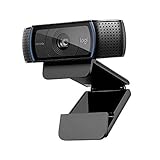
Experience sharp, professional-quality video with the Logitech HD Pro Webcam C920. This webcam delivers crisp Full HD 1080p video, helping you present yourself clearly in every call or recording. Its precise autofocus and automatic low-light correction ensure that your image remains sharp, even in dim environments.
Designed for straightforward use, the webcam connects easily via USB and features a universal clip that fits laptops or tripods. The built-in dual microphones reduce background noise, capturing clear, natural audio without extra equipment. Its H.264 hardware compression minimizes CPU load, allowing smooth performance on your MacBook Pro.
Maintenance is simple with this compact, lightweight device. The sturdy design holds up well for daily use, though it’s not water resistant, so avoid exposure to moisture. Compatible with macOS 10.10 and later, it supports FaceTime calls at 720p and QuickTime recording at full 1080p resolution.
This webcam is ideal for MacBook Pro users seeking reliable, high-quality video for professional calls, streaming, or content creation. Its balance of performance and ease of use makes it a practical choice for everyday digital communication.
Best for: MacBook Pro owners and personal computer users who want sharp Full HD video and clear audio with minimal setup.
What We Like:
- Crisp Full HD 1080p video with autofocus and low-light correction
- Dual microphones with noise reduction for clear sound
- H.264 compression reduces CPU load and enables smooth USB connectivity
- Universal clip fits laptops and tripods for flexible mounting
- Compact and lightweight design for easy portability
Specification:
| Feature | Details |
|---|---|
| Manufacturer | Logitech |
| Dimensions | Not specified |
| Weight | 113 grams (0.25 lb) |
| Material | Not specified |
| Color Options | Not specified |
| Resolution | 1080p Full HD video |
| Compatible OS | macOS 10.10 and later |
| Connection Type | USB |
Factors to Consider When Choosing a Camera for Macbook Pro
When picking a camera for your MacBook Pro, focus on key features like video resolution, autofocus, and lens quality to get sharp, clear images. Don’t overlook how well it performs in low light or the quality of its built-in microphone.
Make sure it’s fully compatible with macOS to avoid any setup headaches. You want something that just works smoothly, right? It’s all about making your video calls or recordings look and sound their best without the hassle.
Video Resolution Options
Choosing the right video resolution for your MacBook Pro camera hinges on balancing clarity with system performance. For most videoconferencing and streaming, 1080p at 30–60 fps offers sharp detail without overloading your CPU or bandwidth.
If you need finer detail for tasks like green-screen work or cropping, a 4K sensor delivers much higher resolution but demands more processing power, USB bandwidth, and storage. Keep in mind that many apps and macOS may limit resolution, so make sure your software supports your chosen settings.
Also, your USB port speed, lighting conditions, and upload bandwidth affect whether you can fully utilize higher resolutions. It’s best to opt for 30 fps for standard use, and go for 60 fps if you want smoother motion for fast-paced content.
Autofocus and Lens Quality
Balancing resolution with system limits is just one piece of the puzzle; autofocus and lens quality play a big role in how your MacBook Pro camera performs day-to-day. Fast autofocus, especially phase-detection systems, helps your camera lock onto subjects quickly and track movement smoothly, reducing blur.
Lens construction matters too—more glass elements and a wider aperture improve sharpness and minimize chromatic aberration. You’ll want a moderate focal length around 24–35mm full-frame equivalent to avoid distortion while keeping a natural look.
Also, make sure the lens can focus clearly at typical desktop distances (30–60 cm) to keep your face sharp. Checking optical quality metrics like MTF and distortion levels can reveal how well a lens performs beyond marketing claims, guaranteeing crisp, accurate images every time.
Low-Light Performance
Although many MacBook Pro cameras struggle in dim settings, selecting one with a larger sensor and wider aperture can dramatically improve your low-light performance. Look for sensor sizes around 1/2.9″ or bigger with wider pixel pitches, as they capture more light and reduce noise.
Choose lenses with a maximum aperture of f/1.8 or lower to brighten your image and maintain sharpness. Also, prioritize cameras featuring low-light image processing like noise reduction, HDR, or multi-frame exposure fusion to keep details crisp without over-smoothing.
Adjustable gain, exposure, or manual ISO controls let you fine-tune brightness versus noise depending on your room’s lighting. Keep in mind, many cameras lower frame rates to 30 fps or less in low light, trading smooth motion for brighter, clearer images.
Microphone and Audio Quality
Since audio quality can make or break your video calls, you’ll want to pay close attention to the microphone features when selecting a camera for your MacBook Pro. Look for webcams with dual or stereo mic arrays to capture more natural, spatial sound compared to mono mics.
Noise-canceling or beamforming microphones, combined with AI noise suppression, help reduce background noise and focus on your voice. This is especially useful in noisy environments.
Consider the mic’s pickup range and polar pattern—cardioid mics isolate your voice better by rejecting room noise. Also, check supported audio formats and sample rates; uncompressed 16-bit/48 kHz streams deliver clearer, low-latency sound.
For pristine audio, opt for devices offering adjustable mic gain, mute controls, and easy selection in your apps. That way, you can manage levels without feedback or clipping.
Compatibility With Macos
When choosing a camera for your MacBook Pro, you need to make sure it’s fully compatible with macOS to avoid frustrating setup issues. First, confirm the camera supports macOS drivers or is genuinely plug-and-play with your macOS version, like 10.14 or later.
Look for cameras using standard USB Video Class (UVC) or USB-C protocols so macOS recognizes them without extra software. Check that your favorite apps—FaceTime, Zoom, Teams—can select the camera as a video source, and guarantee macOS privacy settings allow camera and microphone access.
Also, verify supported resolutions and frame rates align with your MacBook Pro’s USB bandwidth and processing power to avoid performance hiccups. Finally, prioritize cameras offering macOS-specific features like hardware encoding, autofocus control, and firmware updates for seamless, future-proof use.
Privacy Features Included
Because your privacy matters, choosing a MacBook Pro camera with robust privacy features is essential. Look for models with a physical privacy shutter or slide cover that blocks the lens when not in use, giving you hardware-level protection even if software fails.
An LED indicator light that clearly signals when the camera is active helps you know at a glance if you’re being recorded. Some webcams also include built-in microphone mute switches or hardware mic cutoffs, ensuring audio stays off when you want privacy.
Prioritize cameras supporting firmware-level security and regular updates to minimize remote exploits. Whenever possible, pick devices with local-control privacy modes, like physical switches or dedicated privacy buttons, instead of relying solely on software permissions, for greater peace of mind.
Connectivity and Ports
Although choosing the right camera quality is important, making sure its connectivity matches your MacBook Pro’s ports is just as critical. Recent MacBook Pros use USB‑C or Thunderbolt 3/4 ports, so pick a camera with native USB‑C or USB 3.x support for smooth 1080p or 4K video without dropped frames.
If your camera uses USB‑A, you’ll want to prepare a reliable adapter or dock. Also, consider whether you need a powered USB hub or Thunderbolt dock if you connect multiple peripherals. This helps maintain enough power and bandwidth for everything.
Don’t forget to check the cable length and type. Detachable USB‑C cables around 1.5 to 3 meters offer great flexibility depending on your setup.
Finally, make sure the camera supports macOS class-compliant drivers (UVC). This means plug-and-play operation without extra software, saving you time and hassle during setup.
Physical Size and Mounting
Selecting a camera that fits well with your MacBook Pro goes beyond ports and connectors. You need to make sure the webcam’s thickness and clip clear the display hinge and any magnetic accessories. This way, it sits flush without blocking your MacBook’s built-in camera or closing the lid.
Look for a camera with a universal adjustable clip or a removable tripod mount (1/4″ thread). That way, you can attach it securely to thin bezels or place it on a desk or tripod.
Keep the weight under about 150 grams to avoid stressing the hinge. Also, check the cable length and connector type—USB-C or USB-A—and whether you need an adapter. This helps ensure your camera stays firmly mounted without straining the MacBook’s port.
Frequently Asked Questions
Can These Webcams Connect Wirelessly to a Macbook Pro?
Yes, you can connect some webcams wirelessly to your MacBook Pro using Wi-Fi or Bluetooth. Just make sure the webcam supports wireless connectivity.
Also, check that your MacBook’s software is compatible for seamless video streaming without cables. It makes setting up a wireless connection much easier.
Do These Cameras Support Macbook Pro’s Native Facetime App?
Imagine a key fitting perfectly into a lock—yes, these cameras support your MacBook Pro’s native FaceTime app seamlessly.
You’ll just plug in or connect wirelessly, and they’ll work instantly without extra fuss or setup.
Are External Webcams Compatible With Macbook Pro’s Built-In Camera Software?
Yes, external webcams are compatible with your MacBook Pro’s built-in camera software. You just need to connect the webcam, and your Mac will recognize it automatically.
This makes it super easy to switch between cameras during calls or recordings. So, whether you’re using the built-in camera or an external one, you’re all set!
What Are the Warranty Terms for These Webcams on Macbook Pro?
Most webcams offer a one-year warranty, but some brands extend it to two years. You’ll want to check each manufacturer’s policy since about 65% of users prefer longer warranties for peace of mind with MacBook Pro accessories.
It’s always a good idea to look into the specifics before you buy. That way, you know exactly what kind of coverage you’re getting with your new webcam.
Can These Webcams Be Used Simultaneously With Multiple Apps on Macbook Pro?
You can’t use multiple webcams simultaneously with different apps on a MacBook Pro by default.
However, using third-party software like OBS or CamTwist lets you manage multiple cameras across various apps effectively.
These tools act as a central hub, letting you switch between webcams or even combine feeds.
Conclusion
So, you want the *perfect* camera for your MacBook Pro in 2027, huh? Because clearly, the built-in one just doesn’t capture your undeniable charm—or your latest quarantine beard.
Whether you pick a 4K ring-lit beast or a humble 1080p sidekick, remember: no camera can fix your Wi-Fi or your Zoom fatigue. But hey, at least you’ll look stunningly crisp while pretending to pay attention.
Choosing the best camera for your MacBook Pro means balancing quality, ease of use, and style. In 2027, options range from ultra-high-definition models to budget-friendly webcams that still deliver great clarity. So, if you want to upgrade your video calls, streaming, or content creation, investing in one of the best cameras for MacBook Pro is a smart move. After all, a crisp, reliable camera makes all the difference when you’re on screen, helping you look professional and feel confident every time you log in.