7 Best Video Cameras for YouTube Live Streaming in 2027
If you want flawless YouTube live streams in 2027, choosing the right video camera is key. Whether you’re a casual streamer or a content creator aiming for professional quality, the best video cameras for YouTube live streaming can make all the difference.
From smooth tracking to crystal-clear visuals, these cameras are designed to elevate your broadcast.
Consider the EMEET PIXY Dual-Camera 4K PTZ with AI tracking for smooth subject following, or the EMEET S600 4K Webcam with fast PDAF autofocus for sharp visuals. The wireless PIXY offers freedom and up to 8 hours battery life, while the Logitech Mevo Start excels in multi-camera setups.
For pro audio, the Zoom Q8n-4K supports XLR inputs. Explore these picks to find the perfect fit for your streaming style.
| Image | Name | Editor's Rating | Price |
|---|---|---|---|

|
|
||
|
|
||

|
|
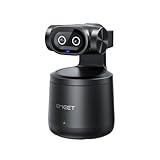
EMEET PIXY Dual-Camera AI-Powered PTZ Camera 4K, AI Tracking, Not Wireless
No products found.
Experience next-level video streaming with the EMEET PIXY Dual-Camera AI-Powered PTZ Camera 4K. This advanced webcam solves the common issue of staying centered during live streams by using AI-assisted tracking. It seamlessly follows your movements, keeping you perfectly framed without manual adjustments.
The dual-camera design combines a sharp 4K Sony sensor with smooth PTZ controls, offering 310° pan and 180° tilt. This lets you capture wide angles or zoom in with clarity. Although it requires a USB connection, this ensures stable and uninterrupted performance, eliminating wireless lag.
Audio quality is enhanced by a three-mic array equipped with noise-canceling modes. This reduces background noise and captures your voice clearly, making your streams sound as professional as they look. Maintaining the camera is simple—just keep the lens clean and the USB cable securely connected for consistent results.
This camera is ideal for content creators who demand precise tracking and high-resolution video. Its design supports dynamic presentations and interactive live streaming without complicated setups.
Best for: Content creators and live streamers seeking reliable AI tracking and crisp 4K video with smooth pan-tilt-zoom control.
What We Like:
- AI-powered dual-camera system keeps subjects perfectly framed.
- 4K resolution with fast autofocus and digital image stabilization.
- Three-mic array with effective noise cancellation.
- Smooth PTZ movement with wide pan and tilt angles.
- USB connection ensures reliable, lag-free operation.
Specification:
| Feature | Details |
|---|---|
| Manufacturer | EMEET |
| Resolution | 4K (Sony sensor) |
| Pan Range | 310° |
| Tilt Range | 180° |
| Audio | Three-mic array |
| Connectivity | USB |
| Weight | Approx. 0.5 kg (1.1 lb) |
| Wireless | No |
EMEET PIXY Dual-Camera AI-Powered PTZ Camera 4K with Tripod, AI Tracking
No products found.
Experience seamless live streaming with the EMEET PIXY Dual-Camera AI-Powered PTZ Camera 4K, designed to keep you perfectly framed no matter how much you move. Its intelligent AI tracking adjusts smoothly as you shift positions, making it ideal for dynamic presentations or fitness sessions. You’ll no longer worry about losing focus or awkward framing during your broadcasts.
This innovative camera combines a Sony 4K sensor with AI face-position detection to deliver crisp, clear video with fast autofocus. The 310° pan and 180° tilt range lets you capture wide angles effortlessly. Gesture control and preset modes simplify operation, so you can focus on your content without technical distractions.
Setting up is straightforward with the included adjustable tripod, while the built-in three-mic array ensures your audio matches the video quality. Compatible with popular platforms like OBS and Twitch, this camera integrates smoothly into your existing streaming setup.
Maintenance is minimal: the sturdy tripod and durable design keep your device stable and reliable. Note that the field of view is fixed in 4K and 1080p 60fps modes, and the remote control is sold separately, which may affect convenience for some users.
Best for: Content creators, live streamers, and educators needing high-quality 4K video with smart AI tracking and flexible PTZ controls.
What We Like:
- Dual-camera setup with Sony 4K sensor and AI face detection for sharp, quick autofocus
- Wide PTZ range with smooth AI tracking, perfect for active movements
- Adjustable tripod and three-mic array enhance professional streaming quality
- Easy integration with major streaming platforms like OBS and Twitch
Specification:
| Feature | Details |
|---|---|
| Manufacturer | EMEET |
| Dimensions | Not specified |
| Weight | Not specified |
| Sensor | Sony 4K |
| Pan Range | 310° |
| Tilt Range | 180° |
| Microphone Array | Three-mic |
| Connectivity | Compatible with OBS, Twitch |
| Included Accessory | Adjustable tripod |
EMEET S600 4K Webcam for Streaming, Sony 1/2.55” Sensor, PDAF Autofocus
- Unmatched 4K Streaming Quality - The EMEET S600 streaming camera boasts a high-definition 4K sony 1/2.55'' sensor...
- Advanced PDAF Autofocus & Light Balance – 4K webcam S600's PDAF(Phase Detection Autofocus) tech offers significant...
- Enhanced Audio Clarity & Customizable FOV - The EMEET S600 4K streaming webcam is equipped with premium microphones that...
Experience crisp, professional streaming with the EMEET S600 4K Webcam. Designed to deliver stunning clarity, this webcam solves the common issue of blurry or lagging video during live streams. Its true 4K resolution and fast PDAF autofocus keep your image sharp and detailed without manual adjustments.
The Sony 1/2.55″ sensor captures vibrant 30 FPS 4K video or smooth 60 FPS at 1080p, ensuring your streams look fluid and lifelike. With a fixed 73° field of view, it frames you perfectly for meetings or broadcasts. Dual noise-canceling microphones enhance audio clarity, cutting out background distractions for a professional sound.
Compact and durable, the webcam includes a built-in privacy cover to protect your lens when not in use. Easy to mount and maintain, it fits seamlessly into any workspace. The EMEETLINK software offers advanced customization, allowing you to tailor video settings to your needs without hassle.
While it lacks water resistance and Windows Hello compatibility, its strengths in video quality and audio make it a reliable choice for everyday streaming and video calls.
Best for: content creators and professionals needing sharp 4K video with dependable autofocus and clear audio for live streaming and video conferencing.
What We Like:
- True 4K at 30 FPS and 1080p at 60 FPS for vibrant, smooth video
- PDAF autofocus ensures quick, precise focusing
- Dual noise-canceling mics provide clear, distraction-free audio
- Built-in privacy cover for lens protection
- User-friendly customization with EMEETLINK software
Specification:
| Feature | Details |
|---|---|
| Manufacturer | EMEET |
| Sensor | Sony 1/2.55″ |
| Resolution | 4K at 30 FPS, 1080p at 60 FPS |
| Field of View | 73° |
| Microphones | Dual noise-canceling |
| Autofocus | PDAF |
| Privacy Cover | Yes |
| Mounting | Flexible clip mount |
| Dimensions | Compact (exact size not specified) |
| Compatibility | Windows, macOS (excluding Windows Hello) |
EMEET PIXY Wireless 4K Dual-Lens AI Tracking Streaming Camera
- Crisp 4K Quality & AI Dual-Camera Design:Capture stunning UHD 4K footage with vibrant, true-to-life colors. The...
- Smart Auto-Tracking & Gesture Control:Advanced AI algorithms automatically detect and follow your movement in real...
- Wireless Freedom & One-Stream Multi-Platform:Connect to your phone or PC without messy cables, and place the camera...

Capture every moment with precision using the EMEET PIXY Wireless 4K Dual-Lens AI Tracking Streaming Camera. Designed to eliminate the hassle of manual camera adjustments, this smart device smoothly follows your movements during live streams or video calls. Its innovative dual-lens setup combines a crisp 4K video lens with a dedicated AI tracking lens for accurate, real-time subject tracking.
This camera’s wireless design and gesture control add convenience by letting you start or stop tracking without touching your device. The wide 97° field of view and HDR technology ensure your footage stays vibrant and sharp from every angle. Plus, fixed focus means you get clear images with minimal setup.
With up to 8 hours of battery life, the PIXY supports long streaming sessions without interruption. It works seamlessly across multiple platforms and supports multi-camera setups, making it ideal for gaming, remote work, or live broadcasts. Keep in mind, it’s not water resistant and performs best above 40 °F, so indoor use is recommended.
Best for: Streamers, content creators, and remote professionals who need reliable, hands-free AI tracking with high-quality 4K video and easy multi-camera management.
What We Like:
- Real-time subject tracking with dual-lens AI technology
- Hands-free gesture control for effortless operation
- Wireless multi-camera support simplifies streaming setups
- Wide 97° field of view with HDR for vibrant, clear footage
Specification:
| Feature | Details |
|---|---|
| Manufacturer | EMEET |
| Video Resolution | 4K UHD |
| Field of View | 97° |
| Battery Life | Up to 8 hours |
| Focus Type | Fixed focus |
| Connectivity | Wireless |
| Operating Temp | Above 40 °F (4 °C) |
| Dimensions | Not specified |
| Weight | Not specified |
Logitech for Creators Mevo Start Wireless Live Streaming Camera – Black
No products found.
Experience seamless live streaming with the Logitech for Creators Mevo Start Wireless Live Streaming Camera — Black. Designed for creators on the move, this compact camera delivers crisp 1080p HD video and clear audio through its prime lens and built-in microphone. It simplifies live content creation, helping you focus on your message rather than technical hassles.
Its versatile connectivity options include Wi-Fi, Ethernet, and smartphone tethering, ensuring stable streams even in varying environments. The multicam feature allows you to connect up to three Mevo Start cameras, giving you dynamic angles and professional-quality multicamera productions without complex setups.
The camera’s intuitive Auto-Director app automates switching between shots, reducing the need for manual control. With six hours of battery life and microSD storage, you can stream and record for extended periods without interruption. However, the fixed-focus lens with digital zoom limits manual adjustment, and the lack of water resistance means it’s best used indoors or in dry conditions.
Maintenance is straightforward; just keep the lens clean and charge the battery regularly to ensure consistent performance. This camera is ideal for creators who want a portable, reliable streaming solution without sacrificing quality.
Best for: content creators and live streamers seeking a portable, high-quality wireless camera with multicam capabilities for professional 1080p streaming across multiple platforms.
What We Like:
- Supports 1080p HD streaming and recording with clear video and audio quality.
- Multiple connectivity options including Wi-Fi, Ethernet, and 4G/5G smartphone tethering.
- Multi-camera support for up to three Mevo Start units for versatile live productions.
- Intuitive Auto-Director app automates camera switching for ease of use.
- Long battery life of up to six hours for extended streaming sessions.
Specification:
| Feature | Details |
|---|---|
| Manufacturer | Logitech |
| Dimensions | Compact, lightweight design |
| Weight | Lightweight |
| Color Options | Black |
| Video Resolution | 1080p HD |
| Connectivity | Wi-Fi, Ethernet, Smartphone tethering |
| Battery Life | Up to 6 hours |
| Storage | MicroSD card support |
EMEET PIXY 4K Dual-Lens AI PTZ Streaming Camera
No products found.
The EMEET PIXY 4K Dual-Lens AI PTZ Streaming Camera is designed to make streaming and content creation seamless. It addresses common issues like losing track during movement by using AI auto-tracking that follows you smoothly, even during fast action. This ensures you stay in frame without needing constant manual adjustments.
Its dual-lens 4K UHD video captures clear, high-quality footage, while the wide 97° field of view lets you cover more space effortlessly. Gesture control adds convenience, allowing you to operate the camera hands-free. Wireless connectivity and the EMEET STUDIO app simplify streaming to multiple platforms like YouTube and Twitch simultaneously.
The camera’s lightweight and compact design make it easy to carry and set up anywhere. With up to 8 hours of battery life, you can stream without worrying about frequent recharging. Maintenance is straightforward, with minimal manual focus adjustments needed due to its fixed focus lens.
Audio needs are covered with a built-in microphone and an external input, though professional setups may require additional equipment for higher sound quality. This camera is ideal for users looking for a portable, AI-powered 4K streaming solution with smart tracking features.
Best for: content creators and streamers needing a reliable, easy-to-use AI tracking camera for multi-platform live streaming.
What We Like:
- Smooth AI auto-tracking keeps subjects perfectly framed during movement
- Dual-lens 4K UHD video delivers sharp, high-quality images
- Wireless connectivity with multi-platform streaming via EMEET STUDIO app
- Lightweight design with up to 8 hours of battery life for portable use
- Gesture control enables hands-free operation
Specification:
| Feature | Details |
|---|---|
| Manufacturer | EMEET |
| Dimensions | Compact (exact size not specified) |
| Weight | Lightweight (exact weight not specified) |
| Video Resolution | 4K UHD |
| Field of View | 97° |
| Battery Life | Up to 8 hours |
| Connectivity | Wireless |
| Audio Input | Built-in mic and external input |
Zoom Q8n-4K Video Recorder for Musicians, Streamers & Filmmakers
- 4K VIDEO WITH FOUR-TRACK AUDIO – Capture stunning 4K video at 30fps alongside up to four simultaneous audio tracks...
- 150 WIDE-ANGLE LENS, FIVE FOV SETTINGS – The F2.8 wide-angle lens with scene presets for indoor, outdoor, nighttime...
- TWO XLR INPUTS WITH PHANTOM POWER – Connect microphones, instruments, or run directly from a mixing board for...
Capture your creative vision with the Zoom Q8n-4K Video Recorder, designed specifically for musicians, streamers, and filmmakers. This versatile recorder solves common challenges by combining professional-grade audio and stunning 4K video in one compact device. Whether you’re live streaming or recording locally, it delivers clear visuals and rich sound without complicated setups.
Its wide-angle F2.8 lens and five scene presets help you tailor your video to any environment. The recorder’s four audio tracks come from built-in microphones and two XLR inputs, offering flexibility for various recording needs. Swappable mic capsules let you optimize sound capture for different instruments or voices.
The 3.5-inch flip-out screen simplifies framing, while webcam mode makes it easy to connect with streaming platforms. Battery-powered and portable, it’s perfect for creators on the go. Maintenance is straightforward—just swap AA batteries and use SD cards up to 512 GB for extended recording sessions.
Best for: Musicians, streamers, and filmmakers seeking a portable all-in-one 4K video recorder with professional audio capabilities for live streaming and high-quality local recording.
What We Like:
- Captures crisp 4K video at 30 fps with versatile scene presets
- Records four audio tracks with built-in stereo mics and XLR inputs
- Flip-out touchscreen and webcam mode for easy framing and streaming
- Portable design powered by AA batteries, ideal for mobile use
Specification:
| Feature | Details |
|---|---|
| Manufacturer | Zoom |
| Dimensions | Approx. 2.9 x 5.7 x 1.7 in |
| Weight | Approx. 0.68 lb (310 g) |
| Lens | Wide-angle F2.8 |
| Audio Inputs | 2 XLR with phantom power |
| Storage | SD card (up to 512 GB) |
| Screen Size | 3.5-inch flip-out touchscreen |
| Video Resolution | 4K UHD at 30 fps |
Factors to Consider When Choosing a Video Camera for YouTube Live Streaming
When choosing a video camera for YouTube live streaming, you’ll want to focus on key features like video quality and reliable autofocus. These are crucial for keeping your stream looking sharp and professional.
Don’t forget to check audio input options and how well the camera connects with your setup. You want everything to work seamlessly without hiccups.
Also, consider portability and battery life to keep your streams smooth and flexible. It’s all about making sure your gear fits your style and streaming needs.
Video Quality Requirements
Since video quality directly impacts viewer engagement, you’ll want a camera that records at least 1080p at 60 fps for smooth motion or 4K at 30 fps to capture finer details and future-proof your streams. Look for larger sensors and wide apertures (around f/1.8 to f/2.8) to perform well in low light, reducing noise and keeping your image clear.
Check the frame formats and color handling, such as HDR support and codecs like H.264, to make certain compatibility with YouTube’s streaming requirements and preserve highlight and shadow detail. Also, consider a camera with adjustable field of view or optical zoom so you can frame solo or group shots effectively without relying on digital cropping that degrades quality.
This approach guarantees crisp, vibrant streams viewers will enjoy. Trust me, it makes a big difference!
Autofocus and Tracking
Autofocus and tracking systems play a crucial role in keeping your live streams sharp and professionally framed, especially if you move around a lot. You’ll want a fast autofocus system with phase-detection (PDAF), which locks focus in about 0.2 seconds—much quicker than contrast-only autofocus that takes around 1.1 seconds.
For smooth framing, consider cameras with dual-camera or AI-assisted tracking sensors, which reduce false re-centers during rapid movement. Check if tracking works at your preferred resolution and framerate since many disable advanced tracking at 4K/30fps or higher.
Also, evaluate the PTZ range and responsiveness to make certain the camera follows your full movement without lag. Features like gesture controls and privacy tilt modes add hands-free convenience, letting you start, stop, or reposition tracking quickly during your streams.
Audio Input Options
How do you make sure your audience hears you clearly during live streams? While built-in camera microphones are handy, they usually pick up unwanted ambient noise.
For crisp voice quality, plan to use external microphones. Look for cameras with USB or 3.5mm analog mic inputs to easily connect lavaliers or shotgun mics.
If you want professional-grade sound, XLR inputs offer balanced audio and phantom power for high-end condensers. You can also use an audio interface or mixer to combine multiple mics, adjust gain and EQ, and send a clean feed to your streaming PC.
Wireless mic systems add mobility but require careful management of battery life, interference, and latency.
Finally, choose audio input setups that minimize sync issues. And let your streaming software correct lip sync, ensuring smooth audio-visual alignment.
Connectivity and Compatibility
When choosing a video camera for YouTube live streaming, you need to make sure it connects seamlessly with your setup. Check if the camera supports your preferred connection type—USB UVC for plug-and-play, HDMI or SDI for capture cards, or Wi-Fi for wireless streaming.
Verify it passes through your desired resolution and frame rate without downscaling, like 4K at 30fps or 1080p at 60fps. Confirm compatibility with your platform and OS, making certain it either uses standard webcam protocols or vendor software that works on Windows, macOS, or Linux.
Don’t overlook power and cable needs to avoid dropouts during long streams. If you plan multi-camera setups or remote control, make certain the camera supports protocols like RTMP, NDI, or RTSP and integrates with your streaming software or hardware.
Portability and Power
Beyond connectivity and compatibility, portability and power play key roles in choosing a video camera for YouTube live streaming. You’ll want a camera with a built‑in battery or support for hot‑swappable batteries to stream untethered for hours.
Pay close attention to weight and size—ultra-compact models under 500 g are easier to mount on tripods, gimbals, or laptops, perfect for mobile setups. Check if the camera supports USB-C PD or DC input so you can power it via power banks or adapters when mains power isn’t available.
Also, look for AC power passthrough to keep streaming during long sessions without draining the battery. Finally, consider portability accessories like compact carrying cases and foldable mounts, plus durable, travel-friendly cables to keep your setup efficient on the go.
Frequently Asked Questions
How Do I Set up a Live Stream Schedule on Youtube?
You’ll go to YouTube Studio, click “Create,” then “Go live.”
Under “Schedule for later,” pick your date and time, add details, then hit “Schedule.”
Your live stream is set and ready to notify subscribers!
It’s pretty straightforward, right? Just follow those steps and you’ll have your stream scheduled in no time.
What Internet Speed Is Required for Smooth 4K Live Streaming?
You’ll need at least 25 Mbps upload speed for smooth 4K live streaming—remember, “a stitch in time saves nine.”
A steady, fast connection prevents buffering and keeps your stream crisp and uninterrupted. So, make sure your internet is up to the task before you go live!
Can I Monetize My Live Streams on Youtube?
Yes, you can monetize your live streams on YouTube if you join the YouTube Partner Program. You’ll also need to meet their eligibility requirements.
Once you’re in, you can enable monetization features like Super Chat, channel memberships, or ads during your live broadcasts. It’s a great way to earn while you stream!
What Are the Best Lighting Tips for Live Streaming?
You’ll want soft, even lighting—like a gentle sunrise washing over your face—to avoid harsh shadows.
Position lights at 45-degree angles, use diffusers, and add a subtle backlight to create depth and keep your stream visually inviting.
Trust me, these little tweaks make a huge difference in how professional your stream looks!
How Do I Engage Viewers During a Live Stream?
You engage viewers by interacting through live chat, asking questions, and responding promptly. Use energetic body language, tell stories, and keep content relevant.
Don’t forget to encourage likes and subscriptions to boost interaction. It really helps keep the energy up and makes viewers feel part of the experience.
Conclusion
Picture yourself on stage, the spotlight shining bright as your audience waits keenly. Choosing the right video camera for your YouTube live streams is like picking the perfect lens to capture every moment in vivid detail.
Whether it’s the crisp clarity of 4K or the smooth glide of AI tracking, the right gear brings your story to life. So, grab your ideal camera and let your creativity shine live, uninterrupted and unforgettable.
In 2027, the best video cameras for YouTube live streaming combine advanced features like high-resolution sensors, fast autofocus, and seamless connectivity. These cameras not only enhance your stream’s quality but also make your setup easier to manage. Investing in a top-notch camera ensures your live streams are sharp, engaging, and professional every time.