14 Best Camera Capture Cards for 2027 Streamers Swear By
You’ll want a capture card that handles your camera’s HDMI output smoothly, like the Elgato Cam Link 4K or AVerMedia CamStream 4K for crisp 4K60 streaming. These cards are perfect if you’re aiming for high-quality visuals that really pop on your stream.
If you’re on a budget, options like Audio Express work well for 1080p60 setups without breaking the bank. Meanwhile, UGREEN’s card offers great versatility with 4K input and 1080p output, giving you flexibility depending on your setup.
Just make sure your USB port can keep up—USB 3.0 is usually necessary to handle the data flow. Also, double-check compatibility with your gear so everything runs smoothly. Keep going to discover the best fit for your streaming style and gear!
| Image | Name | Editor's Rating | Price |
|---|---|---|---|

|
|
||
|
|
||

|
|
||

|
|
||

|
|
Elgato Cam Link 4K Capture Card for DSLR, Camcorder, Action Cam
- Turn Your Camera into a Pro Webcam: Connect your DSLR or mirrorless camera to any computer and go live in stunning...
- Stunning quality: Stream and record in 1080p60 or even 4K60 for razor-sharp detail (Requires a compatible camera and the...
- Connect More Than Just Cameras: Use a camcorder, action cam, or even your iPhone to level up your content

Transform your DSLR, mirrorless, or action camera into a professional-grade webcam with the Elgato Cam Link 4K Capture Card. This device effortlessly converts your camera’s HDMI output to USB 3.0, enabling you to stream or record in stunning Full HD at 60 fps or even 4K up to 60 fps when paired with compatible gear.
Designed for smooth and reliable performance, the Cam Link 4K offers ultra-low latency. This means your video and audio stay perfectly in sync, eliminating frustrating delays during live streams or recordings. Its compact size and lightweight design make it easy to carry and set up wherever you need.
Maintenance is simple—just ensure your camera outputs via HDMI and connect the capture card to a USB 3.0 port for optimal performance. It works seamlessly with popular platforms like Windows, macOS, OBS Studio, and Zoom, making it versatile for various content creation needs.
While it supports impressive resolutions, keep in mind that 4K60 capture requires a compatible camera and the latest Cam Link model. Also, it’s limited to HDMI output devices, so some cameras may need adapters. Despite these considerations, it remains a reliable tool for upgrading your streaming setup.
Best for: content creators and streamers seeking to use their DSLR, mirrorless, or action camera as a high-quality webcam for professional streaming and recording.
What We Like:
- Captures video up to 4K resolution at 60 fps for crystal-clear quality
- Ultra-low latency keeps audio and video perfectly aligned
- Broad compatibility with Windows, macOS, OBS Studio, and Zoom
- Compact, lightweight design for easy portability and quick setup
Specification:
| Feature | Details |
|---|---|
| Manufacturer | Elgato |
| Dimensions | Approx. 7 x 4.5 x 1.5 cm |
| Weight | 20 grams |
| Connection | HDMI input to USB 3.0 output |
| Compatible OS | Windows, macOS |
Video Capture Card, 4K USB3.0 HDMI to USB C, 1080P 60FPS & 2K 30FPS
- 【1080P 60FPS Video Capture Card】 This HDMI game capture card is based on USB3.0 high speed transmission port, input...
- 【Ultra Low Latency Screen Sharing】 HDMI capture card is made of good quality aluminum alloy with strong heat...
- 【Plug and Play, Easy to Carry】 This HDMI 1080P video capture card does not require any additional drivers or...
Capture every moment with crystal-clear clarity using the Guermok GM-29A, a video capture card designed to elevate your streaming experience. It effortlessly handles 1080p at 60FPS and 2K at 30FPS, ensuring smooth, high-quality video through a straightforward HDMI-to-USB connection. This means you can focus on your content without worrying about lag or choppy playback.
The device connects via USB 3.0, which is essential for maintaining low latency and stable streaming across Windows, macOS, Linux, and even mobile platforms. Its plug-and-play design eliminates the hassle of driver installations, making setup quick and painless. You can easily integrate it with popular streaming software like OBS Studio.
Built with a durable aluminum alloy housing, the GM-29A stays cool during extended use, preventing overheating and ensuring reliable performance. Keep in mind, for optimal results, always use a USB 3.0 port and manage your cables carefully to avoid signal loss, especially when using USB-C to HDMI adapters.
While it provides excellent one-way HDMI input to USB output capture, it does not support video passthrough or output, which may be a consideration depending on your setup. Despite this, it remains a versatile and dependable tool for serious content creators.
Best for: Streamers and content creators seeking reliable, low-latency capture of 1080p60 or 2K30 video on multiple platforms.
What We Like:
- Smooth high-definition capture at 1080p60 and 2K30 resolutions
- Easy setup with plug-and-play USB 3.0 connectivity
- Broad compatibility with Windows, macOS, Linux, and mobile devices
- Durable aluminum housing for effective heat dissipation
Specification:
| Feature | Details |
|---|---|
| Manufacturer | Guermok |
| Dimensions | Not specified |
| Weight | Not specified |
| Material | Aluminum alloy |
| Color Options | Not specified |
| Video Input | HDMI |
| Video Output | USB 3.0 (to PC or device) |
| Supported Res. | 1080p @ 60FPS, 2K @ 30FPS |
| Compatibility | Windows, macOS, Linux, Mobile |
4K HDMI Video Capture Card for Streaming
- 【4K60 Loop-Out & 1080P60/2K30 Capture】 This HDMI game capture card supports 4K 60Hz HDMI input and loop-out...
- 【Plug-and-Play, Stable & Ultra-Low Latency】 No driver or external power supply required—true plug and play. The...
- 【HDMI Loop-Out & Mic-In】 High-speed USB 3.0 single-channel HD HDMI capture with loop-out for lag-free live gameplay...
Capture your gameplay with flawless clarity using the 4K HDMI Video Capture Card, designed to enhance your streaming experience. This device records smooth 1080p at 60FPS video, ensuring your content looks professional and fluid without lag.
Its lag-free HDMI loop-out feature lets you monitor your gameplay in real time, solving the common issue of delayed feedback during streams. The plug-and-play setup requires no additional drivers or external power, making it effortless to use across Windows, macOS, Linux, and Android platforms.
Crafted with a durable aluminum alloy body, it maintains stable performance by dissipating heat efficiently and minimizing CPU load. This makes long streaming sessions stress-free while delivering clear visuals. Plus, with included USB 3.0 Type-A/C cables and a 3.5mm mic-in port, you can easily add external audio to your streams.
However, note that the mic-in supports only 3.5mm microphones or headsets and doesn’t capture party chat audio. Also, you’ll need to restart OBS Studio after audio changes to avoid sound issues. Despite its “4K” name, recording is limited to 1080p 60FPS, which might be confusing for some users.
Best for: Streamers and content creators seeking a reliable HDMI capture card for smooth, high-quality 1080p 60FPS recording and live streaming across multiple platforms.
What We Like:
- Supports lag-free HDMI loop-out for real-time monitoring
- Plug-and-play design with broad OS compatibility
- Durable aluminum alloy shell with efficient heat dissipation
- Includes USB 3.0 Type-A/C cables and 3.5mm mic-in for audio capture
Specification:
| Feature | Details |
|---|---|
| Manufacturer | Not Specified |
| Dimensions | Not Specified |
| Weight | Not Specified |
| Material | Aluminum alloy |
| Color Options | Not Specified |
UGREEN 2K@30Hz 1080P 60FPS Video Capture Card 4K Input HDMI to USB 3.0
- 2K 30FPS & 1080p 60FPS HDMI Capture Card: The 4K@30Hz input and 2K@30Hz output resolutions offer dual benefits. The high...
- Low Latency 5 Gbps High Data Transfer Speed: With high-speed USB 3.0 technology for optimal performance and low delay...
- USB A and USB C ports: Featuring both USB-A and USB-C interfaces, this streaming capture card ensures broad...
Experience seamless video capture with the UGREEN 2K@30Hz 1080P 60FPS Video Capture Card. Designed to enhance your streaming and recording, it effortlessly handles up to 4K input and delivers smooth 1080p footage at 60 frames per second. This ensures your content remains sharp and fluid, reducing lag and interruptions.
Its compact aluminum alloy casing not only looks sleek but also provides excellent heat dissipation, keeping the device cool during extended use. The built-in high-quality cable maintains signal integrity, minimizing connection issues. Maintenance is simple since it operates without drivers, making setup quick and hassle-free across multiple operating systems.
Connecting through HDMI to USB 3.0, this capture card supports a wide range of devices including gaming consoles, cameras, and popular streaming applications like OBS. It works seamlessly on Windows, macOS, Linux, Android, and iPadOS 17+, offering versatility for various content creation setups.
However, some consoles may require HDCP to be disabled for proper functionality, and the device supports unidirectional signal flow only—from HDMI input to USB output. Also, full iPad compatibility requires the latest iPadOS 17 or higher, which might limit use on older models.
Best for: Gamers, streamers, and content creators needing a reliable, low-latency capture card that supports 4K input and smooth 1080p@60FPS recording across multiple platforms.
What We Like:
- Supports 4K@30Hz input and 1080p@60FPS capture for crisp video quality
- Driver-free plug-and-play operation across multiple operating systems
- Durable aluminum casing with excellent heat dissipation and signal stability
Specification:
| Feature | Details |
|---|---|
| Manufacturer | UGREEN |
| Dimensions | Compact, lightweight design |
| Connectivity | HDMI input to USB 3.0 output |
| Supported Resolution | Up to 4K@30Hz input, 1080p@60FPS capture |
| Material | Aluminum alloy casing |
| Compatibility | Windows, macOS, Linux, Android, iPadOS 17+ |
Cam Link 4K HDMI to USB 3.0 Capture Card
- Reliable & Stable Performance – Ideal for electronics repair, microscope observation, and precision work recording
- High-Resolution Capture – Stream and record in smooth 1080p60 or even up to 2K50 resolution. Capture every detail with...
- Wide Device Compatibility – Works with microscopes, DSLR cameras, action cams, and other HDMI devices.
Capture crystal-clear video with the Cam Link 4K HDMI to USB 3.0 Capture Card. Designed for seamless streaming and recording, this device connects your DSLR, action camera, or microscope directly to your computer. Its plug-and-play design eliminates driver hassles, making setup quick and effortless.
This capture card supports video resolutions up to 1080p at 60fps and 2K at 50fps, ensuring smooth and detailed footage. Although it does not support native 4K capture, its reliable performance suits most streaming and recording needs. The single HDMI input keeps your setup simple and focused.
Compatible with popular software like OBS and Zoom on both Windows and Mac, it fits perfectly into professional and hobbyist workflows. Its solid build provides stable video capture, reducing interruptions during important sessions.
Maintenance is straightforward—just keep the ports clean and store the device in a dust-free environment. The compact and durable design makes it easy to carry and use anywhere.
Best for: Professionals and enthusiasts needing dependable HDMI video capture for streaming, teaching, or detailed recording.
What We Like:
- Supports smooth 1080p60 and 2K50 video capture
- Easy plug-and-play setup with no drivers required
- Compatible with OBS and Zoom on Windows and Mac
- Compact, portable, and durable design
Specification:
| Feature | Details |
|---|---|
| Manufacturer | DigitPro |
| Dimensions | Approximately 3 x 2 x 1 in (7.6 x 5.1 x 2.5 cm) |
| Weight | About 0.15 lb (68 g) |
| Material | Plastic housing |
| Color Options | Black |
acer Video Capture Card HDMI to USB 3.0, 1080P 60FPS/2K 30FPS for Streaming

- 【1080P 60FPS & 2K 30FPS】Supports HDMI input up to 4K 30FPS for ultra‑clear source signals, and captures/streams...
- 【USB 3.0 High-Speed Interface】USB 3.0 interface with up to 5Gbps bandwidth for lag-free HD capture and streaming...
- 【Easy Plug-and-Play design】with no additional driver software required. The 2-in-1 USB-A & Type-C interface design...
Experience smooth, high-quality video capture with the acer Video Capture Card HDMI to USB 3.0. This device is designed to effortlessly record or stream gameplay and live events in crisp 1080p at 60FPS or 2K at 30FPS. It solves common streaming issues like lag and complicated setups, making your content creation seamless.
The card supports HDMI inputs up to 4K at 30FPS, allowing you to connect popular consoles such as PS5, Xbox, and Nintendo Switch. Its plug-and-play functionality means no extra drivers are needed, so you can start streaming quickly on Windows, Mac, Linux, Android, and iPadOS devices.
Built with a durable aluminum casing, this capture card stays cool during extended use, ensuring reliable performance without overheating. Maintenance is minimal—just keep it dust-free and use a USB 3.0 port for optimal data transfer speeds.
While it only supports one-way HDMI to USB transmission and requires USB 3.0 compatibility, it provides a stable, versatile solution for streamers who prefer using third-party software like OBS or Twitch for recording.
Best for: Streamers and gamers seeking a compact, easy-to-use capture card for 1080p60 gameplay recording and broadcasting from various consoles and PCs.
What We Like:
- High-quality capture at 1080p 60FPS and 2K 30FPS with HDMI input up to 4K 30FPS
- Plug-and-play design with wide platform compatibility
- Durable aluminum housing for effective heat dissipation
- Supports popular streaming apps like OBS and Twitch
Specification:
| Feature | Details |
|---|---|
| Manufacturer | acer |
| Dimensions | Compact (exact size not specified) |
| Weight | Lightweight (exact weight not specified) |
| Material | Aluminum casing |
| Color Options | Standard (not specified) |
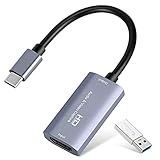
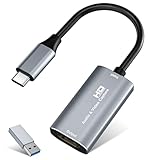
4K USB3.0 HDMI to USB-C Video Capture Card
- 【4K HDMI Input, 2K@30Hz Recording】Powered by a true USB 3.0 high-speed interface, the capture card supports up to...
- 【Ultra Low Latency Screen Sharing】Built with a premium aluminum alloy shell and advanced chipset for stable heat...
- 【Easy Plug and Play, Compact & Portable】No driver or external power required—just plug and play via USB 3.0 or...
The VIXLW 4K USB3.0 HDMI to USB-C Video Capture Card transforms how you record and stream your gameplay or live events. It captures smooth 1080p footage at 60FPS with ultra-low latency, eliminating lag and ensuring your stream stays fluid and responsive.
Designed with an aluminum alloy shell, it handles heat efficiently during long recording sessions. This keeps the device stable and reliable without overheating. The capture card connects easily via USB-C or USB 3.0 with plug-and-play setup, requiring no drivers or external power.
Its versatility shines through broad compatibility with Windows, macOS, Linux, and Android, plus popular streaming apps like OBS and Twitch. Whether you’re using a PS5, Nintendo Switch, or DSLR camera, it supports multiple devices for flexible streaming options.
Maintenance is simple since the durable metal casing resists wear and doesn’t need extra cooling accessories. Just ensure your system has a USB-C or USB 3.0 port and adequate processing power for best results.
Best for: Streamers and gamers seeking a reliable, portable capture card for smooth 1080p60FPS video capture across multiple devices and platforms.
What We Like:
- Ultra-low latency ensures real-time streaming and recording.
- Works seamlessly with Windows, macOS, Linux, and Android.
- Durable aluminum alloy shell for effective heat dissipation.
- Supports multiple devices including PS5, Switch, and DSLR cameras.
Specification:
| Feature | Details |
|---|---|
| Manufacturer | VIXLW |
| Dimensions | Approx. 3 x 2 x 0.5 in |
| Weight | Approx. 0.1 lb (45 g) |
| Material | Aluminum Alloy |
| Color Options | Silver |
VIXLW 4K External Capture Card HDMI to USB
- 【Turn Your Camera into a Pro Webcam】 Connect your DSLR, camcorder, or action cam to your Mac or PC and transform it...
- 【Stunning Image Quality】 Stream and record in smooth 1080p120 or even up to 4K60 resolution. Capture every detail...
- 【Ultra-Low Latency Performance】Enjoy instant, real-time audio and video transmission with virtually no lag. Perfect...
Capture your moments with exceptional clarity using the VIXLW 4K External Capture Card HDMI to USB. This device transforms your DSLR, camcorder, or even microscope into a versatile webcam with ultra-low latency. It allows seamless streaming or recording of high-resolution 4K60 video, delivering smooth and sharp visuals without lag.
Setup is straightforward thanks to its plug-and-play design. No drivers or external power are required, making it compatible with both Windows and macOS systems. This convenience ensures you can focus on your content rather than technical hurdles.
Designed for diverse use, it supports multiple HDMI sources including game consoles and DVD players. Its lightweight and compact form factor makes it easy to integrate into any workspace. However, its reliance on USB 3.0 output might limit bandwidth in some high-demand scenarios, and it offers no advanced driver customization.
Maintenance is minimal; simply ensure the USB connection remains secure and the device stays protected during transport. This capture card is ideal for anyone needing a reliable, easy-to-use solution for high-quality video capture from various HDMI devices.
Best for: content creators, educators, and gamers seeking a versatile, plug-and-play capture card for ultra-low latency 4K video streaming and recording from multiple HDMI sources.
What We Like:
- Supports crisp 4K60 video input with multiple format options
- Plug-and-play operation with no drivers needed for quick setup
- Compatible with a wide range of devices including cameras and consoles
- Compact, lightweight design fits easily into any setup
Specification:
| Specification | Details |
|---|---|
| Manufacturer | VIXLW |
| Dimensions | Compact, lightweight |
| Weight | Lightweight |
| Connectivity | HDMI input, USB 3.0 output |
| Compatibility | Windows, macOS |
Audio Express AXHDCAP 4K HDMI Video Capture Card

- [Enhanced 4K-1080P Video Capture Experience] Capture the Magic: Elevate your video recordings to new heights with our...
- [Seamless Real-Time Preview] Stay in the Moment: Our advanced ultra-low latency technology ensures seamless real-time...
- [Versatility and Broad Compatibility] Your Creative Hub: Connect your DSLR, camcorder, or action camera to a wide range...
Experience seamless video capture with the Audio Express AXHDCAP 4K HDMI Video Capture Card, designed to deliver crisp 1080p streaming with ultra-low latency. It handles HDMI input up to 4K at 30Hz, enabling you to record high-quality footage from DSLRs, gaming consoles, and other HDMI devices effortlessly.
This capture card connects via USB 2.0, streaming smooth 1080p/30fps video with minimal delay. Its plug-and-play design requires no drivers, simplifying setup across Windows, macOS, Linux, and Android systems. You can focus on your content without worrying about compatibility issues or lengthy installations.
Built with advanced thermal dissipation technology, it maintains stable performance during extended recording sessions. While limited to USB 2.0 speeds, which caps output at 1080p/30fps, it ensures consistent and reliable video quality without overheating.
Note that it is incompatible with devices lacking HDMI output, such as the Nintendo Switch Lite, and does not support USB 3.0 recording speeds or higher resolutions. Despite these constraints, it offers broad versatility for everyday streaming needs.
Best for: Content creators and gamers needing a straightforward, budget-friendly HDMI capture card for smooth 1080p streaming with low latency across multiple platforms.
What We Like:
- Supports up to 4K HDMI input with 1080p/30fps USB output
- Plug-and-play with no driver installation needed
- Compatible with Windows, macOS, Linux, and Android
- Advanced thermal management for long recording sessions
Specification:
| Feature | Details |
|---|---|
| Manufacturer | Audio Express |
| Dimensions | Approx. 3.8 x 2.2 x 0.8 in |
| Weight | Approx. 0.1 lb (45 g) |
| Connectivity | HDMI input, USB 2.0 output |
| Supported OS | Windows, macOS, Linux, Android |
| Maximum Input | 4K @ 30Hz |
| Output Resolution | 1080p @ 30fps |
Mwin Cam Link 4K External Capture Card

- 【Seamless Captures】Capture card input and output resolution up to 4K, capture resolution up to 4K30, 1080p...
- 【Outstanding connectivity】Based on USB3.0 high-speed transfer interface, achieving low-Latency Video Sharing...
- 【A streamer's best friend】 A good alternative with high quality which is less expensive than other high level...
Experience crisp, high-quality video capture without breaking the bank with the Mwin Cam Link 4K External Capture Card. Designed for seamless connectivity, this device eliminates lag and ensures smooth, low-latency previews. Its plug-and-play setup means you can start streaming or recording in minutes—no drivers or external power needed.
This compact capture card supports inputs up to 4K30 and 1080p120, making it ideal for a variety of devices like DSLRs and gaming consoles. Its lightweight design makes it easy to carry, so you can capture and broadcast content wherever you go. The device connects via USB 3.0, providing stable and reliable performance across popular software platforms like OBS and Zoom.
Maintenance is simple due to its durable build and driver-free operation. Just connect your HDMI device and USB cable, and you’re ready to go. However, note that the output video is limited to 1080p30 RGB, which might not meet all professional needs. Also, an HDMI cable is not included, so you’ll need to purchase one separately.
Best for: Content creators and streamers looking for an affordable, portable capture card that delivers solid 4K input support with easy setup and reliable performance.
What We Like:
- Supports high-resolution inputs up to 4K30 and 1080p120 for versatile streaming
- Plug-and-play design requires no drivers or external power
- Compact and lightweight for portability and easy travel
- Compatible with Windows and Mac systems via USB 3.0
Specification:
| Feature | Details |
|---|---|
| Manufacturer | Mwin |
| Dimensions | Compact (exact size not specified) |
| Weight | 0.07 kg |
| Connectivity | USB 3.0, HDMI input |
| Supported Input | Up to 4K30, 1080p120 |
| Output Video | 1080p30 RGB |
| Compatible OS | Windows, Mac |
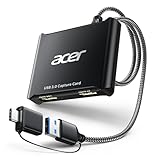
acer USB 3.0 HDMI Capture Card, 4K HDMI Loop-Out, 1080P 60Hz for Streaming
- 【4K Clarity, 1080P Performance】Enjoy stunning clarity with our USB 3.0 Video Capture Card—featuring 4K input and...
- 【Mic-in for Easy Commentary】Plug in a headset or mic directly to stream/record voice easily—no extra adapters...
- 【Plug and Play, no Extra-Drivers】No extra drivers or external power—just plug in and start capturing instantly...
Capture your gameplay or live events with sharp, smooth video using the acer USB 3.0 HDMI Capture Card. Designed for streamers and creators who need reliable performance, it supports 4K HDMI input and loop-out, allowing you to stream while monitoring your content in real-time without delay.
This device outputs crisp 1080p at 60Hz with low latency and vibrant YUY2 color format. Its plug-and-play design works seamlessly with Windows, macOS, and Linux, making setup quick and hassle-free. Whether you use a console, DSLR, PC, or smartphone, it adapts easily for diverse streaming needs.
The compact build includes both USB Type-A and Type-C ports for flexible connections. A built-in 3.5mm mic input helps keep audio perfectly synced with your video, enhancing your production quality. Maintenance is simple due to its durable design and driver-free operation.
While it supports 4K input, output resolution is limited to 1080p at 60Hz, which suits most streaming platforms but may not meet all professional standards. It requires a USB 3.0 port, so older devices might not be compatible.
Best for: Streamers and content creators needing low-latency, high-quality 1080p video capture with 4K input and loop-out features for versatile streaming setups.
What We Like:
- Supports 4K HDMI input and loop-out for lag-free streaming and monitoring
- Plug-and-play compatibility across Windows, macOS, and Linux
- Low-latency capture with vibrant YUY2 color format
- Flexible USB Type-A and Type-C connections
- Built-in 3.5mm mic input for synchronized audio
Specification:
| Feature | Details |
|---|---|
| Manufacturer | Acer |
| Dimensions | Compact, portable design |
| Weight | Lightweight |
| Input | 4K HDMI |
| Output Resolution | 1080p @ 60Hz |
| Ports | USB 3.0 Type-A and Type-C |
| Audio Input | 3.5mm mic-in |
| Compatibility | Windows, macOS, Linux |
AVerMedia CamStream 4K BU113G2 HDMI Capture Card for DSLR and Camcorder

- 4K60 Video Capture: Capture up to 4K60 video with RGB24 color from DSLR, mirrorless cameras, camcorders, and action...
- Plug-and-Play Setup: Connect your HDMI camera through USB and start using it with OBS Studio, Streamlabs, Zoom, Twitch...
- Synchronized Audio and Video: Capture video and audio together for livestreams, webinars, podcasts, virtual meetings...
The AVerMedia CamStream 4K BU113G2 HDMI Capture Card offers a seamless solution for creators needing crisp, lag-free video capture. It handles up to 4K60 resolution, ensuring your livestreams and recordings look sharp and professional. This device removes the hassle of syncing audio and video, delivering smooth, synchronized streams every time.
Its compact design includes a cold/hot shoe mount adapter, making setup straightforward and tidy. The card supports plug-and-play use, requiring no drivers or external power, which simplifies connection and maintenance. With HDMI input and USB-C output, it easily integrates with DSLR, mirrorless cameras, and camcorders.
Compatible with Windows, macOS, and iPadOS, it works well with popular streaming platforms like OBS and Streamlabs. This broad compatibility expands your options for content creation across devices. The included 1-meter USB cable is convenient but may require extension for larger setups.
While it supports only HDMI devices, this capture card excels in delivering high-quality, low-latency video for professional streaming needs. It’s a reliable tool for anyone looking to elevate their live content.
Best for: Content creators and streamers who need high-quality, ultra-low-latency video capture from DSLR, mirrorless cameras, or camcorders for livestreaming, podcasts, and virtual presentations.
What We Like:
- Captures up to 4K60 video with synchronized audio for clear, professional output
- Plug-and-play design with no drivers or external power needed
- Compatible with Windows, macOS, iPadOS, OBS Studio, and Streamlabs
- Compact size with cold/hot shoe mount adapter for easy installation
Specification:
| Feature | Details |
|---|---|
| Manufacturer | AVerMedia |
| Dimensions | Compact (exact size not specified) |
| Weight | Lightweight (exact weight not specified) |
| Connection | HDMI input, USB-C output |
| Supported Resolutions | Up to 4K60 |
| Compatible Systems | Windows, macOS, iPadOS |
Elgato 4K Pro Internal Capture Card, 8K60 Passthrough

- Seamless Broadcasting and Versatile Streaming: Connect effortlessly to any app such as OBS, Streamlabs, Twitch Studio...
- Unrivaled Gaming Experience: Immerse yourself in pure gameplay at an astounding 8K60 resolution, all while effortlessly...
- Cutting-Edge Connectivity: Harness the power of HDMI 2.1 in/out to effortlessly record high frame rates, reaching up to...
Experience flawless streaming and recording with the Elgato 4K Pro Internal Capture Card, 8K60 Passthrough. Designed for high-performance gameplay capture, this card ensures you never miss a moment of your action in stunning 4K60 HDR10 quality. Its ultra-low latency technology keeps your recording perfectly in sync with live gameplay, eliminating lag and interruptions.
This card’s HDMI 2.1 interface allows 8K60 passthrough, so you can maintain top resolution on your display while capturing. Whether you’re using a PC, PS5, or Xbox Series X, it supports high frame-rate capture up to 1080p240 and VRR to prevent screen tearing, providing smooth, tear-free visuals for viewers.
Installation requires a PCIe slot inside your desktop PC, making it a great fit for those building a professional streaming setup. It works seamlessly with popular streaming software like OBS, Streamlabs, and Twitch Studio, streamlining your workflow. Regular maintenance involves keeping your PC’s drivers and software updated to ensure peak functionality.
Best for: Gamers and content creators seeking high-quality 4K60 HDR10 capture with ultra-low latency on desktop PCs and modern consoles.
What We Like:
- Supports 8K60 passthrough alongside crisp 4K60 HDR10 capture
- Ultra-low latency ensures smooth, synchronized gameplay recording
- Broad compatibility with streaming software like OBS and Streamlabs
- High frame-rate capture and VRR support for tear-free visuals
Specification:
| Feature | Details |
|---|---|
| Manufacturer | Elgato |
| Dimensions | Standard PCIe card size |
| Weight | Approx. 0.2 kg (0.44 lbs) |
| Interface | PCIe, HDMI 2.1 |
| Capture Resolution | Up to 4K60 HDR10 |
| Passthrough Resolution | Up to 8K60 |
| Compatibility | PC, PS5, Xbox Series X |
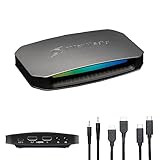
AVerMedia Live Gamer Ultra 2.1 4K144 HDMI 2.1 USB Capture Card, GC553G2
- 4K144 Capture on Windows: Record up to 4K144 MJPEG with AVerMedia Streaming Center on supported Windows PCs; macOS...
- With Nintendo Switch 2, no additional setup is required. Connect the console in TV mode through its dock and start...
- USB-C 10Gbps for Console and PC Capture: USB 3.2 Gen 2 Type-C connects to Windows, Mac or iPad for capturing PS5, PS...
Capture every detail of your gameplay with the AVerMedia Live Gamer Ultra 2.1. Designed for creators who demand ultra-high resolution and smooth performance, this capture card elevates your streaming and recording experience. It handles intense visuals and fast-paced action without lag or stutter.
The device supports up to 4K144 MJPEG capture on Windows and 4K60 on macOS, delivering vibrant HDR10 and VRR passthrough. This makes it ideal for use with next-gen consoles like the PS5 Pro, Xbox Series X/S, and Nintendo Switch 2. Low latency and high refresh rates up to 1080p360 ensure your gameplay remains fluid and responsive.
Installation is simple with USB 3.2 Gen 2 Type-C connectivity, though older PCs may need adapters. Maintenance is straightforward—just keep the ports dust-free and update your capture software regularly. The dual 3.5mm ports allow seamless party chat integration, adding convenience for streamers.
Its compatibility with popular streaming software such as OBS Studio, combined with customizable RGB lighting, supports a personalized setup. While macOS users face some capture limitations, the card offers solid performance for Windows users.
Best for: gamers and content creators seeking ultra-high resolution capture with low latency and HDR support for next-gen consoles and PCs.
What We Like:
- Supports 4K144 MJPEG capture on Windows with HDR10 passthrough
- Low latency with high refresh rates up to 1080p360 for smooth gameplay
- Compatible with PS5 Pro, Xbox Series X/S, Nintendo Switch 2, and OBS Studio
- Dual 3.5mm ports for party chat integration
- Customizable RGB lighting for personalized setups
Specification:
| Feature | Details |
|---|---|
| Manufacturer | AVerMedia |
| Model | Live Gamer Ultra 2.1 (GC553G2) |
| Dimensions | Approx. 4.5 x 2.9 x 0.9 in |
| Weight | Approx. 0.2 lbs (90 g) |
| Connectivity | USB 3.2 Gen 2 Type-C |
| Video Input | HDMI 2.1 |
| Max Capture | 4K144 MJPEG (Windows), 4K60 (macOS) |
| Special Features | HDR10, VRR passthrough, RGB lighting, dual 3.5mm ports |
Factors to Consider When Choosing a Camera Capture Card
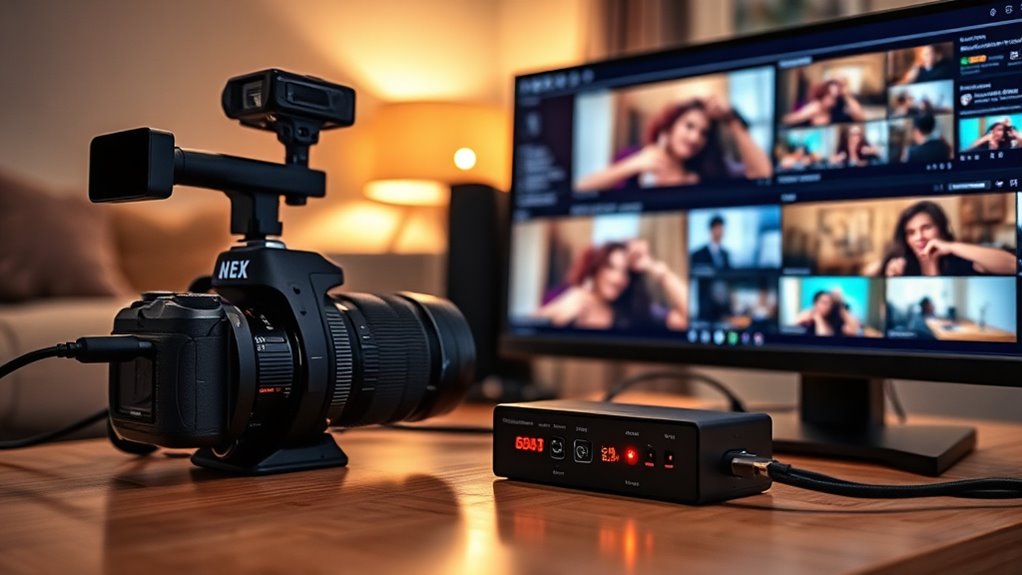
When picking a camera capture card, you need to check its video resolution support to match your streaming quality goals. Make sure it’s compatible with your devices and offers low latency for smooth syncing.
Also, consider the available ports and how well its software integrates with your streaming platform. These factors can really make a difference in your overall streaming experience.
Video Resolution Support
Although choosing a camera capture card might seem straightforward, you need to guarantee its video resolution support matches your camera’s output and streaming goals. Make sure the card captures at your camera’s max resolution and frame rate—whether that’s 1080p60, 1440p60, or 4K60—to avoid bottlenecks or wasted potential.
Check if it accepts your camera’s native HDMI or SDI input without downscaling or frame-rate changes. If you want to monitor in 4K while recording at 1080p60, verify the card supports higher-resolution passthrough or loop-out.
Also, confirm the card handles the color formats and bit depth (8-bit, 10-bit, HDR) you need for accurate color and editing. Ultimately, consider USB or PCIe bandwidth to guarantee smooth capture at high resolutions and frame rates without dropped frames or lag.
Device Compatibility Range
Matching your camera’s resolution and frame rate is only part of the equation; you also need to take into account the capture card’s device compatibility range. First, check which input types the card supports—HDMI, SDI, or composite—and make sure your camera outputs match these formats.
Verify the card accepts your camera’s max resolution and frame rate, like 4K@30Hz or 1080p@60fps, to avoid quality loss. Consider color formats and chroma subsampling (RGB, YUV, MJPEG) if accurate color reproduction matters.
Also, confirm the host interface—USB 3.0, USB-C, or PCIe—can handle your data bandwidth for smooth capture. Finally, make certain the card works with your operating system and streaming software, whether it’s Windows, macOS, or even iPadOS, so your setup runs seamlessly from start to finish.
Latency and Sync Performance
Since low latency guarantees your live preview and streaming stay responsive, you want a capture card that advertises ultra-low or millisecond-level delay. Latency measures the lag between your camera input and output, so minimizing it keeps your video feed smooth and timely.
Also, make sure your card handles audio-video sync well, with no more than a few frames of drift. This helps avoid those annoying lip-sync issues during streams.
Opt for capture cards with USB 3.x interfaces to reduce buffering delays, especially at 1080p60 or higher resolutions. Consider formats like uncompressed or lightweight codecs—these lower processing time and help maintain minimal end-to-end delay.
Finally, if you need zero-latency monitoring, look for loop-out or HDMI passthrough features. They let you watch live content in real time while the capture device processes the slightly delayed feed.
Connectivity and Ports
When choosing a camera capture card, you’ll want to make sure its connectivity options align with your setup and streaming goals. First, check that the card’s host interface matches your computer’s ports and bandwidth needs. USB 3.0, 3.1, 3.2, or USB-C support high-quality capture at 1080p60 or 4K30, while USB 2.0 limits you to lower resolutions and frame rates.
Look for HDMI inputs and optional loop-out to monitor video with minimal latency. If you plan to record audio or use a mic, pick a card with a 3.5 mm mic-in or dedicated audio input to keep sound synced.
Finally, verify the connectors and cables—detachable or built-in, USB-A or USB-C—and make sure you have the right adapters to avoid slower links and compatibility issues. It’s all about making sure everything works smoothly together!
Software and Platform Integration
Although hardware specs are crucial, you’ll want to make certain your capture card works seamlessly with your streaming or recording software. Check that it’s supported by popular platforms like OBS, XSplit, or Zoom and appears as a selectable device without needing extra drivers.
Confirm compatibility with your operating system, whether Windows, macOS, Linux, or mobile platforms, and note any OS version requirements. Match the card’s supported video formats and color spaces with your software to avoid conversion issues.
Test latency and audio/video sync in your actual workflow, since these depend on hardware-software integration. If you need advanced features, look for SDKs, plugins, or APIs to enable multi-card setups, hardware codecs, or custom overlays.
This way, you ensure smooth integration with your production tools and avoid surprises during your stream or recording.
Frequently Asked Questions
Can Capture Cards Work With Gaming Consoles Besides Cameras?
Yes, you can use capture cards with gaming consoles to record or stream gameplay. They work by connecting your console’s HDMI output to your PC.
This lets you capture high-quality video and share your gaming moments easily. It’s a great way to show off your skills or create content for your viewers!
Do Capture Cards Introduce Noticeable Latency During Streaming?
Capture cards can introduce a tiny bit of latency, but you probably won’t notice it during streaming.
Choosing a high-quality, low-latency card and using proper settings keeps your stream smooth and responsive without delays.
Are External Capture Cards Compatible With Mac and Linux Systems?
Yes, many external capture cards work with Mac and Linux. You’ll find that drivers vary, compatibility differs, and setup changes.
You’ll want to check specific models, update software, and test before streaming on these systems. It’s a bit of trial and error sometimes, but definitely doable!
How Do Capture Cards Affect the Quality of Recorded Audio?
Capture cards mainly influence video quality, but some also handle audio. You’ll notice clearer, synced sound if your card supports high-quality audio capture.
Otherwise, audio quality depends more on your microphone and recording setup. So, while capture cards can help, your gear and environment play a big role too.
Can Capture Cards Be Used for Live Virtual Meetings or Conferences?
Capture cards can be your secret weapon in live virtual meetings, turning your camera feed into crystal-clear video. They let you stream high-quality visuals smoothly, making your online presence shine like a spotlight on stage.
Think of it like upgrading from a blurry webcam to a professional camera setup without the hassle. This means your colleagues or audience see you in the best light, literally! Plus, it’s super handy for presentations where video quality matters.
Conclusion
Just like a skilled director brings a story to life, the right camera capture card transforms your streaming setup from ordinary to legendary. Whether you’re chasing cinematic 4K clarity or smooth 60FPS action, these top choices guarantee your audience never misses a moment.
So, don’t settle for less—equip yourself with a capture card that’s as committed to your craft as you are. With the best camera capture cards for 2027, you can ensure crystal-clear visuals and lag-free streaming that keeps viewers hooked.
Your stream’s next masterpiece awaits. Investing in a quality capture card is key for streamers who want to elevate their content and stand out in a crowded space. Ready to make your mark? Let these capture cards be the secret weapon in your streaming arsenal.