15 Best Desktop Cameras for Video Conferencing in 2027
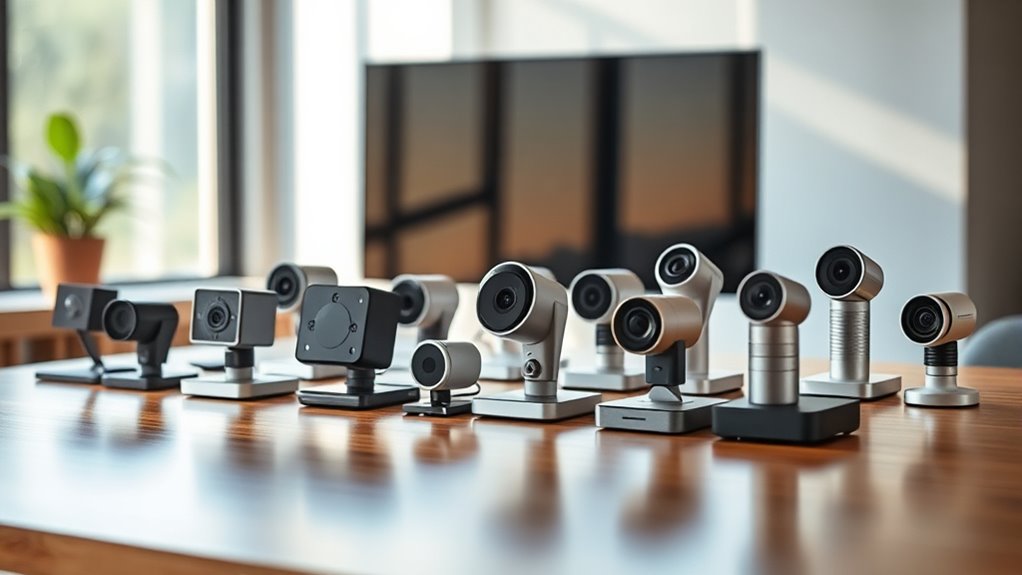
If you want sharp video conferencing in 2027, look for webcams like the Logitech Brio 101 or C920x for crisp 4K or Full HD clarity with auto-focus and light correction.
These cameras deliver clear, professional-quality video that helps you make a great impression during meetings.
Options like NexiGo N60 and Philips offer wide-angle lenses and privacy covers, giving you flexibility and security.
Plus, the Insta360 Link 2 adds AI-driven tracking to keep you perfectly framed as you move around.
Many models include noise-canceling mics and easy plug-and-play setup.
So, whether you’re working from home or streaming, keep exploring to discover which camera best fits your workspace and streaming style.
| Image | Name | Editor's Rating | Price |
|---|---|---|---|

|
|
||

|
|
||
|
|
||

|
|
||
|
|
Logitech Brio 101 Full HD 1080p Webcam for PC, Built-in Mic, Black
- Compatible with Nintendo Switch 2’s new GameChat mode
- Auto-Light Balance: RightLight boosts brightness by up to 50%, reducing shadows so you look your best—compared to...
- Privacy with a Slide: The integrated webcam cover makes it easy to get total, reliable privacy when you're not on a...
Experience sharp and clear video with the Logitech Brio 101 Full HD 1080p Webcam, designed to enhance your remote meetings and streaming needs. This webcam delivers crisp visuals with its 1080p resolution and a 60-degree field of view, ensuring you stay perfectly framed.
Low-light environments won’t disrupt your calls or recordings thanks to its automatic light balance feature. This adjusts brightness so you look your best even when lighting is less than ideal. The built-in mono microphone captures clear audio, making conversations smooth and natural.
Setup is straightforward with a USB-A connection that works seamlessly on Windows, macOS, and Chrome OS. When privacy matters, the integrated shutter lets you physically block the lens, providing peace of mind between sessions. The webcam’s design incorporates at least 34% post-consumer recycled plastic, combining performance with sustainability.
To maintain the webcam, simply keep the lens clean and avoid exposure to moisture, as it’s not water resistant. Its fixed-focus lens requires no manual adjustments, letting you focus on your work without hassle.
Best for: Professionals and content creators needing a reliable, eco-friendly Full HD webcam with easy setup and privacy protection for remote work and streaming.
What We Like:
- Crisp Full HD 1080p video with a wide 60-degree viewing angle
- Automatic light balance for clear images in low light
- Integrated privacy shutter for enhanced security
- Simple plug-and-play USB-A connection
- Eco-friendly design using recycled materials
Specification:
| Feature | Details |
|---|---|
| Manufacturer | Logitech |
| Resolution | Full HD 1080p |
| Field of View | 60 degrees |
| Zoom | 5x Optical |
| Microphone | Built-in mono |
| Connection Type | USB-A |
| Compatibility | Windows, macOS, Chrome OS |
| Material | Includes 34% recycled plastic |
| Color | Black |
Logitech C920x HD Pro PC Webcam with Microphone, Full HD 1080p/30fps Video
- Compatible with Nintendo Switch 2’s new GameChat mode
- HD lighting adjustment and autofocus: The Logitech webcam automatically fine-tunes the lighting, producing bright...
- Advanced capture software: Easily create and share video content with this Logitech camera that is suitable for use as a...
Experience clear, professional-quality video with the Logitech C920x HD Pro PC Webcam. Designed to deliver full HD 1080p video, it ensures your calls and streams capture every detail with vibrant clarity. The auto-focus and wide 78-degree lens keep your image sharp from various angles, helping you present yourself confidently in any setting.
This webcam solves common video frustrations by automatically adjusting to low-light environments with HD light correction. You won’t have to worry about dim or uneven lighting affecting your appearance. Dual built-in microphones capture rich, natural stereo sound, making your voice crisp and easy to understand on calls or recordings.
Setup is simple with plug-and-play USB connectivity compatible with popular platforms like Zoom, Teams, and OBS. The included XSplit VCam license lets you blur or replace backgrounds without needing a green screen—ideal for professional presentations or casual streams. Its compact, lightweight design fits easily on any monitor and is simple to maintain.
While it lacks a built-in privacy shutter and records at 30 fps, it remains a reliable choice for everyday use in home or office environments. Its non-water-resistant build means it’s best suited for indoor use.
Best for: Professionals, streamers, and students seeking reliable, high-quality Full HD video and clear stereo audio for calls, streaming, and recording.
What We Like:
- Crisp 1080p video with auto-focus and wide-angle lens
- Dual microphones for natural stereo audio capture
- Automatic light correction for low-light conditions
- XSplit VCam license enables background customization without a green screen
- Easy plug-and-play USB setup compatible with major platforms
Specification:
| Feature | Details |
|---|---|
| Manufacturer | Logitech |
| Video Resolution | Full HD 1080p at 30 fps |
| Lens Angle | 78 degrees |
| Microphones | Dual stereo microphones |
| Connectivity | USB plug-and-play |
| Dimensions (approx.) | 3.7 x 1.1 x 2.9 inches |
| Weight | 0.18 lb (82 g) |
| Color | Black |
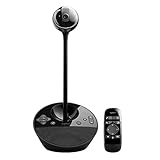
Logitech BCC950 Desktop Video Conferencing Webcam & Speakerphone – Black
- All-in-one design combines HD video with high-quality audio clarity for business-grade video...
- The built-in, full duplex speakerphone and noise-cancelling microphone allows all meeting members to hear and be heard...
- COMPATIBILITY AND INTEGRATION: Plug-and-play USB connectivity Professional-grade certifications: Optimized for Microsoft...

Experience seamless video conferencing with the Logitech BCC950 Desktop Webcam & Speakerphone. Designed to enhance small group meetings, it delivers crisp 1080p HD video with a Carl Zeiss lens, ensuring every detail is clear and professional. Its 100x optical zoom lets you focus precisely where you need.
Audio clarity is a priority, thanks to its noise-cancelling omni-directional microphone and full-duplex speakerphone. You’ll hear and be heard clearly within an 8-foot radius, while echo cancellation minimizes disruptions. This setup helps maintain smooth, natural conversations without technical distractions.
The device is easy to set up with simple plug-and-play USB connectivity compatible with both Windows and macOS systems. Controls on the remote and base allow quick adjustments to pan, tilt, zoom, mute, and manage calls—all from your desk. Maintenance is straightforward, but note the remote requires a CR2 battery for operation.
Ideal for small teams or professionals needing reliable video conferencing in compact spaces, this all-in-one system streamlines communication with its functional design and integrated features. However, it’s best suited for rooms with up to four participants and lacks image stabilization, so video may slightly shift during movement.
Best for: Small business teams or professionals needing high-quality video conferencing for groups of one to four people in a desktop setup.
What We Like:
- Sharp 1080p HD video with Carl Zeiss lens and 100x optical zoom
- Noise-cancelling omni-directional microphone with echo cancellation
- Full-duplex speakerphone for clear, natural conversations
- Easy USB plug-and-play setup compatible with Windows and macOS
- Remote and base controls for convenient call management
Specification:
| Feature | Details |
|---|---|
| Manufacturer | Logitech |
| Video Resolution | 1080p HD |
| Lens | Carl Zeiss |
| Optical Zoom | 100x |
| Microphone Type | Noise-cancelling omni-directional |
| Speakerphone | Full-duplex with echo cancellation |
| Connectivity | USB (Plug-and-play) |
| Compatibility | Windows, macOS |
| Remote Battery | CR2 |
| Color | Black |
NexiGo N60 1080P Webcam with Microphone and Privacy Cover
- 【Full HD 1080P Webcam】Powered by a 1080p FHD two-MP CMOS, the NexiGo N60 Webcam produces exceptionally sharp and...
- 【Wide Compatibility】Works with USB 2.0/3.0, no additional drivers required. Ready to use in approximately one minute...
- 【Built-in Noise-Cancelling Microphone】The built-in noise-canceling microphone reduces ambient noise to enhance the...
Experience clear and smooth video calls with the NexiGo N60 1080P Webcam. This plug-and-play camera delivers sharp Full HD video, making virtual meetings and streaming more professional and engaging. Its wide 110-degree lens ensures everyone fits comfortably on screen without distortion.
The built-in noise-canceling microphone captures your voice clearly, minimizing background noise for better communication. Low light correction and digital image stabilization keep your image crisp even in dim environments. Adjusting the field of view allows you to customize how much of your space is visible.
Designed for everyday use, the webcam includes a privacy cover that protects your privacy when not in use. It connects seamlessly with multiple operating systems, including Windows, macOS, Linux, Android, and Chrome OS, ensuring compatibility with most desktop setups.
Maintenance is simple; just keep the lens clean and the cover closed when the camera is idle. However, it’s not water-resistant and lacks zoom capabilities, so it’s best suited for indoor video calls rather than gaming consoles or outdoor use.
Best for: professionals and content creators needing a reliable, easy-to-use webcam that delivers crisp video and clear audio across various platforms.
What We Like:
- Sharp 1080p Full HD video with a wide-angle lens and adjustable field of view
- Built-in noise-canceling microphone for clear audio in noisy environments
- Privacy cover enhances security and user control
- Compatible with multiple operating systems for versatile use
Specification:
| Feature | Description |
|---|---|
| Manufacturer | NexiGo |
| Resolution | 1080p Full HD |
| Field of View | 110 degrees |
| Microphone | Built-in, noise-canceling |
| Compatibility | Windows, macOS, Linux, Android, Chrome OS |
| Privacy Cover | Yes |
| Zoom | Fixed focus |
| Water Resistance | No |
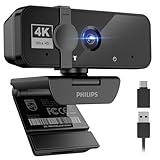
Philips 4K Webcam for PC with Microphone, Computer Camera for Meetings
- 【4K ULTRA HD FOR PROFESSIONAL VIDEO】 Upgrade your online presence with 4K resolution. Delivering sharp and vivid...
- 【INTEGRATED MICROPHONE FOR COMMUNICATION】 Stay connected effortlessly. The built-in microphone naturally captures...
- 【PHYSICAL PRIVACY SHUTTER & SECURITY】 Protect your digital privacy with a simple slide. This web camera features a...
Elevate your video communication with the Philips 4K Webcam for PC, designed to provide crystal-clear Ultra HD video and seamless audio. This webcam transforms your virtual meetings by delivering sharp, vibrant images with its 3840-pixel resolution and 90° wide-angle lens. The autofocus feature ensures your image stays clear, even as you move.
Its built-in microphone captures clear sound, eliminating the need for extra equipment. The privacy shutter offers peace of mind by protecting your privacy when the camera is not in use. Setup is simple with plug-and-play USB-C connectivity, including a USB-A adapter for versatile compatibility.
The compact, minimalist design fits effortlessly on any desk or monitor. It works smoothly with Windows and macOS, supporting popular platforms like Zoom and Microsoft Teams. While it lacks optical zoom and isn’t water resistant, careful handling maintains its performance.
This webcam is ideal for remote work, teaching, and telehealth, offering professional-grade video and audio in a user-friendly package. Maintenance is straightforward—just keep the lens clean and avoid exposure to moisture for optimal longevity.
Best for: Professionals and remote workers needing high-quality 4K video and clear audio for virtual meetings on Windows or macOS.
What We Like:
- Crisp 4K Ultra HD video with 90° wide-angle and autofocus
- Built-in microphone delivers clear audio without extra gear
- Privacy shutter enhances security and peace of mind
- Easy plug-and-play USB-C connection with USB-A adapter included
- Sleek, compact design suits any workspace
Specification:
| Feature | Details |
|---|---|
| Manufacturer | Philips |
| Video Resolution | 3840 x 2160 pixels (4K) |
| Field of View | 90 degrees |
| Connectivity | USB-C with USB-A adapter |
| Compatibility | Windows, macOS |
| Microphone | Built-in |
| Dimensions | Compact, minimalist design |
Logitech Brio 4K Webcam, Ultra HD Web Camera with Autofocus 5x Digital Zoom

- Spectacular video quality: superb resolution, frame rate, color, and detail, featuring autofocus and 5x digital zoom...
- Look great in any light: RightLight 3 automatically adjusts exposure and contrast to compensate for glare and...
- Adjustable field of view: Choose from three dFOV presets to perfectly frame your video; frame an ideal head and...
Experience crystal-clear communication with the Logitech Brio 4K Webcam, designed to elevate your video conferencing and streaming quality. Its ultra-high-definition video delivers sharp visuals that help you make a professional impression every time.
This webcam features autofocus and 5x digital zoom, allowing you to highlight details without losing clarity. You can easily adjust the field of view with presets of 65°, 78°, and 90°, adapting to any workspace or streaming setup. Dual noise-canceling microphones ensure your voice comes through clearly, reducing background distractions up to 1.2 meters away.
Setup is straightforward with plug-and-play compatibility via USB-A or USB-C, working seamlessly across Windows, Mac, and ChromeOS. The Logi Tune app gives you control over color, zoom, and lighting settings, making it simple to customize your video experience. Its HDR and RightLight 3 technology optimize your appearance even in low-light environments.
Maintenance is minimal; simply keep the lens clean for the best image quality. This webcam is ideal for professionals or content creators who need sharp 4K video and clear audio in one reliable device.
Best for: Professionals and content creators who require ultra-high-definition video quality, adjustable framing, and crisp audio for video conferencing, streaming, or recording.
What We Like:
- Crisp 4K UHD video at 30 fps with autofocus and digital zoom for detailed visuals
- Dual noise-canceling microphones capture clear audio up to 1.2 meters
- Easy plug-and-play USB-A/C compatibility across multiple operating systems
- Adjustable field of view presets for flexible framing
- HDR and RightLight 3 technology improve image quality in various lighting
Specification:
| Feature | Details |
|---|---|
| Manufacturer | Logitech |
| Video Resolution | 4K UHD at 30 fps |
| Zoom | 5x digital zoom |
| Field of View | 65°, 78°, 90° presets |
| Microphones | Dual noise-canceling mics |
| Connectivity | USB-A and USB-C |
| Operating System Support | Windows, Mac, ChromeOS |
| Dimensions | Approx. 2.9 x 1.0 x 0.9 inches |
| Weight | Approx. 0.1 lb (50 g) |
Insta360 Link 2 PTZ 4K Webcam with AI Features

- Premium Image Quality: Upgrade to Link 2 4K webcam with a 1/2" sensor. Captures true-to-life webcam 4K visuals with HDR...
- Professional Audio: Experience best-in-class audio with advanced AI noise-canceling algorithms. Filter out unwanted...
- True Focus: Insta360 Link 2 streaming camera with Phase Detection Auto Focus (PDAF). No more blurry shots—this web cam...
Experience clear, professional video quality with the Insta360 Link 2 PTZ 4K webcam. It delivers sharp, vibrant images using a 1/2″ sensor with HDR and PDAF, so your video calls and streams look crisp and natural. The adjustable bokeh effect helps you achieve a clean, focused background for a polished appearance.
This webcam intelligently tracks your movements with AI-powered pan and tilt, keeping you centered in the frame without manual adjustments. Gesture controls simplify operation, letting you zoom or switch to Whiteboard mode effortlessly. Noise-canceling technology ensures your voice remains clear, even in busy or noisy environments.
Designed for seamless use on Mac and Windows platforms, the Insta360 Link 2 supports privacy mode by physically tilting down the camera for peace of mind. Remote control via smartphone adds flexibility but requires setup with dedicated software. Keep your device clean and dust-free to maintain optimal image quality and smooth operation.
Best for: Professionals and content creators who need a versatile 4K webcam with smart AI tracking and easy control for streaming, video calls, and creative work.
What We Like:
- High-quality 4K video with HDR and adjustable bokeh for professional visuals
- AI-driven pan and tilt keep subjects perfectly framed
- Gesture controls offer intuitive operation
- Noise-canceling microphone delivers clear audio
- Privacy mode with physical tilt enhances security
Specification:
| Feature | Details |
|---|---|
| Manufacturer | Insta360 |
| Sensor Size | 1/2 inch |
| Resolution | 4K UHD |
| Compatibility | Mac, Windows (x86 only) |
| Controls | AI tracking, Gesture-based |
| Privacy Mode | Physical tilt down |
| Weight | Approx. 0.3 lb (140 g) |
Logitech C922x HD Pro Webcam, Full HD 1080p

- Compatible with Nintendo Switch 2’s new GameChat mode
- HD lighting adjustment and autofocus: The Logitech webcam automatically fine-tunes the lighting, producing bright...
- Advanced capture software: Easily create and share video content with this Logitech camera that is suitable for use as a...
The Logitech C922x HD Pro Webcam captures your video in sharp Full HD 1080p at 30 frames per second, delivering smooth and clear visuals. Its wide 118.6-degree lens with autofocus and HD light correction ensures you look professional in any lighting condition. This webcam enhances your video calls and live streams by providing a sharp, true-to-life image without extra setup.
Audio quality matches the video with dual stereo microphones that pick up clear, natural sound. This makes it easier to communicate during meetings or streaming sessions without the need for additional audio gear. The USB plug-and-play design simplifies setup, working seamlessly with Windows, macOS, Chrome OS, and Android devices.
Maintenance is straightforward; the webcam requires no complex calibration, but note it does not include a built-in privacy shutter. It also needs a CR2 battery, which some users may find inconvenient. The lack of image stabilization means movement may not always be perfectly smooth, especially if the camera is handheld.
Compact and versatile, the C922x is designed for professionals, content creators, and remote workers who want dependable video and audio quality in one easy-to-use device. It also includes a 3-month XSplit VCam license, letting you customize your background without a green screen.
Best for: Professionals and content creators seeking a reliable webcam for streaming, video conferencing, and content creation with easy setup across multiple platforms.
What We Like:
- Full HD 1080p video with wide-angle autofocus lens and light correction
- Dual stereo microphones deliver clear audio
- Plug-and-play compatibility with Windows, macOS, Chrome OS, and Android
- Includes 3-month XSplit VCam license for background customization
Specification:
| Feature | Details |
|---|---|
| Manufacturer | Logitech |
| Video Resolution | Full HD 1080p at 30 fps |
| Lens Field of View | 118.6 degrees |
| Microphones | Dual stereo |
| Connectivity | USB |
| Compatibility | Windows, macOS, Chrome OS, Android |
| Battery | Requires CR2 battery |
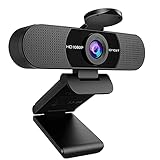
EMEET 1080P Webcam with Microphone, C960 Web Camera 2 Mics Streaming Webcam
- Full HD 1080P Webcam with Cover for Video Calls - EMEET computer webcam provides design and Optimization for...
- Built-in 2 Noise Reduction Mics - EMEET webcam with microphone for desktop is 2 built-in omnidirectional noise reduction...
- Low Dependence on Light Condition - Automatic low-light correction technology is applied in EMEET HD webcam 1080p so...
Experience crisp video and clear audio with the EMEET C960, a 1080p webcam tailored for professionals. Its 90° wide-angle lens with anti-glare and low-light correction ensures you always appear sharp, even in challenging lighting. This webcam solves the common problem of poor image quality in virtual meetings, enhancing your on-screen presence.
The dual omnidirectional noise-reduction microphones capture your voice clearly while minimizing background noise. This feature helps maintain professional audio quality without needing extra equipment. Setup is straightforward thanks to plug-and-play USB connectivity, a universal clip, and tripod compatibility, offering flexible placement options.
Designed with convenience in mind, the compact C960 includes a detachable privacy cover for added security. While it has a fixed focus and a longer minimum focal distance, it works best for standard video calls and streaming rather than close-up shots. Note that it does not support Windows Hello facial recognition and depends on your device’s storage for video capture.
Best for: Professionals and remote workers needing a reliable 1080p webcam with clear audio and versatile mounting for video conferencing and streaming.
What We Like:
- Sharp 1080p video with wide-angle anti-glare lens and automatic low-light adjustment
- Dual noise-reducing microphones for clear voice capture
- Easy, flexible setup with universal clip and tripod compatibility
Specification:
| Feature | Details |
|---|---|
| Manufacturer | EMEET |
| Resolution | 1080p Full HD |
| Lens Angle | 90° Wide-angle |
| Microphones | Dual omnidirectional noise-reduction |
| Connectivity | USB Plug-and-play |
| Dimensions | Compact, exact size not specified |
| Privacy Cover | Detachable |
TRAUSI 1080P Webcam with Mic and Privacy Cover

- 【1080P HD Clarity with Wide-Angle Lens】Experience exceptional clarity with our 1080p Full HD Webcam. Its wide-angle...
- 【Noise-Reducing Built-In Microphone】Our webcam is equipped with an advanced noise-canceling microphone that ensures...
- 【Automatic Light Correction Technology】This cutting-edge technology dynamically adjusts video brightness and color...
Experience clear, professional video calls with the TRAUSI 1080P Webcam, designed to enhance your remote meetings and streaming sessions. This webcam solves common issues like poor lighting and unclear sound, ensuring you always appear sharp and sound crisp.
Its 1080p Full HD video at 30 fps, combined with a wide-angle lens and automatic light correction, adapts to different environments for a consistently good image. The built-in noise-canceling microphone filters background noise, so your voice is heard clearly without distractions.
The compact design fits easily on laptops or desktops and connects effortlessly with a simple USB plug-and-play setup—no drivers required. Maintenance is straightforward, and the included slide-on privacy cover offers an extra layer of security when the webcam is not in use.
While it’s not water resistant and uses a fixed focus lens, the TRAUSI webcam’s durable build and eco-friendly materials make it a reliable choice for daily use. The privacy cover enhances security, addressing concerns about unauthorized access during calls.
Best for: Professionals and remote workers seeking a reliable, high-quality webcam with clear audio and enhanced privacy features for video calls and streaming.
What We Like:
- Crisp 1080p Full HD video with wide-angle lens and light correction
- Built-in noise-canceling microphone for clear audio
- Slide-on privacy cover for added security
- Easy plug-and-play via USB, no drivers needed
- Durable, eco-friendly design
Specification:
| Feature | Details |
|---|---|
| Manufacturer | TRAUSI |
| Video Resolution | 1080p Full HD (30 fps) |
| Lens | Wide-angle, fixed focus |
| Microphone | Built-in noise-canceling |
| Connection | USB plug-and-play |
| Privacy Cover | Slide-on cover included |
| Battery | Requires 1 A battery (included) |
| Dimensions | Compact size (exact dimensions not specified) |
| Weight | Lightweight (exact weight not specified) |
| Design | Durable, eco-friendly materials |
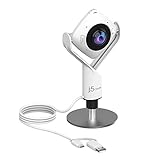
j5create 360 Degree All Around Meeting Webcam
- 360° video conferencing camera with built in ominidirectional microphone
- Six display modes deliver exceptional viewing angles with flexibility and versatility
- Full HD 1080p video playback @ 30 Hz
Experience seamless collaboration with the j5create 360 Degree All Around Meeting Webcam, designed to capture every angle of your meeting space effortlessly. This innovative webcam ensures no participant goes unseen, making roundtable discussions and online classes more inclusive and interactive.
The full 360° field of view combined with Full HD 1080p video at 30fps delivers clear and sharp visuals, enhancing communication clarity. Its omnidirectional microphone picks up voices from all directions, allowing everyone to be heard without needing multiple microphones.
Setup is straightforward with USB-C plug-and-play compatibility, supporting popular conferencing platforms like Zoom and Teams. The built-in touch bar lets you easily specify participant locations, improving focus during conversations.
While the fixed focus and digital zoom may slightly limit image sharpness compared to optical zoom cameras, this webcam offers a practical all-in-one solution for dynamic meeting environments. Its compact design keeps your workspace neat without complex maintenance.
Best for: Teams and educators who need comprehensive 360-degree video capture for collaborative meetings and online classes.
What We Like:
- Full 360° view with clear Full HD video quality
- Omnidirectional microphone for consistent audio pickup
- Touch bar for easy participant location control
- USB-C plug-and-play makes setup quick and simple
Specification:
| Feature | Details |
|---|---|
| Manufacturer | j5create |
| Dimensions | Not specified |
| Weight | Not specified |
| Video Resolution | Full HD 1080p at 30fps |
| Connectivity | USB-C |
| Microphone Type | Omnidirectional |
| Compatibility | Zoom, Teams, and others |
Logitech MX Brio Ultra HD 4K Webcam for Streaming and Collaboration

- Compatible with Nintendo Switch 2’s new GameChat mode
- Ultra HD 4K webcam: meet or stream in 4K resolution at 30fps or 1080p at 60fps, with our most advanced webcam sensor...
- AI-enhanced image quality: Experience 2x better face visibility with finer image details in difficult light (2), with...
Elevate your video presence with the Logitech MX Brio Ultra HD 4K Webcam, designed to deliver crystal-clear visuals that enhance every interaction. Whether streaming, video conferencing, or creating content, this webcam ensures your image is sharp and professional. Its ultra HD 4K resolution at 30 fps captures fine details, helping you stand out in any setting.
The webcam’s large CMOS sensor and advanced autofocus lens work together to maintain clarity even in dim lighting. AI-powered enhancements optimize face visibility and detail, giving your video a polished, natural look. Dual microphones with AI background noise suppression ensure your voice comes through clearly, minimizing distractions.
Compact and easy to install, the MX Brio fits seamlessly into your workspace. It supports a wide range of operating systems and popular platforms, making it a versatile tool for diverse collaboration needs. While it lacks water resistance and has modest onboard memory, its performance focuses on delivering reliable, high-quality video and audio.
Maintenance is straightforward, requiring only occasional lens cleaning to preserve image quality. This webcam is ideal for professionals who demand clear visuals and sound without fuss.
Best for: Professionals and content creators seeking high-resolution video and clear audio for streaming, meetings, and collaboration.
What We Like:
- Ultra HD 4K resolution with autofocus lens for sharp, detailed images
- AI-enhanced video and noise-reducing dual microphones for clear communication
- Broad compatibility across Windows, macOS, Chrome OS, Linux, and major conferencing platforms
- Compact design for easy setup and placement
Specification:
| Feature | Details |
|---|---|
| Manufacturer | Logitech |
| Resolution | Ultra HD 4K at 30 fps |
| Sensor Type | Large CMOS |
| Lens | Logi-designed prime lens with autofocus |
| Microphones | Dual noise-reducing with AI background suppression |
| Compatibility | Windows, macOS, Chrome OS, Linux |
| Dimensions | Compact, exact size not specified |
| Onboard Memory | 1 MB microSD (limited capacity) |
| Water Resistance | Not water resistant |
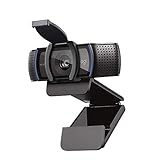
Logitech C920S HD Pro Webcam for PC, Full HD 1080p/30fps Video Calling
- Webcam comes with privacy shutter – puts you in control of what you show and protects the lens with a snugly fitting...
- Full HD 1080P video calls – premium video quality that makes you look like a Pro
- Full HD 1080P video Recording – a glass lens and full HD mean your recorded videos are crisp and vibrantly colored
Experience sharp, clear video calls with the Logitech C920S HD Pro Webcam, built to enhance your remote meetings and content creation. This webcam solves common video quality issues by delivering crisp Full HD 1080p video at 30fps, ensuring you look professional every time.
Its five-element glass lens and autofocus keep your image sharp and focused automatically. Thanks to RightLight 2 technology, you’ll appear bright and clear even in dim or uneven lighting conditions. This makes it easier to maintain a polished look without adjusting your environment.
The dual built-in microphones capture natural stereo audio, allowing your voice to come through clearly without extra equipment. Connecting is simple via USB, and it works smoothly with popular video platforms like Zoom and Microsoft Teams. The integrated privacy shutter offers peace of mind by letting you block the camera lens when not in use.
Maintenance is straightforward—just keep the lens clean and ensure the USB port stays free of dust for reliable performance. While it’s not designed for outdoor or wet environments, it excels in home and office settings.
Best for: professionals, remote workers, and streamers needing dependable Full HD video and clear audio for virtual communications.
What We Like:
- Sharp 1080p video at 30fps with autofocus for consistently clear images
- RightLight 2 enhances visibility in low light without extra lighting
- Dual microphones deliver natural stereo sound for clear voice pickup
- Easy USB connection compatible with major video conferencing apps
- Privacy shutter provides simple lens protection when not in use
Specification:
| Feature | Details |
|---|---|
| Manufacturer | Logitech |
| Resolution | Full HD 1080p at 30fps |
| Lens | Five-element glass with autofocus |
| Microphones | Dual built-in stereo |
| Connection | USB |
| Dimensions | Approx. 3.7 x 1.1 x 2.7 inches (9.4 x 2.8 x 6.9 cm) |
| Weight | About 162 grams (0.36 lbs) |
| Color | Black |
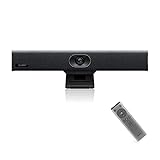
Yealink 4K Video Conference Camera System for PC, Huddle Room, Teams & Zoom
- PLUG-AND-PLAY & BROAD PLATFORM CERTIFICATION: Equipped with an extra-long 7m USB-B to USB-A cable for hassle-free...
- AUTOMATIC ELECTRIC PRIVACY SHUTTER: Designed with enterprise-grade privacy protection, the built-in electric privacy...
- 8-MIC ARRAY & 5-METER FAR-FIELD VOICE PICKUP: Functions as an all-in-one conference room camera and microphone solution...
Experience crystal-clear video calls with the Yealink 4K Video Conference Camera System, designed to elevate your virtual meetings. This all-in-one device combines an 8MP Ultra HD camera with a wide 120° lens, ensuring every participant is seen clearly without distortion. Its smart AI features, such as Auto Framing and Speaker Tracking, automatically keep you in focus, enhancing communication flow.
The system integrates an 8-mic array and built-in speaker, capturing clear audio from up to 5 meters away. This setup reduces background noise and improves sound clarity, making remote conversations more natural. Certified for Microsoft Teams and Zoom, it connects easily to Windows and macOS PCs via a 7-meter USB cable for flexible placement.
Maintenance is straightforward with its automatic privacy shutter, offering peace of mind by securing the camera when not in use. However, the device requires a wired USB connection and is intended for indoor environments only, as it lacks water resistance.
Overall, this video conferencing camera system is a practical solution for huddle rooms and PC-based meetings, helping teams collaborate effortlessly with sharp visuals and clear sound.
Best for: Professionals and teams seeking a high-quality video conferencing system with AI features for small to medium meeting spaces.
What We Like:
- 8MP Ultra HD 4K camera with 120° super-wide lens and AI Auto Framing
- Integrated 8-mic array delivering clear audio up to 5 meters
- Certified for Microsoft Teams and Zoom with plug-and-play USB setup
- Automatic privacy shutter for easy, secure camera control
Specification:
| Feature | Details |
|---|---|
| Manufacturer | Yealink |
| Camera Resolution | 8MP Ultra HD 4K |
| Lens Field of View | 120° super-wide |
| Microphone Array | 8-mic array |
| Audio Pickup Range | Up to 5 meters |
| Connectivity | USB (7-meter cable) |
| Compatibility | Windows, macOS, Teams, Zoom |
| Privacy Shutter | Automatic electric shutter |
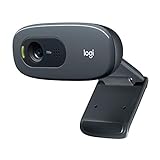
Logitech C270 720p Webcam Plug-and-Play Wide Screen Video Calling – Black
- Compatible with Nintendo Switch 2’s new GameChat mode
- Crisp HD 720p/30 fps video calls with diagonal 55° field of view and auto light correction. Compatible with popular...
- The built-in noise-reducing mic makes sure your voice comes across clearly up to 1.5 meters away, even if you’re in...
Experience clear and reliable video calls with the Logitech C270 webcam. It’s designed to improve your communication by delivering sharp 720p HD video at 30 frames per second, making every call feel more natural and engaging. The wide 55° field of view captures you and your surroundings perfectly without complicated settings.
This webcam uses RightLight 2 technology to adjust brightness automatically, so your image stays clear even in low lighting. The built-in noise-reducing microphone picks up your voice up to 1.5 meters away, reducing background noise for crisp conversations. Its plug-and-play USB-A connection makes setup effortless across Windows, MacOS, and Chrome OS devices.
The lightweight design features a universal clip that fits laptops and monitors securely, keeping your workspace neat. While the fixed focus lens means sharpness is optimized for close-up use, and the video resolution maxes out at 720p, it meets the needs of everyday video calls without fuss.
Best for: Users seeking an affordable, straightforward HD webcam for routine video calls and remote meetings.
What We Like:
- Clear 720p video with wide-angle lens and auto light correction
- Noise-reducing microphone captures voice clearly up to 1.5 meters
- Easy plug-and-play USB-A setup compatible with popular operating systems and apps
- Compact, lightweight design with universal clip for versatile mounting
Specification:
| Feature | Details |
|---|---|
| Manufacturer | Logitech |
| Video Resolution | 720p (1280 x 720 pixels) |
| Frame Rate | 30 fps |
| Field of View | 55° |
| Microphone Range | Up to 1.5 meters |
| Connection Type | USB-A |
| Compatibility | Windows, MacOS, Chrome OS |
| Dimensions | Approx. 2.6 x 1.7 x 2.2 in (6.6 x 4.3 x 5.6 cm) |
| Weight | Approx. 82 g (0.18 lb) |
| Color | Black |
Factors to Consider When Choosing a Desktop Camera for Video Conferencing
When choosing a desktop camera for video conferencing, you’ll want to focus on video resolution quality and audio microphone features to guarantee clear communication.
Make sure the camera is compatible with your preferred platforms and performs well in different lighting conditions.
Also, consider the field of view range to capture the right amount of your workspace.
It’s all about making sure you look and sound your best, no matter where you’re calling from!
Video Resolution Quality
Clarity plays a crucial role in your video conferencing experience, and choosing the right resolution for your desktop camera makes all the difference. For sharp, detailed video and clear text or whiteboard sharing, opt for at least 1080p (Full HD, 1920×1080).
Lower resolutions like 720p tend to look soft, especially on larger displays. If you want more detail and flexibility for cropping or digital zoom, 4K (3840×2160) is ideal but demands more bandwidth and processing power.
Also, consider frame rates: 1080p at 30fps suits most calls, while 60fps or higher works better for fast motion like presentations. Make certain your network and platform support your chosen resolution to avoid dropped frames.
Audio Microphone Features
Although video quality matters, your desktop camera’s microphone has an equally important role in ensuring clear communication during video conferences. Choose one with a built-in noise-canceling or directional microphone, like beamforming or cardioid patterns, to minimize background noise and focus on your voice.
Check the pickup range—typical mics cover 1–3 meters well, while speakerphone systems extend beyond 5 meters. Dual or stereo microphones offer more natural sound and better background suppression, especially if multiple people join in front of the camera.
Make sure the mic supports echo cancellation and full-duplex audio, so you can speak and listen simultaneously without feedback. Also, verify supported audio formats and sample rates to guarantee crisp voice quality and smooth integration with your conferencing apps.
Compatibility With Platforms
Your desktop camera’s performance depends not only on its audio and video quality but also on how well it works with your preferred conferencing platforms. Make sure the camera supports standard USB video class (UVC/UAC) for hassle-free plug-and-play with Zoom, Teams, Google Meet, and more—no extra drivers needed.
Check if the camera’s resolution and frame rates, like 1080p at 30fps or 4K at 30fps, match what your platform and internet can handle to keep video crisp. Also, confirm the mic setup: some apps default to the system mic, so make certain your camera’s mic is selectable.
Look for certifications or compatibility notes to guarantee features like auto-framing or hardware-accelerated streaming work smoothly. Finally, verify your OS and conferencing app support the camera’s connection type, whether USB-A, USB-C, or USB-B.
Lighting and Low-Light Performance
Since lighting conditions vary widely, choosing a desktop camera with strong low-light performance guarantees your video stays clear and professional even in dim rooms. Look for cameras with larger sensors, bigger than 1/3″, or explicit low-light enhancement features to capture more light and reduce noise.
A fast lens with a high maximum aperture (f/1.8 to f/2.8) also brightens your video without needing to increase ISO. Built-in HDR and automatic exposure adjustments preserve facial details in mixed lighting scenarios, while automatic white balance keeps your skin tones natural under artificial light.
Additionally, cameras offering 1080p at 60 fps or flexible frame rates maintain smooth motion by balancing exposure and noise. This ensures your video looks crisp no matter the lighting challenges.
Field of View Range
Field of view (FOV) shapes how much of your space and participants appear on screen during video calls. A narrow FOV, typically between 60° and 78°, keeps the focus on a single speaker and minimizes background distractions.
In contrast, a wide FOV, ranging from 90° to over 120°, works best for group shots or showing more of the room’s context. Just keep in mind, wider angles might introduce edge distortion and clutter.
If you need flexibility, look for cameras with adjustable FOV presets. That way, you can switch from close-ups to group views without moving the camera.
Also, match the FOV to your room size and camera placement. Narrow angles suit close desk mounts, while wider angles fit ceiling mounts or huddle rooms to make sure everyone fits in frame.
Privacy and Security Options
While selecting the right field of view helps frame your video calls perfectly, ensuring your privacy and security protects what’s captured and shared. Choose webcams with a physical privacy shutter or lens cover to mechanically block the camera when not in use.
Prefer devices featuring hardware-based disable switches or removable microphones. This way, you can prevent audio capture even if software is compromised.
Look for webcams supporting signed firmware updates and vendor-backed update tools. These features help minimize malware risks.
Verify the camera uses only standard UVC/UAC interfaces with drivers signed by the OS vendor. That reduces vulnerabilities from third-party software.
Confirm the vendor publishes a clear privacy and security policy. Ideally, it emphasizes local processing for features like face detection and avoids default cloud uploads, so your sensitive video and audio data stay under your control.
Mounting and Form Factor
When picking a desktop camera, consider how and where you’ll mount it to guarantee stable, convenient use. Choose a mounting style that fits your workspace: clip mounts attach to laptop screens or monitor bezels, freestanding bases sit on your desk for stability, and tripod-ready cameras offer flexible height and placement.
Check the camera’s size to make certain it clears your monitor bezel or sits flat without obstructing displays or sensors. Look for adjustable or removable mounts with universal clips or screw threads, so you can switch setups easily.
Pay attention to weight and balance—lighter cameras may tip on thin screens, while heavier ones need a sturdy base. If privacy matters, pick a form factor with a physical shutter or tilting lens to cover or angle it downward when not in use.
Connectivity and Plug-and-Play
Since reliable connectivity is crucial for smooth video calls, you’ll want a desktop camera with standard USB interfaces like USB-A or USB-C. This guarantees broad compatibility and helps you avoid extra adapters.
Look for plug-and-play UVC/UAC support so your camera works instantly on Windows, macOS, Chrome OS, or Linux without driver hassles. It’s super convenient to just plug in and start using right away.
Make sure the camera supports USB 3.0 bandwidth if you need 1080p or 4K resolution at high frame rates. This prevents dropped frames or compression artifacts, keeping your video crisp and smooth.
Also, check the cable length and connector type to fit your desk-to-PC distance. Or, if you plan to mount it, choose a tripod-ready model.
Finally, verify platform compatibility because some conferencing apps or hardware might require specific USB modes or drivers for flawless operation. It’s worth double-checking so you don’t run into any surprises!
Frequently Asked Questions
Can These Webcams Be Used With Gaming Consoles?
Yes, you can use many webcams with gaming consoles, but compatibility varies by model and console type.
You’ll want to check if your console supports USB webcams and if the specific camera drivers are compatible before buying.
It’s always a good idea to double-check these details so you don’t run into any surprises later on.
Do These Cameras Support Linux Operating Systems?
Yes, you can use these cameras with Linux, and many do support it out of the box.
You’ll just want to check compatibility, install necessary drivers, and you’re good to go for seamless video conferencing on Linux.
Are There Any Webcams Compatible With Macbook Facetime?
Yes, you’ll find several webcams compatible with MacBook FaceTime. Look for models supporting macOS drivers or plug-and-play USB webcams.
Brands like Logitech and Razer usually guarantee seamless FaceTime integration without extra setup. So, you can just plug them in and start chatting right away!
What Is the Average Lifespan of These Webcams?
You can expect these webcams to last around 3 to 5 years with regular use. Proper care, like avoiding drops and dust, can extend their lifespan.
That way, you’ll get consistent video quality during your calls. Taking a little extra time to look after your webcam really pays off!
Can These Webcams Be Powered via USB-C Ports?
Yes, over 85% of modern webcams can be powered via USB-C ports. This means you get faster data transfer and charging.
You’ll love the convenience and reduced cable clutter this option offers. It really makes your video calls and streaming sessions smoother and more enjoyable.
Conclusion
Choosing the perfect desktop camera for your video calls doesn’t have to be complicated. Whether you want crisp clarity, seamless sound, or simple setup, these standout selections deliver stellar solutions.
From the fabulous features of Logitech to the nifty nuances of NexiGo, you’ll find a fit that fuels fantastic face-to-face interactions. So, pick with purpose, prioritize performance, and power up your presentations with a camera that’s crafted to keep your conferencing clear and enthralling!
When selecting your desktop camera, consider what matters most to you—image quality, ease of use, or audio capabilities. A great camera enhances every video conference by providing sharp visuals and smooth streaming, helping you connect better with colleagues and clients.
In 2027, the best desktop cameras combine innovation with user-friendly design, making video calls more engaging and professional. Invest in a top-tier camera to improve your remote meetings and enjoy seamless communication every time.