12 Best Canon Home Office Printers for 2027
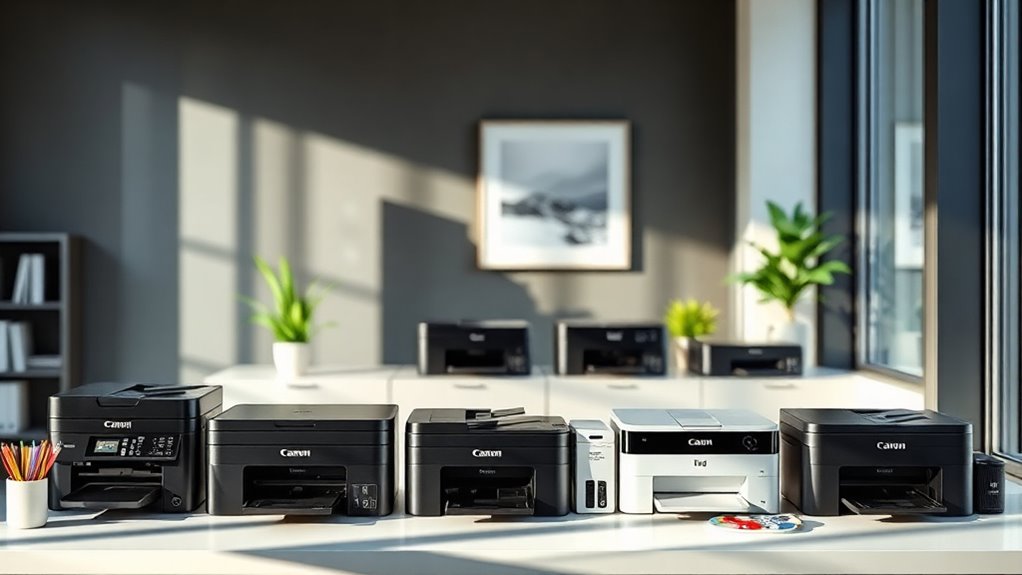
Looking for the best Canon home office printers in 2027? You’re in the right place to find top-notch options that suit your needs perfectly.
Whether you want something compact, efficient, or designed for high-volume printing, Canon has you covered.
Take the Canon PIXMA TS6520, for example. It’s known for its sleek, compact design and vibrant printing quality.
If efficiency is your priority, the MegaTank G3270 is perfect for all-in-one use with its large ink tanks.
Need to print lots of documents without breaking the bank? The MAXIFY GX2020 stands out with its low-cost ink management.
And for those quick tasks, the speedy imageCLASS MF662Cdw won’t let you down.
Curious about more features and options? Keep reading to explore the best Canon home office printers for 2027.
| Image | Name | Editor's Rating | Price |
|---|---|---|---|

|
|
||

|
|
||

|
|
||

|
|
||

|
|
Canon PIXMA TS6520 Wireless Color Inkjet Printer, 1.42″ OLED Display, White
- Affordable Versatility - A budget-friendly all-in-one printer perfect for both home users and hybrid workers, offering...
- Crisp, Vibrant Prints - Experience impressive print quality for both documents and photos, thanks to its 2-cartridge...
- Effortless Setup & Use - Get started quickly with easy setup for your smartphone or computer, so you can print, scan...

The Canon PIXMA TS6520 Wireless Color Inkjet Printer offers a reliable printing experience for home and small office needs. Its compact design and sleek white finish make it easy to fit into tight spaces, keeping your workspace neat and organized. The 1.42” OLED display provides clear visibility of ink levels and printer status, helping you manage maintenance effortlessly.
This printer uses a 2-cartridge hybrid ink system, delivering sharp text and vibrant colors suited for documents and photos. With dual-band Wi-Fi and mobile printing support, you can print directly from smartphones, tablets, or laptops, streamlining your workflow. Auto-duplex printing helps reduce paper usage, making it an efficient choice for everyday tasks.
While it offers quality output, the PIXMA TS6520 prints at a moderate speed of 14 pages per minute for black and white and 9 for color, which may be slower for high-volume users. Ink cartridges have a lower yield, so frequent replacements might be necessary. It is designed for straightforward printing needs rather than advanced professional features.
Best for: Families and students seeking a dependable, easy-to-use all-in-one printer for home or study environments.
What We Like:
- Compact design fits well in limited spaces.
- Clear OLED display for easy ink and status monitoring.
- Sharp text and vivid colors from the hybrid ink system.
- Convenient mobile and wireless printing options.
- Auto-duplex printing saves paper.
Specification:
| Feature | Details |
|---|---|
| Manufacturer | Canon |
| Dimensions | Not specified |
| Weight | Not specified |
| Ink System | 2-cartridge hybrid ink |
| Display | 1.42” OLED |
| Connectivity | Dual-band Wi-Fi, mobile printing |
| Color | White |
Canon MegaTank G3270 All-in-One Wireless Color Printer
- Wireless Print/Copy/Scan
- Up to 2 years of ink included (2)
- Print up to 6,000 black & white / 7,700 color pages using a single set of inks! (1)
Experience hassle-free printing with the Canon MegaTank G3270 All-in-One Wireless Color Printer. Designed to handle your everyday home office tasks, it combines printing, copying, and scanning in one compact device. This printer simplifies your workflow and reduces interruptions with its high ink capacity, allowing you to print thousands of pages before needing replacements.
Its wireless connectivity lets you print directly from your smartphone or tablet, making remote printing straightforward and convenient. The printer supports borderless printing, adding a professional touch to your documents and photos. Its compact design fits easily into small spaces, keeping your workspace organized.
Maintenance is straightforward thanks to the large ink tanks, which reduce the hassle of frequent refills. While the 100-sheet paper tray suits moderate use, it may require refilling during larger print jobs. Print speeds are adequate for typical home office needs but may not satisfy high-volume environments.
This printer balances functionality and efficiency, making it a practical choice for users needing reliable all-in-one capabilities without the bulk of larger machines.
Best for: Home office users seeking an efficient, easy-to-maintain all-in-one printer for everyday printing, copying, and scanning.
What We Like:
- Large ink tanks minimize frequent refills.
- Wireless printing from mobile devices enhances convenience.
- Compact footprint suits limited spaces.
- Borderless printing adds professional quality.
- Simple maintenance supports continuous use.
Specification:
| Feature | Details |
|---|---|
| Manufacturer | Canon |
| Dimensions | Compact design (exact size not specified) |
| Weight | Not specified |
| Color Options | Standard Canon white/black finish |
| Connectivity | Wireless |
Canon MegaTank MAXIFY GX2020 All-in-One Wireless Printer
- Wireless Print/Copy/Scan/Fax (2)
- Print up to 3,000 black & white / 3,000 color pages using a single set of inks! (1)
- 2.7” LCD Color Touchscreen
The Canon MegaTank MAXIFY GX2020 is designed to streamline your home office tasks with versatile all-in-one functionality. It combines printing, scanning, copying, and faxing in a compact, wireless device that fits easily into limited spaces. This printer helps reduce interruptions with a high ink yield, letting you print up to 3,000 pages before needing a refill.
Maintaining the GX2020 is straightforward, thanks to its refillable ink tanks, which lower ongoing costs and minimize waste. The 2.7-inch touchscreen offers intuitive control, making navigation quick and simple. Automatic duplex printing and a 35-sheet Automatic Document Feeder boost productivity for busy workdays.
This printer is ideal for users who require efficiency and flexibility without sacrificing quality. While its weight may limit portability, it remains a sturdy option for stationary setups. Color print speeds are moderate, so it’s best suited to moderate volume color printing needs.
Overall, the Canon MegaTank MAXIFY GX2020 enhances daily workflows by combining high output and multi-functionality in a user-friendly design.
Best for: Small to medium-sized businesses and home offices needing a reliable all-in-one printer with cost-effective ink management.
What We Like:
- High ink yield reduces frequent refills and lowers costs
- Compact footprint fits well in home office environments
- Automatic duplex printing and document feeder improve efficiency
- Easy-to-use touchscreen interface simplifies operation
- Refillable ink tanks support sustainable printing
Specification:
| Feature | Details |
|---|---|
| Manufacturer | Canon |
| Dimensions (W×D×H) | Approx. 18.1 × 14.9 × 9.6 inches |
| Weight | 17.8 pounds (8.1 kg) |
| Connectivity | Wireless, USB |
| Ink System | Refillable MegaTank ink tanks |
Canon PIXMA TR8620a All-in-One Printer
- Never run out of ink. Connect your printer to Alexa and receive notifications when you’re running low. Alexa can even...
- Enrolling in Smart Reorders with Alexa ensures that you never have too much or too little ink supplies. No subscription...
- Wireless 4-in-1 (Print | Copy | Scan | Fax)
The Canon PIXMA TR8620a All-in-One Printer is designed to streamline your home office tasks with ease. It combines printing, scanning, copying, and faxing in one compact device, helping you manage multiple jobs without clutter. This versatility reduces the need for several machines, saving space and time.
With print speeds up to 15 ipm for black and 10 ipm for color, this printer keeps your workflow moving smoothly. Its 200-sheet capacity and automatic duplex printing further enhance productivity by minimizing paper refills and manual page turning. Wireless connectivity lets you print effortlessly from Alexa and Android devices, adding convenience to your daily routine.
Maintenance is straightforward thanks to five individual ink tanks, allowing you to replace only the color that runs out. However, this system may lead to higher ink costs over time. The 20-sheet automatic document feeder supports multi-page scanning and copying, making batch jobs simple.
While the printer weighs 17.4 pounds, its compact design fits well in most home office setups. The monthly duty cycle of 1,000 pages suits moderate use but may limit high-volume printing needs.
Best for: Busy professionals who require a versatile and efficient all-in-one printer for home office use.
What We Like:
- Multifunctional design consolidates office tasks efficiently
- Fast print speeds support busy workflows
- Wireless printing with Alexa and Android compatibility
- Individual ink tanks for targeted replacements
- Automatic duplex and document feeder improve productivity
Specification:
| Feature | Details |
|---|---|
| Manufacturer | Canon |
| Dimensions (W×D×H) | Not specified |
| Weight | 17.4 lb (7.9 kg) |
| Color Options | Not specified |
| Monthly Duty Cycle | Up to 1,000 pages |
Canon Megatank G3290 All-in-One Wireless Printer
- Wireless Print/Copy/Scan (2)
- Up to 2 years of ink included
- Print up to 6,000 black & white / 7,700 color pages using a single set of inks! (1)
The Canon Megatank G3290 All-in-One Wireless Printer offers a smart solution for home offices needing reliable, high-volume printing. Its MegaTank ink system reduces the hassle of frequent cartridge changes by delivering up to 6,000 black-and-white and 7,700 color pages per refill. This keeps your workflow smooth and interruptions minimal.
Designed with a user-friendly 2.7” LCD touchscreen, this printer simplifies navigation and control. Auto-duplex printing saves paper and time by handling double-sided documents automatically. It supports multiple media sizes, adapting easily to various printing tasks.
Maintenance is straightforward, though the initial ink filling may require some care. Wireless and USB connectivity options provide flexible access from different devices. Despite its compact design at 14.2 pounds, it offers versatile functionality, combining printing, scanning, and copying in one efficient unit.
While print speeds may be moderate, especially for color jobs, the G3290 balances performance and cost-efficiency well. It’s a practical choice for those who value long-lasting ink capacity and consistent output.
Best for: Home offices and users who require high-volume, cost-effective printing solutions.
What We Like:
- High page yields with MegaTank ink system
- Easy-to-use 2.7” LCD touchscreen interface
- Auto-duplex printing for efficiency and paper savings
- Wireless and USB connectivity options
- Compact design with multifunction capabilities
Specification:
| Feature | Details |
|---|---|
| Manufacturer | Canon |
| Dimensions | Not specified |
| Weight | 14.2 lb (6.44 kg) |
| Color Options | Not specified |
| Connectivity | Wireless (Wi-Fi), USB |
Canon PIXMA TR4720 All-in-One Wireless Printer

- Wireless 4-in-1 (print | copy | scan | fax)..Power Consumption: 7W (0.8W Standby / 0.3W Off)
- Print speed up to: 4" x 6" Borderless Photo (PP-201): Approx. 65.0 Seconds / Black Document (Letter/Simplex): Approx...
- Designed for easy ink cartridge installation and replacement.
The Canon PIXMA TR4720 is a compact all-in-one printer designed to simplify your home office tasks. It handles printing, copying, scanning, and faxing efficiently, helping you manage multiple workflows with ease. This versatility reduces the need for several devices, saving space and streamlining your workspace.
With a print resolution up to 4800 x 1200 dpi, your documents and photos come out crisp and clear. The printer supports automatic duplex printing, which cuts paper usage and speeds up double-sided jobs. Its 100-sheet front paper tray accommodates various paper sizes but may need refilling during heavy use.
Connectivity options include USB and Wi-Fi, allowing smooth printing from computers and mobile devices. While the print speed is faster for black-and-white documents at 8.8 ipm, color printing runs slower at 4.4 ipm, which might be a consideration for color-heavy work. The absence of a touchscreen interface means navigation relies on physical buttons, which can feel less intuitive.
Maintenance is straightforward, with easy access for replacing cartridges and managing paper jams. Overall, the PIXMA TR4720 meets the needs of users who want a multifunctional device in a compact design without unnecessary complexity.
Best for: Home office users needing a reliable, space-saving all-in-one printer for everyday document and photo tasks.
What We Like:
- Combines printing, scanning, copying, and faxing in one compact unit
- High-resolution output for sharp documents and photos
- Automatic duplex printing reduces paper use and saves time
- USB and Wi-Fi connectivity enable easy mobile and desktop printing
- Simple maintenance with accessible cartridge and paper handling
Specification:
| Feature | Details |
|---|---|
| Manufacturer | Canon |
| Dimensions | 16.2 x 11.7 x 6.1 inches |
| Weight | 11.5 lb (5.22 kg) |
| Print Resolution | Up to 4800 x 1200 dpi |
| Print Speed | 8.8 ipm (black), 4.4 ipm (color) |
| Paper Capacity | 100 sheets |
| Connectivity | USB, Wi-Fi |
| Functions | Print, Copy, Scan, Fax |
Canon PIXMA TS3720 Wireless All-in-One Printer
No products found.
The Canon PIXMA TS3720 is designed to simplify your home office tasks with reliable all-in-one functionality. It handles printing, copying, and scanning effortlessly, helping you stay productive without the hassle of multiple devices. Its wireless connectivity eliminates tangled cables, allowing you to print directly from your smartphone or tablet with ease.
This compact printer fits comfortably in tight spaces, weighing just 8.7 pounds. Its dual-band Wi-Fi connection ensures stable and fast communication, reducing interruptions during busy workdays. The printer supports borderless photo printing and various media types, making it versatile for both documents and creative projects.
Maintenance is straightforward with easy-to-replace ink cartridges, helping you manage printing costs effectively. The simple 1.5” LCD display guides you through operations without complexity. However, the printer’s color print speed is modest, and the paper tray holds only 60 sheets, which may require frequent refills in high-volume situations.
Best for: Home users needing a compact, wireless all-in-one printer for everyday printing, copying, and scanning tasks.
What We Like:
- Combines printing, copying, and scanning in one device
- Dual-band Wi-Fi for reliable wireless connections
- Compact and lightweight design for limited spaces
- Easy-to-replace ink cartridges for hassle-free maintenance
- Supports borderless photo printing and various media types
Specification:
| Feature | Details |
|---|---|
| Manufacturer | Canon |
| Dimensions | Compact (exact size not specified) |
| Weight | 8.7 lb (3.95 kg) |
| Connectivity | Dual-band Wi-Fi |
| Display | 1.5-inch LCD |
| Functions | Print, Copy, Scan |
| Paper Capacity | 60 sheets |
Canon imageCLASS MF462dw II – Wireless, Monochrome Duplex Laser Printer
- Monochrome, Wireless, Duplex 4-in-1: Print, scan, copy, fax.
- Fast Print Speeds: Print up to 37 pages per minute and spend less time waiting with a quick first print time of...
- Easy Wireless Setup: Setup your wireless connection and get up and running in just a few steps2
The Canon imageCLASS MF462dw II offers a practical solution for small and hybrid offices that need more than just a printer. This wireless monochrome laser device combines printing, scanning, copying, and faxing to streamline your daily tasks. Its fast output of up to 37 pages per minute reduces waiting times and keeps workflows moving smoothly.
Designed with user convenience in mind, the 5-inch color touchscreen simplifies job selection and settings adjustments. The 250-sheet paper cassette and 50-sheet duplex automatic document feeder let you handle bulk jobs without constant reloading. Maintenance is straightforward, helping minimize downtime and keep the device running efficiently.
Though it prints only in monochrome, this focus helps deliver sharp, professional-quality text documents. Weighing 44 pounds, it is stable but less portable. While expandable capacity is somewhat limited compared to similar models, its multifunction capabilities make it a versatile tool for busy office environments.
Best for: Small and hybrid offices seeking a reliable, multifunctional printer that balances performance with ease of use.
What We Like:
- Quick print speed of up to 37 ppm for productive workflows
- 4-in-1 functionality reduces the need for multiple devices
- Intuitive 5-inch color touchscreen enhances usability
- Wireless connectivity supports mobile and remote printing
Specification:
| Feature | Details |
|---|---|
| Manufacturer | Canon |
| Dimensions (W×D×H) | Approx. 16.5 × 18.5 × 15.3 in (42 × 47 × 39 cm) |
| Weight | 44 lb (20 kg) |
| Printing Technology | Monochrome Duplex Laser |
| Connectivity | Wireless, Mobile Printing Supported |
| Paper Capacity | 250-sheet cassette, 50-sheet duplex ADF |
Canon imageCLASS MF465dw II Wireless Duplex Laser Printer

- Monochrome Wireless, Duplex 4-in-1: Print, Scan, Copy, Fax
- Print up to 42 ppm
- Easy Wireless Setup
The Canon imageCLASS MF465dw II transforms your small office workflow with reliable, multifunction performance. This wireless duplex laser printer combines printing, scanning, copying, and faxing in one compact unit. It handles daily tasks efficiently, saving time and reducing clutter.
With print speeds up to 42 pages per minute, it keeps pace with busy workdays. The quick first-page-out time means less waiting and smoother operations. Its 5-inch customizable touchscreen simplifies control and makes navigation intuitive, minimizing downtime.
Connectivity options include Wi-Fi, Ethernet, and USB, allowing seamless integration into various office setups. Mobile printing support further enhances flexibility for users on the go. The standard 250-sheet paper capacity supports moderate workloads, and expandable trays offer room to grow.
Maintenance is straightforward, designed to keep your printer running smoothly with minimal intervention. While it prints only in monochrome, this focus ensures sharp, professional black-and-white documents every time. The device’s upfront investment reflects its multifunction value and durability.
Best for: Small and home offices needing a versatile, efficient monochrome laser printer that handles multiple tasks with ease.
What We Like:
- Fast print speed of up to 42 pages per minute for improved productivity
- All-in-one functionality: print, copy, scan, and fax
- Easy-to-use 5-inch customizable touchscreen
- Wireless and wired connectivity options
- Compact design fits neatly in small office spaces
Specification:
| Feature | Details |
|---|---|
| Manufacturer | Canon |
| Dimensions | Approx. 16.2 x 15 x 15 in (41.1 x 38.1 x 38.1 cm) |
| Weight | Approx. 28.6 lb (13 kg) |
| Printing Technology | Monochrome Laser |
| Connectivity | Wi-Fi, Ethernet, USB |
| Paper Capacity | Standard 250 sheets, expandable |
Canon Color imageCLASS MF662Cdw Wireless Laser Printer

- Color, Wireless, Duplex 3-in-1: Print, scan, copy.
- Fast Print Speeds: Print up to 26 ppm in both color and monochrome and spend less time waiting with a quick first print...
- Easy Wireless Setup: Setup your wireless connection and get up and running in just a few steps.
The Canon Color imageCLASS MF662Cdw is designed to meet the demands of busy small offices. It combines printing, scanning, and copying into one compact device, helping reduce clutter and streamline tasks. Its ability to print up to 26 pages per minute ensures you won’t be held up by slow output.
This model features a clear 5-inch color touchscreen that makes operation straightforward, even for users new to multifunction printers. Automatic duplex printing cuts paper use in half, which is ideal for cost-conscious environments. Connectivity options include Wi-Fi, Ethernet, and USB, allowing flexible placement and easy integration into your existing office network.
Maintenance is simple with Canon Genuine Toner, which delivers consistent, high-quality prints. While the 250-sheet paper capacity suits moderate use, it may require refilling during heavy workloads. The initial investment is higher than basic models, but its multifunctionality and reliability can improve overall productivity.
Best for: Small offices and hybrid workspaces that need a versatile, fast, and dependable printer to handle daily document tasks.
What We Like:
- Efficient 3-in-1 functionality for printing, scanning, and copying.
- Fast printing speed supports busy office workflows.
- Easy-to-use 5-inch color touchscreen enhances user experience.
- Automatic duplex printing reduces paper waste.
- Multiple connectivity options for flexible setup.
Specification:
| Feature | Details |
|---|---|
| Manufacturer | Canon |
| Dimensions (W×D×H) | 17.7 × 18.5 × 15.0 inches |
| Weight | Approximately 45.6 lb |
| Color Options | White and Gray |
| Connectivity | Wi-Fi, Ethernet, USB |
Canon PIXMA TR7120 Wireless Color Inkjet Printer

- Affordable Versatility - A budget-friendly all-in-one printer perfect for both home users and hybrid workers, offering...
- Crisp, Vibrant Prints - Experience impressive print quality for both documents and photos, thanks to its 2-cartridge...
- Effortless Setup & Use - Get started quickly with easy setup for your smartphone or computer, so you can print, scan...
The Canon PIXMA TR7120 offers a seamless printing experience for users who handle frequent multi-page documents. Its wireless color inkjet technology delivers sharp, vibrant prints at a resolution of 4800 x 1200 dpi. This printer simplifies tasks like scanning and copying, all within a compact and stylish frame that fits easily in any workspace.
Designed to improve productivity, the TR7120 features automatic duplex printing and a 100-sheet paper capacity, reducing the need for constant paper refills. Its dual-band Wi-Fi and mobile compatibility make connecting and printing from various devices straightforward and hassle-free. This setup saves time and keeps your workflow smooth.
Maintenance is straightforward, though heavy users may find themselves replacing ink cartridges more often. The monochrome OLED screen provides basic information, though it is somewhat limited in functionality compared to full-color displays. Despite weighing 18.1 pounds, the printer remains manageable for stationary use.
Overall, the PIXMA TR7120 is ideal for home users and hybrid workers who require reliable, efficient printing without overwhelming complexity.
Best for: Home users and hybrid workers needing a versatile all-in-one printer for frequent multi-page printing tasks.
What We Like:
- Compact, stylish design fits well in small spaces
- Automatic duplex printing saves time and paper
- Dual-band Wi-Fi ensures stable wireless connectivity
- Mobile device compatibility allows easy printing on the go
Specification:
| Feature | Details |
|---|---|
| Manufacturer | Canon |
| Dimensions | Not specified |
| Weight | 18.1 lb (8.2 kg) |
| Printer Type | Wireless color inkjet |
| Resolution | 4800 x 1200 dpi |
| Paper Capacity | 100 sheets |
| Display | Monochrome OLED screen |
Canon PIXMA TS702a Wireless Printer (Print Only)
- Efficient Everyday Printing: It can print great looking borderless photos and even supports various paper types & sizes...
- Print Connectivity: Whether that is a smartphone, tablet or computer. Have peace of mind and connect with...
- Big Performance with Compact Design: With a 350 SHEET plain paper capacity the PIXMA TS702 is ready to take on large...
Experience hassle-free printing with the Canon PIXMA TS702a, designed for users who value simplicity and efficiency. This print-only printer tackles large jobs with its 350-sheet capacity, reducing the need for constant paper refills. Its fast output speeds—15 pages per minute in black and white and 10 pages per minute in color—help you stay productive without delay.
The printer’s automatic duplex feature saves you time and paper by printing on both sides effortlessly. Connectivity is straightforward, supporting Wi-Fi, AirPrint, and Ethernet, so you can print from your preferred devices without complications. Its compact design and moderate weight of 14.4 pounds fit neatly into most workspaces without crowding.
Maintenance is simple with this model. It focuses solely on printing, which means fewer parts to troubleshoot or replace. However, users looking for scanning or copying functions will need to consider alternatives. The single paper tray requires manual management of different media types but streamlines standard printing tasks.
With a sharp print resolution up to 4800 x 1200 dpi, your documents come out crisp and professional every time. The Canon PIXMA TS702a is a reliable choice for those who need focused, high-volume printing without extra features.
Best for: Individuals or small offices seeking a compact, efficient print-only solution for daily document printing.
What We Like:
- Large 350-sheet paper capacity reduces refills
- Fast printing speeds for both black and color documents
- Automatic duplex printing saves paper and time
- Multiple connectivity options for ease of use
- Compact and lightweight design fits small spaces
Specification:
| Feature | Details |
|---|---|
| Manufacturer | Canon |
| Dimensions (W×D×H) | Not specified |
| Weight | 14.4 lb (6.53 kg) |
| Color Options | Not specified |
| Connectivity | Wi-Fi, AirPrint, Ethernet |
| Print Resolution | Up to 4800 x 1200 dpi |
Factors to Consider When Choosing a Canon Home Office Printer
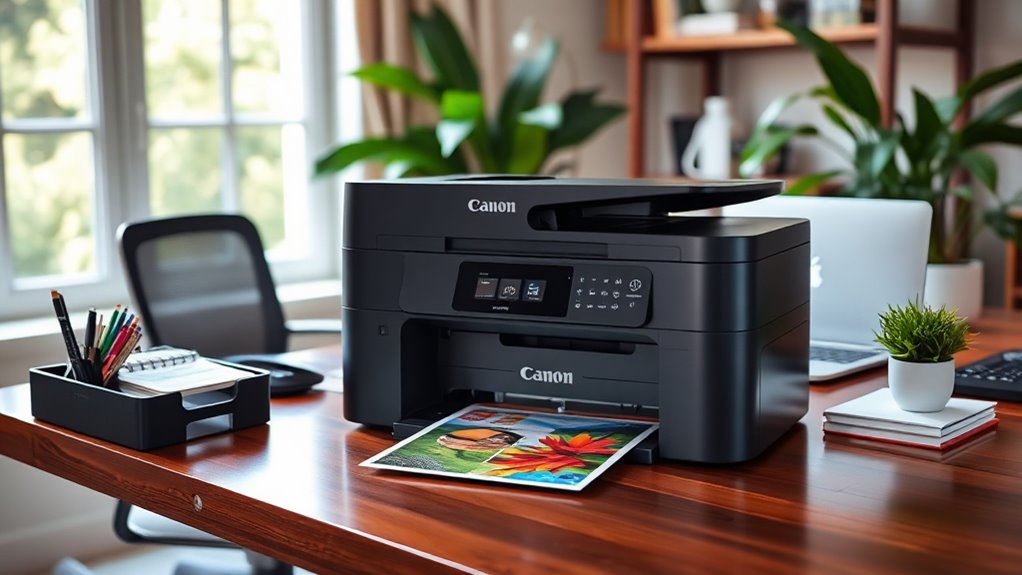
When you’re choosing a Canon home office printer, you’ll want to contemplate several key factors. Evaluate essential features, print quality needs, and available connectivity options to find the right fit for your workspace.
Don’t forget to take into account the size, design, and ongoing costs of consumables. This way, you can guarantee it meets your long-term needs.
Key Features To Evaluate
Are you overwhelmed by the choices in Canon home office printers? To make the right decision, focus on a few key features.
First, check the print quality; resolutions like 4800 x 1200 dpi guarantee sharp text and vibrant colors. Next, consider print speed, typically ranging from 6 to 15 pages per minute. Faster options boost efficiency.
Connectivity is essential too—look for dual-band Wi-Fi, USB, and mobile printing capabilities for easy access from various devices.
Think about functionality as well; an all-in-one model can save time with scanning, copying, and faxing. Finally, assess the paper handling capacity. Larger trays can reduce the need for frequent refills, making your home office more productive.
Print Quality Requirements
Print quality plays a pivotal role in your choice of a Canon home office printer. Look for printers with high resolutions, ideally 4800 x 1200 dpi for photos and 1200 x 1200 dpi for documents.
A hybrid ink system, combining dye-based and pigment-based inks, can enhance color vibrancy and text sharpness. Opt for printers with individual ink cartridges; they allow for precise color mixing and reduce waste.
Automatic duplex printing also improves the quality of double-sided documents, giving them a professional look. Finally, balance print quality with speed—some high-quality printers may be slow, impacting your productivity.
Make sure you choose one that meets both your quality and efficiency needs. It’s all about finding the right fit for how you work!
Connectivity Options Available
Connectivity options can make or break your experience with a Canon home office printer. Many models offer dual-band Wi-Fi, letting you connect on both 2.4GHz and 5GHz bands for improved speed and stability.
Mobile printing is a breeze, allowing you to print directly from your smartphone or tablet using apps like Canon PRINT, Apple AirPrint, and Mopria Print Service. If you prefer wired connections, look for USB and Ethernet ports for direct links to your devices.
Some printers even support voice commands, making it easy to operate hands-free with smart home devices. Plus, with Automatic Document Feeders (ADF) on various models, you can efficiently scan and copy multiple pages without the hassle of manual intervention.
Size And Design Considerations
Finding the right size and design for your Canon home office printer can really enhance your workspace. First, check the dimensions to make sure it fits comfortably. Many compact models measure under 18 inches in width and depth.
If you need portability, consider lighter options weighing between 8 to 18 pounds. Aesthetics matter too—pick a printer that matches your home or office decor. There are lots of colors and styles to choose from.
Look for models with a small footprint, especially if you have tight spaces. This way, you won’t have to sacrifice functionality. Finally, ease of access is key. Choose printers with user-friendly interfaces and accessible control panels and paper trays to make printing simple and hassle-free.
Cost Of Consumables
When choosing a Canon home office printer, the cost of consumables can greatly influence your decision. Consider the page yield each cartridge offers; this can affect your overall operating expenses.
Printers with refillable ink systems, like MegaTank technology, provide significant savings, offering up to 6,000 black and white pages or 7,700 color pages per ink set. It’s pretty impressive and can really stretch your budget.
Keep an eye on regular ink or toner price fluctuations, as they can impact long-term costs. Some models use hybrid ink systems, which may result in varying costs depending on whether you’re printing text or photos.
Calculating the cost per page based on ink capacity and your average usage will help you evaluate the true cost-effectiveness of your chosen printer. This way, you’ll know exactly what you’re getting into.
Ease Of Use
Choosing a Canon home office printer means thinking about how easy it is to use, especially if you want to keep your workflow smooth. Look for printers with intuitive displays, like OLED or touchscreen interfaces. These make navigation and setup super simple.
Easy wireless connectivity is a must, including dual-band Wi-Fi. This ensures your devices connect without a hitch. Also, pick models that support mobile printing through popular services and apps. That way, you can print straight from your smartphone or tablet.
Think about printers with straightforward ink cartridge systems. Replacing and monitoring cartridges should be hassle-free. Plus, clear user manuals and easy-to-find online support can make troubleshooting way less stressful.
All these features help enhance your overall experience and keep you productive without any unnecessary headaches.
Frequently Asked Questions
What Are the Average Printing Speeds of Canon Home Office Printers?
Canon home office printers typically have average printing speeds ranging from 10 to 30 pages per minute. It depends on the model and type, but you’ll find options that fit your needs efficiently.
How Do I Connect My Canon Printer to Wi-Fi?
To connect your Canon printer to Wi-Fi, start by accessing the printer’s menu. Then, select “Network Settings.”
Next, choose “Wireless LAN Setup” and follow the prompts to connect to your network. When asked, enter your Wi-Fi password.
It’s pretty straightforward, and your printer should be online in no time! Just take it step by step, and you’ll be all set.
What Types of Paper Can Canon Printers Handle?
Your Canon printer’s a versatile artist, handling everything from plain paper to glossy photo paper. It embraces card stock and envelopes too, ensuring every print captures your creativity beautifully.
No matter the medium you choose, it’s got you covered. Whether you’re printing documents or photos, your Canon printer adapts with ease.
Are Canon Printers Compatible With Mobile Printing Apps?
Yes, Canon printers are compatible with various mobile printing apps. You can easily print from your smartphone or tablet using Canon’s app or popular options like Apple AirPrint and Google Cloud Print.
It’s super convenient and makes printing on the go a breeze. Enjoy seamless printing!
How Often Do I Need to Replace the Ink or Toner?
You’ll need to replace ink or toner every few months, depending on usage.
Keep an eye on print quality; if it declines, it’s time to check levels and replace cartridges as necessary.
Conclusion
In the world of home office printers, choosing the right one is like finding the perfect pen—essential for bringing your ideas to life. Each Canon model shines like a star, tailored to your unique needs.
Whether you prefer the versatility of an all-in-one or the simplicity of a print-only option, there’s a Canon waiting to support your creative journey. So, pick your printer and let it become the brush that paints your productivity canvas!
With the best Canon home office printers, you’re not just getting a device—you’re investing in efficiency, quality, and reliability. These printers are designed to fit seamlessly into your workspace, helping you tackle everything from quick prints to complex projects with ease.
So, if you want to boost your home office game in 2027, choosing a Canon printer is the smart move. It’s all about making your printing experience smooth, productive, and perfectly suited to your needs.