9 Best Canon Home Printers for 2027 You’ll Love
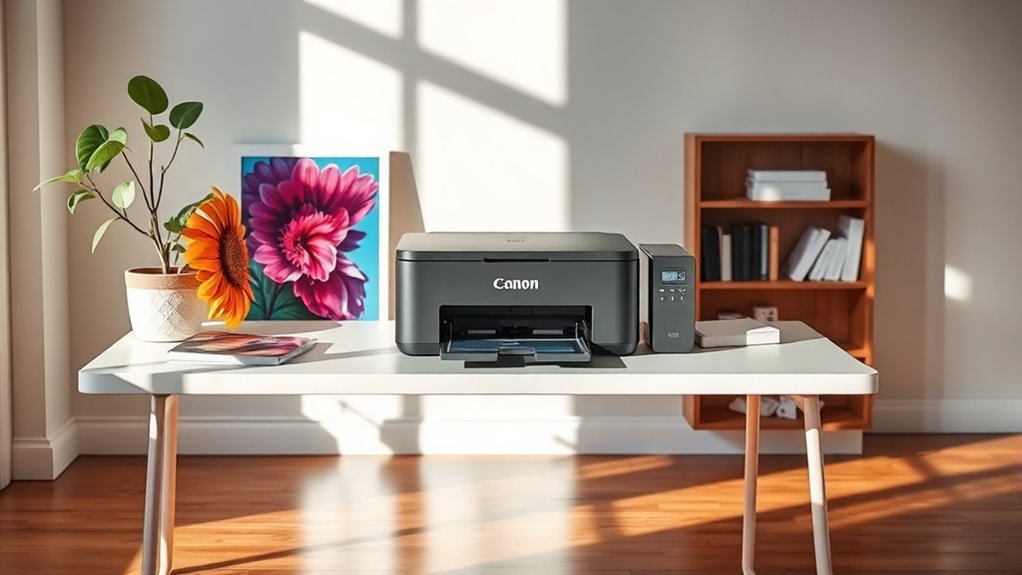
If you’re searching for the best Canon home printers in 2027, you’re in the right place! Canon offers a fantastic range of home printers that balance quality, affordability, and convenience.
Whether you need a compact printer for occasional use or a high-volume machine for busy households, there’s something for everyone.
The Canon PIXMA TS6520 and TS4320 stand out with their sleek, compact designs and impressive print quality. Perfect for everyday printing, these models fit easily into any home office or living space.
For those who print frequently, the MegaTank G3270 and MAXIFY GX2020 are great choices. They come with refillable ink tanks that help you save money on ink over time.
Looking for versatility? The PIXMA TS7720 and TR4720 offer a mix of features that are user-friendly and adaptable to various printing needs.
And if you prefer laser printing, don’t overlook the efficient Color imageCLASS LBP646Cdw. It delivers sharp, fast prints ideal for both documents and photos.
Dive into more details to discover which Canon printer fits your home printing needs perfectly!
| Image | Name | Editor's Rating | Price |
|---|---|---|---|

|
|
||

|
|
||

|
|
||

|
|
||

|
|
Canon PIXMA TS6520 Wireless Color Inkjet Printer, 1.42″ OLED Display, White
- Affordable Versatility - A budget-friendly all-in-one printer perfect for both home users and hybrid workers, offering...
- Crisp, Vibrant Prints - Experience impressive print quality for both documents and photos, thanks to its 2-cartridge...
- Effortless Setup & Use - Get started quickly with easy setup for your smartphone or computer, so you can print, scan...

The Canon PIXMA TS6520 Wireless Color Inkjet Printer offers a seamless printing experience for everyday tasks. Its compact design and sleek white finish make it a perfect fit for any home or office space, keeping your area tidy without sacrificing functionality. This printer handles printing, scanning, and copying, simplifying your workflow.
Maintenance is straightforward thanks to the 2-cartridge hybrid ink system, which delivers sharp text and vibrant colors. The intuitive 1.42” OLED display provides clear updates on ink levels and printer status, helping you manage supplies efficiently. Dual-band Wi-Fi ensures smooth wireless printing from smartphones and tablets, eliminating the hassle of cables.
Designed for families and students, this printer offers reliable performance for daily use. Auto-duplex printing helps reduce paper waste, supporting eco-friendly habits. While print speeds may be slower for color documents, the printer balances quality and ease of use effectively.
Best for: Families and students seeking a reliable, user-friendly all-in-one printer for everyday use.
What We Like:
- Compact all-in-one design for printing, scanning, and copying
- Clear OLED display for easy monitoring of printer status
- Dual-band Wi-Fi enables effortless mobile printing
- Auto-duplex printing to save paper
- Hybrid ink system delivers sharp and vibrant prints
Specification:
| Feature | Details |
|---|---|
| Manufacturer | Canon |
| Dimensions | Compact (exact size not provided) |
| Weight | Not specified |
| Ink System | 2-cartridge hybrid ink |
| Display | 1.42″ OLED |
| Connectivity | Dual-band Wi-Fi |
| Color | White |
Canon MegaTank G3270 All-in-One Wireless Color Printer
- Wireless Print/Copy/Scan
- Up to 2 years of ink included (2)
- Print up to 6,000 black & white / 7,700 color pages using a single set of inks! (1)
The Canon MegaTank G3270 All-in-One Wireless Color Printer is designed to simplify your home or small office printing tasks. It handles printing, copying, and scanning efficiently, making it a versatile tool for everyday needs. With a print speed of up to 11 pages per minute in black and white, it keeps your workflow steady without long waits.
This printer delivers vibrant results with a high print resolution of 4800 x 1200 dpi. Its MegaTank ink system significantly reduces interruptions by allowing you to print up to 6,000 black pages or 7,700 color pages on a single refill. This means fewer trips to restock ink and more time focusing on your work.
The compact design fits easily in tight spaces, while wireless connectivity lets you print directly from smartphones and tablets. Its energy-efficient operation also helps lower power consumption, making it eco-friendly and cost-effective to run.
Maintenance is straightforward thanks to the large ink tanks, though the single 100-sheet tray might require frequent refills for bigger jobs. The small 1.35” LCD screen provides basic navigation but may feel limited for some users.
Best for: Those seeking an economical and efficient all-in-one printer suitable for home and small office environments.
What We Like:
- High page yield with MegaTank ink system reduces refill frequency
- Combines printing, copying, and scanning in a compact design
- Wireless printing from mobile devices adds convenience
- Energy-efficient operation lowers running costs
Specification:
| Feature | Details |
|---|---|
| Manufacturer | Canon |
| Dimensions | Compact size (exact dimensions not provided) |
| Weight | Not specified |
| Print Speed | Up to 11 ppm (B&W), 6 ppm (Color) |
| Print Resolution | 4800 x 1200 dpi |
| Paper Tray Capacity | 100 sheets |
| Connectivity | Wireless |
| Display | 1.35” square LCD |
Canon PIXMA TS4320 – Wireless Color Inkjet Printer with Print, Copy, Scan
- Affordable Versatility - A budget-friendly all-in-one printer perfect for both home users and hybrid workers, offering...
- Crisp, Vibrant Prints - Experience impressive print quality for both documents and photos, thanks to its 2-cartridge...
- Effortless Setup & Use - Get started quickly with easy setup for your smartphone or computer, so you can print, scan...
Experience hassle-free printing with the Canon PIXMA TS4320, a compact and stylish wireless color inkjet printer designed to simplify your daily tasks. Its small footprint and lightweight design make it easy to fit into any home workspace without clutter. This printer’s hybrid ink system ensures sharp black text and vibrant colors, helping you produce professional-looking documents and photos effortlessly.
The TS4320 supports wireless printing through the Canon PRINT App and Apple AirPrint, allowing you to print directly from your smartphone or tablet. This feature eliminates the need for cables and makes printing more accessible, especially when multitasking. Automatic two-sided printing helps save paper and time, making it a practical choice for home offices and creative projects.
Maintenance is straightforward thanks to its reliable ink system, though the 100-sheet paper capacity may require frequent refills during large print jobs. The integrated flatbed scanner adds versatility, enabling you to copy and scan documents with ease. While it lacks an advanced display screen, the intuitive controls keep operation simple for everyday use.
Best for: Home users seeking a compact, versatile printer for printing, copying, and scanning everyday documents and creative projects.
What We Like:
- Compact and lightweight design fits easily in small spaces
- Wireless connectivity enables mobile printing from smartphones and tablets
- Automatic two-sided printing reduces paper usage
- Integrated flatbed scanner adds multifunction convenience
Specification:
| Feature | Details |
|---|---|
| Manufacturer | Canon |
| Dimensions | 14.8 x 14 x 6.7 inches |
| Weight | 15.5 pounds |
| Printer Type | Wireless Color Inkjet |
| Functions | Print, Copy, Scan |
| Maximum Resolution | Up to 1200 x 1200 dpi |
Canon PIXMA TS7720 Wireless All-in-One Inkjet Printer
- ALL-IN-ONE: Print, Copy, Scan features for full control at your fingertips.
- FAST PRINT SPEEDS: Print approximately 15 (black) / 10 (color) images per minute.
- EASY SETUP: Get running in just a few minutes thanks to a streamlined and easy setup process out of the box.
The Canon PIXMA TS7720 is a compact wireless all-in-one inkjet printer designed to streamline your home office tasks. It combines printing, scanning, and copying in one device, making it a practical solution for everyday document needs. Its fast print speeds help reduce waiting times, keeping your workflow smooth and efficient.
This printer features a 2.7” LCD touchscreen that simplifies navigation, so you can easily select functions and settings. Auto-duplex printing saves paper by printing on both sides automatically, while borderless printing enhances photo and graphic output. The device supports various media types, from standard documents to custom-sized prints, adding flexibility to your projects.
Maintenance is straightforward with its two-cartridge ink system, though this setup may lead to higher replacement costs compared to printers with individual color cartridges. The printer handles media up to 8.5” x 11”, which suits most home office and family needs but limits larger format printing.
Its sleek design fits comfortably in small spaces, making it ideal for homes or offices where space is limited. The Canon PIXMA TS7720 provides a balance of functionality and convenience without unnecessary complexity.
Best for: Home users or families looking for a versatile, space-saving printer that handles printing, copying, and scanning efficiently.
What We Like:
- Fast print speeds of 15 ppm (black) and 10 ppm (color) for quick output
- Easy-to-use 2.7” LCD touchscreen interface
- Supports multiple media types including photos and custom sizes
- Auto-duplex printing helps save paper
- Compact design fits well in small spaces
Specification:
| Feature | Details |
|---|---|
| Manufacturer | Canon |
| Dimensions (W×D×H) | 13.9 × 9.8 × 5.0 inches |
| Weight | Approximately 11.5 lbs |
| Color Options | Black |
| Media Size | Up to 8.5” × 11” |
Canon MegaTank MAXIFY GX2020 Wireless Color Printer
- Wireless Print/Copy/Scan/Fax (2)
- Print up to 3,000 black & white / 3,000 color pages using a single set of inks! (1)
- 2.7” LCD Color Touchscreen
The Canon MegaTank MAXIFY GX2020 offers a smart solution for home offices facing heavy printing demands. Its high-capacity ink system allows printing up to 3,000 pages per refill, significantly reducing interruptions for ink replacements. This means less downtime and more focus on your work.
Designed as an all-in-one wireless printer, it handles printing, copying, scanning, and faxing with ease. The 2.7-inch touchscreen makes navigating these functions straightforward, while the 35-sheet automatic document feeder helps manage multi-page tasks efficiently.
Maintenance is simplified by the MegaTank ink system, which lowers the frequency of ink cartridge changes. Though it weighs 17.8 pounds, the device balances functionality with a compact design suitable for stationary use. Print speeds of 15 pages per minute in black and white and 10 in color support steady productivity without overwhelming high-volume needs.
This printer is ideal for users who want versatile office capabilities combined with reduced maintenance efforts. Its combination of reliable performance and practical features addresses common printing challenges in busy work environments.
Best for: Home offices requiring versatile all-in-one functionality and high-volume printing with minimal ink maintenance.
What We Like:
- High-capacity ink system reduces frequent refills.
- All-in-one design covers printing, scanning, copying, and faxing.
- Easy-to-use 2.7-inch touchscreen interface.
- Automatic document feeder streamlines multi-page tasks.
- Balanced size and weight for desktop use.
Specification:
| Feature | Details |
|---|---|
| Manufacturer | Canon |
| Dimensions (W×D×H) | Not specified |
| Weight | 17.8 lb (8.1 kg) |
| Ink Yield | Up to 3,000 pages/set |
| Print Speed (B&W) | 15 pages/min |
| Print Speed (Color) | 10 pages/min |
| Display | 2.7-inch touchscreen |
| Automatic Document Feeder | 35 sheets |
Canon PIXMA TR4720 All-in-One Wireless Printer

- Wireless 4-in-1 (print | copy | scan | fax)..Power Consumption: 7W (0.8W Standby / 0.3W Off)
- Print speed up to: 4" x 6" Borderless Photo (PP-201): Approx. 65.0 Seconds / Black Document (Letter/Simplex): Approx...
- Designed for easy ink cartridge installation and replacement.
The Canon PIXMA TR4720 All-in-One Wireless Printer is designed to meet the demands of busy home offices and small businesses. It simplifies everyday tasks by combining printing, copying, scanning, and faxing in one compact device. This versatility helps users complete multiple functions without needing separate machines.
With sharp print quality at up to 4800 x 1200 dpi, documents and images come out clear and professional. The printer supports automatic duplex printing, which reduces paper use and saves costs. A 100-sheet front tray handles various paper sizes, though it may require frequent refills for high-volume needs.
Maintenance is straightforward, and wireless connectivity via Wi-Fi and USB makes it easy to set up and manage. You can also control the printer through Canon’s apps or voice commands with Alexa, adding convenience to your workflow. However, the lack of an Ethernet port might limit options for some network setups.
Overall, this printer balances functionality with a compact design, making it a practical choice for users needing an all-in-one solution without excess bulk.
Best for: small business owners and home office users who require a reliable multifunction printer for daily document handling.
What We Like:
- Combines printing, copying, scanning, and faxing in one device
- Automatic duplex printing reduces paper waste
- Wireless and USB connectivity for flexible setup
- Compact design fits well in limited spaces
Specification:
| Feature | Details |
|---|---|
| Manufacturer | Canon |
| Dimensions | 16.4 x 11.7 x 7.5 inches |
| Weight | 13.7 lbs (6.2 kg) |
| Color Options | Black |
| Print Resolution | Up to 4800 x 1200 dpi |
| Paper Capacity | 100 sheets |
| Connectivity | USB, Wi-Fi |
Canon PIXMA TS3720 Wireless All-in-One Printer
No products found.
Looking for a versatile printer that fits perfectly in your home office? The Canon PIXMA TS3720 Wireless All-in-One Printer handles printing, copying, and scanning tasks with ease. Its dual-band Wi-Fi and compatibility with mobile printing services like Apple AirPrint make it simple to connect and print from multiple devices.
This printer supports various media types, including borderless photos up to 5” x 7”, allowing you to produce sharp, vibrant prints. The compact design and rear paper tray, which holds up to 60 sheets, help save space while keeping the device neat and accessible.
Maintenance is straightforward with easy-to-replace ink cartridges and options for cost-saving print plans. However, print speeds are modest, especially for color documents, and the small 1.5” LCD screen may require some adjustment for new users.
Overall, the PIXMA TS3720 improves home productivity by combining essential functions in a compact, wireless device that meets everyday printing needs.
Best for: Families and home office users looking for an affordable, all-in-one wireless printer for everyday tasks.
What We Like:
- All-in-one device for printing, copying, and scanning
- Dual-band Wi-Fi with mobile printing support
- Compact design saves space
- Easy-to-replace ink cartridges
Specification:
| Feature | Details |
|---|---|
| Manufacturer | Canon |
| Dimensions | Compact size (exact size not provided) |
| Weight | Not specified |
| Color Options | Not specified |
| Paper Capacity | 60 sheets (rear tray) |
Canon Color imageCLASS LBP646Cdw Wireless Laser Printer

- Single-Function, Color, Wireless, Duplex Printer: Print only. — No Scanning, Copying, or Faxing
- Fast Print Speeds: Print up to 26 ppm in both color and monochrome and spend less time waiting with a quick first print...
- Easy Wireless Setup: Setup your wireless connection and get up and running in just a few steps.
Experience smooth and efficient printing with the Canon Color imageCLASS LBP646Cdw. Designed to meet the demands of busy home offices, this wireless color laser printer delivers sharp, vibrant prints quickly. Its fast output speed helps you finish tasks without delay.
The printer supports legal-sized media and holds up to 250 sheets, reducing frequent paper refills. Setup is simple, with wireless connectivity that lets you print directly from smartphones or tablets through the Canon PRINT app or AirPrint. This eliminates the hassle of cables and enables flexible placement.
Maintenance is straightforward thanks to its reliable laser technology, which requires less frequent intervention than ink-based models. The printer’s ENERGY STAR certification ensures lower energy consumption, saving costs while supporting eco-friendly operation.
Its single-function design focuses on printing, making it ideal for users who need consistent, high-quality color prints but do not require scanning or copying features. The compact build fits comfortably in home or small office spaces without sacrificing performance.
Best for: Small businesses or home users looking for a dependable color laser printer with wireless convenience and energy efficiency.
What We Like:
- Fast print speeds of up to 26 pages per minute in color and monochrome
- Easy wireless setup with mobile printing via Canon PRINT app and AirPrint
- ENERGY STAR certified for efficient power use
- Compact design suitable for limited office space
- Clear 5-line LCD screen for straightforward operation
Specification:
| Feature | Details |
|---|---|
| Manufacturer | Canon |
| Dimensions | Approx. 16.5 x 18.5 x 15.1 in (W x D x H) |
| Weight | Approx. 38.1 lb (17.3 kg) |
| Print Technology | Wireless Color Laser |
| Print Speed | Up to 26 ppm |
| Resolution | 1200 x 1200 dpi |
| Paper Capacity | 250-sheet cassette + multipurpose tray |
| Connectivity | Wireless, Canon PRINT app, AirPrint |
| Energy Efficiency | ENERGY STAR Certified |
Canon PIXMA TR7120 Wireless Color Inkjet Printer

- Affordable Versatility - A budget-friendly all-in-one printer perfect for both home users and hybrid workers, offering...
- Crisp, Vibrant Prints - Experience impressive print quality for both documents and photos, thanks to its 2-cartridge...
- Effortless Setup & Use - Get started quickly with easy setup for your smartphone or computer, so you can print, scan...
The Canon PIXMA TR7120 is designed to simplify your daily printing tasks with versatility and ease. It combines printing, scanning, and copying in a compact unit that fits well in small spaces. This printer handles both documents and photos with a high print resolution of 4800 x 1200, ensuring sharp and vivid results every time.
Maintenance is straightforward thanks to the intuitive 1.42-inch OLED screen, which helps you quickly check ink levels and adjust settings. The automatic duplex printing feature reduces paper use by allowing double-sided prints, saving time and resources. Dual-band Wi-Fi and mobile printing through the Canon PRINT app add convenience by letting you print from various devices effortlessly.
This all-in-one printer supports hybrid workers and families by providing reliable performance for mixed tasks. Although it weighs 18.1 pounds, its compact design keeps it manageable for stationary use. The monochrome OLED display may not offer vibrant visuals but remains functional for monitoring purposes.
Best for: Home users and hybrid workers needing an efficient, multi-functional printer for everyday use.
What We Like:
- Compact design fits easily into limited workspaces
- High-resolution printing produces detailed documents and photos
- Automatic duplex printing saves paper and time
- Dual-band Wi-Fi enables smooth wireless connectivity
- Easy maintenance with an OLED display for ink and settings monitoring
Specification:
| Feature | Details |
|---|---|
| Manufacturer | Canon |
| Dimensions | Compact size (exact dimensions not provided) |
| Weight | 18.1 lb (8.2 kg) |
| Print Resolution | 4800 x 1200 dpi |
| Connectivity | Dual-band Wi-Fi, Mobile printing (Canon PRINT app) |
| Display | 1.42-inch monochrome OLED |
Factors to Consider When Choosing a Canon Home Printer
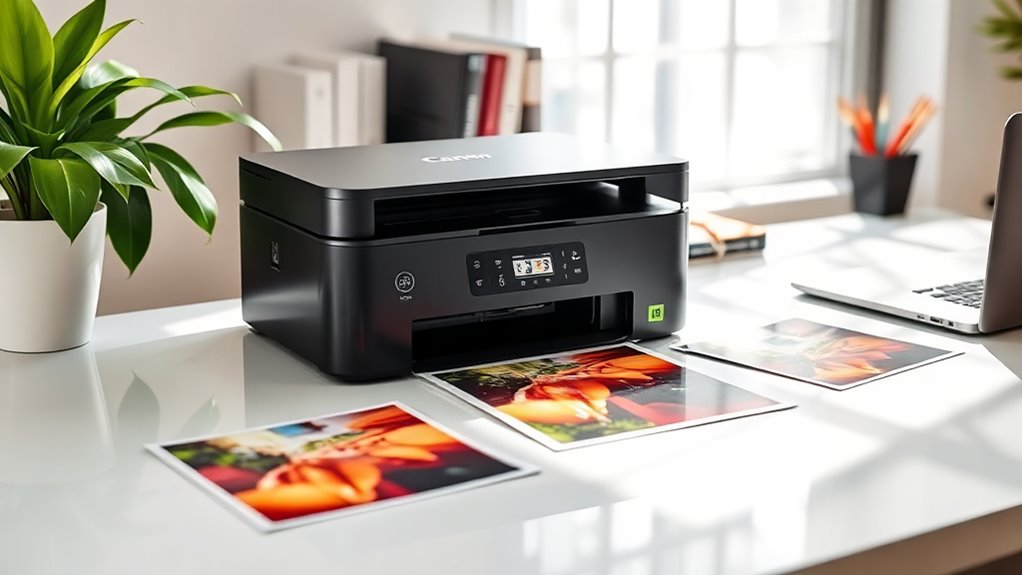
When choosing a Canon home printer, you’ll want to think about several key factors. Consider the features that matter most to you, like print quality and connectivity options.
Also, pay attention to the printer’s size and media handling capacity to guarantee it fits your needs and space. It’s all about making sure your printer works well for your lifestyle.
Key Features Overview
Choosing the right Canon home printer involves several key features that can greatly impact your printing experience. First, consider print speed specifications, with models ranging from 6 to 15 pages per minute (PPM) for both color and black and white.
Next, evaluate print resolution, as higher dpi (up to 4800 x 1200) guarantees sharper, more vibrant images. It’s definitely worth looking into if image quality matters to you.
Look into the ink system, where hybrid options provide vibrant color and sharp text, while MegaTank systems drastically cut ink costs. This can make a big difference if you print a lot.
Don’t forget connectivity options like dual-band Wi-Fi and USB ports for seamless device integration. Being able to connect easily means less hassle overall.
Finally, assess additional features such as automatic duplex printing to save paper and an Automatic Document Feeder (ADF) for efficient multi-page tasks. These extras can really boost your productivity at home.
Print Quality Requirements
Print quality is essential for anyone looking to achieve professional results at home. You’ll want to pay attention to the printer’s resolution, often measured in dots per inch (dpi).
A higher resolution, like 4800 x 1200 dpi, yields sharper images and vibrant colors, perfect for photo printing. Consider a hybrid ink system that combines dye and pigment inks for vivid photos and crisp text.
The ink cartridge choice matters, too; separate color cartridges allow for precise color management, while single cartridges offer convenience. If you’re printing photos, look for borderless printing capabilities to eliminate white margins.
Finally, don’t neglect regular maintenance, like head cleaning, to keep your prints looking their best and prevent issues like streaking or fading.
Connectivity Options Available
While evaluating your options for a Canon home printer, connectivity features play an essential role in ensuring a smooth printing experience. Many Canon models offer dual-band Wi-Fi connectivity, allowing you to choose between 2.4GHz and 5GHz for a stable connection.
You’ll appreciate compatibility with mobile printing solutions like the Canon PRINT app, Apple AirPrint, and Mopria Print Service. This makes it super easy to print directly from your smartphone or tablet.
Some printers also include USB connections for direct linking to your computer. Plus, if you often handle multi-page documents, look for models with Automatic Document Feeders (ADFs).
And here’s a nice bonus: voice control compatibility with smart home devices like Amazon Alexa adds a layer of convenience. You can manage printing hands-free, which is pretty handy!
Media Handling Capacity
When evaluating Canon home printers, media handling capacity is vital for meeting your specific printing needs. Consider how many sheets the printer can hold; some models accommodate as few as 60 sheets, while others can handle 250 or more.
The maximum media size is important, too—most printers support standard 8.5” x 11” sheets, but some can print larger formats or even borderless. Look for models with multiple trays or rear feed options, as these enhance convenience for various media types, like envelopes and cardstock.
An Automatic Document Feeder (ADF) can also boost efficiency, allowing you to scan or copy multiple pages at once. Knowing the supported media types guarantees you’ll have the versatility you need for your projects.
Size and Design Considerations
Choosing the right size and design for your Canon home printer can make a significant difference in your workspace. Consider the dimensions to guarantee it fits comfortably in your designated area. You’ll find options ranging from compact designs to larger models.
Weight matters too. Lighter printers are easier to move around, while heavier ones might offer more features.
Don’t forget about aesthetics—choose a printer that complements your home decor. Many stylish options come in various colors and finishes.
Look for user-friendly designs that provide easy access to paper trays and cartridges. Also, think about the printer’s footprint and space-saving features. Foldable or retractable designs can help you maximize your workspace effectively.
Cost of Replacement Ink
The cost of replacement ink is a vital factor that can impact your overall printing expenses. Different Canon printer models come with varying ink costs; some traditional cartridges may run out quickly, leading to higher expenses.
On the other hand, printers with MegaTank or refillable ink systems offer a lower cost per page, letting you print thousands of pages before needing a refill. Replacement ink cartridges typically range from $15 to $80, and opting for high-yield options can provide better value.
It’s also important to take into account the page yield, as higher yields mean fewer purchases over time. Finally, make sure you check ink compatibility, since some printers require more expensive proprietary cartridges.
Frequently Asked Questions
What Is the Average Lifespan of a Canon Home Printer?
A Canon home printer typically lasts around 3 to 5 years with proper care. Regular maintenance, using quality ink, and keeping it clean can help you extend its lifespan and improve print quality.
Taking a little time to look after your printer really pays off. Plus, it means fewer headaches when you need a quick print!
Are Canon Printers Compatible With Mobile Printing Apps?
Yes, Canon printers are compatible with mobile printing apps, making printing from your phone easy.
Even if you worry about setup, most models come with user-friendly instructions. This ensures you’ll start printing quickly and effortlessly.
How Often Should I Replace Ink Cartridges?
You should replace ink cartridges when your printer alerts you or print quality declines. Typically, this happens every few months, but it depends on your usage.
Keep an eye on your cartridge levels for best results. That way, you won’t get caught off guard when it’s time to swap them out.
Can I Use Third-Party Ink With Canon Printers?
You can use third-party ink with Canon printers, but it might be like inviting a tornado into your home!
It might void your warranty or affect print quality, so weigh the risks before diving in.
What Is the Warranty Period for Canon Home Printers?
Canon home printers typically come with a one-year warranty. This covers defects in materials and workmanship.
Be sure to register your printer online for potential extended support. Also, check the specific model details since there might be some variations.
Conclusion
When choosing the perfect Canon home printer, remember that nearly 70% of consumers prioritize wireless connectivity for convenience. With options like the PIXMA TS6520 and MegaTank G3270, you’ll find features that suit your printing needs.
Whether you’re printing photos or documents, Canon’s range has something for everyone. So, take your time, weigh your options, and you’ll find a printer that not only meets your requirements but also enhances your home office experience!
In the end, picking the right Canon home printer comes down to what fits your lifestyle best. From wireless connectivity to high-quality photo printing, Canon offers versatile models designed to make your daily printing tasks easier and more efficient. Whether it’s casual printing or more demanding projects, there’s a Canon printer ready to serve your home office needs perfectly. So, explore the options, and enjoy hassle-free printing with a trusted brand by your side!