9 Best Canon Inkjet Printers for 2027 That Impress
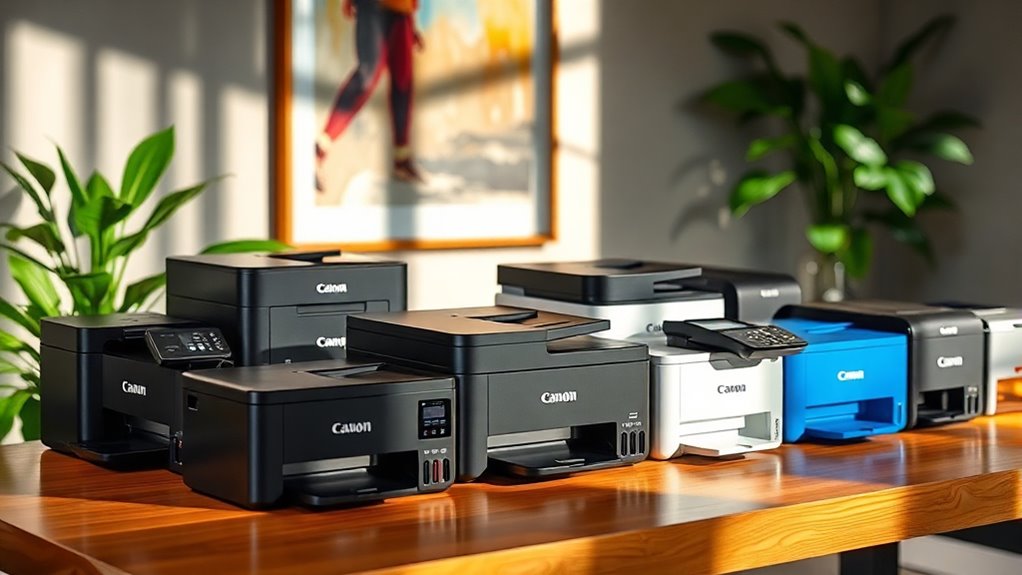
If you’re searching for the best Canon inkjet printers for 2027, you’re in luck! There are plenty of impressive options that fit different needs and budgets.
Whether you want top-notch print quality, affordable ink solutions, or creative features, Canon has you covered.
For example, the Canon PIXMA TS6520 stands out with its exceptional print quality and sleek design.
On the other hand, the MegaTank G3270 is perfect if you’re looking to save big on ink costs without sacrificing performance.
You can also consider the versatile PIXMA TS7720 or the creative-friendly TS9521Ca, both designed to handle a variety of tasks with ease.
Each printer offers something unique, so keep exploring to find the perfect fit for your printing needs and preferences.
| Image | Name | Editor's Rating | Price |
|---|---|---|---|

|
|
||

|
|
||

|
|
||

|
|
||

|
|
Canon PIXMA TS6520 Wireless Color Inkjet Printer, 1.42″ OLED Display, White
- Affordable Versatility - A budget-friendly all-in-one printer perfect for both home users and hybrid workers, offering...
- Crisp, Vibrant Prints - Experience impressive print quality for both documents and photos, thanks to its 2-cartridge...
- Effortless Setup & Use - Get started quickly with easy setup for your smartphone or computer, so you can print, scan...

The Canon PIXMA TS6520 Wireless Color Inkjet Printer combines style and functionality to meet everyday printing needs. Its compact design saves space, making it a perfect fit for home offices or study areas. This printer ensures crisp text and vibrant images, helping users produce professional-looking documents with ease.
Maintenance is simplified with a 2-cartridge hybrid ink system that balances color quality and ink efficiency. The 1.42″ OLED display provides clear updates on ink levels and printer status, so users can avoid unexpected interruptions. Dual-band Wi-Fi connectivity enables smooth mobile and laptop printing, eliminating the hassle of cables.
Designed for versatility, the PIXMA TS6520 supports printing, scanning, and copying tasks. It addresses common problems like clutter and complicated setups by offering an all-in-one solution that is easy to use and maintain. However, print speeds may be slower compared to more advanced models, and frequent ink replacement might be necessary for heavy users.
Best for: Families and students needing a reliable, compact all-in-one printer for everyday home or study use.
What We Like:
- All-in-one print, scan, and copy functionality
- Space-saving, stylish design
- Clear OLED display for easy monitoring
- Reliable dual-band Wi-Fi for wireless printing
Specification:
| Feature | Details |
|---|---|
| Manufacturer | Canon |
| Dimensions | Compact (exact size not provided) |
| Weight | Not specified |
| Ink System | 2-cartridge hybrid ink |
| Display | 1.42″ OLED |
| Connectivity | Dual-band Wi-Fi |
| Color | White |
Canon MegaTank G3270 All-in-One Wireless Color Printer
- Wireless Print/Copy/Scan
- Up to 2 years of ink included (2)
- Print up to 6,000 black & white / 7,700 color pages using a single set of inks! (1)
The Canon MegaTank G3270 All-in-One Wireless Color Printer offers a practical solution for everyday printing needs. Its compact and sleek design ensures it fits comfortably in tight spaces without sacrificing performance. This printer helps reduce interruptions by allowing users to print large volumes with fewer ink replacements.
Equipped with MegaTank technology, the G3270 can produce up to 6,000 black-and-white pages and 7,700 color pages from a single ink set. This feature minimizes maintenance and lowers the cost per page, making it ideal for home and small office environments. Wireless connectivity adds convenience by enabling printing directly from smartphones and tablets.
The printer supports essential functions like copying and scanning, streamlining multiple tasks into one device. While the print speed is moderate at 11 pages per minute for black-and-white and 6 for color, it balances speed with quality output. Its single tray holds up to 100 sheets, suitable for light to moderate workloads.
Best for: Individuals or small businesses looking for a cost-effective, space-saving all-in-one printer with high ink efficiency.
What We Like:
- High ink yield reduces frequent refills
- Compact design fits small workspaces
- Wireless printing from mobile devices
- Multifunction capabilities: print, copy, scan
Specification:
| Feature | Details |
|---|---|
| Manufacturer | Canon |
| Dimensions | Compact design (exact size not specified) |
| Weight | 13.2 lb (6 kg) |
| Color Options | Standard color finish |
| Connectivity | Wireless |
Canon PIXMA TS4320 – Wireless Color Inkjet Printer with Print, Copy, Scan
- Affordable Versatility - A budget-friendly all-in-one printer perfect for both home users and hybrid workers, offering...
- Crisp, Vibrant Prints - Experience impressive print quality for both documents and photos, thanks to its 2-cartridge...
- Effortless Setup & Use - Get started quickly with easy setup for your smartphone or computer, so you can print, scan...
Experience the convenience of a compact wireless printer that fits perfectly in your home or small office. The Canon PIXMA TS4320 offers versatile functionality with printing, copying, and scanning capabilities. Its design helps you save space without sacrificing performance.
This printer’s dual-band Wi-Fi connectivity allows for seamless wireless printing from your smartphone or computer, making setup and daily use simple. The clear, sharp output at up to 1200 x 1200 dpi ensures your documents and photos look professional every time.
Maintenance is straightforward, and the automatic two-sided printing feature helps reduce paper usage, supporting eco-friendly practices. Although it lacks an advanced display, the intuitive controls keep tasks manageable. Its lightweight build makes relocating or repositioning easy.
The Canon PIXMA TS4320 is ideal for users needing a reliable, versatile printer that handles multiple tasks in a small footprint. Its limitations include slower print speeds and a maximum media size of 8.5 x 11 inches, which suits standard document needs but not larger formats.
Best for: Small office or home users seeking a compact, multifunction wireless printer with strong photo and document quality.
What We Like:
- Compact design ideal for limited spaces
- Reliable dual-band Wi-Fi for easy mobile printing
- Automatic two-sided printing to save paper
- Sharp print resolution for clear documents and photos
- Lightweight and easy to move
Specification:
| Feature | Details |
|---|---|
| Manufacturer | Canon |
| Dimensions | Compact fit for small spaces |
| Weight | 15.5 lbs (7.03 kg) |
| Color Options | Standard Canon white/black |
| Max Print Resolution | 1200 x 1200 dpi |
Canon PIXMA TS7720 Wireless All-in-One Printer
- ALL-IN-ONE: Print, Copy, Scan features for full control at your fingertips.
- FAST PRINT SPEEDS: Print approximately 15 (black) / 10 (color) images per minute.
- EASY SETUP: Get running in just a few minutes thanks to a streamlined and easy setup process out of the box.
The Canon PIXMA TS7720 offers a compact and efficient printing solution for home users. Its fast print speeds of 15 pages per minute for black and 10 for color help reduce waiting times and boost productivity. This printer delivers sharp and vivid prints with resolutions up to 1200 x 1200 dpi, making it ideal for everyday documents and photo projects.
Designed with versatility in mind, it supports multiple media types including photo paper and envelopes. This adaptability allows users to handle a variety of tasks without needing multiple devices. The 2.7” LCD touchscreen enhances usability by providing an intuitive interface for easy navigation and quick access to functions.
Maintenance is straightforward but keep in mind the two-cartridge ink system may require more frequent replacements during high-volume printing. Wireless connectivity enables seamless printing from smartphones and tablets, though some users might experience occasional setup or connection challenges.
Overall, the PIXMA TS7720 balances functionality and convenience in a sleek design that fits neatly into home offices or creative spaces.
Best for: Home users seeking a versatile all-in-one printer with reliable wireless functionality for printing, copying, and scanning.
What We Like:
- Fast print speeds for black and color documents
- Supports diverse media types including photo paper and envelopes
- Easy-to-use 2.7” LCD touchscreen interface
- Compact design suitable for home environments
- Wireless printing from multiple devices
Specification:
| Feature | Details |
|---|---|
| Manufacturer | Canon |
| Dimensions | Not specified |
| Weight | Not specified |
| Media Size | Up to 8.5” x 11” |
| Print Resolution | Up to 1200 x 1200 dpi |
| Connectivity | Wireless |
| Ink System | Two cartridges |
Canon PIXMA TS9521Ca – Wireless Home All-in-One Inkjet Printer
- ALL-IN-ONE: Print, Copy, Scan features for full control at your fingertips. Comes with a 1 year limited warranty.
- FAST PRINT SPEEDS: Print approximately 15 (black) / 10 (color) images per minute.
- EASY SETUP and INSTALL: Get running in just a few minutes thanks to a streamlined and easy setup process out of the box...
The Canon PIXMA TS9521Ca is designed to meet the needs of creative users who demand versatility and high-quality output. It handles printing, copying, and scanning tasks with ease, helping you manage projects efficiently at home. The printer supports various media types, making it ideal for scrapbooking and crafts, ensuring your creative ideas come to life on paper.
With a sharp print resolution of up to 4800 x 1200 dpi, your photos and documents will have clear, vibrant details. The 200-sheet capacity and automatic double-sided printing improve productivity, reducing the need for constant paper refills. Wireless connectivity allows you to print directly from your smartphone or tablet, adding convenience to your workflow.
Maintenance is simple thanks to five individual ink cartridges, which means you only replace the color that runs out, minimizing waste and cost. The 4.3-inch touch LCD screen offers an intuitive interface, making navigation and operation straightforward for users of all skill levels.
While the printer offers many benefits, its print speed is moderate, especially for color documents, and its design is bulkier than some compact models. This may require extra space in your workspace but supports its multifunctional capabilities.
Best for: Creative enthusiasts and home users needing a versatile all-in-one printer that handles various media with wireless convenience.
What We Like:
- High print resolution for detailed images and documents
- Supports diverse media types including craft materials
- Easy-to-use 4.3” touch LCD screen
- Efficient maintenance with individual ink cartridges
Specification:
| Feature | Details |
|---|---|
| Manufacturer | Canon |
| Dimensions | Not specified |
| Weight | Not specified |
| Color Options | Not specified |
| Print Resolution | Up to 4800 x 1200 dpi |
| Paper Capacity | 200 sheets |
| Connectivity | Wireless |
| Display | 4.3-inch touch LCD screen |
Canon PIXMA TR4720 All-in-One Wireless Printer

- Wireless 4-in-1 (print | copy | scan | fax)..Power Consumption: 7W (0.8W Standby / 0.3W Off)
- Print speed up to: 4" x 6" Borderless Photo (PP-201): Approx. 65.0 Seconds / Black Document (Letter/Simplex): Approx...
- Designed for easy ink cartridge installation and replacement.
The Canon PIXMA TR4720 All-in-One Wireless Printer simplifies everyday printing tasks at home or in the office. Its compact design fits neatly into small spaces, making it easy to place without clutter. This printer handles printing, copying, scanning, and faxing, helping you manage multiple document needs with one device.
Maintenance is straightforward thanks to the 100-sheet front paper tray that supports standard sizes up to 8.5 x 11 inches. Though the tray requires refills for larger jobs, it suits typical daily use well. Automatic duplex printing reduces paper waste and saves time on double-sided documents.
Designed for convenience, the printer supports mobile printing through Canon apps and Alexa integration. You can send documents directly from your smartphone, streamlining your workflow. While print speeds are moderate, they meet the needs of most home and small office users.
Energy efficiency is another key benefit, with ENERGY STAR certification ensuring low power consumption during standby and off modes. This feature contributes to cost savings and supports environmentally conscious workspaces.
Best for: Small offices and home users needing a compact, multifunctional printer that balances convenience and efficiency.
What We Like:
- Multifunctional device combining print, copy, scan, and fax
- ENERGY STAR certified for reduced energy use
- Mobile printing support via Canon apps and Alexa
- Compact design ideal for limited space
- Automatic duplex printing for double-sided documents
Specification:
| Feature | Details |
|---|---|
| Manufacturer | Canon |
| Dimensions | Compact size (exact not provided) |
| Paper Tray Capacity | 100 sheets |
| Print Speed | Up to 8.8 ipm (black), 4.4 ipm (color) |
| Supported Paper Size | Up to 8.5 x 11 inches |
| Connectivity | Wireless, mobile printing |
| Energy Certification | ENERGY STAR Certified |
Canon PIXMA TS3720 Wireless All-in-One Printer
No products found.
The Canon PIXMA TS3720 Wireless All-in-One Printer brings convenience to your home office by combining printing, scanning, and copying in a single compact device. Its sleek white design fits seamlessly into any workspace, saving room without sacrificing functionality. This printer helps you manage daily tasks efficiently, whether for documents or photos.
With print speeds of 7.7 pages per minute in black and 4 in color, it handles moderate printing needs with ease. The dual band Wi-Fi connection ensures consistent performance, allowing smooth wireless printing from your smartphone or tablet. This feature eliminates the hassle of cables and makes printing more accessible.
Maintenance is simple thanks to the easy-to-replace ink cartridges, helping control ongoing costs. The 60-sheet rear tray supports a variety of paper types, though frequent refills might be necessary for larger jobs. While it lacks automatic duplex printing, it still delivers reliable output for everyday use.
Designed for versatility and ease, the PIXMA TS3720 is ideal for home users who want a straightforward, all-in-one printer without extra bulk. It balances performance and convenience while keeping operational costs manageable.
Best for: Home users needing a compact, multifunction printer to handle everyday printing, copying, and scanning tasks.
What We Like:
- Combines printing, scanning, and copying in one compact device
- Dual band Wi-Fi enables stable wireless connections
- Mobile printing from smartphones and tablets
- Easy-to-replace ink cartridges help reduce printing expenses
Specification:
| Feature | Details |
|---|---|
| Manufacturer | Canon |
| Dimensions | Compact (exact size not provided) |
| Weight | 8.7 lbs (3.95 kg) |
| Color Options | White |
| Connectivity | Dual band Wi-Fi |
Canon PIXMA PRO-200S Wireless Photo Printer

- 8 COLOR dye-based ink system produces vibrant, high quality prints.
- BORDERLESS PRINTING from 3.5” x 3.5” up to 13” x 19”.
- HIGH SPEED PRINTING — bordered A3+ print in just 90 seconds or bordered 8" x 10" print in 53 seconds.
The Canon PIXMA PRO-200S Wireless Photo Printer delivers professional-quality prints that bring your photography to life. Its advanced 8-color dye-based ink system ensures vibrant, true-to-life colors that enhance every detail. This printer solves the common challenge of achieving gallery-quality prints at home or in a studio.
You can produce stunning borderless prints in sizes from 3.5” x 3.5” up to 13” x 19”. The high resolution of 4800 x 2400 dpi guarantees sharp images with rich color depth. Fast printing speeds, such as 90 seconds for A3+ size, help you complete projects efficiently without sacrificing quality.
Designed for ease of use, it offers versatile connectivity options including Wi-Fi, Ethernet, and USB. The 3.0” color LCD monitor simplifies managing ink levels and adjusting settings. Maintenance is straightforward, ensuring consistent performance and minimal downtime.
While its 32-pound weight limits portability, the printer’s focused functionality as a dedicated photo printer meets the needs of photographers seeking precision prints. The absence of scanning or copying features keeps the design streamlined for its core purpose.
Best for: Photographers and artists needing a reliable, versatile photo printer for high-quality, large-format prints.
What We Like:
- Exceptional 4800 x 2400 dpi print resolution for detailed images
- Wide print size range from 3.5” x 3.5” to 13” x 19”
- Multiple connection options for flexible workflow
- User-friendly 3.0” color LCD for easy monitoring and control
- Fast print speed for large-format photos
Specification:
| Feature | Details |
|---|---|
| Manufacturer | Canon |
| Dimensions | Not specified |
| Weight | 32 lb (14.5 kg) |
| Ink System | 8-color dye-based |
| Print Resolution | 4800 x 2400 dpi |
| Print Size Range | 3.5” x 3.5” to 13” x 19” |
| Connectivity | Wi-Fi, Ethernet, USB |
| Display | 3.0” color LCD |
Canon PIXMA TR7120 Wireless Color Inkjet Printer

- Affordable Versatility - A budget-friendly all-in-one printer perfect for both home users and hybrid workers, offering...
- Crisp, Vibrant Prints - Experience impressive print quality for both documents and photos, thanks to its 2-cartridge...
- Effortless Setup & Use - Get started quickly with easy setup for your smartphone or computer, so you can print, scan...
The Canon PIXMA TR7120 is designed to simplify printing tasks for home users and hybrid workers. Its compact and stylish design fits neatly into any workspace, while offering reliable print, scan, and copy functions. This all-in-one printer helps you handle daily documents efficiently without taking up much room.
With a high print resolution of 4800 x 1200 dpi, the TR7120 produces sharp, professional-looking documents. The automatic duplex printing feature saves time and paper by allowing you to print on both sides effortlessly. Dual-band Wi-Fi and the Canon PRINT app make wireless printing straightforward, reducing cable clutter.
Maintenance is straightforward but essential to keep the hybrid ink system running smoothly. Regular upkeep prevents ink clogging and ensures consistent print quality. The 1.42” OLED display keeps you informed about printer status and settings, making operation simple.
This printer’s automatic document feeder (ADF) and duplexing capabilities are ideal for multi-page tasks, improving productivity for users who print frequently. Its reliable performance supports a range of home office needs without overwhelming complexity.
Best for: Home users and hybrid workers requiring a compact, versatile printer with efficient multi-page handling.
What We Like:
- Compact and stylish design suitable for home or office
- High-resolution printing for professional-quality output
- Automatic duplex printing saves time and paper
- Dual-band Wi-Fi and Canon PRINT app enable easy wireless printing
- Automatic document feeder enhances efficiency for multi-page jobs
Specification:
| Feature | Details |
|---|---|
| Manufacturer | Canon |
| Dimensions | Compact size (exact dimensions not provided) |
| Weight | Heavier than some competitors (exact weight not provided) |
| Color Options | Not specified |
| Display | 1.42” OLED screen |
| Print Resolution | Up to 4800 x 1200 dpi |
| Connectivity | Dual-band Wi-Fi |
Factors to Consider When Choosing a Canon Inkjet Printer
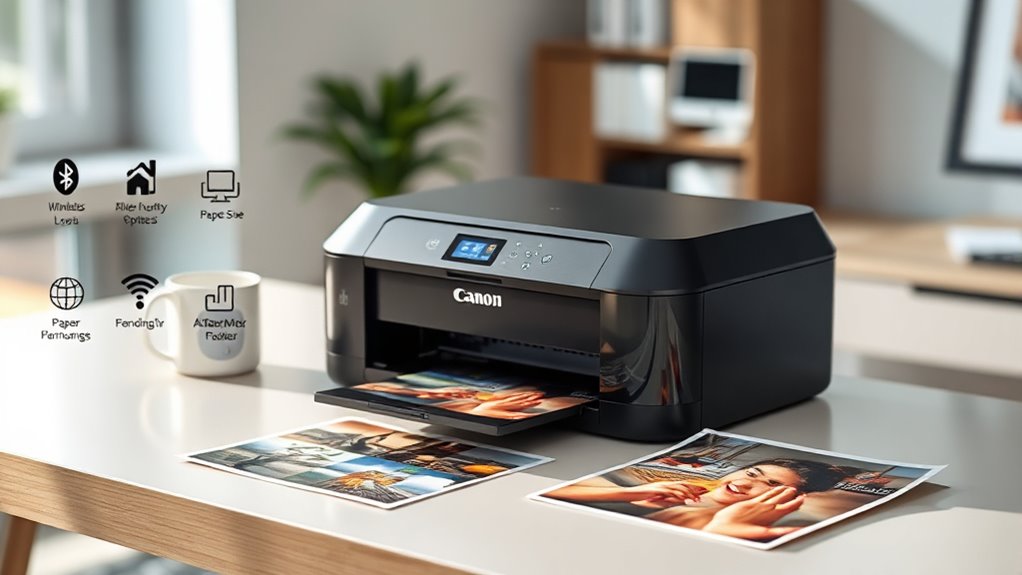
When you’re choosing a Canon inkjet printer, consider the key features that matter most to you. Print quality, connectivity options, and design can all impact your experience.
Key Features Overview
Choosing the right Canon inkjet printer involves considering several key features that directly impact your printing experience. Start with print quality; look for resolutions like 4800 x 2400 dpi for sharp text and vibrant images.
Next, assess print speed, typically measured in pages per minute (ppm). Faster models offer up to 15 ppm for black and 10 ppm for color, which can really save you time if you print a lot.
Connectivity options are essential too—choose printers with dual-band Wi-Fi, USB, and mobile printing for seamless device integration. These features make it super easy to print from your phone or laptop without any hassle.
If you need versatility, consider all-in-one models that print, copy, and scan. They’re great for handling multiple tasks without needing separate devices.
Finally, verify the printer supports various media sizes and types, including borderless printing for photos. Also, check if it’s compatible with cardstock or envelopes, especially if you like to get creative with your projects.
Print Quality Importance
Print quality plays a pivotal role in your overall printing experience and can vary greatly between models. The resolution, measured in dots per inch (dpi), is vital; higher dpi values deliver sharper text and vibrant colors.
Consider the ink system too. Hybrid systems that combine pigment and dye inks typically offer better results for both text and photos.
The type of paper you choose also matters. Specialty papers designed for photo printing enhance color vibrancy and detail compared to standard office paper.
Regular maintenance, like print head cleaning and using high-quality inks, is essential for sustaining peak print quality over time.
Finally, while print speed is important, slower speeds often yield better color blending and detail in images. So, sometimes taking your time really pays off!
Connectivity Options Available
How do you guarantee seamless printing in today’s tech-savvy world? Choosing a Canon inkjet printer with versatile connectivity options is key.
Many models now offer dual-band Wi-Fi, supporting both 2.4GHz and 5GHz bands for a stable connection. You’ll find USB ports for direct computer connections, enhancing your setup flexibility.
Most Canon printers also support mobile printing through apps like Apple AirPrint and Canon PRINT, making it easy to print from your smartphone or tablet.
If you need a more stable network, some printers include Ethernet ports for wired connections. Plus, select models offer voice control compatibility with smart assistants, allowing you to print hands-free and keep track of ink levels effortlessly.
Size and Design Considerations
When selecting a Canon inkjet printer, size and design play an essential role in guaranteeing it fits seamlessly into your workspace. Consider the printer’s dimensions and weight; compact models are perfect for smaller areas, while larger ones may need dedicated spaces.
Think about the design style, too. You want something that complements your home or office decor—options range from sleek modern to classic functional.
Look for features like an easy-to-read LCD display. It really helps with user interaction and makes navigating settings a breeze.
Also, assess the paper handling capabilities, including tray capacity and support for various media types. This ensures the printer meets your needs without any hassle.
Finally, consider portability, especially if you plan to move it frequently. Lighter models tend to be easier to transport, making your life a bit simpler.
Cost of Ownership
Finding the right Canon inkjet printer doesn’t just stop at size and design; understanding the cost of ownership is equally important. You’ll want to evaluate the initial purchase price, which varies based on features.
Ongoing expenses for ink cartridges can add up quickly, especially if you opt for standard cartridges that yield fewer prints. High-capacity or MegaTank options are more cost-effective, allowing you to print thousands of pages before needing a refill.
Don’t forget about maintenance costs, including replacement parts and cleaning supplies. Also, check energy efficiency ratings; ENERGY STAR certified printers can lower your electricity bills.
Finally, a longer warranty can save you money on repairs and provide peace of mind. It’s definitely worth considering when making your choice.
Frequently Asked Questions
What Is the Average Lifespan of Canon Inkjet Printers?
The average lifespan of Canon inkjet printers is typically around three to five years. With proper care and maintenance, you can extend this lifespan, ensuring you get the most out of your investment.
It’s not just about how long they last, though. Taking a little time to clean and use your printer correctly can make a big difference. So, treat your Canon printer well, and it’ll serve you faithfully for years to come.
Can I Use Third-Party Ink Cartridges With Canon Printers?
You can use third-party ink cartridges with Canon printers, but about 30% of users report issues like poor print quality.
It’s a good idea to always check compatibility first. Some printers may even void warranties when you use non-genuine cartridges.
How Do I Maintain My Canon Inkjet Printer?
To maintain your Canon inkjet printer, regularly clean the print heads and use high-quality paper. Checking ink levels frequently helps avoid unexpected printing issues.
Also, keep the printer dust-free to ensure everything runs smoothly. It’s a good idea to run print quality diagnostics every now and then to guarantee peak performance.
Are Canon Printers Compatible With Mobile Printing Apps?
Oh, absolutely! Canon printers are like tech wizards, effortlessly syncing with mobile printing apps. You’ll print from anywhere, anytime, turning your smartphone into a magical printing machine.
Just connect, and watch the magic happen!
What Warranty Options Are Available for Canon Inkjet Printers?
Canon offers standard one-year warranties for their inkjet printers, but you can often purchase extended plans.
Check specifics for your model, as coverage might vary and additional options may provide extra peace of mind.
It’s always a good idea to look into what’s available so you can choose the best option for your needs.
Conclusion
Choosing the right Canon inkjet printer is like planting a seed in fertile soil; with the right care, it blossoms into a vibrant array of colors and creativity. Each model offers unique features, tailored to your printing needs, much like different flowers in a garden.
Whether you’re capturing cherished memories or managing daily tasks, these printers transform your ideas into tangible works of art.
So, pick your favorite Canon inkjet printer and watch your imagination flourish! With the best Canon inkjet printers for 2027, you’re not just buying a device—you’re investing in quality, reliability, and endless creative possibilities. These printers are designed to meet a range of needs, from high-resolution photos to everyday documents, making them perfect for home or office use.
Embrace the convenience and vibrant output that only a top Canon inkjet printer can provide, and let your creativity bloom with every print.