14 Best Cameras for Recording Teaching in 2027
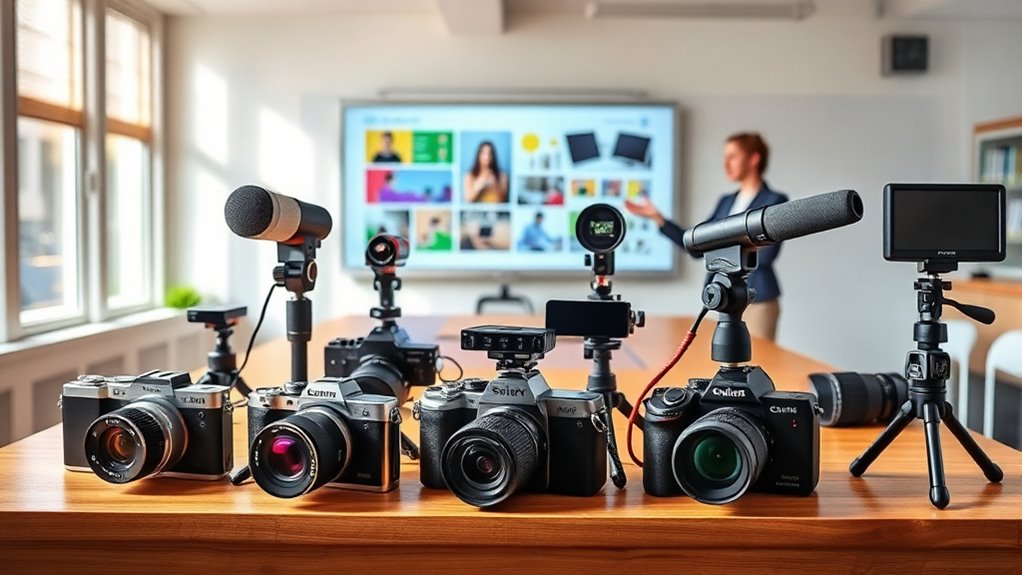
If you want crisp, reliable video for teaching in 2027, choosing the right camera is key. Whether you’re recording lectures, tutorials, or live classes, having clear visuals and smooth performance makes all the difference.
Cameras like the Gawervan USB Document Camera offer manual focus control, which is perfect for detailed presentations.
Then there’s the MOKOSE 12MP HDMI USB 4K, known for stunning clarity that really brings your content to life. The Logitech Adjustable Content Camera stands out with its smooth 60fps, making motion look natural and fluid.
On the go? The AlKOR camera provides portable flexibility and features noise-reducing mics, so your audio stays crisp no matter where you teach.
Plus, options like IPEVO V4K and the 4K Webcam give you versatile setups, ideal for different educational styles and spaces.
Keep exploring these picks to find the perfect camera that fits your teaching style and classroom environment. It’s all about making your lessons engaging and easy to follow!
| Image | Name | Editor's Rating | Price |
|---|---|---|---|

|
|
||
|
|
||
|
|
||

|
|
||

|
|
Gawervan USB Document Camera for Teaching
- 🔍 3-in-1 Versatile Tool: The document camera transforms into a dynamic webcam and visualizer, ideal for classroom...
- 🎒 Portable USB Design: Foldable hose and compact build make this USB document camera a travel-ready companion...
- 🎥 Crystal-Clear Focus & Detail: Designed as a document camera for teachers, its manual focus ensures sharp, blur-free...
The Gawervan USB Document Camera transforms how educators share content in both classrooms and remote settings. Its 1080P resolution at 30fps ensures every detail is clear, helping teachers present materials without distractions. This camera adapts well to different lighting conditions, maintaining sharp focus with manual adjustment.
Designed for convenience, it features a compact, foldable body that is easy to carry and adjust during lessons. The flexible angles allow you to capture documents or objects from various perspectives, enhancing interactive teaching. Its compatibility with Mac OS, Windows, and Chromebook means it integrates effortlessly into existing setups.
Maintenance is simple since it connects via USB and requires no batteries, though this means it depends on a continuous power source. The dual built-in microphones with noise reduction provide clear audio, making sure your voice is heard without background interference.
While the manual focus requires occasional tweaking, this trade-off offers precise control over image clarity. The camera saves files only in MP4 and JPEG formats, which covers most common uses but may limit some editing options.
Best for: Educators and remote instructors seeking a versatile, high-quality document camera for clear visuals and audio across multiple platforms.
What We Like:
- Crisp 1080P video at 30fps with manual focus for clear images
- Compact, foldable design with multi-angle rotation for easy use
- Dual built-in microphones with effective noise reduction
- Broad compatibility with Mac OS, Windows, and Chromebook
Specification:
| Feature | Details |
|---|---|
| Manufacturer | Gawervan |
| Resolution | 1080P (1920×1080) at 30fps |
| Focus | Manual |
| Connectivity | USB |
| Compatible OS | Mac OS, Windows, Chromebook |
| Design | Compact, foldable, multi-angle |
| Audio | Dual built-in microphones |
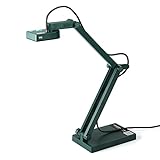
IPEVO V4K 8MP USB Document Camera
- Features an 8 Megapixel camera for capturing Ultra High Definition live images up to 3264 x 2448 pixels
- High frame rate for lag-free live streaming – streams at up to 30 fps at full HD, and up to 15 fps at 3264 x...
- Fast focusing speed helps minimize interruptions for frequent switching between different materials; features Sony CMOS...

The IPEVO V4K 8MP USB Document Camera brings clarity and precision to your presentations. Its high-resolution 8-megapixel sensor captures sharp images that make text and visuals easy to read. This camera helps educators and professionals present materials clearly, reducing eye strain for viewers.
Designed for versatility, the V4K works seamlessly with Mac, Windows, and Chromebook systems. Its multi-jointed stand offers flexible positioning, covering a large shooting area of 13.46 by 10.04 inches. This adaptability makes it ideal for both live demos and remote lessons.
Maintenance is simple thanks to its durable build and USB plug-and-play design. The Sony CMOS sensor improves low-light performance by reducing noise and maintaining accurate colors. This ensures consistent image quality in various lighting conditions.
While it streams smoothly at 30 fps in full HD, higher resolution streaming runs at 15 fps, which may affect video fluidity. Users with older computers might face performance limitations. Some advanced features may require third-party software since included software options are minimal.
Best for: Educators and remote instructors seeking reliable, high-quality document capture for engaging presentations and online teaching.
What We Like:
- Sharp 8MP images with smooth 30 fps full HD streaming
- Flexible multi-jointed stand with a wide shooting area
- Sony CMOS sensor for clear, noise-reduced images in low light
- Compatible across Mac, Windows, and Chromebook platforms
Specification:
| Feature | Details |
|---|---|
| Manufacturer | IPEVO |
| Resolution | 8 megapixels |
| Frame Rate | 30 fps (full HD), 15 fps (max resolution) |
| Sensor | Sony CMOS |
| Shooting Area | 13.46 x 10.04 inches |
| Compatibility | Mac, Windows, Chromebook |
| Connectivity | USB |
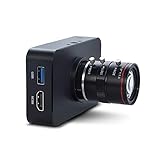
MOKOSE 12MP HDMI USB 4K Streaming Camera
- HD Video Quality - Can record 4K/30fps video( HDMI Mode ),Supports time lapse and take burst photos, Build-in with...
- Support 3840*2160P/30/25/fps HDMI output,Support 1080P60/50/30/25fps, 1080i60/50fps, 720P60fps HDMI...
- Solid aluminum shell material ,With 3 Meters USB cable. Double 1/4 Inch Screw Thread placement easier for multi-angels...
Experience sharp, clear video with the MOKOSE 12MP HDMI USB 4K Streaming Camera, designed to enhance your streaming or recording setup. Its high-resolution 4K capture at 30fps ensures every detail is visible, making it easier to share precise visuals in real time.
This camera’s Sony Exmor R CMOS sensor delivers vibrant images, while the 6-12mm manual zoom lens lets you adjust your view between 27.5° and 48°. The combination of 2x optical and 5x digital zoom helps you focus on key content, such as teaching materials or close-up demonstrations.
Built with a durable solid aluminum shell, the camera withstands regular use and offers flexible mounting options. It connects easily through HDMI or USB, supporting Windows, macOS, and Linux platforms, making setup straightforward and reliable.
Manual controls for focus and exposure give you full command over your image quality, though beginners might find adjustments require some practice. The camera draws power via USB, so keep cable length in mind for optimal placement.
Best for: Educators, content creators, and professionals needing high-quality 4K streaming with precise zoom capabilities for detailed video capture.
What We Like:
- Crisp 4K video at 30fps with Sony Exmor R CMOS sensor
- Versatile zoom with 2x optical and 5x digital options
- Durable aluminum body with multiple mounting choices
- Broad compatibility across major operating systems
Specification:
| Feature | Details |
|---|---|
| Manufacturer | MOKOSE |
| Resolution | 12MP, 4K at 30fps, 1080p at 60fps |
| Sensor Type | Sony Exmor R CMOS |
| Lens | 6-12mm manual zoom |
| Field of View | 27.5° – 48° |
| Zoom | 2x optical, 5x digital |
| Connectivity | HDMI, USB |
| Build Material | Solid aluminum |
| OS Compatibility | Windows, macOS, Linux |
| Power Source | USB-powered |
4K Webcam with Flexible Gooseneck Stand, Base Control Panel
- ALL CONTROLS AT YOUR FINGERTIPS: Unlike basic webcams, this 4K USB webcam features a dedicated base control panel...
- 2-IN-1 WEBCAM & DOCUMENT CAMERA MODE: The flexible gooseneck stand lets you switch between front-facing video calls and...
- TRUE 4K UHD 3840x2160 RESOLUTION & DUAL MIC: Delivers sharp, detailed video for professional streaming and video...
Experience crystal-clear communication with the 4K Webcam featuring a flexible gooseneck stand designed for effortless versatility. This webcam adapts to your needs, allowing smooth transitions between front-facing video calls and top-down document presentations without hassle.
Its innovative 2-in-1 design ensures you capture every detail with true 4K resolution. The flexible stand lets you position the camera exactly where you need it, solving common issues with fixed-angle webcams. The base control panel offers quick access to mute, zoom, image inversion, and ISO adjustments, keeping controls at your fingertips.
Maintenance is simple thanks to its USB plug-and-play compatibility with Windows, Mac, and Chromebook systems. No extra software is required, making setup straightforward and reducing technical interruptions during important sessions.
With dual microphones and auto-focus, this webcam delivers clear audio and sharp visuals. While the digital zoom may slightly affect image quality at higher levels, it still provides excellent detail for most uses. Its USB-only connection supports a wide range of devices, though adapters may be needed for some mobile setups.
Best for: Educators, tutors, and professionals seeking a versatile webcam for both video calls and document sharing with intuitive control and high-quality 4K video.
What We Like:
- True 4K UHD clarity with up to 9X digital zoom
- Flexible gooseneck stand for precise camera positioning
- Easy-to-use base control panel for instant adjustments
- Dual microphones and auto-focus for clear audio and visuals
Specification:
| Feature | Details |
|---|---|
| Manufacturer | Osktizk |
| Resolution | 4K UHD |
| Zoom | 9X Digital Zoom |
| ISO Levels | 9-level adjustment |
| Stand Type | Flexible gooseneck |
| Connectivity | USB Plug-and-Play |
| Compatibility | Windows, Mac, Chromebook |
| Weight | Lightweight |
AlKOR Document Camera for Teaching, Manual Focus USB Webcam with Microphone
- AIKOR 2MP 3-in-1 USB Webcam, Document Camera and Visualiser: It can be used as a webcam for video chats and...
- Portable Document Camera: This lightweight document camera weighs only 1.1 pounds, extends up to 20.4 inches in height...
- Manual focus webcam: This document camera uses precise manual focus to avoid the repeated unclear focus caused by auto...
Capture every detail clearly with the AlKOR Document Camera, designed to enhance teaching and presentations with sharp, focused visuals. Its manual focus lets you control image clarity, solving the common problem of blurry shots during live demonstrations or recorded lessons.
The flexible 20.4-inch gooseneck arm rotates 360 degrees, allowing precise positioning to capture documents or objects from any angle. This versatility makes it easy to adapt to various teaching scenarios, whether you’re showing close-ups or larger displays.
Weighing just 1.1 pounds, the camera is portable and easy to set up. It connects via USB-C, compatible with Windows, Mac, and Chromebook devices, supporting popular platforms like Zoom and Google Meet. The built-in sealed silicon microphone reduces background noise for clearer audio.
Maintenance is straightforward—its durable design requires minimal upkeep, ensuring consistent performance. However, it needs a computer connection and isn’t compatible with iPads or mobile devices. The 2MP still resolution suits most educational needs but may fall short for ultra-high-definition imaging.
Best for: Educators and professionals needing a portable, high-quality document camera with manual focus for clear visuals and seamless video conferencing.
What We Like:
- Manual focus ensures sharp, detailed images without blur
- Flexible 360-degree gooseneck offers versatile positioning
- Built-in sealed silicon microphone reduces noise for clear audio
- Lightweight and portable for easy setup and transport
Specification:
| Feature | Details |
|---|---|
| Manufacturer | AlKOR |
| Dimensions | 20.4 inches (gooseneck length) |
| Weight | 1.1 lb (0.5 kg) |
| Material | Not specified |
| Color Options | Not specified |
8MP USB Document Camera for Teachers & Classrooms

- Document camera with Image reversal function: The image reversal function can be realized through the button (no need to...
- Document camera for teachers with 3 levels of brightness adjustment and 10 levels of exposure adjustment: The brightness...
- Document camera for classroom with Foldable: Embedded design, takes up little space after folding, and is easy to carry...
The PAKOTOO 8MP USB document camera offers clear, detailed visuals that enhance distance teaching and presentations. It captures large documents up to A3 size with a wide coverage area, making it easy to share notes and materials remotely. The camera’s macro function allows for close-up shots, helping highlight details without losing clarity.
Designed for ease of use, this document camera lets you adjust brightness and exposure directly through simple buttons—no software needed. Image reversal is quick and straightforward, ensuring content displays correctly in any setup. Its foldable, multi-joint design makes positioning effortless, so you can find the best angle every time.
Maintenance is simple since the device connects via USB-C and works seamlessly with Windows, Mac, and Chromebooks by selecting “USB Camera” in system settings. While it uses USB 2.0, which might be slower than newer standards, it remains reliable for everyday classroom use. The minimum object size for macro focus is 3.94 inches, so very small details may not be captured sharply.
Best for: Educators and remote learners requiring a versatile, high-resolution document camera for clear and effective teaching.
What We Like:
- Captures large documents (A3 and A4) with wide coverage
- Easy brightness and exposure adjustments without software
- Foldable, multi-angle design for flexible positioning
- USB-C connectivity ensures compatibility across devices
Specification:
| Feature | Details |
|---|---|
| Manufacturer | PAKOTOO |
| Resolution | 8 Megapixels |
| Document Size | Supports A3 and A4 |
| Coverage Area | 16.5 x 11.6 inches |
| Connectivity | USB-C (USB 2.0) |
| Minimum Macro Size | 3.94 inches |
| Compatible OS | Windows, Mac, Chromebook |
| Design | Foldable, multi-joint |
USB Document Camera for Teachers,Manual Focus Webcam with Mic,Visualizer

- 2MP 3-in-1 Document camera & Visualiser and Webcam:It can be used for video chat and conference calls, image clarity can...
- The document camera can be folded at will: embedded design, small space after folding, easy to carry, multi-angle free...
- Manual focus document camera: The Webcam can adjust the focus more accurately to ensure the clarity of the picture...
Capture every detail of your lessons with the BexonRuihe BR-200 USB document camera. Its manual focus and 360-degree rotation let you adjust the view precisely, ensuring clear visuals for your students. This flexibility helps you highlight important points without hassle.
Designed with portability in mind, the camera folds into a compact size and weighs just 1.1 pounds. It’s easy to carry between classrooms or set up at home. The USB-C connection supports quick plug-and-play setup on most modern devices, streamlining your workflow.
The built-in silicon microphone effectively reduces background noise, improving audio clarity during live sessions. Compatible with Windows, Mac, and Chromebooks, it integrates smoothly with popular video apps like Zoom and Google Meet.
To maintain performance, keep the lens clean and adjust the manual focus as needed during use. While it offers 2x optical zoom, close-up details may require careful positioning. Overall, it’s a practical tool that balances quality and convenience for educators.
Best for: Teachers and online tutors who need a portable, easy-to-use document camera with clear audio for interactive teaching.
What We Like:
- Precise manual focus with 360-degree rotation for flexible viewing angles
- Lightweight and foldable design for easy transport and setup
- Built-in noise-reducing silicon microphone enhances audio quality
Specification:
| Feature | Details |
|---|---|
| Manufacturer | BexonRuihe |
| Dimensions | Compact, foldable design |
| Weight | 1.1 lb (0.5 kg) |
| Zoom | 2x optical, 10x digital |
| Connectivity | USB-C |
| Compatibility | Windows, Mac, Chromebook |
3-in-1 4K USB Document Camera, Visualizer & Webcam with Mute Mic, 9X Zoom

- USB Document Camera with 4K/3840×2160P sensor captures clear, sharp images of A4 documents, textbooks, and 3D objects...
- Document camera for classroom with 9X zoom lets you magnify small text or intricate details without losing quality. The...
- Visualizer for class includes auto focus for quick, sharp locking on your subject, plus left/right image flip for...
Experience crystal-clear visuals and versatile functionality with the Osktizk 3-in-1 4K USB Document Camera. Designed to simplify your presentations and remote sessions, it combines a document camera, visualizer, and webcam into one compact device. This all-in-one solution lets you capture sharp details with 4K resolution and an impressive 9X zoom, ensuring every element is visible.
Switch effortlessly between auto and manual focus to keep your images steady and clear, adapting to various lighting and distance conditions. The lightweight design makes setup straightforward, while compatibility with Windows, Mac, and Chromebook ensures it fits easily into your existing workflow.
Maintenance is simple thanks to its USB-powered operation and durable build, reducing the need for extra cables or frequent adjustments. Additional features like a mute microphone and image flip help tailor your experience, making it easier to communicate and display content clearly during lessons or meetings.
Best for: educators, remote professionals, and presenters who require a reliable, high-resolution camera for detailed document display, live demos, and video calls.
What We Like:
- Sharp 4K clarity with 9X zoom for detailed visuals
- Combines three essential camera functions in one device
- Wide platform compatibility including Zoom and Google Classroom
- Mute mic and image flip enhance presentation control
Specification:
| Feature | Details |
|---|---|
| Manufacturer | Osktizk |
| Dimensions | Not specified |
| Weight | Not specified |
| Material | Not specified |
| Color Options | Grey |
EMEET C60E Dual-Camera 4K Webcam for Streaming, Wide-Angle & Telephoto

- 4K Dual-Camera Precision – The World's 1st Dual-Camera for Streaming features 2 cameras sharing a 1/2.8″ CMOS 4K...
- Max 11X Hybrid Zoom & PDAF Autofocus – The 4K webcam for PC offers smooth zoom from 1X to 11X—with examples like 3X...
- Smart Dual Control via Remote & EMEET STUDIO – C60E DUAL live streaming camera delivers a comprehensive image control...
The EMEET C60E dual-camera 4K webcam brings professional video quality to your streaming and teaching setup. With its dual-camera system, it solves the challenge of capturing both wide-angle scenes and detailed close-ups seamlessly. This flexibility enhances your presentations by switching quickly between panoramic views and focused shots.
Control is simple and intuitive. Use the included remote or the EMEET STUDIO app to adjust zoom, brightness, and color settings in real time. This ease of use helps you maintain the perfect visual tone without interrupting your workflow.
Designed for convenience, the webcam connects via USB and fits standard tripod mounts. Its compact, modern design requires minimal maintenance, making it a practical choice for busy educators or streamers. Dual omnidirectional microphones ensure clear audio capture within a 9.8-foot range, improving the overall communication experience.
While the USB 2.0 interface may limit transfer speeds, and compatibility is focused on recent Windows and macOS versions, the C60E’s functionality and versatility provide significant value. It meets the needs of users requiring sharp video and clear sound in dynamic environments.
Best for: Educators and streamers seeking versatile 4K video capture with reliable audio and easy real-time control.
What We Like:
- Dual 4K cameras with wide-angle and telephoto lenses for versatile framing
- Remote and app control for smooth zoom and lighting adjustments
- Dual omnidirectional mics delivering clear audio within a 9.8 ft radius
Specification:
| Feature | Details |
|---|---|
| Manufacturer | EMEET |
| Dimensions | Compact (exact size not provided) |
| Weight | Lightweight (exact weight not provided) |
| Connectivity | USB 2.0 |
| Compatibility | Windows 10/11 (64-bit), macOS 10.14+ |
| Mounting Options | Tripod mount compatible |
| Microphones | Dual omnidirectional |
SVPRO 4K USB HDMI Zoom Webcam Dual Output

- Ultra HD video quality: 4K/30fps video recording, built-in with 1/2.8” IMX415 CMOS image sensor. Resolution can be...
- HDMI and USB output: connect to a computer for video recording, or connect to a computer and a HDMI monitor...
- With 3.6-10mm HD lens with manual zoom, CS mount lens. 3X optical zoom and 2X digital zoom. Manual settings for creative...
The SVPRO 4K USB HDMI Zoom Webcam delivers sharp Ultra HD video that enhances your live streams and recordings. Its dual output allows you to connect both a computer and monitor at the same time, solving the hassle of switching between devices. This makes it ideal for presentations and multi-screen setups.
Equipped with a 3x optical and 2x digital zoom, plus manual focus, it gives you precise control over your framing. The 1/2.8” IMX415 CMOS sensor ensures clear, detailed images even in varied lighting conditions. Its plug-and-play design works seamlessly with Windows, MacOS, Linux, and Android—no extra drivers required.
The webcam’s sturdy aluminum body protects internal components and keeps the device cool during extended use. It easily mounts on tripods or desks, offering flexible placement options. Routine maintenance is simple, with durable materials that resist wear and tear.
While manual zoom and focus demand more attention than automatic systems, they allow tailored adjustments. The camera’s operating temperature maxes out at 70°C, so it’s best suited for typical indoor environments.
Best for: Professionals and content creators needing high-quality 4K video with flexible dual output for streaming, teaching, or recording.
What We Like:
- Crisp Ultra HD 4K video at 30fps with optical zoom for detailed shots
- Dual USB and HDMI outputs enable simultaneous multi-device connection
- Plug-and-play compatibility across major operating systems
- Durable aluminum body for reliable protection and easy mounting
Specification:
| Feature | Details |
|---|---|
| Manufacturer | SVPRO |
| Video Resolution | 4K Ultra HD (3840×2160) |
| Frame Rate | 30fps |
| Zoom | 3x optical, 2x digital |
| Sensor | 1/2.8” IMX415 CMOS |
| Outputs | USB, HDMI |
| Compatibility | Windows, MacOS, Linux, Android |
| Body Material | Aluminum |
| Mounting Options | Tripod, Desk |
| Operating Temp | Up to 70°C |
EMEET S600 4K Webcam for Streaming, Sony 1/2.55” Sensor, PDAF Autofocus

- Unmatched 4K Streaming Quality - The EMEET S600 streaming camera boasts a high-definition 4K sony 1/2.55'' sensor...
- Advanced PDAF Autofocus & Light Balance – 4K webcam S600's PDAF(Phase Detection Autofocus) tech offers significant...
- Enhanced Audio Clarity & Customizable FOV - The EMEET S600 4K streaming webcam is equipped with premium microphones that...
The EMEET S600 4K webcam transforms your video calls and recordings with sharp, professional clarity. Its precise PDAF autofocus keeps your image crisp at various distances, solving common focus issues during presentations or streams. With a Sony 1/2.55” sensor, it captures stunning 4K video at 30FPS or smooth 1080P at 60FPS, ensuring your visuals always look polished.
Adjust the field of view from 40° to 73° to frame yourself perfectly, whether for close-up tutorials or wider group discussions. The webcam automatically balances lighting, adapting to different environments so you don’t need extra equipment. Dual noise-canceling microphones deliver clear audio, cutting out background distractions for better communication.
Designed for ease of use, the S600 is lightweight and compact with a built-in privacy cover for quick protection. Maintenance is simple—just plug and play, and use the EMEETLINK software to customize settings like noise cancellation and digital zoom. It’s a practical, reliable tool that enhances your teaching or streaming setup.
Its maximum focal length of 3 meters works well for most rooms, though very large spaces may require additional solutions. The USB 2.0 connection supports high-quality video but using USB 3.0 will maximize 4K performance.
Best for: Educators and content creators seeking a dependable 4K webcam with accurate autofocus and clear audio for professional streaming and teaching.
What We Like:
- Sharp PDAF autofocus ensures clear video at multiple distances
- Flexible field of view for versatile framing options
- Dual noise-canceling microphones deliver crisp, clear sound
- Auto light balance adjusts to various lighting conditions
- Compact design with integrated privacy cover for convenience
Specification:
| Feature | Details |
|---|---|
| Manufacturer | EMEET |
| Sensor Type | Sony 1/2.55” CMOS |
| Video Resolution | 4K @ 30FPS, 1080P @ 60FPS |
| Field of View | Adjustable 40° to 73° |
| Microphones | Dual noise-canceling |
| Connection | USB 2.0 (USB 3.0 recommended) |
| Dimensions | Compact, lightweight design |
| Privacy Cover | Integrated |
Logitech Adjustable Content Camera for Teaching & Demonstrating – 60 fps

- Logitech Reach overhead and content camera enables dynamic views of content for engaging presentations so you can...
- One-handed tilt, pan, zoom, and pivot controls for smooth, dynamic demos with a versatile pivoting camera head and an...
- Easily align the camera with orientation indicators for level content views, ideal for classrooms, live demos, or...
Experience seamless live demonstrations with the Logitech Adjustable Content Camera, designed to capture smooth, high-quality video at 60 fps. This camera helps educators and presenters deliver clear, professional visuals without hassle. Its HD 1080p resolution ensures every detail is sharp and vibrant.
The camera’s versatile pivoting head allows you to tilt, pan, zoom, and pivot with one hand. This makes it easy to adjust your view on the fly, improving the flow of your presentations. The compact, adaptable base mount offers flexible setup options to fit any workspace.
Setup is straightforward with the USB plug-and-play connection, requiring no additional software. It works effortlessly with most conferencing and streaming apps, saving you time and technical trouble. Digital image stabilization and optical zoom enhance video quality, reducing distractions during your sessions.
While the camera is a bit heavy at 12.1 pounds, its robust build supports stable use. Note that the 10.5 cm focal length may limit very close-up shots. It doesn’t include built-in audio input, so an external microphone is needed for sound.
Best for: Educators and presenters who need a versatile, high-quality camera for live demonstrations and easy integration with conferencing platforms.
What We Like:
- Smooth 60 fps video capture with clear HD 1080p quality
- One-handed pivoting head for dynamic, flexible demonstrations
- Quick USB plug-and-play setup with broad app compatibility
- Digital image stabilization for steady, professional visuals
Specification:
| Feature | Details |
|---|---|
| Manufacturer | Logitech |
| Video Resolution | HD 1080p |
| Frame Rate | 60 fps |
| Weight | 12.1 lb (5.5 kg) |
| Focal Length | Up to 10.5 cm |
| Connection | USB |
| Mount Type | Adjustable base mount |
ORDRO B320 1080P HD Vlogging Camcorder (Gold)

- HD Recording: The B320 offers 1920X1080 resolution 1080P 30FPS video recording, equipped with a 5MP CMOS sensor...
- Compact and Lightweight: The Ordro B320 weighs only 275 grams, designed for portability and convenience. Whether you're...
- Long-lasting Battery Life: The B320 comes with two 3.7V 1000mAh lithium batteries, supporting up to 90 minutes of video...
Capture your moments with ease and clarity using the ORDRO B320 1080P HD Vlogging Camcorder. Designed for creators who need a lightweight and versatile camera, it helps you record smooth, detailed videos whether you’re indoors or outdoors. The camcorder’s multiple shooting modes adapt quickly to different scenes, making it easier to get professional results without complicated setups.
Weighing just 275 grams, this camcorder is easy to carry and handle during long shoots. Its digital and optical stabilization features reduce shake, ensuring steady footage. Night vision technology improves visibility in low light, allowing you to film clearly even after dark.
The flip-out 3-inch screen offers flexible angles for vlogging, tutorials, or live streaming. You can also connect it as a webcam, perfect for online classes or video calls. Maintenance is straightforward, with included accessories like a 16GB memory card and remote control for immediate use.
Battery life lasts up to 90 minutes, suitable for short to medium recording sessions. Keep in mind that the 18X digital zoom may affect image quality compared to optical zoom, and the AVI format might require conversion for some editing software.
Best for: Content creators and educators needing a lightweight camcorder with versatile shooting modes and webcam functionality for clear, professional videos.
What We Like:
- Lightweight and portable design for easy handling
- Digital and optical stabilization for smooth footage
- Infrared night vision enhances low-light recording
- Includes useful accessories like a 16GB card and remote
- Can be used as a webcam for online teaching and streaming
Specification:
| Feature | Details |
|---|---|
| Manufacturer | ORDRO |
| Dimensions | Not specified |
| Weight | 275 grams (0.275 kg) |
| Color Options | Gold |
| Video Resolution | 1080P at 30FPS |
| Zoom | 18X Digital Zoom |
| Screen Size | 3-inch Flip Screen |
| Battery Life | Up to 90 minutes |
4K Vlogging Camera,Pocket Digital Camera,AI Face Tracking 32GB Card

- 4K Cinematic Picture Quality, Intelligent Face Tracking - Say goodbye to blurriness and lost subjects! Equipped with a...
- 330° Rotating Tracking, Effortless Framing - The pocket action camera features a 1.72-inch HD touchscreen,18X zoom...
- 260Mins Recording Time & Pocket-Sized - The ultra-compact body fits easily in your pocket or bag. The pocket camera...
Capture your creativity with this 4K Vlogging Camera designed to simplify recording and enhance video quality. Its AI face tracking keeps you perfectly centered, so you stay in focus without adjusting the frame. This feature makes it an excellent tool for educators and content creators aiming for seamless, professional-looking videos.
The camera shoots crisp 4K video at 30FPS and detailed 75MP photos, helping you produce sharp, vibrant content. Its compact, pocket-sized design lets you film anywhere, while the 1.72-inch HD touchscreen offers easy control for both vertical and horizontal shooting styles. This flexibility supports various filming needs with minimal hassle.
Designed for convenience, the camera includes an 18× digital zoom and supports WiFi transfer and USB-C webcam functionality, enabling quick sharing and streaming. The 32GB card stores ample footage, and the 2400mAh battery provides over four hours of recording, even during charging. Regular maintenance is simple—just keep the lens clean and transfer files frequently to free up storage.
While the 18× digital zoom is digital rather than optical, and the 1/4-inch sensor may limit low-light performance, this camera balances portability with high-quality output. It’s ideal for dynamic teaching videos, vlogs, and content creation on the go.
Best for: Educators, vloggers, and content creators seeking a portable, high-quality camera with AI face tracking for dynamic video recording and easy sharing.
What We Like:
- Sharp 4K video and 75MP photos with AI face tracking for consistent framing
- Ultra-compact pocket design with a versatile HD touchscreen
- WiFi and USB-C connectivity for fast transfer and streaming
- Long-lasting battery supporting over four hours of use even while charging
Specification:
| Feature | Details |
|---|---|
| Manufacturer | Not specified |
| Dimensions | Pocket-sized |
| Weight | Not specified |
| Sensor Size | 1/4 inch |
| Video Resolution | 4K at 30FPS |
| Photo Resolution | 75MP |
| Zoom | 18× digital |
| Screen Size | 1.72-inch HD |
| Storage Included | 32GB card |
| Battery Capacity | 2400mAh |
| Connectivity | WiFi, USB-C webcam |
Factors to Consider When Choosing a Camera for Recording Teaching
When choosing a camera for recording your teaching sessions, focus on video resolution, audio quality, and how well it handles lighting. These are key to making sure your recordings look and sound great.
You’ll also want to think about the camera’s focus and zoom options. These features help you capture clear visuals without any hassle.
And don’t forget to check if the camera is compatible with the devices you use for editing and sharing. It’s important to make the whole process smooth and easy for you.
Video Resolution Quality
Video resolution quality shapes how clearly your teaching content appears on screen, directly affecting student engagement and comprehension. Opt for at least 1080P (1920×1080) to guarantee your visuals are sharp and detailed.
If you want to capture finer details or plan to crop or zoom during editing, consider 4K (3840×2160) for superior image quality. Frame rate matters too—30 fps usually provides smooth playback, but 60 fps offers even more fluid motion if your lessons involve movement.
Don’t overlook low-light performance; classrooms often have inconsistent lighting. So, a camera with a larger sensor will capture more light, enhancing clarity and color accuracy. Prioritizing these factors helps you create professional, clear recordings that keep students focused and improve learning outcomes.
Audio Recording Features
Clear audio is one of the most important factors to evaluate when choosing a camera for recording your teaching sessions. You’ll want a camera with built-in microphones that emphasize noise reduction and sound clarity to keep your lessons understandable.
Cameras equipped with dual microphones capture sound from multiple directions, minimizing background noise and improving overall quality. It’s also wise to pick a model supporting various audio formats like MP3 and PCM, ensuring compatibility with your preferred platforms.
Look for cameras offering manual audio controls so you can adjust volume and settings on the fly, adapting to different classroom environments. Remember, the camera’s design and placement affect audio performance, so choose one with reliable sound features to keep your students fully engaged throughout your teaching.
Lighting Performance Capability
Although lighting conditions can vary widely in teaching environments, choosing a camera with strong lighting performance capabilities guarantees your recordings stay sharp and detailed. You’ll want a model with a high ISO range, like 100-3200, to handle low-light situations without sacrificing clarity.
Manual focus helps you maintain crisp images by preventing automatic adjustments that might blur your shot. Look for cameras that perform well in dim settings, preserving color accuracy and detail—this is crucial for capturing teaching materials clearly.
Additionally, cameras that let you adjust brightness and exposure offer flexibility to optimize visibility under different lighting. While audio quality matters, lighting features make sure your visuals remain clear. This makes your lessons more effective and engaging for students, no matter the room lighting.
Focus And Zoom Options
Two key features you should prioritize when choosing a camera for recording teaching are focus and zoom options. A manual focus option lets you control image clarity precisely, ensuring detailed materials remain sharp and clear.
Optical zoom is vital for highlighting small text or intricate details, helping students easily see what you present. While digital zoom can magnify images further, it often reduces quality, so use it sparingly.
Fast focusing speeds are essential to minimize interruptions, allowing smooth changes between different teaching materials during lessons. Additionally, adjustable focus and zoom settings offer the flexibility to switch from close-ups of documents to wide-angle shots of classroom activities.
This way, you can adapt to various teaching scenarios seamlessly. Prioritizing these features will enhance your recordings’ effectiveness and professionalism.
Compatibility With Devices
When selecting a camera for recording your teaching sessions, you’ll want to make certain it works smoothly with your devices and software. First, confirm the camera supports your operating system—whether Windows, Mac OS, or Chrome OS—to avoid compatibility issues.
Next, check that it uses standard connection types like USB or HDMI. This guarantees easy setup with most devices.
Make certain your chosen camera integrates well with popular teaching platforms such as Zoom, Google Meet, or Microsoft Teams. That way, your lessons run without a hitch.
If you use multiple monitors or external displays, verify the camera can handle simultaneous device connections.
Finally, review the supported video formats and resolutions to ensure the footage meets your recording and streaming quality needs. It’s all about making sure everything works together seamlessly.
Portability And Design
A compact camera that fits easily into your bag can make all the difference when you need to record lessons across multiple classrooms or locations. Look for lightweight models under 2 pounds to keep setup quick and hassle-free.
A flexible design, like a gooseneck or multi-joint stand, lets you adjust angles effortlessly. This way, you capture the best perspectives without interrupting your flow.
Cameras with foldable parts and built-in cables or USB connections reduce the gear you have to carry. It really streamlines your recording process.
Prioritizing portability and smart design means you’ll spend less time fumbling with equipment and more time focusing on teaching. Choosing the right camera guarantees you stay mobile and efficient, adapting to any classroom environment with ease.
Connectivity And Controls
Although choosing the right camera involves many factors, connectivity and controls play a crucial role in ensuring smooth recording and teaching experiences. You’ll want a camera that supports USB connectivity for easy plug-and-play setup across Windows, macOS, and Chrome OS.
Cameras offering both USB and HDMI outputs let you connect simultaneously to your computer and external displays, which is perfect for versatile teaching environments. Make sure your camera works seamlessly with popular video conferencing and streaming apps to simplify online lessons.
User-friendly controls for zoom, focus, and brightness allow you to adjust settings in real time, enhancing demonstrations. Plus, choosing a camera with manual exposure and focus options helps you adapt to varying lighting and detail needs.
This way, your recordings look professional every time.
Frequently Asked Questions
How Do I Connect These Cameras to Different Operating Systems?
You connect cameras by using USB, HDMI, or Wi-Fi, depending on the model. Install the necessary drivers or software on your device, and your camera will work smoothly with Windows, macOS, or Linux operating systems.
It’s pretty straightforward once you have the right cables or a good Wi-Fi connection. Just make sure your system recognizes the camera, and you should be good to go!
Can These Cameras Be Used for Outdoor Teaching Sessions?
Yes, you can use these cameras outdoors—they’re built to handle various lighting and weather conditions. Don’t worry about glare or rain;
many models have protective features and adjustable settings to keep your teaching videos clear and professional. They’re pretty reliable no matter where you set up.
What Are the Warranty and Customer Support Options?
You’ll usually get a 1-3 year warranty with these cameras, covering defects. Most brands offer responsive customer support via phone, chat, or email.
Some even provide extended warranties or on-site repairs for added peace of mind. It’s nice to know help is just a call or message away if you need it.
Are There Any Recommended Accessories for Better Audio Quality?
You know what they say, “The devil’s in the details.” You’ll want a good external microphone, windscreen, and audio recorder to boost sound clarity.
Don’t forget cables and a boom arm for flexibility and better quality. These little extras can make a big difference!
How Do These Cameras Handle Low-Light Classroom Environments?
These cameras handle low-light classrooms well by using advanced sensors and wide apertures. You’ll get clear, bright footage even in dim settings, ensuring your lessons stay visible without needing extra lighting setups.
It’s pretty convenient because you don’t have to worry about adding extra lights or adjusting your room too much. Just set up the camera, and it does the hard work for you.
Conclusion
So, you want to record your teaching, but picking a camera feels like launching a space mission? Don’t worry, with options from USB document cams to 4K AI face trackers, you’re spoiled for choice. Who knew teaching could require gear worthy of a Hollywood set?
Just remember, the best camera is the one you actually use—so pick one, hit record, and let your lessons shine without needing a tech degree. Whether you choose a simple USB cam or a high-end 4K face tracker, the right teaching camera can make your videos clear and engaging. In 2027, recording teaching has never been easier or more accessible with so many great camera options available. So, find the perfect fit for your style and start sharing your knowledge with confidence!