15 Best Cameras for Laser Engravers in 2027 You Need to See
You want a laser engraver camera that offers precise positioning, real-time previews, and seamless LightBurn integration. These features make your engraving process smoother and more accurate, which is essential for creating detailed designs. Whether you’re a hobbyist or a professional, having the right camera can transform your setup.
Options like the LONGER LightBurn 5MP Camera Kit cover large areas with sub-millimeter accuracy, making it perfect for bigger projects. On the other hand, the ACMER A500 suits smaller setups with plug-and-play ease, ideal if you want something straightforward and quick to install.
If you’re looking for sharper details, higher-end choices like the ELP 16MP camera deliver impressive image clarity. And for added convenience, wireless models like the ATOMSTACK AC2 let you work without tangled cables. Each option balances coverage, accuracy, and features to fit your workflow—explore these top picks to find what suits your engraving needs best.
| Image | Name | Editor's Rating | Price |
|---|---|---|---|

|
|
||

|
|
||

|
|
||

|
|
||

|
|
LONGER LightBurn 5MP Camera Kit for Laser Engravers
No products found.
Elevate your laser engraving precision with the LONGER LightBurn 5MP Camera Kit. This advanced camera system enables real-time monitoring and accurate positioning, making it easier to track your work and ensure flawless results. By providing clear visual feedback, it helps reduce errors and improves overall efficiency.
Designed to integrate seamlessly with LightBurn software, this kit supports multi-task engraving and live previews. Its compact size and lightweight design allow for effortless installation on compatible machines such as the RAY5 and B1 series. This ensures versatility across various laser engraver models.
Maintenance is straightforward due to its durable build and simple setup, helping you focus more on your projects and less on adjustments. The kit’s functionality allows you to monitor material changes and machine status without interrupting your workflow, enhancing your engraving accuracy.
While the kit offers significant benefits, note that its warranty period is relatively short. Also, slight variations in size and weight might require careful fitting on some machines. However, its high-definition video recording and compatibility make it a valuable upgrade.
Best for: hobbyists and professionals who need precise positioning and seamless real-time monitoring for laser engraving tasks with LightBurn software.
What We Like:
- High-definition video capture for detailed monitoring
- Compatible with multiple laser engraver models
- Enhances workflow accuracy and efficiency
- Compact and lightweight design for easy installation
- Supports multi-task engraving with preview functionality
Specification:
| Feature | Details |
|---|---|
| Manufacturer | LONGER |
| Dimensions | Compact (exact size varies) |
| Weight | 2.35 lb (approximate) |
| Camera Resolution | 5MP |
| Compatible Models | RAY5, B1 series, others |
| Software | LightBurn |
ACMER A500 LightBurn Laser Engraver Camera
- Precise Positioning for Accurate Engraving: ACMER A500 LightBurn Camera helps improve material placement accuracy by...
- 5MP Camera with Wide Working View: Equipped with 5MP resolution at 2592 x 1944, this camera delivers a clear view of the...
- Visual Preview for Easier Operation: The ACMER A500 provides a more intuitive way to work by allowing users to preview...
Achieve precise laser engraving with the ACMER A500 LightBurn Laser Engraver Camera. This camera helps users accurately position materials within a large 450 x 450 mm view area. By providing a clear preview inside LightBurn software, it eliminates guesswork and improves layout planning.
Equipped with a 5MP sensor delivering 2592 x 1944 resolution, it captures sharp images for detailed previews. The camera’s broad coverage and careful calibration ensure precise alignment on various materials like wood and metal. This results in higher engraving accuracy and less wasted material.
Installation is straightforward with included mounts and a USB cable. It works seamlessly with Windows and Mac systems without needing extra drivers. Regular cleaning of the lens keeps the image clear and ensures consistent performance over time.
Though designed for compatible laser engravers such as P2 and S2 PRO, it may not suit larger machines beyond its coverage area. Overall, it enhances workflow efficiency by simplifying material setup and improving engraving outcomes.
Best for: Users of compatible laser engravers needing accurate material positioning and large-area layout preview to enhance engraving precision and productivity.
What We Like:
- High-resolution 5MP camera for sharp, detailed previews
- Wide 450 x 450 mm coverage with precise calibration
- Easy plug-and-play setup with mounts and USB cable
- Compatible with LightBurn on both Windows and Mac
- Improves accuracy on varied materials like wood and metal
Specification:
| Feature | Details |
|---|---|
| Manufacturer | ACMER |
| Coverage Area | 450 x 450 mm |
| Camera Resolution | 5MP (2592 x 1944 pixels) |
| Compatibility | Windows, Mac, LightBurn software |
| Included Accessories | Mounts, USB cable |
Longer LightBurn 5MP Camera Kit for Laser Engravers
No products found.
The Longer LightBurn 5MP Camera Kit transforms your laser engraving experience by delivering precise positioning and wide coverage. Its industrial-grade wide-angle lens paired with a high-definition 5MP sensor captures a large 740 x 560 mm workspace. This setup solves common alignment issues, helping you achieve sub-millimeter accuracy without tedious manual adjustments.
Designed for compatibility with all Longer laser engravers and many others, it works smoothly through the LightBurn software on Windows and Mac. The kit’s auto area detection simplifies setup by automatically recognizing your engraving surface. It also supports previewing irregular patterns, reducing errors before you start.
Maintenance is straightforward since the camera is lightweight and compact, ensuring easy installation and minimal disruption to your workflow. The system also offers time-lapse and HD video recording, allowing you to monitor and review your engraving projects for continuous improvement.
This camera kit enhances multi-task engraving efficiency by supporting simultaneous operations, ideal for hobbyists and small businesses aiming to boost productivity and precision.
Best for: Users seeking improved engraving accuracy and workflow efficiency across various laser machines.
What We Like:
- Large coverage area with 5MP sensor and wide-angle lens
- Auto area detection streamlines setup and reduces errors
- Time-lapse and HD video recording for process monitoring
Specification:
| Feature | Details |
|---|---|
| Manufacturer | Longer |
| Dimensions | N/A (camera kit) |
| Weight | 2.44 lb (1.11 kg) |
| Compatible Software | LightBurn (Windows, Mac) |
| Coverage Area | 740 x 560 mm |
ACMER A500 LightBurn Laser Engraver Camera
- Precise Positioning for Accurate Engraving: ACMER A500 LightBurn Camera helps improve material placement accuracy by...
- 5MP Camera with Wide Working View: Equipped with 5MP resolution at 2592 x 1944, this camera delivers a clear view of the...
- Visual Preview for Easier Operation: The ACMER A500 provides a more intuitive way to work by allowing users to preview...
Experience precise visual positioning with the ACMER A500 LightBurn Laser Engraver Camera, designed to simplify your engraving projects. This 5MP camera delivers a sharp and clear workspace preview, helping you plan your layout with confidence. It eliminates guesswork, especially when working with small materials like wooden keychains or metal cards.
The camera covers a 400 x 400 mm calibration area within a maximum view of 450 x 450 mm, ensuring detailed accuracy for your designs. Installation is straightforward, using included mounts and a USB cable, with no additional drivers required. Its compatibility extends to P1 S PRO, S2, and most frame laser engravers, supporting both Windows and Mac systems.
Maintenance is minimal, as the device’s simple plug-and-play setup reduces downtime. Its compact and durable design makes it a practical addition to your workspace without adding clutter. However, keep in mind the optimal clarity is limited to the calibration area, and it may not work with all laser engraver models.
The ACMER A500 offers a reliable visual aid for detailed engraving tasks, improving efficiency and accuracy every step of the way.
Best for: Users who need precise visual positioning and layout planning for small engraving materials on compatible laser engravers.
What We Like:
- High-resolution 5MP camera with clear workspace visualization
- Quick and easy installation with no extra drivers
- Supports both Windows and Mac operating systems
- Compatible with multiple laser engraver models
- Compact design that fits seamlessly into your setup
Specification:
| Feature | Details |
|---|---|
| Manufacturer | ACMER |
| Camera Resolution | 5 Megapixels |
| Calibration Area | 400 x 400 mm |
| Maximum View | 450 x 450 mm |
| Compatibility | P1 S PRO, S2, most frame laser engravers |
| Operating Systems | Windows, Mac |
| Installation | USB cable, no drivers needed |
| Color | Blue |
ELP 16MP Autofocus USB Camera with Microphone
- Ultra HD:This small camera module adopts 16MP IMX298 sensor for sharp image and accurate color reproduction, still...
- Autofocus: Mounted a High quality Autofocus lens, which can get about HOV 100degree
- Built in Microphone, ideal for video audio recording.
Capture sharp, high-resolution images effortlessly with the ELP 16MP Autofocus USB Camera with Microphone. Designed for precision, this compact camera delivers clear visuals that bring your laser engraver monitoring and other projects into focus. Its advanced autofocus and accurate color reproduction ensure every detail is crisp and true to life.
This camera connects easily through USB with plug-and-play support for Windows, Mac, Linux, Android, and Raspberry Pi. You won’t need to worry about installing extra drivers or complicated setup processes. The built-in microphone adds audio capability, making it a versatile tool for video recordings and live streaming.
Lightweight and easy to mount, the ELP camera fits well in tight spaces or on equipment like 3D printers and security systems. While its frame rate caps at 10 fps at full resolution, it excels in applications where image detail and clarity take priority over fast motion capture. Regular cleaning and gentle handling will maintain its optical image stabilization and lens quality.
Best for: Hobbyists and professionals who need a compact, high-resolution autofocus USB camera for monitoring laser engravers, 3D printers, or security setups with multi-platform compatibility.
What We Like:
- Sharp 16MP resolution with reliable autofocus and true-to-life colors
- USB plug-and-play compatibility across multiple operating systems
- Built-in microphone enhances video and audio recording versatility
- Optical image stabilization supports steady, clear images
- Compact and lightweight design simplifies mounting in various setups
Specification:
| Feature | Details |
|---|---|
| Manufacturer | ELP |
| Sensor Resolution | 16 megapixels |
| Viewing Angle | 68° |
| Interface | USB 2.0 (UVC compliant) |
| Operating Systems | Windows, Mac, Linux, Android, Raspberry Pi |
| Frame Rate | Up to 10 fps at 16MP |
| Dimensions | Compact (exact size not specified) |
| Weight | Lightweight (exact weight not specified) |
| Additional Features | Built-in microphone, optical image stabilization |
xTool F2 Dual Laser Engraver with 50MP Camera
- Dual-Laser Versatility, Endless Creation: Our 15W Diode & 5W IR dual-laser combo makes this laser engraver truly...
- 50MP Camera and Precise: With a built-in 50MP camera, this laser engraving machine fully visualizes the workspace and...
- Ultra-Fast & Unmatched Efficiency: Achieve industry-leading speeds up to 6000mm/s, completing a card engraving in just...
Discover precision and versatility with the xTool F2 Dual Laser Engraver, designed to enhance your creative projects. This advanced machine integrates a powerful 50MP camera that offers clear, real-time workspace visualization. It ensures precise alignment up to 0.1 mm, making detailed engraving tasks more accurate and efficient.
Equipped with a dual-laser system combining a 15W diode and a 5W infrared laser, the xTool F2 can handle over 300 materials. From deep metal engravings to delicate 3D embossing, it adapts to a wide range of surfaces and styles. Its compact design and portability allow you to set up easily in workshops, studios, or pop-up retail spaces.
Maintenance is straightforward thanks to its enclosed structure, which also enhances safety during operation. The Slide Extension feature streamlines batch processing, saving valuable time on repetitive tasks. However, as a Class 4 laser device, it requires careful handling and adherence to safety guidelines.
Best for: Professionals and enthusiasts seeking a precise, portable laser engraver with high-resolution imaging and multi-material capabilities.
What We Like:
- Dual-laser system supports deep and vivid engraving on metals and many other materials.
- Built-in 50MP camera enables precise alignment and detailed project visualization.
- Lightweight and enclosed design ensures safety and portability.
- Slide Extension simplifies batch processing for efficient workflow.
Specification:
| Feature | Details |
|---|---|
| Manufacturer | xTool |
| Dimensions | Not specified |
| Weight | 4.6 kg (10.14 lbs) |
| Laser Power | 15W diode + 5W IR |
| Camera | 50MP built-in |
| Material Compatibility | Over 300 materials |
| Design | Portable, enclosed |
xTool M2 20W Laser Engraver with Dual Cameras
- NOTE: CMYK Inkjet module and RA3 Lite Rotary are not included in this M2 standalone, available separately as add-ons.
- Ultimate Versatility in One Machine: Innovative dual-mode architecture lets the M2 laser engraver add a CMYK Inkjet...
- Smart Crafting with Dual-Camera: Built-in dual cameras, this M2 laser engraving machine offers a real-time preview of...
The xTool M2 20W Laser Engraver transforms how you create by offering real-time workspace preview with its dual cameras. This feature helps you position your projects precisely, minimizing errors and material waste. It’s an excellent tool for makers who want to work smarter, not harder.
Designed for versatility, the xTool M2 handles over 300 materials including wood, leather, and fabric. You can also expand its capabilities with an optional CMYK Inkjet module for full-color printing. This flexibility opens new creative avenues without needing multiple machines.
Its Class 1 enclosed design ensures safety, making it suitable for home use and beginners. The included xTool Studio software simplifies the process with templates and AI image generation, helping users bring ideas to life with ease.
Maintenance is straightforward, but keep in mind that optional accessories like the CMYK Inkjet module and a 3W IR laser for metal and plastic engraving are sold separately. The machine is fairly heavy and requires a dedicated workspace for optimal use.
Best for: Hobbyists and small business owners seeking precise, versatile engraving and cutting with minimal waste in a safe, user-friendly setup.
What We Like:
- Dual cameras and ACS system enable precise placement and reduce material waste
- Supports over 300 materials plus optional full-color printing
- Enclosed Class 1 design ensures safe operation at home
- User-friendly xTool Studio software with templates and AI image tools
Specification:
| Feature | Details |
|---|---|
| Manufacturer | xTool |
| Dimensions (L×W×H) | Approx. 19.7 × 19.7 × 7.5 in (50 × 50 × 19 cm) |
| Weight | 36 lb (16.3 kg) |
| Material Compatibility | 300+ materials including wood, leather, fabric |
| Safety Class | Class 1 enclosed |
ATOMSTACK Maker Laser Engraver AC1 with Camera

- Precision Imaging for Laser Engraving Excellence: The AC1 camera, boasting a true 500W pixel resolution, is the ultimate...
- Auto Precise Positioning & Capture Technology: Specifically designed for industrial CNC routers, this camera seamlessly...
- Efficiency Redefined with Work Preview & Multitasking Engraving: The preview function eliminates challenges posed by...
The ATOMSTACK Maker Laser Engraver AC1 with Camera brings precision and efficiency to your laser engraving projects. Its true 5MP wide-angle camera allows for auto-positioning with under 1 mm error, ensuring your designs align perfectly every time. This feature is especially useful when working with irregular patterns or multiple materials simultaneously.
Designed to integrate seamlessly with LightBurn software, it offers clear previews and easy editing. You save time by engraving different materials in one go without needing separate setup previews. The compact frame supports workpieces up to 450 x 450 mm, making it suitable for most small to medium-sized projects.
Maintenance is straightforward, with a lightweight design under 3 pounds that’s easy to move and store. Although the LightBurn software is not included, it is widely available and compatible with both Windows and Mac systems. Keep in mind that the Class 4 laser requires careful handling and adherence to safety protocols.
This model is ideal for professionals and hobbyists who demand accurate engraving on complex designs and varied materials, improving workflow and outcome quality.
Best for: professionals and hobbyists who need precise, efficient laser engraving on irregular patterns or multiple materials simultaneously.
What We Like:
- Auto-positioning camera with accuracy under 1 mm
- Seamless LightBurn integration for design preview and editing
- Supports multitasking engraving on various materials
- Lightweight and compact for easy handling
- Compatible with both Windows and Mac systems
Specification:
| Feature | Details |
|---|---|
| Manufacturer | ATOMSTACK |
| Frame Size | Up to 450 x 450 mm |
| Camera | True 5MP wide-angle |
| Weight | Under 3 lbs (approx. 1.36 kg) |
| Compatible Software | LightBurn (not included) |
| Operating Systems | Windows and Mac |
| Laser Class | Class 4 |
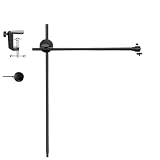
5MP HD Lightburn Camera Kit for Laser Engraver Machine
- 【Exceptional Precision & HD Clarity】 Elevate your creative projects with this laser engraver with camera featuring a...
- 【Seamless LightBurn Integration & Auto Positioning】 Transform your workflow with a smart engraving camera that...
- 【Efficient Batch Engraving Capability】 Scale your production effortlessly with this laser engraver camera designed...

Experience unparalleled precision with the 5MP HD Lightburn Camera Kit designed specifically for laser engraver machines. This camera kit transforms complex engraving tasks by providing sub-millimeter accuracy and real-time HD monitoring, covering a wide 550×800 mm area. It helps you visualize your projects clearly, reducing errors and material waste.
The camera integrates directly with LightBurn software, allowing easy drag-and-drop layout previews. Its smart auto-positioning feature works on curved surfaces with accuracy under 1 mm, making alignment effortless. This cuts down setup time significantly, helping you achieve professional results faster.
Designed for efficiency, the kit supports batch production with a simple one-time calibration. Live video feeds keep you informed throughout the process, minimizing rework and boosting productivity. The adjustable mount ensures compatibility with various laser engraver models, while the USB connection offers smooth installation.
Maintenance is straightforward thanks to its durable build and plug-and-play design. The included U.S.-based support assists with setup, making it accessible even if you’re new to camera-assisted engraving. This system is compatible with both Windows and Mac platforms, broadening its usability.
Best for: Precision-focused laser engravers and businesses seeking efficient batch production with sub-millimeter accuracy and seamless LightBurn software integration.
What We Like:
- Delivers sub-millimeter precision with a high-quality 5MP sensor and wide-angle lens.
- Enables quick batch engraving and multi-object alignment with one-time calibration.
- Compatible with Windows and Mac, includes adjustable mount and USB cable.
- Provides live video feed for real-time monitoring and reduced setup errors.
- Supported by U.S.-based customer service for easy troubleshooting.
Specification:
| Feature | Details |
|---|---|
| Manufacturer | Not specified |
| Sensor Resolution | 5MP |
| Coverage Area | 550 × 800 mm |
| Compatibility | Windows, Mac |
| Mount Type | Adjustable |
| Connectivity | USB |
| Support | U.S.-based customer support |
AlgoLaser Lightburn Camera for Laser Engraver, 5MP HD Positioning

- 【5MP HD Precision with Less Trial & Error】 Get sub-millimeter positioning with a 5MP laser engraver camera, so you...
- 【Real-Time Preview for Confident Setup】 See your design directly on the material before engraving. Whether you're...
- 【Batch Engraving for Higher Productivity】 Engrave multiple items in one run with automatic alignment after...
Discover the precision and ease the AlgoLaser Lightburn Camera brings to your laser engraving projects. Designed to provide sub-millimeter accuracy over a large 550×800 mm area, it ensures your designs align perfectly every time. This camera transforms the way you work by letting you preview your layout live on the material, even on uneven or curved surfaces.
The 5MP HD camera simplifies placement, reducing wasted materials and the need for repeated adjustments. Its automatic alignment feature is a game-changer for batch engraving, making it ideal for businesses managing multiple items at once. You can also capture real-world images and convert them into engravable designs, streamlining your creative process.
Maintenance is straightforward, but initial setup and calibration might take some time to optimize accuracy. The camera integrates with various laser engraving software, though compatibility depends on your specific hardware. While it offers high-definition performance, this comes with a cost compared to basic camera models.
Best for: Small businesses and hobbyists who need precise, efficient laser engraving on diverse materials and batch production.
What We Like:
- Sub-millimeter precision across a large workspace
- Live preview and automatic batch alignment
- Converts captured images into engravable designs
- Compatible with multiple laser engraving software
- High-definition video capture for detailed monitoring
Specification:
| Feature | Details |
|---|---|
| Manufacturer | AlgoLaser |
| Camera Resolution | 5MP HD |
| Workspace Coverage | 550×800 mm |
| Compatibility | Various laser engraver software* |
| Usage | Laser engraving positioning and design preview |
ATOMSTACK Maker Laser Engraver with 5MP Camera

- Precision Imaging for Laser Engraving Excellence: The AC1 camera, boasting a true 500W pixel resolution, is the ultimate...
- Auto Precise Positioning & Capture Technology: Specifically designed for industrial CNC routers, this camera seamlessly...
- Efficiency Redefined with Work Preview & Multitasking Engraving: The preview function eliminates challenges posed by...
The ATOMSTACK Maker Laser Engraver with 5MP Camera redefines precision engraving by combining advanced positioning technology with multitasking capabilities. Its true 5MP resolution captures intricate details, ensuring your designs align with an error margin of less than 1 mm. This feature solves the common challenge of misaligned engravings, saving time and material waste.
This engraver offers a unique ability to preview your work on multiple materials simultaneously, streamlining the workflow and improving efficiency. The industrial wide-angle lens covers an ample 400 x 400 mm area, making it well-suited for frame engraving machines. Its compatibility with LightBurn software on Windows and Mac enhances flexibility in design management.
Maintenance is straightforward, with the camera and lens designed for durability and easy cleaning. The device also supports HD video recording and time-lapse shooting, allowing users to document and share their engraving projects professionally. However, it requires separate software installation and is best paired with frame machines within a 450 x 450 mm range.
Best for: Creators and hobbyists seeking high-precision laser engraving with advanced preview and multitasking features for frame engraving machines.
What We Like:
- True 5MP camera with auto precise positioning for less than 1 mm alignment error
- Simultaneous preview and engraving on multiple materials to boost productivity
- HD video and time-lapse recording for process documentation
- Wide 400 x 400 mm coverage ideal for frame engraving setups
- Compatible with LightBurn software on Windows and Mac
Specification:
| Feature | Details |
|---|---|
| Manufacturer | ATOMSTACK |
| Camera Resolution | 5MP |
| Engraving Area | Up to 400 x 400 mm |
| Compatible Software | LightBurn (Windows & Mac) |
| Video Features | HD recording, time-lapse |
| Machine Compatibility | Frame engraving machines within 450 x 450 mm range |
Longer LightBurn 5MP Camera Kit for Laser Engravers
- 【HD Recording with Wide-Angle Capture】The Longer LightBurn camera features an industrial-grade wide-angle lens...
- 【Precision Imaging for Superior Engraving】With 5MP high-definition resolution, the Longer LightBurn camera is the...
- 【Auto Positioning & Accurate Detection】Designed for CNC engraving, the camera’s auto area detection function...
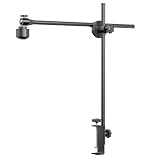
Capture every detail with the Longer LightBurn 5MP Camera Kit, designed for laser engravers tackling large or irregular materials. Its wide-angle lens covers a generous 740 x 560 mm area, allowing you to work on bigger projects with confidence and precision.
This camera delivers 5MP HD images, ensuring your engraving aligns perfectly every time. Integration with LightBurn software provides auto area detection and positioning accuracy under 1 mm after calibration. This means you can preview and adjust your designs directly on the material, even with complex or uneven surfaces, streamlining your workflow.
Maintenance is straightforward; just ensure the lens stays clean for optimal image clarity. The camera also supports timelapse and video recording, so you can document your entire engraving process for review or sharing.
Compatible with all Longer frames and many other laser engravers, it works on both Windows and Mac platforms, making it a versatile choice for various setups.
Best for: users needing precise, large-area laser engraving on irregular or multiple materials with seamless LightBurn software integration.
What We Like:
- High-resolution 5MP camera for accurate positioning
- Wide coverage area ideal for large or irregular materials
- Timelapse and video recording functions
- Easy software integration with LightBurn
- Compatible across multiple laser engraver brands and OS
Specification:
| Feature | Details |
|---|---|
| Manufacturer | Longer |
| Camera Resolution | 5 Megapixels |
| Coverage Area | 740 x 560 mm |
| Lens Type | Wide-angle |
| Compatible Software | LightBurn |
| Operating Systems | Windows, Mac |
| Use with Laser Frames | Longer and others |
Longer Lightburn 5MP Camera for Laser Engraver

- [Lightburn Camera for Laser Engraver]: The LONGER industrial-grade laser engraving camera features a 5MP high-definition...
- [Wide Compatibility]: The laser engraving machine camera kit is designed for LightBurn software and compatible with most...
- [Stable Base]: The LONGER laser engraver accessories feature a heavy-duty clamp and mounting base, ensuring your laser...
The Longer Lightburn 5MP Camera transforms your laser engraving experience by offering precise, real-time positioning. It solves the common challenge of aligning intricate designs by delivering sub-0.1 mm accuracy. This means your projects come out exactly as planned, reducing costly errors.
Its 85% larger coverage area (740 × 560 mm) allows you to view and monitor bigger workpieces without constant readjustments. The camera integrates seamlessly with LightBurn software, enabling automated batch engraving and multi-material detection. This automation streamlines workflow and cuts down manual repositioning time.
Designed for convenience, the camera includes an 18 mm wide-angle lens and autofocus options, supporting clear previews and 1080p video recording. The sturdy clamp mount ensures stable installation, suitable for both Windows and Mac users. Maintenance is straightforward, focusing on keeping the lens clean and securely mounted for consistent performance.
Best for: hobbyists, small businesses, and professionals needing precise, efficient positioning on larger laser engraving projects.
What We Like:
- Exceptional positioning precision under 0.1 mm for detailed work
- Large viewing area captures more surface with fewer adjustments
- Supports multi-object and batch engraving to save time
- Compatible with LightBurn software on Windows and Mac
- Stable mounting with heavy-duty clamp for secure use
Specification:
| Feature | Description |
|---|---|
| Manufacturer | Longer |
| Coverage Area | 740 × 560 mm |
| Camera Resolution | 5MP |
| Lens | 18 mm wide-angle |
| Video Recording | 1080p |
| Mount Type | Heavy-duty clamp |
| Compatibility | Windows, Mac |
ATOMSTACK AC2 Wireless Camera for Engraving and Cutting Machine
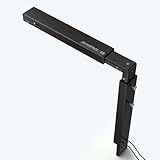
- Visual Preview: This camera perfectly solves the positioning problem of irregular patterns, allowing direct design on...
- Precise Positioning: After simple calibration with the software, it can achieve area-seeking engraving, automatically...
- Batch Engraving: Can complete batch processing of multiple items at once, with the under the guidance of the camera...
Enhance your laser engraving precision with the ATOMSTACK AC2 Wireless Camera. This tool tackles the challenge of accurate positioning, especially on irregular or multiple items. It brings your design exactly where you want it, reducing errors to under 1 mm.
The camera offers WYSIWYG previews and automatically locates items, simplifying setup and saving time. You can monitor progress in real-time via dual-band WiFi, while 1080p video recording captures every detail through the AtomStack app. Its manual focus and straightforward installation make it compatible with most frame-type engravers.
Maintenance is simple, ensuring consistent performance. However, note that machines with infinite position switches cannot use the precise positioning feature. For third-party frame-type engravers, LightBurn software is required to operate the camera fully.
Overall, this wireless camera enhances workflow efficiency and accuracy, making it an essential accessory for detailed laser engraving projects.
Best for: Precision-focused laser engraving enthusiasts and professionals needing reliable positioning and batch engraving on frame-type machines.
What We Like:
- Achieves precise positioning with less than 1 mm error and WYSIWYG previews.
- Enables batch engraving and real-time monitoring via AtomStack app.
- Easy to install with manual focus for broad machine compatibility.
- Supports 1080p video recording and dual-band WiFi connection.
Specification:
| Feature | Details |
|---|---|
| Manufacturer | AtomStack |
| Dimensions | Not specified |
| Weight | Not specified |
| Material | Not specified |
| Compatible Machines | ~95% of frame-type engravers |
AlgoLaser 5MP Laser Engraver Camera for LightBurn, 550x800mm Work Area

- 【Exceptional Precision & Clarity】 Upgrade your laser projects with AlgoLaser's 5MP HD camera. Capture...
- 【Wide-Angle Lens with HD Recording】 Record every detail with an industrial-grade wide-angle lens covering up to...
- 【Seamless Integration & Auto Positioning】 Works perfectly with LightBurn software for real-time layout preview and...
The AlgoLaser 5MP Laser Engraver Camera for LightBurn transforms your laser engraving experience with precise, real-time alignment. Designed to cover large work areas up to 550×800 mm, it helps you position your projects accurately, reducing errors and saving time. The camera’s sub-millimeter accuracy ensures your engravings are perfectly aligned every time.
Equipped with a wide-angle HD lens, the camera delivers clear live previews and HD recordings, allowing you to monitor your work closely. Its plug-and-play USB connection makes setup quick and hassle-free on both Windows and Mac systems. This seamless integration supports batch engraving and complex designs with ease.
The adjustable mount offers flexible placement options to suit various engraving setups. Maintenance is straightforward, requiring only occasional lens cleaning to maintain image clarity. While the LightBurn software is necessary for operation, it is not included, so ensure you have it installed beforehand.
This camera is ideal for hobbyists and professionals who need precise, efficient project alignment and improved workflow on large laser cutting surfaces.
Best for: users seeking enhanced accuracy and real-time project monitoring on large laser engraving platforms using LightBurn software.
What We Like:
- Offers sub-millimeter accuracy across a wide 550×800 mm area
- Simple plug-and-play USB connectivity compatible with Windows and Mac
- Enables real-time live preview and HD recording for detailed monitoring
- Adjustable mount for versatile camera positioning
Specification:
| Feature | Details |
|---|---|
| Manufacturer | AlgoLaser |
| Camera Resolution | 5MP |
| Work Area Coverage | 550 × 800 mm (21.7 × 31.5 in) |
| Connection Type | USB (Plug-and-play) |
| Compatibility | Windows, Mac |
| Mount | Adjustable |
Factors to Consider When Choosing a Camera for Laser Engraver
When choosing a camera for your laser engraver, you’ll want to focus on resolution and clarity to capture fine details accurately. Consider the field of view and how well the camera integrates with your software for seamless operation.
Don’t forget to check positioning accuracy and ease of installation. These factors help guarantee smooth setup and precise results. It’s all about making your engraving process as hassle-free as possible.
Resolution and Clarity
Although many factors influence camera performance for laser engraving, resolution and clarity stand out as critical for precise detail and alignment. You’ll want a camera with a high megapixel count—think 16MP over 5MP—to capture fine features and enable sub-millimeter positioning.
Keep in mind, the sensor’s native resolution limits your effective field-of-view; a larger work area at the same megapixels lowers pixel density, reducing clarity for tiny details. Optical quality matters too—lenses with low distortion and sharp focus, whether autofocus or fine manual, improve edge definition more than just raw megapixels.
After calibration, aim for enough pixels per millimeter to cover your smallest feature with multiple pixels (over 10 across 0.5mm) to guarantee accurate placement. For static precision, still-image resolution and sharpness trump video frame rate.
Field of View
High resolution and clarity set the foundation for accurate laser engraving, but you also need to take into account how much of your workspace the camera captures at once. The field of view (FoV) defines this—choose one that matches or exceeds your machine’s working area.
A wider FoV covers more space, reducing the need to move the camera, but it can lower per-pixel detail. So, balance FoV with sensor resolution to keep positioning precise.
For batch jobs with many small items, a large FoV simplifies setup. On the other hand, for fine-detail engraving, a smaller FoV with higher magnification improves accuracy.
Also, consider mounting height and distance since they affect FoV and resolution. Watch out for distortion from wide-angle lenses and make certain your setup corrects it for consistent precision across the entire view.
Compatibility With Software
Since your camera must seamlessly integrate with your engraving software, verifying compatibility is essential before making a purchase. First, check if the camera supports the required communication protocols like USB Video Class (UVC) or a documented network API, guaranteeing it works without custom drivers.
Confirm the camera’s field-of-view and resolution match the software’s calibration needs, since many tools rely on specific pixel-to-millimeter ratios for accuracy. Make sure the software offers calibration routines compatible with your camera’s lens type, especially for wide-angle or fish-eye lenses needing distortion correction.
Also, verify the software supports your operating system and can access the camera without extra plugins. Finally, assure the software handles the camera’s image formats and refresh rates for your workflow, preventing dropped frames or incompatible files.
Positioning Accuracy
When choosing a camera for your laser engraver, you’ll want to focus on positioning accuracy because it directly impacts the precision of your engravings. Calibration quality plays a huge role—well-calibrated camera and software setups can achieve under 1 mm accuracy, sometimes approaching 0.1 mm in ideal conditions.
Sensor resolution matters too. Higher megapixels on the same workspace give you better pixel-per-millimeter ratios for finer positioning.
Be mindful of lens distortion, especially with wide-angle optics. This can cause nonlinear errors; accurate calibration and distortion correction help maintain uniform accuracy.
Also, make certain your camera mount is stable and vibration-free. Any movement reduces repeatability.
Finally, use an optimal calibration area and methods like multi-point homography for reliable positional mapping across the entire workspace.
Ease of Installation
Although selecting a camera with great accuracy is essential, you’ll also want to make certain it’s easy to install and set up. First, check if the camera uses a standard plug-and-play interface like UVC/USB so it works with Windows and macOS without extra drivers, speeding up setup.
Confirm the package includes mounting hardware and a long USB cable (1–2 meters or more) to reach your ideal camera position without extra purchases. Look for simple alignment and calibration that integrate with your control software, preferably with one-time calibration for batch runs.
Choose models with adjustable mounts—clamps or brackets offering horizontal and vertical tweaks—for a stable, repeatable field of view. Finally, verify clear instructions and accessible support are available to minimize installation time and frustration.
Real-Time Monitoring
Monitoring your laser engraving process in real time lets you catch material shifts, smoke, or misalignment before they cause costly errors. To do this effectively, pick a camera that streams live at 15–30 fps to spot motion without lag.
High-definition resolution—5MP or more—and a wide-angle lens help you see the entire work area clearly, catching fine defects. Make sure the camera performs well in low light and offers adjustable exposure or auto-gain to handle laser glare and dim workshop conditions.
Choose USB or wireless connections with low latency and stable bandwidth to avoid dropped frames. Also, confirm the camera supports continuous monitoring with real-time overlays like job progress or coordinates.
That way, you can correlate visuals directly with the engraving process for precise control. It really makes a difference in preventing mistakes and keeping your projects on track.
Video Recording Capability
To capture your laser engraving process in vivid detail, you’ll want to zero in on the camera’s video recording capabilities. Check for high resolution like 1080p or above and smooth frame rates to get clear, fluid footage and sharp time-lapse exports.
Make sure the camera supports common video formats such as MP4 with H.264 codec for easy editing and efficient storage during long sessions. Look for built-in time-lapse or interval recording features so you can effortlessly create concise process summaries.
Decide if you need audio capture; built-in microphones can add ambient sound but may increase file size and editing time. Finally, confirm the camera handles continuous recording well—stable USB/UVC compliance and good thermal management help prevent dropped frames or interruptions during extended engraving jobs.
Build Quality and Durability
Capturing high-quality video is only part of the equation when choosing a camera for your laser engraver. You need a model built to withstand the harsh workshop environment.
Opt for cameras with metal or reinforced mounts and clamps to resist vibration and stay calibrated during high-speed engraving and transport. Choose sealed or IP-rated housings and corrosion-resistant connectors if dust, humidity, or fumes are concerns.
Look for robust USB or screw-lock connectors with strain-relief cabling to prevent signal loss and wear from frequent repositioning. Also, consider weight and compactness to reduce stress on mounts and avoid obstructing laser paths.
Finally, verify the camera’s operating temperature and shock/vibration tolerances to make certain reliable performance over time in your engraving setup. It’s all about making sure your camera keeps up with the tough conditions it faces.
Frequently Asked Questions
How Do I Install a Camera on My Existing Laser Engraver?
You’ll first mount the camera securely near the laser head, then connect it to your engraver’s control board or PC via USB or Wi-Fi.
After that, you’ll want to install the required software. This software helps you monitor the engraving process in real-time.
Finally, calibrate the camera to ensure accurate monitoring. It might take a few tries to get it just right, but it’s worth it for precise results.
Can These Cameras Be Used With Software Other Than Lightburn?
Wondering if these cameras work beyond LightBurn? Yes, you can use them with various software that supports your laser engraver’s camera input.
Just confirm compatibility, and you’ll enjoy flexible, enhanced control over your engraving projects. It’s all about finding the right setup that fits your needs.
What Maintenance Do Laser Engraver Cameras Require?
You’ll need to regularly clean the lens, check for firmware updates, and calibrate the camera for accuracy.
Also, keep cables secure and store the camera properly to prevent dust and damage during downtime.
It’s pretty straightforward, but staying on top of these tasks will keep your laser engraver camera working smoothly.
Are These Cameras Compatible With PC and Mac Systems?
Over 90% of laser engraver cameras are compatible with both PC and Mac systems. You’ll find most offer plug-and-play functionality, so you don’t have to worry about complex setups or compatibility issues when switching between devices.
It’s pretty convenient, right? Just plug in and start working without the hassle. Whether you’re team PC or Mac, these cameras generally have you covered.
How Does Camera Resolution Impact Engraving Precision?
Higher camera resolution lets you capture finer details, so you’ll position the laser more precisely. This means your engravings will be sharper and more accurate.
It reduces errors and improves overall quality every time you work. So, investing in a good camera can really make a difference in your results.
Conclusion
Choosing the right camera for your laser engraver is like picking the perfect lens for a masterpiece—you want clarity, precision, and reliability. With options like the Longer LightBurn 5MP and ACMER A500, you can capture every detail of your projects effortlessly.
Keep your workspace sharp by considering resolution, compatibility, and ease of use. These factors make a huge difference when you’re aiming for flawless results.
Ultimately, the right camera will be your best partner in turning ideas into stunning, precise engravings every time. When selecting the best camera for laser engravers, focus on features that enhance accuracy and workflow.
The perfect camera not only improves image quality but also streamlines your engraving process. So, whether you’re a hobbyist or professional, investing in a reliable laser engraver camera is key to achieving top-notch, detailed designs with ease.