9 Best Cameras for Live Streaming TikTok in 2027
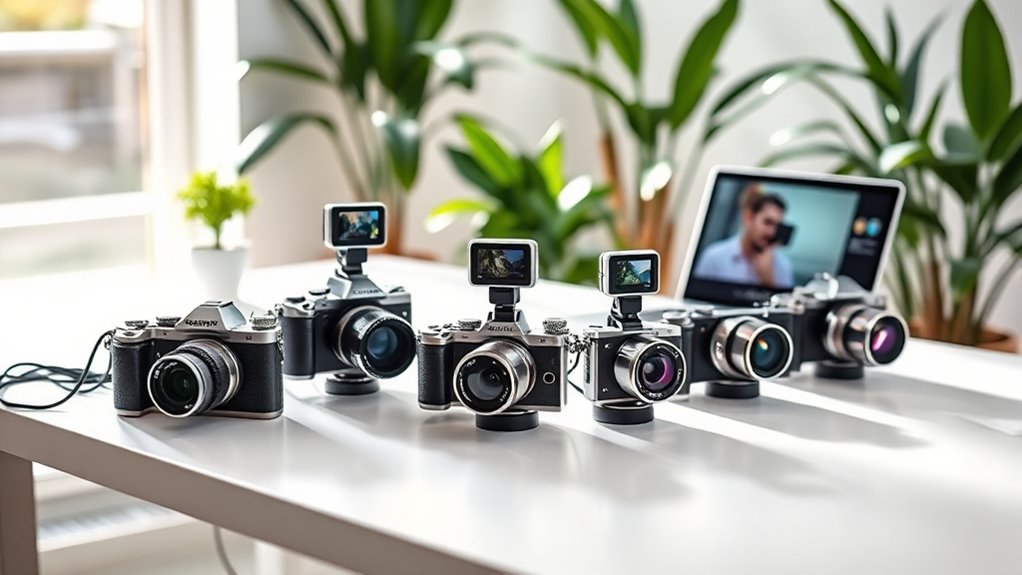
For sharp, engaging TikTok live streams in 2027, you’ll want to pick a camera that’s not just good but smart. AI-powered options like the EMEET PIXY Dual-Camera stand out with rapid autofocus and handy gesture controls that make streaming smooth and interactive. Or check out the Insta360 Link 2, which offers 4K PTZ tracking for super smooth, hands-free framing.
Logitech’s Mevo Start is great if you need wireless multi-cam portability—it’s perfect for moving around while streaming. And if precision is your thing, the OBSBOT Tiny 2 Lite shines with its AI tracking that keeps you perfectly in frame.
Looking for something budget-friendly? The Logitech C920x is a solid pick that delivers reliable Full HD video without breaking the bank. Keep scrolling to discover more top camera picks and smart setup tips that’ll elevate your TikTok live streams!
| Image | Name | Editor's Rating | Price |
|---|---|---|---|

|
|
||

|
|
||

|
|
||

|
|
||
|
|
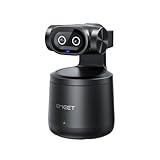
EMEET PIXY Dual-Camera AI-Powered PTZ Camera 4K with Tripod, AI Tracking
No products found.
Experience smooth, professional live streaming with the EMEET PIXY Dual-Camera AI-Powered PTZ Camera 4K. Designed to keep up with fast movements, this camera automatically adjusts focus and framing to ensure you stay center stage. Its cutting-edge AI technology tracks your face and gestures, eliminating the need for manual camera control.
Equipped with a 4K Sony sensor, the camera locks focus on your face in just 0.2 seconds. The dual-camera system captures wide angles and zooms in precisely, covering a broad 310° pan and 180° tilt range. This flexibility keeps your shots steady and well-framed, even during energetic or unpredictable streams.
The compact tripod adds convenience by offering versatile setup options on any surface. Gesture controls and preset angles make switching views quick and intuitive. While the camera requires an external device for storage and is wired via USB, it balances high-quality output with ease of use.
Regular cleaning of the lens and careful handling of the tripod will help maintain optimal performance. This camera is ideal for creators who want reliable, fast-tracking video without complicated setups.
Best for: Content creators and live streamers needing a sharp, responsive 4K camera that smoothly follows dynamic movements.
What We Like:
- Rapid 0.2-second AI autofocus with dual-camera tracking
- Wide pan (310°) and tilt (180°) range for smooth framing
- Gesture controls and presets enable quick angle changes
- Compact tripod for flexible and stable setups
Specification:
| Feature | Details |
|---|---|
| Manufacturer | EMEET |
| Dimensions | Not specified |
| Weight | Not specified |
| Material | Not specified |
| Color Options | Not specified |
EMEET S600 4K Webcam for Streaming, Sony 1/2.55” Sensor, PDAF Autofocus
- Unmatched 4K Streaming Quality - The EMEET S600 streaming camera boasts a high-definition 4K sony 1/2.55'' sensor...
- Advanced PDAF Autofocus & Light Balance – 4K webcam S600's PDAF(Phase Detection Autofocus) tech offers significant...
- Enhanced Audio Clarity & Customizable FOV - The EMEET S600 4K streaming webcam is equipped with premium microphones that...
Experience crystal-clear video with the EMEET S600 4K Webcam, designed to elevate your live streams and video calls. Its true 4K resolution captures every detail, making your content stand out with sharpness and clarity. The webcam’s fast PDAF autofocus ensures your image stays in focus, even with movement, so you always look professional.
The Sony 1/2.55″ sensor works hard to deliver vibrant colors and sharp video at 30 frames per second. You can easily adjust the 73° wide-angle lens to frame yourself perfectly. Plus, digital image stabilization smooths out any minor shakes for steady footage.
Dual noise-canceling microphones reduce background sounds, providing clear audio without distractions. Compact and easy to maintain, the webcam connects via USB-C and supports Windows, macOS, and Linux, making it versatile for various setups. Although it’s not compatible with Windows Hello and lacks water resistance, it excels in delivering reliable, high-quality streaming.
Best for: Content creators and professionals who need crisp 4K video and clear audio for polished live broadcasts and video conferencing.
What We Like:
- Sharp 4K video at 30 FPS with Sony sensor and PDAF autofocus
- Dual noise-canceling mics for clear, distraction-free sound
- Adjustable wide-angle lens with image stabilization for smooth framing
- USB-C connection compatible with multiple operating systems
Specification:
| Feature | Details |
|---|---|
| Manufacturer | EMEET |
| Sensor | Sony 1/2.55″ CMOS |
| Resolution | 3840 x 2160 (4K) at 30 FPS |
| Autofocus | PDAF (Phase Detection) |
| Field of View | 73° wide-angle |
| Microphones | Dual noise-canceling |
| Connectivity | USB-C |
| Compatibility | Windows, macOS, Linux |
| Dimensions | Compact design (exact size not specified) |
| Water Resistance | None |
Logitech for Creators Mevo Start Wireless Live Streaming Camera – Black
No products found.
Capture your live moments with ease and clarity using the Logitech for Creators Mevo Start Wireless Live Streaming Camera in Black. This compact camera is designed to simplify multi-camera setups, allowing creators to produce dynamic broadcasts without complicated wiring. Its wireless connectivity frees you from tethered setups, making location flexibility a breeze.
Control your stream effortlessly through the Auto-Director app, which lets you operate up to three Mevo Start cameras simultaneously. This feature enhances your live production with smooth transitions and varied angles, improving viewer engagement. The camera supports multiple streaming platforms like YouTube, Twitch, and Facebook, ensuring broad audience reach.
Built for long sessions, the Mevo Start offers a 6-hour battery life and local microSD storage, so you can stream and save content without interruption. While its fixed focus lens and compact sensor mean it’s best used in well-lit environments, it still delivers crisp 1080p HD video. Keep in mind, it’s not water resistant, so avoid exposure to harsh weather.
Maintenance is straightforward—regular cleaning of the lens and battery care will keep your camera performing reliably. Overall, the Logitech Mevo Start is a versatile tool for creators needing quality wireless streaming with easy multi-camera control.
Best for: content creators and live streamers seeking a versatile, high-quality wireless camera setup with easy multicam control and broad platform compatibility.
What We Like:
- Supports smooth 1080p HD streaming with Wi-Fi, Ethernet, and 4G/5G tethering.
- Auto-Director app enables seamless control of up to three cameras for multicam broadcasts.
- Long-lasting 6-hour battery and microSD storage for uninterrupted streaming.
- Compatible with major streaming platforms for wide audience access.
- Compact design ideal for on-the-go live streaming.
Specification:
| Feature | Description |
|---|---|
| Manufacturer | Logitech |
| Dimensions | Compact (exact size not provided) |
| Weight | Lightweight (exact weight not provided) |
| Color Options | Black |
| Video Resolution | 1080p HD |
| Connectivity | Wi-Fi, Ethernet, 4G/5G tethering |
| Battery Life | Up to 6 hours |
| Storage | microSD card slot |
Logitech C920x HD Pro PC Webcam with Microphone, Full HD 1080p/30fps Video
- Compatible with Nintendo Switch 2’s new GameChat mode
- HD lighting adjustment and autofocus: The Logitech webcam automatically fine-tunes the lighting, producing bright...
- Advanced capture software: Easily create and share video content with this Logitech camera that is suitable for use as a...
Experience sharper, more vibrant live streams with the Logitech C920x HD Pro Webcam. It delivers full HD 1080p video at 30fps, ensuring your TikTok broadcasts and video calls are crystal clear. The five-element glass lens and auto-focus keep your image sharp and natural without constant adjustment.
This webcam solves common streaming issues like poor lighting and unclear audio. Its automatic exposure and white balance adjust to your environment, while HD light correction brightens dim rooms. Dual microphones capture clear, natural stereo sound, making your voice and surroundings sound professional.
Setup is simple with plug-and-play USB connectivity for Windows and macOS. Plus, the included 3-month XSplit VCam license lets you blur or replace your background easily—no green screen needed. This enhances privacy and adds a polished look to your streams.
While it lacks a privacy shutter and optical zoom, the C920x focuses on delivering reliable, high-quality video and audio through a straightforward design. It’s easy to maintain and compatible with most desktop setups.
Best for: Streamers and content creators seeking reliable full HD video and stereo audio for professional live streaming and video calls.
What We Like:
- Crisp 1080p video with auto-focus and low-light correction
- Dual stereo microphones for natural sound quality
- 3-month XSplit VCam license for background customization
Specification:
| Feature | Details |
|---|---|
| Manufacturer | Logitech |
| Video Resolution | Full HD 1080p at 30fps |
| Lens | Five-element glass lens |
| Microphones | Dual stereo microphones |
| Connectivity | USB plug-and-play (Windows/macOS) |
| Additional Software | 3-month XSplit VCam license |
OBSBOT Tiny 2 Lite 4K Webcam for PC, AI Tracking PTZ Streaming Camera
- 【OBSBOT × EWC 2026 Official Partnership】As an Official OBSBOT Partner of the Esports World Cup 2026, OBSBOT powers...
- 【Stay Pro, Stay Productive】The new version Tiny 2 Lite webcam 4K streamlines some streaming features (whiteboard...
- 【Your Tracking Mode,Your Rule】The web cam boasts multiple tracking modes (e.g. upper body& hand tracking), to cater...
Experience seamless video communication with the OBSBOT Tiny 2 Lite 4K Webcam, designed to keep you perfectly framed using AI-powered tracking. This webcam solves the common problem of staying centered during presentations or streams without manual adjustments. Its sharp 4K resolution combined with a 1/2″ CMOS sensor ensures every detail is captured clearly.
The camera’s PTZ functionality offers smooth pan, tilt, and zoom control, adapting effortlessly to your workspace whether mounted on a monitor or tripod. Customizable tracking modes and gesture controls allow you to switch scenes and commands intuitively, making your workflow more efficient. Setup is simple with plug-and-play compatibility, reducing downtime and technical hassle.
Maintenance is straightforward; the durable design requires minimal upkeep, while software updates keep tracking features optimized. This webcam is ideal for educators, streamers, and business professionals who need reliable, smart camera performance without complicated setups.
While the OBSBOT Tiny 2 Lite excels in general AI tracking and video clarity, some advanced functions may require time to master. It focuses more on practical use than on niche streaming features, making it a strong choice for everyday professional use.
Best for: Educators, streamers, and business professionals seeking an affordable, high-quality 4K AI-tracking webcam that offers versatile PTZ control and seamless integration for live streaming and presentations.
What We Like:
- Crisp 4K video with a 1/2″ CMOS sensor delivering sharp visuals
- AI-driven tracking with intuitive gesture controls for hands-free framing
- Flexible PTZ and mounting options adapt to various setups
- Plug-and-play design ensures quick and easy installation
Specification:
| Feature | Details |
|---|---|
| Manufacturer | OBSBOT |
| Resolution | 4K |
| Sensor | 1/2″ CMOS |
| PTZ Capability | Yes (Pan, Tilt, Zoom) |
| Mounting Options | Monitor mount, tripod |
| Connectivity | USB Plug-and-Play |
| Weight | Lightweight (exact weight not specified) |
YoloLiv YoloCam S3, 4K Streaming Webcam for PC & Mac
- 1/1.3" Sensor: Likely the largest ever in a webcam - delivers uncompressed 4K/30fps and 1080p/60fps video. Sensor size...
- Fast PDAF Autofocus: Instant zero-lag focus. Ensures crisp, blur-free close-ups, keeping you perfectly in frame
- AI Enhanced Imaging: 2.5x clearer faces and finer details in low light. Auto-tuned by AI with smart exposure, white...
Capture every detail with the YoloLiv YoloCam S3, a 4K streaming webcam designed to elevate your live broadcasts. It solves common streaming challenges by delivering crisp, uncompressed 4K video at 30fps and smooth 1080p at 60fps, ensuring your content looks professional without complicated setups.
This webcam features fast PDAF autofocus and a 4x digital zoom, helping you maintain sharp focus and clear visuals even during dynamic streams. Its AI-enhanced imaging optimizes face clarity and vibrant colors, especially in low-light environments, so you always look your best on camera.
Built with a premium all-aluminum body, the YoloCam S3 stays cool during long streaming sessions, preventing overheating and interruptions. Its USB-C plug-and-play compatibility makes it simple to connect to both PC and Mac systems, and manual controls allow you to fine-tune exposure and color grading to your preference.
Maintenance is straightforward thanks to its durable design, but note it lacks built-in flash memory, so external storage is necessary for local recordings. While the included Picasso Resolve color grading software is currently Windows-only, Mac support is expected soon.
Best for: content creators and live streamers seeking high-quality 4K video with professional DSLR-like controls and reliable performance for PC and Mac setups.
What We Like:
- Uncompressed 4K/30fps and 1080p/60fps streaming with quick PDAF autofocus
- AI-enhanced imaging delivers clear, vibrant visuals in low light
- Durable all-aluminum housing prevents overheating for extended use
- Simple USB-C plug-and-play compatibility with PC and Mac systems
Specification:
| Feature | Details |
|---|---|
| Manufacturer | YoloLiv |
| Dimensions | Compact design (exact size not specified) |
| Weight | Lightweight (exact weight not specified) |
| Material | All-aluminum body |
| Color Options | Not specified |
EMEET PIXY Wireless 4K Dual-Lens AI Tracking Streaming Camera
- Crisp 4K Quality & AI Dual-Camera Design:Capture stunning UHD 4K footage with vibrant, true-to-life colors. The...
- Smart Auto-Tracking & Gesture Control:Advanced AI algorithms automatically detect and follow your movement in real...
- Wireless Freedom & One-Stream Multi-Platform:Connect to your phone or PC without messy cables, and place the camera...

Capture every moment with ease using the EMEET PIXY Wireless 4K Dual-Lens AI Tracking Streaming Camera. Designed to keep you perfectly framed during live streams, this camera uses dual 4K lenses combined with AI tracking to follow your movements smoothly. It eliminates the hassle of constant repositioning, letting you focus on your content.
The camera’s gesture control feature allows hands-free operation, making it ideal for presentations or active streaming. Wireless connectivity and multi-camera support through the EMEET STUDIO app provide flexibility for multi-angle broadcasts. Its compact, clip-on design fits seamlessly into your setup without clutter.
Maintenance is simple with its rechargeable battery offering up to 8 hours of continuous use. The built-in microphone and external input options enhance audio capture for clear communication. Keep in mind, it is not water resistant, so it’s best suited for indoor or dry environments.
Overall, the EMEET PIXY camera improves live streaming by automating framing and simplifying control, making it a smart choice for creators who want dynamic, hands-free video capture.
Best for: Content creators and live streamers seeking a versatile, wireless 4K camera with AI tracking for smooth, hands-free video production.
What We Like:
- Sharp 4K video quality with AI-powered subject tracking.
- Hands-free gesture control for easy operation.
- Wireless multi-camera support via EMEET STUDIO.
- Compact clip-on design for flexible placement.
- Long battery life suitable for extended streaming sessions.
Specification:
| Feature | Details |
|---|---|
| Manufacturer | EMEET |
| Dimensions | Compact clip-on design (approximate size not specified) |
| Weight | Not specified |
| Material | Not specified |
| Color Options | Not specified |
Insta360 Link 2 PTZ 4K Webcam with AI Tracking

- Premium Image Quality: Upgrade to Link 2 4K webcam with a 1/2" sensor. Captures true-to-life webcam 4K visuals with HDR...
- Professional Audio: Experience best-in-class audio with advanced AI noise-canceling algorithms. Filter out unwanted...
- True Focus: Insta360 Link 2 streaming camera with Phase Detection Auto Focus (PDAF). No more blurry shots—this web cam...
Experience seamless video communication with the Insta360 Link 2 PTZ 4K Webcam, designed to keep you perfectly framed without any effort. Its AI tracking adjusts the camera’s pan and tilt as you move, ensuring you always stay in view. This feature is especially helpful during dynamic presentations or active video calls.
The webcam’s 1/2″ sensor delivers sharp 4K HDR video, enhancing clarity even in low light. Instant autofocus through PDAF keeps your image crisp at all times. You can also customize your shot with DeskView or Whiteboard modes, allowing flexible framing tailored to your workspace.
Maintaining clear audio is just as important, and this webcam filters out background noise for better communication. Compatible with both Mac and Windows, it also offers a privacy mode that physically tilts the lens away when not in use. However, this tilt feature may require manual adjustment if you switch modes frequently.
Overall, the Insta360 Link 2 improves video calls, streaming, and content creation by providing high-quality visuals and smart tracking. Its advanced features simplify setup and enhance user experience without constant manual control.
Best for: Professionals and creators who need reliable 4K video with AI tracking for presentations, streaming, and online meetings.
What We Like:
- Crisp 4K HDR video with low-light enhancement and instant PDAF focus
- AI-driven pan and tilt tracking keeps you centered effortlessly
- DeskView and Whiteboard modes offer versatile framing options
- Noise-canceling audio improves call clarity
- Privacy mode physically shields the lens when not in use
Specification:
| Feature | Details |
|---|---|
| Manufacturer | Insta360 |
| Sensor Size | 1/2 inch |
| Video Resolution | 4K UHD |
| Special Modes | DeskView, Whiteboard |
| Compatibility | Mac, Windows (x86 only) |
| Connectivity | USB |
| Privacy Feature | Physical lens tilt |
Live Video Streaming Kit, 1080P HD webcam, RGB Mic & LED Light for PC/Mac

- ALL-IN-ONE STREAMING & GAMING SETUP — Everything you need to go live in one box: a 1080P HD webcam, RGB USB...
- CRYSTAL-CLEAR 1080P VIDEO — A high-resolution CMOS sensor captures true 24-bit color up to 1920×1080 at 30FPS, with...
- STUDIO-QUALITY AUDIO, BACKED BY A 30 DAY WARRANTY — A 14mm capacitive microphone with cardioid pickup, built-in pop...
Experience professional-quality live streaming with the Live Video Streaming Kit, designed to enhance your video and audio effortlessly. This all-in-one setup delivers crisp 1080p HD video and clear sound, making your content stand out on platforms like TikTok or during video calls.
The webcam features auto brightness and digital stabilization, improving image clarity even in dim environments. Its wide-angle glass lens captures a sharp, natural view without distortion. Meanwhile, the USB cardioid microphone reduces background noise and offers adjustable gain, ensuring your voice is heard clearly.
An adjustable LED light with multiple color modes and brightness levels helps you create the perfect lighting atmosphere. The kit is USB-powered and plug-and-play, requiring minimal setup and maintenance, making it ideal for users who want quick, reliable streaming without technical hassle.
This kit is tailored for PC and Mac users but is not compatible with gaming consoles. While the webcam’s 30 FPS frame rate suits most streaming needs, it may not capture fast-motion content as smoothly.
Best for: PC and Mac users seeking a straightforward, high-quality live streaming solution with customizable lighting and clear audio.
What We Like:
- Sharp 1080p webcam with auto brightness and digital stabilization
- USB cardioid microphone with pop filter for clear, noise-reduced sound
- Adjustable LED light offering three color modes and ten brightness levels
Specification:
| Feature | Details |
|---|---|
| Manufacturer | Not specified |
| Webcam Resolution | 1080p HD |
| Frame Rate | 30 FPS |
| Microphone Type | USB cardioid |
| Lighting | Adjustable LED light |
| Compatibility | PC, Mac |
| Weight | Not specified |
Factors to Consider When Choosing a Camera for Live Streaming TikTok
When picking a camera for TikTok live streaming, you’ll want to focus on video quality and how fast the autofocus works to keep you sharp.
AI tracking can help keep you centered, while clear audio guarantees your audience hears you perfectly.
Don’t forget to check connectivity options so your setup stays seamless and hassle-free.
Video Quality Essentials
Although live streaming on TikTok might seem straightforward, choosing the right camera can make a huge difference in your video quality. Aim for at least 1080p at 30fps to guarantee smooth, mobile-friendly streams.
You can opt for 4K only if your encoder and upload speed handle the higher bitrate well. Pick cameras with larger sensors and wide apertures (around f/1.8–f/2.0) to perform better in low light, reducing noise and preserving colors indoors.
Make sure your camera offers adjustable fields of view or optical zoom to frame your shots perfectly. Also, verify it outputs in common formats like MP4 and supports low-latency USB or network streaming.
These essentials help keep your live content sharp, vibrant, and engaging for viewers. So, getting the right gear really pays off!
Autofocus Speed Importance
Because TikTok content often features quick movements and dynamic framing, you need a camera with fast autofocus to keep your shots sharp and smooth. Look for autofocus systems with sub-0.3 second reaction times to reduce blur and avoid focus hunting that distracts viewers.
Phase-detection or hybrid PDAF systems lock onto subjects faster and more accurately than contrast-only autofocus, especially when you move closer or farther from the camera. Cameras with high autofocus frame rates and predictive tracking handle rapid framing changes—like dance moves or pans—without lag or focus breathing.
If your streams include multiple people or frequent scene shifts, prioritize models with fast face and eye detection plus low latency. This ensures continuous, seamless focus and keeps your viewers engaged throughout your dynamic TikTok live streams.
AI Tracking Benefits
Experience seamless live streaming on TikTok by choosing a camera with AI tracking capabilities that automatically keeps you centered through real-time panning, tilting, and zooming. This means you won’t need a cameraman, even during high-movement streams like dancing or workouts.
AI-driven autofocus reacts in sub-seconds, ensuring your face stays sharp without blur. You can customize tracking zones or use gesture controls to lock focus on specific areas, which is perfect for multi-person streams or whiteboard presentations.
The camera’s smooth PTZ motion and predictive algorithms minimize jitter and sudden framing shifts, delivering professional-looking footage. Plus, AI tracking maintains consistent exposure and framing, boosting viewer experience during dynamic content such as product demos or performances.
Choosing a camera with these AI benefits really elevates your TikTok live streams effortlessly. It’s a game-changer for anyone wanting polished and engaging broadcasts without extra help.
Audio Clarity Needs
When you’re live streaming on TikTok, clear audio is just as important as sharp video to keep your audience engaged. Choose a camera with a high-quality built-in mic or one that supports external microphones via dedicated input or USB. On-camera mics often capture unwanted room echo and background noise, so having options is key.
Look for models with noise-reduction features like noise gating or adaptive suppression to reduce hums and sudden sounds. Make sure the camera supports at least 48 kHz sample rates and good bitrates for crisp, clear voice capture.
Pair it with a cardioid or supercardioid mic placed close to you to cut out off-axis noise. Finally, verify your setup has minimal audio latency—ideally under 100 ms—to keep audio and video perfectly synced during your streams.
Connectivity Options
Audio quality sets the stage, but your camera’s connectivity determines how smoothly your live stream reaches viewers. Prioritize cameras with USB 3.0, USB-C, or Gigabit Ethernet for stable 1080p or 4K streams and minimal latency—these outperform USB 2.0 or Wi-Fi.
If you go wireless, pick dual-band 5 GHz Wi-Fi or a dedicated hotspot offering upload speeds of at least 5–10 Mbps for 1080p and 15–25 Mbps for 4K to avoid buffering and dropped frames. Opt for cameras supporting direct webcam or plug-and-play USB streaming, or RTMP/NDI output, so you can skip capture cards that add complexity and delay.
Also, consider power delivery via USB-C PD or PoE to keep streams running without interruptions. Finally, make certain your camera’s connectivity matches your device ports and streaming platform to easily add accessories without hassle.
Portability and Design
Although connectivity and image quality matter, portability and design play a crucial role in choosing the best camera for live streaming TikTok. You want a lightweight camera, ideally under 500 grams, that’s compact enough for handheld or gimbal-mounted setups. This makes vertical shooting and quick location changes effortless.
Look for built-in batteries or wireless operation that last 4 to 8+ hours. That way, you won’t be tethered to power during outdoor streams. Flexible mounting options like clip-ons, tripod threads, or magnetic bases let you switch easily between setups.
Foldable or detachable parts and included cable adapters minimize bulk and simplify transport. Also, prioritize a sturdy yet lightweight build with passive cooling to prevent overheating during long streams. This keeps your gear easy to carry and ready to go.
Finding this balance guarantees you stay mobile and ready to stream anywhere. It’s all about making your setup as hassle-free as possible so you can focus on creating great content.
Frequently Asked Questions
How Do I Improve My Internet Connection for Smoother Tiktok Live Streams?
You should use a wired Ethernet connection and close background apps. This helps reduce interruptions and keeps your stream stable.
Also, upgrade your router if it’s outdated. Make sure your internet plan offers high upload speeds for smoother streaming.
Try positioning your router closer to your streaming device. Or, use a Wi-Fi extender to boost signal strength and avoid lag during your TikTok live streams.
What Lighting Setup Works Best for Tiktok Live Streaming?
You’ll want soft, even lighting—ring lights or LED panels work great. Position them at eye level to avoid harsh shadows.
Natural light helps too, but combining it with adjustable artificial lights guarantees consistent, flattering illumination during streams. That way, you look your best no matter the time of day.
Can I Use a Smartphone Instead of a Dedicated Camera for Streaming?
You absolutely can use a smartphone for streaming, and it often delivers great quality. Just make sure you have good lighting and a steady mount.
Smartphones are surprisingly powerful for TikTok live sessions. They can really hold their own compared to some dedicated cameras. So, if you’re just starting out or want something simple, your phone is a solid choice!
How Do I Sync External Audio Devices With My Streaming Camera?
You sync external audio devices by connecting them to your camera’s audio input or using an audio interface. Then, adjust audio delay settings in your streaming software to guarantee perfect lip-sync during your live streams.
It’s pretty straightforward once you get the hang of it. Just make sure to test your setup before going live to avoid any syncing issues. That way, everything sounds just right when you’re streaming.
Are There Any Tiktok-Specific Settings for Optimizing Live Stream Quality?
Yes, TikTok offers settings like resolution limits, bitrate adjustments, and frame rate options to optimize live stream quality.
You can tweak these in the app’s live settings to guarantee your stream looks sharp and runs smoothly.
It’s pretty straightforward, and playing around with these can really boost how your live sessions come across. Give it a try!
Conclusion
Imagine your live streams bursting with crisp, vibrant visuals that keep your TikTok audience glued to the screen. With the right camera—whether it’s AI-powered tracking or stunning 4K clarity—you’ll capture every moment flawlessly.
Choose a camera that feels like an extension of your creativity, making every stream smooth and engaging. Ready to shine? Pick one of these top cameras and let your content come alive with professional-quality visuals that truly stand out.
When it comes to live streaming on TikTok, having the best camera can make all the difference. Whether you’re after sharp resolution, excellent low-light performance, or smart features like AI tracking, these cameras are designed to elevate your streams. So go ahead, invest in a camera that matches your style and needs, and watch your TikTok live streams gain the attention they deserve.