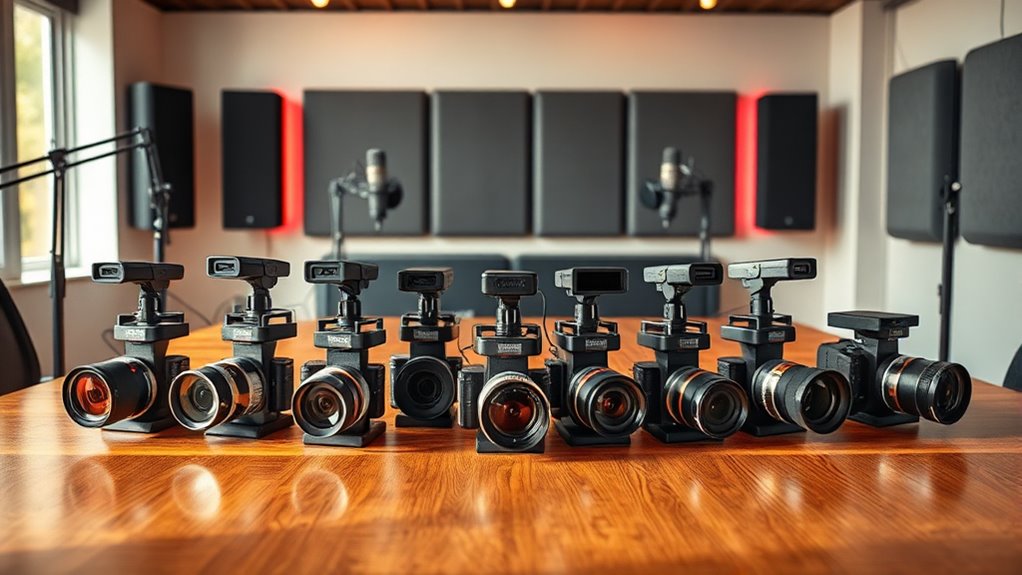
12 Best Cameras for Podcast Studios in 2027
If you want top quality cameras for your podcast studio in 2027, look for models like the NexiGo N680E. It features an advanced Sony sensor and dual noise-canceling mics that deliver crisp 4K video and clear sound.
Having the right camera is key to making your podcast look and sound professional. Consider features like fast autofocus and adjustable lighting compatibility to get the best results.
Versatile mounting options also help you set up your space just the way you want it. Whether you’re aiming for multi-angle setups or something simple and plug-and-play, the right camera can really transform your studio experience.
So, take some time to explore different options. Finding the perfect match for your podcast needs will make all the difference in 2027 and beyond!
| Image | Name | Editor's Rating | Price |
|---|---|---|---|

|
|
||

|
|
||
|
|
||

|
|
||

|
|
5K UHD Vlogging Camera with Night Vision
- 【5K Cinematic Clarity & Versatility】 This digital camera captures stunning 5K/20fps videos (also 4K/60fps) and 64MP...
- 【270° Pro Flip Screen & Durability】 This 5K Ultra HD video camera features a durable metal-hinge and 3.0" IPS touch...
- 【Ultimate Creator Bundle Included】 Start shooting immediately: 32GB Memory Card, dual 1800mAh batteries, tripod...
Experience clear and vibrant content creation even in challenging light with the 5K UHD Vlogging Camera with Night Vision. Designed for podcasters and vloggers, this camera solves the common issue of grainy low-light footage. It delivers sharp 5K videos at 20fps and detailed 64MP photos thanks to its high-sensitivity CMOS sensor.
The camera’s night vision capability ensures your recordings remain clear in dim environments, eliminating the need for extra lighting setups. Its 3″ IPS touch screen rotates 270°, offering flexible angles for framing your shots perfectly. The smart 16X optical zoom lets you capture distant subjects without losing detail.
Maintenance is straightforward, but keep in mind the 1800mAh battery may require frequent charging during extended sessions. Manual focus and anti-shake features help you maintain sharp images, improving the overall quality of your content. The camera supports live streaming and HD calls, controlled via WiFi for convenience.
With a comprehensive accessory bundle included, this camera is ready to enhance your studio setup and workflow. It’s a practical choice for creators who need a versatile and reliable tool for various filming conditions.
Best for: Content creators and vloggers seeking a high-resolution, versatile camera with excellent low-light performance and comprehensive accessory support.
What We Like:
- High-resolution 5K video and 64MP photo capture.
- Built-in IR night vision for clear low-light recording.
- Rotatable 3″ IPS touch screen for easy framing.
- WiFi control with live streaming and HD call support.
- Includes a comprehensive accessory bundle.
Specification:
| Feature | Details |
|---|---|
| Manufacturer | Not specified |
| Video Resolution | 5K UHD at 20fps |
| Photo Resolution | 64MP |
| Sensor Type | High-sensitivity CMOS |
| Optical Zoom | 16X |
| Screen Size | 3″ IPS touchscreen, 270° rotation |
| Battery Capacity | 1800mAh |
| Connectivity | WiFi |
| Weight | Not specified |
EMEET PIXY Dual-Camera AI-Powered PTZ Camera 4K with Tripod, AI Tracking
No products found.
The EMEET PIXY Dual-Camera is designed to transform your video recording experience. Its AI-powered autofocus and tracking capture every detail with remarkable clarity and speed. This means you can focus on your content without worrying about blurry or poorly framed shots.
With a 4K main camera and a secondary AI lens, it locks focus in just 0.2 seconds. The smooth 310° pan and 180° tilt allow you to follow movement effortlessly, controlled by easy gestures or software presets. This functionality is perfect for dynamic live streams or interactive presentations.
The built-in triple-mic array enhances audio quality by filtering background noise, making additional microphones unnecessary. Its compact tripod and universal mount provide flexible setup options for different environments. Regular cleaning of the lens and mic array will keep your device performing its best.
While it delivers excellent performance indoors, note that it is not water-resistant, so avoid using it in damp or outdoor settings. The USB 2.0 connection may limit data transfer speed compared to newer ports, and the tripod height might not fit every shooting style.
Best for: Content creators and professionals who need reliable 4K video capture with AI tracking and clear audio in controlled indoor environments.
What We Like:
- Ultra-fast 0.2-second AI autofocus for sharp video.
- Smooth 310° pan and 180° tilt with intuitive control.
- Triple-mic array delivers clear audio without extra equipment.
- Compact tripod and universal mount for versatile setup.
Specification:
| Feature | Details |
|---|---|
| Manufacturer | EMEET |
| Resolution | 4K (main camera) |
| Autofocus Speed | 0.2 seconds (AI and PDAF) |
| Pan Range | 310° |
| Tilt Range | 180° |
| Connectivity | USB 2.0 |
| Microphone | Triple-mic array |
| Tripod | Adjustable, universal mount |
| Dimensions | Compact design |
NexiGo N680E Pro 4K Webcam with Ring Light
- 【Unmatched 4K Streaming Quality】The NexiGo N680E Pro has a Sony 1/2.5" 4K sensor for ultra-sharp, true-to-life video...
- 【PDAF Autofocus & Enhanced Audio Clarity】Keep your audience engaged with advanced PDAF autofocus, delivering faster...
- 【Tri-Tone Adjustable Ring Light】The built-in ring light offers three color temperature modes with a simple touch and...
Capture every detail with the NexiGo N680E Pro 4K Webcam with Ring Light, designed to enhance your video quality effortlessly. Whether you’re podcasting or streaming, this webcam provides sharp visuals and clear sound to make your content stand out. The built-in ring light solves common lighting issues by delivering adjustable brightness and color temperature, ensuring you look your best in any environment.
This webcam’s advanced Sony sensor and PDAF autofocus work together to keep your image crisp and focused without constant adjustments. Dual noise-canceling microphones cut through background noise, so your voice remains clear and professional. Setup is simple with plug-and-play USB connectivity, compatible across major operating systems.
The compact design includes a flexible clip and tripod mount, making it easy to position and transport. Maintenance is straightforward with a privacy shutter to protect your camera when not in use. While true 4K streaming is limited to certain conditions, the webcam streams smoothly at 1080p 60fps for everyday use.
Best for: Podcasters, streamers, and remote professionals seeking high-quality 4K video, clear audio, and customizable lighting in a portable and easy-to-use webcam.
What We Like:
- Sharp 4K Sony sensor with fast PDAF autofocus
- Dual noise-canceling microphones for clear audio
- Adjustable tri-tone ring light for glare-free illumination
- Privacy shutter and easy USB plug-and-play setup
- Flexible clip and tripod mount for versatile positioning
Specification:
| Feature | Details |
|---|---|
| Manufacturer | NexiGo |
| Dimensions | Not specified |
| Weight | 0.22 kg (0.48 lbs) |
| Material | Not specified |
| Color Options | Not specified |
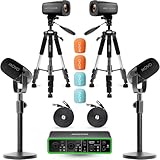
Movo Video Podcast Equipment Bundle with 2 Cameras
- COMPLETE VIDEO PODCAST SETUP FOR 2: This all-in-one bundle provides everything you need to launch or upgrade your video...
- DUAL 4K UHD CAMERA: Capture every angle of your podcast in stunning ultra-high-definition with two included 4K UHD...
- PROFESSIONAL-GRADE AUDIO INTERFACE: The Movo Phantom USB Audio Interface delivers studio-quality sound with high dynamic...
Capture your co-hosted podcasts or interviews with ease using the Movo Video Podcast Equipment Bundle. This setup solves the common problem of managing multiple video angles and clear audio, ensuring your recordings look and sound professional. With two 4K UHD cameras, you get crisp, detailed visuals from every perspective.
The bundle includes cardioid dynamic microphones designed to reduce background noise, delivering clear and focused sound. The Movo Phantom USB Audio Interface enhances your audio with high dynamic range preamps and 48V phantom power, providing studio-quality recordings without complicated setups.
Designed for smooth integration, the USB-C connectivity and dual monitor outputs allow you to connect effortlessly to your existing gear. Its plug-and-play design means you can start recording quickly, minimizing downtime and technical hassles.
Maintenance is straightforward; the durable build and easy-to-clean components keep your equipment ready for use. This all-in-one solution is ideal for podcasters and content creators who need reliable, multi-angle video and professional audio for co-hosted shows or interviews.
Best for: podcasters and content creators looking for a complete, professional-grade video and audio setup for co-hosted shows or interviews.
What We Like:
- Dual 4K UHD cameras providing detailed, multi-angle video capture
- Cardioid dynamic microphones that minimize background noise
- USB-C audio interface with high dynamic range preamps and phantom power
- Plug-and-play design for quick setup and ease of use
Specification:
| Feature | Details |
|---|---|
| Manufacturer | Movo |
| Cameras | 2 x 4K UHD |
| Microphones | 2 x Cardioid dynamic |
| Audio Interface | USB Phantom with 48V power |
| Connectivity | USB-C, dual monitor outputs |
| Weight | Not specified |
| Color Options | Not specified |
NexiGo N960E Plus 4K Webcam with Ring Light
- 【Ultra HD 4K & Fluid 60 fps Streaming】Equipped with a 1/2.5" CMOS sensor, the N960E Plus captures stunning 4K...
- 【Instant ToF Autofocus That Keeps You Sharp】Powered by advanced Time-of-Flight (ToF) autofocus technology, the N960E...
- 【Remote Control for Effortless Adjustments】Fine-tune your setup without leaving your seat. Use the included RF...
NexiGo N960E Plus 4K Webcam with Ring Light transforms your video calls and recordings with crystal-clear 4K resolution and vibrant colors. It solves common video quality issues by using a 1/2.5 CMOS sensor paired with intelligent 3D noise reduction. This ensures your footage stays sharp and detailed, even in less-than-ideal lighting.
The webcam features ultra-fast autofocus powered by Time-of-Flight technology, keeping you perfectly in focus during every moment. You can zoom in up to 4X digitally, with preset position recall for seamless adjustments. The tri-tone ring light enhances your appearance with three color modes and adjustable brightness, controlled easily via a remote.
Designed for flexible use, the webcam mounts with 360° rotation and includes a tripod thread, adapting to any workspace. Dual noise-canceling microphones provide clear audio, reducing background distractions. Maintenance is straightforward since it’s plug-and-play compatible with major operating systems and apps, plus it comes with a privacy cover for security.
Best for: Content creators, remote professionals, and streamers seeking high-quality video with customizable lighting and audio.
What We Like:
- Sharp 4K video with 3D noise reduction and quick ToF autofocus
- Adjustable tri-tone ring light with remote control
- Dual noise-canceling mics for clear sound
- Flexible 360° mounting and tripod compatibility
Specification:
| Feature | Details |
|---|---|
| Manufacturer | NexiGo |
| Sensor | 1/2.5″ CMOS |
| Resolution | 4K UHD |
| Zoom | Up to 4X digital zoom |
| Lighting | Tri-tone ring light |
| Microphones | Dual noise-canceling |
| Mounting | 360° rotation, tripod thread |
| Connectivity | Plug-and-play USB |
| Privacy | Included privacy cover |
4K Dual Lens Vlogging Camera with Accessories
- 5K & 56MP Duals Camcorder: The video camera camcorder supports 5K Recording and 56MP image resolution,16x digital zoom...
- 3" Touch Screen & Long-Lasting Dual Batteries: Equipped with a 3-inch 270° rotatable touch screen, this vlogging camera...
- WiFi Connection & 32GB SD Card for Easy Sharing & Storage: This vlog camera built-in WiFi connects to the "Lercenker...
Capture every angle with ease using this 4K dual lens vlogging camera, designed to record both you and your audience simultaneously. Its dual lens setup delivers sharp, immersive video in stunning 4K, making it simple to create professional-quality content without juggling multiple devices. The 3-inch rotatable touchscreen helps you frame the perfect shot from any angle.
This camera enhances your recordings with 16x digital zoom and night vision, allowing you to film clearly even in low light. An upgraded external microphone reduces background noise, ensuring crisp audio for podcasts, live streams, or video calls. You can operate the camera remotely up to 8 meters away using WiFi and remote control, adding convenience to your setup.
Maintenance is straightforward with two rechargeable batteries included, keeping you powered through long sessions. A 64GB SD card and tripod come ready to use, so you can start recording right away. Note that the FAT32 file system limits clip length due to a 4GB file size cap, and night vision records in black-and-white, which may affect some low-light scenarios.
Best for: Content creators, vloggers, and podcasters needing versatile, high-quality dual-angle recording with remote control and easy sharing.
What We Like:
- Simultaneous 4K recording from dual lenses
- Includes tripod, rechargeable batteries, and 64GB SD card
- WiFi and remote control for convenient operation
- Enhanced audio with external mic to reduce background noise
- Rotatable touchscreen for flexible framing
Specification:
| Feature | Details |
|---|---|
| Manufacturer | Not specified |
| Dimensions | Not specified |
| Weight | Not specified |
| Material | Not specified |
| Color Options | Not specified |
Elgato Facecam 4K, 4K60 Studio Webcam, DSLR-Like Control

- Ultra HD Clarity in Every Frame - Capture crystal-clear video in stunning 4K resolution at 60 FPS, perfect for...
- DSLR-Like Image Quality - Enjoy sharp detail and vibrant color with a premium Sony STARVIS 2 CMOS sensor and Elgato...
- Creative Control with Camera Hub - Customize your visuals with powerful effects and settings using Elgato’s free...

Experience crystal-clear video with the Elgato Facecam 4K, designed to bring professional-grade visuals to your podcast or content creation setup. Its 4K resolution at 60 FPS ensures every detail is sharp and vibrant, helping you present yourself with confidence and clarity. This webcam solves common issues like grainy or washed-out video, delivering true-to-life colors that enhance your on-screen presence.
The Facecam offers both automatic and manual controls through Elgato’s Studio software, giving you the flexibility to adjust settings for the perfect shot. Its optical zoom and compatibility with 49mm lens filters allow you to customize framing easily, ensuring your visuals match your creative vision. This makes it ideal for users who want DSLR-like control without the complexity.
Maintenance is straightforward thanks to its lightweight, USB-C connection that delivers uncompressed HDR video. The camera’s eco-conscious design also supports long-term use without hassle. However, keep in mind it does not include a built-in microphone, so pairing it with a quality external audio device is necessary for complete podcast setups.
Best for: podcasters and content creators seeking high-quality, customizable 4K video with DSLR-like control and professional-grade features.
What We Like:
- Crisp 4K video at 60 FPS with vibrant colors from the Sony STARVIS 2 CMOS sensor
- Flexible manual and automatic modes via Elgato Studio software
- Optical zoom and support for 49mm lens filters for personalized framing
- Lightweight design with USB-C connection and uncompressed HDR output
Specification:
| Feature | Details |
|---|---|
| Manufacturer | Elgato |
| Resolution | 4K (3840 x 2160) @ 60 FPS |
| Sensor | Sony STARVIS 2 CMOS |
| Lens Filter Size | 49mm |
| Connection | USB-C |
| Weight | Lightweight (exact weight not specified) |
| Video Output | Uncompressed with HDR support |
NearStream VM20 Pro 4K Streaming Camera, 1/2″ 50MP Sensor, 10X Optical Zoom
- 4K VIDEO WITH 1/2" CMOS SENSOR, 10X OPTICAL ZOOM: Built for creators upgrading from basic webcams. The 1/2" CMOS sensor...
- FLEXIBLE MULTI-OUTPUT WORKFLOWS: 4K VIA USB-C, RTSP VIA RJ45, 1080P VIA HDMI & OPTIONAL WIRELESS AV: Choose the right...
- WIRELESS AV WITH NA20 — NO WI-FI REQUIRED: The NA20 transceiver sends video and audio to your computer without long...
The NearStream VM20 Pro 4K streaming camera is engineered to elevate your podcasting and content creation experience. Its 10x optical zoom lets you capture sharp close-ups without sacrificing image quality. The large 1/2″ 50MP sensor ensures vibrant, detailed 4K video, making it easier to produce professional-grade content.
This camera’s versatile connectivity options include USB-C for 4K streaming, RTSP over RJ45 for network flexibility, and 1080p HDMI output. It supports direct recording to microSD cards up to 1TB, allowing you to store high-quality videos without relying on external devices. Wireless AV setup is also possible with the optional NA20 transceiver, reducing cable clutter in your studio.
Audio clarity is a priority with the built-in 8-microphone array and AI noise reduction. You can also connect an external mic via USB-C for tailored sound capture. The camera’s design supports both wired and wireless setups, making it adaptable to different recording environments.
Maintenance is straightforward, requiring only occasional cleaning of the lens and using recommended high-performance microSD cards. While the hybrid zoom maxes at 40x, it covers most podcasting needs effectively. The NA20 transceiver is sold separately, which adds flexibility but also extra cost.
Best for: Professional podcasters and content creators needing reliable 4K video with advanced zoom and seamless connectivity for studio or wireless streaming.
What We Like:
- Crisp 4K video with a 50MP sensor and 10x optical zoom
- Multiple output options for flexible streaming and recording
- Built-in 8-mic array with AI noise reduction for clear audio
- Supports wireless AV with optional NA20 transceiver
- Direct microSD recording up to 1TB for on-the-go storage
Specification:
| Feature | Details |
|---|---|
| Manufacturer | NearStream |
| Sensor Size | 1/2″ |
| Resolution | 50 Megapixels |
| Optical Zoom | 10x |
| Hybrid Zoom | Up to 40x |
| Video Output | USB-C (4K), HDMI (1080p), RTSP (RJ45) |
| Audio Input | Built-in 8-mic array, USB-C external mic support |
| Storage | microSD up to 1TB |
| Wireless AV Option | Yes, with NA20 transceiver |
EMEET S600 4K Webcam with Tripod for Streaming, Sony 1/2.55” Sensor

- Adjustable Heights with 360° Swivel Head - The 4K webcam with tripod adjusts from 6.7 to 18.5 inches, meeting all your...
- High Compatibility Tripod - The tripod of this 4K webcam for PC comes with a universal joint, supporting 360° rotation...
- Unmatched 4K Streaming Quality - The EMEET S600 streaming webcam with tripod boasts a high-definition 4K sony...
Experience professional-quality video with the EMEET S600 4K Webcam, designed to enhance your streaming and podcasting setup. Its Sony 1/2.55” CMOS sensor ensures your video is sharp, delivering crisp 4K footage at 30FPS or smooth 1080P at 60FPS for flawless live content.
This webcam solves framing challenges with a 360° swivel head and an adjustable tripod that extends from 6.7 to 18.5 inches. You can easily position the camera for the perfect shot, whether sitting or standing. The autofocus system with PDAF and automatic light balancing adapts quickly, maintaining clear focus even in dim environments.
Built for ease of use, the EMEET S600 connects via USB to support all major platforms and operating systems. Its compact and lightweight design fits seamlessly into any workspace without adding clutter. Maintenance is simple — just occasional lens cleaning to keep your image crisp.
Best for: content creators, streamers, and professionals seeking reliable 4K video and clear audio in a flexible webcam setup.
What We Like:
- Sharp 4K video at 30FPS or smooth 1080P at 60FPS from a quality Sony sensor
- Adjustable tripod and 360° swivel for easy, precise framing
- Fast PDAF autofocus with automatic light balancing for low-light clarity
- Dual noise-canceling microphones capture clear, professional audio
- Lightweight, compact design integrates well with any setup
Specification:
| Feature | Details |
|---|---|
| Manufacturer | EMEET |
| Sensor | Sony 1/2.55” CMOS |
| Video Resolution | 4K @ 30FPS, 1080P @ 60FPS |
| Tripod Height Range | 6.7 to 18.5 inches |
| Connectivity | USB |
| Dimensions (Tripod folded) | Compact, lightweight |
FIFINE K438 4K Resolution Webcam with Built in Microphone for Streaming

- [4K Resolution] Step into the spotlight with the FIFINE K438. Its 4K resolution and 13MP sensor bring your presence to...
- [6P Lens & IC Noise Reduction Mic ] The 6P lens offers superior optical clarity. Built-in IC noise-canceling microphone...
- [Autofocus & 76.3° FOV] Fast autofocus tracks your movement instantly. The 76.3° field of view frames you perfectly...
Experience crystal-clear video and seamless audio with the FIFINE K438 4K webcam. Designed to enhance your streaming and content creation, this webcam delivers sharp visuals that make every detail stand out. Its 13MP CMOS sensor combined with a 6P lens ensures vivid 4K resolution, helping you present yourself professionally.
The built-in IC noise-canceling microphone captures your voice clearly, eliminating background distractions. Fast autofocus keeps your image sharp without manual adjustments, while the sliding privacy cover offers peace of mind when the camera is not in use. The webcam’s versatile mounting options and flexible angles make it simple to find the perfect position for any setup.
Maintenance is minimal, with easy USB plug-and-play connectivity compatible with Windows, Mac, and popular streaming platforms. This means you can start recording or broadcasting quickly without driver installations. The compact design and adjustable clip add convenience to everyday use.
While the 76.3° field of view suits individual or small group recordings, it may be limiting for wider shots. Additionally, the lack of advanced manual controls means customization is basic but straightforward. Overall, the FIFINE K438 balances functionality and simplicity for reliable streaming performance.
Best for: Content creators and streamers needing clear 4K video and crisp audio with easy setup and flexible positioning.
What We Like:
- Sharp 4K video quality with 13MP CMOS sensor and 6P lens
- Clear audio via built-in IC noise-canceling microphone
- Fast autofocus and sliding privacy cover enhance usability
- Adjustable clip and versatile rotation for flexible mounting
Specification:
| Feature | Details |
|---|---|
| Manufacturer | FIFINE |
| Resolution | 4K (3840×2160) |
| Sensor | 13MP CMOS |
| Lens | 6P lens |
| Field of View | 76.3° |
| Microphone | Built-in IC noise-canceling |
| Connectivity | USB plug-and-play |
| Compatibility | Windows, Mac, major platforms |
| Rotation | 360° rotation, 30° tilt, 180° swivel |
| Dimensions | Not specified |
| Weight | Not specified |
Movo WebMic HD Pro Webcam with Microphone & Ring Light
No products found.
The Movo WebMic HD Pro combines essential streaming tools into one compact device. It solves the common hassle of juggling separate cameras, microphones, and lights by offering all three in a single unit. This makes setting up for video calls or live streams faster and more efficient.
The webcam provides crisp 1080p video at 30fps with digital stabilization, delivering clear and steady images. Its cardioid condenser microphone focuses on your voice, cutting down background noise for cleaner audio. The built-in LED ring light has three brightness levels to improve your appearance in dim or uneven lighting conditions.
Designed to work seamlessly with Windows, macOS, Linux, and Chrome OS, the WebMic HD Pro supports a variety of setups. Its wide-angle lens and fixed focus ensure sharp visuals at typical distances, though it may be less flexible for close-up detail. The device’s sleek, compact form fits easily on monitors or desks without clutter.
Maintenance is simple due to the all-in-one design—fewer cables and components mean less setup time and fewer issues. This webcam is ideal for those who want reliable, high-quality video and audio in one easy-to-use package.
Best for: professionals and content creators needing an integrated webcam solution with clear video, quality audio, and adjustable lighting for streaming, conferencing, and presentations.
What We Like:
- Smooth 1080p video with digital stabilization
- Clear, noise-reduced audio from built-in condenser microphone
- Adjustable LED ring light enhances low-light visibility
- Broad OS compatibility for versatile use
- Compact design reduces desktop clutter
Specification:
| Feature | Details |
|---|---|
| Manufacturer | Movo |
| Video Resolution | 1080p at 30fps |
| Microphone Type | Cardioid condenser |
| Lighting | Integrated LED ring light (3 levels) |
| Lens | Wide-angle, fixed focus |
| Compatible OS | Windows, macOS, Linux, Chrome OS |
| Dimensions | Compact (exact size not specified) |
| Design | Sleek, all-in-one unit |
Logitech C922 Pro Stream Webcam 1080P Camera

- Sold as 1 Each.
- Stream and record vibrant HD 1080p video at 30 fps or 720p at 60 fps.
- Customizable background replacement* powered by Personify--integrate live images while broadcasting and stand out from...
The Logitech C922 Pro Stream Webcam is designed to elevate your streaming and recording experience with crisp, full HD video. It solves common issues like blurry images and lag by delivering smooth 1080p video at 30 fps and fluid 720p at 60 fps. This ensures your visuals remain clear and professional during broadcasts.
Its dual omnidirectional microphones capture rich, natural sound, reducing the need for additional audio equipment. The webcam’s autofocus and low-light correction features adapt to different environments, keeping your image sharp even in dimly lit spaces. This makes it ideal for varied studio setups.
Maintenance is straightforward, with a sturdy design and USB connectivity that works seamlessly across Windows, Mac, Chrome OS, and Android devices. The included tabletop tripod offers flexible positioning to fit your workspace. These practical features help maintain consistent performance over time.
While it lacks optical zoom beyond 1x and background replacement is limited to Windows 7 or higher, the C922 still offers reliable streaming quality. It’s a solid choice for creators who want a dependable, all-in-one webcam solution that enhances both video and audio.
Best for: content creators and streamers seeking high-quality, smooth video and clear audio for professional live streaming and recording.
What We Like:
- Sharp 1080p video at 30 fps and smooth 720p at 60 fps.
- Dual omnidirectional microphones for clear audio capture.
- Autofocus and low-light correction for consistent image quality.
- Compatible with multiple operating systems via USB.
- Includes a versatile tabletop tripod for easy setup.
Specification:
| Feature | Details |
|---|---|
| Manufacturer | Logitech |
| Video Resolution | 1080p at 30 fps, 720p at 60 fps |
| Microphones | Dual omnidirectional |
| Field of View | 78 degrees |
| Connectivity | USB |
| Compatibility | Windows, Mac, Chrome OS, Android |
| Tripod Included | Yes, tabletop tripod |
Factors to Consider When Choosing a Camera for Podcast Studio
When choosing a camera for your podcast studio, you’ll want to focus on video resolution and how well it handles audio integration. Consider if the camera works with your lighting setup and offers reliable autofocus for smooth visuals.
Also, don’t forget to check its connectivity options to guarantee it’s compatible with your gear and workflow. It’s all about making sure everything works seamlessly together.
Video Resolution Requirements
Although choosing the right camera for your podcast studio involves many factors, video resolution plays a crucial role in delivering clear and professional visuals. For high-quality production, you should aim for at least 1080p resolution, ensuring sharp and clean images.
If you want to future-proof your setup or capture intricate details, consider 4K, which offers four times the detail of 1080p. Just keep in mind your distribution platform since some compress higher resolutions, potentially reducing quality.
Frame rate matters too—30 fps is standard, but 60 fps enhances motion clarity during fast movements. Also, pay attention to sensor size; larger sensors capture more light, improving video quality, especially in low-light conditions.
Balancing these factors will help you achieve the best visual output for your podcast studio. It might seem like a lot, but once you get these basics down, your videos will look fantastic!
Audio Integration Options
Many podcast creators overlook audio integration options when choosing a camera, but these features are essential for capturing clear, professional sound. You should look for cameras with built-in microphones that include noise-canceling to reduce background noise.
Also, consider models that support external microphone inputs so you can connect high-quality professional mics. A USB connection is vital for easy integration with audio interfaces and recording software, streamlining your workflow.
Cameras with audio monitoring capabilities let you track sound levels in real time, helping you maintain consistent audio quality during recordings. Advanced features like dual microphones or multi-channel audio output can further enhance your podcast’s sound, giving you more control and flexibility in your studio setup.
Lighting Compatibility Needs
Achieving professional-looking video in your podcast studio depends heavily on proper lighting compatibility with your camera. You want a camera that works well with adjustable lighting options like ring lights or softboxes. This way, you can easily control brightness and color temperature to suit different settings.
Cameras with integrated lighting features can simplify your setup. They reduce the need for extra gear and help you maintain consistent illumination.
Remember, how you position your lights—using key, fill, and backlighting techniques—shapes the depth and dimension of your video. Consistent lighting not only enhances clarity and minimizes distracting shadows but also cuts down on post-production time.
That makes your workflow smoother and your podcast visuals sharper every session. It’s all about making your setup work for you, right?
Autofocus Performance Importance
When you’re recording a podcast, keeping your subject in sharp focus is essential to delivering a professional video. You want a camera with fast autofocus, like Phase Detection Autofocus (PDAF), which can lock focus in as little as 0.2 seconds.
This speed helps you capture smooth, clear footage without needing constant manual adjustments. Cameras with intelligent tracking are especially valuable if you have multiple speakers—they adjust focus seamlessly as people move.
Poor autofocus leads to blurriness and lag, which distracts your audience and lowers video quality. Also, a high-quality autofocus system improves clarity in low-light conditions, common in many podcast studios.
Connectivity And Compatibility
Choosing a camera with versatile connectivity and compatibility options can simplify your podcast studio setup and improve your workflow. Make sure the camera offers USB connectivity for easy plug-and-play use across devices without extra drivers.
Also, check if it supports multiple operating systems like Windows, macOS, and Linux to fit various studio environments. It’s essential that the camera integrates smoothly with popular platforms such as Zoom, Microsoft Teams, and OBS to streamline your live sessions.
Consider cameras with WiFi capabilities for remote control and live streaming through mobile devices, which adds flexibility. Finally, verify the camera can connect with external audio gear like microphones, ensuring high-quality sound during recordings.
These features help you maintain a seamless, professional podcast production. It really makes a difference when everything just works together effortlessly.
Portability And Mounting
Three key portability and mounting features can make a huge difference in your podcast studio setup. First, choose cameras with adjustable tripods extending from 6.7 to 18.5 inches, so you can easily find the perfect height and framing.
Second, look for a flexible mounting system like a 360° swivel head. This lets you quickly switch angles without any hassle.
Third, prioritize compact, lightweight designs. They make moving your gear between locations or storing it effortless.
Also, make sure your camera has a standard 1/4 tripod thread for broad mounting compatibility.
Finally, some models offer remote control functions. This is a handy feature when you’re busy recording, letting you tweak settings from a distance.
These factors together guarantee your camera fits seamlessly into your podcast workflow.
Low Light Capabilities
How well your camera performs in low light can make or break the visual quality of your podcast studio recordings. You want a camera with a high-sensitivity CMOS sensor to capture more light and reduce noise, delivering clearer images even in dim settings.
Look for models featuring 3D noise reduction to smooth out graininess common in low-light videos. Cameras with built-in night vision or infrared sensors are great if your studio lighting isn’t ideal.
Fast autofocus technologies like Phase Detection Autofocus (PDAF) guarantee your shots stay sharp as lighting changes. Additionally, consider cameras with adjustable ring lights or integrated soft lighting options to enhance visibility without harsh glare.
This way, you keep your podcast video crisp and professional-looking. It really makes a difference when the lighting isn’t perfect!
Budget And Warranty
While having the right lighting and autofocus can really boost your podcast videos, keeping your budget and warranty in mind makes sure you get the best bang for your buck.
Start by setting a clear budget that covers not just cameras but microphones and accessories too, so you don’t accidentally overspend.
Aim for cameras with at least a one-year warranty to protect against defects and give you peace of mind about quality.
Don’t be afraid to spend a little more upfront for better durability and features; it’ll actually save you money on replacements down the line.
Also, check the return policy—ideally one that lets you return the camera within 30 days—so you can test it out in your setup without worries.
Finally, pick a camera that’s compatible with future upgrades, so you won’t have to shell out for a whole new system later on.
Frequently Asked Questions
How Do I Clean and Maintain My Podcast Studio Camera?
You clean your podcast studio camera by gently wiping the lens with a microfiber cloth and using a blower to remove dust.
Make sure to store it in a dry, cool place to avoid any damage.
Also, don’t forget to regularly check for firmware updates. This helps keep your camera performing smoothly over time.
Can These Cameras Connect Directly to Podcast Editing Software?
Yes, many cameras can connect directly to podcast editing software via USB or HDMI. You’ll just need compatible drivers or capture cards.
Some software supports plug-and-play for seamless integration and live video editing during your podcast. It’s pretty handy once you’ve got everything set up.
What Are the Warranty Options for These Podcast Studio Cameras?
You’ll find most podcast studio cameras offer standard one- to two-year warranties, with options to extend. Some brands provide accidental damage coverage, so check specific terms before buying to guarantee your investment stays protected.
It’s always a good idea to look into what each warranty covers. That way, you won’t be caught off guard if something happens down the line.
Are There Any Recommended Accessories for Improving Audio Quality?
You might think a great mic alone is enough, but you’ll want pop filters and acoustic panels too. They reduce unwanted noise and echoes, ensuring your voice sounds clear and professional.
These accessories really help enhance your podcast’s overall audio quality. Trust me, they make a noticeable difference!
How Do I Troubleshoot Common Camera Connectivity Issues?
First, check your cables and ports for damage or loose connections. Restart your camera and computer, update drivers, and verify the correct input source is selected.
If problems persist, try a different USB port or cable to isolate the issue. Sometimes it’s just a simple switch that does the trick!
Conclusion
Choosing the perfect camera for your podcast studio isn’t just about specs—it’s about capturing your story in the best light. As you weigh options like 4K clarity or AI tracking, remember that the right camera often finds you when you least expect it.
Whether it’s the crisp detail of the NexiGo or the versatility of Movo’s bundle, your ideal setup is closer than you think. It’s all about matching your needs with what each camera offers.
In the end, the best camera for podcast studios in 2027 will blend quality, ease of use, and features that fit your style. So take your time, explore your options, and get ready to turn your vision into reality with a camera that truly elevates your podcast.