5 Best Cameras for Students in 2027 That Boost Learning
You’ll want cameras that offer sharp images, easy controls, and versatile use for school projects and creativity.
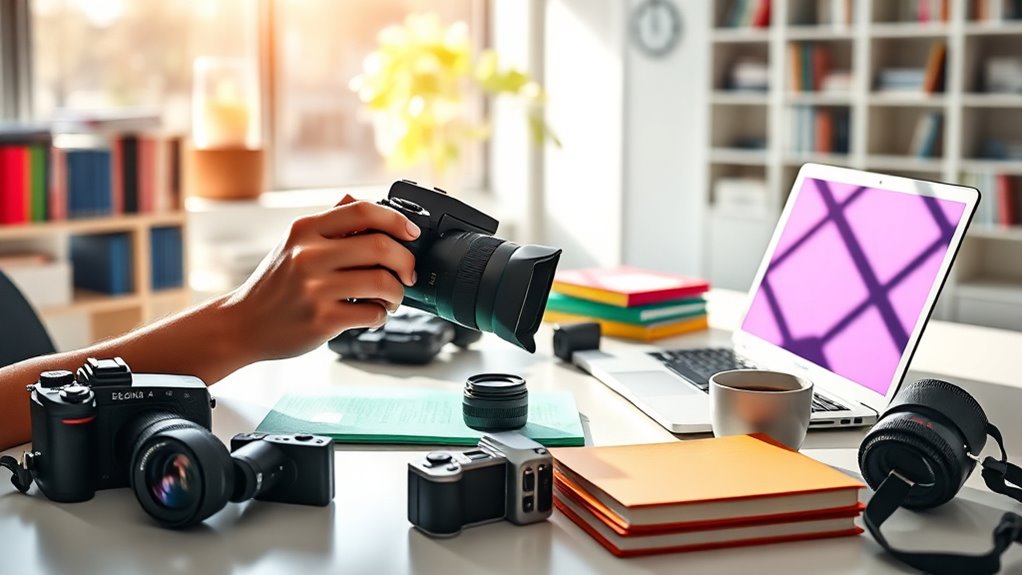
When picking the best cameras for students, it’s important to find ones that boost learning by making it easy to capture and share ideas clearly.
Options like the 44 MP Digital Point-and-Shoot models deliver clear photos with stabilization.
USB Document Cameras enhance virtual learning with manual focus and built-in mics.
For vloggers or presentations, the 2.7K Camcorder with flip screen and microphone support works great.
These tools simplify capturing and sharing ideas, helping you engage better.
Keep exploring to find the perfect fit for your needs.
| Image | Name | Editor's Rating | Price |
|---|---|---|---|

|
|
||

|
|
||

|
|
||

|
|
||

|
|
Digital Camera, FHD 1080P Point and Shoot Camera for Kids Teens, 32GB Card
- MEANINGFUL GIFT - This digital camera features a high-performance CMOS Sensor and anti-shake function, enabling you to...
- COMPACT FOR TRAVEL & EASY TO USE - Special pocket-size design, this camera for photography fits in your pocket for easy...
- SAFE MATERIALS & CREATIVE FILTERS - Made of high-grade and reliable materials, the kid camera is safe, non-toxic, and...
Capture life’s moments with ease using the Digital Camera FHD 1080P Point and Shoot. Designed for kids, teens, and beginners, this compact camera simplifies photography and video recording. Its lightweight and pocket-sized design means it’s ready to go wherever creativity strikes.
The camera produces sharp 44 MP photos and smooth Full HD 1080p videos at 30 FPS, perfect for school projects or casual vlogging. With 16X zoom and autofocus, you can effortlessly frame your shots, while image stabilization helps keep videos steady. Creative filters add fun effects without needing extra apps.
Maintenance is straightforward with two rechargeable batteries included, so downtime is minimal. The 32GB microSD card offers ample storage for photos and videos, making it easy to manage your media. The included lanyard and carrying bag keep the camera protected during transport.
Its fixed 2.5-inch LCD screen is clear but lacks touchscreen or articulating features, and it doesn’t have a built-in flash, which may affect low-light performance. It’s not water resistant, so it should be handled carefully around moisture.
Best for: Kids, teens, and beginners wanting a simple, portable digital camera for everyday photography and creative projects.
What We Like:
- Produces high-resolution 44 MP photos and Full HD videos
- Easy-to-use 16X zoom with autofocus and image stabilization
- Includes two rechargeable batteries and 32GB microSD card
- Compact, lightweight design ideal for on-the-go use
- Comes with a lanyard and carrying bag for protection
Specification:
| Feature | Details |
|---|---|
| Manufacturer | Not specified |
| Dimensions | Pocket-sized (exact size not specified) |
| Weight | Lightweight (exact weight not specified) |
| Storage | 32GB microSD card included |
| Battery | Two rechargeable batteries included |
| Display | 2.5-inch fixed LCD screen |
| Video Resolution | Full HD 1080p at 30 FPS |
| Photo Resolution | 44 MP |
| Zoom | 16X optical zoom |
| Color Options | Not specified |
USB Document Camera for Teachers,Manual Focus Webcam with Mic,Visualizer
- 2MP 3-in-1 Document camera & Visualiser and Webcam:It can be used for video chat and conference calls, image clarity can...
- The document camera can be folded at will: embedded design, small space after folding, easy to carry, multi-angle free...
- Manual focus document camera: The Webcam can adjust the focus more accurately to ensure the clarity of the picture...
Enhance your remote teaching with the USB Document Camera for Teachers, designed to bring clarity and convenience to online lessons. This manual focus visualizer offers crisp 1080p video and 2 MP still images, helping you present documents and demonstrations with sharp detail.
Its foldable, portable design rotates 360° and extends up to 20.4 inches, allowing easy adjustment to capture various angles. The built-in noise-reducing microphone ensures your voice comes through clearly, making communication seamless during live sessions.
Connecting is simple with USB-C compatibility for Windows, Mac, and Chromebook devices. Manual zoom and exposure controls give you precise image adjustments, ensuring your visuals are always clear and easy to follow.
Maintenance is straightforward thanks to its durable build and lightweight frame, making it easy to transport and store. However, note that it is not compatible with iPads or mobile phones and uses a USB 2.0 interface, which may limit transfer speeds.
Best for: Educators seeking a versatile, portable document camera to enhance remote teaching, live demonstrations, and online presentations.
What We Like:
- Clear 1080p video and 2 MP stills with manual focus for sharp images
- Foldable, lightweight design with 360° rotation and adjustable height
- Noise-reducing microphone enhances audio quality during lessons
- Easy USB-C connectivity with Windows, Mac, and Chromebook support
Specification:
| Feature | Details |
|---|---|
| Manufacturer | USB Document Camera for Teachers |
| Dimensions | Extends up to 20.4 inches |
| Weight | Lightweight |
| Connectivity | USB-C, USB 2.0 interface |
| Compatibility | Windows, Mac, Chromebook |
| Camera Resolution | 1080p video, 2 MP still images |
| Rotation | 360° |
Digital Camera 1080P with 32G Card 16X Zoom 3″ Screen Easy for Kid, Purple
- SHOOT DECENT IMAGES WITH EASE - The digital camera captures high-clarity FHD 1080P videos and 44MP photos with the...
- PORTABLE FOR TRAVEL & NICE BATTERY LIFE - The kids camera is a perfect everyday and take everywhere camera with it's...
- VERY EASY TO USE - Conducted with ergonomic design, from easy to access buttons to simple functions menu, user-friendly...
Capture every moment with ease using the Digital Camera 1080P with 32G Card 16X Zoom 3″ Screen, designed especially for kids and beginners. This camera simplifies photography with automatic controls, allowing young users to focus on creativity rather than technical settings. Its compact design makes it easy to carry on trips or daily adventures.
The camera delivers clear 44 MP photos and smooth 1080p videos, helping users create vibrant images. With 16X digital zoom and image stabilization, it supports close-up shots without blur. The built-in 20 creative filters add fun effects, encouraging exploration of different photography styles.
Maintenance is straightforward with included accessories such as a 32GB microSD card and two rechargeable batteries, ensuring longer use without frequent interruptions. Connectivity through USB and Wi-Fi allows easy sharing and transfer of photos and videos.
While the digital zoom enhances reach, it may reduce image quality compared to optical zoom. The screen size offers a decent viewing experience, though slightly smaller than advertised. Overall, this camera suits young photographers eager to learn and express their creativity confidently.
Best for: Kids and beginners seeking a user-friendly digital camera with strong photo and video features for everyday use and travel.
What We Like:
- High-quality 44 MP photos and 1080p video with image stabilization
- Easy-to-use automatic controls and 20 creative filters
- Includes 32GB microSD card, dual batteries, and Wi-Fi connectivity
- Durable design suitable for travel and daily use
Specification:
| Feature | Details |
|---|---|
| Manufacturer | Not specified |
| Dimensions | Compact size (exact not provided) |
| Weight | Lightweight (exact not provided) |
| Material | Durable plastic |
| Color Options | Purple |
Video Camera Camcorder 2.7K 36MP Vlogging Camera for YouTube with 32GB Card
- FHD 2.7K/36MP VIDEO CAMERA: This video camera camcorder uses an 8MP CMOS sensor to shoot FHD 2.7K/30fps video and 36MP...
- MULTIFUNCTIONAL CAMCORDER: This video camera camcorders supports loop recording, time-lapse, self-timer, continuous...
- COMPACT CAMCORDER: This video recorder camera has a 3.0-inch 270° flip screen, 18x digital zoom, 32GB SD card, and...

Capture your best moments with the Video Camera Camcorder 2.7K 36MP, designed to elevate your vlogging and photography experience. This camera solves the challenge of balancing high-resolution video and photos in a compact, easy-to-use device. Its sharp 2.7K video recording and detailed 36MP photos ensure your content always looks professional.
The versatile wide-angle lens and 18x digital zoom allow you to frame shots creatively, though keep in mind digital zoom may slightly reduce image quality at full zoom. The 3-inch flip screen rotates 270°, making it simple to film yourself or take selfies from various angles.
Built-in and external microphone support, along with wireless connectivity, lets you capture clear audio and livestream effortlessly. The included 32GB SD card and rechargeable batteries provide ample storage and power to keep you filming during long sessions. Regular charging is needed since battery life runs about 60–90 minutes per charge.
This camcorder is easy to maintain; just keep it dry and avoid exposure to temperatures above 104°F, as it’s not water resistant. Its compact design fits well in backpacks, perfect for students or vloggers capturing content on the go.
Best for: Students and vloggers needing a compact, high-resolution camera for versatile video and photo recording with live streaming capabilities.
What We Like:
- Sharp 2.7K video and 36MP photo capture
- 3-inch flip screen rotates 270° for flexible shooting angles
- Supports external microphones and wireless streaming
- Includes 32GB SD card and rechargeable batteries for extended use
Specification:
| Feature | Details |
|---|---|
| Manufacturer | Not specified |
| Dimensions | Not specified |
| Weight | Not specified |
| Resolution (Video) | 2.7K at 30fps |
| Resolution (Photo) | 36MP |
| Zoom | 18x digital |
| Screen Size | 3.0 inches, 270° flip |
| Storage Included | 32GB SD card |
| Battery Life | 60–90 minutes per charge |
| Connectivity | Wireless, external mic support |
| Operating Temperature | Up to 104°F (40°C) |
USB Document Camera for Teachers with Dual Mic
- 3 in 1 USB document camera, doc camera and webcam: it can be used as a webcam for webinars and conference calls, or flip...
- Document camera for teachers and classroom with left and right mirroring and auto focus: it can be manually adjusted for...
- Doc camera for teachers with LED fill light and IOS exposure: It comes with an exposure adjustment button. You can...
Experience clear, professional-quality visuals and audio with the USB Document Camera for Teachers featuring dual microphones. This versatile device is designed to simplify your teaching and presentation needs by combining a document camera, webcam, and video presentation tool in one compact unit. Its flexible hose allows you to adjust the camera to any angle, making it easy to capture documents or live demonstrations.
Equipped with a 5 MP CMOS sensor and capable of recording 1944p video at 30 fps, the device ensures your visuals remain sharp and detailed. The one-touch autofocus keeps your content crisp without manual adjustments. Dual microphones deliver clear audio, enhancing communication during webinars or remote classes.
The built-in LED fill light and exposure controls optimize visibility in low-light environments, improving the overall viewing experience. While it requires manual selection of “USB Camera” in your host system and lacks HDMI output, its compatibility with Windows, Mac, and Chromebook makes it a flexible tool for various setups. Handle with care as it is not water resistant.
Best for: Educators and remote professionals needing a multifunctional, high-quality document camera and webcam for online teaching and presentations.
What We Like:
- 3-in-1 functionality for versatile use as document camera, webcam, and video presenter
- High-resolution 5 MP sensor with sharp 1944p video and autofocus
- Dual microphones provide clear audio for remote communication
- Adjustable LED light and exposure control improve low-light performance
Specification:
| Feature | Details |
|---|---|
| Manufacturer | — |
| Dimensions | Flexible hose design |
| Weight | Compact, lightweight |
| Sensor | 5 MP CMOS |
| Video Resolution | 1944p @ 30 fps |
| Microphones | Dual |
| Compatibility | Windows, Mac, Chromebook |
| Connectivity | USB (no HDMI output) |
| Special Features | LED fill light, autofocus |
Factors to Consider When Choosing a Camera for Students
When picking a camera, you’ll want to focus on image quality, portability, and how easy it is to use. Don’t forget to check the battery life and connectivity options to make sure it fits your daily needs.
These factors will help you find a camera that works best for your student lifestyle. It’s all about balancing what you need with what’s easy to carry around and operate.
Image Quality Essentials
Although choosing a camera might seem overwhelming, focusing on key image quality factors will help you pick the right one for your needs. Start by selecting a camera with at least a 1/3- to 1/2-inch CMOS sensor. Larger sensors capture more light and deliver cleaner images in low light.
Aim for a resolution between 12 and 24 megapixels. This range is perfect for classroom projects and prints up to 8×10 inches without losing detail.
Prioritize lenses with wide apertures, like f/1.8 to f/2.8. These help reduce noise and enable faster shutter speeds for action shots.
Optical zoom is essential—look for at least a 3–5x range. This keeps image quality intact when zooming in.
Finally, make sure the camera offers reliable image stabilization and autofocus. These features help you capture sharp, steady photos every time.
Portability and Size
How easily can you carry your camera throughout the school day? Opt for a compact, lightweight model—ideally between 200 and 500 grams—that fits comfortably in your backpack or even your pocket without adding bulk.
Choose one with a slim profile and sturdy build to handle classroom or outdoor use. Look for quick-access controls and attachment points for lanyards or wrist straps, making handheld use simple when you’re on the move.
Battery life matters too; pick cameras offering at least 60–90 minutes of continuous recording or USB charging with swappable batteries for extended use. Also, make certain the camera supports removable storage like microSD cards and includes a USB-C cable, so transferring files is hassle-free and doesn’t require extra adapters.
Portability is key for seamless learning. So, keeping these features in mind will make your school day much easier and more efficient.
Ease of Use
Since students often juggle multiple tasks, choosing a camera that’s easy to operate is essential. Look for models with simple point-and-shoot functionality, automatic exposure, and auto white balance. This way, you can capture great photos and videos without fiddling with complex settings.
Clear physical controls or a straightforward touchscreen make switching between photo, video, and playback modes hassle-free. Features like automatic stabilization, continuous autofocus, and built-in flash help reduce blurry or poorly lit shots.
You’ll also want a camera that quickly connects via USB or Type-C for effortless file transfers and works as a plug-and-play webcam in virtual classrooms. Bonus points for extras like memory cards, lanyards, and easy manuals that simplify use.
Picking a user-friendly camera lets you focus on learning, not figuring out complicated gear. It just makes everything smoother and less stressful.
Battery Life Importance
Along with ease of use, battery life plays a big role in keeping your camera reliable throughout the school day. Longer runtimes of 60–90 minutes per battery help prevent interruptions during classes or fieldwork.
It’s smart to choose cameras that come with two rechargeable batteries or allow recording while charging. That way, you won’t miss important shots during back-to-back sessions.
Fast recharge times and USB-C charging let you quickly top up between periods using common chargers or power banks. Keep in mind that video, Wi-Fi, and LCD use drain power faster than still photos, so check real-world runtime and battery capacity (mAh).
Also, look for power-saving features like automatic sleep, display brightness control, and image stabilization. These can really stretch your shooting time on long assignments.
Connectivity Options
When selecting a camera for your studies, connectivity options play a vital role in ensuring smooth integration with your devices and classroom technology. Choose cameras with USB-C or standard USB output, and confirm they support webcam mode or USB Video Class (UVC) for plug-and-play ease.
Look for models offering both USB data ports and video-out options like HDMI if you need to display lessons on external monitors or projectors without a computer. Make certain the camera works seamlessly with apps like Zoom, Google Meet, or OBS by checking if it appears as a “USB Camera” on your system.
Prefer wired connections such as USB 2.0/3.0 or USB-C to guarantee stable, low-latency streaming, and avoid cameras requiring proprietary drivers to keep setup simple. This way, you’ll have a hassle-free experience every time you join a class or record a lesson.
Durability and Build
Focus on durability and build quality to make sure your camera can keep up with the demands of student life. Choose a compact, lightweight body weighing around 200–400 g, made from rugged plastic or metal to withstand drops and reduce fatigue.
Look for reinforced corners, rubberized grips, and secure mounts for tripods or lanyards. These features help protect against impacts and improve handling.
Prefer cameras with sealed or splash-resistant designs and minimal exposed ports. This helps guard against spills and dust in classrooms.
Opt for models with removable batteries and memory cards. That way, you can easily replace damaged parts without having to buy a new camera.
Finally, pick a camera with simple, robust controls and a durable screen protector or flip display. This will help prevent scratches from daily use and frequent handling.
Included Accessories
Be sure to check what accessories come with your camera so you won’t have to scramble for extras later. See if it includes a memory card with enough capacity, so you can start shooting right away without buying storage separately.
Look for spare rechargeable batteries and a charger, which are lifesavers during long shoots or extended classes. Protective gear like a case, lanyard, or wrist strap helps prevent drops and makes handling easier, especially for younger students.
Also, check if a USB or USB-C cable is included for quick file transfers or webcam use without extra costs. Finally, having a tripod mount or even a small tripod is handy for stable shots, time-lapses, or presentations, boosting your overall shooting experience.
Frequently Asked Questions
How Can Cameras Improve Students’ Creativity and Critical Thinking Skills?
You can boost your creativity and critical thinking by using cameras to explore perspectives, analyze details, and tell stories visually. They help you experiment, reflect, and communicate ideas more effectively.
This way, you sharpen your problem-solving skills. Plus, working with cameras makes learning more fun and engaging!
What Are the Best Camera Brands for Student Budgets?
You’ll find Canon, Nikon, and Sony light up student budgets like stars in a dark sky. They offer quality and affordability, so you can snap, learn, and grow without burning a hole in your wallet.
Honestly, these brands make it pretty easy to get started with photography. Whether you’re just messing around or aiming to get serious, they’ve got options that won’t break the bank.
How to Maintain and Care for Student Cameras?
You should clean the lens regularly and store your camera in a protective case. Avoid exposing it to extreme temperatures to keep it safe.
If you’re not using the camera for a long time, remove the battery. Always handle it gently to keep your camera in top shape. Taking these simple steps really helps your camera last longer!
Can Cameras Be Integrated With Online Learning Platforms?
Imagine your camera seamlessly streaming live lessons into your online classroom. Yes, you can integrate cameras with learning platforms, letting you capture, share, and interact in real-time.
This makes your study sessions vivid and engaging. It’s like bringing your classroom right to your screen!
Are There Any Safety Tips for Students Using Cameras?
Yes, you should never share personal information or location while using cameras. Always get permission before recording others.
Use secure passwords, and keep software updated to protect your privacy. This helps you stay safe during online learning.
Conclusion
So, you’re looking for the perfect camera to boost your learning in 2027—because nothing says “academic success” like a 36MP vlogging camcorder or a flashy USB document camera.
While these gadgets promise to turn you into a visual wizard, remember: it’s not the camera but how you use it that truly counts.
So go ahead, pick one that dazzles you, and maybe, just maybe, you’ll learn something along the way.
Choosing the best cameras for students in 2027 means finding a tool that not only captures great images but also enhances your study sessions and presentations.
With the right camera, you can record lectures, create vivid study materials, and bring your projects to life.
Ultimately, the best camera for students is the one that fits your learning style and helps you engage more deeply with your subjects.
So, invest in a camera that boosts learning, sparks creativity, and makes studying a bit more fun and effective.