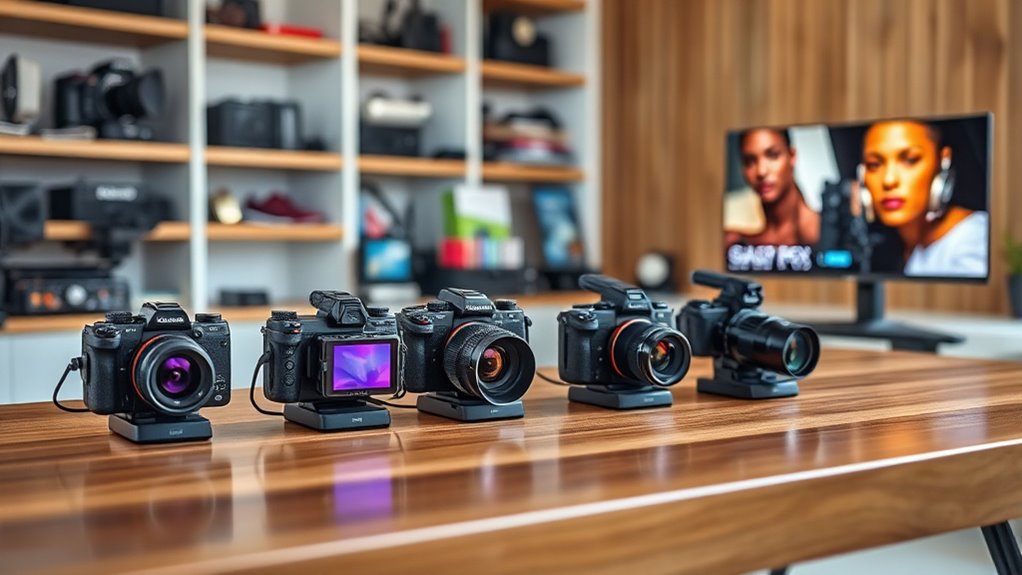
4 Best Cameras for Video Content Creation in 2027
For stellar video content creation in 2027, you’ll want a camera that delivers crisp 4K footage with advanced features. Options like the Kefalyn’s 96MP model stand out with a detachable mic and built-in stabilization, perfect for clear, steady shots. Or consider the DJI Osmo Pocket 3, which packs a powerful 1-inch sensor into a pocket-sized body, shooting smooth 4K at 120fps with a gimbal for flawless movement.
If you’re just starting out, an easy-to-use handheld camera with AI face tracking and WiFi for remote control might be your best bet. These features help you focus on creativity without worrying about complicated settings.
For capturing versatile angles, a 2K rotating-lens camera offers flexibility and dynamic perspectives.
We’ll dive into all the key features and factors that matter next, so you can pick the best camera to elevate your video content creation game in 2027.
| Image | Name | Editor's Rating | Price |
|---|---|---|---|

|
|
||

|
|
||
|
|
||

|
|
4K Video Camera Camcorder, 96MP Vlogging Camera for YouTube with Microphone
- 96MP Ultra-Clear Image & 4K UHD Video: Equipped with a 96MP image sensor and 4K ultra-high-definition video recording...
- 18X Digital Zoom & Anti-Shake Stabilization: 18x digital zoom lets you capture distant scenes clearly, while the...
- IR Night Vision & Pro-Grade Audio: Advanced IR night vision technology ensures clear shooting in low-light or nighttime...

Capture your best moments with the Kefalyn 4K Video Camera Camcorder, designed to bring professional-quality video and audio to your fingertips. Its powerful 96MP CMOS sensor ensures your footage is sharp and vibrant, solving common issues like blurry or dull videos. Whether you’re vlogging or streaming, this camcorder enhances your content with clear visuals and sound.
The 18x digital zoom and autofocus let you frame shots precisely, although keep in mind digital zoom can reduce image quality compared to optical alternatives. The 3-inch rotatable touchscreen makes shooting from various angles easy, and the detachable stereo microphone helps you record crisp audio, eliminating background noise.
Designed for versatility, this camcorder includes night vision, face detection, and anti-shake stabilization. These features improve your video quality in challenging lighting and movement conditions. Maintenance is straightforward—simply recharge the included batteries and transfer files from the 32GB SD card.
While it’s not water-resistant and supports AVI and JPEG formats only, this camera is ideal for content creators seeking a portable, user-friendly device that balances quality and convenience.
Best for: Content creators and vloggers who want high-resolution 4K video and professional audio quality in a portable camcorder for YouTube and live streaming.
What We Like:
- High-resolution 4K video with vibrant 96MP sensor detail
- Detachable external microphone for clear, professional audio
- User-friendly 270° rotatable touchscreen for flexible shooting angles
- Night vision and anti-shake stabilization enhance video quality in low light and motion
- Includes essential accessories: two rechargeable batteries, 32GB SD card, stabilizer, and remote
Specification:
| Feature | Details |
|---|---|
| Manufacturer | Kefalyn |
| Sensor | 96MP CMOS |
| Video Resolution | 4K UHD |
| Zoom | 18x Digital Zoom |
| Screen Size | 3-inch Rotatable Touchscreen |
| Audio | Detachable Stereo Microphone |
| Storage | 32GB SD Card Included |
| Accessories | Stabilizer, Remote, 2 Batteries |
| File Formats | AVI (video), JPEG (images) |
| Weight | Not specified |
4K Vlogging Camera, Handheld Camera for Beginners, AI Face Tracking, WiFi
- 1. 【4K Video & 75MP Photo】 Capture clear 4K UHD video and up to 75MP photos with this compact vlogging camera for...
- 2. 【PDAF Autofocus & EIS Stabilization】 Built-in PDAF autofocus quickly locks onto faces and subjects, while EIS...
- 3. 【AI Face Tracking & 330° Rotation】 The smart AI tracking camera automatically detects and follows faces across a...
Capture your best moments effortlessly with the 4K Vlogging Camera designed for beginners. This compact handheld camera makes video creation simple, solving the common struggle of keeping subjects in frame. With AI face tracking, it dynamically follows faces, so you never miss a shot.
Its 1/2.5-inch CMOS sensor delivers crisp 75MP photos and smooth 4K UHD videos. Fast PDAF autofocus ensures your images stay sharp, while electronic image stabilization reduces shake for clearer footage. The camera’s 1.72-inch HD touchscreen offers intuitive control, making navigation and framing straightforward.
Stay connected via WiFi to remotely control shooting and preview live footage on your smartphone. This feature enhances convenience, especially when filming from tricky angles or group shots. Beauty mode and 31 filters allow you to personalize your content with ease.
The camera runs on two AAAA batteries, which are compact but may require extra attention for replacement. Its fixed 1x optical zoom means you’ll need to move closer to your subject for detailed shots.
Best for: Beginners and casual vloggers seeking an easy-to-use 4K camera with smart face tracking and wireless control for high-quality content creation.
What We Like:
- Sharp 4K video and 75MP photo capture with quick PDAF autofocus
- AI face tracking combined with 330° rotation and image stabilization
- WiFi connectivity enables remote shooting and live preview via smartphone app
- Compact design suited for handheld vlogging on the go
- Variety of beauty modes and filters to enhance videos and photos
Specification:
| Feature | Details |
|---|---|
| Manufacturer | Not specified |
| Dimensions | Compact handheld size |
| Weight | Lightweight |
| Sensor | 1/2.5-inch CMOS |
| Photo Resolution | Up to 75MP |
| Video Resolution | 4K UHD |
| Screen Size | 1.72-inch HD touchscreen |
| Battery Type | Two AAAA batteries |
| Connectivity | WiFi with smartphone app |
| Zoom | Fixed 1x optical zoom |
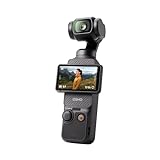
DJI Osmo Pocket 3 Vlogging Camera with 1” CMOS & 4K/120fps Video
- Capture Stunning Footage - Osmo Pocket 3 vlogging camera features a 1-inch CMOS sensor and records in 4K resolution at...
- Effortlessly Frame Your Shots - Get the ideal composition with Osmo Pocket 3's expansive 2-inch touch screen that...
- Ultra-Steady Footage - Say goodbye to shaky videos! Osmo Pocket 3's advanced 3-axis mechanical stabilization delivers...
Capture stunning moments effortlessly with the DJI Osmo Pocket 3 Vlogging Camera. Its compact, pocket-sized design fits easily into your daily carry, eliminating bulky gear without sacrificing image quality. This camera transforms how you document life, delivering smooth, professional footage wherever you go.
Equipped with a 1-inch CMOS sensor and the ability to shoot 4K video at 120fps, it allows you to create crisp slow-motion clips that bring your stories to life. The built-in 3-axis gimbal stabilizes every shot, solving common issues like shaky footage and uneven framing.
The camera’s 2-inch rotatable touchscreen offers intuitive control, making it easy to frame your shots and adjust settings on the fly. Fast autofocus paired with ActiveTrack 6.0 keeps your subjects sharp and centered, even when they move unpredictably. Compatibility with DJI Mic and stereo audio enhances sound quality, perfect for clear vlogs and interviews.
Maintenance is straightforward, but be aware the battery charger is sold separately, and continuous 4K/120fps recording time is limited. It requires a microSD card for storage, and the DJI Mimo app must be downloaded from DJI’s website for full functionality.
Best for: Content creators and vloggers seeking a compact, high-quality camera with advanced stabilization and slow-motion features for dynamic, on-the-go filming.
What We Like:
- Pocket-sized with integrated 3-axis gimbal for smooth, stable footage
- High-quality 1-inch sensor enabling 4K/120fps slow-motion and rich color depth
- Fast autofocus and ActiveTrack 6.0 provide reliable subject tracking
- Intuitive 2-inch rotatable touchscreen for easy framing and control
- Enhanced audio support with stereo sound and DJI Mic compatibility
Specification:
| Feature | Details |
|---|---|
| Manufacturer | DJI |
| Dimensions | Compact pocket-sized |
| Weight | Lightweight |
| Sensor | 1-inch CMOS |
| Video Resolution | Up to 4K at 120fps |
| Stabilization | 3-axis gimbal |
| Display | 2-inch rotatable touchscreen |
| Audio | Stereo audio, DJI Mic compatible |
| Battery Life | Approximately 166 minutes |
2K Vlogging Camera with Rotating Lens, Handheld Content Creator Camera
- 【All-in-one Vlog Starter Kit】 Tired of juggling your phone, extra memory cards, and bulky rigs just to capture one...
- 【Flip from POV to Selfie in One Twist】 Fixed-lens rivals force you to unmount the device every time you want to face...
- 【2K Clarity with All-day Power】 Underpowered handheld camera often die right when the concert starts. A 2000mAh...
Capture every moment with ease using the 2K Vlogging Camera with Rotating Lens by CAMWORLD. This compact device is designed for creators who need a versatile camera that adapts to dynamic shooting angles. Its 180° rotating wide-angle lens allows effortless POV and selfie shots, making it perfect for on-the-go filming.
Weighing just 3.63 ounces, this handheld camera fits comfortably in your palm. The 1.69-inch HD screen provides real-time previews, so you can frame your shots precisely. With crisp 2K video resolution and 8MP photo capability, your content will stand out with clear visuals.
The camera supports up to 7 hours of continuous recording on a single charge, reducing interruptions during your shoots. Its built-in Wi-Fi and dedicated app offer seamless remote control and quick file transfers, enhancing your workflow and social sharing.
Maintenance is straightforward; however, note that the camera lacks water resistance and has manual focus, which may require some adjustment. The limited 4x digital zoom is suitable for close-ups but may affect image clarity at maximum zoom.
Best for: Content creators, vloggers, and travelers seeking a lightweight, portable camera with flexible shooting angles and easy connectivity for social media and travel videos.
What We Like:
- Lightweight design with 180° rotating wide-angle lens for versatile shots
- High-quality 2K video and 8MP photos with long battery life
- Built-in Wi-Fi and app for remote control and file transfer
Specification:
| Feature | Details |
|---|---|
| Manufacturer | CAMWORLD |
| Dimensions | Palm-sized (approximate) |
| Weight | 3.63 ounces (103 g) |
| Screen Size | 1.69-inch HD |
| Video Resolution | 2K |
| Photo Resolution | 8 Megapixels |
Factors to Consider When Choosing a Camera for Video Content
When picking a camera for video content, you’ll want to focus on resolution and frame rates to guarantee smooth, sharp footage. Don’t forget to check sensor size and type, as well as image stabilization to keep your shots steady.
Plus, autofocus, tracking capabilities, and audio quality with proper inputs can make a big difference in your final video. These features really help elevate your content. So, keep them in mind when choosing!
Resolution and Frame Rates
Although higher resolutions like 4K capture stunning detail and allow flexible cropping, they demand substantially more storage and processing power than 1080p.
When choosing resolution and frame rates, align them with your delivery platform and audience. Most streaming services support 1080p and 4K, while social media often prefers 30–60fps with smaller file sizes.
Higher frame rates like 60fps or 120fps offer smoother motion and slow-motion capabilities but require even more storage and higher bitrates to avoid compression artifacts.
Keep in mind your gear and workflow—your camera’s processor, sensor, storage speed, and editing hardware all set limits on the maximum resolution and frame rates you can handle efficiently.
Balancing quality and practicality guarantees smoother production and quicker uploads. So, think about what fits best for your project and setup!
Sensor Size and Type
Selecting the right sensor size and type plays a major role in how your video looks and performs, especially in varying lighting conditions. Larger sensors like full-frame or APS-C capture more light, boosting low-light performance, dynamic range, and reducing noise.
They also offer a shallower depth of field, helping you achieve that cinematic background separation. Meanwhile, smaller sensors often limit your creative options and struggle in dim environments.
Modern CMOS sensors outperform older CCD types by enabling faster frame rates, better autofocus, and lower power use. Keep in mind, pixel count affects quality—cramming too many megapixels onto a small sensor can increase noise, while moderate megapixels on a larger sensor maintain clarity.
Finally, sensor size impacts your lens choices and framing, thanks to crop factors that alter effective focal lengths. It’s a lot to consider, but picking the right sensor can really elevate your video game.
Image Stabilization Features
Image stabilization often makes or breaks the quality of your video footage, especially during handheld or action shots. You’ll want to weigh optical stabilization, which moves lens elements or the sensor to correct shake without sacrificing image quality or cropping.
Electronic image stabilization (EIS) digitally shifts the frame but can reduce your field of view and cause artifacts, particularly around high-contrast edges. Mechanical gimbals offer three-axis physical stabilization, great for smooth walking shots, though they add weight and require setup.
Hybrid systems combine optical and electronic methods, boosting performance in challenging conditions like low light or 4K resolution. When choosing a camera, check real-world performance data—how well it handles shake at walking speeds, supports continuous recording with stabilization, and whether it works in high-res or high-frame-rate modes.
Autofocus and Tracking
Stabilizing your shot is only part of capturing great video; keeping your subject sharply in focus matters just as much. You’ll want a camera with continuous autofocus (AF) systems using phase-detection or hybrid PDAF. These lock focus faster and reduce hunting, especially for moving subjects.
Face and eye-detection tracking prioritize human subjects, maintaining clear focus even with background distractions or moderate motion. Active tracking, combined with sensor or lens stabilization and motorized gimbals, smooths framing and cuts down on focus shifts during erratic movement.
Check autofocus metrics like subject-acquisition time, low-light sensitivity, and continuous-AF frame-rate handling. Also, customizable AF settings let you control tracking speed, sensitivity, and area. This way, you can tailor focus behavior for either rapid shifts or cinematic hold on your subject.
Audio Quality and Inputs
Although built-in microphones can capture basic audio, they often pick up unwanted room tone and handling noise. This can distract from your video’s quality.
To get cleaner dialogue, you’ll want a camera with external audio input options like a 3.5 mm mic jack or digital inputs such as USB-C. This lets you connect shotgun, lavalier, or wireless microphones for better clarity and directionality.
Make sure the camera offers manual audio level control and real-time monitoring through a headphone jack or USB passthrough. This helps you avoid clipping and set proper gain, ideally peaking between -12 to -6 dB.
Also, check if the camera records in high-bitrate or uncompressed formats like WAV or PCM. These formats give you better flexibility in post-production.
If you use multiple mics, confirm it supports multi-input or plan to use an external recorder with sync capabilities. That way, you won’t have to worry about audio syncing issues later on.
Battery Life and Power
When choosing a camera for video content, you’ll want to pay close attention to battery life and power options. Check the camera’s continuous recording time at your preferred resolution and frame rate. Keep in mind that 4K or high frame rates can drain batteries much faster than 1080p.
Look for larger capacity batteries (measured in mAh) and whether they’re removable. Removable ones let you swap easily during long shoots, which is super handy.
Confirm charging methods like USB-C PD, AC chargers, or in-camera charging. Also, see if the camera supports pass-through charging so you can record while charging—pretty convenient, right?
Don’t forget to consider if your accessories draw power from the camera or need separate batteries. Finally, budget for extra batteries and chargers compatible with your gear to avoid interruptions during multi-hour shoots.
Connectivity and Compatibility
Because seamless connectivity plays a crucial role in your video workflow, you’ll want to guarantee your camera offers the right ports and wireless options. Look for USB-C, HDMI (micro, mini, or full), and Wi-Fi to transfer files, live stream, or use your camera as a webcam without extra adapters.
Check if it supports UVC webcam mode or if you’ll need specific drivers or apps compatible with your operating system and streaming software like OBS or Zoom. Also, verify supported file formats and whether recording directly to external storage is possible.
Confirm wireless features include reliable transfer speeds, remote control, and live preview through an app compatible with your phone OS. And don’t forget to make certain the camera has necessary ports for audio input, headphone monitoring, and external monitors if you plan to expand your setup.
Portability and Design
Selecting a camera with the right portability and design can markedly impact your shooting experience and comfort. Choose a form factor that suits your style—pocket-sized cameras and gimbals weigh under 200 g for easy carry and single-handed use, while traditional camcorders offer more controls but are bulkier.
Look for a rotatable or flip-out touchscreen (2–3 inches) to simplify framing vlogs and selfies without extra gear. Keep overall weight and dimensions in mind; lighter setups reduce fatigue and allow longer handheld recording.
Make sure the camera supports external mounts or includes a 1/4″-20 thread for tripods and stabilizers without awkward adapters. Finally, check power design—user-replaceable batteries or fast charging boost portability for travel or all-day shoots.
Frequently Asked Questions
How Do Different Lighting Conditions Affect Video Quality?
Different lighting conditions affect your video’s clarity, color accuracy, and noise levels. Low light causes graininess, while harsh light creates shadows.
You’ll want to adjust settings or use additional lighting to keep your footage sharp and balanced. It really makes a difference in how your video turns out.
What Editing Software Pairs Best With These Cameras?
You’ll want Adobe Premiere Pro or Final Cut Pro; both handle high-res footage smoothly and offer powerful editing tools.
DaVinci Resolve’s great for color grading, and if you prefer something simpler, try Adobe Premiere Elements.
Are These Cameras Compatible With External Lenses?
You’ll find these cameras absolutely compatible with external lenses, giving you a treasure chest of creative options.
Just attach your favorite glass, and you’re ready to capture stunning footage tailored exactly to your vision.
How Long Do the Batteries Typically Last During Recording?
You can typically expect battery life to last between 60 to 120 minutes during continuous recording, depending on the camera model and settings.
Keep in mind, using external monitors or high-resolution modes may drain batteries faster. So, it’s always a good idea to carry spares with you.
What Storage Options Are Recommended for High-Resolution Videos?
When filming 8K footage, you’ll want fast, high-capacity SSDs like the Samsung T7. It handles large files quickly, preventing bottlenecks and ensuring smooth editing.
That way, you won’t struggle with lag or storage limits during shoots. It really makes the whole process a lot easier.
Conclusion
When choosing your next video camera, remember it’s not just about specs—it’s about how the gear fits your style and goals. While 4K and high megapixels sound impressive, they don’t guarantee better content.
You’ll want features like AI face tracking or a rotating lens if they make your workflow smoother. Trust your gut, test a few, and pick what truly helps you create.
Because at the end of the day, the best camera for video content creation is the one you’ll actually use. It’s about finding a camera that feels right, supports your creative process, and helps you tell your story with ease. So take your time, explore your options, and choose the camera that fits your unique style and goals perfectly.