4 Best Cameras for Xbox Streaming in 2027 (Crystal Clear Quality)
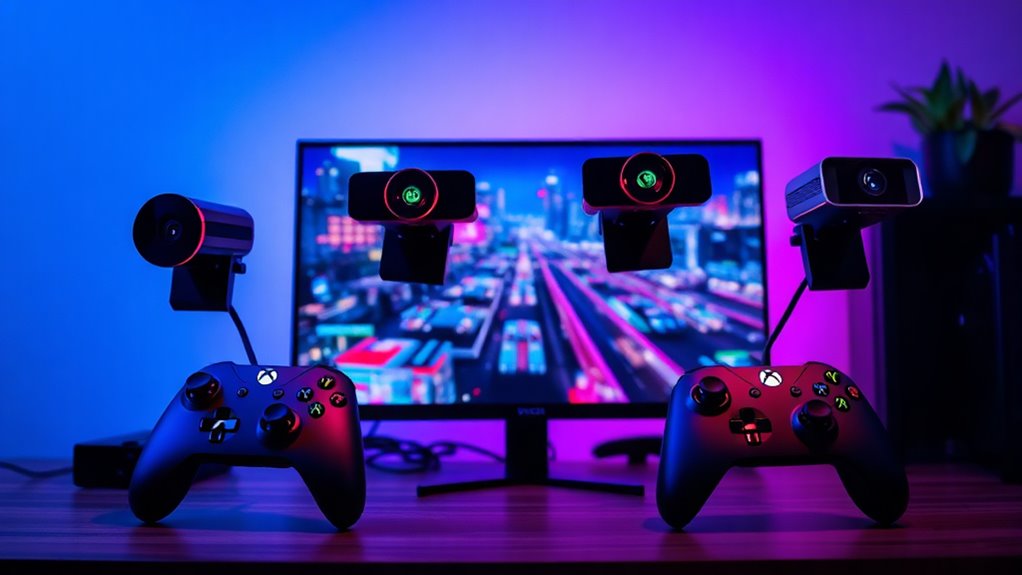
For crystal-clear Xbox streaming in 2027, you’ll want webcams that deliver at least 1080p at 30fps or better. Having a high-quality camera can make all the difference in how your stream looks and feels to your audience. Whether you’re gaming, chatting, or creating content, sharp video is key to keeping viewers engaged and coming back for more.
Check out the Logitech Brio 101 for sharp full HD and a built-in mic. It’s a solid choice if you want clear visuals without fuss. Then there’s the Logitech C922 Pro, which offers autofocus and low-light correction—great for streaming in different lighting conditions.
The reliable 1080p Pro Stream Renewed is another option to consider. It balances quality and price nicely.
Finally, the Razer Kiyo Pro offers ultra-smooth 1080p at 60fps with HDR, perfect if you want your stream to look extra polished. Each webcam balances quality, ease, and compatibility—keep exploring to find the perfect fit for your setup and style.
| Image | Name | Editor's Rating | Price |
|---|---|---|---|

|
|
||

|
|
||
|
|
||
|
|
Logitech Brio 101 Full HD 1080p Webcam for PC, Built-in Mic, Black
- Compatible with Nintendo Switch 2’s new GameChat mode
- Auto-Light Balance: RightLight boosts brightness by up to 50%, reducing shadows so you look your best—compared to...
- Privacy with a Slide: The integrated webcam cover makes it easy to get total, reliable privacy when you're not on a...
Experience sharp, vibrant video streaming with the Logitech Brio 101 Full HD 1080p Webcam. Designed to enhance your Xbox streaming or video calls, this webcam captures clear visuals with a 60-degree viewing angle and optical 5x zoom. It transforms your setup by delivering crisp images without complicated adjustments.
The built-in mono microphone ensures your voice comes through clearly, eliminating the need for extra audio gear. Its simple USB-A plug-and-play design means you can connect effortlessly to Windows, macOS, or Chrome OS devices. This ease of use streamlines your streaming or conferencing experience.
Maintaining privacy is straightforward thanks to the integrated privacy shutter, letting you block the camera lens whenever you need. The Brio 101’s lightweight frame, made from recycled plastic, offers an eco-friendly choice without sacrificing quality or durability.
While the fixed-focus lens limits close-up flexibility, it still performs well at standard distances. Keep it away from moisture, as it’s not water-resistant. Overall, this webcam balances professional video quality with practical features for smooth, reliable use.
Best for: Streamers and remote workers seeking a high-quality, user-friendly Full HD webcam with built-in audio for multi-platform video communication.
What We Like:
- Crisp 1080p video with a wide 60-degree viewing angle and 5x optical zoom
- Built-in mono microphone delivers clear sound without extra equipment
- Integrated privacy shutter for quick, easy lens protection
- Eco-conscious design using recycled plastic for sustainability
Specification:
| Feature | Details |
|---|---|
| Manufacturer | Logitech |
| Resolution | Full HD 1080p |
| Viewing Angle | 60 degrees |
| Zoom | Optical 5x Zoom |
| Microphone | Built-in Mono Microphone |
| Connectivity | USB-A Plug-and-Play |
| Compatibility | Windows, macOS, Chrome OS |
| Privacy Shutter | Yes |
| Weight | Lightweight |
| Material | Recycled Plastic |
| Color | Black |
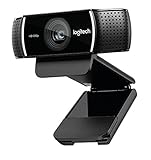
Logitech C922 Pro Stream Webcam 1080P Camera
- Sold as 1 Each.
- Stream and record vibrant HD 1080p video at 30 fps or 720p at 60 fps.
- Customizable background replacement* powered by Personify--integrate live images while broadcasting and stand out from...
Experience crisp, clear video streaming with the Logitech C922 Pro Stream Webcam 1080P Camera. Designed to enhance your broadcast quality, this webcam delivers smooth 1080p video at 30 frames per second, ensuring your Xbox streams look professional and polished. Its autofocus and automatic low-light correction work together to maintain sharp visuals, even when lighting conditions aren’t ideal.
The webcam’s dual omnidirectional microphones capture clear stereo sound, so your audience hears every word without distortion. Setup is simple with a USB connection, making it compatible across multiple operating systems. Its compact design includes an adjustable tripod, allowing you to position your camera for the best angle without hassle.
Maintenance is straightforward—just keep the lens clean to ensure consistent image quality. While it lacks optical zoom and image stabilization, it excels in delivering dependable video and audio for indoor streaming environments. Its non-water-resistant build means it’s best suited for indoor use, protecting it from moisture-related damage.
With the added bonus of a free 3-month XSplit Premium license, this webcam offers both hardware and software solutions to improve your streaming experience. The Logitech C922 stands out as a reliable choice for content creators aiming for quality without complexity.
Best for: Xbox streamers and content creators seeking professional-quality 1080p video and clear stereo audio with easy setup and strong low-light performance.
What We Like:
- Sharp 1080p video at 30 fps with reliable autofocus and low-light correction
- Two built-in omnidirectional microphones for clear stereo audio
- Adjustable tripod included for flexible camera placement
- Simple USB connection compatible with multiple operating systems
- Comes with a free 3-month XSplit Premium license to enhance streaming
Specification:
| Feature | Details |
|---|---|
| Manufacturer | Logitech |
| Video Resolution | 1080p (1920 x 1080) |
| Frame Rate | 30 fps |
| Microphones | Dual omnidirectional stereo |
| Connection | USB |
| Tripod | Adjustable, included |
| Dimensions | Compact size (exact size N/A) |
| Water Resistance | No |
Logitech 1080p Pro Stream Webcam (Renewed)
- [Cable] Highest standard of quality cables, covered by premium quality braided nylon jacket.Guarantee fast charging and...
- [Portable and safe design] It’s small and lightweight, compact and easily portable, perfect for travelling. It...
- [2-Port USB ] Our 2 USB ports have 24W/4.8a power and allows you to charge two devices simultaneously, at top speed!
Experience sharp, clear streaming with the Logitech 1080p Pro Stream Webcam (Renewed). Designed to deliver smooth full HD video at 30 frames per second, this webcam ensures your Xbox streaming visuals remain crisp and natural. Its automatic white balance and exposure settings take the hassle out of adjustments, letting you focus on your content.
The webcam’s fixed focus lens and digital zoom make framing your shot straightforward, perfect for gamers and streamers who want reliable performance without complicated setup. Lightweight and portable, it comes with a braided Lightning cable and a dual-port USB charger, making it easy to maintain and use on the go.
While it lacks optical zoom and image stabilization, the digital zoom still allows close-up shots, and the fixed focus reduces the need for constant adjustments. USB connectivity offers broad compatibility with most devices, ensuring seamless integration with your streaming setup.
Best for: Gamers and streamers seeking a dependable, budget-friendly webcam that delivers crisp 1080p video for Xbox and other USB-compatible devices.
What We Like:
- Smooth 1080p video at 30 FPS with automatic white balance and exposure
- Lightweight and portable design with convenient accessories included
- Easy USB connectivity for broad device compatibility
- Simple fixed focus lens for consistent image sharpness
Specification:
| Feature | Details |
|---|---|
| Manufacturer | Logitech |
| Resolution | 1080p (Full HD) |
| Frame Rate | 30 FPS |
| Lens | Fixed focus |
| Zoom | Digital zoom |
| Connectivity | USB |
| Cable Included | Braided Lightning cable |
| Charger Included | Dual-port USB charger |
| Dimensions | Compact and lightweight |
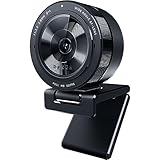
Razer Kiyo Pro 1080p 60FPS Streaming Webcam
- UNCOMPRESSED FULL HD 1080P WEBCAM — Experience smooth and vibrant professional quality with the highest fidelity...
- UNCOMPRESSED FULL HD 1080P WEBCAM — Experience smooth and vibrant professional quality with the highest fidelity...
- SUPERIOR LOW-LIGHT PERFORMANCE — Reduces graininess and brings out details to show the person in the best light even...
Experience sharp, professional-quality video streaming with the Razer Kiyo Pro 1080p 60FPS webcam. Its adaptive light sensor solves common low-light challenges, delivering clear, detailed visuals even in dim environments. This makes it perfect for streaming your Xbox gameplay at any time of day without worrying about poor lighting.
The webcam captures uncompressed Full HD 1080p video at 60FPS, ensuring smooth, high-resolution footage. For scenes requiring balanced exposure, HDR support at 30FPS enhances image quality by adjusting highlights and shadows naturally. You can also tailor the wide-angle lens with adjustable fields of view (103°, 90°, 80°) easily through the Razer Synapse software.
Designed for convenience, the compact Kiyo Pro connects via USB 3.0 with a durable 1.5-meter braided cable, enabling quick plug-and-play setup. While it requires USB 3.0 for optimal performance, this ensures reliable data transfer and crisp video output. Regular maintenance is straightforward—just keep the lens clean to maintain image clarity.
Though it lacks built-in image stabilization and water resistance, its dynamic light adjustments and solid build provide dependable performance for dedicated streamers. The Razer Kiyo Pro is engineered to enhance your streaming experience with sharp visuals and adaptable features.
Best for: Streamers and content creators seeking high-quality, low-light capable 1080p 60FPS video with customizable field of view for professional Xbox gameplay streaming.
What We Like:
- Adaptive light sensor delivers clear video in low-light conditions
- Uncompressed Full HD 1080p at 60FPS with HDR support at 30FPS
- Adjustable wide-angle lens (103°, 90°, 80°) via Razer Synapse
- Durable USB 3.0 connection with 1.5 m braided cable
- Compact design for easy setup and portability
Specification:
| Feature | Details |
|---|---|
| Manufacturer | Razer |
| Video Resolution | 1080p (1920 x 1080) |
| Frame Rate | 60 FPS (HDR at 30 FPS) |
| Field of View (FOV) | 103°, 90°, 80° (adjustable) |
| Interface | USB 3.0 |
| Cable Length | 1.5 meters |
| Sensor Type | Adaptive light sensor |
| Dimensions | Compact (exact size unspecified) |
Factors to Consider When Choosing a Camera for Xbox Streaming
When choosing a camera for Xbox streaming, you’ll want to focus on video resolution and frame rate to make certain smooth, clear visuals.
Don’t forget to take into account low-light performance and audio input options for better overall quality.
Also, keep the field of view in mind to capture the right amount of your setup. It really helps to get everything looking just right!
Video Resolution Quality
Although higher video resolution can capture more detail for your Xbox streams, it’s crucial to balance quality with performance and bandwidth limitations. Aim for at least 1080p at 30 FPS to achieve smooth, clear footage.
If your setup and internet can handle it, 1080p at 60 FPS offers even crisper, more fluid video. Higher resolutions like 1440p or 4K provide extra detail and cropping flexibility, but demand more upload speed and stronger CPU/GPU for encoding.
If your upload speed is limited, prioritize frame rate over resolution—5 to 8 Mbps supports stable 1080p30, while 30 Mbps enables consistent 1080p60 streaming. Make sure your hardware can encode the chosen resolution without dropping frames to keep your stream professional and lag-free.
Frame Rate Support
Balancing video resolution with smooth motion means paying close attention to frame rate support in your camera choice. For Xbox streaming, a camera that can handle at least 60fps at your target resolution guarantees fluid gameplay capture that matches the console’s output.
If you’re streaming at 1080p, make sure your camera delivers 1080p at 60fps or at least 30fps for slower-paced content to avoid motion blur and judder. Remember, higher frame rates demand more USB bandwidth and stronger encoding, so check your capture setup and upload speed can handle it.
Also, verify your streaming platform supports your chosen frame rate, as some viewers might require transcoding to accommodate different connection speeds without sacrificing quality. It’s all about making sure your stream looks smooth and professional for everyone watching.
Low-Light Performance
You’ll often stream in dimly lit rooms, so choosing a camera with strong low-light performance is essential for clear, professional-looking video. Look for cameras with larger apertures and sensor areas—they collect more light and reduce noise, even in darker setups.
Cameras featuring automatic low-light correction can brighten shadows by up to 50%, enhancing facial details without manual tweaks. Prioritize higher native sensitivity and low-noise processing over resolution; a 1080p camera with good low-light capability outperforms noisier, higher-resolution models.
Also, adjustable gain and exposure settings let you balance brightness and motion clarity—raising gain brightens the image but adds noise, while longer exposures may blur fast movement. Finally, adding soft, diffuse lighting helps a lot, letting your camera work at lower gain for sharper, cleaner video.
Audio Input Options
Strong video quality means little without clear audio, so it’s important to take into account your camera’s audio input options when streaming on Xbox. Built-in mono microphones capture basic voice audio but often lack stereo depth and directionality. So, you might want a separate mic for richer sound.
Make sure your camera or accessory supports USB audio class (UAC) if you plan to use USB inputs, ensuring Xbox compatibility. For multiplayer streams, look for multiple mic channels or stereo capture supporting PCM or AAC at 48 kHz, 16-bit for best fidelity.
Consider mic placement and pickup patterns—cardioid mics reduce background noise in living-room setups. Finally, verify your system handles audio routing, mixing, and low-latency monitoring to prevent echo and sync issues during live streams.
Field of View
When selecting a camera for Xbox streaming, the field of view (FOV) plays a crucial role in framing your scene. A narrower FOV (60–80°) suits head-and-shoulders shots and reduces background distractions, while a wider FOV (90–110°) captures more of your room, peripherals, or co-streamers.
Keep in mind, wider angles can cause perspective distortion, making close objects appear larger. Positioning your camera farther away or using software lens correction helps minimize this.
Also, consider your streaming layout—wide FOVs may clash with overlays like chat boxes unless you crop or set safe zones. Finally, pairing a wide FOV with a high-resolution sensor lets you crop without losing image quality, giving you flexibility in framing your stream.
Choose your FOV based on your space and streaming style. It’s all about finding the right balance that works for you!
Connectivity Compatibility
Although many cameras offer impressive specs, ensuring compatibility with your Xbox’s connectivity options is essential for seamless streaming. First, confirm your camera supports USB connectivity matching your Xbox model—most accept USB-A or USB-C ports.
Check the console’s USB version to handle higher resolutions and frame rates without dropped frames. Also, verify the camera is recognized by the Xbox OS and streaming apps since some require drivers unavailable on consoles, limiting functionality.
Look for cameras using compressed codecs like H.264 to reduce bandwidth and CPU load. Finally, consider physical connector type, cable length, and quality; you might need adapters or a powered USB hub to maintain stable connections during long streams.
Prioritizing these factors guarantees smooth, high-quality Xbox streaming.
Privacy and Security
Because privacy and security are essential for any streaming setup, you’ll want a camera that offers features like physical lens covers or indicator LEDs to prevent accidental recording.
Choose a camera with a secure wired USB connection rather than wireless to reduce network interception risks.
Make sure your camera’s firmware is updatable and install security patches promptly to block vulnerabilities and remote access.
Limit camera permissions on your Xbox and streaming software, granting access only to trusted apps to avoid unauthorized recording.
If you use a PC for streaming, disable or uninstall unused camera drivers and services to minimize potential backdoors.
Prioritizing these privacy and security measures keeps your streams safe and protects your personal space from unwanted exposure.
Mounting and Portability
Picking the right camera for Xbox streaming means thinking about how you’ll mount and move it around. Choose a lightweight, compact camera—ideally under 200-300 grams—so you can easily reposition it or mount it on a laptop hinge or small tripod.
Make sure it offers a standardized mounting option, like a 1/4″-20 tripod thread or adjustable clip, to fit securely on monitor tops, boom arms, or capture rigs. Also, check that the cable length is at least 1.5 meters to avoid awkward routing, or plan to use a USB extension.
If you travel a lot, pick a plug-and-play camera with a foldable or removable mount and durable housing. That way, it can handle repeated setups without hassle or damage.
Oh, and don’t forget to make sure it doesn’t block vents or sensors near your TV or capture device. It’s a small thing, but it can make a big difference.
Frequently Asked Questions
Can These Webcams Be Used for Other Gaming Consoles Besides Xbox?
Yes, you can use these webcams with other gaming consoles like PlayStation or Nintendo Switch, as long as the console supports USB cameras.
Just plug them in, and you’re set for high-quality streaming across platforms. It’s pretty straightforward!
Do These Cameras Support Background Removal or Green Screen Effects?
Yes, many cameras support background removal and green screen effects. You’ll find easy setup, seamless integration, and crisp output.
This lets you stream professionally without bulky equipment or complicated software. Just pick the right model and start streaming!
How Do These Webcams Perform in Low-Light Streaming Environments?
These webcams handle low-light streaming surprisingly well, thanks to advanced sensors and AI-enhanced noise reduction. You’ll get clear, vibrant video even in dim rooms.
That means your Xbox streams look professional without needing extra lighting setups. Pretty handy, right?
Are These Webcams Compatible With Popular Streaming Software Like OBS?
Wondering if your setup will click? Yes, these webcams seamlessly integrate with popular streaming software like OBS, letting you customize scenes and overlays effortlessly.
You’ll enjoy smooth, professional-quality streams without compatibility headaches. It’s all about making your streaming experience easy and hassle-free!
What Is the Warranty Period for These Recommended Xbox Streaming Cameras?
You’ll usually get a one- to two-year warranty on these Xbox streaming cameras. Some brands might offer extended coverage or additional support, so it’s smart to check each model’s specific warranty details before buying.
It’s always a good idea to peek at the fine print. That way, you know exactly what kind of protection you’re getting with your new gear.
Conclusion
When picking a camera for Xbox streaming, remember that “the best camera is the one you have with you.” Whether you go for the Logitech Brio 101’s sharp clarity or the reliable C922 Pro, both deliver excellent quality.
You might also consider the renewed 1080p Pro Stream or the Razer Kiyo Pro’s smooth 60FPS. Each offers crystal-clear quality to boost your stream.
Choose what fits your style and budget, and get ready to engage your audience like never before. With so many great options for Xbox streaming cameras in 2027, you can easily find one that matches your needs.
Invest in a camera that enhances your content and makes your stream stand out with stunning visuals. Your viewers will appreciate the difference, and you’ll have fun sharing your gameplay with crystal-clear quality.