8 Best Camera Settings for Basketball Photos in 2027
To nail sharp basketball photos in 2027, you want to set your camera to 60 or 120 fps for smooth motion.
Using a fast shutter speed around 1/500s to 1/1000s is key to freezing the action. Indoors, pick a wide aperture like f/1.8 to f/2.8 to handle low light situations.
Opt for continuous autofocus and burst mode to keep up with those quick player moves. Mid-range zoom lenses, around 18–70mm equivalent, are great for capturing full-court shots.
Mastering these essentials sets you up for success. But hey, there’s more you can do to make your shots truly pro-level!
| Image | Name | Editor's Rating | Price |
|---|---|---|---|

|
|
||

|
|
||
|
|
||

|
|
||

|
|
Air NXT Portable Sports Tracking Camera
- Requires a Pixellot subscription
- Lightweight Video Tracking Camera : Dual 4K 12MP Camera Array
- AI-Automated Functionality : Analyze & Share Every Game Automatically
Capture every game moment without lifting a finger with the Air NXT Portable Sports Tracking Camera. Designed to automatically follow the action, this device records in sharp 4K using its dual 12MP cameras. It eliminates the hassle of manual filming, ensuring you never miss a key play during basketball or other fast-paced sports.
The camera offers versatile modes like broadcast, panorama, and tactical views to highlight important moments effectively. Its lightweight and water-resistant build makes it ideal for use on both indoor courts and outdoor fields. This robust design ensures it withstands various environments with minimal maintenance.
With a strong battery life of up to six hours and quick USB-C charging, you can focus on the game without interruption. The built-in Wi-Fi and 4G/5G connectivity simplify sharing footage instantly. However, unlocking the full range of features requires a Pixellot subscription.
Storage supports up to 512 GB, providing about 32 hours of high-quality video, balancing capacity with portability. Overall, this camera streamlines sports recording and analysis, helping athletes and coaches improve performance efficiently.
Best for: Coaches, athletes, and sports academies needing automated, high-quality game capture and analysis for basketball, soccer, hockey, and football.
What We Like:
- AI-powered dual 12MP cameras for automated 4K video capture.
- Multiple shooting modes for comprehensive game coverage.
- Lightweight, portable, and water-resistant design.
- Long battery life with fast USB-C charging.
- Seamless uploading via Wi-Fi or 4G/5G connectivity.
Specification:
| Feature | Details |
|---|---|
| Manufacturer | Air NXT |
| Camera Resolution | Dual 12MP |
| Video Resolution | 4K |
| Battery Life | Up to 6 hours |
| Storage Capacity | Up to 512 GB |
| Connectivity | Wi-Fi, 4G/5G |
| Charging | USB-C |
| Weight | Lightweight (exact weight not specified) |
| Water Resistance | Yes |
AI Auto-Tracking Sports Filming System for iPhone 15
- HANDS-FREE AUTO-TRACKING: BallerCam recognizes the court or field and FOLLOWS THE BALL and key action automatically. The...
- TRUE 180° FULL-FIELD VIEW: The 180° ultra wide lens sees the entire court or field, giving BallerCam full context to...
- SUPPORTED SPORTS: Made for basketball, soccer, futsal, flag football & volleyball. Use your iPhone on a tripod to...
Capture every game moment effortlessly with the AI Auto-Tracking Sports Filming System for iPhone 15. Designed to eliminate the need for a dedicated cameraman, this system lets you focus on the action while it handles the filming. The AI technology, trained on over 2 million games, tracks the ball and key plays with precision through a 180° ultra-wide lens.
Set your iPhone 15 on a tripod, and the system maintains flawless, centered footage throughout the match. It records crisp 4K videos without any moving parts, ensuring durability and minimal maintenance. The app simplifies live streaming, clipping highlights, and sharing instantly, making event coverage seamless and stress-free.
This setup is easy to manage with a swappable battery and 20 hours of included cloud storage. While it supports basketball, soccer, futsal, flag football, and volleyball, the system requires an iPhone 15 and tripod, which may add to your initial setup cost. Cloud storage is generous but limited, with options for additional space if needed.
Best for: Sports enthusiasts and photographers seeking hands-free, AI-driven filming with their iPhone 15 for basketball and similar sports.
What We Like:
- AI trained on millions of games for accurate, centered tracking without moving parts
- Sharp 4K video capture with a wide 180° lens
- Easy live streaming and instant sharing through the app
- Swappable battery and 20 hours of cloud storage included
- No subscription fees for reliable, cost-effective use
Specification:
| Feature | Details |
|---|---|
| Manufacturer | BallerCam |
| Dimensions | N/A |
| Weight | N/A |
| Compatible Device | iPhone 15 |
| Lens | 180° Ultra-Wide |
| Video Quality | 4K |
| Supported Sports | Basketball, Soccer, Futsal, Flag Football, Volleyball |
| Storage | 20 hours cloud storage included |
| Power | Swappable battery |
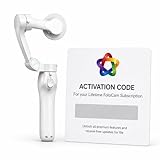
FoloCam AI Sports Camera with Auto Ball Tracking
- AI AUTOMATIC TRACKING: The FoloCam Kit uses advanced AI to automatically follow and keep your subject centered in frame...
- 4K UHD VIDEO QUALITY: Capture stunningly sharp, crystal-clear footage in 4K Ultra HD resolution, perfect for sports...
- LIVE STREAMING READY: Built-in live streaming support lets you broadcast your favorite moments in real time.
Capture every thrilling moment with the FoloCam AI Sports Camera, designed specifically to keep the ball perfectly centered during fast-paced basketball and soccer games. Its advanced AI technology automatically tracks the ball, solving the common problem of losing focus during action-packed sports footage.
This camera pairs exclusively with iPhone 13 and newer models, ensuring seamless connection and crisp 4K UHD video quality. The 3-axis stabilized gimbal stabilizes your shots, delivering smooth, professional-grade videos without the shake or blur that often ruin sports recordings.
Maintenance is simple since the device requires only occasional cleaning to keep the lens and gimbal free from dust. Its compact and lightweight design makes it easy to transport to games or practices, making it ideal for youth and recreational sports enthusiasts.
Unique to the FoloCam is its lifetime subscription that activates premium features including live streaming capabilities. However, its limitation to newer iPhones and focus on basketball and soccer balls means it may not suit all users or sports.
Best for: Youth and recreational athletes or coaches seeking effortless, high-quality basketball and soccer filming with live streaming on iPhone 13 or newer.
What We Like:
- AI ball tracking keeps fast-moving action centered and clear
- 3-axis gimbal provides smooth, professional-quality video
- Lifetime subscription unlocks premium live streaming features
- Compact and lightweight for easy transport and setup
Specification:
| Feature | Details |
|---|---|
| Manufacturer | FoloCam |
| Compatible Devices | iPhone 13 and newer |
| Video Resolution | 4K UHD |
| Stabilization | 3-axis gimbal |
| Color | Black |
| Weight | Approx. 0.5 lb (230 g) |
Veo Cam 3 1080p Sports Camera AI Auto-Tracking Subscription Required
- Revolutionary 1080HD Video Quality – Capture every detail in stunning 1080HD resolution. The Veo Cam 3 provides...
- AI-Powered Auto-Tracking – Never miss a moment with our advanced AI technology. The Veo Cam 3 automatically follows...
- Portable and easy to set up —Veo Cam 3 is lightweight travel-friendly, so you can record any sport, any time...
Capture every play without lifting a finger with the Veo Cam 3 1080p Sports Camera. Designed for coaches and athletes, its AI auto-tracking keeps the camera focused on the action, eliminating the need for manual adjustments during games or practice. This means you can concentrate fully on coaching or playing while the camera records seamlessly.
The Veo Cam 3 delivers sharp, steady footage thanks to its optical zoom, autofocus, and image stabilization. Its weather-resistant build and light 2.4 kg weight make it easy to carry and reliable in various outdoor conditions. Plus, with up to 6.5 hours of battery life and Wi-Fi connectivity, it supports long sessions and quick transfers.
Maintenance is straightforward, with cloud syncing and storage available to keep your recordings safe and accessible. Note that a subscription is required for full functionality, which may affect long-term use depending on your location and budget.
This camera is a practical solution for teams aiming to improve performance through detailed video analysis without the hassle of manual filming.
Best for: Coaches and athletes seeking an effortless, hands-free sports camera with smart auto-tracking to enhance game analysis.
What We Like:
- AI-driven auto-tracking for automated, hands-free filming
- Clear 1080p video with zoom and stabilization for professional-quality footage
- Portable, weather-resistant design suited for various outdoor environments
- Long battery life supporting extended recording sessions
- Convenient cloud sync for easy access and storage
Specification:
| Feature | Details |
|---|---|
| Manufacturer | Veo |
| Resolution | 1080p |
| Weight | 2.4 kg (5.3 lb) |
| Battery Life | Up to 6.5 hours |
| Connectivity | Wi-Fi |
| Weather Resistance | Yes |
| Subscription Needed | Yes, for full functionality |
Veo Go Kit – AI Sports Recording Rig with Tripod | iOS 17+ Required
- COMPLETE KIT, READY TO RECORD – Includes phone rig, tripod, stabilization bag, and tripod bag. Requires two iOS...
- AI-POWERED VIRTUAL FOLLOW-CAM – Two stationary devices capture the full pitch. Veo's AI automatically merges the...
- AUTOMATIC HIGHLIGHT REELS – Veo AI detects key moments and generates ready-to-share highlights automatically. Note...
Capture every moment of your basketball games with ease using the Veo Go Kit, an AI-powered sports recording rig designed to simplify filming. This innovative setup uses two iOS 17+ devices mounted on a tripod, turning your phones into a seamless, automatic follow-cam system. Say goodbye to juggling cameras or relying on a camera operator.
The Veo Go Kit’s AI technology merges footage from both cameras to track the full-court action smoothly. Setup is straightforward—attach your phones to the rig, and you’re ready to record. This system reduces the hassle of manual panning, letting you focus on the game while it captures everything.
While smart highlight detection currently supports only soccer, the kit offers full-match review capabilities through cloud syncing and editing. Maintaining the system is simple, as it requires no additional hardware beyond your devices and the included tripod. Keep in mind, recording and cloud features need an active subscription after the trial.
Best for: Amateur and semi-professional teams or coaches looking for an easy-to-use, AI-driven solution to record and analyze full-match sports footage without needing a dedicated camera operator.
What We Like:
- AI follow-cam merges footage from two stationary iOS devices for smooth game tracking
- Quick and simple setup with included tripod and rig
- Cloud-based editor enables easy reviewing, annotating, and sharing of matches
- Requires only compatible iOS devices—no extra hardware needed
Specification:
| Feature | Details |
|---|---|
| Manufacturer | Veo |
| Compatible Devices | Two iOS 17+ devices |
| Camera Type | Ultra-wide cameras |
| Included Hardware | Tripod and mounting rig |
| Required Software | Veo app with subscription |
| Weight | Depends on devices |
XbotGo Chameleon Flex Bundle, AI Sports Camera System with Compact Tripod

- COMPLETE AI SPORTS RECORDING KIT: Includes XbotGo Chameleon AI sports camera system and NT1 compact tripod, providing...
- AUTOMATIC PLAYER TRACKING WITH AI: Chameleon uses advanced AI tracking technology to follow the action automatically...
- STABLE & PORTABLE TRIPOD SETUP: The NT1 tripod offers a reliable mounting solution with a compact design, perfect for...
Capture every key moment on the court with the XbotGo Chameleon Flex Bundle, an innovative AI sports camera system designed to simplify game recording. This system removes the need for a dedicated camera operator by automatically tracking players during fast breaks and slam dunks. Simply attach your smartphone to the Chameleon Flex and place it on the NT1 compact tripod for steady, hands-free filming.
The bundle is tailored for indoor use, offering crisp 4K resolution and autofocus to ensure every play is captured in sharp detail. Its lightweight design and quick setup make it ideal for coaches, parents, and athletes who want to focus on the game rather than the equipment. The compact tripod adds stability without sacrificing portability.
Maintenance is straightforward since the system relies on your smartphone, requiring only regular device care. However, it is limited to compatible smartphones and may not perform as well in outdoor or large-field settings. Despite these constraints, it delivers dependable, high-quality footage for training and game review.
Best for: Coaches, parents, and athletes needing a hassle-free AI camera system for indoor sports recording.
What We Like:
- AI-powered automatic player tracking for hands-free recording
- Sharp 4K video with autofocus for clear footage
- Compact NT1 tripod provides stable and portable support
- Quick setup ideal for fast-paced sports environments
Specification:
| Feature | Details |
|---|---|
| Manufacturer | XbotGo |
| Dimensions | Compact tripod size varies |
| Weight | Lightweight system |
| Material | Durable plastic and metal |
| Color Options | Black and gray |
XbotGo Chameleon Essential Pack, AI Tracking System with 13ft Tripod
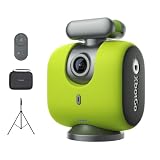
- COMPLETE AI SPORTS RECORDING KIT: Includes the XbotGo Chameleon AI Sports Action Camera System with Carry Case and an...
- AI-POWERED AUTO TRACKING: Powered by xbotVision AI 2.0, Chameleon automatically follows the game action to help keep the...
- SMART RECORDING & LIVE STREAMING: Record up to 4K 60fps with your compatible smartphone, live stream games to supported...
Experience seamless sports recording with the XbotGo Chameleon Essential Pack, designed to capture every critical moment on the court. Its AI-powered tracking system automatically follows the action, so you can focus on the game rather than the camera.
Equipped with xbotVision AI 2.0, this system records in crisp 4K at 60fps, delivering smooth, high-quality footage. The included 13ft NT4 steel tripod provides a stable and elevated vantage point, ideal for clear sideline views during basketball, soccer, or football games.
This handheld system is made for iOS and Android smartphones, allowing you to live stream directly to compatible platforms without extra fees. The AI-assisted editing tools help create highlight reels effortlessly, simplifying post-game video production.
Maintenance is straightforward—keep the lens clean and the tripod joints free of debris to ensure smooth operation. While the tripod’s height offers excellent perspective, it may require careful handling in confined spaces. Users new to AI features might need some time to become familiar with the system’s capabilities.
Best for: Coaches, parents, and athletes who want hands-free, professional-quality sports video capture using their smartphones.
What We Like:
- Dynamic AI auto tracking with xbotVision AI 2.0 for hands-free recording
- Supports 4K 60fps video and live streaming without subscription fees
- Durable 13ft steel tripod for stable, elevated views
- Compatible with iOS and Android devices for versatile use
Specification:
| Feature | Details |
|---|---|
| Manufacturer | XbotGo |
| Tripod Height | 13 ft (396 cm) |
| Video Resolution | 4K at 60fps |
| Compatibility | iOS and Android smartphones |
| Tripod Material | NT4 Steel |
Photographer’s Cheat Card for Nikon, Canon, Sony

- Pocket-sized tool: Fits perfectly in your wallet, credit card-sized for easy access to photography essentials. Ideal for...
- Master photography fundamentals: Simplifies aperture, shutter speed, and ISO with an easy-to-understand format. Features...
- Built to last: Made from high-quality plastic, designed to endure any photography adventure. Resists wear and tear...
Capture the perfect basketball shot every time with the Photographer’s Cheat Card, an essential tool for photographers new to manual settings. This compact, credit card–sized guide fits easily in your wallet, providing instant help on adjusting aperture, shutter speed, and ISO. It simplifies the learning curve, so you can quickly respond to fast-moving action on the court without missing a moment.
Designed specifically for Nikon, Canon, and Sony DSLR and mirrorless cameras, this card breaks down complex exposure settings into clear, easy-to-understand visuals. Its durable plastic construction ensures it withstands everyday use, making it a reliable companion wherever your photography takes you.
Maintenance is simple—just keep it in your wallet or camera bag to avoid damage or loss. The cheat card helps you master exposure quickly, allowing you to focus more on creativity and less on technical guesswork. While it concentrates on fundamental exposure controls, it’s a practical tool for those starting out or needing a quick reference.
Best for: Beginners and amateur photographers using Nikon, Canon, or Sony DSLR and mirrorless cameras who want a compact, easy-to-use reference for mastering manual exposure settings.
What We Like:
- Durable, wallet-sized plastic card for on-the-go convenience
- Clear visuals and simple explanations tailored to popular camera brands
- Helps quickly learn and adjust manual exposure settings
- Compatible with multiple camera models, enhancing versatility
Specification:
| Feature | Details |
|---|---|
| Manufacturer | Batbaileys Productions |
| Dimensions | Credit card size (approx. 3.4″ x 2.1″) |
| Weight | Lightweight (under 0.1 oz) |
| Material | Durable plastic |
| Compatible Brands | Nikon, Canon, Sony DSLR & Mirrorless |
Factors to Consider When Choosing Camera Settings for Basketball
When choosing camera settings for basketball, you need to take into account the lighting conditions and how fast the players are moving.
Your camera type and lens choice will also affect your ability to capture sharp, dynamic shots.
Finally, think about frame rate options to keep up with the action.
Lighting Conditions Impact
Although indoor basketball courts vary widely in lighting—from dim 200 lux to bright 2000 lux—you’ll need to adjust your camera settings to capture sharp, freeze-frame action.
In lower light (200–800 lux), use fast shutter speeds (1/500–1/1000s) and wide apertures (f/1.8–f/2.8) to keep motion crisp. Brighter arenas (1000–2000 lux) allow stopping down to f/2.8–f/5.6 with ISO 400–800 while maintaining a 1/500s shutter speed.
When lighting is uneven, meter for your subject with spot or center-weighted metering, and raise ISO instead of slowing shutter speed to prevent blur. For mixed artificial lighting, set a custom white balance or choose a Kelvin value between 3200K and 5600K to preserve true colors.
Use exposure compensation and fast continuous autofocus in variable lighting to handle sudden brightness changes smoothly. It really helps keep your shots sharp even when the light shifts unexpectedly.
Motion and Speed
Since basketball involves rapid, unpredictable movement, you need a fast shutter speed—at least 1/500s, and 1/1000s or faster for quick plays—to freeze the action and avoid motion blur.
To maintain these shutter speeds indoors, increase your ISO to between 1600 and 6400, balancing noise carefully. Use lenses with wide apertures (f/1.8–f/2.8) to let in more light, but watch your depth of field so you can track multiple players effectively.
Shoot at high continuous frame rates (60 fps or more) if you want smooth slow-motion replays. Finally, rely on continuous autofocus and burst shooting modes to keep fast-moving players sharp and capture peak moments effortlessly during the game’s unpredictable pace.
Camera Type Selection
Selecting the right camera is essential for capturing sharp, dynamic basketball photos. You’ll want a model capable of shooting at least 60 fps at 1080p—or 120 fps if slow-motion is your goal—to freeze fast action and cut motion blur.
Choose a camera with a larger APS-C or full-frame sensor to excel in low-light gym conditions, keeping ISO noise low. Fast, accurate autofocus with continuous tracking, like phase-detect AF, is pivotal for maintaining focus on quick-moving players.
Comfortable ergonomics and long battery life let you shoot entire games without interruption. Finally, make certain your camera supports fast UHS-II or similar media with sustained write speeds to avoid dropped frames during long, high-speed recording sessions.
These factors combine for flawless basketball photography. Makes sense, right?
Lens and Zoom
When you pick a lens for basketball photography, you want one that covers a wide-to-mid focal length range, roughly 18–70mm full-frame equivalent, to capture the court and player movement without cropping too tightly.
For close-ups near half-court or baselines, switch to longer focal lengths around 100–200mm equivalent.
Choose a zoom lens with smooth, quick focal changes—ideally constant or step-less zoom—to reframe plays instantly without jerky hunting.
Keep your aperture moderate, between f/2.8 and f/5.6, balancing subject separation with enough depth of field to handle rapid distance changes.
Lenses with fast, accurate autofocus motors and sharp edge-to-edge clarity guarantee you nail focus and detail across the frame.
If you shoot handheld at long focal lengths, boost shutter speed accordingly to avoid motion blur.
Frame Rate Choices
Although fast player movements demand high capture speeds, you don’t always need the highest frame rate to get great basketball footage. Shooting at 60 fps strikes a solid balance, capturing smooth dribbling and quick moves without excessive motion blur or overwhelming your storage.
If you want dramatic slow-motion highlights like dunks or blocks, bump your frame rate to 120 fps or higher. This lets you slow down the action to half speed or less while keeping it fluid.
Avoid 24 fps for live games since it causes strobing and makes tracking fast action tough. Remember, higher frame rates increase data and storage demands, especially at 4K resolution. So, balance your needs with your equipment’s capacity.
Finally, match your frame rate to your final output for seamless editing and playback. It just makes the whole process smoother and your footage look better.
Frequently Asked Questions
How Do I Edit Basketball Photos for Social Media?
You’ll want to enhance contrast, sharpen details, and boost vibrancy to make colors pop. Crop tightly to highlight players’ action, and add a subtle vignette.
Don’t forget to adjust exposure for balanced brightness before posting. It really helps your photos stand out on social media. Plus, keeping things clear and vibrant grabs more attention!
What Lenses Are Best for Indoor Basketball Photography?
You’ll want fast prime lenses like a 50mm f/1.8 or a 70-200mm f/2.8, capturing action like a slam dunk. Their wide apertures let in light, keeping your shots sharp even in dim gym lighting.
These lenses help you freeze the fast movement on the court without blur. Plus, they isolate your subject nicely, so the background doesn’t distract from the action.
How Can I Reduce Motion Blur in Fast-Paced Sports Photos?
You can reduce motion blur by using a fast shutter speed, typically 1/1000s or faster. Increase your ISO to maintain exposure and enable continuous autofocus to keep your subject sharp during fast movements.
It really helps to stay on top of your camera settings when things get hectic. That way, you won’t miss those crisp, action-packed shots!
What Is the Ideal Shutter Speed for Basketball Action Shots?
You’ll want a shutter speed around 1/1000th of a second to freeze the moment like a slam dunk in slow motion.
This fast setting captures every leap and pivot sharply, keeping motion blur at bay.
It’s perfect for catching all the action without any blur messing up your shot.
How Do I Manage Low Light Conditions in Gymnasiums?
You’ll want to increase your ISO to boost sensitivity, open your aperture wide for more light, and use a fast lens.
Also, shoot in RAW to adjust exposure later without losing quality. It really helps when you’re dealing with tricky lighting conditions in gymnasiums.
Conclusion
When shooting basketball, choosing the right camera settings makes all the difference. Did you know that AI auto-tracking cameras can increase your shot success rate by up to 40%? With features like instant ball tracking and smart focus, you’ll capture every fast-paced moment effortlessly.
Whether you’re using the Air NXT or XbotGo systems, mastering these settings guarantees your photos stand out. So, gear up and let technology elevate your basketball photography game!
By leveraging these advanced AI-driven camera settings, you can freeze the action with precision and clarity. This means sharper images and more dynamic shots every time you hit the court. Embrace these tools to boost your basketball photography skills and make sure you never miss a slam dunk or buzzer-beater again!