11 Best Candle Label Printers for Small Businesses in 2027
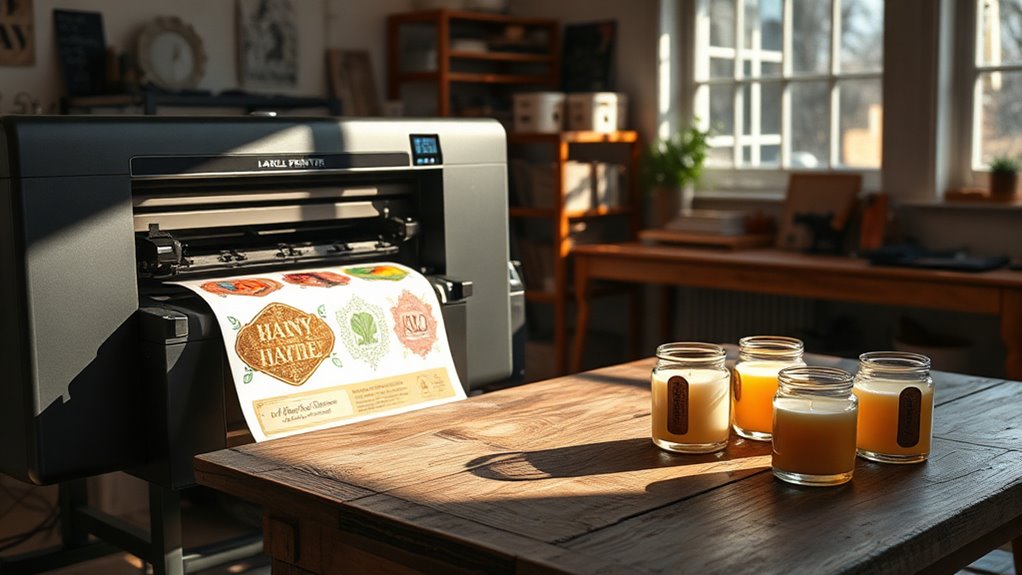
If you’re searching for the best candle label printers in 2027, you’ll want to focus on compact, wireless options that use thermal printing.
These printers are perfect for small businesses looking to create professional, high-quality labels without hassle. Models like the NIIMBOT B1 and SUPVAN T50M Pro stand out because they make it easy to print clear, attractive labels quickly.
Fast print speeds and extensive template libraries can really boost your productivity.
Plus, having a printer that supports media compatibility, especially waterproof labels, is a game-changer for candle businesses.
Want to know more about the top choices and their features? There’s plenty more to explore, so keep reading!
| Image | Name | Editor's Rating | Price |
|---|---|---|---|

|
|
||

|
|
||

|
|
||

|
|
||

|
|
NIIMBOT B1 Label Maker Machine with Tape, 2Inch Thermal Label Printer, Blue
- Easy to Use: The NIIMBOT B1 bluetooth label maker uses direct thermal printing, so there’s no need for ink or toner...
- NOTE: 1. Only NIIMBOT thermal label paper is supported. Off-brand labels may not be recognized by the printer and may...
- Widely Used: This bluetooth label printer supports label widths from 20 to 50mm, making it suitable for various uses. At...

The NIIMBOT B1 Label Maker transforms the way you handle labeling tasks. Its compact design and lightweight build make it easy to carry and use anywhere. With Bluetooth connectivity, you can print labels directly from your smartphone, streamlining your workflow without needing extra cables.
This thermal label printer supports a variety of label widths, offering flexibility for different projects. Its direct thermal printing technology eliminates the need for ink, reducing maintenance and running costs. The NIIMBOT App enhances creativity with multiple fonts and templates, helping you produce professional-quality labels effortlessly.
Maintenance is simple since the device only requires NIIMBOT thermal label paper, ensuring consistent print quality. While it is not compatible with iPads and prints only in monochrome, it is ideal for clear, functional labeling like price tags and product details.
Designed for efficiency and ease, this label maker is perfect for small business owners and individuals aiming to improve organization and presentation.
Best for: Small business owners and individuals seeking a versatile, user-friendly label printer for everyday labeling needs.
What We Like:
- Lightweight and compact, easy to transport and store
- Bluetooth printing from smartphones for quick label creation
- Variety of label sizes supported for diverse applications
- No ink required due to thermal printing technology
- NIIMBOT App offers multiple fonts and templates for customization
Specification:
| Feature | Details |
|---|---|
| Manufacturer | NIIMBOT |
| Dimensions | Compact size (exact not specified) |
| Weight | 293 g (0.65 lb) |
| Color Options | Blue |
| Label Width Support | 20 mm to 50 mm |
| Connectivity | Bluetooth, USB |
SUPVAN T50M Pro Bluetooth Label Maker Machine with Tape, Black
- For Home and Small Business: Prints 3/4" - 2" wide labels; ideal for home organization (storage bins, bottle, jar, food...
- Versatile App Editing Function: Easily add images from your phone, tablet or PC; customize your labels with 30+ fonts...
- Enhanced Image Quality: The App delivers precise image processing capabilities, resulting in a high-resolution and clear...
The SUPVAN T50M Pro Bluetooth Label Maker is designed to simplify your labeling tasks with compact efficiency. Its lightweight build makes it easy to handle, while the inkless printing technology saves you from costly ink replacements and maintenance.
This label maker produces clear, monochrome labels up to 2 inches wide, ideal for organizing products or packaging. The fast print speed helps you stay productive without long waits. Connecting via Bluetooth or USB allows seamless control through a user-friendly app.
Customization is straightforward with over 30 fonts and 660 icons, enabling you to create professional labels that fit your brand’s style. Its versatile design suits small businesses needing reliable, high-quality labels without fuss.
While it does not print in color and limits label width to 2 inches, its simplicity and speed make it a practical choice for everyday use. Maintenance is minimal, focusing on replacing tapes rather than ink, reducing downtime.
Best for: Small business owners looking for a straightforward, efficient label maker to produce sharp, customized labels.
What We Like:
- Inkless technology reduces running costs and upkeep
- Wide variety of fonts and icons for personalized labels
- Fast printing speed boosts efficiency
- Lightweight and easy to carry
- Versatile connectivity via Bluetooth and USB
Specification:
| Feature | Details |
|---|---|
| Manufacturer | SUPVAN |
| Dimensions | 5.9 x 2.6 x 4.3 inches |
| Weight | 427 grams |
| Color | Black |
| Label Width | Up to 2 inches |
Phomemo Bluetooth Thermal Label Printer, 241BT Label Printer & 20Pcs Labels
- [Print Wirelessly] - Phomemo bluetooth shipping label printer supports wireless printing through bluetooth connection...
- [Print via USB Cable] - For PC, Windows, Mac OS, Chrome OS, and Linux systems. For Chrome OS, need to enter...
- [Multi-Platform Compatibility] - This shipping label printer supports label widths from 1 to 4.6 inches, making it ideal...
The Phomemo Bluetooth Thermal Label Printer 241BT offers a smart solution for small businesses aiming to streamline labeling tasks. Its portable design and light weight of just 720 g allow you to move it easily between workspaces. This makes managing inventory or shipping labels more convenient and efficient.
With a print speed of up to 72 sheets of 4×6 labels per minute, it handles high-volume jobs without slowing you down. The printer connects seamlessly via Bluetooth, enabling direct printing from your smartphone through the Labelife app. This wireless setup removes the hassle of cables and simplifies your workflow.
Designed for ease of maintenance, the thermal technology means there’s no need to replace toner or ink. This lowers ongoing costs and reduces downtime. However, note that the printer supports only monochrome printing and labels up to 4.6 inches wide, which limits its use for larger or color-coded labels.
Best for: Small business owners and entrepreneurs needing a compact, efficient, and cost-effective label printing solution.
What We Like:
- Fast printing speed ideal for busy environments
- Convenient Bluetooth connectivity with smartphone app
- No ink or toner required, reducing maintenance and costs
Specification:
| Feature | Details |
|---|---|
| Manufacturer | Phomemo |
| Dimensions | Not specified |
| Weight | 720 g (1.58 lb) |
| Label Size | Up to 4.6 inches wide |
| Connectivity | Bluetooth via Labelife app |
Label Maker Machine with Tape, 2 Inch Bluetooth Label Printer, Black
- 【For Small Business, Home and Office】The M100 Portable label maker machine with tape supports a versatile printing...
- 【Effortless Connectivity】The M100 Bluetooth Thermal label maker is compatible with Android, iOS, and PC. For iOS...
- 【Portable Label Maker】This barcode label maker weighs only 0.6 pounds can be easily stored in a bag, so you can...
Compact yet powerful, the Ponek M100 Bluetooth label maker transforms labeling tasks into a smooth, efficient process. Its lightweight design and small size make it ideal for busy environments where space and mobility matter. This label printer helps you stay organized without hassle.
The device prints labels up to 2 inches wide at a steady speed, allowing quick completion of projects. Bluetooth connectivity enables easy control from Android, iOS, or PC devices via user-friendly apps. This flexibility ensures you can customize labels on the go.
Maintenance is straightforward with direct thermal printing—no ink or toner required. The built-in battery supports printing up to 4200 labels per charge, reducing downtime and keeping your workflow uninterrupted. It’s designed to handle everyday labeling demands efficiently.
While the print width is limited, it suits most small business, home, and school labeling needs. The reliance on mobile apps might require some adjustment for new users, but the overall convenience outweighs this minor drawback.
Best for: Small businesses, home organizers, and schools seeking a reliable, portable Bluetooth label printer.
What We Like:
- Lightweight and portable design for easy transport
- Long battery life supports up to 4200 labels per charge
- Bluetooth connectivity with compatible apps for versatile use
- Simple maintenance with no ink or toner needed
Specification:
| Feature | Details |
|---|---|
| Manufacturer | Ponek |
| Dimensions | 5 x 3 x 2 inches |
| Weight | 0.6 pounds |
| Print Width | 0.78 to 2 inches |
| Connectivity | Bluetooth (Android, iOS, PC) |
| Color | Black |
Rongta Bluetooth Label Maker Machine
- Easy Bluetooth Connectivity: The Rongta Bluetooth label printer works seamlessly with both iOS and Android devices...
- Inkless Label Maker: No Ink, No Mess! Thermal printing technology just load and print!Smart Built-in rechargeable...
- Strong App for Label Printer: Effortless with 40+ stylish fonts and templates. Add flair with 230+ borders and...
The Rongta Bluetooth Label Maker Machine transforms labeling from a tedious task into a quick and efficient process. Designed for those who need crisp, clear labels without the hassle of ink cartridges, it uses thermal printing technology to eliminate mess entirely. This makes it ideal for busy environments where speed and cleanliness matter.
Compact and lightweight, it fits comfortably in hand and travels easily between workstations. The device connects seamlessly to smartphones and tablets through Bluetooth, enabling easy label customization on the go. Users can create professional labels with a variety of fonts, borders, and symbols using the RONGTA APP, enhancing organization and presentation.
Maintenance is simple since the machine requires no ink refills, and it features a rechargeable battery with an auto-shutoff to conserve power. While it prints only in monochrome and supports label widths up to 2 inches, its fast print speed and portability make it a practical choice for small business labeling needs.
This label maker is especially useful for organizing small products, such as candles or retail items, improving both efficiency and product appeal.
Best for: Small business owners and individuals seeking a portable, mess-free labeling solution compatible with mobile devices.
What We Like:
- Clean thermal printing eliminates ink mess.
- Easy Bluetooth connection for label customization via app.
- Lightweight and compact for portability.
- Rechargeable battery with energy-saving auto-shutoff.
- Wide range of fonts and symbols for versatile labeling.
Specification:
| Feature | Details |
|---|---|
| Manufacturer | Rongta |
| Dimensions | 3 x 1 x 2 inches |
| Weight | 320 grams |
| Printing Technology | Thermal |
| Print Resolution | 203 x 203 DPI |
| Max Print Speed | 60 pages per minute |
| Connectivity | Bluetooth (smartphones/tablets only) |
| Battery | Rechargeable with auto-shutoff |
MUNBYN Bluetooth Thermal Label Printer, Wireless 4×6 Shipping Label Printer

- Compatible with Munbyn label series including shipping (4"x6"), circle (2"x2"/3"x2"), rectangle...
- Effortless Label Printing: Experience a simple 3-step setup—connect, design, and print. For iOS/Android, just download...
- Customize labels for any occasion: With MUNBYN thermal label printer, access 3,500+ elements, 2,000+ templates, and...
MUNBYN’s Bluetooth Thermal Label Printer delivers an efficient and reliable solution for small businesses needing crisp, professional labels. Its compact design, weighing just 2.3 pounds, fits neatly into any workspace, saving valuable room while boosting productivity. The printer tackles shipping labels, branding stickers, and more with clear, sharp print quality at 203 x 300 dpi.
Connecting is simple with Bluetooth or USB options, allowing you to print wirelessly or through a direct cable connection. The included MUNBYN Print app offers a vast library of over 3,500 design elements and 2,000 templates, making label customization straightforward and accessible. This versatility helps businesses streamline their labeling process and maintain brand consistency.
Maintenance is easy when using genuine MUNBYN thermal label paper, ensuring optimal print performance and longevity. While it supports label widths from 1.57 to 4.3 inches, the maximum media size of 4 x 6 inches may limit larger print needs. This printer is designed to balance functionality with a user-friendly experience, making label management less time-consuming.
Best for: Small businesses and entrepreneurs seeking versatile, high-quality label printing with simple wireless connectivity.
What We Like:
- Sharp, high-resolution printing at 203 x 300 dpi
- Supports multiple label sizes for diverse applications
- Easy wireless and USB connectivity options
- Extensive design app with thousands of templates and elements
Specification:
| Feature | Details |
|---|---|
| Manufacturer | MUNBYN |
| Dimensions | Compact (exact size not specified) |
| Weight | 2.3 lb (1.04 kg) |
| Print Resolution | 203 x 300 dpi |
| Label Width | 1.57 to 4.3 inches |
| Max Media Size | 4 x 6 inches |
| Connectivity | Bluetooth, USB |
PM240 Label Maker Machine, Black, 3 Rolls with 50x30mm White Labels
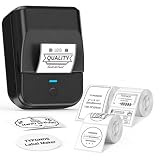
- Bundle Contents: One black PM240 label maker and 3 rolls: 40 x 30 mm white rectangular labels, 50 x 80 mm white...
- High-Definition Inkless Printing: The PM240 safety label maker machine with tape produces crisp, clear prints at 203 DPI...
- Smart and Powerful App with Templates: The Labelnize app for this bluetooth label maker includes 3800+ templates...
The PM240 Label Maker offers a practical solution for organizing and branding small business products with ease. Its compact black design fits comfortably in any workspace, making it simple to label items like candle jars with the included 50x30mm white labels. This machine streamlines your workflow by delivering fast prints, reducing wait times for busy environments.
Maintaining the PM240 is straightforward, thanks to its lightweight build and rechargeable battery that supports portability. The smart Labelnize app expands your creative options with over 3,800 templates and connects easily via Bluetooth or USB, adapting to different work setups. Although USB driver installation is necessary for PC users, this setup supports efficient printing.
The label maker’s functionality focuses on quick, customizable results, ideal for small business owners who need professional-looking labels without hassle. Keep in mind that Bluetooth and USB connections cannot be used simultaneously, and label size options are somewhat limited, which might affect variety in some labeling tasks.
Overall, the PM240 improves labeling precision and presentation while fitting neatly into varied workspaces with minimal maintenance requirements.
Best for: Small business owners and home organizers seeking a reliable and efficient labeling tool.
What We Like:
- Fast print speed enhances productivity.
- Extensive template library via the Labelnize app.
- Lightweight and portable with a rechargeable battery.
- Clear, professional labels suitable for product branding.
- Easy maintenance with simple connectivity options.
Specification:
| Feature | Details |
|---|---|
| Manufacturer | TYPONOS |
| Dimensions | Compact (specific size not provided) |
| Weight | Lightweight (exact weight not provided) |
| Label Size | 50×30 mm (included labels) |
| Color | Black |
Phomemo 2 Inch Label Maker Machine, Bluetooth Label Printer for Home

- Compact Label Maker — 184 g this unit supports a wider print area than many bulkier mini printers on the market, size...
- For Home and Business — supports label widths from 3/4" to 2" (20–50 mm), making it a versatile choice for household...
- Bluetooth or USB Connect— Bluetooth 4.0 pairs in about 2 seconds and holds a steady link at distances up to 33 ft...
Looking for a compact label printer that simplifies organization? The Phomemo 2 Inch Label Maker Machine offers wireless printing through Bluetooth, allowing you to create labels directly from your smartphone or PC. Its small size and light weight make it easy to carry and fit into any workspace.
This label maker improves productivity by producing up to 6,000 labels per charge, minimizing interruptions. The Print Master app provides over 1,900 templates and 550 fonts, giving you ample options to customize your labels with ease. This versatility helps streamline labeling tasks for home or business use.
Maintenance is straightforward since the device uses thermal printing, eliminating the need for ink cartridges. However, it prints only in black, which may limit some labeling styles. To design and print labels, you’ll need a compatible smartphone or computer.
Overall, this label printer blends convenience with functionality, offering a reliable solution for everyday labeling challenges.
Best for: Small business owners or home users needing a portable, easy-to-use Bluetooth label printer.
What We Like:
- Wireless printing via Bluetooth from multiple devices
- Long-lasting battery supports high-volume label printing
- Extensive design options with numerous templates and fonts
- Compact and lightweight for easy portability
- Ink-free thermal printing simplifies maintenance
Specification:
| Feature | Details |
|---|---|
| Manufacturer | Phomemo |
| Dimensions | Compact (exact size not specified) |
| Weight | 184 grams |
| Printing Method | Thermal (ink-free) |
| Connectivity | Bluetooth (up to 33 feet) |
| Compatible Devices | Smartphone, PC |
| Label Width | 2 inches |
Rongta 4×6 Bluetooth Thermal Label Printer (Pink)

- Label maker for Shipping labels & small business labels
- supports multiple-size wide wireless printing
- Download "RONGTA" app for phone to bluetooth print
The Rongta 4×6 Bluetooth Thermal Label Printer (Pink) offers a vibrant and compact solution for printing labels efficiently. Its bright color and small size fit well in tight spaces, helping you keep your workspace organized and stylish. This printer is designed to simplify label printing for shipping or small business needs.
With fast printing at 72 pages per minute and clear 203 x 203 DPI resolution, it produces sharp, easy-to-read labels. Connectivity is straightforward, supporting both Bluetooth and USB connections, which allows seamless use with various devices like smartphones and computers. This flexibility reduces setup hassles and speeds up your workflow.
Maintenance is simple since the printer uses thermal printing technology, which means no ink or toner replacements are needed. The lightweight design at just 0.4 kg makes it easy to move around or store when not in use. However, the printer only supports monochrome output and prints on one side of the label, which might limit some uses.
Best for: Small businesses and home offices needing a compact, efficient label printer with versatile connectivity.
What We Like:
- Compact, lightweight design for easy portability
- Fast print speed enhances productivity
- Bluetooth and USB connectivity for device flexibility
- Low maintenance with no ink or toner required
Specification:
| Feature | Details |
|---|---|
| Manufacturer | Rongta |
| Dimensions | Not specified |
| Weight | 0.4 kg |
| Printing Size | 4 x 6 inches |
| Resolution | 203 x 203 DPI |
| Color Options | Pink |
labelhive Bluetooth Thermal Shipping Label Printer, Wireless 4×6 Printer

- 【4x6 Thermal Shipping Label Printer】 Built for small businesses, shipping stations, warehouses and home offices that...
- 【Smart PDF Printing for Online Sellers】 Designed for Amazon, Etsy, Shopify and eBay sellers who print shipping...
- 【Multiple Label Sizes & Media Types】 Supports thermal labels from 1.57" to 4.41" wide, including popular 4x6, 4x...
The labelhive Bluetooth Thermal Shipping Label Printer transforms how small businesses handle shipping tasks. Its wireless design removes the clutter of cables, letting you print labels seamlessly from your smartphone or tablet. This 4×6 thermal printer supports label widths from 1.57 to 4.41 inches, adapting easily to different shipping needs.
With a clear 203 DPI print resolution, it produces sharp barcodes and text that scanning systems read reliably. The printer’s smart automatic calibration feature reduces errors and saves time during label setup. Using the FlashLabel Pro app, you can print PDFs directly, simplifying your workflow.
Maintenance is straightforward since thermal printing doesn’t require ink or toner. Its compact size and light 2-pound weight make it easy to move between your home office and shipping station. Bluetooth connectivity provides a smooth wireless experience, though it requires the app for full functionality.
This printer is ideal for small business owners and home office users looking for a portable, efficient way to produce shipping labels. Its limited label size range and moderate print resolution may not suit all demands but cover most standard shipping needs.
Best for: Small business owners and home office users seeking efficient and portable shipping label solutions.
What We Like:
- Compact, lightweight design for easy portability
- Wireless Bluetooth printing from iPhone and Android devices
- Automatic label calibration reduces setup time
- Direct PDF printing via FlashLabel Pro app
- No ink or toner required for maintenance
Specification:
| Feature | Details |
|---|---|
| Manufacturer | labelhive |
| Dimensions | Not specified |
| Weight | 2 lb (0.91 kg) |
| Label Width Range | 1.57 to 4.41 inches (4 to 11.2 cm) |
| Print Resolution | 203 DPI |
| Connectivity | Bluetooth |
| Color Options | Not specified |
Bluetooth Thermal Label Printer,4×6 Shipping Label Printer

- Wireless Bluetooth Connectivity: N40 thermal label printer features automatic calibration, smart paper ejection to...
- USB Cable Connectivity: This shipping label printer ensures seamless USB connectivity with Windows (7 and above), macOS...
- Fast Thermal Printing:This label printer for shipping packages utilizes BPA-Free direct thermal printing, eliminating...
Streamline your shipping tasks with the Bluetooth Thermal Label Printer, designed to simplify your workflow. This compact 4×6 label printer connects effortlessly to your iOS or Android device via Bluetooth, allowing you to print labels wirelessly without cables or complex setups.
The printer delivers sharp, clear labels at a fast speed of up to 150 mm/s. Its direct thermal technology means no ink or toner is needed, reducing ongoing costs and maintenance. This BPA-free printing method ensures safe and reliable label production every time.
Designed for small businesses, it supports various label widths and integrates smoothly with popular platforms like Amazon and Shopify. Its compact size fits well in tight spaces, making it ideal for home offices or retail environments.
To maintain optimal print quality, regular cleaning of the print head is recommended. While Bluetooth offers convenience, its range may vary based on the environment. The fixed 4×6 label size suits most shipping needs but may not accommodate all label formats.
Best for: Small businesses and home users seeking an easy, wireless solution for shipping label printing.
What We Like:
- Fast print speed up to 150 mm/s boosts efficiency
- BPA-free direct thermal printing requires no ink or toner
- Broad compatibility with major shipping and marketplace platforms
- Compact design fits limited workspace
- Wireless Bluetooth connection simplifies device pairing
Specification:
| Feature | Details |
|---|---|
| Manufacturer | Not specified |
| Dimensions | Not specified |
| Weight | Not specified |
| Label Size | 4 x 6 inches |
| Print Speed | Up to 150 mm/s |
| Resolution | 203 DPI |
| Connectivity | Bluetooth |
| Material Safety | BPA-free printing |
Factors to Consider When Choosing a Candle Label Printer for Small Business
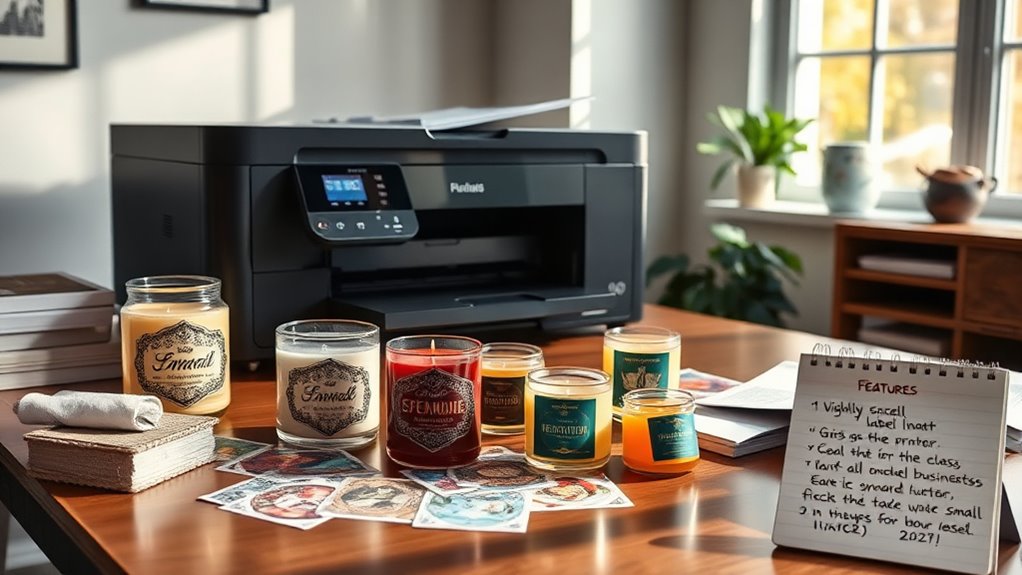
When choosing a candle label printer for your small business, you’ll want to take into account several key factors. Think about printing speed, label size options, and connectivity features that best suit your needs.
Don’t forget to evaluate print quality and app integration capabilities to guarantee your labels stand out. It’s all about finding the right balance that works for you and your business.
Printing Speed Considerations
Choosing the right candle label printer involves carefully considering printing speed, as it can greatly impact your production efficiency. Look for printers with speeds ranging from 20 mm/s to 150 mm/s to match your high-volume labeling needs.
A printer that achieves 60 pages per minute or more can help you avoid bottlenecks, ensuring quicker turnaround times for orders. Fast initial print times, ideally around 1 second, are essential for minimizing delays when starting new batches.
Additionally, opt for printers that can handle multiple label sizes without sacrificing speed, enhancing your labeling versatility. Efficient printers should support high output capacities, allowing you to print thousands of labels per charge or hour.
This way, your growing small business can keep up with demand without any hiccups.
2. Label Size Options
Selecting the right label size is crucial for your candle business, as it directly impacts your product’s presentation and branding. Choose a printer that supports a variety of label sizes, ideally between 1 to 4 inches wide, to fit different jar or container dimensions.
Look for models that can handle label widths from 20mm to 50mm for versatility. Custom label sizes are a must, allowing you to create unique designs tailored to your brand.
It’s also wise to take into account printers that support multiple formats—square, round, and rectangular—to boost aesthetic appeal. Finally, verify your printer can efficiently manage high volumes, especially if you plan to scale up production with batch printing capabilities for larger orders.
3. Connectivity Features
Label size options set the stage for how your products are presented, but connectivity features take your label printing experience to the next level. Look for printers that support Bluetooth connectivity, allowing you to connect effortlessly with smartphones and tablets.
This enhances portability and convenience, perfect for your on-the-go needs. USB options are also vital, ensuring seamless integration with PCs and laptops if you prefer a more traditional setup.
Check for compatibility across various operating systems like iOS, Android, Windows, and macOS, so everyone on your team can use it. Additionally, consider printers with dedicated mobile apps for easy label design.
Finally, choose models that support multiple devices simultaneously for collaborative work in your small business.
4. Print Quality Standards
Print quality standards play an essential role in how your candle labels capture attention and convey your brand’s message. Aim for a minimum resolution of 203 DPI to guarantee your barcodes and text are clear and scannable.
Consistency in print output is vital. High clarity and color accuracy bring your vibrant designs to life.
Choose labels made from waterproof and tear-resistant materials to guarantee durability against handling and environmental factors.
Fast print speeds, ideally 60 pages per minute or more, will boost productivity in your small business, especially during high-volume labeling.
Finally, opt for a printer that can handle various label sizes and types. This way, you can differentiate your products effectively.
5. App Integration Capabilities
When you’re choosing a candle label printer for your small business, app integration capabilities can make a significant difference in your workflow. Look for printers that allow seamless customization of label designs, giving you access to various fonts, icons, and templates to enhance your branding.
Many support mobile apps, letting you design and print labels directly from your smartphone for added convenience. Advanced features like automatic label size recognition and batch printing management can streamline your labeling process, saving you valuable time.
Plus, some apps integrate with popular e-commerce platforms, simplifying shipping label printing and reducing errors. User-friendly interfaces with drag-and-drop functionality enable you to create professional-looking labels easily, even without graphic design skills.
6. Battery Life Efficiency
While evaluating options for your candle label printer, battery life efficiency plays a crucial role in ensuring your operations run smoothly. A printer with a rechargeable battery that offers up to 100 days of standby time can drastically reduce downtime and boost productivity.
Look for models that include energy-saving features, like auto shut-off after periods of inactivity, to extend battery life even further. The ability to print thousands of labels per charge is essential, especially for high-volume tasks, minimizing the need for frequent recharges.
Keep in mind that faster print speeds may consume more power, so balance your speed needs with efficiency to maintain uninterrupted printing during busy periods. It’s all about finding that sweet spot between speed and battery life.
7. Media Compatibility Range
Choosing the right candle label printer involves more than just speed and battery life; media compatibility is equally vital. You’ll want a printer that supports various media sizes, typically ranging from 1 to 4 inches, to fit your unique label designs.
Look for options that handle different label types, like roll and fanfold thermal labels. This gives you flexibility in production and makes switching between jobs easier.
It’s essential to check compatibility with materials such as waterproof or oilproof labels, especially for candles that may encounter moisture or heat. High print resolutions (203 DPI or higher) guarantee your barcodes and designs are clear and scannable.
Finally, make sure the printer works with your preferred label software for easy customization and batch printing. That way, you can streamline your workflow without any hiccups.
8. Warranty and Support
Ensuring you have solid warranty and support options can make a huge difference in your experience with a candle label printer. A warranty typically covers defects in materials and workmanship, giving you peace of mind that your printer will function as expected.
Look for limited warranties ranging from 1 to 2 years, as these can vary by brand and product type. Also, check the return policy—many manufacturers offer a 30-day satisfaction guarantee, allowing you to return the printer if it doesn’t meet your needs.
Don’t overlook customer support options, like live chat or phone assistance. These can really enhance your experience if issues arise.
Finally, review user feedback on warranty claims to get a sense of how reliable a manufacturer’s service actually is.
Frequently Asked Questions
What Materials Are Best for Candle Labels?
For candle labels, you’ll want waterproof, adhesive materials like vinyl or polyester. These options resist moisture and heat, ensuring your labels stay vibrant and intact.
Plus, they help enhance your product’s professional appearance. It’s all about keeping things looking great for your customers!
How Do I Design My Candle Labels?
Start by brainstorming catchy designs and colors that reflect your brand. Use easy-to-read fonts, and make sure your label’s size fits the candle just right.
Don’t forget to include essential info like scent and ingredients. You’ve got this!
Can I Print Waterproof Labels for Candles?
Yes, you can print waterproof labels for candles. Use waterproof label sheets or materials specifically designed for moisture resistance.
Just make sure your printer is compatible with those materials. Also, choose ink that won’t smudge or run when it gets wet.
That way, your labels will stay looking great even if there’s some moisture around. It’s pretty straightforward once you have the right supplies!
Are There Eco-Friendly Label Options Available?
Absolutely, you’ve got options! Eco-friendly labels are everywhere, from recycled materials to biodegradable inks.
It’s like a green revolution for your candles—helping you shine while caring for the planet.
Go sustainable and stand out!
How Do I Maintain My Label Printer?
To maintain your label printer, regularly clean the print head and replace worn parts. Also, make sure everything is properly aligned to keep things running smoothly.
Keep your printer dust-free and always use high-quality labels. This helps prevent jams and other annoying issues.
It’s a good idea to schedule routine check-ups. That way, your printer stays in peak condition and works reliably every time you need it.
Conclusion
In the world of candle making, finding the right label printer can be a game changer. With so many options at your fingertips, you can easily light up your branding.
Remember to reflect on your specific needs and budget as you choose. Just like a well-crafted candle, the perfect label printer will help your small business shine brightly in a crowded market.
So, go ahead and make your mark—your candles deserve it! Choosing the best candle label printer not only enhances your product’s appeal but also boosts your brand recognition. Whether you’re a hobbyist or running a small business, the right label printer can streamline your workflow and elevate your packaging. Investing in quality candle label printers ensures your creations stand out on shelves and online. Let your brand glow with professional, eye-catching labels that attract customers and keep them coming back.