3 Best Canon All-in-One Printers for 2027 (Print, Scan, Copy)
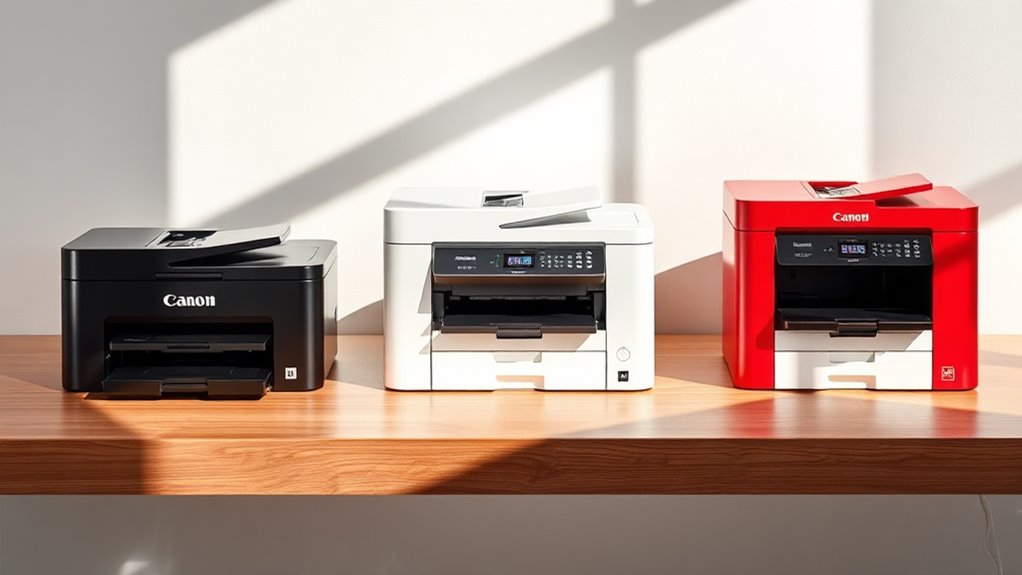
Looking for the best Canon all-in-one printers in 2027? Whether you need reliable printing, scanning, or copying, Canon has some great options to consider.
These all-in-one printers combine speed, quality, and convenience to make your home or office tasks easier.
The Canon Color imageCLASS MF753Cdw II stands out for its fast printing and professional-quality output. If you want fewer ink replacements, the Canon MegaTank G3270 is a smart choice.
And for vibrant image quality with versatile features, the Canon PIXMA TR8620a fits the bill perfectly.
Each model balances performance and ease of use, making them ideal for everyday printing, scanning, and copying needs.
Keep reading to discover more essential tips and features that will help you choose the right Canon all-in-one printer for you!
| Image | Name | Editor's Rating | Price |
|---|---|---|---|

|
|
||

|
|
||

|
|
Canon Color imageCLASS MF753Cdw II – All-in-One Color Duplex Laser Printer
- Color, Wireless, Duplex 4-in-1: Print, scan, copy, fax.

The Canon Color imageCLASS MF753Cdw II is designed to boost productivity in small offices and hybrid workspaces. It tackles common workflow challenges by combining printing, scanning, copying, and faxing into one efficient device. This all-in-one printer delivers sharp, high-resolution output at 1200 x 1200 dpi, ensuring professional-quality documents every time.
With a print speed of up to 35 pages per minute, it helps reduce waiting times during busy workdays. Its automatic duplex printing saves time and cuts paper costs by handling double-sided jobs without manual intervention. The printer’s wireless connectivity and a customizable 5-inch color touchscreen simplify setup and daily operation, making it accessible for users with varying tech skills.
Maintenance is straightforward, with a robust design that minimizes downtime and keeps your workflow running smoothly. Although it weighs 50 pounds, its solid build supports stable performance. The 250-sheet paper capacity suits typical office tasks but might require refills for larger print runs.
Best for: Small and home offices or hybrid environments needing a versatile all-in-one printer that balances speed with ease of use.
What We Like:
- Multifunctional device handling print, scan, copy, and fax
- Fast printing speed up to 35 ppm boosts efficiency
- Intuitive 5-inch color touchscreen with customization options
- Automatic duplex printing for cost and time savings
- Reliable wireless connectivity supports flexible setups
Specification:
| Feature | Details |
|---|---|
| Manufacturer | Canon |
| Dimensions (W × D × H) | 17.0 × 18.5 × 15.5 inches |
| Weight | 50 lb (22.7 kg) |
| Print Resolution | 1200 x 1200 dpi |
| Paper Capacity | 250 sheets |
| Connectivity | Wireless, USB |
| Touchscreen | 5-inch color, customizable |
Canon MegaTank G3270 All-in-One Wireless Color Printer
- Wireless Print/Copy/Scan
- Up to 2 years of ink included (2)
- Print up to 6,000 black & white / 7,700 color pages using a single set of inks! (1)
The Canon MegaTank G3270 All-in-One Wireless Color Printer offers a practical solution for households and small offices struggling with frequent ink replacements. Its MegaTank ink system enables high-volume printing, reducing interruptions and saving time. This printer combines functionality with a compact design that fits neatly on your desk.
With print speeds of up to 11 black-and-white and 6 color pages per minute, it handles daily tasks efficiently. The sharp 4800 x 1200 dpi resolution ensures clear, vibrant prints for documents and photos alike. Wireless connectivity adds convenience, allowing easy printing from smartphones and tablets without the need for cables.
Maintenance is straightforward thanks to the refillable ink tanks, which hold enough ink to print thousands of pages before refilling. However, the printer’s 100-sheet paper capacity and single tray design mean it may require frequent paper refills and limit options for different paper types. While suitable for moderate workloads, larger offices may find the print speed less ideal.
Best for: Busy households and small offices needing reliable, high-quality printing with minimal maintenance.
What We Like:
- High ink capacity reduces refill frequency
- Compact size fits well in limited spaces
- Wireless printing simplifies mobile device use
- Sharp print quality for both text and images
Specification:
| Feature | Details |
|---|---|
| Manufacturer | Canon |
| Dimensions | Compact (exact size not provided) |
| Weight | Not specified |
| Color Options | Not specified |
| Print Speed | Up to 11 ppm (B&W), 6 ppm (color) |
| Print Resolution | 4800 x 1200 dpi |
| Paper Capacity | 100 sheets |
| Connectivity | Wireless (Wi-Fi) |
Canon PIXMA TR8620a All-in-One Printer
- Never run out of ink. Connect your printer to Alexa and receive notifications when you’re running low. Alexa can even...
- Enrolling in Smart Reorders with Alexa ensures that you never have too much or too little ink supplies. No subscription...
- Wireless 4-in-1 (Print | Copy | Scan | Fax)
The Canon PIXMA TR8620a All-in-One Printer is designed to simplify your daily tasks. It combines printing, copying, scanning, and faxing in one compact device, helping you save space and stay organized. This printer fits well in busy family homes or home offices where versatility is essential.
Its wireless and USB connectivity options let you print effortlessly from various devices, including Alexa and Android. You’ll find it easy to manage jobs with the intuitive touchscreen LCD. The printer delivers sharp, vibrant prints at resolutions up to 4800 x 1200 dpi, ensuring your documents and photos look professional.
Maintenance is straightforward but keep in mind the five individual ink tanks may increase ongoing ink costs. Its 200-sheet paper capacity and 20-sheet auto document feeder streamline larger print jobs, though the monthly duty cycle of 1,000 pages is best suited for moderate use.
Weighing 17.4 pounds, the PIXMA TR8620a is not the lightest, so consider your workspace setup before moving it frequently. Still, its ENERGY STAR certification means it operates efficiently and with less environmental impact.
Best for: Families and home offices needing a reliable all-in-one printer with versatile features and quality output.
What We Like:
- All-in-one functionality for diverse office needs
- High-resolution prints with vibrant color quality
- Easy control through a touchscreen LCD
- Supports wireless printing and voice commands
- Eco-friendly ENERGY STAR certified design
Specification:
| Feature | Details |
|---|---|
| Manufacturer | Canon |
| Dimensions | Not specified |
| Weight | 17.4 lb (7.9 kg) |
| Connectivity | Wireless, USB |
| Print Resolution | Up to 4800 x 1200 dpi |
| Paper Capacity | 200 sheets |
| Auto Document Feeder | 20 sheets |
Factors to Consider When Choosing a Cannon All in One Printer
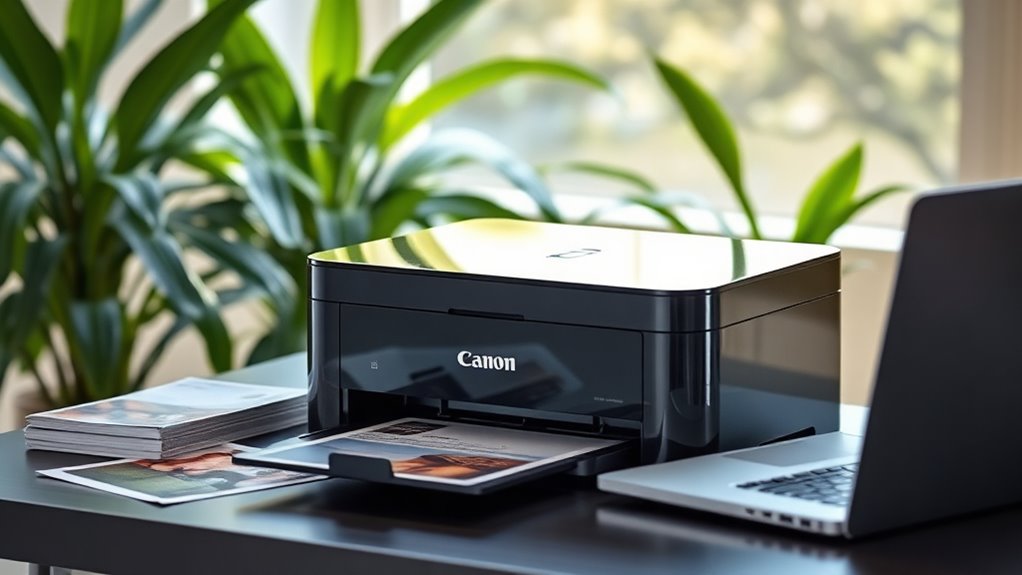
When picking a Canon all-in-one printer, you need to evaluate several key factors. Think about the print technology type, speed, and how much paper it can handle.
Don’t forget to check the connectivity options and energy efficiency ratings to guarantee it fits your needs. It’s all about finding the right balance for what you actually use the printer for.
Print Technology Type
Choosing the right print technology type is essential for maximizing your Canon all-in-one printer’s performance. Laser printers are fantastic for sharp text and high-speed output, achieving up to 35 pages per minute. They’re perfect if you have high-volume printing needs.
On the other hand, inkjet printers shine in color vibrancy and detailed photo printing, with resolutions reaching up to 4800 x 1200 dpi. Some inkjet models even feature MegaTank technology, allowing for thousands of pages before needing a refill. That can save you money in the long run.
Keep in mind that while laser printers usually require less maintenance, they often come with higher upfront costs compared to inkjets. Inkjets can be more budget-friendly initially, making them a great choice if you’re just starting out.
Print Speed Considerations
How do you guarantee your printing tasks don’t become a bottleneck? First, consider print speed, measured in pages per minute (ppm). If you have high-volume printing needs, look for laser printers that can reach up to 35 ppm, compared to inkjet models that usually range from 6 to 15 ppm.
Pay attention to the initial page print time; some printers can deliver the first page in just 7 seconds, minimizing your wait. For heavy users, a printer with a higher duty cycle—around 1,000 pages per month—ensures reliability.
Finally, balance speed with print quality. Remember that higher resolution settings can slow down the printing process, so find the right mix for your specific needs. It’s all about what works best for you.
Paper Handling Capacity
Understanding paper handling capacity is crucial for maintaining efficiency in any busy office. The number of sheets a printer can hold directly impacts your workflow.
Printers with a capacity of 250 sheets or more minimize the need for frequent refills, letting you focus on your tasks. An automatic document feeder (ADF) is another important feature, as it allows multiple pages to be scanned or copied at once, boosting productivity.
Look for models that offer expandable paper handling options, which can be especially handy for larger print jobs. Additionally, consider maximum media size capabilities, like support for legal-sized paper or borderless printing. This guarantees versatility for various document types.
Connectivity Options Available
When selecting an all-in-one Canon printer, the connectivity options available can greatly impact your overall experience and efficiency. Consider USB and Wi-Fi capabilities, as they influence how easily you can connect and print from your devices.
Mobile printing features are essential too. Look for printers that connect seamlessly with smartphones and tablets, especially if you’re often on the go.
Evaluate the support for various printing protocols and apps. This way, you ensure compatibility with your preferred mobile applications.
If you’re in an office setting, Ethernet connectivity offers stable network connections for multiple users. It’s a smart choice for busy environments.
Finally, check for user-friendly control methods like touchscreen interfaces. They can simplify the setup process and enhance your overall experience.
Energy Efficiency Ratings
Choosing an all-in-one Canon printer involves more than just connectivity options; energy efficiency ratings play a considerable role in your decision. Look for models with ENERGY STAR and EPEAT certifications.
These ratings indicate that the printer minimizes energy consumption, saving you money on electricity bills. ENERGY STAR printers operate efficiently in both active and standby modes, while EPEAT ratings offer insights into a printer’s environmental impact and recyclability.
Size and Weight
Size and weight are critical factors in selecting a Canon all-in-one printer that fits your needs. Weights can vary considerably, with lightweight models around 13.2 pounds to heavier units up to 50 pounds.
If you’re short on space, compact designs measuring around 21.9″ D x 16.4″ W x 10.6″ H are perfect for small areas. Larger models, often exceeding 18 inches in depth or width, may need dedicated office space.
While heavier printers generally offer enhanced durability and performance, they can limit mobility and require stable surfaces. So, consider your intended use carefully; smaller printers might be enough for personal tasks, while larger models are better suited for high-volume printing in professional settings.
Warranty and Support
Many buyers overlook warranty and support when picking a Canon all-in-one printer, but these factors can greatly impact your experience. A warranty can vary from one to three years, affecting your long-term peace of mind.
Some models offer limited coverage, while others provide more thorough support, including free technical assistance during the warranty period. It’s vital to evaluate customer support options; brands with extensive online resources and responsive phone support can make troubleshooting easier.
A solid return policy, like a 30-day satisfaction guarantee, adds extra security. Finally, check the availability of spare parts; some printers guarantee parts are accessible for up to five years, enhancing longevity and maintainability, which is key for your investment.
Additional Features Offered
When considering a Canon all-in-one printer, it’s essential to explore the additional features that can enhance your printing experience. Wireless connectivity options let you print directly from your smartphone or tablet, making it super convenient.
Automatic duplex printing saves time and reduces paper usage by printing on both sides without manual effort. A touchscreen LCD display offers a user-friendly interface for easy navigation.
If you often handle multi-page documents, look for models with a built-in auto document feeder (ADF) to simplify scanning, copying, and faxing. And don’t forget to consider energy efficiency certifications like ENERGY STAR.
These certifications indicate lower power consumption, helping you save on energy costs while being environmentally friendly. It’s a win-win!
Frequently Asked Questions
What Is the Average Lifespan of a Canon All-In-One Printer?
A Canon all-in-one printer typically lasts about 3 to 5 years with proper care. Regular maintenance, quality ink, and usage patterns can impact its lifespan, so keep those in mind for ideal performance.
It’s really all about how you treat the printer. If you take good care of it and don’t overuse it, you can get the most out of those years. Just a little effort goes a long way!
Are Canon Printers Compatible With Third-Party Ink Cartridges?
Yes, Canon printers can be compatible with third-party ink cartridges, but quality varies. You might experience issues like lower print quality or malfunctioning cartridges.
How Do I Clean the Printhead on a Canon Printer?
To clean your Canon printer’s printhead, gently remove it first. Then, soak it in warm water for about 10 minutes.
You want to imagine the ink flowing freely again, right? This will help restore those vibrant colors to your prints with each stroke.
Can I Print Wirelessly From My Smartphone?
Yes, you can print wirelessly from your smartphone. Just make sure your printer and phone are connected to the same Wi-Fi network.
Then, use the Canon Print app or any compatible printing app to start printing. It’s pretty straightforward!
What Are Common Troubleshooting Steps for Canon Printers?
To troubleshoot Canon printers, check connections and guarantee ink levels are sufficient. Restart the printer to see if that clears up the issue.
Next, update the drivers and run the printer’s self-diagnostic tool. These steps often catch problems early.
If issues persist, don’t worry. Just consult the user manual or head over to Canon’s support website for more help.
Conclusion
In your quest for the perfect Canon all-in-one printer, you can’t go wrong with these top picks. Each offers unique features that fit various needs. But the real question is: which one will elevate your printing experience?
Picture the seamless printing, scanning, and copying that awaits you. Will you prioritize speed, quality, or efficiency? The choice is yours.
Don’t wait too long—your ideal Canon all-in-one printer, designed for print, scan, and copy, could be just a click away! Whether you need something for home, office, or creative projects, these models combine convenience and performance to meet your needs. So, explore your options and find the best Canon all-in-one printer that perfectly fits your lifestyle and boosts your productivity.