3 Best Canon Inkjet Printers for 2027 That Impress
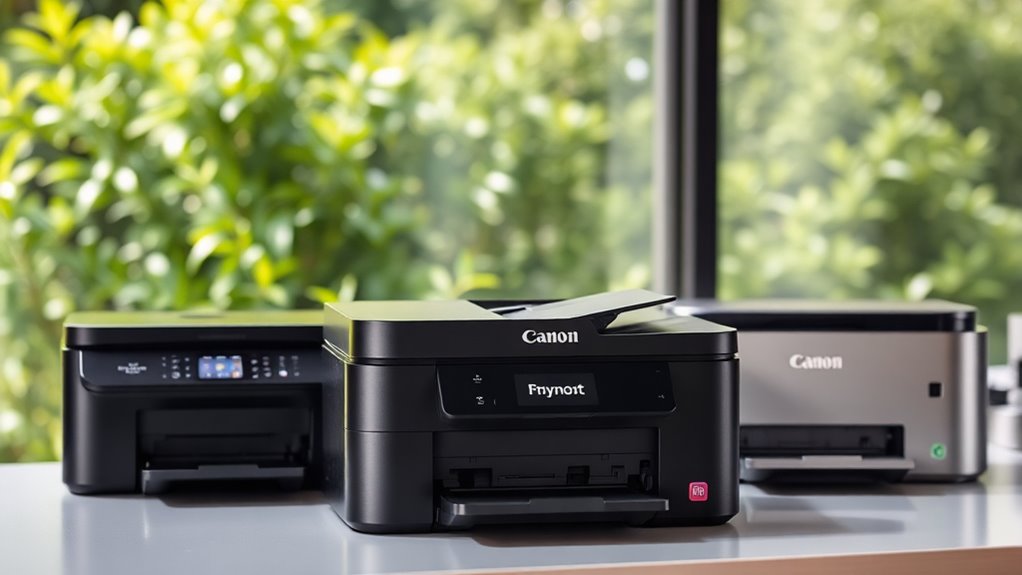
If you’re on the hunt for the best Canon inkjet printers for 2027, you’ve come to the right place. Canon offers some fantastic options that combine quality, efficiency, and affordability.
Whether you need a printer for home, office, or creative projects, these models stand out for their unique strengths and impressive features.
Consider the MegaTank G3270, the PIXMA TS9521Ca, and the PIXMA G620. The G3270 saves you money with its high-volume output and simplified maintenance.
The TS9521Ca offers versatile all-in-one functionality with fast print speeds and a user-friendly interface.
Meanwhile, the G620 excels in photo printing quality.
Keep exploring to find out which one fits your specific needs best!
| Image | Name | Editor's Rating | Price |
|---|---|---|---|

|
|
||

|
|
||

|
|
Canon MegaTank G3270 All-in-One Wireless Color Printer
- Wireless Print/Copy/Scan
- Up to 2 years of ink included (2)
- Print up to 6,000 black & white / 7,700 color pages using a single set of inks! (1)

The Canon MegaTank G3270 All-in-One Wireless Color Printer combines efficiency and convenience in a compact design. It addresses common printing challenges by offering high-volume output with minimal interruptions. This printer is ideal for users who need reliable color and black-and-white prints without frequent ink replacements.
Maintenance is simplified thanks to the MegaTank technology. You can print up to 6,000 black-and-white pages or 7,700 color pages from a single ink set, which reduces the hassle and cost of frequent refills. Its wireless and USB connectivity options ensure smooth printing from multiple devices, including smartphones and tablets.
Designed for home offices and small workspaces, the G3270 fits easily into tight areas. While it features a single paper tray and a basic 1.35” LCD, it balances functionality and space-saving design. Print speeds are moderate, reaching up to 11 pages per minute in black and white and 6 pages per minute in color, suitable for everyday tasks without overwhelming noise or complexity.
Best for: Individuals or small offices needing a cost-effective, versatile printer capable of handling high-volume printing with ease.
What We Like:
- High ink yield for extended printing without frequent refills
- Compact footprint fits well in limited workspace
- Wireless and USB options enhance device compatibility
- Clear, straightforward maintenance with MegaTank system
Specification:
| Feature | Details |
|---|---|
| Manufacturer | Canon |
| Dimensions | Compact (exact size not specified) |
| Weight | Not specified |
| Color Options | Standard color printer |
| Connectivity | USB, Wi-Fi |
Canon PIXMA TS9521Ca – Wireless Home All-in-One Inkjet Printer
- ALL-IN-ONE: Print, Copy, Scan features for full control at your fingertips. Comes with a 1 year limited warranty.
- FAST PRINT SPEEDS: Print approximately 15 (black) / 10 (color) images per minute.
- EASY SETUP and INSTALL: Get running in just a few minutes thanks to a streamlined and easy setup process out of the box...
Discover a printer designed to streamline your home office tasks. The Canon PIXMA TS9521Ca offers all-in-one functionality, letting you print, copy, and scan with ease. Its wireless capabilities mean you can print directly from your mobile devices, eliminating the hassle of cables and enhancing your workspace flexibility.
This printer delivers sharp results with up to 4800 x 1200 dpi resolution, ensuring your documents and photos look professional every time. It prints quickly, handling up to 15 pages per minute in black and 10 in color, helping you stay productive throughout the day.
Maintenance is straightforward, but keep in mind it uses five individual ink cartridges, which may increase replacement costs. Its 200-sheet paper capacity and auto document feeder support varied media, though it may require frequent refills for heavy use.
The 4.3-inch touch LCD screen simplifies operation, making navigation intuitive. While its size is larger than compact models, this design supports its versatile features suited for a busy home office environment.
Best for: Home office users needing a reliable, multifunction printer that balances quality, speed, and wireless convenience.
What We Like:
- Fast printing speeds for efficient workflow
- High-resolution output for clear, detailed prints
- Easy-to-use 4.3” touch LCD screen
- Wireless printing from multiple devices
- Versatile media handling with auto document feeder
Specification:
| Feature | Details |
|---|---|
| Manufacturer | Canon |
| Dimensions | Not specified |
| Weight | Not specified |
| Print Resolution | Up to 4800 x 1200 dpi |
| Print Speed | 15 ppm (black), 10 ppm (color) |
| Paper Capacity | 200 sheets |
| Display | 4.3” touch LCD |
| Connectivity | Wireless |
Canon PIXMA G620 Wireless All-in-One Printer
- Never run out of ink. Connect your printer to Alexa and receive notifications when you’re running low. Alexa can even...
- Enrolling in Smart Reorders with Alexa ensures that you never have too much or too little ink supplies. No subscription...
- MEGATANK HIGH PAGE YIELD: Print up to 3,800 4” x 6” color photos on a full set of ink.
The Canon PIXMA G620 Wireless All-in-One Printer is designed to deliver vibrant, professional-quality prints while saving you time and money. Its six-color ink system, which includes Red and Gray, expands the color range to produce sharp, rich images. This makes it ideal for photographers who want stunning photos without frequent ink replacements.
Maintenance is straightforward thanks to the MegaTank ink reservoirs, allowing you to print up to 3,800 4” x 6” photos per ink set. This reduces interruptions and cuts printing costs to around 2.5 cents per photo. The printer also supports wireless and USB connectivity, enabling easy setup and seamless printing from multiple devices.
The compact design fits neatly in your workspace, though it weighs 19.5 pounds, so it is not intended for frequent relocation. It accommodates standard media sizes up to 8.5 x 14 inches, making it suitable for most photo and document projects. Print resolution reaches 4800 x 1200 dpi, ensuring crisp details every time.
While the print speed is modest at 3.9 pages per minute, the Canon PIXMA G620 prioritizes quality and efficiency over volume. Its versatility in copying, scanning, and printing delivers practical value to users who require reliable, vibrant output in a single device.
Best for: Photography enthusiasts needing a compact all-in-one printer that balances print quality with cost-effective ink usage.
What We Like:
- Vibrant prints with a six-color dye-based ink system
- High ink yield reduces maintenance and costs
- Convenient wireless and USB connectivity
- Crisp image quality at 4800 x 1200 dpi resolution
- Compact design fits well in limited spaces
Specification:
| Feature | Details |
|---|---|
| Manufacturer | Canon |
| Dimensions | Not specified |
| Weight | 19.5 lb (8.85 kg) |
| Ink System | Six-color MegaTank |
| Max Media Size | 8.5 x 14 inches |
| Connectivity | USB, Wi-Fi |
| Print Resolution | 4800 x 1200 dpi |
Factors to Consider When Choosing a Cannon Inkjet Printer
When picking a Canon inkjet printer, you’ll want to take into account several key factors. Think about the printing speed, ink cost efficiency, and the range of media it can handle.
Don’t forget to check the wireless connectivity options and the printer’s size and design to guarantee it fits your needs. It’s all about finding the right balance for what you need.
Printing Speed Considerations
Choosing a Canon inkjet printer requires careful consideration of printing speed, especially if you need efficient output for both personal and professional tasks. Start by looking at the pages per minute (PPM) rate; higher PPM values mean quicker results.
For instance, some models can print up to 15 PPM for black and white documents. Keep in mind that print speeds can differ between black and color outputs—some printers achieve around 11 PPM for black but only about 6 PPM for color.
Consider features like automatic duplex printing, which helps with efficiency but may slow down the speed slightly. Finally, remember that the type of media you use, like photo paper, can also affect overall print speed.
2. Ink Cost Efficiency
While evaluating ink cost efficiency, it’s vital to take into account how much you’ll spend on replacement cartridges over time.
For high-volume printing, the Canon MegaTank G3270 stands out. It offers up to 6,000 black & white pages and 7,700 color pages from a single ink set.
If you’re into photo printing, the Canon PIXMA G620 delivers impressive results at about 2.5 cents per 4” x 6” color photo.
Alternatively, the PIXMA TS9521Ca features a five-cartridge system, letting you replace only the color that runs out. This really cuts down on waste and costs.
Regular inkjet printers generally yield fewer pages per cartridge, which leads to higher long-term expenses. So, considering page yield is essential for cost efficiency.
3. Media Compatibility Range
Media compatibility is a key factor in selecting the right Canon inkjet printer, as it determines what you can print. Consider the range of supported media sizes; some models handle small formats like 3.5″ x 3.5″, while others support larger sizes up to 11″ x 17″.
Versatility is essential, so look for compatibility with glossy photo paper, card stock, envelopes, and high-resolution papers to meet diverse printing needs. An automatic document feeder enhances efficiency, allowing you to copy or scan multiple pages quickly, which is especially useful for larger documents.
Additionally, duplex printing saves paper by enabling automatic printing on both sides. If you need edge-to-edge prints, verify the printer supports borderless printing for your creative projects. This way, you get exactly the output you want without any unwanted margins.
4. Wireless Connectivity Options
When selecting a Canon inkjet printer, wireless connectivity options play an essential role in enhancing your printing experience. Many models offer Wi-Fi connectivity, enabling you to print wirelessly from your smartphone or tablet.
If you’re often on the move, look for printers that support mobile printing through dedicated apps for added convenience. Additionally, high-speed USB and Ethernet connections provide further flexibility for direct printing and networking.
With wireless capabilities, you can print from anywhere within your network range, making it perfect for home or office use. Some models even work with voice-activated assistants like Alexa, allowing for hands-free operation.
These features can greatly streamline your printing tasks and keep your workflow efficient. It’s all about making printing easier and more convenient for you.
5. Size and Design
Size and design are essential factors to take into account when choosing a Canon inkjet printer. Consider the dimensions; compact models fit comfortably on desks, typically ranging from 17 to 22 inches in depth and width. Weighing between 13 to 20 pounds, the printer’s weight affects portability and ease of setup.
Look for designs that allow easy access to paper trays and ink cartridges for better user convenience and maintenance. If space is limited, a smaller footprint is ideal, while larger models may offer added features like higher paper capacities.
Finally, choose an aesthetic that complements your workspace. Some models boast a sleek, modern look that enhances your home or office decor.
6. Additional Features Offered
While you’re exploring Canon inkjet printers, it’s crucial to take into account the additional features that can enhance your printing experience. Look for user-friendly displays, like a 4.3” touch LCD screen, to make navigation easier.
Models with automatic duplex printing can save paper and lower costs, which is a big plus. Don’t overlook software features such as poster creation tools—they can expand your creative printing options considerably.
Evaluate the ink system; printers with individual cartridges simplify replacements and minimize waste. Finally, verify compatibility with mobile device printing options, so you can conveniently print directly from your smartphone or tablet.
These features can make all the difference in your printing workflow. It’s worth paying attention to them!
7. Warranty and Support Options
Choosing a Canon inkjet printer isn’t just about the features; warranty and support options are equally important. A typical limited warranty covers defects in materials and workmanship, usually lasting around one year.
Many manufacturers offer a 30-day return guarantee, ensuring your satisfaction. Look for extended support that includes online resources, troubleshooting guides, and easy warranty claims through dedicated customer service.
Some models even feature instant exchange programs, so you can quickly get a replacement if your printer fails during the warranty period. Ultimately, check the availability of spare parts.
Some brands provide parts for up to five years post-purchase, which can save you headaches down the line. Prioritize warranty and support to safeguard your investment!
Frequently Asked Questions
How Do I Maintain My Canon Inkjet Printer for Longevity?
To maintain your Canon inkjet printer for longevity, regularly clean the print heads and use high-quality ink. Keeping it dust-free is also super important.
Make sure to perform routine software updates too. Don’t forget to run test prints every now and then to guarantee peak performance.
Can I Use Third-Party Ink Cartridges With Canon Printers?
Using third-party ink cartridges with Canon printers is like taking a shortcut; it might save you money, but it can risk print quality and damage your printer.
Always weigh the pros and cons before deciding.
What Is the Average Lifespan of a Canon Inkjet Printer?
A Canon inkjet printer typically lasts around three to five years, depending on usage and maintenance. If you take good care of it, you can extend its lifespan and enhance its performance considerably.
It’s kind of like any other gadget—how you use it really matters. So, regular cleaning and proper handling can go a long way in keeping your printer running smoothly.
Are Canon Printers Compatible With Mobile Printing Apps?
Yes, Canon printers are compatible with mobile printing apps. You can easily print from your smartphone or tablet using apps like Canon PRINT, Apple AirPrint, and Google Cloud Print.
This makes printing super convenient and efficient. So, whether you’re at home or on the go, getting your documents or photos printed is a breeze!
How Often Should I Replace the Ink Cartridges?
You should replace ink cartridges when your printer alerts you or the print quality declines. Typically, this happens every few months, but it varies based on usage.
It’s a good idea to check regularly. That way, you keep your printer working at its best and your prints looking sharp.
Conclusion
To sum up, choosing the right Canon inkjet printer can be as rewarding as finding a hidden gem. Whether you need the versatility of the MegaTank G3270 or the creative features of the PIXMA TS9521Ca, there’s a perfect match for you.
If high-quality prints are your priority, the G620 won’t disappoint. Each model brings something unique to the table, designed to suit different printing needs.
So, consider what matters most to you—be it cost efficiency, creative flexibility, or print quality. With the best Canon inkjet printers for 2027, you’re sure to find one that fits like a glove. This will make your printing experience smooth, enjoyable, and hassle-free every time.