3 Best Canon Printers Under $100 for 2027
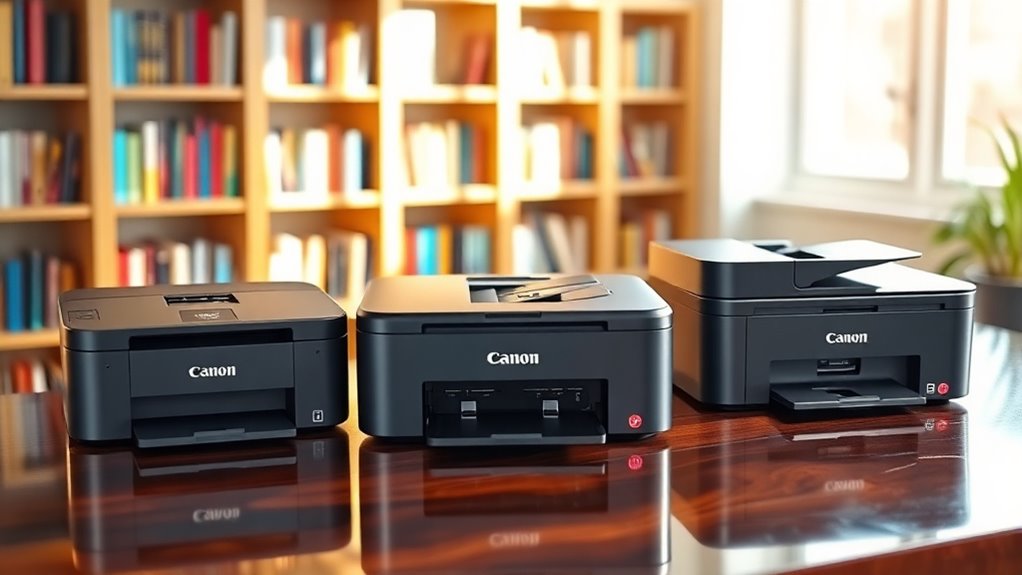
If you’re on the hunt for the best Canon printers under $100 in 2027, you’ve come to the right place.
Whether you need a reliable printer for home use, school projects, or light office work, Canon has some great options that won’t break the bank. These affordable printers combine quality, convenience, and smart features to fit various needs.
Check out the Canon PIXMA TS6520, a compact color printer that comes with an easy-to-read OLED display.
Then there’s the all-in-one Canon PIXMA TR4720, which handles printing, scanning, and copying with ease.
Lastly, the space-saving Canon PIXMA TS3720 is perfect if you’re short on desk space.
Each model offers impressive features like wireless connectivity and automatic duplex printing.
You’ll find they suit different tasks and budgets.
Stick around to discover more about their standout functionalities and which one might be right for you!
| Image | Name | Editor's Rating | Price |
|---|---|---|---|

|
|
||

|
|
Canon PIXMA TS6520 Wireless Color Inkjet Printer, 1.42″ OLED Display, White
- Affordable Versatility - A budget-friendly all-in-one printer perfect for both home users and hybrid workers, offering...
- Crisp, Vibrant Prints - Experience impressive print quality for both documents and photos, thanks to its 2-cartridge...
- Effortless Setup & Use - Get started quickly with easy setup for your smartphone or computer, so you can print, scan...

The Canon PIXMA TS6520 Wireless Color Inkjet Printer offers a compact and efficient solution for everyday printing challenges. Its sleek design fits neatly into any home or office space, helping to keep your workspace organized. The 1.42” OLED display provides clear, easy-to-read updates, so you can quickly check ink levels and printer status without hassle.
This printer supports wireless printing through dual-band Wi-Fi, making it simple to print directly from smartphones or tablets. Its 2-cartridge hybrid ink system delivers sharp text and vibrant colors, improving the quality of your documents and photos. Auto-duplex printing helps reduce paper use, supporting more eco-friendly printing habits.
Maintenance is straightforward with easy ink replacement and intuitive controls, minimizing downtime. While it handles standard-sized media up to 8.5” x 11” well, it may not suit users who need larger format prints or advanced professional features. Print speeds are moderate, balancing quality with everyday productivity.
Best for: Families and students seeking a reliable, user-friendly all-in-one printer for everyday use.
What We Like:
- Compact design fits well in small spaces
- Clear OLED display for easy monitoring
- Vibrant print quality with hybrid ink system
- Wireless printing from multiple devices
- Auto-duplex printing reduces paper waste
Specification:
| Feature | Details |
|---|---|
| Manufacturer | Canon |
| Dimensions | Compact size (exact size not specified) |
| Weight | Not specified |
| Color Options | White |
| Display | 1.42” OLED |
| Connectivity | Dual-band Wi-Fi |
| Ink System | 2-cartridge hybrid ink |
| Max Media Size | 8.5” x 11” |
Canon PIXMA TR4720 All-in-One Wireless Printer
- Wireless 4-in-1 (print | copy | scan | fax)..Power Consumption: 7W (0.8W Standby / 0.3W Off)
- Print speed up to: 4" x 6" Borderless Photo (PP-201): Approx. 65.0 Seconds / Black Document (Letter/Simplex): Approx...
- Designed for easy ink cartridge installation and replacement.
Experience seamless printing with the Canon PIXMA TR4720, an all-in-one wireless printer designed to simplify your tasks. Whether for home or office, it combines printing, copying, scanning, and faxing in a compact unit that fits easily into tight spaces. This versatility helps you manage daily documents without clutter or complexity.
The printer’s functionality addresses common workflow challenges. With print speeds of up to 8.8 ipm for black and 4.4 ipm for color, it keeps up with moderate workloads efficiently. Automatic two-sided printing reduces paper use, saving both resources and time. Wireless connectivity and mobile printing support allow you to work flexibly from various devices.
Maintenance is straightforward thanks to a 100-sheet front tray that handles multiple paper sizes, including standard letter and photo prints. This capacity suits smaller print jobs but may require refills for larger volumes. The ENERGY STAR certification ensures energy-efficient operation, making it an environmentally conscious choice.
Best for: Individuals or small offices seeking a compact, affordable, and multifunctional printer to handle everyday document needs.
What We Like:
- Compact design fits well in limited spaces
- Automatic duplex printing conserves paper
- Wireless and mobile printing enhance convenience
Specification:
| Feature | Details |
|---|---|
| Manufacturer | Canon |
| Dimensions (W x D x H) | 17.7 x 12.1 x 7.5 inches |
| Weight | Approximately 11.7 lbs |
| Paper Capacity | 100 sheets |
| Supported Paper Sizes | 4 x 6 inches to 8.5 x 11 inches |
| Connectivity | Wireless, Mobile Printing |
| Print Speeds | 8.8 ipm (Black), 4.4 ipm (Color) |
Canon PIXMA TS3720 Wireless All-in-One Printer
No products found.
The Canon PIXMA TS3720 is a practical solution for families who need reliable printing without complexity. Its all-in-one functionality lets you print, copy, and scan from a single device, simplifying everyday tasks. The wireless connection options, including dual-band Wi-Fi and USB, make it easy to set up and use in any home environment.
Designed with compactness in mind, this lightweight printer fits neatly into small spaces, ideal for home offices or study areas. Its 60-sheet rear tray handles typical print jobs but may require frequent refills for larger tasks. The printer’s speed is balanced for casual use, producing 7.7 black-and-white pages and 4 color pages per minute.
Maintenance is straightforward thanks to the easy-to-replace ink cartridges, which help keep running costs manageable. The basic 1.5-inch LCD screen provides simple navigation, although it lacks advanced features found in higher-end models.
Overall, the Canon PIXMA TS3720 offers a dependable, space-efficient option for everyday document and photo printing needs.
Best for: Budget-conscious families needing a versatile and easy-to-use printer for everyday home use.
What We Like:
- All-in-one printing, scanning, and copying in one device
- Wireless connectivity with dual-band Wi-Fi and USB options
- Compact and lightweight design fits small spaces
- Affordable, easy-to-replace ink cartridges
Specification:
| Feature | Details |
|---|---|
| Manufacturer | Canon |
| Dimensions | Approx. 14.5 x 11.7 x 5.5 in (36.8 x 29.7 x 14 cm) |
| Weight | Approx. 7.5 lb (3.4 kg) |
| Material | Plastic |
| Color Options | Black |
Factors to Consider When Choosing a Canon Printer Under $100
When choosing a Canon printer under $100, you’ll want to take into account several key factors. Evaluating features like print quality, connectivity options, and design can make a big difference in your experience.
Don’t forget to factor in ink costs, as they can impact your overall budget too. It’s easy to overlook, but ink expenses add up faster than you might expect. So, keeping an eye on that will save you some headaches later on.
Key Features To Assess
Choosing the right Canon printer under $100 involves evaluating several key features that can greatly impact your printing experience. First, check the print speed in pages per minute (PPM) for both black and color documents to guarantee it meets your needs.
Next, look for high print resolution (dpi) to achieve crisp text and vibrant images, especially for photos. Connectivity options matter too; assess whether the printer supports Wi-Fi, USB, and mobile printing for easy access from various devices.
Consider all-in-one functionality if you need to print, scan, copy, or fax. Finally, evaluate the paper handling capacity to confirm the printer can accommodate different media sizes and your typical printing projects efficiently.
Print Quality Importance
Print quality is essential in guaranteeing that your documents and images make a lasting impression. When choosing a Canon printer under $100, consider the resolution, measured in dots per inch (dpi).
A higher dpi, like 4800 x 1200, delivers sharper images and clearer text. Look for printers with a hybrid ink system, as they enhance color vibrancy and improve print longevity.
The type of cartridge matters too; a two-cartridge system often balances cost with quality effectively. If you plan to print photos or promotional materials, borderless printing capability is a must.
Finally, check the printer’s speed, measured in pages per minute (ppm), to make sure it meets your efficiency needs without compromising on quality. Easy, right? Just keep these points in mind and you’ll be set!
Connectivity Options Available
Understanding the connectivity options available in Canon printers under $100 can greatly enhance your printing experience. Many of these printers offer dual-band Wi-Fi, allowing you to connect over both 2.4GHz and 5GHz networks for a stable connection.
You can also easily print from your smartphone or tablet using mobile printing capabilities through apps like Apple AirPrint and Canon PRINT. If you prefer a wired connection, some models include USB options for direct printing.
Plus, integration with smart home devices like Alexa enables voice-activated printing and low ink notifications. With features like automatic document feeders and duplex printing, handling multi-page documents becomes much more efficient, saving you time and effort.
Size And Design Considerations
When selecting a Canon printer under $100, size and design play a significant role in ensuring it fits your space and meets your needs. Consider the overall dimensions; compact designs are perfect for smaller areas while still delivering essential functionality.
You’ll also want a printer that complements your workspace aesthetically, making it not just useful but visually appealing. Evaluate the weight, too—lighter models around 8.7 pounds are easier to move if needed.
Additionally, check the paper tray capacity; smaller models might only hold about 60 sheets, impacting efficiency for larger print jobs. Finally, look for user-friendly display options, like LCD or OLED screens, which help you monitor printer status and ink levels easily.
Ink Cost Efficiency
While considering a Canon printer under $100, ink cost efficiency is essential for keeping your printing expenses manageable. Most of these printers utilize a two-cartridge hybrid ink system, which can be cost-effective for your everyday needs.
Look for models with separate color cartridges; this way, you only replace the depleted color, lowering overall ink expenses. Some printers even offer subscription plans, providing significant savings for regular users.
Additionally, focus on high page yield cartridges, as they reduce your cost per page over time. Finally, consider printers that support ink-saving features or print plans to effectively manage ongoing ink costs.
These factors will help you choose a printer that fits your budget without sacrificing quality.
Additional Functionality Needs
What features do you really need in a Canon printer under $100? First, consider if you want an all-in-one device. If you need printing, scanning, copying, and faxing, an all-in-one model can save space and money.
Next, evaluate print speeds; options range from 7.7 to 14 pages per minute, so choose based on your workload. Automatic duplex printing can also be a game-changer, reducing paper use and making tasks more efficient.
Don’t overlook print resolution either; a range from 1200 x 1200 dpi to 4800 x 1200 dpi affects print quality. Finally, verify the printer can handle various media types and sizes, like borderless printing for photos, to meet all your printing needs.
Frequently Asked Questions
Are Canon Printers Compatible With Third-Party Ink Cartridges?
Yes, Canon printers can work with third-party ink cartridges, but compatibility varies. You might save money, but be cautious—some third-party inks can affect print quality or void warranties.
Always check user reviews before buying. It’s a good way to see what others have experienced. That way, you can make a smarter choice.
How Long Is the Warranty for Canon Printers Under $100?
Most Canon printers come with a one-year warranty. You’ll find that this is fairly standard in the industry, ensuring you’ve got support for any issues that might arise during that initial period.
It’s nice to know you’re covered, right? Especially with printers under $100, having that warranty gives a bit of peace of mind. If something goes wrong, you’re not left hanging.
What Types of Paper Can I Use With These Printers?
You can use various paper types with these printers, including plain, photo, glossy, and matte paper. Just check your printer’s specifications to verify compatibility.
That way, you’ll achieve the best results for your printing needs. It’s pretty straightforward!
Do These Printers Support Mobile Printing Apps?
Yes, these printers support mobile printing apps. You can easily print from your smartphone or tablet using Canon’s app or other compatible apps.
It’s super convenient for you to print documents and photos on the go without any hassle. Just a few taps, and you’re done!
How Often Do I Need to Replace the Ink Cartridges?
Think of ink cartridges as the lifeblood of your printer. You’ll typically replace them every few months, depending on your usage.
Keep an eye on print quality—when it fades, it’s time to swap! It’s really that simple. Just stay alert, and your prints will always look great.
Conclusion
In the world of affordable printing, these Canon gems shine brightly, each offering unique features to cater to your needs. Whether you’re capturing vibrant memories or managing daily tasks, you’ll find a reliable companion in these printers.
Embrace the ease and convenience they bring, turning your home office into a creative haven. These printers are designed to deliver quality without breaking the bank.
So, go ahead and choose the one that resonates with you—your printing journey awaits, and it’s bound to be a delightful adventure!
With the best Canon printers under $100 for 2027, you get a perfect blend of affordability and performance. Whether for photos, documents, or everyday printing, these models make sure you never compromise on quality. Ready to upgrade your setup? These budget-friendly Canon printers will keep your tasks smooth and your creativity flowing!