10 Best Canon Inkjet Photo Printers for 2027
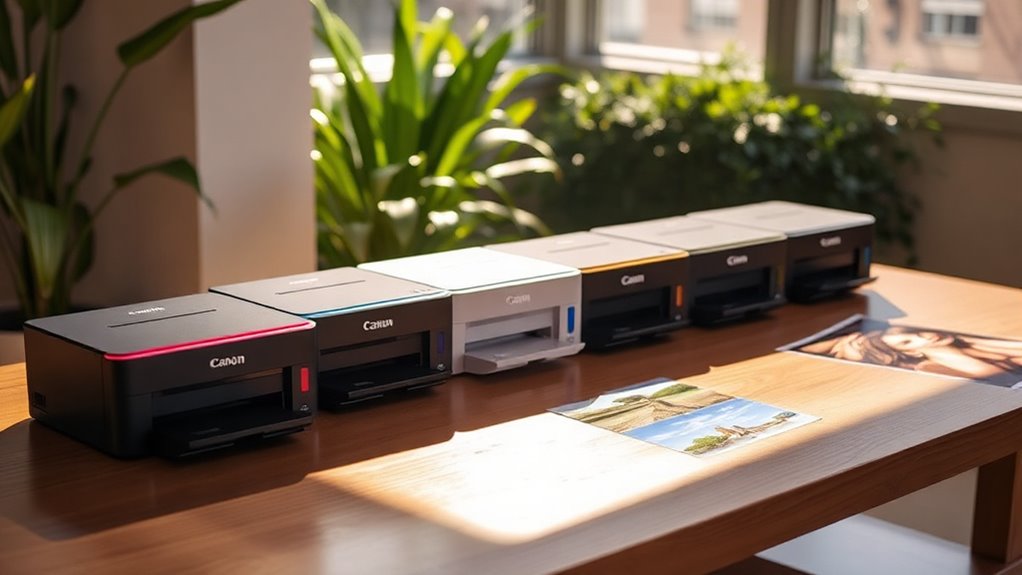
If you’re on the hunt for the best Canon inkjet photo printers for 2027, you’re in luck because Canon has plenty of fantastic options to choose from.
Whether you want something compact for home use or a powerhouse for professional-quality prints, Canon’s got you covered. These printers are known for delivering sharp, vibrant images with excellent color accuracy.
Take the Canon PIXMA G620, for example. It’s perfect if you need compact, professional-quality prints without taking up too much space.
On the other hand, the MegaTank G3270 is ideal for those who print large volumes and want to keep ink costs low.
For photography pros, the imagePROGRAF PRO-310 really stands out with its advanced color precision.
The PIXMA PRO-200S is also a favorite for its vibrant, eye-catching outputs.
And if you’re looking to print large, borderless photos, the IP8720 is a solid pick.
Curious about what else Canon has to offer? Keep exploring to find your ideal printer!
| Image | Name | Editor's Rating | Price |
|---|---|---|---|

|
|
||

|
|
||

|
|
||

|
|
||

|
|
Canon PIXMA G620 Wireless All-in-One Printer
- Never run out of ink. Connect your printer to Alexa and receive notifications when you’re running low. Alexa can even...
- Enrolling in Smart Reorders with Alexa ensures that you never have too much or too little ink supplies. No subscription...
- MEGATANK HIGH PAGE YIELD: Print up to 3,800 4” x 6” color photos on a full set of ink.

The Canon PIXMA G620 Wireless All-in-One Printer brings professional-quality photo printing right to your home. Its compact design fits easily into small spaces, making it perfect for personal use or a home office. With wireless connectivity, you can print, scan, and copy without hassle.
This printer uses a 6-color dye-based ink system, including Red and Gray, to deliver vibrant, true-to-life colors. It solves the common problem of dull prints by producing sharp images that stand out. Thanks to CHROMALIFE 100 technology, your photos maintain their brilliance and durability over time.
Maintenance is simple with high-capacity ink tanks that allow printing up to 3,800 4” x 6” photos per full set. This reduces frequent refills and lowers the overall cost per print. Although it weighs 19.5 pounds and has a modest 50-sheet paper capacity, its efficiency for photo printing outweighs these limits.
Best for: Photography enthusiasts seeking an efficient, cost-effective printer for high-quality photo prints at home.
What We Like:
- High photo yield with up to 3,800 prints per ink set
- Vibrant color output with 6-color ink system
- Compact and space-saving design
- Easy wireless connectivity for versatile use
- Durable prints with CHROMALIFE 100 technology
Specification:
| Feature | Details |
|---|---|
| Manufacturer | Canon |
| Dimensions | Not specified |
| Weight | 19.5 lb (8.85 kg) |
| Ink System | 6-color dye-based (including Red and Gray) |
| Paper Capacity | 50 sheets |
| Connectivity | Wireless |
Canon MegaTank G3270 All-in-One Wireless Color Printer
- Wireless Print/Copy/Scan
- Up to 2 years of ink included (2)
- Print up to 6,000 black & white / 7,700 color pages using a single set of inks! (1)
The Canon MegaTank G3270 All-in-One Wireless Color Printer is designed to simplify printing tasks for busy home offices. Its compact design fits neatly into any workspace, helping you stay organized without clutter. Whether you need to print, copy, or scan, this printer handles all tasks efficiently.
With MegaTank technology, you can print thousands of pages before needing to refill. This reduces interruptions and lowers the hassle of frequent ink replacements. The printer delivers crisp black-and-white prints at up to 11 pages per minute and color prints at 6 pages per minute, balancing quality and speed.
Maintenance is straightforward thanks to the easy-to-refill ink tanks. Wireless connectivity allows you to print directly from your smartphone or tablet, making it convenient to manage documents on the go.
While it has a modest 100-sheet paper tray and a single tray design, it suits users who prioritize ink longevity and versatile functionality in a small footprint.
Best for: Home office users needing a reliable, high-volume color printer with versatile features and low maintenance.
What We Like:
- High ink yield reduces frequent refills.
- Compact size saves workspace.
- Wireless printing from mobile devices.
- Easy-to-maintain MegaTank ink system.
Specification:
| Feature | Details |
|---|---|
| Manufacturer | Canon |
| Dimensions | Compact (exact size not specified) |
| Weight | Not specified |
| Color Options | Standard Canon colors |
| Connectivity | Wireless (Wi-Fi) |
Canon imagePROGRAF PRO-310 Wireless Inkjet Photo Printer
- 9 COLOR + CHROMA OPTIMIZER pigment-based ink system produces gallery-quality prints.
- EASE OF USE — ultimate productivity with Anti-Clogging System and Skew Correction.
- MATTE BLACK INK offers enhanced black density and wider dark area reproduction range.
The Canon imagePROGRAF PRO-310 is designed to elevate photo printing with precise color accuracy and rich detail. Its advanced 9-color pigment ink system tackles common challenges like dull colors and lack of depth, delivering vibrant prints with deep blacks. This printer ensures your images come to life exactly as envisioned.
With a high print resolution of 1200 x 1200 dpi, the PRO-310 produces sharp, professional-quality photos. Its compact 13-inch wireless design fits neatly into any studio, while the 3-inch color LCD simplifies navigation and print setup. Connectivity via Wi-Fi and USB adds flexibility, letting you print directly from various devices.
Maintenance is straightforward with this model. The pigment-based inks reduce the risk of smudging and fading, ensuring longevity in your prints. Although it is relatively heavy at 31.6 pounds, its stable build supports consistent, reliable operation.
This printer supports a wide range of media sizes from 3.5” x 3.5” up to 13” x 19”, accommodating diverse print projects without hassle. However, its print-only function means it cannot copy or scan, and print speed is moderate, making it better suited for quality-focused work rather than high-volume output.
Best for: Professional photographers and artists who need exceptional print quality with dependable color fidelity and versatile media handling.
What We Like:
- Advanced 9-color ink system for vibrant, accurate colors
- Wide media support from small to large formats
- Wireless and USB connectivity for flexible printing options
- Durable pigment-based inks for long-lasting prints
Specification:
| Feature | Details |
|---|---|
| Manufacturer | Canon |
| Dimensions | Compact 13″ width |
| Weight | 31.6 lb (14.3 kg) |
| Ink System | 9-color pigment-based |
| Max Print Resolution | 1200 x 1200 dpi |
| Media Size Range | 3.5” x 3.5” to 13” x 19” |
| Display | 3″ color LCD |
| Connectivity | Wi-Fi, USB |
Canon PIXMA PRO-200S Wireless Inkjet Photo Printer
- 8 COLOR dye-based ink system produces vibrant, high quality prints.
- BORDERLESS PRINTING from 3.5” x 3.5” up to 13” x 19”.
- HIGH SPEED PRINTING — bordered A3+ print in just 90 seconds or bordered 8" x 10" print in 53 seconds.
Experience professional photo printing with the Canon PIXMA PRO-200S, designed to bring your images to life with vibrant color and sharp detail. This wireless inkjet printer uses an advanced 8-color dye-based ink system that ensures each print captures subtle nuances and rich tones.
It supports a wide range of media sizes, from small 3.5” x 3.5” prints to large 13” x 19” formats. You can produce a bordered A3+ photo in just 90 seconds, making it ideal for fast turnaround without compromising quality. Its wireless and wired connectivity options simplify integration into your workspace.
Maintenance is straightforward, with easy ink cartridge replacement and energy-efficient operation thanks to its Energy Star certification. While it focuses solely on printing, its dedicated design ensures reliable, high-quality output for photography projects.
Best for: Photographers and creative professionals seeking precise, vibrant photo prints with flexible media handling.
What We Like:
- Exceptional color depth from the 8-color dye-based ink system
- Quick print speed for large-format photos
- Multiple connection options including Wi-Fi, Ethernet, and USB
- Energy-efficient design with easy maintenance
Specification:
| Feature | Details |
|---|---|
| Manufacturer | Canon |
| Dimensions | Not specified |
| Weight | 32 lb (14.5 kg) |
| Ink System | 8-color dye-based ink |
| Max Print Resolution | 4800 x 2400 dpi |
| Media Size Range | 3.5” x 3.5” to 13” x 19” |
| Connectivity | Wi-Fi, Ethernet, USB |
Canon IP8720 Wireless Printer, AirPrint and Cloud Compatible, Black
No products found.
Canon’s IP8720 wireless printer offers an impressive way to bring your photos to life with borderless prints up to 13″ x 19″. It solves the common problem of limited print size and dull colors, delivering vibrant, detailed images using its 6-color ink system. This makes it ideal for users who want to create gallery-quality prints at home or in small offices.
The printer’s high resolution of 9600 x 2400 dpi ensures sharp and vivid results every time. You can print effortlessly from any Wi-Fi-enabled device, supported by AirPrint and Google Cloud Print compatibility. This wireless convenience eliminates the hassle of cables and keeps your workspace tidy.
Maintenance is straightforward, but keep in mind that the multiple ink cartridges may increase running costs. The IP8720 includes a Quiet Mode that reduces noise, making it suitable for quiet environments like studios or offices. Its larger size means you’ll need an adequate space to accommodate it comfortably.
This printer is designed for photography enthusiasts and small businesses who require high-quality, large-format prints without compromising on detail or convenience.
Best for: Photography enthusiasts and small businesses needing versatile, high-resolution borderless prints up to 13″ x 19″.
What We Like:
- Exceptional print quality with a 6-color ink system and 9600 x 2400 dpi resolution
- Flexible wireless printing via AirPrint and Google Cloud Print
- Quiet Mode minimizes operational noise
- Supports large, borderless prints up to 13″ x 19″
Specification:
| Feature | Details |
|---|---|
| Manufacturer | Canon |
| Dimensions | Not specified |
| Weight | Not specified |
| Color | Black |
| Connectivity | Wireless (Wi-Fi), AirPrint, Google Cloud Print |
Canon PIXMA TR8620a All-in-One Printer
- Never run out of ink. Connect your printer to Alexa and receive notifications when you’re running low. Alexa can even...
- Enrolling in Smart Reorders with Alexa ensures that you never have too much or too little ink supplies. No subscription...
- Wireless 4-in-1 (Print | Copy | Scan | Fax)
The Canon PIXMA TR8620a All-in-One Printer is designed to streamline your home or small office tasks with ease. Its compact design fits neatly into any workspace, making it an ideal solution for limited spaces. This printer combines printing, copying, scanning, and faxing, helping you manage multiple tasks without switching devices.
Wireless connectivity supports seamless printing from smartphones and tablets, including Alexa and Android compatibility. This feature saves time and adds convenience to your workflow. The printer’s auto duplex function reduces paper use, supporting efficient and eco-friendly printing habits.
Maintenance is straightforward with its 200-sheet paper capacity and energy-efficient operation, backed by ENERGY STAR and EPEAT Silver certifications. While it handles moderate volumes well, the 1,000-page monthly duty cycle means it’s best suited for light to medium use. Weighing 17.4 pounds, it is stable but less portable than smaller models.
With high-resolution output up to 4800 x 1200 dpi and print speeds of 15 ipm (black) and 10 ipm (color), it delivers sharp, professional-quality documents. The Canon PIXMA TR8620a balances functionality and sustainability, making it a practical choice for everyday office needs.
Best for: Small offices or home users needing a versatile all-in-one printer with wireless features and quality output.
What We Like:
- Multifunctional device combining print, scan, copy, and fax
- High print resolution for clear, detailed documents
- Wireless and voice assistant compatibility
- Energy-efficient design with eco certifications
- Auto duplex printing to save paper
Specification:
| Feature | Details |
|---|---|
| Manufacturer | Canon |
| Dimensions (inches) | 14.5 x 12.7 x 7.7 |
| Weight (lb) | 17.4 |
| Color Options | Black |
| Monthly Duty Cycle | Up to 1,000 pages |
| Print Resolution | Up to 4800 x 1200 dpi |
Canon Megatank G3290 All-in-One Wireless Printer

- Wireless Print/Copy/Scan (2)
- Up to 2 years of ink included
- Print up to 6,000 black & white / 7,700 color pages using a single set of inks! (1)
The Canon Megatank G3290 is designed to simplify printing tasks for home and small office environments. Its all-in-one functionality allows you to print, scan, and copy efficiently, reducing the need for multiple devices. This printer solves the common problem of frequent ink replacements with its MegaTank system, which offers a high page yield per ink set.
Maintenance is easier with the large ink tanks, minimizing interruptions and lowering running costs. The 2.7-inch color touchscreen provides intuitive navigation, making operation straightforward even for users new to multifunction printers. Its compact design, weighing just 14.2 pounds, fits comfortably in limited spaces without sacrificing performance.
The printer supports various media types and sizes, including borderless printing for photos and banners, adding versatility to your printing options. Auto-duplex printing helps save paper and time, improving workflow. While it may not suit very high-volume needs due to moderate print speeds, it excels in delivering quality output for everyday tasks.
Best for: Home users and small offices seeking an efficient, versatile all-in-one wireless printer.
What We Like:
- High page yield reduces frequent ink changes
- Easy-to-use color touchscreen interface
- Supports diverse media types and sizes
- Compact and space-saving design
Specification:
| Feature | Details |
|---|---|
| Manufacturer | Canon |
| Dimensions | Not specified |
| Weight | 14.2 lb (6.44 kg) |
| Color Options | Not specified |
| Printer Type | All-in-One Wireless Inkjet |
Canon MAXIFY GX2020 All-in-One Wireless Color Printer

- Wireless Print/Copy/Scan/Fax (2)
- Print up to 3,000 black & white / 3,000 color pages using a single set of inks! (1)
- 2.7” LCD Color Touchscreen
The Canon MAXIFY GX2020 All-in-One Wireless Color Printer combines versatility and efficiency in a compact design. It supports printing, copying, scanning, and faxing, helping you handle multiple tasks with ease. This printer is tailored to reduce interruptions with an impressive ink yield of up to 3,000 pages per set, allowing longer periods between cartridge changes.
Its print speeds of 15 pages per minute in black and white and 10 pages per minute in color help keep workflows smooth and timely. The 2.7-inch touchscreen provides an intuitive interface, making navigation straightforward for users of all levels. The 35-sheet Automatic Document Feeder enhances productivity by simplifying multi-page tasks.
Designed for small businesses and home offices, the MAXIFY GX2020 supports various media types and offers wireless and USB connectivity for flexible placement. While its compact build fits most workspaces, it weighs 17.8 pounds, which may limit portability. The color print resolution maxes out at 600 x 1200 dpi, suitable for everyday documents but not specialized photo printing.
Best for: Small businesses and home offices needing a reliable and multifunctional all-in-one printer.
What We Like:
- High ink yield reduces cartridge replacement frequency
- Fast printing speeds for both black & white and color
- Easy-to-use 2.7-inch touchscreen interface
- 35-sheet Automatic Document Feeder for efficient handling of multi-page documents
- Flexible wireless and USB connectivity options
Specification:
| Feature | Details |
|---|---|
| Manufacturer | Canon |
| Dimensions (W x D x H) | Compact design (exact size not provided) |
| Weight | 17.8 lb (8.07 kg) |
| Color Options | Not specified |
| Media Handling | Supports various media types |
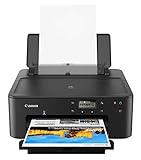
Canon PIXMA TS702a Wireless Printer (Print Only)
- Efficient Everyday Printing: It can print great looking borderless photos and even supports various paper types & sizes...
- Print Connectivity: Whether that is a smartphone, tablet or computer. Have peace of mind and connect with...
- Big Performance with Compact Design: With a 350 SHEET plain paper capacity the PIXMA TS702 is ready to take on large...
The Canon PIXMA TS702a is designed for users who want high-quality photo printing without the extra bulk of multifunction devices. Its compact design fits easily in small spaces, making it ideal for home use. With wireless connectivity, printing from smartphones and computers is straightforward and convenient.
This printer handles everyday tasks efficiently, offering automatic duplex printing to save paper. It produces sharp images at a resolution of up to 4800 x 1200 dpi, ensuring your photos and documents look vibrant. The 350-sheet capacity means fewer interruptions during larger print jobs.
Maintenance is simple with this model, as it focuses solely on printing. Without scanning or copying features, setup and upkeep are streamlined, helping you avoid unnecessary complications. The printer’s sturdy build ensures reliable performance, though its 14.4-pound weight makes it less portable.
Best for: Home users needing a compact, wireless printer dedicated to high-quality photo and document printing without scanning or copying functions.
What We Like:
- High-resolution printing for crisp, vibrant photos
- Automatic duplex printing saves paper and time
- Wireless and Ethernet connectivity for versatile device access
- Large paper capacity reduces the need for frequent refills
Specification:
| Feature | Details |
|---|---|
| Manufacturer | Canon |
| Dimensions | Not specified |
| Weight | 14.4 lb (6.53 kg) |
| Color Options | Not specified |
| Connectivity | Wireless, Ethernet, AirPrint |
Canon PIXMA TS9521Ca – Wireless Home All-in-One Inkjet Printer

- ALL-IN-ONE: Print, Copy, Scan features for full control at your fingertips. Comes with a 1 year limited warranty.
- FAST PRINT SPEEDS: Print approximately 15 (black) / 10 (color) images per minute.
- EASY SETUP and INSTALL: Get running in just a few minutes thanks to a streamlined and easy setup process out of the box...
The Canon PIXMA TS9521Ca is designed to meet the needs of creative users who require flexibility and high-quality output. Its wireless all-in-one functionality allows you to print, scan, and copy with ease, helping you complete projects efficiently without being tied down to cables. This printer supports a wide range of media sizes, so you can create everything from small crafts to large posters.
With a sharp print resolution of up to 4800 x 1200 dpi, your images and documents will look vibrant and detailed. Automatic duplex printing reduces paper waste and streamlines double-sided jobs, saving you time and resources. The 4.3” touch LCD screen offers intuitive navigation, making operation straightforward even for beginners.
Maintenance is simplified thanks to five individual ink cartridges, allowing you to replace only the color that runs out. Connectivity options include Wi-Fi, USB, and Ethernet, ensuring you can easily integrate the printer into your home or office setup. While the printer delivers solid performance, its 200-sheet paper capacity and lack of an automatic document feeder may limit efficiency for very large print jobs.
Best for: Creative enthusiasts and home offices seeking a versatile, high-quality wireless all-in-one printer.
What We Like:
- High-resolution printing for vivid, detailed images
- Automatic duplex printing saves paper and time
- User-friendly 4.3” touch LCD screen
- Five individual ink cartridges reduce maintenance costs
- Multiple connectivity options including Wi-Fi and Ethernet
Specification:
| Feature | Details |
|---|---|
| Manufacturer | Canon |
| Dimensions | Not specified |
| Weight | Not specified |
| Print Resolution | Up to 4800 x 1200 dpi |
| Media Size Support | 3.5” x 3.5” to 11” x 17” |
| Connectivity | Wi-Fi, USB, Ethernet |
| Display | 4.3” Touch LCD |
| Paper Capacity | 200 sheets |
Factors to Consider When Choosing a Canon Inkjet Photo Printer
When you’re choosing a Canon inkjet photo printer, several factors can make a big difference. You’ll want to contemplate key features, print quality, and connectivity options to guarantee it meets your needs.
Don’t forget to reflect on print speed and ink efficiency, as these can impact your overall experience and costs. These little details really add up when you think about long-term use.
Key Features Overview
Selecting the right Canon inkjet photo printer can transform your photography experience. Start by looking for high print resolutions, ideally 4800 x 1200 dpi or higher, to guarantee sharper, vibrant prints.
Advanced ink systems with 6 or 9 colors enhance color accuracy and broaden the color gamut, making your photos really pop. Don’t forget to check out the page yield; models offering several thousand pages for both black and color prints will save you money in the long run.
Also, take a look at print speeds, which usually range from 2 to 15 pages per minute. Finally, make sure the printer supports various media sizes and types, including borderless printing, for added versatility in your projects.
Print Quality Standards
Achieving stunning print quality is essential for any photography enthusiast, and several factors play a pivotal role in your choice of a Canon inkjet photo printer. First, consider print resolution; higher resolutions, like 4800 x 2400 dpi, deliver finer detail and sharper images.
The ink system’s composition is also vital—look for models with a 6-color dye-based system for enhanced color accuracy and vibrancy. Longevity matters, too; technologies like CHROMALIFE 100 help your prints resist fading over time.
While print speed can vary, remember that professional models may take longer to print high-quality photos. Finally, the ability to print borderless can elevate your photos, allowing for full-bleed prints that utilize the entire page beautifully.
Connectivity Options Available
Print quality alone isn’t the only factor to contemplate; connectivity options can greatly enhance your overall printing experience with a Canon inkjet photo printer. Many models come equipped with USB and Wi-Fi, giving you the flexibility to print from various devices.
If you often use your smartphone or tablet, look for printers that support mobile printing solutions like AirPrint and Google Cloud Print. This lets you print directly with ease, no hassle involved.
For stable connections in an office setting, consider models with Ethernet connectivity. Plus, integrated compatibility with smart home devices, such as Alexa, lets you enjoy voice-activated printing.
And if you’ve got a compatible camera, some printers even offer direct printing via Wireless PictBridge. This feature really streamlines your photo printing process.
Print Speed Considerations
When you’re considering a Canon inkjet photo printer, print speed can make a significant difference in your workflow. Look for models that offer at least 11 pages per minute (ppm) for black and white and around 10 ppm for color prints.
These high-speed printers can really boost productivity, especially in busy settings. Keep in mind that while some printers may produce a bordered 8 x 10 print in about 53 seconds, print resolution affects processing time.
Higher resolutions often take longer for complex images. Also, consider printers with automatic duplex printing, which can double your output by allowing double-sided printing without manual work.
Balancing speed and quality is key to finding the right printer for your needs. It’s all about what fits best with how you work.
Ink Efficiency and Cost
While speed plays an essential role in your printing experience, ink efficiency and cost directly impact how often you’ll need to replace cartridges and the overall affordability of your projects.
Canon inkjet printers can considerably reduce printing costs, with some models offering around 2.5 cents per 4” x 6” color photo. The MegaTank ink system shines, delivering up to 6,000 black and white pages or 7,700 color pages per set, making it perfect for high-volume printing.
With CHROMALIFE 100 technology, your photos will last longer, cutting down on reprints. Plus, many Canon printers feature borderless printing, maximizing ink usage and minimizing waste.
And, a 6-color dye-based ink system guarantees vibrant, accurate colors for stunning outputs.
Size and Design Compatibility
Selecting the right size and design for your Canon inkjet photo printer is essential for ensuring it fits seamlessly into your space. Consider the printer’s dimensions; they range from compact models at 13.8 x 17.3 x 7.5 inches to larger units measuring up to 28.7 x 18.6 x 14.04 inches.
Weighing between 13.2 and 32 pounds, choose a printer that’s manageable for your setup, especially if you need to move it frequently. Look for designs tailored for home or office use to maintain your workspace’s aesthetics.
Additionally, a maximum sheet capacity of 50 to 250 sheets can affect your paper storage. Finally, evaluate control interfaces like touchscreen LCDs, as they enhance usability in compact areas.
Frequently Asked Questions
What Types of Paper Are Compatible With Canon Inkjet Photo Printers?
Canon inkjet photo printers work well with various paper types, including glossy, semi-gloss, matte, and fine art.
You’ll get the best results using Canon’s recommended papers designed specifically for your printer model.
It really makes a difference to stick with what’s suggested, especially if you want those vibrant, sharp photos.
How Do I Maintain My Canon Inkjet Photo Printer?
To maintain your Canon inkjet photo printer, regularly clean the print heads and use high-quality ink. Keeping it dust-free is also super important.
You should run test prints often to check everything is working fine. And don’t forget to replace cartridges before they run out — that way, you’ll always get the best performance.
Can I Use Third-Party Ink Cartridges With Canon Printers?
Yes, you can use third-party ink cartridges with your Canon printer. Just make sure they’re compatible with your specific model.
That said, using them might void your warranty or affect print quality, so it’s a good idea to proceed with caution.
What Is the Average Lifespan of Canon Inkjet Photo Printers?
Most Canon inkjet photo printers last around three to five years, depending on usage and maintenance.
If you keep it clean and use quality ink, you’ll likely extend its lifespan considerably.
Are Canon Inkjet Photo Printers Suitable for Professional Photography?
Yes, Canon inkjet photo printers are suitable for professional photography. They offer excellent color accuracy and detail, making them ideal for high-quality prints.
You’ll appreciate the vibrant results and versatility they bring to your photographic work. These printers really help your photos stand out.
Conclusion
Choosing the right Canon inkjet photo printer is like picking the perfect brush for a masterpiece. Just as an artist needs the right tools to bring their vision to life, you need a printer that captures your memories in stunning detail.
With options like the PIXMA G620 and imagePROGRAF PRO-310, you can turn your photos into vibrant works of art. These printers are designed to deliver exceptional color accuracy and sharpness, making every print look professional.
So, whether you’re printing family portraits or vacation snapshots, invest in a printer that truly reflects your creativity and passion. Finding the best Canon inkjet photo printer for 2027 means choosing a device tailored to your needs, whether it’s for everyday printing or high-quality photo projects.
Remember, the right Canon inkjet printer is more than just a machine—it’s a tool that helps you preserve your most cherished moments with stunning clarity and vivid colors.