6 Best Canon Office Printers for 2027 (Work Smarter, Not Harder)
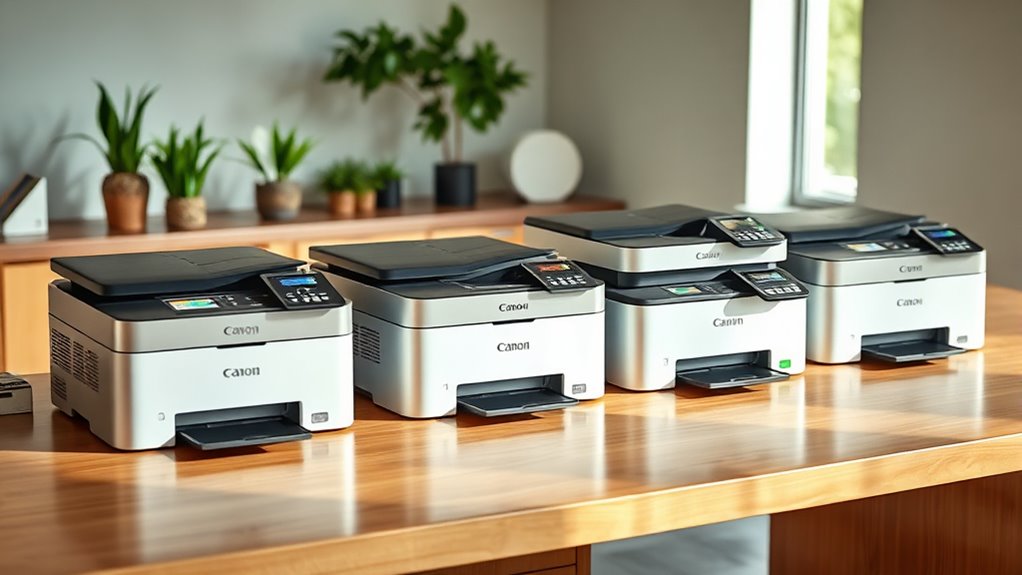
In 2027, you’ll want the best Canon office printers to boost your productivity and keep your workflow smooth. Whether you need fast printing, high-quality color output, or reliable wireless connectivity, Canon has you covered.
These printers are designed to help you work smarter, not harder, making your office tasks easier and more efficient.
Consider the Canon Color imageCLASS MF753Cdw II for its speedy performance and user-friendly touchscreen. The MF465dw II offers exceptional speed and a compact design, perfect for tight office spaces.
Meanwhile, the MegaTank MAXIFY GX2020 excels with a high ink yield, saving you time and money.
Don’t overlook the MF662Cdw for its versatility, or the MegaTank G3270 and GX6120 for reliable wireless options.
Keep these features in mind, and you’ll find the perfect fit for your workspace. More insights await!
| Image | Name | Editor's Rating | Price |
|---|---|---|---|

|
|
||

|
|
||

|
|
||

|
|
||

|
|
Canon Color imageCLASS MF753Cdw II – All-in-One Color Duplex Laser Printer
- Color, Wireless, Duplex 4-in-1: Print, scan, copy, fax.

The Canon Color imageCLASS MF753Cdw II transforms your small or home office with reliable, high-quality printing. It tackles everyday printing challenges by delivering sharp documents at speeds up to 35 pages per minute. This lets you spend less time waiting and more time focused on your work.
Its automatic duplex printing and 50-sheet document feeder streamline multi-page tasks, reducing manual effort. Wireless connectivity means you can print from multiple devices without hassle. The intuitive 5-color touchscreen simplifies navigation, making operation straightforward.
Maintenance is hassle-free, designed to keep your workflow smooth. While the printer is solid and weighs around 50 pounds, its robust build supports steady, consistent performance. Paper capacity suits typical office needs, with options to expand if your volume grows.
This all-in-one printer is made to improve efficiency in hybrid workspaces. Its crisp 1200 x 1200 dpi resolution ensures professional results, enhancing the presentation of your documents.
Best for: Small and home offices, as well as hybrid work environments needing an efficient and versatile color laser printer.
What We Like:
- Fast print speed of up to 35 ppm boosts productivity.
- Crisp 1200 x 1200 dpi print quality for professional documents.
- Wireless connectivity supports flexible printing from various devices.
- Easy-to-use 5-color touchscreen enhances user experience.
- Automatic duplexing and document feeder save time on multi-page jobs.
Specification:
| Feature | Details |
|---|---|
| Manufacturer | Canon |
| Dimensions (W×D×H) | 16.5 × 18.3 × 15.4 inches |
| Weight | 50 lbs (22.7 kg) |
| Color Options | White with Black accents |
| Print Resolution | 1200 x 1200 dpi |
| Print Speed | Up to 35 pages per minute |
| Connectivity | Wireless, USB |
Canon imageCLASS MF465dw II Wireless Duplex Laser Printer
- Monochrome Wireless, Duplex 4-in-1: Print, Scan, Copy, Fax
- Print up to 42 ppm
- Easy Wireless Setup
The Canon imageCLASS MF465dw II Wireless Duplex Laser Printer is designed to meet the demands of busy small or home offices. It tackles slow printing and document handling issues with impressive speeds of up to 42 pages per minute. This means you spend less time waiting and more time focused on your work.
Its 5-inch customizable color touchscreen simplifies navigation, making operation quick and intuitive. Wireless connectivity allows seamless printing from various devices, reducing clutter and enhancing workflow flexibility. The 250-sheet paper capacity and 50-sheet automatic document feeder help manage multiple tasks without constant refilling.
Maintenance is straightforward, with features that support smooth, uninterrupted performance. The monochrome laser technology ensures sharp text and crisp documents, ideal for professional black-and-white printing needs. While it lacks color printing, it excels at delivering reliable, high-quality prints for everyday office tasks.
With a compact design and multifunction capabilities, this printer fits well in hybrid work settings where versatility and speed are essential.
Best for: Professionals and small office users needing fast, dependable monochrome printing with multifunction features.
What We Like:
- High-speed printing up to 42 ppm boosts efficiency.
- Easy-to-use customizable touchscreen enhances control.
- Wireless and mobile printing add convenience.
- Large paper capacity supports heavy workloads.
- Compact design suits small or hybrid office spaces.
Specification:
| Feature | Details |
|---|---|
| Manufacturer | Canon |
| Dimensions (W×D×H) | Approx. 16.7 × 18.4 × 13.2 in (42.4 × 46.7 × 33.5 cm) |
| Weight | Approx. 38.2 lb (17.3 kg) |
| Printing Technology | Monochrome Laser |
| Paper Capacity | 250 sheets (standard) |
| Automatic Document Feeder | 50 sheets |
| Touchscreen | 5-inch color, customizable |
| Connectivity | Wireless |
Canon MegaTank MAXIFY GX2020 All-in-One Wireless Printer
- Wireless Print/Copy/Scan/Fax (2)
- Print up to 3,000 black & white / 3,000 color pages using a single set of inks! (1)
- 2.7” LCD Color Touchscreen
Experience seamless office productivity with the Canon MegaTank MAXIFY GX2020, a reliable all-in-one wireless printer designed to simplify your daily tasks. This device combines printing, copying, scanning, and faxing into one compact unit, reducing the need for multiple machines and saving valuable workspace.
Managing ink is easier with an impressive yield of up to 3,000 pages per set, minimizing interruptions for refills. The printer supports automatic duplex printing, allowing you to save paper effortlessly. Its 2.7-inch touchscreen and 35-sheet Automatic Document Feeder improve navigation and speed up multi-page jobs.
The GX2020 is built for small to medium-sized offices that require consistent output without sacrificing quality or efficiency. While it weighs 17.8 pounds and might not be ideal for frequent relocation, its wireless connectivity and straightforward controls help streamline office workflows. Some users may need time to get comfortable with the wireless setup.
Best for: Small to medium-sized offices seeking an efficient, versatile, and cost-effective all-in-one printer.
What We Like:
- High ink yield reduces frequent refills
- Combines multiple functions in one device
- Easy navigation with touchscreen and document feeder
- Automatic duplex printing saves paper
Specification:
| Feature | Details |
|---|---|
| Manufacturer | Canon |
| Dimensions (W×D×H) | Not specified |
| Weight | 17.8 lb (8.07 kg) |
| Color Options | Not specified |
| Connectivity | Wireless |
| Touchscreen Size | 2.7 inches |
| Automatic Document Feeder | 35-sheet |
Canon Color imageCLASS MF662Cdw Wireless Laser Printer
- Color, Wireless, Duplex 3-in-1: Print, scan, copy.
- Fast Print Speeds: Print up to 26 ppm in both color and monochrome and spend less time waiting with a quick first print...
- Easy Wireless Setup: Setup your wireless connection and get up and running in just a few steps.
The Canon Color imageCLASS MF662Cdw Wireless Laser Printer is designed to streamline your office tasks. It combines printing, scanning, and copying into one reliable device, helping you manage daily workloads efficiently. This multifunction printer handles up to 26 pages per minute, reducing wait times and keeping your work on track.
Setup is straightforward thanks to wireless options like Wi-Fi and Ethernet, plus mobile printing via the Canon PRINT app. The 5-inch color touchscreen offers clear navigation, making it easy to select functions and settings without hassle. Automatic duplex printing further enhances productivity while saving paper.
Maintenance is simple with a 250-sheet paper capacity that minimizes refills. Using Canon Genuine Toner ensures consistent print quality, though toner costs can add up with heavy use. The compact design fits well in small or home office spaces, balancing performance with convenience.
Overall, this printer addresses common office challenges by delivering fast, high-quality output in a user-friendly package. Its features support efficient workflows while offering energy-saving benefits through ENERGY STAR certification.
Best for: Small and home offices needing a compact, multifunction wireless printer that improves productivity and ease of use.
What We Like:
- Efficient 3-in-1 printing, scanning, and copying functionality
- Fast print speeds up to 26 pages per minute
- Intuitive 5-inch color touchscreen interface
- Wireless and mobile printing capabilities
- Automatic duplex printing to save paper
Specification:
| Feature | Detail |
|---|---|
| Manufacturer | Canon |
| Dimensions | 16.5 x 18.5 x 16.2 inches |
| Weight | 40.8 lbs (18.5 kg) |
| Paper Capacity | 250 sheets |
| Connectivity | Wi-Fi, Ethernet, Mobile Printing |
| Display | 5-inch color touchscreen |
| Printing Speed | Up to 26 ppm |
| Color Options | Color |
Canon MegaTank G3270 All-in-One Wireless Color Printer
- Wireless Print/Copy/Scan
- Up to 2 years of ink included (2)
- Print up to 6,000 black & white / 7,700 color pages using a single set of inks! (1)
The Canon MegaTank G3270 All-in-One Wireless Color Printer is designed to meet the demands of small businesses and home offices that require reliable, high-volume printing. Its compact design saves valuable workspace while delivering consistent performance. You can print sharp documents with impressive resolution, enhancing the quality of both black-and-white and color prints.
Maintenance is simplified thanks to the MegaTank ink system, which drastically reduces the need for frequent refills. This system enables printing up to 6,000 black-and-white and 7,700 color pages per ink set, minimizing downtime and keeping your workflow smooth. The efficient ink usage helps lower operating costs over time.
Functionality is enhanced with versatile wireless connectivity. The printer supports Wi-Fi, allowing easy printing from smartphones and tablets. This flexibility makes it simple to print documents or images without being tied to a desktop, improving convenience and productivity.
While it offers solid print speeds and a user-friendly design, the single paper tray holds only 100 sheets, which might require frequent refilling during large print jobs. Overall, the MegaTank G3270 balances performance and compactness for everyday office needs.
Best for: Small businesses or home offices that require high-volume printing with efficient wireless connectivity.
What We Like:
- High-volume printing with long-lasting ink tanks
- Compact footprint saves desk space
- Wireless printing from mobile devices
- Sharp print quality at 4800 x 1200 resolution
Specification:
| Feature | Details |
|---|---|
| Manufacturer | Canon |
| Dimensions | Compact design (exact size not specified) |
| Weight | Not specified |
| Connectivity | USB, Wi-Fi |
| Ink System | MegaTank (up to 6,000 B&W and 7,700 color pages) |
| Print Speed | Up to 11 ppm (B&W), 6 ppm (color) |
Canon Megatank GX6120 Wireless All-in-One Printer

- Up to 2 years of ink included in the box.Claim of up to two (2) years of ink based on average monthly document print...
- EASY SETUP Get running in just a few minutes thanks to a streamlines and easy setup process out of the box.
- 2.7” LCD TOUCH SCREEN Get the job done easy with an intuitive and easy to use 2.7” touchscreen LCD.
The Canon Megatank GX6120 Wireless All-in-One Printer is designed to simplify your daily printing tasks. It tackles printing, scanning, and copying with ease, helping you stay organized and efficient. Its compact, white design fits neatly in home or small office spaces without overwhelming your desk.
This printer includes up to two years of ink, reducing the hassle of frequent refills and lowering your overall printing costs. The 2.7” LCD touchscreen offers an intuitive interface, making it easy to navigate menus and settings quickly. You can rely on the automatic document feeder to speed up multi-page scanning and copying jobs.
With print speeds of 15.5 pages per minute for color and 24 for black and white, the GX6120 keeps up with everyday demands. Wireless and USB connectivity options allow for flexible setup and convenient use. However, note that the 50-sheet paper capacity may require regular refills during larger tasks, and the printer’s size is larger than some basic models.
Best for: Small office or home users needing an affordable and reliable all-in-one printer with long-lasting ink supply.
What We Like:
- Includes up to 2 years of ink, lowering ongoing costs
- Easy-to-use 2.7” touchscreen interface
- Automatic document feeder speeds up scanning and copying
- Wireless and USB connectivity for versatile use
- Compact design suitable for limited space
Specification:
| Feature | Details |
|---|---|
| Manufacturer | Canon |
| Dimensions | Compact size |
| Weight | Not specified |
| Color | White |
| Connectivity | Wi-Fi, USB |
Factors to Consider When Choosing a Canon Office Printer
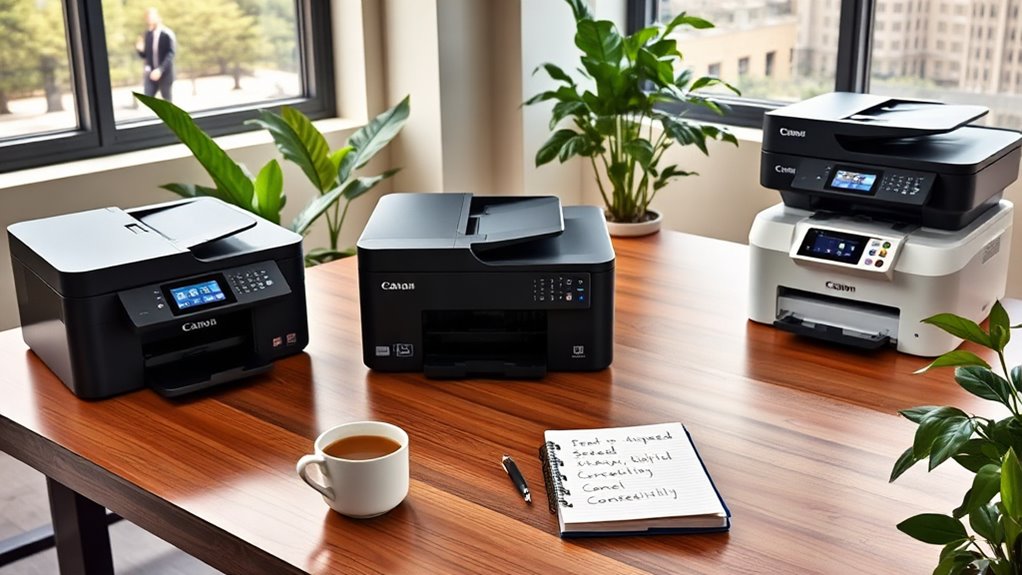
When you’re choosing a Canon office printer, there are several key factors to keep in mind. Consider features like print speed, versatility, and paper handling capacity to guarantee it meets your needs.
Connectivity options also play an essential role in how well the printer integrates into your workspace. So, think about what connections you need and how the printer will fit into your existing setup.
Key Features Overview
Choosing the right Canon office printer hinges on several key features that directly impact your workflow. First, consider print speed; models typically range from 11 to 42 pages per minute, which can really affect your productivity.
Next, look at print resolution. It can vary from 600 x 600 dpi to 1200 x 2400 dpi, making sure your documents and images look sharp and professional.
Assess the paper handling capacity, too. Options vary from 100 to 900 sheets, so you won’t have to keep refilling constantly.
Connectivity options are essential as well. Make sure the printer supports USB, Wi-Fi, and mobile printing to easily connect all your devices.
Finally, check for additional functions like scanning, copying, and faxing. These features can really boost efficiency in your office environment.
Print Speed Considerations
Considering print speed is essential for maintaining efficiency in your office environment. Look for printers that boast high pages per minute (ppm)—some models can reach up to 42 ppm, perfect for heavy workloads.
The initial print time is also vital; some devices can deliver the first page in just 4.9 seconds, minimizing wait times. Don’t forget to assess the speeds for both color and black-and-white printing, as some printers perform better in one than the other.
If duplex printing is a requirement, make sure the model offers automatic capabilities without sacrificing overall speed. Finally, evaluate the printer’s workload capacity to guarantee reliable performance even during peak usage times, keeping your operations running smoothly.
Functionality Versatility
How can you guarantee your office printer meets all your needs? Look for multifunction models that print, scan, copy, and fax to maximize workspace efficiency.
Automatic duplex printing is essential; it saves paper and cuts costs in busy environments. Pay attention to print speed—aim for models that can handle 35 pages per minute or more to boost productivity.
Additionally, consider print resolution; options between 600 x 600 dpi and 1200 x 1200 dpi impact the quality of your documents, whether they’re color or black-and-white.
Finally, make certain the printer supports various media sizes and types, enabling you to tackle everything from standard documents to specialized materials like envelopes and photo paper.
Paper Handling Capacity
Efficient workflow depends not just on functionality but also on paper handling capacity. When choosing a Canon office printer, consider how many sheets it can hold in its standard and optional trays.
A printer with a capacity of 250 to 900 sheets reduces the need for frequent paper refills, allowing for uninterrupted printing. Look for models with a multipurpose tray for added versatility. These can handle various media types, including envelopes and specialty papers.
An Automatic Document Feeder (ADF) that accommodates 35 to 50 sheets can really streamline scanning and copying tasks, especially for multi-page documents. Always assess both the standard capacity and options for expansion to guarantee your printer meets your growing office demands.
Connectivity Options Available
When selecting a Canon office printer, connectivity options play an essential role in guaranteeing seamless integration into your workspace. Many Canon models offer various connectivity choices, including Wi-Fi, USB, and Ethernet, which cater to different office environments.
Wireless connectivity is particularly advantageous, letting you print from mobile devices and computers without physical connections. With support for mobile printing applications like Canon PRINT and Apple AirPrint, you can easily print from your smartphone or tablet.
If you choose a printer with an automatic document feeder (ADF), you’ll benefit from efficient two-sided scanning during wireless operations. Plus, compatibility with multiple operating systems guarantees hassle-free connections to laptops, PCs, and smartphones, meeting diverse user needs effortlessly.
Ink or Toner Type
Choosing the right ink or toner type is essential for your Canon office printer, as it directly affects your printing needs and costs. Inkjet printers excel at producing vibrant color images but can be costly for high-volume tasks.
In contrast, laser printers use toner, offering faster print speeds and sharper text quality. They typically have a lower cost per page, making them more cost-efficient for busy offices.
Toner cartridges yield more pages than ink cartridges, which means less frequent replacements. Plus, laser printers require less maintenance and don’t suffer from clogged nozzles like inkjet models.
Finally, consider the environmental impact; toner cartridges are often recyclable, promoting eco-friendliness in your printing choices. It’s something worth thinking about when making your decision!
Size and Design
Selecting the right Canon office printer goes beyond the type of ink or toner; size and design play a significant role in ensuring it meets your workspace needs. Consider the printer’s dimensions, especially if your office space varies.
Compact models typically range from 14 to 22 inches wide and deep, while larger ones can exceed 18 inches in height. Weight matters too; some printers weigh as little as 13 pounds, making them easier to move, while others can reach up to 50 pounds.
Evaluate the design for aesthetic and functional fit—whether you prefer sleek modern styles or traditional forms. Features like touchscreen interfaces enhance usability, and designs that allow easy access to paper handling can improve efficiency in your daily tasks.
Warranty and Support Options
A reliable warranty and robust support options can make all the difference in your experience with a Canon office printer. Typically, Canon offers a 3-year limited warranty, giving you peace of mind about product reliability.
Some models even provide a high page yield warranty, guaranteeing up to 60,000 pages, perfect for high-volume work environments. You’ll also benefit from a strong customer support network, ensuring you have access to professional assistance whenever issues arise.
Plus, many Canon printers come with a 30-day return policy, allowing you to exchange or return products if needed. Regular maintenance and limited warranties covering specific components can further enhance your printer’s lifespan and performance, making your investment worthwhile.
Frequently Asked Questions
What Is the Average Lifespan of a Canon Office Printer?
A Canon office printer typically lasts around 5 to 7 years with proper care. Regular maintenance, quality supplies, and mindful usage can extend its lifespan.
This way, you’ll get the most value from your investment. Taking a little extra time to care for your printer really pays off in the long run.
How Do I Maintain My Canon Printer for Optimal Performance?
To keep your Canon printer humming along smoothly, regularly clean the print heads, replace cartridges promptly, and use high-quality paper.
Don’t forget to update drivers and perform routine maintenance checks for peak performance.
Doing these simple things can really help your printer run better and last longer. Just a little upkeep goes a long way!
Can I Use Third-Party Ink or Toner With Canon Printers?
Yes, you can use third-party ink or toner with your Canon printer, but it might void your warranty.
To guarantee peak performance, choose reputable brands and check compatibility with your specific printer model.
It’s a good idea to do a bit of research before making a purchase. That way, you avoid any issues and keep your printer running smoothly.
What Is the Warranty Period for Canon Office Printers?
A stitch in time saves nine—Canon office printers usually come with a one-year warranty.
If you register your printer, you might access additional benefits, so keep that in mind for future peace of mind!
How Do I Troubleshoot Common Printing Issues?
To troubleshoot common printing issues, check your connections and confirm the printer’s powered on. Also, make sure to verify ink levels.
If problems persist, try restarting the device. You can also update the drivers or consult the user manual for specific error codes. That usually helps clear things up!
Conclusion
In choosing the right Canon office printer, you’re not just picking a machine; you’re investing in your productivity and creativity. It’s funny how the perfect printer can transform chaos into order, turning frustrating tasks into seamless workflows.
With the right model, you’ll find yourself working smarter, not harder, and maybe even discovering new ways to collaborate and innovate. So, embrace the coincidence of technology and efficiency, and let your office thrive with the right Canon printer by your side.
When you choose a Canon office printer, you’re setting the stage for smoother operations and greater efficiency every day. These printers are designed to support busy work environments, helping you manage tasks faster and with better quality.
Ultimately, the best Canon office printer is more than just a device. It’s a tool that boosts your office productivity, enhances creativity, and keeps your workflow running effortlessly. So, dive into the options, find the perfect fit for your needs, and watch how your office transforms in 2027. Working smarter, not harder, has never been easier!