15 Best Canon Photo Printers for Mac in 2027
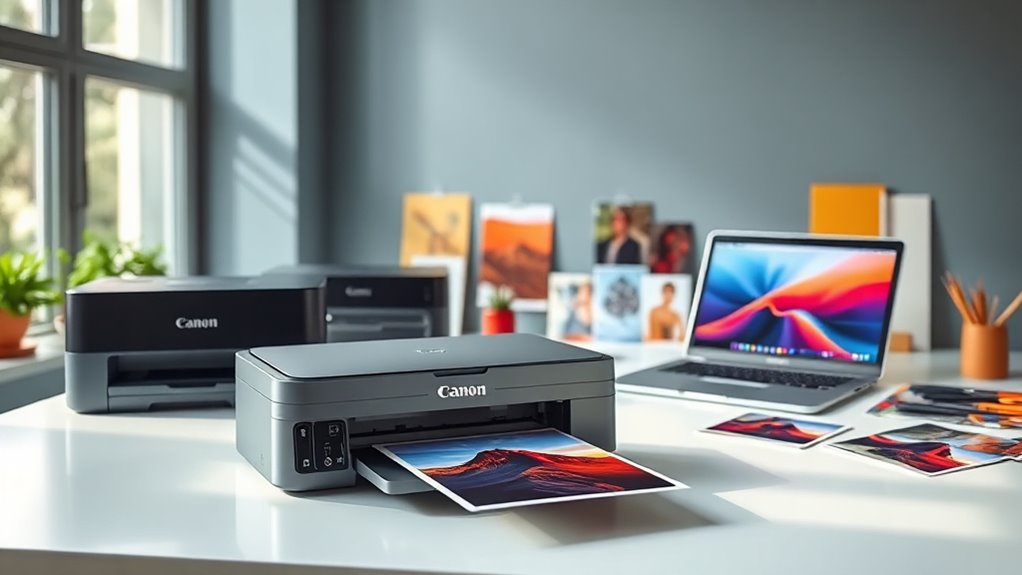
In 2027, the best Canon photo printers for Mac deliver vibrant print quality with easy-to-use features. Whether you’re a casual user or a photography enthusiast, these printers make your photos look amazing. From sharp colors to crisp details, Canon has you covered.
Look out for popular models like the PIXMA G620 and Selphy CP1500. They offer wireless connectivity, so you can print from your Mac without any hassle. Plus, their output quality is impressive, making your photos pop.
The MegaTank G3270 and PIXMA TS6520 are great choices for both home and office use.
Need something compact for quick, on-the-go prints? The Ivy 2 Mini fits the bill perfectly.
Keep exploring to find the perfect Canon printer that matches your needs!
| Image | Name | Editor's Rating | Price |
|---|---|---|---|

|
|
||

|
|
||

|
|
||

|
|
||

|
|
Canon PIXMA G620 Wireless All-in-One Printer
- Never run out of ink. Connect your printer to Alexa and receive notifications when you’re running low. Alexa can even...
- Enrolling in Smart Reorders with Alexa ensures that you never have too much or too little ink supplies. No subscription...
- MEGATANK HIGH PAGE YIELD: Print up to 3,800 4” x 6” color photos on a full set of ink.

The Canon PIXMA G620 Wireless All-in-One Printer is designed to meet the needs of photography lovers who want vibrant, detailed prints without constant ink replacements. Its advanced 6-color dye-based ink system ensures your photos come out with rich colors and sharp details, making your memories stand out.
This printer is easy to maintain with its high-yield ink bottles that allow you to print thousands of photos before needing a refill. The cost-efficiency of about 2.5 cents per 4” x 6” photo helps reduce your printing expenses significantly, making it ideal for both personal and small business use.
Compact and sleek, the PIXMA G620 fits well in tight spaces whether at home or in the office. Wireless and USB connectivity mean you can print effortlessly from your Mac or other devices, enhancing your workflow without hassle.
While the print speed is moderate at 3.9 pages per minute, it suits users who prioritize quality over volume. Its weight of 19.5 pounds may limit portability, and print sizes are capped at 8.5 x 14 inches, which covers most standard needs but not larger formats.
Best for: Photography enthusiasts and small businesses looking for affordable, high-quality photo printing with minimal maintenance.
What We Like:
- Vibrant, detailed prints with 6-color dye-based ink system
- High-yield ink bottles reduce frequent refills and lower costs
- Compact design fits easily in limited spaces
- Wireless and USB connectivity for flexible printing options
Specification:
| Feature | Details |
|---|---|
| Manufacturer | Canon |
| Dimensions | Not specified |
| Weight | 19.5 lb (8.85 kg) |
| Ink System | 6-color dye-based |
| Max Media Size | 8.5 x 14 inches |
| Connectivity | Wi-Fi, USB |
Canon MegaTank G3270 All-in-One Wireless Color Printer
- Wireless Print/Copy/Scan
- Up to 2 years of ink included (2)
- Print up to 6,000 black & white / 7,700 color pages using a single set of inks! (1)
The Canon MegaTank G3270 is designed to streamline your printing tasks with ease and efficiency. This all-in-one wireless color printer handles printing, copying, and scanning in a compact form. Its small footprint fits comfortably on your desk, making it ideal for home offices or small workspaces.
Maintenance is simplified by the MegaTank system, which offers high page yields—up to 6,000 black and 7,700 color pages—significantly reducing the need for frequent ink refills. You can expect consistent output with fewer interruptions, saving time and effort.
Connectivity options include USB and Wi-Fi, allowing seamless printing from computers, smartphones, or tablets. This flexibility supports various workflows and keeps your productivity smooth. The printer also supports borderless photo printing, adding creative options for personal or professional projects.
While print speeds are moderate at 11 pages per minute for black and white and 6 for color, the G3270 balances functionality with a compact design. Its single paper tray may require manual switching for different media types, which is worth considering for diverse printing needs.
Best for: Home users or small offices seeking a cost-effective, multifunction printer with high ink capacity and wireless convenience.
What We Like:
- High ink capacity reduces refill frequency
- Wireless and USB connectivity for versatile use
- Compact design fits limited spaces
- Borderless photo printing option
Specification:
| Feature | Details |
|---|---|
| Manufacturer | Canon |
| Dimensions | Compact (exact size not specified) |
| Weight | 13.2 lb (6 kg) |
| Material | Plastic |
| Color Options | Standard Canon white/gray |
Canon Selphy CP1500 Wireless Photo Printer Bundle
- The sleek and modern design of the SELPHY CP1500 is reflected in how easy it is to use even with powerful features such...
- Thanks to a small footprint, the SELPHY CP1500 is incredibly portable, and with the optional battery pack, you can print...
- Not only will your photos look great, they will also be instantly dry and water resistant, and continue to look great...
Experience hassle-free photo printing wherever you go with the Canon Selphy CP1500 Wireless Photo Printer Bundle. Designed for convenience, this compact printer fits easily into your workspace or travel bag, solving the problem of bulky, hard-to-use photo printers. It lets you print vibrant 4″x6″ photos quickly and wirelessly, streamlining your workflow whether at home or on the move.
The user-friendly interface and the SELPHY Photo Layout app simplify editing and allow you to add QR codes directly to your prints. This feature enhances your photo sharing and customization options without needing extra software. Maintenance is straightforward, thanks to instant-dry prints that resist water and smudging, ensuring your photos stay clear and colorful for up to 100 years.
Though the print size is limited to 4″x6″, it meets most standard photo needs. The print speed of one page per minute suits casual use but may be slower for bulk printing. Note that the battery pack is sold separately, which is important if you want true portability beyond a power outlet.
Best for: Anyone seeking a compact, reliable photo printer for quick, high-quality prints and easy on-the-go editing.
What We Like:
- Lightweight and compact for easy portability
- Instant-dry, water-resistant prints with long-lasting durability
- Intuitive app support for editing and QR code addition
- Multiple connectivity options: wireless, USB, and memory card
Specification:
| Feature | Details |
|---|---|
| Manufacturer | Canon |
| Dimensions | Compact (exact size not provided) |
| Weight | 5.6 lb (2.54 kg) |
| Print Size | 4″x6″ (10×15 cm) |
| Connectivity | Wireless, USB, Memory Card |
| Color Options | Not specified |
Canon Selphy CP1500 Wireless Compact Photo Printer (Black)
No products found.
Experience on-the-go photo printing with the Canon Selphy CP1500, a compact and lightweight printer designed to keep your memories vivid and accessible. Its portable design means you can easily carry it wherever you go, solving the hassle of finding quick and quality prints away from home.
This printer connects effortlessly via Wi-Fi, USB, or memory cards, adapting to different setups and devices. You can print sharp 4”x6” photos or mini labels with clear 300 dpi resolution, ideal for personalizing events or sharing moments instantly.
Maintenance is straightforward, thanks to the dye-sublimation technology that produces water-resistant, instantly dry prints. These photos are durable and can last up to 100 years without fading, ensuring your memories stay vibrant over time.
The large 3.5” LCD screen simplifies editing, and the Canon PRINT app allows you to add filters and customize images easily. While print speeds are slower than traditional printers and media options are limited, its quality and portability make it a practical choice for mobile photo printing.
Best for: Users who want portable, high-quality photo printing with long-lasting results for personal or event use.
What We Like:
- Lightweight, compact design for easy transport
- Water-resistant, instantly dry prints with long-lasting durability
- User-friendly editing via the Canon PRINT app
- Multiple connectivity options including Wi-Fi and USB
Specification:
| Feature | Details |
|---|---|
| Manufacturer | Canon |
| Dimensions | Not specified |
| Weight | 1.58 kg (3.48 lbs) |
| Printing Method | Dye-sublimation |
| Print Resolution | 300 dpi |
| Connectivity | Wi-Fi, USB, Memory Card |
| Screen Size | 3.5 inches LCD |
| Print Size | 4” x 6” photos, mini labels |
| Color Options | Black |
Canon PIXMA TS6520 Wireless Color Inkjet Printer, 1.42″ OLED Display, White
- Affordable Versatility - A budget-friendly all-in-one printer perfect for both home users and hybrid workers, offering...
- Crisp, Vibrant Prints - Experience impressive print quality for both documents and photos, thanks to its 2-cartridge...
- Effortless Setup & Use - Get started quickly with easy setup for your smartphone or computer, so you can print, scan...
The Canon PIXMA TS6520 offers a smart all-in-one solution for your printing needs. Its compact design and sleek white finish make it easy to fit into any home or study space. This printer helps streamline everyday tasks by combining printing, scanning, and copying in one device.
With a 2-cartridge hybrid ink system, it delivers crisp text and vibrant color, improving the quality of documents and photos. Automatic duplex printing reduces paper waste, supporting eco-friendly habits. The dual-band Wi-Fi enables smooth mobile printing from smartphones, tablets, or computers without hassle.
Maintenance is simple thanks to the intuitive 1.42” OLED display. It keeps you informed about ink levels and printer status, minimizing downtime. While the print speed is moderate and cartridges may need frequent replacement under heavy use, the device remains a practical choice for regular home or student workloads.
This printer focuses on reliable, user-friendly performance. It does not include advanced features like faxing or large-capacity trays, which might limit its use in busy office environments.
Best for: Families and students needing a versatile, easy-to-use printer for daily home tasks.
What We Like:
- Combines printing, scanning, and copying in one compact unit
- Sharp text and vibrant colors from the hybrid ink system
- Convenient mobile printing with stable dual-band Wi-Fi
- Clear OLED display for quick status updates
Specification:
| Feature | Details |
|---|---|
| Manufacturer | Canon |
| Dimensions | Compact size (exact not provided) |
| Weight | Not specified |
| Ink System | 2-cartridge hybrid ink |
| Display | 1.42-inch OLED |
| Connectivity | Dual-band Wi-Fi |
| Color | White |
Canon PIXMA TS4320 – Wireless Color Inkjet Printer with Print, Copy, Scan
- Affordable Versatility - A budget-friendly all-in-one printer perfect for both home users and hybrid workers, offering...
- Crisp, Vibrant Prints - Experience impressive print quality for both documents and photos, thanks to its 2-cartridge...
- Effortless Setup & Use - Get started quickly with easy setup for your smartphone or computer, so you can print, scan...
The Canon PIXMA TS4320 is designed to make printing, copying, and scanning effortless at home or in a small office. Its compact and stylish design fits neatly into any workspace without taking up much room. This wireless color inkjet printer helps you manage tasks smoothly, whether you’re working on documents or vibrant photo prints.
With a sharp print resolution of up to 1200 x 1200 dpi, your images and text come out clear and vibrant every time. The dual-band Wi-Fi connectivity ensures a stable connection, reducing interruptions and simplifying printing from multiple devices. Mobile printing options like Apple AirPrint add convenience for users on the go.
Maintenance is straightforward with easy access to ink cartridges, and the automatic two-sided printing saves paper, making it an eco-friendlier choice. While the printer lacks an advanced display screen, its intuitive controls keep operations simple. The 100-sheet paper capacity suits moderate printing needs, though high-volume tasks may require frequent refills.
Weighing just 15.5 pounds, the PIXMA TS4320 is easy to move and place wherever needed. It balances functionality and compactness, making it a practical choice for everyday printing needs.
Best for: Small office or home users needing a compact, multifunctional wireless printer.
What We Like:
- Combines printing, copying, and scanning in one device
- High-quality prints with 1200 x 1200 dpi resolution
- Reliable dual-band Wi-Fi and mobile printing support
- Automatic two-sided printing to save paper
- Lightweight and space-saving design
Specification:
| Feature | Details |
|---|---|
| Manufacturer | Canon |
| Dimensions | Compact size (exact size not provided) |
| Weight | 15.5 lb (7.03 kg) |
| Color Options | Not specified |
| Connectivity | Dual-band Wi-Fi, Apple AirPrint |
Canon Selphy CP1500 Wireless Photo Printer Bundle

- The sleek and modern design of the SELPHY CP1500 is reflected in how easy it is to use even with powerful features such...
- Thanks to a small footprint, the SELPHY CP1500 is incredibly portable, and with the optional battery pack, you can print...
- Not only will your photos look great, they will also be instantly dry and water resistant, and continue to look great...
The Canon Selphy CP1500 Wireless Photo Printer Bundle offers a simple solution for printing vivid 4″x6″ photos at home or on the go. Its compact design fits easily into any space, making it convenient for quick photo sessions or events. With wireless connectivity, you can print directly from your smartphone or tablet, eliminating the hassle of cables.
This printer supports USB and memory card inputs, adding flexibility to how you load your images. The 3.5” built-in display allows you to preview and adjust photos before printing, helping you get the perfect shot every time. Its instant-dry technology produces water-resistant photos that can last up to 100 years, protecting your memories from smudges and spills.
Maintenance is straightforward with included consumables and an optional battery pack for portable use. While the print size is limited to 4″x6″, this makes the device ideal for personal keepsakes and event snapshots. Print speed is moderate, so it’s best suited for casual use rather than high-volume printing.
Best for: Anyone needing a portable, wireless photo printer that produces durable, high-quality 4″x6″ prints for personal or event use.
What We Like:
- Compact and lightweight for easy portability
- Wireless printing from smartphones and tablets
- Durable, water-resistant photos with long-lasting quality
- Built-in display for photo preview and editing
Specification:
| Feature | Details |
|---|---|
| Manufacturer | Canon |
| Print Size | 4 x 6 inches |
| Connectivity | Wireless, USB, Memory Card |
| Display | 3.5 inches (built-in) |
| Included Paper | 108 sheets |
| Optional Accessory | Battery pack available |
Canon PIXMA TS702a Wireless Print-Only Printer
- Efficient Everyday Printing: It can print great looking borderless photos and even supports various paper types & sizes...
- Print Connectivity: Whether that is a smartphone, tablet or computer. Have peace of mind and connect with...
- Big Performance with Compact Design: With a 350 SHEET plain paper capacity the PIXMA TS702 is ready to take on large...
The Canon PIXMA TS702a is designed to meet your everyday printing demands with ease and efficiency. This wireless, color inkjet printer produces sharp, vibrant prints at a resolution up to 4800 x 1200 dpi, making documents and photos look professional. It handles a large paper capacity of up to 350 sheets, reducing frequent refills and streamlining your workflow.
Its automatic duplex printing feature cuts paper use by printing on both sides, helping you save resources and costs over time. The printer supports multiple connection options, including Wi-Fi, Ethernet, and AirPrint, allowing seamless printing from smartphones, tablets, or laptops without complicated setup. This flexibility fits well in both home and small office environments.
Maintenance is straightforward with easy access to ink cartridges and minimal upkeep required. While it does not offer scanning or copying functions, its compact design fits comfortably in limited spaces without sacrificing print quality. The absence of a touchscreen means settings are controlled via buttons or connected devices, keeping the interface simple but less intuitive.
Overall, the PIXMA TS702a balances high-quality printing and convenience for users who need reliable, efficient print-only functionality.
Best for: Professionals and home users who require a compact, wireless printer focused solely on high-quality color printing.
What We Like:
- High-resolution color printing for sharp, vibrant output
- Automatic two-sided printing reduces paper waste
- Multiple connectivity options for easy, flexible use
- Large paper capacity minimizes interruptions
- Compact design fits well in small spaces
Specification:
| Feature | Details |
|---|---|
| Manufacturer | Canon |
| Dimensions | Not specified |
| Weight | 14.4 lb (6.53 kg) |
| Printer Type | Wireless single-function inkjet |
| Max Print Resolution | 4800 x 1200 dpi |
| Paper Capacity | Up to 350 sheets |
| Connectivity | Wi-Fi, Ethernet, USB, AirPrint |
Canon PIXMA TS7720 Wireless All-in-One Inkjet Printer

- ALL-IN-ONE: Print, Copy, Scan features for full control at your fingertips.
- FAST PRINT SPEEDS: Print approximately 15 (black) / 10 (color) images per minute.
- EASY SETUP: Get running in just a few minutes thanks to a streamlined and easy setup process out of the box.
The Canon PIXMA TS7720 offers a practical all-in-one printing solution designed to simplify your home office tasks. This compact inkjet printer lets you print, scan, and copy without hassle, making daily document management more efficient. Its high-quality printing ensures sharp text and vivid colors, ideal for both personal and creative projects.
With a dual 100-sheet capacity, it easily handles different paper types and sizes, reducing frequent paper refills. The intuitive 2.7″ LCD touchscreen simplifies navigation and settings adjustments, while quick setup via USB or wireless connections gets you started in minutes.
Maintenance is straightforward, but keep in mind the printer uses only two ink cartridges, which may require more frequent replacements. The auto-duplex and borderless printing features enhance productivity and presentation, perfect for producing professional-looking documents and photos at home.
Best for: Home users needing a versatile and compact all-in-one inkjet printer for everyday printing, copying, and scanning.
What We Like:
- Sharp print quality with up to 1200 x 1200 dpi resolution.
- Easy-to-use touchscreen and multiple connectivity options.
- Dual 100-sheet input for versatile media handling.
- Convenient auto-duplex and borderless print capabilities.
Specification:
| Feature | Details |
|---|---|
| Manufacturer | Canon |
| Dimensions | Compact (exact size not provided) |
| Weight | Not specified |
| Color Options | Not specified |
| Connectivity | High-speed USB, Wireless |
| Display | 2.7″ LCD touchscreen |
Canon PIXMA PRO-200S Wireless Inkjet Photo Printer

- 8 COLOR dye-based ink system produces vibrant, high quality prints.
- BORDERLESS PRINTING from 3.5” x 3.5” up to 13” x 19”.
- HIGH SPEED PRINTING — bordered A3+ print in just 90 seconds or bordered 8" x 10" print in 53 seconds.
Experience professional-quality photo printing with the Canon PIXMA PRO-200S, designed to bring your photography to life. This wireless inkjet printer solves the challenge of achieving vivid, detailed prints at home or in the studio. Its 8-color dye-based ink system produces rich, vibrant colors with sharp resolution up to 4800 x 2400 dpi.
The PIXMA PRO-200S supports a wide range of print sizes, from small 3.5” x 3.5” photos to large borderless prints up to 13” x 19”. This flexibility lets you create everything from small keepsakes to gallery-quality enlargements. With fast print speeds—90 seconds for A3+ and 53 seconds for 8 x 10—it helps you complete projects efficiently.
Designed for easy connectivity, the printer works seamlessly with Mac via Wi-Fi, Ethernet, or USB. While it focuses solely on printing, its straightforward functionality makes maintenance simple. The printer’s weight of 32 pounds means it stays stable but is less portable.
The PIXMA PRO-200S is ideal for photographers who want professional prints without complicated setups. Its advanced color system and versatile size options make it a practical tool for serious photo printing.
Best for: Photography enthusiasts who demand professional-quality prints and versatile media handling.
What We Like:
- High-resolution printing at 4800 x 2400 dpi for detailed images
- Supports borderless prints up to 13” x 19”
- Multiple connectivity options including Wi-Fi and Ethernet
- Fast print speeds for larger photo formats
- Simple maintenance with dedicated print-only functionality
Specification:
| Feature | Details |
|---|---|
| Manufacturer | Canon |
| Dimensions | Not specified |
| Weight | 32 lb (14.5 kg) |
| Ink System | 8-color dye-based ink |
| Max Print Resolution | 4800 x 2400 dpi |
| Max Print Size | 13” x 19” |
| Connectivity | Wi-Fi, Ethernet, USB |
Canon imagePROGRAF PRO-310 Wireless Inkjet Photo Printer

- 9 COLOR + CHROMA OPTIMIZER pigment-based ink system produces gallery-quality prints.
- EASE OF USE — ultimate productivity with Anti-Clogging System and Skew Correction.
- MATTE BLACK INK offers enhanced black density and wider dark area reproduction range.
Experience professional-grade photo printing with the Canon imagePROGRAF PRO-310, designed to deliver exceptional detail and color accuracy. This wireless inkjet photo printer uses a 9-color pigment-based ink system that produces vibrant colors and deep blacks, ensuring your images come to life with stunning clarity.
Its print resolution of 1200 x 1200 dpi captures intricate details in both color and black-and-white prints. With support for media sizes up to 13” x 19”, you can print a variety of formats without compromising quality. The compact design includes a 3″ color LCD that simplifies printer operation and media handling.
Maintenance is straightforward thanks to the LUCIA PRO II ink system, which enhances gloss uniformity and resists scratches, while the Anti-Clogging System helps maintain consistent print performance. Connectivity is flexible, offering Wi-Fi, Ethernet, and USB options to fit seamlessly into your workflow.
Weighing 31.6 pounds, the PRO-310 is sturdy but may not be ideal for frequent transport. While it focuses solely on printing, its advanced features make it a valuable tool for photographers who demand precision and reliability.
Best for: Professional photographers seeking high-quality prints with accurate colors and fine details.
What We Like:
- 9-color pigment ink system for vibrant, long-lasting prints
- User-friendly 3″ LCD for easy operation
- Multiple connectivity options: Wi-Fi, Ethernet, USB
- LUCIA PRO II ink system ensures gloss uniformity and scratch resistance
- Anti-Clogging System improves reliability and reduces maintenance
Specification:
| Feature | Details |
|---|---|
| Manufacturer | Canon |
| Dimensions | Not specified |
| Weight | 31.6 lb (14.3 kg) |
| Ink System | 9-color pigment-based (LUCIA PRO II) |
| Maximum Media Size | 13” x 19” |
| Connectivity | Wi-Fi, Ethernet, USB |
| Display | 3″ color LCD |
Canon IP8720 Wireless Printer, AirPrint and Cloud Compatible, Black
No products found.
Experience professional-quality photo printing with the Canon IP8720 wireless printer. Designed to seamlessly integrate with Mac systems, it tackles the challenge of producing large, vivid prints without complicated setups. Its six-color ink system, including gray ink, ensures your images have rich colors and deep blacks that truly stand out.
This printer supports AirPrint and Google Cloud Print, allowing you to print effortlessly from your Mac or any Wi-Fi-enabled device. You can enjoy the convenience of wireless printing without the hassle of cables or drivers. Borderless printing up to 13 x 19 inches means you can create stunning edge-to-edge photos perfect for display.
Maintenance is straightforward, with a maximum sheet capacity of 150 that reduces frequent paper reloads. Although ink cartridges may cost more due to their specialized nature, the print quality justifies the investment. The printer operates quietly, but be aware it produces some noise, which could be noticeable in very quiet spaces.
The Canon IP8720 is ideal for photographers and creative professionals seeking a versatile printer that produces large-format, high-resolution prints with ease.
Best for: Photographers and creative professionals needing a high-quality, large-format photo printer compatible with Mac systems.
What We Like:
- Vibrant, detailed prints with a six-color ink system
- Wireless printing via AirPrint and Google Cloud Print
- Borderless printing up to 13 x 19 inches
- Quiet operation suitable for most environments
Specification:
| Feature | Details |
|---|---|
| Manufacturer | Canon |
| Dimensions | Not specified |
| Weight | Not specified |
| Color Options | Black |
| Maximum Print Size | 13 x 19 inches |
| Resolution | 9600 x 2400 dpi |
| Ink System | Six-color including gray |
Canon Ivy 2 Mini Photo Printer (Blush Pink)

- Print and customize your photos directly from your smartphone devices via the Canon Mini Print App.(1)
- NO INK NEEDED! The IVY 2 Mini Photo Printer uses ZINK (Zero Ink) technology, which features colorful dye-based crystals...
- Place your photos anywhere, thanks to a PEEL & STICK backing that adheres to your favorite surfaces.
The Canon Ivy 2 Mini Photo Printer in Blush Pink brings instant photography to your fingertips. Its compact size and lightweight design make it easy to carry anywhere, solving the problem of bulky photo printers. You can print vibrant, smudge-proof photos on the spot without worrying about ink cartridges.
This portable printer uses ZINK technology, which means maintenance is simple and fuss-free. Just load the paper, and you’re ready to print. The Bluetooth 5.0 connection pairs seamlessly with iOS and Android devices through the Canon Mini Print App, making printing quick and straightforward.
The peel-and-stick backing on each 2 x 3-inch photo adds a fun way to personalize your space or share memories. While the print size is small, it’s perfect for scrapbooking, journaling, or decorating. The 20-sheet capacity keeps it lightweight but may require frequent refills for larger projects.
Best for: Individuals who want a convenient, portable solution for instant photo printing and creative memory sharing.
What We Like:
- Lightweight and portable design
- Ink-free ZINK printing technology
- Easy Bluetooth connectivity via Canon app
- Peel-and-stick photos for easy display
Specification:
| Feature | Details |
|---|---|
| Manufacturer | Canon |
| Dimensions | 4.69 x 3.29 inches |
| Weight | 8.8 ounces |
| Printing Technology | ZINK (Zero Ink) |
| Color Options | Blush Pink |
Canon Ivy 2 Mini Photo Printer for iOS & Android

- Print and customize your photos directly from your smartphone or tablet via the Canon Mini Print App.(1)
- No ink needed! The IVY 2 Mini Photo Printer uses ZINK (Zero Ink) technology, which features colorful dye-based crystals...
- Place your photos anywhere, thanks to a PEEL & STICK backing that adheres to your favorite surfaces.
Compact and portable, the Canon Ivy 2 Mini Photo Printer offers a simple way to print vibrant photos anytime, anywhere. Its small size fits easily in your pocket, solving the problem of bulky printers for on-the-go use. You can quickly turn digital moments into colorful 2″x3″ prints that are ready to peel and stick.
Using ZINK technology, this mini printer eliminates the need for ink cartridges, reducing maintenance and mess. The Bluetooth 5.0 connection ensures smooth pairing with both iOS and Android devices, making printing straightforward and hassle-free. The Canon Mini Print app adds extra value by allowing you to customize your images before printing.
Designed for ease of use, the printer weighs just 145 grams and operates quietly. It’s ideal for casual photographers and creative users who want instant, shareable prints without complicated setups. The compact print size is perfect for scrapbooks, gifts, or personal decorations, though it may not suit all photo size preferences.
Best for: Photography enthusiasts who want a compact and portable printer for quick, colorful prints on the go.
What We Like:
- Compact, lightweight design for easy portability
- ZINK technology prints without ink cartridges
- Bluetooth 5.0 enables seamless device pairing
- Customizable prints through the Canon Mini Print app
Specification:
| Feature | Details |
|---|---|
| Manufacturer | Canon |
| Dimensions | Approx. 3.5 x 2.3 x 0.9 in (8.9 x 5.8 x 2.3 cm) |
| Weight | 145 grams (0.32 lbs) |
| Printing Technology | ZINK (Zero Ink) |
| Print Size | 2 x 3 inches (5.1 x 7.6 cm) |
| Connectivity | Bluetooth 5.0 |
| Compatible OS | iOS and Android |
Canon PIXMA TR8620a All-in-One Printer

- Never run out of ink. Connect your printer to Alexa and receive notifications when you’re running low. Alexa can even...
- Enrolling in Smart Reorders with Alexa ensures that you never have too much or too little ink supplies. No subscription...
- Wireless 4-in-1 (Print | Copy | Scan | Fax)
The Canon PIXMA TR8620a All-in-One Printer is designed to streamline your workflow with versatile functionality. It combines printing, copying, scanning, and faxing, eliminating the need for multiple devices. This makes it ideal for both home and office environments where space and efficiency matter.
Its high-resolution printing capability of up to 4800 x 1200 dpi ensures sharp, vibrant output. Wireless connectivity and compatibility with Alexa and Android devices simplify printing from various sources. The 20-sheet auto document feeder speeds up multi-page tasks, saving you time.
Maintenance is straightforward thanks to five individual ink tanks, allowing you to replace only the color that runs out. ENERGY STAR and EPEAT Silver certifications highlight its energy-efficient design, helping to reduce operating costs and environmental impact.
While its monthly duty cycle of 1,000 pages suits moderate use, it may not meet heavy printing demands. At 17.4 pounds, it is somewhat bulky, and print speeds of 15 ipm (black) and 10 ipm (color) are adequate but not the fastest available.
Best for: Users needing a versatile, energy-efficient all-in-one printer for moderate home or office tasks.
What We Like:
- Combines multiple functions in one compact device
- High-quality prints with sharp resolution
- Easy maintenance with separate ink tanks
- Supports wireless printing and smart device integration
- Energy-efficient design reduces power consumption
Specification:
| Feature | Details |
|---|---|
| Manufacturer | Canon |
| Dimensions (W x D x H) | Approx. 14.5 x 12.7 x 7.7 in (36.8 x 32.3 x 19.6 cm) |
| Weight | 17.4 lb (7.9 kg) |
| Color Options | Black |
Factors to Consider When Choosing a Canon Photo Printer for Mac
When choosing a Canon photo printer for your Mac, you need to take into account several key factors. Evaluate features like print quality, connectivity options, and media handling capacity to guarantee it meets your needs.
Also, think about the size and portability to find a printer that fits your workspace. It’s all about picking what works best for you and your setup.
Key Features to Evaluate
Choosing the right Canon photo printer for your Mac involves evaluating several key features that can greatly impact your printing experience. Start with print resolution; look for at least 4800 x 1200 dpi for sharp, vibrant images.
Next, consider connectivity options—make sure your printer supports USB, Wi-Fi, and mobile printing for seamless integration with your Mac. The ink system is also essential; a 6-color dye-based ink setup enhances color accuracy and depth.
Don’t overlook print speed, as a faster printer will help you tackle larger projects efficiently. Finally, check media compatibility, including maximum size and paper types, to make certain your printer can handle various formats, including borderless printing for creative projects.
Print Quality Requirements
How can you guarantee your Canon photo printer delivers stunning results? Start by checking the printer’s resolution; aim for at least 4800 x 1200 dpi for sharp, vibrant images.
Next, consider the ink system—printers with a 6-color or 8-color setup provide a broader color gamut, enhancing accuracy and depth. Don’t overlook the type of paper you use; glossy or high-resolution paper can notably improve the quality of your prints.
Additionally, look for ink technology that guarantees longevity; dye-based inks with protective features can keep your images looking fresh for up to 100 years. Finally, verify the printer’s ability to handle various media sizes and types to meet your specific printing needs.
Connectivity Options Available
To guarantee a seamless printing experience with your Canon photo printer on a Mac, it’s essential to explore the available connectivity options. Many Canon models offer wireless connectivity through Wi-Fi and Bluetooth, letting you print easily from your Mac or smartphone.
If you prefer a direct connection, USB ports are commonly available, providing a reliable wired option. Additionally, some printers support AirPrint and other mobile printing solutions, allowing for hassle-free printing without extra software.
For those who transfer photos directly from cameras, printers with memory card slots simplify this process. Finally, compatibility with various printing apps, including Canon’s proprietary software, enhances your user experience by streamlining photo selection and editing before printing.
Media Handling Capacity
When setting up your Canon photo printer for Mac, media handling capacity plays a significant role in your overall printing experience. First, consider the maximum media size; options can range from small 4″ x 6″ prints to larger 13″ x 19″ formats.
A printer with a higher sheet capacity, like 100 sheets or more, means less frequent reloading, which is a real time-saver. It’s definitely something to keep in mind if you don’t want to keep stopping to add paper.
Evaluate its versatility in handling various media types—glossy photo paper, cardstock, and envelopes all enhance your creative projects. Plus, check for borderless printing capabilities if you want those professional-quality prints.
And don’t forget about automatic duplex printing. It can help you save paper, especially for larger projects or multi-page prints. Makes it a smart choice for any photographer!
Size and Portability Considerations
Choosing the right size and portability for your Canon photo printer can make a huge difference in your printing experience. Look for compact designs, ideally around 5.24D x 7.17W x 2.27H inches, and weigh under 6 pounds for easy transport.
If you plan to print on the go, consider models with battery pack options. This way, you can work without needing a power outlet, which is super handy.
Also, evaluate the maximum media sizes. Smaller printers usually handle up to 4” x 6”, while larger ones can accommodate up to 13” x 19”.
Features like built-in handles or sleek designs make moving your printer a breeze. Prioritize these factors to ensure your printer meets your needs wherever you are.
Frequently Asked Questions
Are Canon Photo Printers Compatible With macOS Monterey or Later?
Yes, Canon photo printers are compatible with macOS Monterey and later. You’ll find drivers available on Canon’s website for easy installation.
This makes sure you can print high-quality photos smoothly from your Mac without any issues. Just download the drivers, follow the steps, and you’re good to go!
What Photo Paper Types Work Best With Canon Printers?
Choosing photo paper is like picking the right canvas for your masterpiece. For Canon printers, glossy, satin, and fine art papers work best.
Try experimenting with different types to see what makes your photos really pop! It’s all about finding the perfect match for your style.
How Do I Connect My Canon Printer to Wi-Fi?
To connect your Canon printer to Wi-Fi, first turn it on and access the settings menu. Then, select the Wi-Fi setup option.
Next, choose your network from the list and enter the password when prompted. After that, confirm your selection.
That’s it! You’ll be ready to print wirelessly in no time. Easy, right?
Can I Print Directly From My iPhone or iPad?
Yes, you can print directly from your iPhone or iPad. Just guarantee your printer’s connected to the same Wi-Fi network.
Then, use AirPrint or the Canon app to send your photos easily. It’s pretty straightforward!
What Maintenance Is Required for Canon Photo Printers?
To keep your Canon photo printer running smoothly, you’ll need to clean the print heads regularly and check ink levels.
It’s also important to perform occasional software updates. Staying on top of maintenance guarantees quality prints every time!
Conclusion
In your quest for the perfect Canon photo printer, remember this: the right choice can turn fleeting moments into timeless memories. With options like the PIXMA G620 and Selphy CP1500, you’re not just printing photos; you’re capturing emotions that last a lifetime.
So, whether you’re a casual snapper or a passionate photographer, investing in one of these printers will guarantee your cherished memories shine bright on paper. Isn’t it time to bring your photos to life? Choosing the best Canon photo printer for Mac means your images come out vibrant, detailed, and true to life every single time.
With so many great Canon photo printers available, you can easily find one that suits your style and needs. From compact models perfect for home use to advanced printers for professional-quality shots, there’s something for everyone. So go ahead—make your memories stand out with a Canon photo printer designed for Mac users.