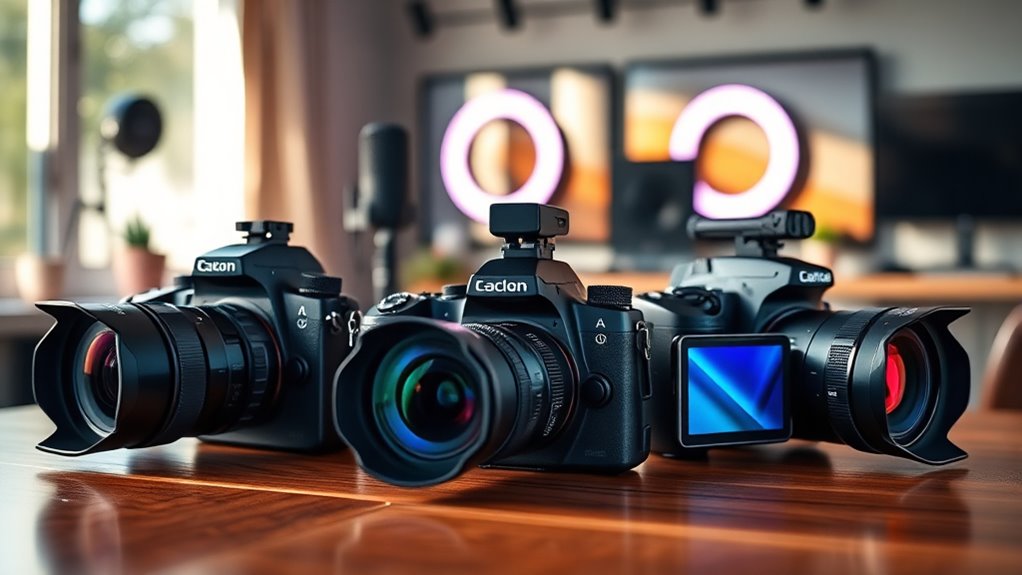
3 Best Digital Cameras for Live Streaming in 2027
For top live streaming in 2027, consider the EMEET PIXY Dual-Camera PTZ. It offers AI-powered tracking and stable 4K USB streaming, which is perfect if you move a lot onscreen. This camera really keeps up with your energy and delivers smooth, professional-quality video.
The Canon EOS R50 V mirrorless is another great choice. It provides sharp 4K video with fast autofocus, ideal for creators who want a compact, high-performance option. Plus, it’s easy to carry around and use in different settings.
Then there’s ORDRO’s 6K camcorder, which gives you zoom flexibility and ultra-high resolution for versatile setups. Whether you’re in a studio or on the go, this camera adapts to your streaming style. Keep exploring to find the perfect fit for your exact needs.
| Image | Name | Editor's Rating | Price |
|---|---|---|---|

|
|
||

|
|
EMEET PIXY Dual-Camera AI-Powered PTZ Camera 4K with Tripod, AI Tracking
No products found.
Capture every moment with precision using the EMEET PIXY Dual-Camera AI-Powered PTZ Camera. Designed for dynamic streaming, this camera solves the common problem of tracking fast-moving subjects smoothly. Its dual 4K Sony sensors and ultra-fast AI autofocus keep your video sharp and vibrant, even in challenging lighting.
The camera’s 310° pan and 180° tilt allow for wide coverage, while AI-driven tracking and gesture control mean you can operate it hands-free. This makes it ideal for fitness instructors or live commerce hosts who need to move freely without worrying about camera adjustments. The built-in AI also optimizes framing by predicting motion and lighting conditions.
Setup is straightforward with the included tripod and USB connectivity. While it requires a wired connection, this ensures stable, high-quality streaming. Maintenance is simple; just keep the lens clean and firmware updated to retain optimal performance.
Best for: Content creators and professionals who stream active sessions like fitness classes or product demos needing reliable AI tracking and clear 4K video.
What We Like:
- Dual 4K Sony sensors with ultra-fast AI autofocus for crisp video
- Wide pan and tilt with intelligent AI tracking and gesture controls
- Three-mic array offering clear audio and noise cancellation
Specification:
| Feature | Details |
|---|---|
| Manufacturer | EMEET |
| Dimensions | Not specified |
| Weight | Not specified |
| Material | Not specified |
| Color Options | Not specified |
Canon EOS R50 V Mirrorless Camera (Body Only)
- Enjoy interchangeable lens video shooting with the first EOS V series camera body.
- Built for creators with a redesigned user interface including a Vertical Video tripod mount and Front Record button.
- Slow and Fast mode – this allows creative control of the video frame rate and playback speed.

The Canon EOS R50 V Mirrorless Camera (Body Only) is designed to help content creators capture sharp, high-quality images and videos effortlessly. Its advanced Dual Pixel CMOS AF II system ensures fast and reliable autofocus, so you never miss a moment when tracking moving subjects like people, animals, or vehicles.
This camera’s 24.2MP APS-C sensor combined with the DIGIC X processor delivers crisp 4K video at up to 59.94 fps, providing smooth footage for professional-looking streams or vlogs. The bright 3-inch LCD screen with 16 million dots makes framing shots easy and precise, even in bright environments.
Compact and lightweight, the EOS R50 V pairs well with Canon RF lenses, offering flexibility for various shooting styles. Built-in Wi-Fi and Bluetooth keep you connected, allowing quick sharing and remote control. While the body-only package requires separate lens purchases, this modular approach lets you customize your setup.
Maintenance is straightforward due to its robust design, but note there’s no built-in flash, so additional lighting may be needed in low-light conditions. Also, 4K video at the highest frame rate crops the image, which slightly narrows your field of view.
Best for: Advanced content creators and live streamers who want a compact, high-performance mirrorless camera with excellent autofocus and 4K video capabilities.
What We Like:
- Fast and accurate Dual Pixel CMOS AF II for reliable subject tracking
- Crisp 24.2MP APS-C sensor with smooth 4K video at 59.94 fps
- Lightweight design with Canon RF lens compatibility
- Convenient Wi-Fi and Bluetooth connectivity for easy sharing
Specification:
| Feature | Details |
|---|---|
| Manufacturer | Canon |
| Sensor | 24.2MP APS-C CMOS |
| Processor | DIGIC X |
| Video Resolution | 4K up to 59.94 fps |
| Screen | 3-inch LCD, 16 million dots |
| Connectivity | Wi-Fi, Bluetooth |
| Weight | Compact and lightweight |
| Package | Body only (lens sold separately) |
ORDRO Video Camera 6K Camcorder 48MP Photo for Live Streaming YouTube
- 【Ultra HD 6K 64MP Camcorder】Capture life with stunning realism. The ORDRO XV80 video camera records ultra-smooth 6K...
- 【Full AF & Manual Focus】Never miss a shot. Switch between Fast Autofocus for quick, crisp captures (5cm macro to...
- 【Webcam & Vlogging Camera】 The camcorder has HDMI and USB interfaces. More than a camcorder, it's your ultimate...
Step up your content creation with the ORDRO Video Camera 6K Camcorder, designed to deliver crisp, high-resolution videos and photos. This camcorder helps you capture every detail with 6K UHD video and 48MP photo quality, ideal for creating professional YouTube videos and engaging live streams.
Its 12X optical zoom and fast autofocus ensure your shots stay sharp and well-framed, even at a distance. The large 3.5-inch touchscreen simplifies navigation through settings, making adjustments quick and intuitive. Plus, you can control and preview your footage remotely up to 6 meters away using Wi-Fi, adding convenience to your workflow.
This camera doubles as a 4K webcam via USB or HDMI, perfect for live streaming or video calls. Night vision and a wide dynamic range enhance your recordings in low-light environments. The inclusion of dual batteries and essential accessories means you can shoot longer without interruptions.
While it is not water resistant, so care is needed in wet conditions, the ORDRO XV80 is robust for most indoor and outdoor shooting scenarios. Battery life may vary depending on usage, so carrying extra power is advisable.
Best for: Content creators and live streamers seeking versatile, high-resolution video capabilities and easy remote control.
What We Like:
- High-quality 6K video and 48MP photos with sharp 12X optical zoom.
- 4K webcam support via USB/HDMI for streaming and video calls.
- Wi-Fi remote control and live preview up to 6 meters.
- Large 3.5-inch touchscreen for easy setting adjustments.
- Night vision and wide dynamic range for low-light shooting.
Specification:
| Feature | Details |
|---|---|
| Manufacturer | ORDRO |
| Video Resolution | 6K UHD |
| Photo Resolution | 48MP |
| Zoom | 12X Optical Zoom |
| Screen Size | 3.5 inches (touchscreen) |
| Connectivity | Wi-Fi, USB, HDMI |
| Battery | Dual batteries included |
| Weight | Not specified |
| Color Options | Not specified |
Factors to Consider When Choosing a Digital Camera for Live Streaming
When choosing a digital camera for live streaming, you’ll want to focus on key features like video resolution and autofocus speed to guarantee clear, smooth footage. Don’t forget to check connectivity options and audio quality to keep your stream professional and engaging.
Also, make certain the camera works seamlessly with your existing setup to avoid compatibility headaches. It’s all about making the whole process as smooth as possible, right? That way, you can focus on creating great content without technical hiccups.
Video Resolution Importance
Although higher video resolutions like 4K and 6K can dramatically enhance image clarity and offer greater flexibility for cropping or post-production, you’ll need to balance these benefits against streaming platform limits and your available upload bandwidth.
Most platforms cap live streams at 1080p or 4K, and streaming above 1080p demands a stable 25+ Mbps upload speed and robust encoding hardware. Your camera’s native sensor resolution and bitrate also matter—higher megapixel sensors with sufficient bitrate help preserve fine detail and reduce motion blur.
If you stream fast-action content, consider higher frame rates at 1080p for smoother motion, since many cameras limit 4K to 30 fps.
Recording at 4K or 6K for multi-purpose use, then streaming at a lower resolution, offers the best of both worlds.
Autofocus Speed Benefits
Balancing video resolution is only part of optimizing your live stream quality; autofocus speed also plays a significant role in maintaining sharp, professional-looking footage. Faster autofocus, measured in tenths of a second, reduces visible hunting when subjects move or change distance, keeping your image crisp.
Low-latency continuous AF smooths subject tracking, minimizing abrupt focus shifts and enhancing viewer experience during dynamic content like fitness or demos. Cameras with phase-detection or hybrid AF systems typically focus quicker and more reliably than contrast-only models, especially in low light or fast motion.
Plus, a wider, denser array of AF points helps maintain focus on off-center subjects and complex scenes without manual input. When streaming high resolutions or frame rates, fast autofocus prevents dropped sharpness between frames, saving you time and bandwidth by reducing manual adjustments.
Connectivity Options Variety
To get the most out of your live streaming setup, you’ll want a camera that offers a variety of connectivity options tailored to your workflow. Look for models with direct USB video class (UVC) webcam mode or clean HDMI output so you can connect to streaming software without extra gear.
Check if the camera’s ports—USB-C, Micro-HDMI, full-size HDMI, and 3.5mm mic input—match your computer and peripherals. If you need backup recording or multiple feeds, simultaneous multi-output capability is essential.
Don’t overlook wireless features like built-in Wi-Fi and Bluetooth that support low-latency streaming and stable bitrate control. Finally, choose a camera with USB power delivery or DC input to run long streams without interruptions from battery swaps or lost connections.
Audio Quality Features
Audio quality often makes or breaks your live streaming experience, so choosing a camera with strong sound features is essential. Look for models with multiple built-in microphones arranged in stereo or multi-mic arrays—they capture clearer audio and reduce background noise better than single mics.
Make sure the camera has versatile audio inputs, like 3.5 mm jacks or TRRS ports, so you can connect external shotgun or lavalier mics for sharper sound. Support for external audio via USB, HDMI passthrough, or XLR inputs gives you professional options with low noise.
On-camera audio controls—gain adjustment, noise suppression, wind reduction, and manual level settings—help you fine-tune sound without annoying automatic volume changes. And finally, real-time audio monitoring through headphone jacks and built-in meters lets you catch and fix problems live for the best stream quality.
Camera Compatibility Issues
When choosing a digital camera for live streaming, you’ll want to make sure it offers clean HDMI or USB webcam output without on-screen overlays. These overlays can really interfere with your broadcast.
Also, confirm the resolution and frame rates match what your streaming platform and encoder support, like 1080p60 or 4K30. It’s important to get this right to avoid any video quality issues.
Check if the camera connects as a UVC webcam via USB or if it requires an HDMI capture card or specific software. This can affect how easy or complicated your setup will be.
Make sure autofocus, exposure, and face detection work reliably in continuous live mode without disabling. You don’t want your camera hunting for focus during your stream.
Also, verify the camera supports continuous power using compatible AC adapters or dummy batteries for long sessions. Running out of battery mid-stream is the last thing you want.
Finally, confirm your camera’s ports and drivers are supported on your streaming device and software, such as OBS or XSplit. This helps avoid compatibility headaches down the road.
PTZ and Tracking
PTZ capabilities and tracking features play a crucial role in live streaming setups that involve dynamic scenes or moving subjects. You want a camera with wide pan-tilt range and smooth motor control to cover large areas and follow fast-moving subjects without jerky motion.
Optical zoom combined with stabilized PTZ preserves image quality when framing distant subjects, unlike digital zoom, which degrades resolution. Look for auto-tracking systems with fast phase-detection autofocus and AI prediction chips to reduce lag and keep subjects in focus during rapid movement.
Configurable presets and instant-angle switching let you quickly recall framing positions or automate camera sequences, perfect for live shows. Also, make certain the camera handles varied lighting well by locking field-of-view or frame-rate modes to prevent hunting or loss of subject focus.
Lens Versatility Options
Several lens features can make or break your live streaming quality, so choosing the right one matters. Pick a focal length that fits your setup: wide angles (10–24mm) work well in tight indoor spaces, while standard or telephoto lenses (35–85mm) are great for head-and-shoulders shots with nice background separation.
Opt for lenses with constant wide apertures (f/1.8–f/2.8) to keep low-light performance and depth of field consistent throughout zooming. Avoid heavy digital zoom—optical zoom preserves image detail when reframing.
Fast, quiet autofocus motors are essential if you move subjects or do close-ups. And finally, prioritize lenses with image stabilization if you’re shooting handheld or can’t rely on a tripod. This helps reduce jitter and keeps your stream smooth and professional-looking.
Battery Life Considerations
You’ll often find that battery life becomes a critical factor during live streaming, especially at higher resolutions like 4K or faster frame rates. Most internal batteries last under 2–3 hours at high-res recording, and even less at 4K/60fps.
To avoid interruptions, prioritize cameras that support AC power or external battery packs. Check battery capacity and manufacturer-rated runtime for your intended streaming settings. Keep in mind, 4K streaming can cut battery life by up to 70% compared to 1080p.
If you rely on batteries, plan for hot-swappable or dual-battery setups and carry multiple fully charged spares. Also, confirm USB power delivery or dummy-AC adapter compatibility. Don’t forget to factor in extra power draw from accessories like microphones and lights to guarantee uninterrupted streaming sessions.
Frequently Asked Questions
Can These Cameras Connect Directly to Popular Streaming Platforms?
Yes, many cameras connect directly to popular streaming platforms through built-in Wi-Fi or USB. You’ll find models that support seamless integration, letting you stream live without extra hardware.
This makes your setup simpler and faster. It’s pretty convenient if you want to get going right away.
What Is the Battery Life During Continuous Live Streaming?
You’ll stream for 2 to 4 hours, depending on the camera model, battery capacity, and settings.
You’ll want to carry extra batteries, charge often, and consider power banks to keep streaming without interruptions.
That way, you won’t have to worry about your stream cutting out unexpectedly. Just be prepared and you’ll be good to go!
Are External Microphones Compatible With These Cameras?
Yes, you can connect external microphones to these cameras. They usually have 3.5mm or USB ports, letting you improve audio quality easily.
Just plug in your mic, adjust settings, and you’re ready to stream like a pro. It’s a simple way to get better sound without much hassle.
Do These Cameras Support Wireless Live Streaming?
Yes, many of these cameras support wireless live streaming through built-in Wi-Fi or Bluetooth. You can easily connect to your network or smartphone, letting you broadcast without cables.
It’s perfect for flexible, on-the-go streaming setups. This way, you get the freedom to move around without being tied down by wires.
How Do These Cameras Handle Low-Light Streaming Conditions?
They handle low-light streaming well by using advanced sensors and image processing, so you won’t struggle with grainy footage.
Plus, many offer adjustable ISO and built-in noise reduction to keep your streams clear and vibrant.
Conclusion
When choosing a digital camera for live streaming, you want clarity that captivates, performance that perseveres, and features that fit your style. Whether you pick the EMEET PIXY’s AI-powered precision, the Canon EOS R50’s mirrorless versatility, or the ORDRO 6K’s robust photo and video quality, each option delivers excellence.
Focus on what matters to you, balance your budget, and embrace technology that elevates your live streaming experience every time. The right camera can make all the difference in creating engaging and professional streams. So, think about your streaming goals, the environment you’ll be filming in, and the features that will help you shine. With the best digital cameras for live streaming in 2027, you’re set to captivate your audience like never before.