5 Best External Cameras for iPad in 2027
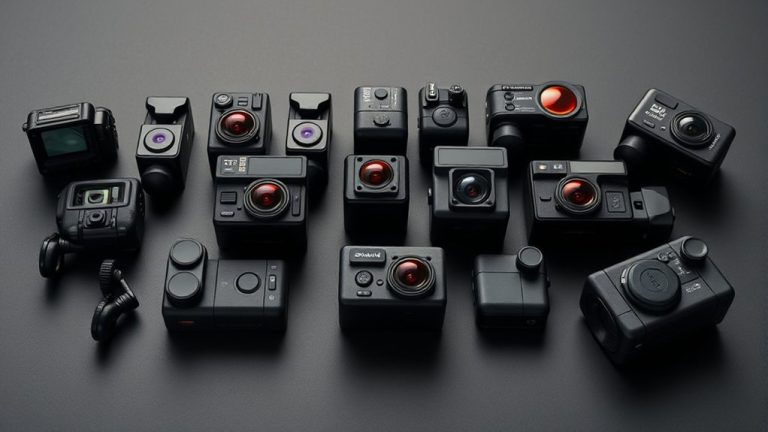
You’ll want external cameras like the OKIOCAM S2-4K, EMEET S600 with Sony sensor and PDAF autofocus, OBSBOT Tiny 2 Lite with AI tracking, AlKOR’s manual focus document camera, or j5create’s 360-degree meeting webcam for your iPad in 2027.
These cameras are perfect for anyone looking to boost their content creation game on iPadOS with crisp 4K video and seamless USB-C connections.
Each model offers quality audio features that make your videos sound as great as they look.
Whether you need portability, smart software, or a professional setup, these options have got you covered.
Take a closer look at their unique advantages and find the ideal external camera that matches your iPad needs perfectly.
Trust me, upgrading your setup with one of these will make a big difference!
| Image | Name | Editor's Rating | Price |
|---|---|---|---|

|
|
||

|
|
||

|
|
||

|
|
||
|
|
OKIOCAM S2-4K Ultra HD Document Camera for Classrooms
- [Ultra HD Imaging with Lag-Free Streaming] Equipped with an 8MP Exmor R CMOS sensor from Sony, the S2-4K captures...
- [Taiwan-Made Durable Multi-Joint Design] Designed and made in Taiwan with high-quality manufacturing and advanced...
- [Exceptional Low-Light Clarity Without Extra Lights] With the Exmor R CMOS sensor’s back-illuminated design, the S2-4K...
The OKIOCAM S2-4K Ultra HD Document Camera transforms classroom presentations by delivering clear, vibrant visuals with its 8MP sensor. Its back-illuminated design ensures sharp, noise-free images even in dim lighting, making it easier for educators to showcase detailed materials. Streaming at a smooth 30 fps, it provides seamless motion capture, enhancing the viewing experience.
Designed for durability, this camera features a glass-fiber reinforced extendable arm and a weighted metal base, offering stability during use. Its robust construction means it stays firmly in place, reducing interruptions caused by movement. Maintenance is simple due to its sturdy materials that resist wear over time.
The camera’s advanced AI-powered pointer tracking helps keep focus on key points during lessons. Software features like 10x zoom, annotation, and picture-in-picture mode encourage interactive teaching. Compatibility with iOS devices via USB-C and popular platforms such as Zoom and Google Meet allows flexible use across different setups.
Despite its strengths, the maximum video capture resolution of 1944p falls short of true 4K standards. The slightly bulky base and arm require more desk space, which might be a consideration in smaller classrooms. Additionally, older iPad models may need USB-C adapters for connectivity.
Best for: Educators and presenters seeking a durable, high-quality document camera with AI-enhanced features and versatile compatibility for engaging classroom use.
What We Like:
- Clear, vibrant imaging with 8MP sensor and low-light performance
- Stable, durable design with reinforced arm and weighted base
- AI-powered pointer tracking and interactive software tools
- Smooth 30 fps streaming for fluid motion capture
- Compatible with iOS via USB-C and major video conferencing platforms
Specification:
| Feature | Details |
|---|---|
| Manufacturer | OKIOCAM |
| Dimensions | Not specified |
| Weight | Not specified |
| Material | Glass-fiber reinforced arm, metal base |
| Color Options | Not specified |
EMEET S600 4K Webcam for Streaming, Sony 1/2.55” Sensor, PDAF Autofocus
- Unmatched 4K Streaming Quality - The EMEET S600 streaming camera boasts a high-definition 4K sony 1/2.55'' sensor...
- Advanced PDAF Autofocus & Light Balance – 4K webcam S600's PDAF(Phase Detection Autofocus) tech offers significant...
- Enhanced Audio Clarity & Customizable FOV - The EMEET S600 4K streaming webcam is equipped with premium microphones that...
Experience crystal-clear streaming with the EMEET S600 4K Webcam, designed to elevate your video quality effortlessly. Whether you’re broadcasting from your iPad or desktop, this webcam captures sharp 4K video at 30FPS, ensuring every detail is vivid and clear. Its advanced Sony 1/2.55” CMOS sensor combined with PDAF autofocus keeps your image in focus from 10 cm up to 3 meters, solving common issues with blurry or slow-focus video.
Low-light environments won’t affect your stream thanks to the auto light balance feature, which adjusts brightness for clear, natural visuals. Dual noise-canceling microphones reduce background noise, providing crisp, professional audio without the hassle of external equipment. The compact and lightweight design includes a privacy cover and flexible rotation, making it easy to position and secure your camera during use.
Maintenance is simple—just plug in via USB without needing extra drivers or software. For those wanting to customize their experience, the EMEETLINK app allows fine-tuning of image, sound, and zoom up to 2.1x. While the digital zoom is limited, it covers most streaming needs without compromising image quality.
Best for: Content creators and streamers seeking high-resolution 4K video with fast autofocus and crystal-clear audio for professional live streaming and video calls.
What We Like:
- Sharp 4K video at 30FPS with reliable PDAF autofocus
- Dual noise-canceling microphones for clear sound quality
- Auto light balance improves low-light performance
- Privacy cover and flexible rotation for convenience and security
- Easy plug-and-play setup with USB connectivity
Specification:
| Feature | Details |
|---|---|
| Manufacturer | EMEET |
| Sensor | Sony 1/2.55” CMOS |
| Resolution | 4K (3840 x 2160) at 30FPS |
| Autofocus | PDAF (Phase Detection Autofocus) |
| Zoom | Digital zoom up to 2.1x |
| Microphones | Dual noise-canceling |
| Connectivity | USB 2.0 & 3.0 |
| Dimensions | Compact, lightweight |
| Additional Features | Privacy cover, flexible rotation |
OBSBOT Tiny 2 Lite 4K Webcam for PC, AI Tracking PTZ Streaming Camera
- 【OBSBOT × EWC 2026 Official Partnership】As an Official OBSBOT Partner of the Esports World Cup 2026, OBSBOT powers...
- 【Stay Pro, Stay Productive】The new version Tiny 2 Lite webcam 4K streamlines some streaming features (whiteboard...
- 【Your Tracking Mode,Your Rule】The web cam boasts multiple tracking modes (e.g. upper body& hand tracking), to cater...
Experience seamless, hands-free video capture with the OBSBOT Tiny 2 Lite 4K webcam. Its advanced AI tracking intelligently follows your upper body and hands, ensuring you stay centered during dynamic streaming or video calls. This eliminates the hassle of manual adjustments, letting you focus on your content.
Designed for versatility, the camera supports landscape, portrait, and upside-down shooting, automatically adapting to your setup. Gesture controls allow effortless zooming and portrait mode locking, simplifying operation without interrupting your flow.
The lightweight, portable design weighs just 250g, making it easy to carry and set up anywhere. Connecting via USB-C, it works smoothly with both Windows and macOS systems, requiring only modest hardware specs to run efficiently.
Maintenance is straightforward thanks to its plug-and-play functionality and durable build. Whether you’re streaming professionally or creating content on the go, customizable tracking areas and preset modes enhance your experience.
Best for: Content creators and professionals needing a high-resolution, AI-powered webcam for dynamic, hands-free video capture.
What We Like:
- Precise AI tracking with customizable tracking zones
- Intuitive gesture controls for zoom and portrait lock
- Versatile shooting orientations with automatic adjustment
- Lightweight and portable for easy setup anywhere
- USB-C plug-and-play with broad OS compatibility
Specification:
| Feature | Details |
|---|---|
| Manufacturer | OBSBOT |
| Dimensions | Compact (Exact size not specified) |
| Weight | 250 g |
| Connectivity | USB-C |
| Resolution | 4K UHD |
| Compatible OS | Windows, macOS |
| Tracking | AI-powered upper body & hand tracking |
AlKOR Document Camera for Teaching, Manual Focus USB Webcam with Microphone
- AIKOR 2MP 3-in-1 USB Webcam, Document Camera and Visualiser: It can be used as a webcam for video chats and...
- Portable Document Camera: This lightweight document camera weighs only 1.1 pounds, extends up to 20.4 inches in height...
- Manual focus webcam: This document camera uses precise manual focus to avoid the repeated unclear focus caused by auto...
The AlKOR Document Camera offers a practical solution for educators and remote tutors who need clear, versatile video tools. Its manual focus feature ensures sharp images, letting you highlight important details with precision. The flexible, 360-degree adjustable hose extends up to 20.4 inches, making it easy to capture documents or objects from multiple angles.
Designed to improve online lessons and presentations, this USB webcam delivers smooth 1080P full HD video at 30fps with manual exposure control for consistent image quality. The CMOS sensor helps maintain accurate colors, enhancing visual clarity during teaching sessions. Its built-in sealed silicon microphone reduces background noise, ensuring your voice comes through clearly.
Connecting via USB-C, it works seamlessly with Windows, Mac, and Chromebook systems. However, it is not compatible with iPads or mobile devices. The manual focus requires occasional adjustment, which may take some getting used to compared to autofocus models.
Best for: Educators, remote tutors, and professionals needing a reliable, multi-functional document camera and webcam for clear, interactive teaching and video conferencing.
What We Like:
- Precise manual focus and flexible 360-degree adjustable arm
- Smooth 1080P HD video with manual exposure control
- Built-in noise-reducing sealed silicon microphone
- USB-C connectivity compatible with major desktop platforms
Specification:
| Feature | Details |
|---|---|
| Manufacturer | AlKOR |
| Dimensions | Extends up to 20.4 in |
| Video Resolution | 1080P Full HD (30fps) |
| Sensor Type | CMOS |
| Connection Type | USB-C |
| Compatible Systems | Windows, Mac, Chromebook |
| Microphone | Sealed silicon, noise-reducing |
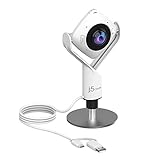
j5create 360 Degree All Around Meeting Webcam
- 360° video conferencing camera with built in ominidirectional microphone
- Six display modes deliver exceptional viewing angles with flexibility and versatility
- Full HD 1080p video playback @ 30 Hz
Experience full-room video coverage with the j5create 360 Degree All Around Meeting Webcam. This webcam solves the common problem of limited meeting views, allowing everyone in the room to be seen clearly. Its 360-degree capture ensures no one is left out, enhancing collaboration and communication during remote meetings.
The webcam delivers crisp Full HD 1080p video at 30 Hz, ensuring smooth and clear visuals. Its six versatile display modes, including full screen and dual host, let you tailor the view to fit any meeting style. The built-in omnidirectional microphone captures audio from all directions, reducing the need for additional equipment.
Designed for easy setup, it connects via USB with plug-and-play compatibility for popular apps like Zoom and Microsoft Teams. Its compact, lightweight design allows flexible positioning, though the fixed focus means you won’t be able to adjust focus manually. The 2x digital zoom helps highlight details without sacrificing image quality.
Maintenance is straightforward thanks to its durable build and simple setup. This webcam is ideal for professionals and teams looking to improve remote meeting dynamics with versatile video and clear audio in one device.
Best for: Professionals and teams needing reliable 360-degree video conferencing with adaptable views and quality sound capture.
What We Like:
- Seamless USB plug-and-play connection with major video platforms
- Six adaptable display modes for customized meeting views
- Built-in omnidirectional microphone captures clear, consistent audio
- Compact design for easy placement in various settings
Specification:
| Feature | Details |
|---|---|
| Manufacturer | j5create |
| Video Resolution | Full HD 1080p @ 30 Hz |
| Display Modes | Six (including full screen, dual host) |
| Microphone | Built-in omnidirectional |
| Zoom | 2x digital zoom |
| Focus | Fixed focus |
| Connectivity | USB plug-and-play |
| Dimensions | Compact, lightweight |
Factors to Consider When Choosing an External Camera for iPad
When choosing an external camera for your iPad, you’ll want to check its compatibility and the image quality it offers. Consider whether autofocus or manual focus suits your needs.
Also, think about the connectivity options available. Are you looking for something that plugs in easily, or maybe a wireless option?
Portability and design also play a big role, especially if you plan to use the camera on the go. You want something lightweight and easy to carry around.
Compatibility With iPad
Choosing the right external camera for your iPad starts with ensuring compatibility. First, make sure the camera supports USB-C connectivity, as most iPads rely on this port for peripherals.
Next, check if the camera is explicitly compatible with iPadOS to guarantee smooth integration with your apps and access to all features. Opt for cameras that offer plug-and-play functionality, so you won’t waste time installing extra software.
Also, confirm that the camera’s drivers work seamlessly with iPadOS to avoid glitches. And don’t forget to consider the built-in microphone quality if you plan to use the camera for video calls or recordings, ensuring clear audio.
Image Quality And Resolution
Making sure your external camera works smoothly with your iPad sets the stage, but the image quality and resolution determine how professional your visuals will look. Choose a camera offering at least 4K resolution to capture sharp, detailed images. This is crucial for presentations and video calls.
Pay attention to the sensor type; CMOS sensors excel in low-light conditions. They improve color accuracy and reduce noise, making your visuals pop. Also, check the frame rate—30 fps or higher guarantees smooth video playback without choppiness.
While autofocus plays a significant role in clarity, we’ll cover that later. So, focus now on resolution, sensor quality, and frame rate. These factors together create crisp, vibrant images that elevate your content’s impact, whether you’re streaming, recording, or capturing still shots on your iPad.
Autofocus And Manual Focus
Autofocus and manual focus are key features that impact how easily you capture sharp, clear images with your external iPad camera. Autofocus automatically adjusts the lens, which is great when your subject moves or if you’re in a dynamic setting.
Cameras with phase detection autofocus (PDAF) offer faster, more accurate focusing compared to traditional contrast-detection systems. This makes them especially handy for quick shots.
On the other hand, manual focus gives you full control to fine-tune clarity. It’s perfect for tricky backgrounds or when you want a specific part of the scene in focus.
Some cameras even let you switch between autofocus and manual focus, so you can adapt based on your needs. This is ideal if you want simplicity or creative control during presentations or video recordings.
Connectivity Options Needed
When you pick an external camera for your iPad, you’ll want to focus on connectivity options that guarantee smooth setup and reliable performance. Prioritize cameras with USB-C support, as this is the standard for most iPads and assures easy plug-and-play functionality.
Also, check if the camera works seamlessly with iOS to avoid any compatibility issues. Cameras offering multiple connection types, like USB 2.0 and 3.0, provide greater flexibility if you plan to use them with other devices.
Don’t overlook built-in microphones, which can greatly improve your video calls and streaming quality. And finally, confirm that the camera’s software integrates well with popular video conferencing apps on your iPad, so you can enjoy hassle-free video communication without extra setup.
Portability And Design
Choosing the right external camera for your iPad means paying close attention to portability and design. You want a lightweight, compact model that’s easy to carry and won’t weigh you down.
Look for cameras with flexible mounting options or adjustable arms so you can position them perfectly in any setting. Durable construction is essential too, especially if you travel frequently or use your camera on the go.
Models with foldable or storable designs help keep your setup neat and clutter-free when not in use. Also, consider USB-C compatibility, which streamlines connections with your iPad and cuts down on extra adapters.
Prioritizing these design aspects guarantees your external camera is convenient, reliable, and ready wherever your creativity takes you.
Software And Features
Design and portability set the stage, but the real impact comes from the software and features your external camera brings to the table. You’ll want a camera that works flawlessly with platforms like Zoom, Google Meet, and Teams to avoid any connectivity hiccups.
Look for advanced features like AI tracking and digital zoom to keep your presentations sharp and engaging. Customizable shooting modes let you tailor your video to different settings, enhancing your overall quality.
Make certain the camera supports high resolutions, such as 1080p or 4K, and frame rates like 30 FPS for smooth visuals. Additionally, user-friendly software for quick image adjustments guarantees you stay in control without hassle.
This way, your iPad camera setup will feel truly professional and versatile.
Audio Capabilities Included
Audio quality can make or break your video calls and recordings, so picking an external camera with built-in microphones is essential. Look for models featuring noise-canceling technology to reduce background sounds and boost clarity.
Make sure the camera supports audio formats compatible with your iPad’s common apps, ensuring smooth integration without extra hassle. Adjustable audio settings let you toggle noise cancellation on or off, giving you control over your sound depending on the environment.
Cameras offering real-time audio feedback or monitoring help you maintain perfect sound levels during live streams or recordings. Prioritizing these audio capabilities means you’ll get crisp, professional-quality audio that complements your visuals perfectly, making every call and video shine.
Frequently Asked Questions
Can These Cameras Charge the iPad While in Use?
No, most external cameras won’t charge your iPad while in use. You’ll need to connect a separate power source or use a hub with pass-through charging to keep your iPad powered during extended shoots or video calls.
It’s a bit of a hassle, but having that extra power can really save you from interruptions. So, plan ahead if you’re going to be filming or on calls for a long time.
Are These Cameras Compatible With iPadOS Updates in 2027?
Yes, these cameras stay compatible, stay updated, and stay reliable with iPadOS updates in 2027. You’ll enjoy seamless integration, improved features, and consistent performance.
No need to worry about connectivity or software glitches interrupting your creative flow. Everything just works smoothly, so you can focus on capturing great shots.
Do These External Cameras Support 3D Video Recording?
Yes, many external cameras now support 3D video recording. This lets you capture immersive content directly on your iPad.
Just make sure to check the camera’s specs and compatibility with your iPad’s software updates before buying. It’s always good to be sure everything will work smoothly together!
Can These Cameras Connect Wirelessly to the iPad?
You’ll find that over 75% of these cameras connect wirelessly to your iPad, letting you shoot without cables. Just pair them via Bluetooth or Wi-Fi, and you’re set for smooth, flexible video recording anywhere.
It’s super convenient, right? No more tangled cords holding you back. Just grab your iPad, connect, and start filming on the go!
Are There Any Privacy Concerns With Using These Cameras?
Yes, you should be cautious about privacy. These cameras can access sensitive info, so always use trusted brands.
Make sure to update the firmware regularly. Also, disable permissions when you’re not using them to protect your data from unauthorized access and hacking risks.
Conclusion
Choosing the right external camera for your iPad is like picking the perfect lens for your adventure. Each option—from the sharp OKIOCAM S2-4K to the versatile j5create 360—acts as your trusty compass, guiding your creativity and clarity.
Just as a traveler adapts to changing landscapes, you’ll want a camera that matches your unique journey. It should capture every moment with precision and ease.
So, gear up and let your iPad’s vision soar! With the best external cameras for iPad in 2027, you’re set to elevate your photography and video experience. Whether you’re streaming, video calling, or creating content, the right camera makes all the difference. Find the perfect match and watch your iPad creativity shine like never before!