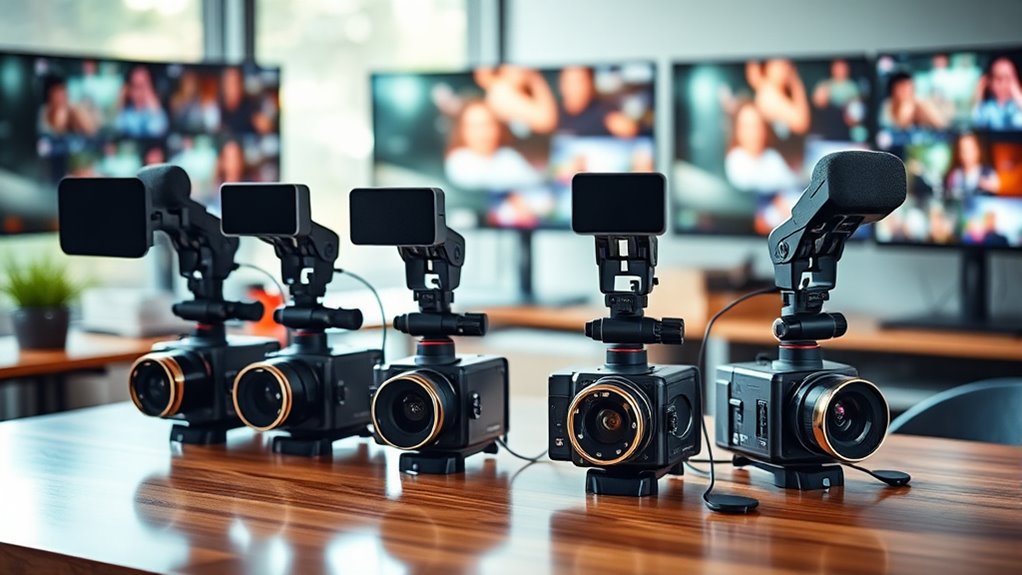
5 Best Professional Streaming Cameras for 2027 Pros Recommend
If you want high-quality streaming cameras for professional use in 2027, you’ve got some great options to consider. Whether you’re streaming live events, hosting webinars, or creating content, having the right camera makes all the difference.
Check out the EMEET PIXY, which features dual 4K cameras and fast AI tracking. It’s perfect if you want crisp visuals and smooth movement. Then there’s the Insta360 Link 2, known for its sharp 4K video and smart gesture controls that make switching scenes easy.
The Logitech Mevo Start stands out for wireless multicam setups, making it ideal for dynamic streaming environments. If you need advanced low-light capabilities and Zoom integration, the Insta360 Link 2 Pro is a solid pick. For professional zoom and tracking, the OBSBOT Tail 2 shines with 5x optical zoom and NDI streaming support. Explore these picks to find your ideal camera and boost your streaming game!
| Image | Name | Editor's Rating | Price |
|---|---|---|---|

|
|
||

|
|
||

|
|
EMEET PIXY Dual-Camera AI-Powered PTZ Camera 4K with Tripod, AI Tracking
No products found.
The EMEET PIXY Dual-Camera AI-Powered PTZ Camera redefines how you capture fast-moving subjects with stunning 4K clarity. Its advanced dual-camera setup combines a 4K Sony sensor with AI face-position detection, delivering ultra-fast 0.2-second autofocus. This ensures your videos remain sharp and focused without interruption.
Its wide pan (310°) and tilt (180°) range, paired with intelligent AI tracking, keeps your subject perfectly centered. Whether you’re streaming a workout, hosting a live demo, or teaching online classes, the camera adjusts seamlessly to your movements. Gesture controls and customizable presets provide easy, hands-free operation.
Designed for flexibility, the PIXY connects via USB and includes an adjustable tripod for stable, versatile placement. While it requires a wired connection and depends on your device’s storage, its performance and precision make it ideal for dynamic shooting environments. Regular maintenance involves simple cleaning of lenses and firmware updates to keep AI tracking optimized.
Best for: Creators and professionals needing reliable, fast-tracking 4K video capture for streaming, fitness, live commerce, or online teaching.
What We Like:
- Fast 0.2-second PDAF with AI autofocus ensures sharp, smooth tracking
- Extensive pan/tilt range (310°/180°) with smart AI framing
- Versatile control via gesture and presets for ease of use
- Adjustable tripod and USB connectivity for stable setup
Specification:
| Feature | Details |
|---|---|
| Manufacturer | EMEET |
| Dimensions | Not specified |
| Weight | Not specified |
| Material | Not specified |
| Color Options | Not specified |
Insta360 Link 2 PTZ 4K Webcam with AI Features
- Premium Image Quality: Upgrade to Link 2 4K webcam with a 1/2" sensor. Captures true-to-life webcam 4K visuals with HDR...
- Professional Audio: Experience best-in-class audio with advanced AI noise-canceling algorithms. Filter out unwanted...
- True Focus: Insta360 Link 2 streaming camera with Phase Detection Auto Focus (PDAF). No more blurry shots—this web cam...
Experience exceptional video quality and smooth control with the Insta360 Link 2 PTZ 4K webcam. Designed to enhance your video calls and live streams, it delivers sharp 4K visuals with HDR and impressive low-light clarity. This webcam helps you stay perfectly framed, thanks to its AI-powered tracking and gesture controls.
The camera’s 1/2″ sensor provides natural bokeh effects, giving your footage a professional depth of field that you can easily adjust with the Link Controller. Its advanced noise-canceling technology ensures your voice comes through clearly, even in noisy environments. This makes it ideal for busy workspaces or streaming setups.
Maintenance is straightforward—just keep the lens clean and use the privacy mode by tilting the camera down when not in use. The device works with both Mac and Windows platforms, though it doesn’t support ARM-based Windows systems or Windows Hello Face Recognition.
Best for: Content creators, streamers, and professionals who need reliable 4K video quality and smart AI controls for clear, engaging online communication.
What We Like:
- Crisp 4K HDR video with excellent low-light performance
- AI-driven pan, tilt, and gesture controls for effortless framing
- Advanced noise cancellation for clear audio in busy environments
- Adjustable natural bokeh for a professional look
- Compatible with major platforms (Mac and Windows)
Specification:
| Feature | Details |
|---|---|
| Manufacturer | Insta360 |
| Dimensions | Compact, fits standard mounts |
| Weight | Lightweight for portability |
| Sensor Size | 1/2 inch |
| Video Resolution | 4K UHD |
| Connectivity | USB |
| Platform Support | Mac, Windows (non-ARM) |
| Controls | AI tracking, gesture, Link Controller |
Logitech for Creators Mevo Start Wireless Live Streaming Camera – Black
No products found.
Experience effortless live streaming with the Logitech for Creators Mevo Start Wireless Live Streaming Camera. This versatile camera simplifies professional-quality 1080p streaming, making it ideal for creators who want smooth, dynamic broadcasts without complicated setups. Its compact design ensures easy portability for on-the-go streaming.
The Mevo Start excels in multicam production, allowing up to three cameras to be controlled through the intuitive Auto-Director app. This feature automates scene switching, enhancing your live content’s flow with minimal effort. Connectivity options like Wi-Fi, Ethernet, and smartphone tethering provide reliable streaming in various environments.
Designed for extended use, the built-in battery lasts up to six hours, with the option for continuous powered operation. Audio flexibility is ensured with a built-in microphone and support for external audio inputs. However, the fixed focus lens and digital zoom might limit image quality compared to optical zoom cameras.
Maintenance is straightforward with its durable build, but note that it is not water-resistant, so avoid using it in wet conditions to preserve its longevity. The Mevo Start focuses on delivering reliable, wireless streaming without the complexity of larger setups.
Best for: content creators and live streamers needing a compact, user-friendly wireless camera for professional 1080p multicam streaming.
What We Like:
- Easy multicam control via the Auto-Director app
- Flexible connectivity including Wi-Fi, Ethernet, and 4G/5G tethering
- Long battery life with up to six hours of use
- Built-in mic plus external audio support for versatile sound options
Specification:
| Feature | Details |
|---|---|
| Manufacturer | Logitech |
| Dimensions (in) | Approx. 3.3 x 3.3 x 3.3 |
| Weight (lb) | Approx. 0.7 |
| Color Options | Black |
| Connectivity | Wi-Fi, Ethernet, Smartphone tethering (4G/5G) |
| Resolution | 1080p |
| Battery Life | Up to 6 hours |
Insta360 Link 2 Pro 4K PTZ Webcam
- Flagship Image Quality: Capture sharp, detailed 4K with a large 1/1.3” sensor that delivers cleaner video and...
- Professional Audio with Directional Pickup: A redesigned dual-mic system with beamforming directional pickup delivers...
- Natural Bokeh: Get a professional look by replicating a DSLR-like depth of field. Provides a realistic and natural bokeh...
Experience crystal-clear video with the Insta360 Link 2 Pro 4K PTZ Webcam, designed to elevate your professional streaming and conferencing. Its 4K UHD resolution delivers sharp details, while the AI-powered pan-tilt-zoom ensures you stay perfectly framed without manual adjustments.
The webcam’s 1/1.3” CMOS sensor enhances image quality even in low light, providing natural DSLR-like bokeh for a polished look. You can control the camera easily via gestures or your smartphone, making it adaptable to various environments and setups.
Audio clarity is a priority with dual-mic beamforming technology that reduces background noise and focuses on your voice. The webcam integrates smoothly with Windows, macOS, and Linux, plus streaming platforms, and supports Elgato Stream Deck for quick mode changes.
Maintenance is simple due to its compact, sturdy design, but note it lacks water resistance, so it’s best used indoors. While it offers 4x digital zoom, this may reduce sharpness at maximum zoom levels, and it’s incompatible with ARM-based Windows systems and Windows Hello.
Best for: Professionals and content creators needing a high-quality 4K webcam with AI tracking and versatile controls for streaming, conferencing, and presentations.
What We Like:
- Sharp 4K video with natural bokeh and strong low-light performance
- AI-powered pan-tilt-zoom with gesture and smartphone controls
- Clear audio with dual-mic beamforming and noise cancellation
- Seamless integration with major OS and Elgato Stream Deck
Specification:
| Feature | Details |
|---|---|
| Manufacturer | Insta360 |
| Resolution | 4K UHD (3840 x 2160) |
| Sensor Size | 1/1.3” CMOS |
| Zoom | 4x Digital Zoom |
| Audio | Dual Mic Beamforming |
| Compatibility | Windows, macOS, Linux |
| Controls | Gesture, Smartphone Remote |
| Dimensions | Compact (exact size not specified) |
| Water Resistance | None |
OBSBOT Tail 2 PTZR NDI Camera 4K@60FPS, Pro AI Tracking, 5X Optical Zoom
- 【OBSBOT × EWC 2026 Official Partnership】As an Official OBSBOT Partner of the Esports World Cup 2026, OBSBOT powers...
- 【New Tail, New Tale】Revolutionizing live production with OBSBOT Tail 2's innovative PTZR lens design, offering...
- 【Capture Cinematic Shots】Featuring a 1/1.5'' CMOS sensor capable of capturing 50MP frames, the Tail 2 streaming...
Capture every moment with stunning clarity using the OBSBOT Tail 2 PTZR NDI Camera. Designed for live production and esports broadcasting, it delivers crisp 4K video at 60FPS, ensuring your streams look professional and engaging. Its advanced AI tracking keeps subjects perfectly framed, eliminating the need for manual adjustments during fast-paced scenes.
This camera features a robust 1/1.5-inch sensor paired with 5x optical zoom and 12x hybrid zoom, providing sharp images even in challenging lighting. The smooth three-axis gimbal stabilizes shots, reducing blur and jitter for seamless video. Its intelligent tracking recognizes people, animals, or objects, enhancing your content’s dynamic feel.
Connectivity is versatile with NDI, HDMI, USB-C, and Ethernet options, making it easy to integrate into various streaming setups. Although not water resistant, it’s ideal for indoor use or controlled environments. Maintaining the device involves standard care and powering it via included batteries, making it flexible but requiring attention to power management.
The OBSBOT Tail 2 PTZR NDI Camera is a reliable tool that improves live production workflows by automating subject tracking and delivering stunning image quality, letting creators focus on their content.
Best for: professional streamers, esports broadcasters, and live production teams needing high-quality 4K video with advanced AI tracking and versatile connectivity.
What We Like:
- Sharp 4K video at 60FPS with powerful 5x optical zoom.
- AI-driven tracking with three-axis gimbal for stable, smooth shots.
- Multiple connectivity options including NDI, HDMI, USB-C, and Ethernet.
- Intelligent tracking of people, animals, and objects for dynamic content.
- Compact design suited for professional indoor streaming setups.
Specification:
| Feature | Details |
|---|---|
| Manufacturer | OBSBOT |
| Sensor Size | 1/1.5 inch |
| Video Resolution | 4K at 60FPS |
| Optical Zoom | 5x |
| Hybrid Zoom | 12x |
| Connectivity | NDI, HDMI, USB-C, Ethernet |
| Stabilization | Three-axis gimbal |
| Power | External batteries included |
Factors to Consider When Choosing a Professional Streaming Camera
When choosing a professional streaming camera, you’ll want to focus on resolution and sensor quality to guarantee sharp visuals. Don’t overlook autofocus, tracking, and zoom capabilities for smooth, dynamic shots.
Also, consider audio capture features and connectivity options to keep your stream clear and reliable. These details really make a difference when you’re live. So, take your time and pick a camera that fits your streaming style perfectly!
Resolution and Sensor Quality
Choosing the right resolution and sensor quality plays a crucial role in guaranteeing your streaming content looks sharp and professional. Opt for higher resolutions like 4K (3840×2160) if you want more detail and flexibility for cropping or framing later.
However, 1080p still works well for live streams, especially if your bandwidth is limited. Larger sensors, such as 1/1.3″ compared to 1/2.5″, gather more light, improving low-light performance and dynamic range.
Pair that with wider apertures (f/1.8–f/2.0) for better depth of field control and enhanced low-light capture. Also, consider cameras supporting 60 fps or higher at 4K or 1080p for smoother motion and slow-motion options.
Prioritizing these factors guarantees your streams maintain professional quality in various lighting and action scenarios. It’s all about striking the right balance to make your content look its best.
Autofocus and Tracking
Mastering autofocus and tracking is essential to keep your streaming content sharp and engaging, especially when your subject moves or lighting changes. Look for cameras with phase-detection autofocus (PDAF) or similar systems that focus in about 0.2 seconds. These outperform contrast-only autofocus in speed and accuracy.
Multi-sensor designs that combine imaging sensors with AI assist chips help predict motion and lighting shifts. This means you get smooth continuous autofocus and fewer focus hunting incidents.
Effective tracking systems offer wide pan and tilt ranges to keep your subject framed as they move. It’s a good idea to prioritize cameras with fast PDAF paired with AI face and pose detection, or hybrid tracking modes made for presentations, fitness, or product demos.
Also, consider lenses with larger apertures like f/1.8 to f/1.9 and close-focus ability. These features enhance subject separation and improve low-light performance, making your streams look even better.
Zoom Capabilities
Although zoom capabilities might seem straightforward, they play a crucial role in delivering professional-quality streams by allowing you to adjust framing without sacrificing image clarity. You’ll want a camera with true optical zoom—typically 3x to 5x or more—since it changes the lens focal length without degrading image quality.
Hybrid zooms can help extend reach by blending optical zoom with limited digital processing, preserving more detail than pure digital zoom alone. Speaking of digital zoom, be cautious: magnifying beyond 2x often reduces resolution and adds noise, especially in low light.
Also, smooth, controlled zoom speed combined with lens stabilization guarantees professional shifts without motion blur. Finally, check if zoom control is accessible via hardware or software for responsive, low-latency framing adjustments during live streams.
Audio Capture Features
Zooming effectively lets you frame your shot perfectly, but capturing crystal-clear audio guarantees your audience stays engaged.
When choosing a professional streaming camera, prioritize models with multi-microphone arrays—typically 2 to 4 mics—that use beamforming or directional pickup to isolate your voice and suppress background noise.
Look for multiple audio modes like noise-canceling, live, and ambient to match your environment and content style.
Make sure the camera supports advanced noise reduction algorithms and popular audio formats such as PCM, AAC, or MP3 for seamless streaming and recording.
Adjustable gain control, pickup patterns, and external mic inputs let you tailor sensitivity and connect lavaliers or shotgun mics.
Finally, confirm low-latency, high-bitrate audio capture synchronized with video to avoid lip-sync issues during live broadcasts.
Connectivity Options
When selecting a professional streaming camera, you’ll want to focus on connectivity options that deliver reliable, low-latency video and audio feeds. Prioritize wired outputs like USB-C (UVC), HDMI, and SDI, as they provide uncompressed or lightly compressed video essential for live production.
Make sure the camera supports networked streaming protocols such as NDI, SRT, or RTMP, along with Ethernet for multi-camera routing and remote control over LAN or WAN. Look for simultaneous multi-output capability if you need to feed several devices at once.
Also, confirm compatibility with your capture hardware and software, including UVC plug-and-play or necessary drivers. While built-in wireless options like Wi-Fi and Bluetooth add convenience, it’s best to rely on wired connections for consistent, stable streaming performance.
Software Compatibility
Connectivity sets the foundation for smooth streaming, but software compatibility guarantees your camera works seamlessly with your production setup. First, confirm your camera supports capture protocols like UVC, RTMP, NDI, or virtual webcam drivers to avoid extra converters.
Also, check codec and container formats such as H.264, H.265, or MP4 to prevent transcoding delays. Make sure the camera works with your platform—Windows, macOS, Linux—and supports your CPU architecture and browsers like WebRTC.
Evaluate if the control software offers essential features like PTZ, presets, or remote APIs, and integrates with tools like OBS or Stream Deck. Finally, verify audio compatibility, ensuring mic passthrough and formats like PCM or AAC work smoothly.
This way, you can manage your streams without extra hassle or interfaces.
Physical Design and Portability
Balancing portability with functionality plays a pivotal role in selecting a professional streaming camera. You want a lightweight, compact model—ideally under 500 grams for the body and paired with a small foldable tripod—for easy transport and quick setup across locations.
Check that it uses standard 1/4″ tripod threads and offers gimbal-ready or low-profile mounting options to maximize versatility. Cameras with built-in pan/tilt or rotational mounts and a broad travel range reduce the need for extra gear when framing shots.
Also, consider power sources: integrated batteries or USB power enhance mobility, while cable length affects placement freedom. Finally, prioritize durability with robust housings, dust resistance, and secure locks, especially if you’ll frequently move your equipment or shoot outdoors.
Frequently Asked Questions
Can These Cameras Connect Directly to Popular Streaming Platforms?
Yes, you can connect these cameras directly to popular streaming platforms using built-in Wi-Fi or HDMI output with capture cards.
This lets you stream high-quality video live without extra complicated setups or delays. Pretty straightforward, right?
Do These Cameras Support External Microphone Inputs?
Yes, you can connect external microphones to these cameras, but don’t assume all models handle it equally well. Some offer multiple inputs and advanced audio controls, while others keep it basic, so check specifications before buying.
It really depends on what you need. If audio quality is a priority, looking into the details can save you from surprises later. Just make sure the camera matches your microphone setup and expectations.
What Are the Power Requirements for Each Camera?
Each camera typically requires rechargeable lithium-ion batteries or AC power adapters. You’ll want to check specific models since some support USB-C charging, while others need dedicated battery packs.
This helps guarantee continuous streaming without interruptions. So, make sure you know what power options your camera supports before you buy.
Are These Cameras Compatible With Mac and Windows Operating Systems?
Absolutely, these cameras are unbelievably compatible with both Mac and Windows systems, so you won’t face any hiccups.
You’ll plug them in, and they’ll work seamlessly, letting you stream like a pro on either platform!
Do These Cameras Include Built-In Storage or Require External Media?
Most professional streaming cameras don’t include built-in storage; you’ll need external media like SD cards or SSDs.
This lets you manage storage more flexibly and guarantees you won’t run out during important streams or recordings.
It’s kind of a trade-off, but having external storage means you can swap cards or drives on the fly without interrupting your setup.
Conclusion
So, you want a professional streaming camera that’s “just okay”? Sure, you could settle for blurry footage and laggy streams, but why?
With options like the AI-powered EMEET PIXY or the sleek Insta360 Link 2, you’re practically cheating if you don’t upgrade. Don’t let your viewers suffer through pixelated disasters—choose a camera that works as hard as you do.
After all, your content deserves more than “meh.” Investing in one of the best professional streaming cameras for 2027 ensures crisp, smooth video quality that keeps your audience engaged and coming back for more. Whether you’re live streaming, creating tutorials, or hosting virtual meetings, the right camera makes all the difference.
So go ahead, level up your streaming game with a top-tier professional streaming camera and watch your content shine like never before.