14 Best Video Conferencing Cameras and Microphones for 2027
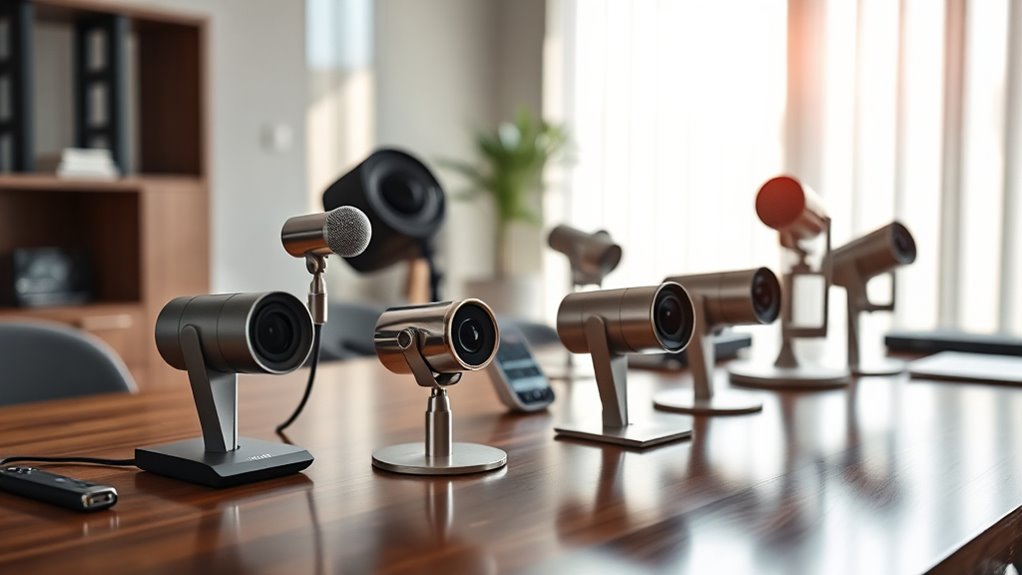
You’ll want video conferencing gear that offers crisp HD or 4K visuals and clear audio with noise-canceling and beamforming mics. Plus, an easy plug-and-play setup is key for hassle-free use. These features make your virtual meetings feel more natural and professional.
Options like the Logitech C920x deliver reliable 1080p video, while Meeting Owl 4+ and Insta360 Link 2 bring intelligent tracking and dynamic features that adapt to your environment.
For wide coverage, consider TONGVEO or TOUCAN’s 360° cameras—they capture every angle effortlessly.
Don’t forget to check compatibility with your devices and look for light correction features. These help guarantee seamless meetings no matter the lighting conditions.
Explore the top choices and find the perfect fit for your setup to elevate your video conferencing experience.
| Image | Name | Editor's Rating | Price |
|---|---|---|---|

|
|
||

|
|
||

|
|
||
|
|
||

|
|
Logitech C920x HD Pro PC Webcam with Microphone, Full HD 1080p/30fps Video
- Compatible with Nintendo Switch 2’s new GameChat mode
- HD lighting adjustment and autofocus: The Logitech webcam automatically fine-tunes the lighting, producing bright...
- Advanced capture software: Easily create and share video content with this Logitech camera that is suitable for use as a...
Experience clear and sharp video communication with the Logitech C920x HD Pro webcam. Designed to deliver smooth Full HD 1080p video at 30fps, this webcam enhances your online meetings and streaming with crisp visuals. Its autofocus system keeps your image sharp, so you always look your best.
The built-in dual microphones capture natural sound, reducing background noise for clearer conversations. Automatic light correction adjusts to your surroundings, ensuring you remain well-lit even in dim environments. This feature helps maintain a professional appearance without extra setup.
Compact and lightweight, the webcam fits easily on desks or laptops without clutter. Its plug-and-play USB connection works seamlessly with Windows and macOS, supporting popular conferencing apps for hassle-free use. Cleaning and maintenance are simple, requiring only a gentle wipe of the lens to keep your video clear.
While it offers excellent video quality, the 30fps frame rate may feel less fluid for fast-motion streaming. The 78-degree viewing angle is best suited for individual use rather than wide group shots.
Best for: professionals, students, gamers, and content creators who need a reliable webcam for video calls, streaming, and online meetings.
What We Like:
- Sharp Full HD 1080p video with autofocus for clear visuals
- Dual microphones capture clear, natural sound
- Automatic light correction enhances image quality in low light
- Compact design fits easily on desks and laptops
- USB plug-and-play compatibility with major operating systems
Specification:
| Feature | Details |
|---|---|
| Manufacturer | Logitech |
| Dimensions | 1.7 x 3.7 x 2.7 inches |
| Weight | 5.7 ounces (0.36 lb) |
| Video Resolution | Full HD 1080p at 30fps |
| Microphones | Dual microphones |
| Compatibility | Windows, macOS |
| Connection | USB plug-and-play |
Logitech MeetUp Video Conferencing System, Ultra HD 4K – Black
- Video-enable huddle and small rooms: All-in-one form factor allows for easy setup of videoconferencing in small and...
- Capture with clarity: With an Ultra HD 4K sensor, wide 120° field of view, and 5x HD zoom, see participants and all the...
- Hear voices with clarity: Beamforming mics capture voices up 4 m away, or extend pick-up to 5m with the optional...

The Logitech MeetUp Video Conferencing System transforms small meeting spaces with ultra-clear 4K video and a wide-angle lens that captures every participant. Its 120° field of view, expandable to 170° with motorized pan and tilt, ensures no one is left out of the frame. This makes video calls more inclusive and natural, reducing awkward camera adjustments.
The system’s beamforming microphones pick up voices clearly up to 4 meters away. For larger rooms, an optional expansion mic keeps audio crisp and consistent. This setup improves communication by minimizing background noise and focusing on active speakers.
Designed for easy installation, the MeetUp connects via USB and works seamlessly with popular platforms like Zoom and Teams. Its compact, all-in-one form reduces cable clutter and fits neatly on walls or TVs. This compact design simplifies maintenance and saves valuable conference room space.
While 4K quality requires USB 3.0, which may limit use with older devices, the system’s clean design and flexible mounting options make it an efficient choice for modern huddle rooms. Its low profile (4.1 cm height) suits tight spaces, though placement may need consideration.
Best for: Small and huddle room users seeking a reliable, high-quality video conferencing solution with wide-angle coverage and easy setup.
What We Like:
- Ultra HD 4K video with wide 120° to 170° motorized field of view
- Clear audio capture with beamforming microphones and optional expansion
- Compact, all-in-one design reduces cable clutter and fits tight spaces
Specification:
| Feature | Details |
|---|---|
| Manufacturer | Logitech |
| Dimensions | Height: 4.1 cm (1.6 in) |
| Field of View | 120°, expandable to 170° |
| Zoom | 5x HD zoom |
| Microphone Range | Up to 4 meters, expandable |
| Connectivity | USB 3.0 |
| Color | Black |
Logitech Brio 101 Full HD 1080p Webcam for PC, Built-in Mic, Black
- Compatible with Nintendo Switch 2’s new GameChat mode
- Auto-Light Balance: RightLight boosts brightness by up to 50%, reducing shadows so you look your best—compared to...
- Privacy with a Slide: The integrated webcam cover makes it easy to get total, reliable privacy when you're not on a...
Experience professional-quality video with the Logitech Brio 101 Full HD 1080p webcam. It delivers sharp, clear images that enhance your virtual presence, making online meetings feel more natural and engaging. The RightLight technology adjusts brightness by up to 50%, reducing shadows to improve your appearance in any lighting condition.
This webcam features a built-in microphone that captures clear audio, eliminating the need for extra equipment. Its privacy shutter offers a simple way to protect your privacy by covering the lens when the camera is not in use. Setup is quick and straightforward with plug-and-play USB-A connectivity, compatible with Windows, macOS, and Chrome OS.
Designed for everyday use, the Logitech Brio 101 is made from at least 34% post-consumer recycled plastic, reflecting a commitment to sustainability. Its compact design fits well on any desk or laptop, making it easy to integrate into your workspace. Although the 60-degree viewing angle is ideal for individual use, it may be limiting for wider group settings.
Best for: Professionals and remote workers seeking a reliable webcam for clear video and audio in virtual meetings.
What We Like:
- Crisp Full HD 1080p video with enhanced brightness
- Built-in mic delivers clear sound without extra devices
- Privacy shutter ensures camera is off when needed
- Eco-friendly design with recycled materials
Specification:
| Feature | Details |
|---|---|
| Manufacturer | Logitech |
| Resolution | Full HD 1080p |
| Connectivity | USB-A |
| Viewing Angle | 60 degrees |
| Material | 34% post-consumer recycled plastic |
| Color | Black |
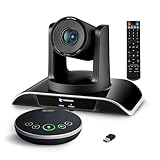
TONGVEO All-in-One Conference Room Camera System
- ✈【All-in-1 video and audio conferencing solution】TONGVEO conference room camera system contains HD 1080p HDMI Al...
- ✈【Full HD Video and Audio】3x optical Zoom AI Auto-Tracking PTZ camera has HDMI and USB 3.0 interface, which can...
- ✈【AI auto-tracking PTZ Camera with USB3.0 HDMI Output】Leveraging advanced AI, Precise Humanoid & Face Recognition...
Experience clearer, more engaging remote meetings with the TONGVEO All-in-One Conference Room Camera System. Its AI-powered tracking keeps the speaker in focus, eliminating distractions and boosting communication effectiveness. This system adapts to your meeting’s flow, making virtual collaboration feel natural.
Delivering crisp 1080p video at 60fps with a smooth 3x optical zoom and a wide 114° field of view, the camera captures every detail in small-to-medium rooms. The built-in full-duplex microphone array ensures voices are picked up clearly within a 16.4-foot range, while echo cancellation maintains sound clarity for all participants.
Setup is straightforward with USB 3.0 or HDMI connections, making it easy to integrate with popular platforms like Zoom and Teams. Its compact design suits a variety of conference spaces and supports hours of use on a built-in battery, though recharging may be needed for extended sessions.
Designed for seamless operation and minimal maintenance, this camera system enhances meeting productivity by focusing on what matters—clear video and audio that keeps remote teams connected.
Best for: Small to medium-sized conference rooms needing a high-quality, AI-tracking video and audio system for seamless remote meetings.
What We Like:
- Precise AI tracking improves speaker focus and engagement
- Smooth full HD 1080p video at 60fps with wide-angle coverage
- Clear audio capture with full-duplex microphones and echo cancellation
- Easy plug-and-play setup via USB 3.0 or HDMI
- Portable design with built-in battery for flexible use
Specification:
| Feature | Details |
|---|---|
| Manufacturer | TONGVEO |
| Video Resolution | 1080p (Full HD) |
| Frame Rate | 60fps |
| Optical Zoom | 3x |
| Field of View | 114° |
| Microphone Range | 16.4 feet |
| Connectivity | USB 3.0, HDMI |
| Battery Life | 6-8 hours |
| Suitable Room Size | Small to medium |
TOUCAN 360° HD Video Conference Camera with AI Tracking
- Office Supplies : TOUCAN conference camera, supports 360° omni-directional shooting, no matter where you are in the...
- High-definition Image Quality: Our conference camera delivers crystal-clear visuals, ensuring every detail is visible...
- Superior Microphone: Equipped with a high-quality microphone, our webcam captures voices with precision, ensuring clear...
Experience seamless video conferencing with the TOUCAN 360° HD Video Conference Camera. Designed to capture every angle, this camera ensures no participant is missed during meetings. Its AI tracking smoothly adjusts focus, keeping conversations clear and engaging.
The TOUCAN SC360 offers sharp 1080p visuals paired with four noise-reduction microphones. These features work together to deliver crisp audio and video, improving communication quality in any room size. Its compact design fits effortlessly on desks or conference tables.
Setup is simple with plug-and-play USB connectivity using a Type-C to USB-A adapter. Compatible with popular platforms like Zoom and Teams, it integrates easily into your existing workflow. Regular maintenance is minimal, requiring only occasional cleaning to keep the lens and microphones clear.
While it weighs 1.28 kg and is limited to 1080p resolution, its 360-degree omni-directional capture and AI tracking provide unique benefits for professional conferencing. The 30-day return policy allows a risk-free trial to ensure it meets your needs.
Best for: Professionals and organizations needing reliable, full-room video coverage with AI tracking for enhanced meeting clarity.
What We Like:
- Full 360° coverage with AI tracking to capture all participants
- Crisp 1080p HD video and clear audio from four noise-reduction microphones
- Easy plug-and-play setup compatible with major conferencing platforms
- Compact, versatile design suitable for any room size
Specification:
| Feature | Details |
|---|---|
| Manufacturer | TOUCAN |
| Dimensions | Compact design (exact size not specified) |
| Weight | 1.28 kg |
| Connectivity | USB with Type-C to USB-A adapter |
| Video Resolution | 1080p HD |
| Microphones | Four noise-reduction microphones |
| Compatibility | Zoom, Microsoft Teams, and others |
NexiGo N60 1080P Webcam with Microphone and Privacy Cover

- 【Full HD 1080P Webcam】Powered by a 1080p FHD two-MP CMOS, the NexiGo N60 Webcam produces exceptionally sharp and...
- 【Wide Compatibility】Works with USB 2.0/3.0, no additional drivers required. Ready to use in approximately one minute...
- 【Built-in Noise-Cancelling Microphone】The built-in noise-canceling microphone reduces ambient noise to enhance the...
Experience sharp, clear video calls with the NexiGo N60 1080P Webcam. Designed for professionals and remote workers, it solves the common problem of blurry video and poor audio during conferences. This webcam enhances your communication by delivering crisp Full HD 1080P video at 30fps, ensuring you always look your best on screen.
The built-in noise-canceling microphone reduces background noise, so your voice comes through clearly. Its 110-degree wide viewing angle captures more of your surroundings, making group calls and presentations easier. A convenient privacy cover protects the lens when not in use, offering peace of mind and simple maintenance.
Setting up the NexiGo N60 is hassle-free—just plug into a USB 2.0 or 3.0 port with no drivers needed. It works smoothly with most major operating systems, providing reliable performance across platforms. The fixed focus lens is optimized for distances between 19.6 inches and 13 feet, perfect for home offices and professional environments.
Best for: Professionals and remote workers needing a reliable webcam with clear Full HD video and enhanced audio for seamless video conferencing.
What We Like:
- Crisp Full HD 1080P video quality at 30fps
- Built-in noise-canceling microphone for clear sound
- Wide 110-degree viewing angle for better framing
- Privacy cover for lens protection and easy maintenance
Specification:
| Feature | Details |
|---|---|
| Manufacturer | NexiGo |
| Resolution | 1080P Full HD |
| Frame Rate | 30fps |
| Lens | 3.6mm glass lens |
| Viewing Angle | 110 degrees |
| Focus Range | 19.6 inches to 13 feet |
| Connectivity | USB 2.0 / USB 3.0 |
| Compatibility | Major operating systems |
| Additional Feature | Privacy cover included |
Insta360 Link 2 4K PTZ Webcam with AI Features

- Premium Image Quality: Upgrade to Link 2 4K webcam with a 1/2" sensor. Captures true-to-life webcam 4K visuals with HDR...
- Professional Audio: Experience best-in-class audio with advanced AI noise-canceling algorithms. Filter out unwanted...
- True Focus: Insta360 Link 2 streaming camera with Phase Detection Auto Focus (PDAF). No more blurry shots—this web cam...
Experience sharp, professional video with the Insta360 Link 2, a compact PTZ webcam that transforms your virtual presence. Its 4K resolution and AI tracking ensure you stay perfectly framed, even as you move. This webcam delivers crisp HDR video supported by Phase Detection Auto Focus, maintaining clarity in various lighting conditions.
Designed for seamless interaction, the Insta360 Link 2 uses AI-powered pan, tilt, and gesture controls so you can navigate your calls hands-free. Specialized modes like DeskView and Whiteboard adjust the view to focus on your workspace or presentations, improving engagement without extra setup.
Maintenance is simple thanks to its durable build and plug-and-play USB connection. While it’s compatible with most major conferencing apps, note it does not support ARM-based Windows systems or Windows Hello Face Recognition. Its compact size is ideal for desktop use but may offer a narrower field of view compared to larger webcams.
The magnetic mount and included cables make setup flexible and tidy. This webcam’s intelligent design boosts productivity and enhances video communication, especially for professionals and creators requiring sharp, adaptive visuals.
Best for: Professionals and content creators needing high-quality, dynamic video with advanced AI features for hands-free conferencing and presentations.
What We Like:
- Crisp 4K HDR video with Phase Detection Auto Focus
- AI-powered pan, tilt, and gesture controls for ease of use
- Adaptive DeskView and Whiteboard modes for versatile presentations
- Compact design with magnetic mount for flexible placement
Specification:
| Feature | Details |
|---|---|
| Manufacturer | Insta360 |
| Resolution | 4K UHD (3840 x 2160) |
| Focus Technology | Phase Detection Auto Focus |
| Connection | USB |
| Special Modes | DeskView, Whiteboard |
| Controls | AI Pan, Tilt, Gesture |
| Compatibility | Major conferencing apps (excludes ARM-based Windows) |
| Dimensions | Compact size (exact dimensions not provided) |
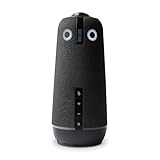
Meeting Owl 4+ 360° 4K Video Conference Camera
- ENGAGING HYBRID COLLABORATION - NOW IN 4K. The Meeting Owl 4+ is an all-in-one video conferencing device that captures...
- AWARD-WINNING INTELLIGENCE. Features the award-winning and proprietary Owl Intelligence System, which uses visual and...
- EASY DEPLOYMENT. Go from unboxing to your first meeting in 6 min with our plug-and-play USB device. IT admins can...
Experience crystal-clear video meetings with the Meeting Owl 4+, designed to capture every moment in seamless 360° 4K resolution. This smart video conferencing camera automatically focuses and zooms on the active speaker, using both visual and audio cues to keep conversations natural and engaging. It effectively solves the challenge of remote collaboration by ensuring everyone in the room is seen and heard clearly.
Setup is straightforward and quick, taking just six minutes via a simple USB connection. The device is easy to maintain and manage remotely through The Nest platform, allowing IT teams to monitor multiple units effortlessly. Its noise-equalizing microphone and 4K UHD camera deliver professional-quality video and audio, enhancing hybrid meetings regardless of room size or layout.
The Meeting Owl 4+ supports a wide range of platforms, including Microsoft Teams, Zoom, Google Meet, and Cisco Webex, making it adaptable to any organization’s preferred software. While it excels in medium-sized rooms, very large spaces may require additional units for optimal coverage. Note that Power over Ethernet requires an extra adapter, which adds some setup complexity.
Best for: Hybrid teams and organizations needing a reliable, high-quality 360° video conferencing solution with intelligent speaker tracking and broad platform support.
What We Like:
- Smooth 360° video and audio capture with automatic focus and zoom
- Easy USB plug-and-play setup plus remote device management via The Nest
- Certified for Microsoft Teams and compatible with major video conferencing platforms
- Clear 4K UHD video combined with noise-equalizing microphone technology
Specification:
| Feature | Details |
|---|---|
| Manufacturer | Meeting Owl |
| Dimensions | Approx. 8.9 in diameter x 5.5 in height |
| Weight | Approx. 1.7 lb (0.77 kg) |
| Connectivity | USB (Power over Ethernet via adapter) |
| Video Resolution | 4K UHD |
| Audio Range | Up to 18 feet (5.5 meters) |
| Platform Compatibility | Microsoft Teams, Zoom, Google Meet, Cisco Webex |
4K Conference Room Camera System with Microphones Speakers AI Auto Framing

- 【Designed for Medium & Large Conference Rooms】Built to cover larger meeting spaces, this all-in-one conference...
- 【AI Auto Framing for Group Meetings】Automatically detects participants and adjusts framing in real time, keeping...
- 【Presenter & Speaker Tracking for Dynamic Meetings】Intelligently follows the active speaker or presenter, perfect...
Experience seamless collaboration with the 4K Conference Room Camera System, designed to keep every participant clearly visible. Its AI Auto Framing technology tracks active speakers and centers them in real time, solving the common issue of missed or out-of-frame presenters during meetings.
The system’s 120° wide-angle lens and 5X optical zoom deliver crisp, detailed video in stunning 4K resolution. This ensures that even large conference rooms benefit from clear visuals without compromising on image quality or participant coverage.
Audio clarity is enhanced with a 4-mic array featuring noise reduction and built-in dual speakers. This combination reduces background noise and ensures that voices come through clearly, making conversations more efficient and reducing misunderstandings.
Setup is straightforward with USB plug-and-play compatibility for Microsoft Teams, Zoom, and Google Meet. Its compact design fits neatly into medium to large rooms while requiring minimal maintenance, making it a practical choice for busy office environments.
Best for: Medium to large conference rooms needing reliable, high-quality video and audio for dynamic group meetings.
What We Like:
- AI Auto Framing with active speaker tracking for focused presentations
- 4K clarity with wide-angle lens and zoom for detailed video
- Plug-and-play USB connection with broad platform compatibility
- Clear audio with noise reduction and integrated speakers
Specification:
| Feature | Details |
|---|---|
| Manufacturer | HALO |
| Dimensions | Compact (exact size not provided) |
| Weight | Not specified |
| Camera Resolution | 4K UHD |
| Lens | 120° wide-angle, 5X optical zoom |
| Microphones | 4-mic array with noise reduction |
| Speakers | Built-in dual speakers |
| Connectivity | USB, plug-and-play |
| Compatible Platforms | Microsoft Teams, Zoom, Google Meet |
TONGVEO 3-in-1 4K Webcam with Mic & Speaker

- ✈【3-in-One 4K Webcam】TONGVEO 4K webcam with microphone and speaker features FHD 4K lens, adopts 1/2.8 inch...
- ✈【AI Auto Framing & Voice Tracking】With auto framing, the 4K webcam detects attendees within its FoV and centers...
- ✈【5x Digital Zoom & 3 Adjustable FOV Modes】The webcam 4K easily controls your video calls with the included...
The TONGVEO 3-in-1 4K Webcam transforms your online meetings with crisp video and clear audio. Its Ultra HD 4K resolution paired with an 8.29MP sensor delivers sharp, detailed images, helping you present yourself professionally every time. This webcam tackles common video quality issues, enhancing your presence during virtual calls.
With dual 360° noise-canceling microphones, it captures sound clearly from up to 16.4 feet, reducing background noise for focused conversations. The built-in 3W speaker eliminates the need for extra equipment, simplifying your setup. AI-powered auto framing and voice tracking keep you centered, so you stay in focus without adjusting your position.
Adjust your view easily with 5x digital zoom and a remote-controlled field of view, allowing flexibility for different environments and tasks. The plug-and-play design supports Windows and Mac OS, as well as major platforms like Zoom and Teams, ensuring smooth integration without complicated installations.
Maintenance is straightforward with a privacy cover that protects your lens when not in use. While USB 2.0/3.0 connectivity works well with most devices, it may require adapters for USB-C ports. The remote control adds convenience but should be kept safely to avoid misplacement.
Best for: Professionals and content creators who need reliable, high-quality video and audio for meetings, streaming, and virtual teaching.
What We Like:
- Ultra HD 4K video with an 8.29MP sensor for sharp image quality
- Dual 360° noise-canceling microphones and built-in speaker for clear audio
- AI auto framing and voice tracking keep the user centered
- Remote-controlled adjustable field of view and 5x digital zoom
- Privacy cover for lens protection
Specification:
| Feature | Details |
|---|---|
| Manufacturer | TONGVEO |
| Resolution | Ultra HD 4K (8.29MP) |
| Frame Rate | 30 fps |
| Microphones | Dual 360° noise-canceling |
| Speaker | Built-in 3W |
| Zoom | 5x digital |
| Connectivity | USB 2.0/3.0 |
| Compatibility | Windows, Mac OS, Zoom, Teams |
| Dimensions | Not specified |
| Weight | Not specified |
1080P HD USB Webcam with Microphone and Privacy Cover

- 【1080P HD Clarity with Wide-Angle Lens】Experience exceptional clarity with the Shcngqio TWC29 1080p Full HD Webcam...
- 【Noise-Reducing Built-In Microphone】Our webcam is equipped with an advanced noise-canceling microphone that ensures...
- 【Automatic Light Correction Technology】This cutting-edge technology dynamically adjusts video brightness and color...
Experience clear, sharp video and crisp audio with the 1080P HD USB Webcam. Designed to enhance your video calls and streaming, this webcam helps eliminate common issues like poor lighting and background noise. Its wide-angle lens captures every detail, so you stay fully visible in any setting.
The webcam features automatic light correction and a low-light lens, ensuring a bright, clear image even in dim environments. The built-in noise-canceling microphone filters out background sounds, so your voice remains clear and distinct during important conversations.
Setup is hassle-free with simple USB plug-and-play connectivity—no drivers needed. When you’re done, the privacy cover slides over the lens to protect your privacy instantly. This thoughtful design makes it easy to maintain and keeps the camera clean when not in use.
While limited to 30 frames per second, it provides smooth video for most applications. Consider that USB connection might require an adapter for some newer devices. Overall, this webcam offers practical features tailored for everyday use.
Best for: Gamers, remote workers, and educators needing reliable 1080P HD video and clear audio for streaming, video calls, and online teaching.
What We Like:
- Vibrant 1080P Full HD video at 30 FPS with wide-angle lens
- Noise-canceling microphone ensures clear voice transmission
- Easy USB plug-and-play setup with no driver installation
- Privacy cover protects your privacy when not in use
Specification:
| Feature | Details |
|---|---|
| Manufacturer | Shcngqio |
| Resolution | 1080P Full HD (1920×1080) |
| Frame Rate | 30 FPS |
| Connectivity | USB |
| Microphone | Noise-canceling built-in |
| Lens | Wide-angle |
| Privacy Cover | Yes |
| Dimensions | Not specified |
| Weight | Not specified |
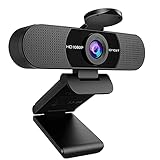
EMEET 1080P Webcam with Microphone, C960 Web Camera 2 Mics Streaming Webcam
- Full HD 1080P Webcam with Cover for Video Calls - EMEET computer webcam provides design and Optimization for...
- Built-in 2 Noise Reduction Mics - EMEET webcam with microphone for desktop is 2 built-in omnidirectional noise reduction...
- Low Dependence on Light Condition - Automatic low-light correction technology is applied in EMEET HD webcam 1080p so...
The EMEET 1080P Webcam with Microphone transforms your video calls and streaming sessions with clear, vibrant visuals. Its full HD 1080P resolution paired with a 5-layer anti-glare lens ensures your image stays sharp and smooth, even in bright or reflective environments. This clarity helps you present yourself professionally without distractions.
Designed for ease of use, the webcam features a fixed focal length that keeps your image clear within a practical range of 11.8 to 118.1 inches. Dual omnidirectional microphones reduce background noise, delivering clear, natural sound for conversations and recordings. This makes it easier to communicate without interruptions or muffled audio.
The webcam adapts well to various lighting conditions thanks to automatic low-light correction and color boost. Its wide-angle lens captures more of your surroundings, making it ideal for meetings, teaching, or live streaming. The foldable design and plug-and-play setup allow for quick installation and effortless portability.
Maintenance is straightforward with its durable build and simple USB connection. While it lacks zoom and advanced camera controls, the EMEET 1080P Webcam offers reliable performance for everyday professional use.
Best for: Professionals and educators needing dependable, high-quality video and clear audio for virtual meetings and streaming.
What We Like:
- Sharp full HD video with anti-glare lens
- Dual noise-reducing omnidirectional microphones
- Automatic low-light correction and color enhancement
- Wide-angle lens for broader coverage
- Easy plug-and-play setup with foldable design
Specification:
| Feature | Details |
|---|---|
| Manufacturer | EMEET |
| Resolution | 1080P Full HD |
| Lens | 5-layer anti-glare |
| Microphones | 2 omnidirectional mics |
| Focal Length | Fixed (11.8 to 118.1 in) |
| Connectivity | USB |
| Design | Foldable, wide-angle |
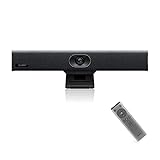
Yealink 4K Video Conference Camera System for PC, Huddle Room, Teams & Zoom
- PLUG-AND-PLAY & BROAD PLATFORM CERTIFICATION: Equipped with an extra-long 7m USB-B to USB-A cable for hassle-free...
- AUTOMATIC ELECTRIC PRIVACY SHUTTER: Designed with enterprise-grade privacy protection, the built-in electric privacy...
- 8-MIC ARRAY & 5-METER FAR-FIELD VOICE PICKUP: Functions as an all-in-one conference room camera and microphone solution...
Experience crystal-clear video calls with the Yealink 4K Video Conference Camera System, designed to enhance collaboration in small spaces. This system combines a high-resolution camera and microphone array to deliver sharp visuals and clear sound without complicated setups.
Its 8MP Ultra HD camera captures a wide 120° view, ensuring everyone in a huddle room is visible. Intelligent AI features like Auto Framing and Speaker Tracking keep the focus on active participants, making meetings more engaging and natural.
Installation is straightforward with the plug-and-play design and a 7-meter USB cable compatible with both Windows and macOS. The electric privacy shutter adds an extra layer of security, allowing users to control their workspace confidentiality effortlessly.
Maintenance is minimal due to the durable build and simple connectivity. This video conferencing solution fits perfectly where space is limited but quality cannot be compromised.
Best for: Small teams and huddle rooms seeking a reliable, easy-to-use video conferencing system compatible with Microsoft Teams and Zoom.
What We Like:
- Certified for Microsoft Teams and Zoom for smooth integration
- 4K Ultra HD camera with wide-angle and AI-enhanced video features
- Electric privacy shutter for instant workspace privacy
- Plug-and-play setup with extended USB cable for flexible placement
Specification:
| Feature | Details |
|---|---|
| Manufacturer | Yealink |
| Camera Resolution | 8MP Ultra HD 4K |
| Field of View | 120° |
| Microphone Array | 8 microphones, 5m range |
| Connectivity | USB, 7 meters cable length |
| Compatibility | Windows, macOS, Microsoft Teams, Zoom |
| Privacy Feature | Electric privacy shutter |
AOC 4K Webcam for PC, Streaming Computer Camera with Noise-Canceling Mic

- 4K Ultra HD Video Webcam:See every detail with crystal-clear 4K resolution. Experience incredibly sharp and lifelike...
- Wide 80° Field of View & Full 360° Flexibility:Fit everyone into the frame with the 80° wide-angle lens. Easily...
- True Plug-and-Play Simplicity: No drivers, no fuss. Just connect the webcam to your computer via USB and you're ready to...
Experience crystal-clear video and audio with the AOC 4K Webcam, designed to enhance your streaming and video calls. Its ultra-high-definition 4K resolution delivers sharp visuals, while automatic light correction adjusts to dim environments for consistent image quality.
The built-in noise-canceling microphone significantly reduces background distractions, providing clear sound in AAC and MP3 formats. This makes your conversations and recordings more professional and easier to understand.
With an 80° wide-angle lens, the camera offers a flexible 180° tilt and 360° swivel to fit any workspace or setup. Its compact design includes a physical sliding lens cover, ensuring your privacy when the webcam is not in use.
This webcam connects easily via USB-C or USB-A ports, compatible with most PCs, laptops, and tablets. While it operates best below 45 °C, regular care and avoiding extreme heat will maintain performance and longevity.
Best for: Professionals and content creators looking for reliable 4K video quality and clear audio for streaming, video conferencing, and content production.
What We Like:
- Sharp 4K Ultra HD video with automatic low-light correction
- Noise-canceling mic delivering clear, crisp audio
- Wide 80° lens with versatile tilt and swivel adjustments
- Privacy-focused sliding lens cover
- Dual USB-C and USB-A connectivity
Specification:
| Feature | Details |
|---|---|
| Manufacturer | AOC |
| Resolution | 4K Ultra HD (3840 x 2160) |
| Still Image | 8 MP |
| Lens Field of View | 80° |
| Tilt Range | 180° |
| Swivel Range | 360° |
| Microphone | Noise-canceling, AAC/MP3 |
| Connectivity | USB-C, USB-A |
| Max Operating Temp | 45 °C |
| Dimensions | Compact (exact size not specified) |
Factors to Consider When Choosing a Video Conferencing Camera and Microphone
When choosing a video conferencing camera and microphone, you’ll want to focus on video resolution quality and audio clarity to guarantee clear communication. Consider the field of view and how easily the device integrates with your software for smooth operation.
Also, make certain the setup process is straightforward so you can get started quickly. It’s all about making things simple and effective for your meetings.
Video Resolution Quality
Although many factors influence your choice of a video conferencing camera and microphone, video resolution quality plays a critical role in delivering clear and professional visuals. You’ll want to contemplate cameras offering at least Full HD (1080p) resolution, providing 1920 x 1080 pixels, for sharp images.
If you need even finer detail, 4K cameras with 3840 x 2160 pixels deliver considerably crisper visuals. Frame rate also matters—30 fps is standard, but 60 fps offers smoother motion, especially during dynamic presentations.
Don’t overlook low-light performance; cameras with advanced sensors reduce graininess in dim environments. Plus, automatic light correction adjusts brightness and contrast in real-time, ensuring your image stays clear no matter the lighting.
Prioritizing these features will enhance your video conferencing experience. It’s worth investing a bit more to look your best on every call!
Audio Clarity Features
Clear visuals are only part of the equation; crisp audio plays an equally important role in effective video conferencing. When choosing a camera and microphone, look for noise-canceling technology to filter out distracting background sounds and boost voice clarity.
Beamforming microphones are a smart choice since they focus on capturing sound from specific directions, making sure every speaker is heard clearly. If you often host larger meetings, consider devices with multiple microphones or an array setup to cover the entire space.
Also, check whether the system supports high-quality audio formats like AAC or MP3 for richer sound. Finally, opt for integrated audio processing features that automatically adjust volume and reduce echoes, so your calls sound professional without extra effort.
Field Of View
Because the field of view (FOV) determines how much of the room your camera captures, it plays an essential role in video conferencing quality. If you’re hosting larger groups, aim for a wide FOV of 120 degrees or more to guarantee everyone fits in the frame without constant adjustments.
For individual or small group calls, a standard FOV between 60 and 90 degrees usually works well. Some advanced cameras let you adjust the FOV, so you can switch between wide-angle and focused views depending on your needs.
Choosing the right FOV helps capture the full dynamic of your meeting space, making participants feel more engaged. This is especially true in hybrid setups where remote attendees want to see the entire room clearly.
Compatibility With Software
When choosing a video conferencing camera and microphone, you’ll want to make certain they work smoothly with your preferred software platforms like Zoom, Microsoft Teams, Skype, and Google Meet. Check that your devices are compatible with these major platforms to avoid glitches during calls.
Also, confirm the operating system requirements—some devices only support specific versions of Windows, macOS, or Chrome OS. Look for plug-and-play functionality so you can connect and start without extra drivers or software.
Make sure the camera and microphone support your system’s connectivity options, whether USB 2.0 or USB 3.0, for peak performance. Finally, verify that the device handles different meeting environments effectively, maintaining clear audio and video quality in both small rooms and larger conference spaces.
Ease Of Setup
Although choosing the right video conferencing camera and microphone involves many factors, ease of setup should be a top priority. You want devices with USB plug-and-play functionality so you can connect quickly without fussing over drivers or complicated installations.
Look for equipment that includes extensive mounting options, letting you install it on walls, tables, or monitors with ease. An integrated audio solution helps reduce cable clutter and streamlines your setup.
Make sure the gear is compatible with popular video conferencing platforms to avoid any last-minute glitches. Finally, check for clear user manuals or online guides that simplify installation and troubleshooting.
With these considerations, you’ll get your video conferencing system up and running smoothly, saving time and frustration. It’s all about making things easy so you can focus on the meeting, not the setup.
Privacy And Security
Making certain your video conferencing camera and microphone protect your privacy and data is essential in today’s digital landscape. Look for cameras with built-in privacy shutters or covers you can easily close when not in use, preventing unauthorized access.
Some systems even offer automatic electric shutters that open and close based on meeting status, which boosts security without any extra effort. It’s a pretty handy feature!
Choose devices that use secure data transmission protocols to safeguard your video and audio streams from interception. Also, opt for noise-canceling microphones to reduce unintended audio capture from your surroundings.
Additionally, consider systems with AI presence detection that activate the camera only when you’re present. This adds an extra layer of privacy protection.
Prioritizing these features makes certain your video calls stay secure and your personal information stays private. It’s all about keeping your digital space safe and sound!
AI And Tracking
If you want your video meetings to feel more natural and engaging, choosing a camera and microphone with AI and tracking features is key. AI tracking automatically detects and centers participants, so everyone stays in frame without manual adjustment.
Advanced systems follow the active speaker, keeping focus sharp during presentations and lively discussions. Facial recognition improves auto-framing, making speaker shifts smooth and seamless.
Gesture control adds convenience, letting you start tracking or tweak settings with simple hand movements. These AI-driven capabilities optimize participant visibility and audio clarity, which is especially valuable in hybrid work environments.
Connectivity Options
When selecting a video conferencing camera and microphone, you’ll want to pay close attention to connectivity options like USB 2.0, USB 3.0, and USB-C to confirm compatibility with your devices and operating systems. USB 3.0 is typically needed for 4K video quality, while USB 2.0 supports lower resolutions.
Wireless options such as Bluetooth and Wi-Fi add flexibility and reduce cable clutter. Make certain your device supports plug-and-play functionality for hassle-free setup without extra software.
Also, verify compatibility with your preferred video conferencing platforms since some require specific connection types or configurations for peak performance. Choosing the right connectivity confirms smooth video and audio quality while keeping your setup simple and efficient.
Frequently Asked Questions
How Do I Set up a Video Conferencing Camera for the First Time?
You’ll start by connecting your camera to your computer via USB or Wi-Fi. Then, install any required software or drivers.
Next, position the camera at eye level. This helps make your video calls feel more natural.
Finally, test it out in your video conferencing app to make sure it’s working properly. Easy, right?
Can These Cameras Work With All Video Conferencing Software?
Yes, over 90% of modern video conferencing cameras are compatible with popular software like Zoom, Teams, and Google Meet.
You’ll just need to plug in via USB or connect wirelessly, and you’re good to go.
It’s pretty straightforward, really! Most setups don’t require any extra hassle.
What Is the Typical Warranty Period for These Devices?
You’ll typically get a one to two-year warranty on these devices. Some brands might offer extended coverage or limited lifetime warranties.
Are External Microphones Better Than Built-In Ones for Video Calls?
Yes, you’ll find external microphones usually deliver clearer, richer audio than built-in ones. They reduce background noise and improve voice pickup.
This makes your video calls sound more professional and easier for others to understand. So, if you want better sound quality, an external mic is definitely the way to go.
How Do I Maintain and Clean My Video Conferencing Equipment?
You should regularly dust your camera and microphone with a soft cloth. Avoid using harsh chemicals, as they can damage your gear.
Keep lenses clean with a microfiber cloth to get the best picture quality. Also, store your equipment safely to prevent any accidental damage.
Don’t forget to check cables for any signs of wear or damage. This helps guarantee your video conferencing setup works smoothly every time.
Conclusion
Choosing the right video conferencing camera and microphone means balancing clarity, ease, and reliability. You want sharp visuals, clear sound, and seamless setup. Whether you pick Logitech’s trusted webcams, a smart all-in-one system like TONGVEO, or a 4K powerhouse like Yealink, focus on what fits your space, budget, and needs.
You deserve quality that enhances every meeting, improves every call, and empowers every conversation. So choose wisely and connect confidently. The best video conferencing cameras and microphones for 2027 offer superb clarity and dependable performance—helping you look and sound your best every time. Whether it’s for professional meetings or casual catch-ups, investing in the right gear can transform your virtual communication experience. Make your choice count and enjoy smooth, clear video calls that keep you connected without a hitch.