10 Best Video Meeting Cameras for 2027
You’ll want a camera that offers crisp visuals, clear audio, and easy setup for smooth virtual meetings in 2027. Having the right video meeting camera can make all the difference in staying connected, whether for work, school, or catching up with friends.
Look for features like high-definition clarity, built-in microphones, and privacy options to enhance your experience.
Options like the Logitech Brio 101 and 505 deliver Full HD clarity with built-in mics and privacy shutters. They’re great for straightforward, high-quality video calls without any fuss.
For immersive 360° views, consider the PANOCORE360 or Owl Labs Meeting Owl 3 with advanced AI features. These cameras bring a whole new level of engagement by capturing the entire room seamlessly.
TRAUSI models provide sharp video plus noise-canceling mics and privacy covers. They’re perfect if you want clear sound and added privacy during your meetings.
Keep going to find the perfect fit for your needs.
| Image | Name | Editor's Rating | Price |
|---|---|---|---|

|
|
||
|
|
||

|
|
||

|
|
||

|
|
Logitech Brio 101 Full HD 1080p Webcam for PC, Built-in Mic, Black
- Compatible with Nintendo Switch 2’s new GameChat mode
- Auto-Light Balance: RightLight boosts brightness by up to 50%, reducing shadows so you look your best—compared to...
- Privacy with a Slide: The integrated webcam cover makes it easy to get total, reliable privacy when you're not on a...
Experience clear and sharp video calls with the Logitech Brio 101 Full HD 1080p webcam. It enhances your online meetings by delivering crisp visuals and clear sound, making communication effortless. The built-in microphone ensures your voice is heard clearly without distractions.
Designed to improve video quality in various lighting, the webcam uses RightLight technology to brighten your image and reduce shadows by up to 50%. This feature helps you look professional even in dim environments. A privacy shutter provides peace of mind by physically blocking the lens when the camera is not in use.
Setup is simple with plug-and-play compatibility across popular platforms like Zoom and Microsoft Teams. Its compact, lightweight design fits neatly on any desk, supporting a clutter-free workspace. The webcam is also eco-conscious, made with 34% post-consumer recycled plastic.
While the 60-degree field of view suits individual calls, it may limit group video sessions. USB-A connectivity is standard but could require adapters for newer devices.
Best for: professionals and remote workers needing a dependable webcam with excellent video and audio quality for virtual meetings.
What We Like:
- Full HD 1080p video with enhanced brightness and shadow reduction
- Built-in microphone for clear audio during calls
- Privacy shutter for secure, worry-free use
- Eco-friendly materials supporting sustainability
Specification:
| Feature | Details |
|---|---|
| Manufacturer | Logitech |
| Resolution | Full HD 1080p |
| Microphone | Built-in |
| Viewing Angle | 60 degrees |
| Connectivity | USB-A |
| Color | Black |
| Material | 34% post-consumer recycled plastic |
| Dimensions | Compact and lightweight (exact size not specified) |
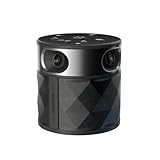
PANOCORE360 All-in-One 360° Meeting Camera
- [CES Innovation Award] Highly Integrated 360° Camera Design: Four cameras, microphones, and speaker are tightly...
- Adaptive Dual Vision Modes: Auto-focus on the active speaker with full-room context, or view the room in dual...
- Optimized for Hybrid Meetings & Room Size: Designed for small to medium meeting rooms with up to 12 participants...

The PANOCORE360 transforms the way you capture meetings by delivering a seamless 360° video experience. Its four integrated 4K cameras combine to provide a smooth full-room view, ensuring no participant is left out of sight. This means every angle is covered without the need to reposition the camera manually.
Designed for small to medium-sized rooms, it adapts intelligently with vision modes that highlight the active speaker or display dual 180° widescreens. This functionality helps maintain meeting focus and clarity, making conversations more natural and engaging.
Audio clarity is equally prioritized. The built-in omnidirectional microphone array with AI voice processing captures voices clearly within a 10-foot radius. This reduces background noise and enhances communication without extra equipment.
Maintenance is straightforward, with plug-and-play compatibility across platforms like Zoom and Microsoft Teams. The camera’s compact, power-efficient design fits easily into existing setups. You can also record meetings locally using a MicroSD card for convenient archival.
Best for: Small to medium-sized meeting rooms needing an all-in-one 360° video conferencing camera with clear audio and flexible connectivity.
What We Like:
- Full 360° coverage with adaptive vision modes
- AI-powered omnidirectional microphone ensures clear audio
- Easy plug-and-play setup with major conferencing platforms
- Compact and efficient design suited for tight spaces
- Local recording option via MicroSD card
Specification:
| Feature | Details |
|---|---|
| Manufacturer | PANOCORE360 |
| Dimensions | Not specified |
| Weight | Not specified |
| Video Resolution | 1080p output (from four 4K cameras) |
| Audio | Omnidirectional mic array with AI processing |
| Connectivity | Plug-and-play on Zoom, Teams, others |
| Recording | Local via MicroSD card |
TRAUSI 1080P Webcam with Mic and Privacy Cover
- Crystal-Clear 1080P HD Video with Wide-Angle Lens: Experience stunning visual fidelity with 1080P Full HD resolution...
- Advanced Noise-Canceling Microphone: Our webcam is equipped with an advanced noise-canceling microphone that ensures...
- Smart Auto Light Correction Technology: Never worry about poor lighting again. Our advanced technology automatically...
Experience clear and professional video quality with the TRAUSI 1080P Webcam, designed to enhance your virtual meetings. It solves common issues like poor lighting and unclear visuals by offering Full HD 1080P resolution at 30fps with a wide-angle lens. This ensures you appear sharp and well-lit every time.
The webcam’s smart auto light correction automatically adjusts brightness and color, adapting to different environments without manual settings. Its built-in noise-canceling microphone helps your voice come through clearly, even in noisy spaces. This makes conversations smoother and more effective.
Privacy is a key concern, and the TRAUSI webcam addresses it with a convenient sliding privacy cover that protects your lens when not in use. The device is compact and eco-friendly, fitting easily into any workspace. It connects via USB and works seamlessly with Windows, Mac, and Linux systems.
Maintenance is simple, with no complicated software needed—just plug and play. While it lacks autofocus and zoom features, it offers reliable performance for everyday professional use.
Best for: Professionals and remote workers needing dependable video and audio quality with built-in privacy for virtual meetings.
What We Like:
- Crisp Full HD 1080P video with wide-angle lens and smart light correction
- Noise-canceling microphone for clear communication in noisy environments
- Easy-to-use privacy cover for instant lens protection
- Compact, eco-friendly design suitable for any workspace
- USB plug-and-play compatibility with multiple operating systems
Specification:
| Feature | Details |
|---|---|
| Manufacturer | TRAUSI |
| Resolution | 1080P Full HD at 30fps |
| Lens | Wide-angle |
| Microphone | Noise-canceling |
| Privacy Cover | Sliding cover included |
| Compatibility | Windows, Mac, Linux |
| Connection | USB plug-and-play |
| Dimensions | Compact (exact size not specified) |
| Design | Eco-friendly, compact |
TRAUSI 1080P HD Webcam with Mic & Privacy Cover
- 【1080P HD Clarity with Wide-Angle Lens】Experience exceptional clarity with our 1080p Full HD Webcam. Its wide-angle...
- 【Noise-Reducing Built-In Microphone】Our webcam is equipped with an advanced noise-canceling microphone that ensures...
- 【Automatic Light Correction Technology】This cutting-edge technology dynamically adjusts video brightness and color...
Experience clear, vibrant video with the TRAUSI 1080p HD webcam, designed to elevate your online presence. Its wide-angle lens captures sharp, colorful images, making your video calls and streams look professional and engaging.
This webcam solves common lighting issues with automatic light correction, ensuring you stay well-lit in any environment. The built-in noise-canceling microphone improves audio clarity, so your voice is heard without distractions during meetings or webinars.
Privacy is a priority with the convenient privacy cover, allowing you to block the lens instantly when not in use. Setup is straightforward thanks to USB plug-and-play compatibility and a durable 5ft cable, making it easy to connect and maintain.
While the webcam delivers smooth 30fps video, it may not suit high-motion recording needs. Additionally, the cable length might limit placement options for some setups. Despite these, the eco-friendly design balances performance with sustainability, offering a practical choice for everyday use.
Best for: Professionals and remote workers who need reliable, high-quality video and clear audio for meetings, webinars, and streaming with added privacy.
What We Like:
- Sharp 1080p video with wide-angle lens and smooth frame rate
- Noise-canceling mic for clear voice transmission
- Privacy cover for quick and secure lens protection
- Automatic light correction for consistent video quality
- Easy USB plug-and-play setup with sturdy cable
Specification:
| Feature | Details |
|---|---|
| Manufacturer | TRAUSI |
| Resolution | 1080p HD |
| Frame Rate | 30fps |
| Lens | Wide-angle |
| Microphone | Built-in noise-canceling |
| Privacy Cover | Yes |
| Cable Length | 5 ft (1.52 m) |
| Connection Type | USB plug-and-play |
| Design | Eco-friendly |
Owl Labs Meeting Owl 3 360° Conference Camera
- ENGAGING HYBRID COLLABORATION. The Meeting Owl 3 is an all-in-one video conferencing device that captures 360° video in...
- AWARD-WINNING INTELLIGENCE. Features the award-winning and proprietary Owl Intelligence System, which uses visual and...
- EASY DEPLOYMENT. Go from unboxing to your first meeting in 6 min with our plug-and-play USB device. IT admins can...
Experience seamless communication with the Owl Labs Meeting Owl 3, designed to capture every voice and face in the room. Its 360° HD video and audio ensure that remote participants feel fully included, eliminating the frustration of missed comments or unclear visuals.
This smart conference camera uses AI-driven speaker tracking to focus on whoever is talking, making meetings more dynamic and engaging. Setup is straightforward—just plug it in via USB and start within minutes, so you spend less time preparing and more time collaborating.
Ideal for hybrid workspaces, the Meeting Owl 3 covers a radius of up to 18 feet, suitable for small to medium-sized rooms. While it offers excellent audio clarity, larger spaces may require additional units or accessories like the Whiteboard Owl for full coverage.
Maintenance is simple thanks to its durable design and compatibility with major platforms such as Microsoft Teams, Zoom, and Google Meet. The Meeting Owl 3 balances functionality and convenience in a slightly larger form factor, offering reliable performance when paired with a stable USB or Wi-Fi connection.
Best for: Remote teams and hybrid meetings seeking clear, all-around video and audio capture with intelligent speaker tracking.
What We Like:
- AI-powered 360° speaker tracking improves meeting flow
- Fast, plug-and-play USB setup saves time
- Broad compatibility with popular conferencing platforms
- Expandable system with additional Owl Labs accessories
Specification:
| Feature | Details |
|---|---|
| Manufacturer | Owl Labs |
| Dimensions | Approximately 8.5 x 5.6 x 5.6 inches (21.6 x 14.2 x 14.2 cm) |
| Weight | Around 2.4 lbs (1.1 kg) |
| Material | Plastic and metal components |
| Color Options | White |
TOUCAN 360° HD Video Conference Camera with AI Tracking

- Office Supplies : TOUCAN conference camera, supports 360° omni-directional shooting, no matter where you are in the...
- High-definition Image Quality: Our conference camera delivers crystal-clear visuals, ensuring every detail is visible...
- Superior Microphone: Equipped with a high-quality microphone, our webcam captures voices with precision, ensuring clear...
Experience seamless video conferencing with the TOUCAN 360° HD Video Conference Camera. Designed to capture every participant, this camera uses AI tracking to follow active speakers, ensuring no one is missed during meetings. Its 1080p resolution delivers clear and vibrant video, improving communication and engagement.
The camera’s 360-degree omni-directional view offers full-room coverage, perfect for group discussions and presentations. Four built-in noise-reduction microphones enhance audio clarity by minimizing background noise, allowing voices to come through clearly.
Setup is simple with plug-and-play USB connectivity using the included Type-C to USB-A adapter. It works smoothly with popular platforms like Zoom and Teams. The compact, lightweight design fits any room size, making it easy to install and maintain without hassle.
While the camera weighs 1.28 kg, which is heavier than many webcams, it balances performance with portability. However, its resolution is limited to 1080p, which might not meet the needs of those requiring 4K quality.
Best for: Businesses and organizations seeking a reliable, AI-powered video conferencing camera that captures every participant with clear audio.
What We Like:
- Full 360-degree coverage with AI speaker tracking
- Clear 1080p HD video for professional presentations
- Noise-reduction microphones enhance voice clarity
- Easy plug-and-play setup with broad software compatibility
- Compact design suitable for various room sizes
Specification:
| Feature | Details |
|---|---|
| Manufacturer | TOUCAN |
| Resolution | 1080p HD |
| Coverage | 360-degree omni-directional |
| Weight | 1.28 kg |
| Connectivity | USB Type-C with USB-A adapter |
| Microphones | 4 noise-reduction microphones |
j5create 360 Degree All Around Meeting Webcam
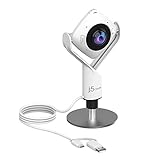
- 360° video conferencing camera with built in ominidirectional microphone
- Six display modes deliver exceptional viewing angles with flexibility and versatility
- Full HD 1080p video playback @ 30 Hz
Experience smooth, panoramic video conferencing with the j5create 360 Degree All Around Meeting Webcam. This device transforms group meetings by capturing every angle, ensuring no participant is left out. Its Full HD 1080p resolution delivers sharp, clear visuals that enhance communication.
Designed for seamless collaboration, the webcam includes a built-in omnidirectional microphone that picks up clear audio from all directions. Its six display modes allow you to tailor the viewing experience to your meeting needs, whether focusing on a single speaker or showing the whole group.
Setup is straightforward with USB plug-and-play compatibility, working effortlessly across popular platforms like Zoom, Microsoft Teams, and Google Meet. The compact, fixed-focus design simplifies maintenance and provides consistent image quality, though close-up details may not be as sharp.
This webcam is ideal for dynamic group interactions and remote teams who require a versatile, reliable video conferencing tool that enhances connectivity without complex adjustments.
Best for: remote teams and professionals needing high-quality 360-degree video for collaborative meetings.
What We Like:
- Six customizable display modes for flexible meeting views
- Full HD 1080p video paired with omnidirectional microphone for clear communication
- Easy USB plug-and-play setup compatible with major conferencing platforms
- Compact design that is easy to maintain and position
- Reliable fixed focus ensures steady image quality during group calls
Specification:
| Feature | Details |
|---|---|
| Manufacturer | j5create |
| Dimensions | Compact size (exact size not specified) |
| Weight | Not specified |
| Connectivity | USB Plug-and-Play |
| Video Resolution | Full HD 1080p at 30 Hz |
| Microphone | Built-in omnidirectional |
| Focus Type | Fixed focus |
| Compatible Platforms | Zoom, Microsoft Teams, Google Meet |
Logitech BCC950 Desktop Video Conferencing Webcam & Speakerphone – Black
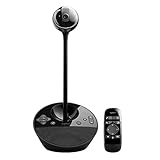
- All-in-one design combines HD video with high-quality audio clarity for business-grade video...
- The built-in, full duplex speakerphone and noise-cancelling microphone allows all meeting members to hear and be heard...
- COMPATIBILITY AND INTEGRATION: Plug-and-play USB connectivity Professional-grade certifications: Optimized for Microsoft...
Experience seamless video conferencing with the Logitech BCC950 Desktop Webcam & Speakerphone. Designed for small group meetings, it delivers crisp 1080p HD video at 30 frames per second using a Carl Zeiss lens. This ensures sharp, clear visuals that make remote communication more natural and engaging.
The built-in full duplex speakerphone captures clear audio up to 8 feet away, with noise-cancelling microphones reducing background noise. Echo cancellation further improves sound quality, allowing conversations to flow smoothly without distractions. This balance of video and audio quality helps enhance productivity during virtual meetings.
Setup is quick and straightforward with USB plug-and-play connectivity, compatible with popular platforms like Microsoft Lync, Skype for Business, Cisco Jabber, and WebEx. Users can easily control pan, tilt, zoom, volume, mute, and call functions through remote or base buttons, offering convenient and professional control.
Maintenance is minimal, requiring only occasional cleaning of the lens and speaker area to maintain optimal performance. While the audio range suits small rooms, larger spaces may require additional equipment due to the 8-foot microphone range and 8KHz frequency limit.
Best for: Small teams and professionals who need high-quality HD video conferencing with integrated audio and simple device control.
What We Like:
- Sharp 1080p HD video with premium Carl Zeiss optics
- Clear audio with full duplex speakerphone and noise-cancelling microphones
- Easy USB plug-and-play setup with wide platform compatibility
- Convenient remote and base control for camera and audio functions
Specification:
| Feature | Details |
|---|---|
| Manufacturer | Logitech |
| Dimensions | Approx. 4.7 x 5.1 x 5.1 inches (12 x 13 x 13 cm) |
| Weight | 1.3 lbs (0.59 kg) |
| Material | Plastic with metal components |
| Color Options | Black |
Logitech Brio 505 Full HD 1080p Webcam for PC with Auto Light Correction

- Full HD 1080p & RightSight Auto-Framing: This Logitech webcam helps people engage with their work by equipping home and...
- Deploy with Confidence: Certified for Microsoft Teams, Zoom, Google Meet; works with Chromebook, Windows, macOS...
- Enhanced Experience: Show physical items by tilting the webcam camera in Show Mode; Auto-Framing(1)(3) keeps the...
Experience clear and professional video calls with the Logitech Brio 505 Full HD 1080p Webcam. It adapts automatically to changing light conditions, ensuring you look sharp whether you are in a bright office or a dimly lit room. This webcam solves common lighting issues, so you can focus on your meetings without distractions.
The Brio 505 keeps you perfectly framed with its 65-degree viewing angle and auto-framing feature. This means you stay centered on screen even if you move slightly. Its dual noise reduction microphones deliver crisp audio, improving communication clarity in any environment.
Designed for easy setup, the plug-and-play USB-C connection works seamlessly with most platforms. Its compact and reliable design suits remote and hybrid work setups, making it simple to maintain and use daily. A privacy shutter offers peace of mind by physically blocking the camera when not in use.
While the viewing angle is narrower than some, it helps minimize background distractions. The sensor type isn’t specified, which may be a consideration for those wanting detailed technical info.
Best for: Professionals and remote workers needing a dependable webcam with excellent video and audio quality for virtual meetings.
What We Like:
- Automatic light correction for consistent image quality
- Auto-framing keeps you centered during calls
- Dual noise reduction microphones for clear sound
- Privacy shutter enhances security and privacy
Specification:
| Feature | Details |
|---|---|
| Manufacturer | Logitech |
| Resolution | Full HD 1080p |
| Viewing Angle | 65 degrees |
| Microphones | Dual noise reduction |
| Connectivity | USB-C plug-and-play |
| Dimensions | Compact design |
| Privacy Feature | Physical shutter |
Logitech Brio 301 Full HD Webcam for PC with Privacy Shutter – Black

- Compatible with Nintendo Switch 2’s new GameChat mode
- Be Your Best Self on Every Video Call: Full HD 1080p webcam resolution provides natural image quality, so you look like...
- Auto Light Correction: RightLight 2 technology automatically compensates for poor video lighting conditions so you can...
Experience crystal-clear video and enhanced privacy with the Logitech Brio 301 Full HD Webcam. Designed to improve your video calls, it delivers sharp 1080p resolution with auto light correction powered by RightLight 2. This ensures you look clear and professional, even in dim lighting conditions.
The built-in mono noise reduction microphone filters out background noise, allowing your voice to come through clearly. Its privacy shutter offers a simple way to block the camera lens when not in use, giving you full control over your privacy.
Compact and environmentally conscious, the webcam is made with recycled materials. It connects via USB-C, making setup quick and seamless for everyday use. Compatible with popular platforms like Zoom, Teams, and Google Meet, it integrates smoothly into your workflow.
Customize your video experience with the Logi Tune app on Windows or macOS. Note that the fixed focus lens offers consistent sharpness but does not allow manual adjustments. The 70-degree viewing angle balances field of view with image clarity for most professional settings.
Best for: professionals and remote workers needing a reliable, privacy-focused webcam for video conferencing and online meetings.
What We Like:
- Sharp Full HD 1080p video with auto light correction for clear visuals
- Mono noise reduction microphone ensures clear audio
- Privacy shutter physically blocks the lens for added security
- Compact design made with recycled materials
- Easy USB-C connection compatible with major video platforms
Specification:
| Feature | Details |
|---|---|
| Manufacturer | Logitech |
| Resolution | 1080p Full HD |
| Microphone | Mono noise reduction |
| Connectivity | USB-C |
| Viewing Angle | 70 degrees |
| Privacy Feature | Physical shutter |
| Material | Recycled materials |
| Color | Black |
Factors to Consider When Choosing a Video Meeting Camera
When choosing a video meeting camera, you’ll want to focus on video resolution quality and audio clarity to guarantee clear communication. Don’t forget to take into account the field of view and connectivity options to fit your setup.
Also, privacy and security features are super important to keep your meetings safe. It’s worth spending a bit of time thinking about these factors before making a choice.
Video Resolution Quality
Choosing the right video meeting camera means paying close attention to video resolution quality, which directly impacts how clear and detailed your image appears. Most cameras offer 1080p Full HD, providing sharp visuals suitable for everyday meetings.
If you want more detail or plan to display on larger screens, consider a 4K resolution camera. Beyond pixels, aim for at least 30 frames per second to guarantee smooth motion without blur when you move.
Also, look for auto light correction—it adjusts brightness and contrast automatically, keeping your image clear even in changing lighting. Don’t overlook the lens quality; a wide-angle lens broadens your field of view and sharpens image clarity.
These factors together guarantee your video looks professional and engaging every time.
Audio Clarity Features
Video quality sets the stage, but audio clarity guarantees your message comes through loud and clear. When choosing a video meeting camera, prioritize built-in noise-canceling microphones to minimize background noise and enhance voice clarity.
Look for omnidirectional microphones—they pick up sound from all angles, making sure everyone’s voice is captured no matter where they sit. AI voice processing is another valuable feature, intelligently focusing on active speakers while suppressing ambient noise for a cleaner audio experience.
Check the audio pickup range; a minimum of 10 feet is ideal for larger rooms to guarantee all participants are heard. Also, confirm the camera supports common audio formats like AAC and MP3 for smooth compatibility with your conferencing software.
Together, these features will keep your meetings crisp and professional. It’s all about making sure everyone hears and is heard without any distractions.
Field Of View
Field of view (FOV) plays an essential role in how well your camera captures meeting participants. Typically ranging from 60 to 180 degrees, the FOV determines how many people fit into the frame during your meetings.
If you often host larger groups, a wider FOV guarantees everyone stays visible without moving the camera. For small to medium rooms, a FOV of 90 degrees or more usually works best, comfortably fitting up to 12 participants.
Some advanced cameras even offer adaptive vision modes that automatically adjust the FOV to focus on active speakers, boosting engagement. Always consider your room size and layout—using a narrow FOV might cut off or exclude people.
And that can really hurt communication and collaboration during your video meetings. So, picking the right FOV is key to keeping everyone connected.
Connectivity Options Available
While selecting a meeting camera, you’ll want to evaluate how it connects to your devices, as connectivity options greatly impact ease of use and compatibility. Most video meeting cameras offer USB-A or USB-C ports, with some including HDMI or Bluetooth for added flexibility.
Look for plug-and-play support to avoid extra drivers or software, making setup quick and hassle-free. If you switch between a PC and mobile device, consider cameras with dual connectivity options to keep things versatile.
Make sure the camera supports your operating system—whether Windows, macOS, or Chrome OS—to guarantee smooth integration. Also, cameras with low-power USB operation can save energy and work better with older hardware.
Choosing the right connectivity can really streamline your meetings and enhance your overall experience. It’s definitely worth spending a little extra time on this part!
Privacy And Security
When choosing a meeting camera, you’ll want to prioritize privacy and security features to protect your personal and professional information. Look for models with built-in privacy shutters that physically block the lens when not in use, preventing unauthorized access.
Cameras with noise-canceling microphones help maintain privacy by minimizing background noise and capturing only intended audio. It’s also smart to consider options offering adjustable privacy settings and automatic light correction to safeguard your virtual space.
Make sure the camera supports strong data encryption to protect video and audio streams from interception. And don’t forget to keep your device secure by regularly updating its firmware. Updates patch vulnerabilities and keep your protection strong against potential threats.
Compatibility With Platforms
Because your video meeting camera needs to work smoothly with the software you use daily, you should confirm its compatibility with major platforms like Zoom, Microsoft Teams, Google Meet, and Webex. Look for cameras that offer plug-and-play functionality and support multiple operating systems such as Windows, macOS, and Chrome OS to avoid setup headaches.
Check for certifications indicating optimized performance on specific platforms to guarantee reliability during calls. Also, consider cameras with USB or USB-C connectivity since most conferencing software supports these standards.
Finally, review features like auto-framing and light correction that enhance your experience across different platforms. Choosing a camera with broad compatibility helps you integrate it seamlessly into your existing workflow, making your virtual meetings hassle-free and professional every time.
Frequently Asked Questions
How Do Video Meeting Cameras Impact Internet Bandwidth Usage?
Video meeting cameras impact your internet bandwidth by streaming high-quality video, which uses more data.
If your camera supports lower resolutions or compression, it’ll reduce bandwidth usage, helping your connection stay smooth during calls.
Are There Any Video Meeting Cameras Compatible With Gaming Consoles?
Like a perfect game controller, some video meeting cameras easily connect to gaming consoles. You’ll find models compatible with Xbox and PlayStation, letting you stream or chat without hassle.
This setup enhances both gameplay and communication seamlessly. It’s pretty convenient when you want to stay connected while gaming.
What Are the Best Lighting Setups for Optimal Video Camera Performance?
You’ll want soft, diffused lighting from multiple angles to avoid harsh shadows. Use a ring light or LED panels at 45-degree angles.
Also, position a gentle backlight to separate you from the background. This setup really helps bring out the best video quality.
Can Video Meeting Cameras Be Used for Live Streaming on Social Media?
When Sarah started streaming, she used her video meeting camera and saw instant quality boosts.
Yes, you can use these cameras for live streaming on social media—they’re designed for clear, professional video.
They’re perfect for engaging your audience and making your content stand out.
How Do Privacy Features in Webcams Differ Across Various Brands?
You’ll find that privacy features vary; some brands offer physical shutter covers, while others include software-based indicators or automatic lens blocking.
It really depends on what you’re comfortable with.
Choose a webcam that matches your comfort level with these security options to protect your privacy effectively.
Conclusion
So, you want the best video meeting camera for 2027, huh? Well, with all these options—some boasting 360° views and others hiding behind privacy covers—you might just end up more distracted than productive.
But hey, who doesn’t want to feel like a tech CEO or a secret agent during a Zoom call? Pick one, plug it in, and get ready to look your best while pretending to listen. Easy, right?
Finding the perfect video meeting camera can really up your game in virtual meetings. Whether you want crystal-clear video, wide-angle views, or top-notch privacy features, the best video meeting cameras for 2027 have you covered. So go ahead, choose the camera that suits your style and watch your online presence transform—because looking professional and feeling confident matters in every video conference.