15 Best Zoom Conference Cameras for 2027 That Boost Meetings
You want a Zoom camera that offers crystal-clear video and audio for productive meetings. Having the right camera can truly boost your Zoom conference experience by making every participant feel engaged and connected. Whether you’re hosting a small team catch-up or a large virtual event, the camera you choose matters a lot.
Consider PANOCORE360 for smooth 360° coverage that captures the entire room effortlessly. Logitech MeetUp offers ultra HD 4K clarity, perfect for sharp, detailed video. TOUCAN 360° comes with AI tracking to keep the focus on whoever’s speaking.
TONGVEO systems provide versatile AI framing and zoom options to tailor the view exactly how you want it. NexiGo shines in low-light conditions, making sure you look great even in dim rooms. For broad room coverage, Owl Labs Meeting Owl 3 or Yealink UVC34 are solid picks that cover larger spaces effectively.
Explore detailed specs and best use cases to find your perfect match. With the right camera, your Zoom meetings will be smoother, clearer, and more productive than ever before.
| Image | Name | Editor's Rating | Price |
|---|---|---|---|
|
|
||

|
|
||

|
|
||
|
|
||

|
|
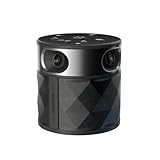
PANOCORE360 360° All-in-One Conference Camera
- [CES Innovation Award] Highly Integrated 360° Camera Design: Four cameras, microphones, and speaker are tightly...
- Adaptive Dual Vision Modes: Auto-focus on the active speaker with full-room context, or view the room in dual...
- Optimized for Hybrid Meetings & Room Size: Designed for small to medium meeting rooms with up to 12 participants...

Experience seamless communication with the PANOCORE360 360° All-in-One Conference Camera, designed to capture every angle in your meeting space. This compact device transforms small to medium rooms by providing a full 360° video view, ensuring no participant is left out of the frame.
Four wide-angle CMOS cameras merge to deliver smooth 1080p resolution, switching effortlessly between speaker-focused auto mode and a dual 180° panoramic view. This flexibility enhances engagement by highlighting the active speaker or showing the entire room.
Audio clarity is enhanced with AI-driven voice isolation and a sensitive omnidirectional microphone array. Conversations remain crisp up to 10 feet, minimizing background noise and ensuring every word is heard clearly.
Setup is straightforward with USB-C plug-and-play connectivity, compatible across popular platforms like Zoom and Teams without requiring extra drivers. Local recording to MicroSD adds a convenient backup for your meetings. Maintenance is simple due to its all-in-one design and reliable hardware.
Best for: Small to medium-sized meeting rooms needing an easy-to-use, all-in-one 360° conference camera for up to 12 participants.
What We Like:
- Smooth 360° 1080p video with dual viewing modes
- AI-powered audio with voice isolation for clear sound
- Hassle-free USB-C plug-and-play setup across major platforms
- Local MicroSD recording for meeting archiving
Specification:
| Feature | Details |
|---|---|
| Manufacturer | PANOCORE |
| Dimensions | Compact size (exact dimensions not provided) |
| Weight | Not specified |
| Video Resolution | 1080p (from 4K source capture) |
| Camera Type | Four wide-angle CMOS cameras |
| Audio | Omnidirectional mic array with AI voice isolation |
| Connectivity | USB-C, driver-free |
| Recording | Local MicroSD support |
| Max Participants | Up to 12 |
Logitech MeetUp Video Conferencing System, Ultra HD 4K – Black
- Video-enable huddle and small rooms: All-in-one form factor allows for easy setup of videoconferencing in small and...
- Capture with clarity: With an Ultra HD 4K sensor, wide 120° field of view, and 5x HD zoom, see participants and all the...
- Hear voices with clarity: Beamforming mics capture voices up 4 m away, or extend pick-up to 5m with the optional...
Experience crystal-clear video meetings with the Logitech MeetUp Video Conferencing System. Designed specifically for small conference and huddle rooms, it ensures every participant fits perfectly within its ultra-wide 120° field of view. This system captures details sharply with Ultra HD 4K resolution, making remote collaboration feel more natural and immersive.
The camera’s motorized pan and tilt can sweep across 170°, while the 5× HD zoom lets you focus closely on key details. This flexibility solves common framing challenges, so you can easily keep everyone in view without manual adjustments. Audio quality is also prioritized with three beamforming microphones that pick up voices up to 4 meters away, complemented by a built-in speaker for clear sound.
Installation and maintenance are straightforward due to its compact, all-in-one design. It supports USB plug-and-play compatibility with popular platforms like Zoom and Teams, simplifying setup. The unit can be mounted on walls or tables, adapting to your room layout without hassle.
While the microphone range is limited without an expansion mic and it lacks image stabilization or water resistance, these factors align with its intended indoor use. The MeetUp system enhances small room conferencing by combining wide-angle coverage, high-resolution video, and clear audio in a sleek package.
Best for: Small conference and huddle rooms seeking an easy-to-install video conferencing system with ultra HD clarity and wide-angle coverage.
What We Like:
- Ultra HD 4K video with wide 120° field of view and motorized pan/tilt.
- Three beamforming mics with clear audio pickup up to 4 meters.
- USB plug-and-play compatibility across major conferencing platforms.
- Compact, all-in-one design with flexible wall or table mounting.
Specification:
| Feature | Details |
|---|---|
| Manufacturer | Logitech |
| Video Resolution | Ultra HD 4K |
| Field of View | 120° wide |
| Zoom | 5× HD zoom |
| Pan/Tilt Range | Motorized, up to 170° |
| Microphone Pickup | Up to 4 meters |
| Connectivity | USB plug-and-play |
| Dimensions | Compact, mounts on wall/table |
| Color | Black |
TOUCAN 360° HD Webcam with AI Tracking
- Office Supplies : TOUCAN conference camera, supports 360° omni-directional shooting, no matter where you are in the...
- High-definition Image Quality: Our conference camera delivers crystal-clear visuals, ensuring every detail is visible...
- Superior Microphone: Equipped with a high-quality microphone, our webcam captures voices with precision, ensuring clear...
Experience seamless virtual meetings with the TOUCAN 360° HD Webcam with AI Tracking. This innovative webcam captures every angle of your meeting space, eliminating the hassle of adjusting your camera to catch every participant. Its 1080p Full HD resolution ensures clear and sharp video quality, making virtual collaboration more effective.
Designed for dynamic communication, the webcam’s 360-degree omni-directional view and AI tracking keep speakers perfectly in focus. This feature improves engagement by automatically following the active speaker, so you never miss important expressions or gestures. The integrated four noise-reduction microphones and Bluetooth speaker deliver crisp, clear audio, enhancing the overall meeting experience.
Compact and USB plug-and-play, the TOUCAN webcam fits easily on laptops or tablets without complicated setup. While it’s ideal for indoor use, note that it is not water resistant and weighs 1.28 kg, which may affect portability. Regular cleaning of the lens and microphone area will maintain optimal performance.
Best for: Professionals and teams needing comprehensive 360-degree video coverage with AI tracking to enhance virtual meeting interaction.
What We Like:
- Full 360-degree video capture with sharp 1080p HD quality
- AI tracking keeps speakers in clear focus throughout calls
- Four noise-reduction mics plus built-in Bluetooth speaker for excellent audio
- Easy USB plug-and-play setup for laptops and tablets
Specification:
| Feature | Details |
|---|---|
| Manufacturer | TOUCAN |
| Resolution | 1080p Full HD |
| Weight | 1.28 kg (2.82 lb) |
| Connectivity | USB Plug-and-Play |
| Audio | Four noise-reduction microphones, Bluetooth speaker |
| Viewing Angle | 360-degree omni-directional |
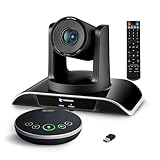
TONGVEO All-in-One Conference Room Camera System
- ✈【All-in-1 video and audio conferencing solution】TONGVEO conference room camera system contains HD 1080p HDMI Al...
- ✈【Full HD Video and Audio】3x optical Zoom AI Auto-Tracking PTZ camera has HDMI and USB 3.0 interface, which can...
- ✈【AI auto-tracking PTZ Camera with USB3.0 HDMI Output】Leveraging advanced AI, Precise Humanoid & Face Recognition...
Experience effortless video conferencing with the TONGVEO All-in-One Conference Room Camera System, designed to enhance communication in small to medium-sized rooms. This system ensures every participant is clearly seen and heard, solving the common issue of poor visibility and audio quality in meetings.
Its Full HD 1080p camera offers a wide 114° field of view and 3× optical zoom, capturing all attendees without crowding the frame. The built-in AI tracking smoothly follows speakers, allowing seamless transitions and keeping the focus where it matters. This reduces distractions and enhances engagement during discussions.
Audio clarity is guaranteed with a wireless Bluetooth speakerphone equipped with full-duplex microphones and echo cancellation. It captures voices up to 16.4 feet away, ensuring every word is heard clearly without echo or background noise. Setup is simple with plug-and-play USB and HDMI outputs compatible with popular platforms like Zoom and Teams.
Maintenance is straightforward, but be aware the manual focus lens may need occasional adjustments to maintain sharp image quality. The battery supports 6 to 8 hours of continuous use, which suits most meetings but may require recharging for extended sessions. This system is ideal for rooms up to 40 m².
Best for: Small-to-medium conference rooms needing reliable video conferencing with AI speaker tracking and clear audio capture.
What We Like:
- Full HD 1080p camera with wide 114° viewing angle and 3× optical zoom
- AI-powered speaker tracking for smooth, precise focus during meetings
- Wireless Bluetooth speakerphone with full-duplex microphones and echo cancellation
- Easy plug-and-play setup via USB and HDMI connections
Specification:
| Feature | Details |
|---|---|
| Manufacturer | TONGVEO |
| Camera Resolution | Full HD 1080p |
| Optical Zoom | 3× |
| Field of View | 114° |
| Audio Range | Up to 16.4 ft (5 meters) |
| Battery Life | 6–8 hours |
| Room Size Suitability | Up to 40 m² |
| Connectivity | USB, HDMI, Bluetooth |
Logitech C920x HD Pro PC Webcam with Microphone, Full HD 1080p/30fps Video
- Compatible with Nintendo Switch 2’s new GameChat mode
- HD lighting adjustment and autofocus: The Logitech webcam automatically fine-tunes the lighting, producing bright...
- Advanced capture software: Easily create and share video content with this Logitech camera that is suitable for use as a...
Experience clear and professional video quality with the Logitech C920x HD Pro Webcam, designed to enhance your online meetings and streaming sessions. This webcam captures sharp Full HD 1080p video at 30fps, providing smooth and vibrant visuals that help you present yourself confidently.
Its advanced five-element glass lens with autofocus ensures your image stays crisp, even in low-light settings. Dual microphones deliver natural stereo sound, making conversations and recordings clear and easy to understand. The wide 78-degree field of view covers more area, ideal for group calls or showing your workspace.
Setup is hassle-free with plug-and-play USB connectivity compatible with Windows and macOS. It works seamlessly on popular platforms like Microsoft Teams and Google Meet. Additionally, the included 3-month XSplit VCam license lets you customize your background without needing a green screen, adding a professional touch to your video.
Maintenance is straightforward—simply clean the lens with a soft cloth to keep images sharp. Note that it lacks a built-in privacy shutter and is intended for indoor use only.
Best for: Professionals, streamers, and students seeking a dependable webcam with clear video and audio for conferencing and content creation.
What We Like:
- Sharp Full HD 1080p video with autofocus and wide 78-degree view
- Dual microphones provide clear stereo audio for calls and streaming
- Includes 3-month XSplit VCam license for background customization
Specification:
| Feature | Details |
|---|---|
| Manufacturer | Logitech |
| Video Resolution | 1920 x 1080 (Full HD) |
| Frame Rate | 30fps |
| Lens Type | Five-element glass with autofocus |
| Field of View | 78 degrees |
| Microphones | Dual stereo microphones |
| Connectivity | USB plug-and-play |
| Compatibility | Windows, macOS |
| Included Software | 3-month XSplit VCam license |
TONGVEO 3-in-1 4K Webcam with Mic & Speaker

- ✈【3-in-One 4K Webcam】TONGVEO 4K webcam with microphone and speaker features FHD 4K lens, adopts 1/2.8 inch...
- ✈【AI Auto Framing & Voice Tracking】With auto framing, the 4K webcam detects attendees within its FoV and centers...
- ✈【5x Digital Zoom & 3 Adjustable FOV Modes】The webcam 4K easily controls your video calls with the included...
Experience seamless video calls and streaming with the TONGVEO 3-in-1 4K Webcam, designed to deliver crystal-clear visuals and clear audio in one compact device. Say goodbye to juggling multiple gadgets—this webcam combines a high-resolution camera, dual microphones, and a built-in speaker to enhance your online communication effortlessly.
Enjoy sharp 4K video at 30 frames per second, while AI Auto Framing and voice tracking keep you perfectly centered. This means you can move naturally without worrying about staying in frame, making meetings and presentations more engaging and professional.
The dual omnidirectional microphones with noise cancellation capture your voice clearly up to 16.4 feet away, minimizing background noise for better sound quality. Meanwhile, the built-in 3W speaker supports smooth two-way conversations without extra equipment, simplifying your setup.
Control your experience remotely with the included remote, allowing you to adjust zoom up to 5x digitally, switch between three fields of view, and manage volume with ease. Its plug-and-play USB connection works seamlessly with Zoom and other popular communication apps, making setup quick and hassle-free.
Best for: Professionals and content creators seeking an all-in-one, high-quality webcam with integrated audio for conferencing, streaming, and online communication.
What We Like:
- 4K video with AI Auto Framing and voice tracking for clear, focused visuals
- Dual noise-cancelling microphones and built-in speaker enable two-way audio
- Remote control for easy zoom, field of view, and volume adjustments
Specification:
| Feature | Details |
|---|---|
| Manufacturer | TONGVEO |
| Video Resolution | 4K (3840 x 2160) at 30 fps |
| Microphones | Dual omnidirectional with noise cancellation |
| Speaker | Built-in 3W |
| Zoom | Digital up to 5x |
| Remote Control | Included |
| Connectivity | USB plug-and-play |
| Maximum Voice Pickup | 16.4 feet (5 meters) |
| Dimensions | Compact design (exact size not specified) |
| Water Resistance | None (indoor use recommended) |
TONGVEO 4K PTZ Conference Camera System with Speakerphone
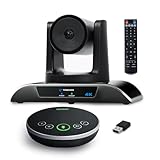
- 【𝟒𝐊 𝐀𝐈 𝐏𝐓𝐙 𝐂𝐨𝐧𝐟𝐞𝐫𝐞𝐧𝐜𝐞 𝐂𝐚𝐦𝐞𝐫𝐚】It has...
- ...
- ...
Experience clearer, more dynamic video meetings with the TONGVEO 4K PTZ Conference Camera System with Speakerphone. Designed to enhance remote collaboration, it delivers sharp 4K UHD video at 30fps with a wide 120° field of view, ensuring everyone is clearly visible. The smooth 5x digital zoom lets you focus on important details without losing clarity.
This system’s AI-powered tracking and intuitive gesture controls simplify camera management, so you can stay engaged without fiddling with settings. Control options include an IR remote and joystick, offering flexibility for different meeting environments. The built-in speakerphone captures voices within a 16.4 ft range, providing clear, full-duplex audio that reduces background noise.
Installation is versatile, supporting desk, wall, or ceiling mounting to fit your workspace. While it excels indoors, note that it lacks water resistance and does not offer manual focus adjustments via remote control. Some conferencing apps may require mirror image adjustments for optimal display.
Best for: Professionals and organizations seeking a high-resolution 4K video conferencing system with advanced AI tracking and integrated audio for seamless hybrid meetings.
What We Like:
- Crisp 4K video with wide-angle field of view and digital zoom
- Multiple control methods including AI tracking and gestures
- Clear, full-duplex speakerphone with noise reduction
- Flexible mounting options for varied office setups
Specification:
| Feature | Details |
|---|---|
| Manufacturer | TONGVEO |
| Sensor Size | 1/2.8″ |
| Video Resolution | Full UHD 4K at 30fps |
| Field of View | 120° wide-angle |
| Zoom | 5x digital |
| Audio | Full-duplex speakerphone |
| Audio Range | 16.4 ft |
| Connectivity | USB-C, Bluetooth |
| Control Methods | AI auto-tracking, IR remote, joystick, gesture controls |
| Mounting Options | Desk, wall, ceiling |
| Water Resistance | No |
NexiGo N990 4K PTZ Webcam with Zoom

- 【PTZ Camera with Position Preset 】Enhanced pan/tilt and zoom motor performance make moving from preset to preset...
- 【Ultra HD 4K & 8.5 Megapixels】The NexiGo N990 webcam comes with an 8.5 Megapixel Sony sensor that features up to a...
- 【Remote with 5X Digital Zoom】Control your video calls with a remote, so even away from the desk you are still in...
Experience crystal-clear video like never before with the NexiGo N990 4K PTZ Webcam with Zoom. Designed to enhance virtual meetings, this webcam delivers ultra-high-definition 4K video that makes every detail stand out. Its smooth pan, tilt, and 5x digital zoom let you control your view effortlessly, ensuring you stay perfectly framed at all times.
The 8.5 MP Sony STARVIS sensor captures sharp images even in low light, improving visibility and professionalism during calls. Dual stereo microphones with noise cancellation provide clear audio, cutting through background noise for better communication. This webcam connects easily via USB-C or USB 2.0, fitting seamlessly into most setups.
Maintenance is simple thanks to its durable design and wall-mountable feature, which allows flexible placement to suit various environments. While the zoom is digital, it maximizes your ability to focus on important details without moving the camera physically. Keep in mind, it does not support manual focus and is not suited for outdoor or humid conditions.
Best for: professionals and content creators seeking ultra-high-definition video quality and versatile camera control for virtual meetings and streaming.
What We Like:
- Crisp 4K video with Sony STARVIS sensor for sharp visuals
- Smooth pan, tilt, and digital zoom with easy preset controls
- Dual stereo mics with noise cancellation for clear sound
Specification:
| Feature | Details |
|---|---|
| Manufacturer | NexiGo |
| Sensor | 8.5 MP Sony STARVIS |
| Video Resolution | 4K at 30 fps |
| Zoom Type | 5x Digital Zoom |
| Connectivity | USB-C, USB 2.0 |
| Microphones | Dual stereo with noise cancellation |
| Mounting | Wall-mountable |
| Focus | Fixed focus |
| Pan Range | Yes |
| Tilt Range | Yes |
Owl Labs Meeting Owl 3 360° Conference Camera

- ENGAGING HYBRID COLLABORATION. The Meeting Owl 3 is an all-in-one video conferencing device that captures 360° video in...
- AWARD-WINNING INTELLIGENCE. Features the award-winning and proprietary Owl Intelligence System, which uses visual and...
- EASY DEPLOYMENT. Go from unboxing to your first meeting in 6 min with our plug-and-play USB device. IT admins can...
Experience truly inclusive hybrid meetings with the Owl Labs Meeting Owl 3, designed to bridge the gap between remote and in-room participants. This innovative conference camera offers 360° video and audio capture, ensuring everyone in the room is seen and heard clearly. It intelligently focuses on the active speaker, promoting natural and dynamic discussions.
Setting up is straightforward with its plug-and-play USB connection, compatible with popular platforms like Zoom, Microsoft Teams, and Google Meet. Its compact design makes deployment quick and hassle-free in various meeting spaces. The system supports expansion through additional microphones and whiteboard cameras, adapting to larger or more complex environments.
Maintenance is simple, requiring only occasional cleaning to keep the camera lens and microphones clear. Its design suits professional settings but is not water resistant, so it should be used indoors in dry environments. The audio pickup reaches up to 18 feet, which works well for medium-sized rooms but may need extra mics for larger spaces.
The Meeting Owl 3 enhances collaboration by providing full-room visibility and active engagement, making hybrid meetings more productive and inclusive.
Best for: organizations and teams conducting hybrid meetings that require seamless 360° video and audio capture to ensure full-room visibility and active remote and in-room participant engagement.
What We Like:
- Seamless 360° HD video and audio with automatic speaker tracking
- Easy plug-and-play USB setup compatible with major conferencing platforms
- Expandable with additional microphones and whiteboard cameras for broader coverage
Specification:
| Feature | Details |
|---|---|
| Manufacturer | Owl Labs |
| Dimensions | Compact form factor (exact size not specified) |
| Weight | Not specified |
| Material | Not specified |
| Color Options | Not specified |
Yealink 4K Video Conference Camera System for PC, Huddle Room, Teams & Zoom
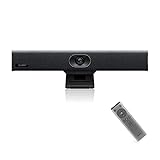
- PLUG-AND-PLAY & BROAD PLATFORM CERTIFICATION: Equipped with an extra-long 7m USB-B to USB-A cable for hassle-free...
- AUTOMATIC ELECTRIC PRIVACY SHUTTER: Designed with enterprise-grade privacy protection, the built-in electric privacy...
- 8-MIC ARRAY & 5-METER FAR-FIELD VOICE PICKUP: Functions as an all-in-one conference room camera and microphone solution...
Experience crystal-clear video calls with the Yealink UVC34, a 4K video conference camera system designed for small meeting rooms and huddle spaces. Its 8MP Ultra HD camera delivers sharp, distortion-free images thanks to a 120° super-wide lens and intelligent AI features like Auto Framing and Speaker Tracking. This ensures everyone stays in focus without manual adjustments.
The integrated 8-mic array captures voices clearly up to 5 meters away, minimizing background noise for smooth communication. A built-in speaker enhances audio quality, creating an all-in-one solution that simplifies room setup. The system connects easily via a 7-meter USB cable, offering plug-and-play convenience without complicated installations.
Maintenance is straightforward with an automatic privacy shutter that protects your privacy when the device is not in use. While the camera requires a USB connection and lacks wireless flexibility, its design fits neatly into compact spaces without additional equipment. The modest 5x digital zoom and manual exposure controls allow users to fine-tune image quality when needed.
Best for: Small meeting rooms and huddle spaces requiring a high-quality, easy-to-use 4K video conferencing solution compatible with Microsoft Teams, Zoom, and other platforms.
What We Like:
- Sharp 8MP 4K camera with AI-driven Auto Framing and Speaker Tracking
- Clear voice capture with 8-mic array and far-field audio pickup
- Simple plug-and-play setup with a long 7-meter USB cable
- Automatic privacy shutter for added security
Specification:
| Feature | Details |
|---|---|
| Manufacturer | Yealink |
| Camera Resolution | 8MP Ultra HD 4K |
| Lens Angle | 120° super-wide |
| Microphone Array | 8 microphones |
| Audio Pickup Range | Up to 5 meters |
| Connection Type | USB (7-meter cable) |
| Zoom | 5x digital |
| Privacy Feature | Automatic privacy shutter |
| Compatibility | Microsoft Teams, Zoom, others |
j5create 360 Degree All Around Meeting Webcam
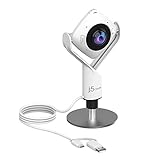
- 360° video conferencing camera with built in ominidirectional microphone
- Six display modes deliver exceptional viewing angles with flexibility and versatility
- Full HD 1080p video playback @ 30 Hz
Experience a new level of video conferencing with the j5create 360 Degree All Around Meeting Webcam. It solves the challenge of capturing everyone in the room clearly, offering seamless 360° Full HD coverage that ensures no participant is missed. This makes meetings and online classes more inclusive and engaging.
The webcam’s built-in omnidirectional microphone picks up voices crisply from all directions, improving communication clarity. Its USB-C plug-and-play design is simple to set up and compatible with popular platforms like Zoom and Microsoft Teams, eliminating technical hassles.
Designed for ease of use, the touch bar lets you highlight specific participants quickly. This feature enhances interaction and collaboration during calls without interrupting the flow. Maintenance is straightforward, with a fixed-focus lens that requires minimal adjustment.
While it offers wide coverage, the fixed focus and digital zoom might limit clarity depending on distance. The device lacks image stabilization, so video smoothness can vary. Details on weight and size are not specified, which may affect mounting choices.
Best for: teams or educators needing comprehensive 360-degree video capture for collaborative meetings or virtual classrooms.
What We Like:
- True 360° Full HD video captures the entire room clearly
- Omnidirectional microphone ensures clear voice pickup
- Touch bar enables easy participant highlighting for better interaction
Specification:
| Feature | Detail |
|---|---|
| Manufacturer | j5create |
| Dimensions | Not specified |
| Weight | Not specified |
| Connection | USB-C plug-and-play |
| Video Quality | Full HD 1080p at 30Hz |
| Field of View | 360 degrees |
| Microphone | Built-in omnidirectional |
| Focus Type | Fixed focus |
12x Zoom HD Conference Room Camera System Bundle

- ✈【12x Zoom video and audio conferencing System】TONGVEO conference room camera system consists 12x optical Zoom...
- ✈【Full HD Video and Audio combination】This AI Auto Tracking Conference camera is equipped with 1/2.8 inch" CMOS...
- ✈【Advanced Al-Powered Auto Tracking】our AI tracking PTZ camera employs advanced deep learning algorithms with...
Experience clear, professional video conferencing with the 12x Zoom HD Conference Room Camera System Bundle. This system combines a powerful 12× optical zoom PTZ camera with a Bluetooth speakerphone, designed to enhance communication in medium-to-large conference rooms. Its Full HD video at 60 fps delivers sharp visuals, while the wide 75° field of view captures everyone in the room with ease.
Setup is straightforward with plug-and-play functionality, compatible with popular platforms like Zoom and Teams. The camera’s smooth pan and tilt allow flexible framing, though it requires a wired connection, which may limit placement options. The speakerphone supports both Bluetooth and USB, featuring echo cancellation and full-duplex audio for crystal-clear conversations.
Maintenance is simple; just ensure the speakerphone is charged every 6 to 8 hours to keep meetings running smoothly. Its versatile mounting options let you tailor installation to your space, making it a practical choice for dynamic meeting environments.
Best for: medium-to-large conference rooms needing high-quality video and audio solutions for groups of 20 to 30 people.
What We Like:
- Sharp Full HD 60 fps video with 12× optical zoom and wide field of view
- Bluetooth and USB speakerphone with echo cancellation and full-duplex audio
- User-friendly plug-and-play setup compatible with major conferencing platforms
- Versatile mounting options to fit various room layouts
Specification:
| Feature | Details |
|---|---|
| Manufacturer | Not specified |
| Camera Zoom | 12× optical zoom |
| Video Resolution | Full HD (1080p) at 60 fps |
| Field of View | 75° |
| Speakerphone | Bluetooth and USB connectivity |
| Speakerphone Battery | 6–8 hours |
| Connectivity | Wired for camera, wireless for speakerphone |
| Intended Use | Medium to large conference rooms (20–30 people) |
NexiGo PTZ Conference Room Camera System

- 【Immersive 10x Optical Zoom】Featuring professional 10x optical zoom, a wide-angle field of view, and your choice of...
- 【Silent PTZ Movement】Use the remote control to adjust this conference camera with a pan rotation of -170° to...
- 【1080p with 3DNR Technology】The PTZ Camera comes with a 1/2.8" high-definition CMOS sensor for FHD 1080p resolution...
Experience seamless video communication with the NexiGo P610 PTZ Conference Room Camera System, designed to deliver clear visuals and smooth control. Whether you’re hosting Zoom meetings or streaming church services, this camera adapts to your needs effortlessly. Its 10x optical zoom and wide-angle lens ensure every detail is captured with precision.
The system’s smooth and silent pan-tilt mechanism allows you to control framing remotely, offering up to 255 preset positions. This flexibility makes it easy to adjust shots during dynamic presentations without disrupting the flow. The camera’s FHD 1080p resolution provides sharp images even in low-light environments, enhancing video quality for all participants.
Setup is straightforward thanks to its compact design and USB compatibility, supporting popular platforms like Zoom, OBS, and Skype. The camera integrates quickly into existing workflows, reducing downtime and technical hassle. However, note that it requires an external microphone for audio and does not come with mounting hardware, so plan accordingly for installation.
Best for: professionals and organizations seeking a versatile and high-quality PTZ camera for video conferencing, live streaming, and presentations in conference rooms, classrooms, and worship spaces.
What We Like:
- Clear, detailed video with 10x optical zoom and wide-angle FHD 1080p resolution
- Smooth, silent pan-tilt movements with up to 255 remote presets for precise framing
- Easy USB connectivity compatible with major video platforms for quick integration
Specification:
| Feature | Detail |
|---|---|
| Manufacturer | NexiGo |
| Dimensions | Compact (exact size not provided) |
| Weight | Not specified |
| Material | Not specified |
| Color Options | Not specified |
4K Pro Audio Video Conference Camera with Remote

- All-in-One 4K Webcam - Declutter your workspace area by merging your 4K Camera, HiFi Speakers, Noise Cancelling...
- AI-Powered Auto Framing - 94°Wide angle conference webcam with AI face detection will automatically frame the video...
- Auto Speaking Following - With presenter tracking, it intelligently detects and follows a presenter, and the webcam will...
Capture every detail and sound clearly with the 4K Pro Audio Video Conference Camera with Remote. Designed to enhance your remote meetings, this camera ensures you remain the focal point with its AI-powered auto framing and presenter tracking. Say goodbye to awkward framing and distractions.
Its 5× digital zoom and wide 94° viewing angle adapt easily to different room sizes and setups. The noise-cancelling microphones deliver crisp, professional audio, keeping your conversations clear and free from background noise. This means fewer interruptions and more productive meetings.
The included remote provides quick control over zoom, microphone muting, and speaker volume without needing to reach for your computer. Lightweight and compact, the camera fits neatly into any workspace and supports plug-and-play compatibility with platforms like Zoom and Microsoft Teams.
Maintenance is simple due to its sturdy design, though note that the remote requires batteries not included. It is not suited for damp environments, so keep it dry for reliable performance.
Best for: Professionals and remote workers needing high-quality 4K video with smart features for seamless virtual collaboration.
What We Like:
- AI-driven auto framing keeps you perfectly centered.
- Remote control offers convenient zoom and audio adjustments.
- Noise-cancelling mic array ensures clear, full-duplex sound.
- Lightweight design makes it easy to move and install.
Specification:
| Feature | Details |
|---|---|
| Manufacturer | K Pro |
| Dimensions | Compact size (exact dims not provided) |
| Weight | 450 g (0.99 lb) |
| Video Resolution | 4K |
| Viewing Angle | 94° |
| Zoom | 5× Digital Zoom |
| Microphones | Noise-cancelling array |
| Connectivity | Plug-and-play USB |
| Remote Control | Included, battery-powered |
TONGVEO 20x Zoom Conference Room Camera System

- ✈【20x Zoom Conference room Camera system】TONGVEO All-in-one Conference room camera system consists 20x optical...
- ✈【Great Video and Audio Combination】The Conference camera adopts 1/2.8 inch" CMOS with 2.38 megapixel enhanced...
- ✈【Smart 360° Omnidirectional microphone】The Conference speakerphone adopts a hands-free microphone and hands-free...
Experience professional video conferencing with the TONGVEO 20x Zoom Conference Room Camera System, designed to enhance medium to large meeting spaces. Its powerful PTZ camera delivers smooth pan and tilt with 20x optical zoom and crisp 1080p video at 60fps. This ensures every detail is captured clearly, improving communication quality.
The system pairs the camera with a wireless Bluetooth speakerphone featuring a 360° microphone and a long 17-hour battery life. This combination provides clear audio up to 20 feet, reducing the need for multiple devices and simplifying your setup. Connecting the system is straightforward, with USB, HDMI, Bluetooth, and dongle options.
Designed for professional environments, this setup is compatible with major platforms like Zoom, Teams, and WebEx. While the camera requires wired connection, limiting placement flexibility, its reliable performance suits dedicated conference rooms. The speakerphone’s range is ideal for medium rooms but may be less effective in very large spaces.
Maintenance is minimal; the camera and speakerphone’s durable design supports regular use without frequent adjustments. This system is a solid choice to improve meeting clarity and productivity.
Best for: medium to large meeting rooms and professional video conferencing setups requiring high-quality video and audio integration.
What We Like:
- Clear and smooth 1080p video with 20x optical zoom.
- Wireless speakerphone with 360° microphone coverage.
- Long-lasting 17-hour battery on the speakerphone.
- Multiple connectivity options for easy setup.
- Compatible with major video conferencing platforms.
Specification:
| Feature | Details |
|---|---|
| Manufacturer | TONGVEO |
| Camera Optical Zoom | 20x |
| Video Resolution | 1080p at 60fps |
| Speakerphone Battery | 17 hours |
| Microphone Coverage | 360° |
| Connectivity Options | USB, HDMI, Bluetooth, Dongle |
| Weight (approximate) | Not specified |
| Color Options | Not specified |
Factors to Consider When Choosing a Zoom Conference Camera
When choosing a Zoom conference camera, you’ll want to focus on video quality, audio range, and smart features like AI tracking. These things really make a difference in how clear and smooth your meetings look and sound.
Also, consider the zoom capabilities and field of view to guarantee everyone’s in frame. It’s super important that no one gets left out of the picture!
And don’t forget to check that the camera’s connectivity matches your setup for seamless integration. You want everything to work together without any hiccups.
Video Quality Features
Although selecting the right Zoom conference camera might seem straightforward, focusing on key video quality features guarantees your meetings look sharp and professional. Aim for at least 1080p resolution at 30 fps to capture clear participant details, or 4K if you need high-res room views or text clarity.
Check sensor size and low-light performance to avoid grainy images in dim settings. Choose a camera with a suitable field of view—wide for full-room coverage or adjustable for tighter framing.
Optical zoom and smooth PTZ controls help you focus on speakers without losing clarity. Look for image stabilization, auto exposure, white balance, and AI-driven features like auto-framing or speaker tracking to keep the active speaker centered and maintain consistent picture quality throughout your calls.
Audio Capture Range
In selecting a Zoom conference camera, matching the microphone’s pickup range to your room size guarantees everyone’s voice comes through clearly. For small huddle rooms, pick a device with at least a 3-meter (10 ft) range; medium rooms need around 5 meters (16 ft), and larger spaces require more than 5 meters.
Decide between omnidirectional mics, which capture sound from all directions—ideal for round-table setups—and beamforming arrays that focus on active speakers. These arrays reduce background noise and extend range, making conversations easier to follow.
Keep in mind, stated pickup distances assume normal room noise. Real-world factors like ambient sound and echo can reduce this.
If your space is large or seating is spread out, consider additional or expansion microphones. Also, prioritize features like noise reduction, echo cancellation, and automatic gain control to keep audio clear even at longer distances.
AI and Tracking Capabilities
Choosing a Zoom conference camera with advanced AI and tracking capabilities can dramatically improve meeting quality by keeping the active speaker centered and minimizing distractions.
You’ll want AI-driven speaker tracking that combines voice localization with face detection, ensuring reliable focus on whoever’s talking without false switches.
Pay attention to microphone arrays—3 to 8 mics covering 3 to 6 meters typically provide accurate speaker localization.
Also, check if the camera supports multi-person framing and smooth, continuous pan-tilt-zoom shifts to avoid jarring cuts during group discussions.
Prefer on-device AI processing for real-time tracking with lower latency, rather than cloud-based systems that may introduce delays.
Finally, look for customizable settings like camera presets and sensitivity controls so you can tailor tracking behavior to your room and meeting style.
Zoom and Field-of-View
When selecting a Zoom conference camera, you’ll want to pay close attention to its field of view (FoV), as it directly affects how much of your meeting space and participants appear on screen. For small huddle rooms, a FoV around 90–120° usually works best to capture 2–6 people without distortion.
Larger rooms may need a wider FoV or multiple cameras to cover everyone. Avoid relying on digital zoom since it crops and lowers resolution; optical zoom or a wide native FoV preserves image quality.
Be aware ultra-wide lenses can cause fisheye effects and edge blur, which software fixes but may reduce clarity. Features like auto-framing help by centering speakers but can add latency or limit room context.
Choose a camera with a FoV that matches your room size and meeting style. It’s all about finding the right balance for your space and how you like to connect.
Connectivity and Compatibility
After considering the ideal field of view for your meeting space, you’ll want to make certain the camera connects smoothly with your existing setup. Check that it supports the USB standards your host device requires—USB 3.0 or USB-C for 4K at 30 fps, or USB 2.0 if 1080p at 30 fps suffices.
Confirm platform compatibility and UVC/UAC plug-and-play support for Zoom, Teams, or Google Meet to avoid driver installs or recognition issues. Look for extra connectivity like HDMI, Ethernet, Wi-Fi, or Bluetooth if you need direct display, network deployment, or remote control.
Don’t forget cable length, adapters, and power needs—bus-powered versus external supply—to guarantee reliable operation. And if you’re setting up multiple devices, prioritize standardized drivers and management features to make provisioning and updates easier.
Room Size Suitability
Since room size directly impacts camera performance, you’ll want to match your Zoom conference camera to the space’s dimensions and participant count.
For small huddle rooms with up to four people, pick a camera with a narrow-to-medium field of view (≤90°) and a voice pickup range around 3 meters. This helps focus on speakers and reduce background noise.
Medium rooms holding five to twelve participants require a wider field of view (100°–180°) or 360° cameras with multi-mic arrays to capture everyone and cover about 5 meters.
Larger rooms demand PTZ or multi-camera setups featuring optical zoom (5×–20×) and long-range microphones (5–10+ meters) for clear visuals and audio.
Also, consider ceiling height and seating layout since they influence coverage and may require cameras with vertical tilt or additional microphones.
Ease of Installation
Although selecting a high-quality Zoom conference camera is essential, ensuring it’s easy to install can save you time and frustration. Choose cameras that support USB plug-and-play (UVC/UAC) to avoid driver installs and start meetings quickly on Windows, macOS, or Chrome OS.
Also, take a moment to check cable lengths and power options so you can place the camera exactly where you need it without any hassle. Do you prefer wireless pairing via Bluetooth or Wi-Fi? Just remember, the initial setup might ask for your network credentials.
Look for simple privacy covers, on-device record buttons, and LED indicators to confirm connections instantly. Cameras with built-in presets, IR remotes, or companion apps let you adjust framing and control remotely without complicated setups.
This makes installation smoother and your meetings more efficient. Easy does it!
Frequently Asked Questions
How Do Zoom Conference Cameras Compare With Traditional Meeting Room Cameras?
Zoom conference cameras usually offer better integration, automatic framing, and AI features compared to traditional cameras.
You’ll enjoy clearer video, easier setup, and smarter tracking, making your meetings more interactive and efficient overall.
It’s like the camera knows where the action is and keeps things focused without you having to fuss around.
Can Zoom Conference Cameras Integrate With Other Video Conferencing Platforms?
Yes, you can usually integrate Zoom conference cameras with other platforms like Microsoft Teams or Google Meet.
Most cameras use universal USB or HDMI connections, making it easy for you to switch between different video conferencing apps seamlessly.
What Are the Security Features of Zoom Conference Cameras?
You’ll find Zoom conference cameras include encryption, secure firmware updates, and access controls to protect your meetings. They also support privacy shutters and integrate with Zoom’s security protocols, ensuring your video calls stay confidential and safe.
These features work together to keep your conversations private. Plus, the privacy shutters give you peace of mind when the camera is not in use. It’s all designed to make your video calls secure and worry-free.
How Do Firmware Updates Affect Zoom Camera Performance?
Firmware updates boost your Zoom camera’s performance by fixing bugs and enhancing features. Yet, skipping them leaves you vulnerable to glitches and security risks.
You’ll want to update regularly to keep meetings smooth and protected. It’s a simple step that makes a big difference!
Are There Any Recommended Accessories for Enhancing Zoom Camera Setups?
Yes, you should consider external microphones, ring lights, and adjustable tripods. These accessories improve audio clarity, lighting, and camera stability.
They help you create a professional and engaging Zoom meeting experience every time. Trust me, a few simple upgrades can make a big difference!
Conclusion
Choosing the perfect Zoom conference camera can power up your presentations and polish your professional presence. Whether you want wide-angle wonders or zooming zooms, these top-tier tools take your team talks to the next level.
Don’t delay—discover the device that delivers dynamic discussions and dazzling detail. With the right camera, you’ll capture clearer connections, create crisp conversations, and cultivate confident collaborations every time you meet.
Finding the best Zoom camera means investing in technology that enhances video quality and fosters engagement. So, if you’re ready to boost meetings and make every virtual gathering count, picking the ideal Zoom conference camera is key. It’s all about sharper images, smoother communication, and stronger teamwork that drives success.