15 Best Livestreaming Cameras for 2027
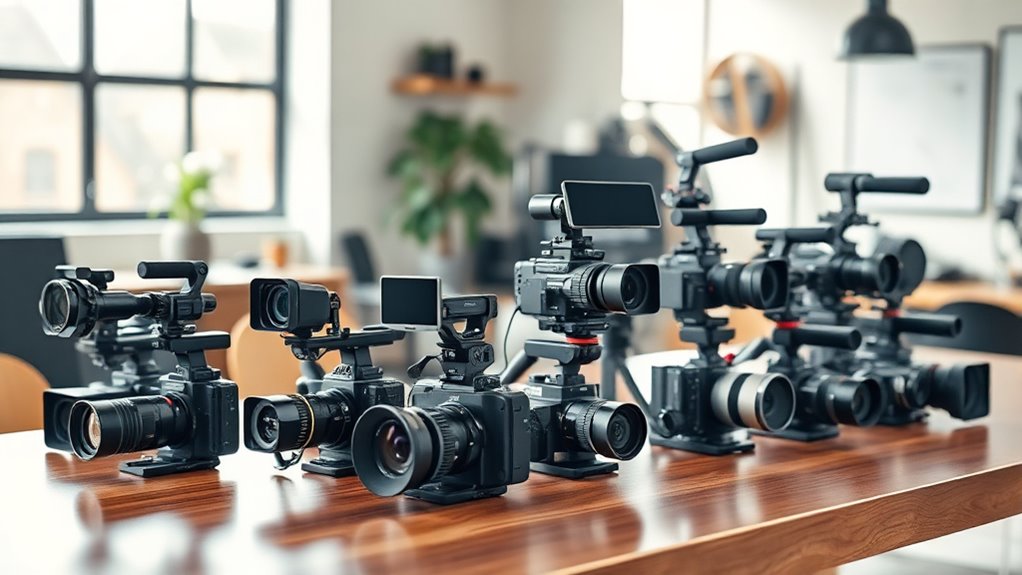
For top livestreaming cameras in 2027, you’ll want models that combine quality, ease of use, and smart features. Cameras like the Logitech Mevo Start stand out for their wireless convenience, making setup hassle-free.
Then there are options like the EMEET C60E and PIXY, which offer dual 4K cameras and AI tracking to keep your stream sharp and engaging.
The OBSBOT Tiny 2 Lite and Meet SE also shine with AI framing and fast frame rates, perfect for dynamic content. Meanwhile, the Logitech MX Brio and Elgato Facecam deliver ultra HD quality with precise controls for those who want crisp, professional streams.
These options cater to various needs and budgets, so exploring them closely will help you find the perfect fit for your streaming style.
Whether you’re a beginner or a pro, there’s a livestreaming camera here that’ll elevate your content.
| Image | Name | Editor's Rating | Price |
|---|---|---|---|

|
|
||

|
|
||

|
|
||

|
|
||

|
|
Logitech for Creators Mevo Start Wireless Live Streaming Camera – Black
No products found.
Experience seamless wireless live streaming with the Logitech for Creators Mevo Start. This compact camera offers crisp 1080p HD video, ensuring your content looks professional without the bulk of traditional equipment. Its lightweight design makes it easy to carry, perfect for creators who need mobility and reliability.
The Mevo Start connects smoothly via Wi-Fi, Ethernet, or your smartphone’s LTE, solving common streaming connectivity issues. Its intuitive app gives you full remote control, making multi-angle shots effortless by linking up to three cameras. This setup helps you deliver dynamic, engaging live streams without complicated gear.
Maintenance is straightforward with this camera’s durable design and efficient battery, lasting up to six hours per charge. While the battery life supports extended sessions, frequent charging might be necessary for longer streams. The camera’s firmware is proprietary, which might limit some customization options for advanced users.
Ideal for content creators and live streamers, the Mevo Start balances portability with high-quality streaming functionality. It’s a smart choice for those focused on ease of use and reliable wireless performance in their live broadcasts.
Best for: Creators and live streamers needing a lightweight, wireless camera that delivers high-quality 1080p video with flexible streaming and multi-camera capabilities.
What We Like:
- Lightweight and highly portable for on-the-go streaming
- Multiple connectivity options: Wi-Fi, Ethernet, and LTE support
- User-friendly app with remote camera control and multi-camera sync
- Reliable battery life up to six hours for extended use
Specification:
| Feature | Details |
|---|---|
| Manufacturer | Logitech |
| Dimensions | Compact (exact size not specified) |
| Weight | 8.2 ounces (0.52 lb) |
| Color Options | Black |
EMEET C60E Dual-Camera 4K Webcam for Streaming, Wide-Angle & Telephoto
- 4K Dual-Camera Precision – The World's 1st Dual-Camera for Streaming features 2 cameras sharing a 1/2.8″ CMOS 4K...
- Max 11X Hybrid Zoom & PDAF Autofocus – The 4K webcam for PC offers smooth zoom from 1X to 11X—with examples like 3X...
- Smart Dual Control via Remote & EMEET STUDIO – C60E DUAL live streaming camera delivers a comprehensive image control...
The EMEET C60E Dual-Camera 4K Webcam offers a unique solution for content creators who need both wide and close-up shots without switching devices. Its dual-camera setup captures expansive scenes with a 4K wide-angle lens while also delivering sharp details up close using a telephoto lens with 11X hybrid zoom. This versatility helps professionals maintain visual engagement in every livestream.
The webcam features PDAF autofocus, ensuring your image stays sharp even when zooming in on fine details. Adjustments to zoom, brightness, and color can be made effortlessly during live sessions using the remote or the EMEET STUDIO software. This allows smooth transitions and consistent video quality without disrupting your workflow.
Two omnidirectional microphones capture clear audio from up to 9.8 feet, addressing common sound issues in streaming environments. The integrated RGB lighting adds a customizable ambiance, enhancing the overall presentation without needing extra equipment.
Compact and thoughtfully designed, the EMEET C60E is easy to maintain and fits well in any professional setup. However, the USB 2.0 connection may limit data transfer speed, and compatibility is mainly focused on Windows and macOS systems. Despite these drawbacks, it remains a solid choice for versatile, high-quality streaming.
Best for: Content creators and streamers needing flexible, high-resolution video options for professional livestreaming.
What We Like:
- Dual 4K cameras provide wide-angle and telephoto views in one device
- Remote and software controls allow real-time video adjustments
- Clear audio with two omnidirectional microphones
- RGB lighting enhances mood and presentation
- Compact design fits easily into any workspace
Specification:
| Feature | Details |
|---|---|
| Manufacturer | EMEET |
| Dimensions | Compact (exact size not specified) |
| Camera Resolution | Dual 4K (wide-angle + telephoto) |
| Zoom | 11X hybrid zoom |
| Microphones | Two omnidirectional |
| Connectivity | USB 2.0 |
| Compatible OS | Windows, macOS |
| Additional Features | PDAF autofocus, RGB lighting |
EMEET PIXY Dual-Camera AI-Powered PTZ Camera 4K with Tripod, AI Tracking
No products found.
Experience crystal-clear video with the EMEET PIXY dual-camera system designed for sharp 4K streaming and recording. Its ultra-fast PDAF and AI autofocus lock focus in just 0.2 seconds, eliminating blurry moments and ensuring vivid visuals. This makes it easier to capture every detail without manual adjustments.
The camera’s 3-chip AI technology supports smooth 310° pan and 180° tilt movements, allowing effortless tracking of subjects. Gesture control adds convenience by enabling hands-free operation, ideal for dynamic presentations or active livestreams. Switching angles is simple with customizable presets in EMEET STUDIO.
Designed for versatile setups, the adjustable tripod and universal screw mount provide stability across different environments. Maintenance is straightforward thanks to its compact design, although care should be taken as it is not water-resistant. The USB 2.0 connection ensures compatibility but may limit transfer speeds for some users.
With its triple-mic array and noise-canceling options, audio remains clear without needing extra equipment. This combination of features makes the EMEET PIXY a reliable tool for professionals seeking seamless video and audio performance.
Best for: professionals and content creators needing a responsive 4K PTZ camera with intelligent tracking and flexible audio for livestreaming and recording.
What We Like:
- Fast 0.2s PDAF and AI autofocus for sharp, vivid video
- Smooth 310° pan and 180° tilt with gesture-controlled tracking
- Triple-mic array offering clear, customizable audio without extras
Specification:
| Feature | Details |
|---|---|
| Manufacturer | EMEET |
| Video Resolution | 4K |
| Pan Range | 310° |
| Tilt Range | 180° |
| Autofocus Type | PDAF and AI autofocus |
| Microphones | Triple-mic array |
| Connectivity | USB 2.0 |
| Tripod | Adjustable, universal mount |
| Dimensions | Compact design |
EMEET S600 4K Webcam for Streaming, Sony 1/2.55” Sensor, PDAF Autofocus
- Unmatched 4K Streaming Quality - The EMEET S600 streaming camera boasts a high-definition 4K sony 1/2.55'' sensor...
- Advanced PDAF Autofocus & Light Balance – 4K webcam S600's PDAF(Phase Detection Autofocus) tech offers significant...
- Enhanced Audio Clarity & Customizable FOV - The EMEET S600 4K streaming webcam is equipped with premium microphones that...
Experience sharp, professional-quality video with the EMEET S600 4K Webcam, designed to elevate your streaming and content creation. Its advanced Sony 1/2.55” CMOS sensor and PDAF autofocus deliver crisp 4K video at 30FPS and smooth 1080P at 60FPS. This ensures you stay in perfect focus, even during dynamic movements.
Low-light conditions no longer hinder your video quality thanks to the webcam’s auto light balance feature. Dual noise-canceling microphones capture clear, natural sound, making your streams and calls more engaging. The lightweight, compact design includes an integrated privacy cover for easy protection when not in use.
Setup is simple with plug-and-play USB connectivity compatible with multiple platforms. The EMEETLINK software lets you fine-tune image settings, sound, and digital zoom up to 2.1x for precise framing. Maintenance is minimal, requiring occasional cleaning of the lens and cover to keep visuals sharp.
While the field of view adjustment is limited to 1080P resolution, the overall performance supports professional live streaming and video production with ease and reliability.
Best for: Content creators and streamers seeking high-resolution 4K video quality with fast, reliable autofocus and excellent audio clarity for professional live streaming and video production.
What We Like:
- Sharp 4K video capture with Sony CMOS sensor and PDAF autofocus
- Dual noise-canceling microphones for clear audio
- Auto light balance enhances low-light video quality
- Compact design with integrated privacy cover
- Easy plug-and-play USB connectivity across platforms
Specification:
| Feature | Details |
|---|---|
| Manufacturer | EMEET |
| Sensor | Sony 1/2.55” CMOS |
| Autofocus | PDAF |
| Video Resolution | 4K at 30FPS, 1080P at 60FPS |
| Field of View | Adjustable at 1080P only |
| Microphones | Dual noise-canceling |
| Connectivity | USB 2.0 & 3.0 |
| Dimensions | Compact, lightweight |
| Privacy Cover | Integrated |
OBSBOT Tiny 2 Lite 4K Webcam for PC, AI Tracking PTZ Streaming Camera
- 【OBSBOT × EWC 2026 Official Partnership】As an Official OBSBOT Partner of the Esports World Cup 2026, OBSBOT powers...
- 【Stay Pro, Stay Productive】The new version Tiny 2 Lite webcam 4K streamlines some streaming features (whiteboard...
- 【Your Tracking Mode,Your Rule】The web cam boasts multiple tracking modes (e.g. upper body& hand tracking), to cater...
Experience effortless streaming with the OBSBOT Tiny 2 Lite 4K Webcam, designed to make content creation smooth and professional. Its AI-powered tracking follows your movements, so you stay perfectly framed without manual adjustments. This means you can focus on your presentation, not the camera.
The webcam’s gesture controls allow you to zoom and lock portrait mode easily, providing hands-free operation that adapts to your style. With 4K resolution at 30 FPS and a 48 MP sensor, it delivers sharp, clear visuals that enhance your livestream quality.
Setup is simple with a plug-and-play USB-C connection, compatible with Windows 10+ and macOS 11+. Its lightweight design at just 250 g fits neatly into any desktop environment, while the advanced SDK support offers customization options for more tech-savvy users.
Maintenance is straightforward—just keep the lens clean to maintain image clarity, and the device’s durable build ensures long-lasting performance. The OBSBOT Tiny 2 Lite is ideal for streamers and creators looking for a reliable webcam that keeps up with dynamic presentations.
Best for: Content creators and streamers seeking an easy-to-use 4K webcam with AI tracking and gesture control for engaging, hands-free broadcasts.
What We Like:
- Crisp 4K video quality at 30 FPS with a powerful 48 MP sensor
- AI tracking with customizable modes for smooth, automatic framing
- Gesture controls for zoom and portrait lock enable hands-free operation
- Plug-and-play setup compatible with major desktop operating systems
- Lightweight and compact design fits well in any workspace
Specification:
| Feature | Details |
|---|---|
| Manufacturer | OBSBOT |
| Dimensions | Not specified |
| Weight | 250 g (0.55 lb) |
| Resolution | 4K @ 30 FPS |
| Sensor | 48 MP |
| Connectivity | USB-C |
| Compatible OS | Windows 10+, macOS 11+ |
Logitech C920x HD Pro PC Webcam with Microphone, Full HD 1080p/30fps Video
- Compatible with Nintendo Switch 2’s new GameChat mode
- HD lighting adjustment and autofocus: The Logitech webcam automatically fine-tunes the lighting, producing bright...
- Advanced capture software: Easily create and share video content with this Logitech camera that is suitable for use as a...
The Logitech C920x HD Pro Webcam offers a seamless way to enhance your remote communication with crisp 1080p video at 30fps. It tackles common issues like poor lighting and blurry images by automatically adjusting brightness and using autofocus, ensuring you look clear and professional in every frame. This makes it easier to stay engaged during video calls or live streams without worrying about technical distractions.
Designed for easy use, the webcam’s dual microphones capture natural-sounding audio, improving the quality of your conversations and recordings. Its compact size and USB plug-and-play setup mean you can connect it quickly, whether at your desk or on the go. The included XSplit VCam software license lets you customize your background, adding privacy or a professional touch without complex setups.
Maintaining the C920x is straightforward since it requires no additional drivers for most operating systems. Its compatibility with Windows, macOS, and popular apps like Zoom and OBS ensures smooth integration with your preferred software. While the 30fps frame rate and fixed viewing angle meet most needs, the camera is best suited for individual use rather than wide group shots.
Best for: professionals, students, and content creators who need reliable video and clear audio for remote meetings, streaming, and online presentations.
What We Like:
- Sharp 1080p video with reliable autofocus and lighting adjustment
- Dual microphones for clear, natural sound
- Easy background customization with included XSplit VCam license
- Compact design with simple USB plug-and-play setup
Specification:
| Feature | Details |
|---|---|
| Manufacturer | Logitech |
| Video Resolution | 1080p at 30fps |
| Microphones | Dual built-in microphones |
| Connection | USB |
| Weight | 5.7 ounces (162 grams) |
| Compatibility | Windows, macOS, Zoom, OBS |
Acer A610 1080p Webcam for PC with Microphones Computer Camera for Meeting
- 1080P Full HD Webcam - Experience smooth and clear video calls with our 1080P Full HD webcam for PC,powered by a new...
- Easy Plug-and-Play - Easily set up your webcam for PC with plug-and-play functionality—no drivers needed, making it...
- Dual Noise-Reduction Microphones - This webcam with microphone features dual noise-reduction technology to help improve...
The Acer A610 1080p Webcam delivers sharp, clear video that enhances your virtual meetings. Its Full HD resolution and CMOS sensor provide bright, detailed images, even in low light. This helps you stay visible and professional without needing extra lighting.
Dual noise-reduction microphones capture crisp audio, reducing background noise for clear conversations. The webcam’s 83° field of view covers small groups well, while 360° rotation allows you to adjust the angle easily for the best framing.
Setup is simple with plug-and-play connectivity, compatible with popular platforms like Zoom and Skype. A built-in privacy cover offers peace of mind by securing your camera when not in use. The lightweight and compact design makes it easy to move and maintain.
While fixed focus limits flexibility for varying distances, the Acer A610 balances essential features for everyday remote work and meetings. It’s a practical choice for those who prioritize reliable video and sound quality without extra complexity.
Best for: Professionals and remote workers needing a dependable, easy-to-use webcam for clear video calls and meetings.
What We Like:
- Full HD 1080p video with low-light correction for clear imaging
- Dual noise-reduction microphones deliver clear audio
- Built-in privacy cover enhances security
- 360° rotation for flexible positioning
- Easy plug-and-play setup with broad compatibility
Specification:
| Feature | Details |
|---|---|
| Manufacturer | Acer |
| Resolution | 1080p Full HD |
| Sensor Type | CMOS |
| Field of View | 83° |
| Microphones | Dual noise-reduction |
| Rotation | 360° |
| Connectivity | USB plug-and-play |
| Privacy Cover | Yes |
| Dimensions | Compact (specific size not provided) |
| Weight | Lightweight (exact weight not provided) |
EMEET NOVA 4K Webcam for PC, Ultra 4K HD, PDAF Autofocus, Dual Omni Mics

- Unrivaled 4K Performance - Experience unparalleled clarity with our EMEET NOVA 4K webcam, featuring a 30FPS rate and a...
- Precise Autofocus, Clear Display – This 4K webcam features PDAF tech for fast and accurate autofocus within a fixed...
- Superior Audio Clarity, Unmatched Compatibility – Featuring 2 built-in microphones that capture voices clearly, the...

Experience professional-quality video with the EMEET NOVA 4K Webcam, designed to deliver crystal-clear visuals and crisp audio for every online interaction. Its ultra 4K resolution at 30FPS ensures your image stays sharp and detailed, while the PDAF autofocus keeps you in focus whether you’re near or far.
This webcam solves common video call frustrations by maintaining clarity from 7.9 to 118 inches. The dual omnidirectional microphones capture clear sound up to 8 feet, minimizing background noise and improving communication in meetings or streaming sessions. Adjust brightness, contrast, and saturation easily with the user-friendly EMEETLINK software to suit different lighting conditions.
Its versatile design includes a 360° rotation and a sturdy stand, allowing you to position the camera exactly where you need it. The included privacy cover adds an extra layer of security when the webcam is not in use. Setup is simple with USB plug-and-play compatibility across major platforms and operating systems.
Regular maintenance is straightforward—keep the lens clean and update the EMEETLINK software for optimal performance. While the USB 2.0 connection may limit transfer speeds, it remains reliable for smooth video calls. Audio quality is best in quieter environments, making it ideal for professional settings.
Best for: Professionals and content creators needing ultra-clear 4K video and crisp audio for business meetings, streaming, and online education.
What We Like:
- Sharp 4K video at 30FPS with PDAF autofocus for consistent clarity
- Dual omni microphones capture clear audio from up to 8 feet
- Flexible 360° rotation and adjustable stand for precise positioning
- Privacy cover ensures security when not in use
- Simple USB plug-and-play setup across major OS platforms
Specification:
| Feature | Details |
|---|---|
| Manufacturer | EMEET |
| Resolution | 4K Ultra HD (30FPS) |
| Autofocus | PDAF |
| Microphones | Dual omnidirectional |
| Audio Range | Up to 8 feet |
| Rotation | 360° |
| Connectivity | USB 2.0 |
| Compatibility | Major platforms & OS |
| Dimensions | Not specified |
| Weight | Not specified |
Logitech Brio 101 Full HD 1080p Webcam for PC, Built-in Mic, Black

- Compatible with Nintendo Switch 2’s new GameChat mode
- Auto-Light Balance: RightLight boosts brightness by up to 50%, reducing shadows so you look your best—compared to...
- Privacy with a Slide: The integrated webcam cover makes it easy to get total, reliable privacy when you're not on a...
Experience sharper video quality and clearer communication with the Logitech Brio 101 Full HD 1080p webcam. Designed to enhance your streaming and video calls, it ensures you look your best even in low-light environments. The RightLight technology boosts brightness by up to 50%, reducing shadows and improving overall image clarity.
This webcam features a built-in microphone that captures crisp audio, making conversations and streams more engaging. A convenient privacy shutter adds a layer of security, letting you easily block the camera when not in use. Its plug-and-play compatibility works seamlessly with popular platforms like Zoom and Microsoft Teams, simplifying setup and use.
The Brio 101 is crafted with sustainability in mind, using recycled materials to reduce environmental impact. Its compact design fits easily on your desk or laptop without clutter. While the 60-degree viewing angle is narrower than some competitors, it provides focused framing for personal video use.
USB-A connectivity ensures broad compatibility, though newer USB-C devices may require an adapter. Maintenance is straightforward—just wipe the lens gently to keep your image crisp. This webcam is ideal for those who value clear video and reliable audio in a user-friendly package.
Best for: Streamers, remote workers, and video call users seeking high-quality Full HD video and clear audio with convenient privacy features.
What We Like:
- Full HD 1080p resolution with enhanced brightness via RightLight technology
- Built-in microphone delivers clear, consistent audio
- Privacy shutter provides easy, reliable camera coverage
- Eco-friendly design using recycled materials
- Simple plug-and-play setup compatible with major video platforms
Specification:
| Feature | Details |
|---|---|
| Manufacturer | Logitech |
| Resolution | Full HD 1080p |
| Viewing Angle | 60 degrees |
| Connectivity | USB-A |
| Color | Black |
| Built-in Microphone | Yes |
| Privacy Shutter | Yes |
NearStream VM33 Gen 3 Wireless Streaming Camera, 10X Optical Zoom, 1-Pack

- 40X Zoom and 2K Video: The 1-pack includes a VM33 camera. Stream in 1080p; record in 1440p. Use 40X hybrid zoom (10x...
- 6-Hour Battery and Flexible Connections: Stream for up to 6 hours over Wi-Fi or AP hotspot mode, use USB-C webcam mode...
- RTMP, RTSP, and NDI Streaming: Stream with one tap from the NearStream app to YouTube, Facebook, or Twitch, or use a...
Experience effortless content creation with the NearStream VM33 Gen 3 Wireless Streaming Camera. Its 10X optical zoom delivers crisp close-ups that bring your subject into sharp focus, enhancing every detail without sacrificing clarity. This camera adapts well to varying light conditions thanks to its 1/2.8-inch CMOS sensor, ensuring sharp 1440p recordings and smooth 1080p streaming.
Designed for flexibility, the VM33 connects via Wi-Fi, USB-C, or an AP hotspot. Ethernet is also an option with an adapter, allowing stable, versatile setups. Streaming is simple with support for RTMP, RTSP, and NDI protocols, so you can integrate seamlessly into your workflow.
The intuitive NearStream app gives you full control over zoom, audio, and image settings, and lets you manage up to three cameras simultaneously. With 360-degree AI-enhanced audio captured by eight MEMS microphones, your recordings sound as clear as they look.
Battery life lasts up to six hours, suitable for most events but requiring recharging for longer sessions. Regular maintenance is straightforward—keep lenses clean and firmware updated for optimal performance.
Best for: Content creators, educators, and event organizers seeking a versatile wireless streaming camera with reliable video and audio quality.
What We Like:
- Sharp 10X optical zoom for detailed shots
- Multiple connectivity options and streaming protocols
- Clear 360-degree audio with AI noise suppression
- Easy app control for zoom and camera settings
- Compact design with up to 6 hours battery life
Specification:
| Feature | Details |
|---|---|
| Manufacturer | NearStream |
| Optical Zoom | 10X |
| Digital Zoom | 4X |
| Sensor Size | 1/2.8-inch CMOS |
| Max Streaming Res. | 1080p |
| Max Recording Res. | 1440p |
| Connectivity | Wi-Fi, AP hotspot, USB-C, Ethernet (adapter needed) |
| Audio | 8 MEMS microphones, AI noise suppression |
| Battery Life | Up to 6 hours |
| Dimensions | Not specified |
| Weight | Not specified |
UGREEN 2K@30fps Webcam 1080P Computer Camera with Dual Mics for PC/Mac

- 2K&1080P HD Webcam: Upgraded to 2K 30FPS, UGREEN webcam for pc combined with a 4 MP ultra-high sensitivity CMOS sensor...
- Built-in Dual Microphones: UGREEN webcam featuring dual high-quality integrated microphones, captures sound clearly...
- Auto-Adjust Light&95° FOV: The web camera automatically adjusts color temperature and corrects low light for a flawless...
The UGREEN 2K@30fps Webcam is designed to elevate your video calls with sharp, high-resolution visuals. It solves common issues like poor image clarity and narrow viewing angles, making it easier to connect with colleagues or friends. This webcam offers smooth 2K video quality with a wide 95° field of view, capturing more of your environment for group settings.
Built-in dual microphones reduce background noise, ensuring your voice comes through clearly without interference. Its automatic light correction adapts to different lighting conditions, so your image looks natural whether you’re in a bright room or a dim space. The webcam’s 360° rotation allows flexible positioning, helping you find the perfect angle quickly.
Maintenance is simple thanks to the included privacy cover, which protects your lens when not in use. The compact, lightweight design fits seamlessly into any workspace and supports plug-and-play on Windows, Mac, Linux, and Android systems. Keep in mind, the fixed-focus lens works best beyond 50 cm and the full 2K resolution depends on your hardware compatibility.
Best for: remote workers, casual streamers, and anyone needing reliable video quality for group calls and versatile video conferencing.
What We Like:
- Crisp 2K video with a wide 95° field of view for group calls.
- Dual noise-reducing microphones enhance audio clarity.
- Automatic light correction adjusts to different environments.
- Privacy cover protects your lens when not in use.
- Easy plug-and-play compatibility across multiple platforms.
Specification:
| Feature | Details |
|---|---|
| Manufacturer | UGREEN |
| Resolution | 2K (2560×1440) @ 30fps |
| Sensor | 4 MP |
| Field of View | 95° |
| Microphones | Dual with noise reduction |
| Rotation | 360° |
| Compatibility | Windows, Mac, Linux, Android |
| Dimensions (LxWxH) | Approx. 3.5 x 2.0 x 2.0 inches |
| Weight | Approx. 120 g (0.26 lb) |
| Color | Black |
NearStream VM20 4K Streaming Camera with 40X Hybrid Zoom and Remote Control
No products found.
Capture professional-grade video with the NearStream VM20 4K Streaming Camera, designed to enhance your live streaming experience. Its 40X hybrid zoom lets you get close to the action without sacrificing clarity, solving the challenge of maintaining detail from a distance.
This camera supports smooth 4K video at 30fps and fluid 1080p at 60fps, ensuring your content looks sharp and professional. The remote pan, tilt, and zoom control simplifies shot adjustments, making it easier to manage multi-angle streams without physical repositioning.
Compact and lightweight, the VM20 fits into various setups with ease. Multiple connectivity options like Ethernet, HDMI, USB, and IP streaming via RJ45 provide flexibility for different streaming environments. Its 8 noise-canceling microphones deliver clear 360° audio, improving your audience’s listening experience.
Maintenance is straightforward thanks to its durable design and versatile controls. However, the 8x optical zoom combined with digital zoom means image quality may slightly decrease at maximum zoom levels. The camera is ideal for users needing reliable, high-quality video with remote operation.
Best for: Professionals and content creators requiring versatile, high-resolution 4K streaming with remote control and multi-camera setups.
What We Like:
- High-quality 4K@30fps and 1080p@60fps video with 40X hybrid zoom
- Flexible connectivity including Ethernet, HDMI, USB, and IP streaming
- Clear 360° audio via 8 noise-canceling microphones
- Remote pan, tilt, and zoom for effortless shot control
Specification:
| Feature | Details |
|---|---|
| Manufacturer | NearStream |
| Sensor | 1/2.8-inch CMOS |
| Optical Zoom | 8x |
| Digital Zoom | 5x |
| Max Resolution | 4K (3840×2160) at 30fps |
| Secondary Resolution | 1080p at 60fps |
| Connectivity | Ethernet, HDMI, USB, RJ45 |
| Audio | 8 noise-canceling mics |
| Dimensions | Not specified |
| Weight | Not specified |
OBSBOT Meet SE 1080P 100FPS Webcam for PC, AI Framing Streaming Camera

- 【OBSBOT × EWC 2026 Official Partnership】 OBSBOT is thrilled to be the 2025 Esports World Cup (EWC) Official Camera...
- 【Brilliance in Every Frame】The OBSBOT Meet SE webcam combines style with high performance. Enjoy ultra-high frame...
- 【Intelligent AI Framing】Activate our computer camera's group mode and intelligently recognize individuals or groups...
Experience crystal-clear video with the OBSBOT Meet SE, designed to enhance your streaming and video calls. Its sharp 1080P resolution at up to 100FPS delivers smooth, lifelike motion, making every detail stand out. This webcam tackles low-light challenges with a stacked CMOS sensor and dual native ISO, so your image stays bright and clear in varied lighting conditions.
The standout AI Framing technology automatically tracks individuals or groups, keeping your shot perfectly composed without manual adjustments. Control your framing and zoom effortlessly using intuitive 2.0 dynamic gesture controls, freeing you from complicated setups. For added personalization, Beauty Mode lets you subtly enhance facial and body contours, maintaining a natural look.
Connecting via USB-C, the OBSBOT Meet SE is compatible with most PCs and laptops. Its sleek, lightweight design is easy to position and maintain, while bundled accessories simplify setup and transport. This webcam is ideal for users who want professional-quality video with intelligent features that reduce hassle.
Best for: content creators and streamers seeking high-quality, smooth 1080P video with smart AI framing and user-friendly gesture controls for professional live streaming and video calls.
What We Like:
- Sharp 1080P video at up to 100FPS with excellent low-light clarity
- AI Framing ensures perfect composition for individuals or groups
- Easy 2.0 gesture controls enhance user interaction and convenience
- Beauty Mode offers natural facial and body enhancements
- Lightweight design with USB-C connectivity for broad compatibility
Specification:
| Specification | Details |
|---|---|
| Manufacturer | OBSBOT |
| Resolution | 1080P (1920×1080) |
| Frame Rate | Up to 100FPS |
| Sensor Type | 1/2.8” stacked CMOS |
| Connectivity | USB-C |
| Dimensions | Not specified |
| Weight | Not specified |
| Special Features | AI Framing, Gesture Controls, Beauty Mode |
Logitech MX Brio Ultra HD 4K Webcam for Streaming and Collaboration

- Compatible with Nintendo Switch 2’s new GameChat mode
- Ultra HD 4K webcam: meet or stream in 4K resolution at 30fps or 1080p at 60fps, with our most advanced webcam sensor...
- AI-enhanced image quality: Experience 2x better face visibility with finer image details in difficult light (2), with...
Experience crystal-clear video like never before with the Logitech MX Brio Ultra HD 4K Webcam. Designed for professionals and creators, it delivers sharp 4K resolution at 30fps and smooth 1080p at 60fps. This clarity ensures your streaming and collaboration sessions feel lifelike and engaging.
Its advanced sensor with 70% larger pixels enhances image quality, especially in low-light conditions. AI-powered enhancements improve face visibility and details, while dual microphones reduce background noise for clear, distraction-free audio. These features work together to make your communication more effective.
The webcam’s Show Mode adds unique functionality by allowing you to share notes or sketches simply by tilting the camera. Manual controls like ISO, shutter speed, and color settings offer flexibility, while auto mode keeps setup simple. This versatility suits a wide range of professional uses.
Maintenance is straightforward; its durable design requires minimal upkeep, and compatibility with major platforms and operating systems ensures seamless integration. Whether for video conferencing or creative presentations, the MX Brio adapts to your workflow with ease.
Best for: Professionals and content creators seeking ultra-clear 4K video and versatile collaboration tools for streaming, meetings, and presentations.
What We Like:
- Sharp 4K and smooth 1080p video with an advanced sensor.
- AI enhancements improve visibility in low light.
- Dual microphones reduce background noise.
- Show Mode enables easy note and sketch sharing.
- Broad compatibility with major platforms and OS.
Specification:
| Feature | Details |
|---|---|
| Manufacturer | Logitech |
| Dimensions | Not specified |
| Weight | Not specified |
| Connectivity | USB |
| Resolution | 4K Ultra HD (30fps), 1080p (60fps) |
| Microphones | Dual beamforming microphones |
| Compatibility | Major platforms and operating systems |
Elgato Facecam 4K, 4K60 Studio Webcam, DSLR-Like Control

- Ultra HD Clarity in Every Frame - Capture crystal-clear video in stunning 4K resolution at 60 FPS, perfect for...
- DSLR-Like Image Quality - Enjoy sharp detail and vibrant color with a premium Sony STARVIS 2 CMOS sensor and Elgato...
- Creative Control with Camera Hub - Customize your visuals with powerful effects and settings using Elgato’s free...
Experience sharper, more vibrant streaming with the Elgato Facecam 4K, designed to elevate your video quality effortlessly. This webcam delivers stunning 4K60 resolution using the advanced Sony STARVIS 2 CMOS sensor, ensuring every frame is clear and lifelike. It solves common streaming issues by providing consistent, professional-grade visuals in a compact design.
The Facecam offers both automatic and manual shooting modes, allowing you full control over your image. Optical zoom and compatibility with 49mm lens filters give you DSLR-level flexibility to customize your look. Plus, the uncompressed video output and HDR support keep your streams crisp and true-to-life, avoiding compression artifacts and dull colors.
Maintenance is simple thanks to the durable build and USB-C connection, which fits seamlessly with most laptops and PCs. The camera integrates easily into your setup and is supported by Elgato Studio software, where you can quickly adjust visual effects and settings to match your style.
While it lacks a built-in microphone and is not compatible with mobile devices, its focus on video quality and control makes it ideal for serious streamers. The Facecam’s design balances professional features with ease of use, making it a reliable choice for content creators focused on image quality.
Best for: Streamers and content creators seeking high-resolution, DSLR-quality video with customizable settings and professional features in a compact, easy-to-use webcam.
What We Like:
- Crisp 4K60 video with vibrant color from Sony STARVIS 2 CMOS sensor
- Automatic and manual modes plus optical zoom and lens filter support
- Uncompressed video output and HDR for flawless streaming visuals
- Easy integration with laptops and PCs via USB-C
- Customizable effects through Elgato Studio software
Specification:
| Feature | Details |
|---|---|
| Manufacturer | Elgato |
| Resolution | 4K60 (3840 x 2160 pixels at 60fps) |
| Sensor | Sony STARVIS 2 CMOS |
| Lens Filter Size | 49mm |
| Connection | USB-C |
| Compatible Devices | Laptops and PCs |
| Weight | Lightweight (exact weight not specified) |
| Design | Compact, durable |
Factors to Consider When Choosing a Livestreaming Camera
When choosing a livestreaming camera, you’ll want to focus on video resolution quality and audio input options to guarantee clear visuals and sound. Don’t forget to check connectivity and compatibility with your devices, along with battery life and power for longer streams.
Also, think about the level of control and customization the camera offers to match your streaming style. These details can really make a difference in how professional and smooth your livestream looks and feels.
Video Resolution Quality
Because video resolution directly affects the clarity and detail of your livestream, choosing the right quality is essential. Common resolutions include 720p (HD), 1080p (Full HD), and 4K (Ultra HD).
For most streaming needs, 1080p at 1920×1080 pixels strikes the perfect balance between sharp image quality and manageable bandwidth. If you want ultra-detailed broadcasts, 4K offers four times the pixels but demands faster internet and stronger processing power.
Don’t forget frame rate—30 fps suits standard streams, while 60 fps works best for fast action. Also, keep in mind that lighting and your camera’s sensor quality hugely impact how crisp your video looks.
Even the highest resolution can fall short without proper lighting or a good sensor. So, make sure to pay attention to those details too!
Audio Input Options
Although video quality grabs most of the attention, your livestream’s impact also depends heavily on audio input options. When choosing a camera, check if it has built-in microphones or supports external audio inputs to boost sound quality.
Cameras with dual or multiple microphone arrays help improve clarity and reduce background noise during streaming. You’ll want to guarantee the device supports noise-canceling features to keep ambient sounds from distracting your audience.
Also, consider the maximum audio capture range to match your streaming environment. Don’t forget to verify compatibility with popular audio formats like AAC or MP3, ensuring smooth integration with your setup.
Prioritizing these factors means your livestream won’t just look great—it’ll sound professional too.
Connectivity And Compatibility
To get the most out of your livestreaming camera, you’ll want to focus on its connectivity and compatibility features. Check for various connection options like USB, Ethernet, and Wi-Fi to fit your existing setup.
Make sure it supports streaming protocols such as RTMP and NDI for smooth integration with platforms like Twitch, YouTube, and Facebook. That way, you won’t run into any hiccups while streaming.
Compatibility with Windows, macOS, and Linux is essential so you can use the camera across different devices. Also, look for plug-and-play functionality to simplify setup without extra drivers or complicated configurations.
Don’t forget to verify that the camera can connect with external audio sources. This helps improve sound quality and delivers a more professional livestream experience.
Prioritizing these factors guarantees seamless streaming and hassle-free operation. It just makes everything easier and more enjoyable.
Battery Life And Power
Once you’ve confirmed your camera connects smoothly and works with your setup, it’s time to think about how long it can keep streaming. Battery life plays a vital role here, with many cameras lasting between 4 to 6 hours on a full charge.
If you plan longer streams or events, look for models that support external power sources. This way, you can keep going without any interruptions.
Keep in mind, higher resolution cameras or those with advanced features tend to drain batteries faster. So, understanding power consumption rates is key.
If you’re shooting on location with limited power access, choose a camera with longer battery life for better portability. Also, some cameras include power-saving modes to extend streaming time.
That lets you focus on your content without worrying about frequent recharges.
Control And Customization
Three key features can make a livestreaming camera stand out when it comes to control and customization: app-based wireless adjustments, remote control options, and support for multi-camera setups.
You’ll want a camera that lets you tweak settings like brightness and color through an app. That way, you can adapt quickly without stopping your stream.
Remote control options also let you adjust framing and zoom in real time, keeping your broadcast smooth and engaging.
If you plan to use multiple cameras, pick one that supports multi-camera setups. This will give you dynamic angles and a more professional look.
Additionally, integration with software for preset positions and image adjustments can simplify your workflow. It helps you keep consistent quality throughout your livestream.
Zoom And Focus Features
Alongside control and customization, zoom and focus features play a big role in how well your livestreaming camera performs. You’ll want cameras with hybrid zoom, blending optical and digital zoom to keep your image clear as you adjust framing.
Pay attention to the focal length range, which affects your field of view and lets you switch between wide shots and close-ups effortlessly. Autofocus technology like Phase Detection Autofocus (PDAF) keeps your shots sharp and stable, even when things move fast.
At the same time, manual focus options give you more control when you need precise adjustments. Some models also offer preset focus positions, letting you switch between different focus points quickly—perfect for capturing various angles or subjects during your live stream.
Multi-Camera Support
Choosing a livestreaming camera that supports multi-camera setups gives you the power to switch between angles seamlessly and keep your audience engaged. By connecting multiple cameras, you capture diverse perspectives, elevating the production quality and storytelling of your stream.
Many systems let you switch feeds smoothly, creating a dynamic viewing experience that holds attention. Some cameras connect wirelessly or use protocols like RTMP, simplifying integration into your workflow without extra hassles.
With multi-camera support, you can mix close-ups, wide shots, and unique angles, making your stream look more professional and polished. This versatility lets you highlight different aspects of your content in real-time, boosting engagement and enhancing the overall impact of your livestream.
Portability And Design
Portability plays an essential role when selecting a livestreaming camera, especially if you move between locations or work in tight spaces. You’ll want a lightweight model, ideally around 8.2 ounces, so you can easily carry and set it up wherever you stream.
Compact dimensions, such as 3.43D x 1.34W x 2.97H inches, make storage and placement on small desks much simpler. Look for cameras with integrated batteries that let you stream untethered for hours, boosting your mobility.
Ergonomic designs help you handle and adjust the camera smoothly during live sessions, which is vital for dynamic environments. Finally, guarantee the camera supports universal mounting options like a standard ¼ inch nut, so you can attach it to tripods or other supports flexibly across different setups.
Frequently Asked Questions
How Do I Set up a Livestreaming Camera for the First Time?
You’ll connect your camera to your computer or encoder, install necessary software, and adjust settings for resolution and frame rate.
Then, position your camera for good lighting. It’s super important to make sure your video looks clear and bright.
Don’t forget to test your audio and video before going live. This way, you can guarantee everything works smoothly and avoid last-minute surprises.
What Internet Speed Is Required for High-Quality Livestreaming?
You’ll need at least 5 Mbps upload speed for 720p streaming. But if you want high-quality 1080p or 4K livestreams, aim for 10-20 Mbps upload.
A stable, wired connection really helps keep your stream smooth. Trust me, it makes a big difference!
Can I Livestream Directly to Multiple Platforms Simultaneously?
Yes, you can livestream directly to multiple platforms simultaneously using multistreaming services like Restream or StreamYard.
They let you broadcast to Twitch, YouTube, Facebook, and more. This way, you save time and reach a bigger audience.
It’s pretty convenient if you want to get your content out there without the hassle of streaming separately to each platform.
What Accessories Improve Livestreaming Camera Performance?
You’ll want a quality microphone, ring light, tripod, and capture card to improve your livestreaming camera’s performance.
Don’t forget extra batteries and a stable internet connection—they’ll keep your stream smooth and professional every time.
These accessories really make a difference, trust me. Having the right gear means fewer interruptions and better overall quality for your viewers.
How Do I Troubleshoot Common Livestreaming Camera Issues?
Picture your stream freezing like a paused movie—check your internet and cables first.
Restart your camera and software, adjust settings, and update firmware.
You’ll quickly spot and fix issues, keeping your livestream smooth and vibrant.
Conclusion
When choosing your livestreaming camera, remember it’s not just about the specs—it’s about what fits your style and setup. Whether you want AI tracking, 4K clarity, or ultra-smooth frame rates, the right camera makes your streams shine.
Don’t get caught up in the hype; test what works for you. With options like Logitech, EMEET, and OBSBOT, you’re set to elevate your content and truly connect with your audience.
Finding the best livestreaming camera in 2027 means balancing features like resolution, frame rate, and smart tracking with your personal streaming style. Whether you’re a casual streamer or a pro, the perfect camera enhances your video quality and audience engagement. So, explore these top brands, try them out, and pick a camera that helps your streams stand out with clear visuals and smooth performance. Your audience will thank you!