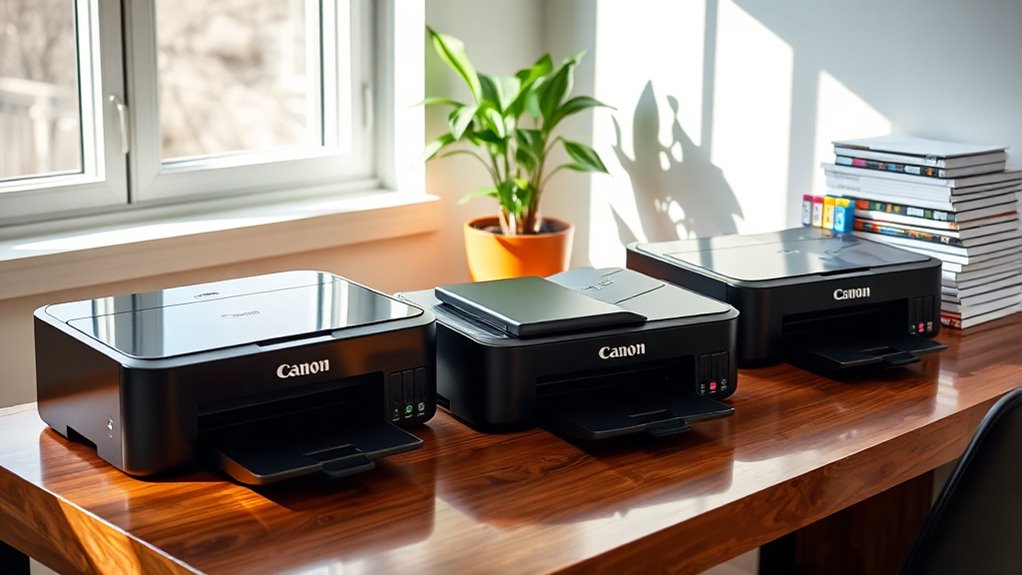
4 Best Canon Printers for Home Use in 2027
If you’re in the market for a Canon printer in 2027, you’ve got some great options to choose from. Whether you want something compact, high-yield, or multifunctional, Canon has you covered with models perfect for home use.
Consider the PIXMA TS6520 for its sleek, compact design and easy-to-read OLED display. It’s great if you want something that doesn’t take up much space but still delivers quality prints.
Then there’s the MegaTank G3270, which stands out for its super high ink yield. If you print a lot and want to save on ink costs, this one’s a smart pick.
The PIXMA TS4320 is versatile and reliable, ideal if you want solid photo and document printing in one machine.
And the all-in-one TR4720 offers multifunctionality, perfect for scanning, copying, and faxing alongside printing.
Each model shines with user-friendly features and excellent print quality.
So, take a look at what fits your home setup and printing needs best!
| Image | Name | Editor's Rating | Price |
|---|---|---|---|

|
|
||

|
|
||

|
|
||

|
|
Canon PIXMA TS6520 Wireless Color Inkjet Printer, 1.42″ OLED Display, White
- Affordable Versatility - A budget-friendly all-in-one printer perfect for both home users and hybrid workers, offering...
- Crisp, Vibrant Prints - Experience impressive print quality for both documents and photos, thanks to its 2-cartridge...
- Effortless Setup & Use - Get started quickly with easy setup for your smartphone or computer, so you can print, scan...

The Canon PIXMA TS6520 Wireless Color Inkjet Printer brings convenience and versatility to your home or small office. Its compact design fits easily into any space, while the 1.42” OLED display offers clear, easy-to-read status updates. This helps you stay informed about ink levels and print jobs without hassle.
Wireless connectivity with dual-band Wi-Fi allows seamless printing from smartphones, tablets, and laptops. You can quickly print documents or photos without needing a cable, making it ideal for busy households or students. The hybrid ink system delivers sharp text and vibrant colors, enhancing the quality of your prints.
Maintenance is straightforward, with easy access to cartridges and automatic duplex printing that reduces paper waste. The printer supports borderless photo printing up to 8.5” x 11”, perfect for capturing memories at home. While print speeds are moderate, the TS6520 balances efficiency with quality.
Best for: Families and students seeking a reliable, user-friendly all-in-one printer for home use.
What We Like:
- All-in-one printing, scanning, and copying in a compact device
- Dual-band Wi-Fi for stable mobile printing connections
- Auto-duplex printing reduces paper use and effort
- Sharp text and vivid color output with hybrid ink system
- Easy-to-read 1.42” OLED display for status monitoring
Specification:
| Feature | Description |
|---|---|
| Manufacturer | Canon |
| Dimensions | Compact |
| Weight | Not specified |
| Color | White |
| Display | 1.42” OLED |
| Connectivity | Dual-band Wi-Fi |
| Printing Type | Wireless Color Inkjet |
Canon MegaTank G3270 All-in-One Wireless Color Printer
- Wireless Print/Copy/Scan
- Up to 2 years of ink included (2)
- Print up to 6,000 black & white / 7,700 color pages using a single set of inks! (1)
The Canon MegaTank G3270 is designed to simplify your printing tasks while saving you time and money. This all-in-one wireless color printer combines printing, copying, and scanning functions in a compact form. Its lightweight design makes it easy to place anywhere in your home or office without hassle.
With MegaTank technology, this printer reduces the need for frequent ink replacements. You can print thousands of pages—up to 6,000 black-and-white and 7,700 color—on a single set of inks. This feature is ideal for users who want to avoid the constant cost and inconvenience of buying cartridges.
The printer offers borderless printing at a high resolution of 4800 x 1200 dpi, ensuring sharp and vibrant results. Its USB and Wi-Fi connectivity allow seamless printing from smartphones, tablets, and other devices, enhancing convenience and workflow efficiency.
Maintenance is straightforward thanks to the integrated ink tanks, but note the single 100-sheet paper tray may require frequent refills during large print jobs. Also, its modest print speed and small LCD screen may not suit users needing faster or more interactive controls.
Best for: Families or small businesses seeking a cost-effective, multifunctional printer with high ink capacity.
What We Like:
- High ink yield reduces replacement frequency
- Combines printing, copying, and scanning in one device
- Wireless and USB connectivity for versatile use
- Borderless, high-resolution color printing
Specification:
| Feature | Details |
|---|---|
| Manufacturer | Canon |
| Dimensions | Compact (exact size not provided) |
| Weight | 13.2 lb (6 kg) |
| Technology | Inkjet with MegaTank ink system |
| Connectivity | USB, Wi-Fi |
| Color Options | Color printer |
Canon PIXMA TS4320 – Wireless Color Inkjet Printer with Print, Copy, Scan
- Affordable Versatility - A budget-friendly all-in-one printer perfect for both home users and hybrid workers, offering...
- Crisp, Vibrant Prints - Experience impressive print quality for both documents and photos, thanks to its 2-cartridge...
- Effortless Setup & Use - Get started quickly with easy setup for your smartphone or computer, so you can print, scan...
The Canon PIXMA TS4320 is a compact, wireless color inkjet printer designed to simplify everyday printing tasks. It combines printing, copying, and scanning in one device, making it a practical solution for home or small office use. Its high print resolution ensures sharp documents and vibrant photos, enhancing the quality of your work.
This printer supports dual-band Wi-Fi, allowing seamless connection to multiple devices. Mobile printing is convenient with apps like Canon PRINT and Apple AirPrint, so you can print directly from your smartphone or tablet. The automatic two-sided printing feature helps reduce paper waste, adding an eco-friendly benefit.
Maintenance is straightforward, but keep in mind the two-cartridge hybrid ink system may require more frequent refills depending on usage. The modest display screen keeps operation simple, though it may not suit users needing advanced controls. Print speeds are moderate, balancing efficiency and quality.
With its stylish design and versatile functionality, the PIXMA TS4320 is a reliable choice for users wanting an easy-to-use printer that meets daily needs without complexity.
Best for: Users needing a compact, versatile printer for everyday home or small office printing, copying, and scanning.
What We Like:
- Combines print, copy, and scan in one compact device
- Sharp print quality with up to 1200 x 1200 dpi resolution
- Wireless connectivity with support for mobile printing apps
- Automatic duplex printing to save paper
- Simple maintenance with hybrid ink cartridges
Specification:
| Specification | Details |
|---|---|
| Manufacturer | Canon |
| Model | PIXMA TS4320 |
| Dimensions | 11.7 x 14.2 x 5.1 in |
| Weight | 8.6 lb (3.9 kg) |
| Connectivity | Dual-band Wi-Fi |
| Print Resolution | Up to 1200 x 1200 dpi |
| Print Speed | 9 color / 14 black & white ppm |
| Ink System | 2-cartridge hybrid ink |
| Functions | Print, Copy, Scan |
| Duplex Printing | Automatic two-sided |
Canon PIXMA TR4720 All-in-One Wireless Printer
- Wireless 4-in-1 (print | copy | scan | fax)..Power Consumption: 7W (0.8W Standby / 0.3W Off)
- Print speed up to: 4" x 6" Borderless Photo (PP-201): Approx. 65.0 Seconds / Black Document (Letter/Simplex): Approx...
- Designed for easy ink cartridge installation and replacement.
Compact and versatile, the Canon PIXMA TR4720 helps streamline your daily printing needs. It fits neatly into tight spaces, making it perfect for busy households or small offices. This all-in-one printer handles printing, copying, scanning, and faxing, reducing the need for multiple devices.
The printer delivers sharp black-and-white documents quickly, with print speeds of about 8.8 ipm. Photo printing takes a bit longer, around 65 seconds for a 4 x 6 image, but the quality remains impressive. Automatic duplex printing saves paper and boosts efficiency for everyday tasks.
Maintenance is straightforward with easy ink cartridge installation, minimizing downtime. The 100-sheet front tray suits moderate printing volumes but may require refills for heavy use. Connectivity options include USB, Wi-Fi, and mobile printing through Canon’s apps, offering flexible ways to print from various devices.
Energy-conscious users will appreciate its ENERGY STAR certification, ensuring lower power consumption. While the control panel is simple and user-friendly, it lacks some advanced features found in higher-end models.
Best for: Families and small offices needing a compact, multifunctional printer for everyday document and photo tasks.
What We Like:
- Combines printing, copying, scanning, and faxing in one device
- Fast black-and-white print speeds with automatic duplexing
- ENERGY STAR certified for energy efficiency
- Easy ink cartridge replacement for hassle-free maintenance
- Flexible connectivity including USB, Wi-Fi, and mobile printing
Specification:
| Feature | Details |
|---|---|
| Manufacturer | Canon |
| Dimensions | Compact, fits small spaces |
| Weight | Not specified |
| Color Options | Not specified |
| Connectivity | USB, Wi-Fi, Mobile apps |
| Paper Capacity | 100-sheet front tray |
Factors to Consider When Choosing a Cannon Printer for Home
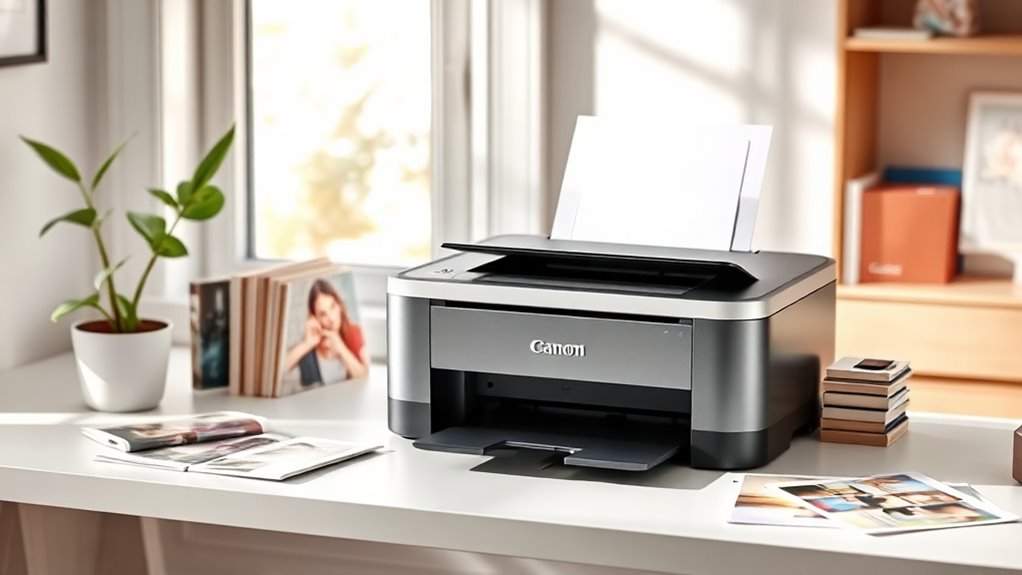
When you’re picking a Canon printer for home use, consider factors like print quality, connectivity options, and whether you need an all-in-one device.
A compact design can save space, while the cost of consumables can affect your budget in the long run.
Let’s explore these points to help you make the best choice.
Print Quality Considerations
While selecting a Canon printer for home use, understanding print quality considerations is essential. First, focus on print resolution; higher resolutions like 4800 x 1200 dpi are perfect for stunning photos, while 1200 x 1200 dpi suffices for standard documents.
Look for a hybrid ink system that combines dye and pigment inks, enhancing both color vibrancy and text clarity. Speed matters too—aim for printers that deliver around 14 ppm for black and white and 9 ppm for color to keep up with your busy household.
Consider the type of ink cartridges; MegaTank systems offer higher page yields, saving you money in the long run. Finally, automatic duplex printing can enhance the finish of double-sided documents while conserving paper.
Connectivity Options Available
Considering the variety of connectivity options available can make a significant difference in your printing experience. Many Canon printers feature dual-band Wi-Fi, which supports both 2.4GHz and 5GHz networks for a more stable connection.
If you’re often on your smartphone or tablet, you’ll appreciate the mobile printing compatibility through apps like Canon PRINT App and Apple AirPrint. USB connectivity is also standard, allowing direct connections to your computer, so you won’t have to rely solely on wireless.
Some models even offer voice compatibility, enabling hands-free operation through smart home devices. Plus, automatic document feeders and multiple paper trays simplify your printing and scanning tasks, making it easier to tackle various media types with ease.
All-in-One Functionality Benefits
All-in-one printers offer a world of convenience, combining printing, scanning, and copying into a single, space-saving device. This means you won’t need multiple machines cluttering your home or office.
Many models feature automatic duplex printing, letting you print on both sides of the paper, which saves you money and resources. With advanced connectivity options, you can easily print from your smartphone or tablet. It’s perfect for those who work remotely or need quick access on-the-go.
Plus, these printers deliver high-quality outputs, including stunning borderless photos, catering to both your document and creative needs. Integrated features like automatic document feeders further streamline scanning and copying, allowing you to tackle larger tasks efficiently without constant manual involvement.
Compact Design Features
When choosing a Canon printer for home use, compact design features play an essential role in ensuring it fits seamlessly into your space. These printers often boast dimensions ranging from 14 to 22 inches in width, making them perfect for desks or shelves without overwhelming your area.
Many compact models still provide functionalities like printing, scanning, and copying, offering versatility without taking up excessive room. They weigh around 13 to 15.5 pounds, so lightweight options allow for easy relocation and setup whenever you need to change your workspace.
Plus, stylish designs can enhance your home office’s aesthetic while delivering essential printing capabilities. Keep these features in mind to find the perfect fit for your needs!
Cost of Consumables
Understanding the cost of consumables is essential for anyone choosing a Canon printer for home use. The expense of ink cartridges or refillable ink tanks can greatly affect your overall printing costs.
Some models offer higher yield options, reducing the cost per page, which is great for budget-conscious users. Be aware that hybrid ink systems combine black and color cartridges. This can lead to higher replacement costs if one color runs out faster.
Printers with MegaTank systems can print thousands of pages before needing a refill, making them economical for high-volume needs. Always research replacement cartridge prices and monitor ink levels.
Doing this will help you effectively manage your ongoing printing expenses. This approach will help you make an informed decision that suits your budget.
Speed and Performance Metrics
How quickly can you get your printing done? When choosing a Canon printer for home use, print speed is essential. Some models can deliver up to 14 pages per minute for black and white documents and around 9 pages per minute for color prints.
You’ll appreciate that the initial page can print in as little as 9.5 seconds, perfect for urgent tasks. Many Canon printers also support automatic duplex printing, speeding up the process and cutting down on paper waste.
Copy speeds usually range from 8.4 to 11 pages per minute, making it efficient for multi-page documents. With a maximum print resolution of 4800 x 1200 dpi, you’ll enjoy crisp, high-quality output for all your needs.
Energy Efficiency Ratings
Choosing a printer that combines speed and energy efficiency can really boost your home office setup. Look for models with ENERGY STAR certification. This means they meet energy-saving standards and can help lower your utility bills.
EPEAT-qualified printers offer extra environmental benefits, making them a smart pick if you want to be more sustainable. Keep an eye on power consumption too. While printing, a printer might use around 21 watts, but in standby mode, it can drop to just 0.3 watts.
Going for features like automatic duplex printing not only saves paper but also cuts down on energy use. And don’t forget, regular maintenance and the right settings keep your printer running smoothly. This helps reduce unnecessary power draw and gets the most out of your printer’s energy efficiency.
Frequently Asked Questions
What Is the Average Lifespan of a Canon Printer?
The average lifespan of a Canon printer is around three to five years, depending on usage and maintenance. You can extend its life by keeping it clean and using quality ink and paper.
Taking care of your printer really makes a difference. Just a little upkeep here and there can help it last longer than you might expect.
How Do I Troubleshoot Common Canon Printer Issues?
You’d think troubleshooting a Canon printer would be easy, right? Start by checking connections, ensuring drivers are updated, and cleaning the print heads.
If all else fails, consult the manual—your new best friend! It’s full of tips that can save you a lot of time and frustration.
Can I Use Third-Party Ink With Canon Printers?
Yes, you can use third-party ink with Canon printers, but it’s important to choose high-quality options. Using subpar ink might damage your printer or affect print quality.
Are Canon Printers Compatible With Mobile Printing Apps?
Yes, Canon printers are compatible with various mobile printing apps. You can easily print from your smartphone or tablet using Canon’s app, Apple AirPrint, or Google Cloud Print.
It’s super convenient for your printing needs. Just a few taps, and you’re good to go!
What Is the Warranty Policy for Canon Printers?
Canon printers typically come with a one-year warranty, covering parts and labor. If you register your printer, you might gain additional benefits.
Always check specific models, as policies can vary slightly with each series. It’s a good idea to stay informed so you know exactly what’s covered.
Conclusion
So, there you have it! Choosing a Canon printer for your home doesn’t have to feel like hunting for a needle in a haystack. Whether you want to print family photos or your cat’s latest Instagram fame, you’ll find a perfect match.
Just remember, if you end up with a printer that only prints in shades of beige, you might as well use a typewriter! Embrace your inner tech wizard and pick one that actually works for you.
Finding the best Canon printer for home use in 2027 means thinking about what fits your lifestyle. From vibrant photo printing to efficient document handling, there’s a Canon printer ready to meet your needs. So go ahead, make your home printing easy, fun, and reliable with a Canon printer designed just for you!