13 Best Canon Inkjet Printers for Photos in 2027
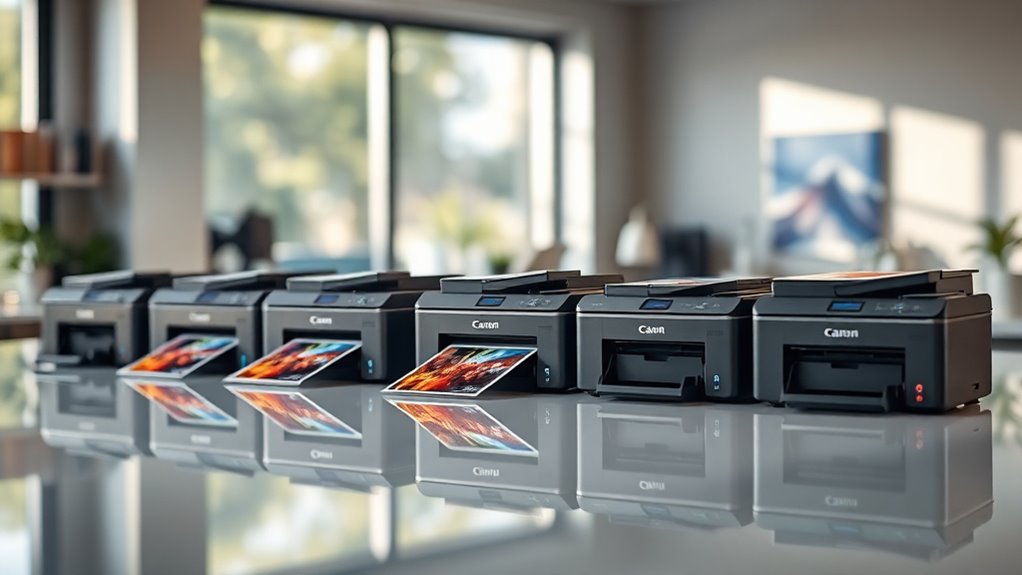
If you’re on the hunt for the best Canon inkjet printers for photos in 2027, you’re in luck! Canon has some fantastic options that cater to different photo printing needs.
Whether you want vibrant, professional-quality prints or an all-in-one printer that can handle multiple tasks, there’s something for everyone.
Take the PIXMA PRO-200S, for example—it’s perfect for vivid, colorful prints that really pop.
Or, if you need versatility, the MegaTank G3270 offers an all-in-one solution with great ink efficiency.
Looking for precision? The imagePROGRAF PRO-310 delivers outstanding color accuracy that professionals will appreciate.
Space might be a concern, and that’s where the compact G620 shines by saving room without compromising quality.
Plus, if portability is key, the PIXMA TR160 is a handy choice for printing on the go.
These Canon inkjet printers cover a wide range of needs, so you’re sure to find the right fit for your creative projects.
Ready to explore their features in more detail?
| Image | Name | Editor's Rating | Price |
|---|---|---|---|

|
|
||

|
|
||

|
|
||

|
|
||

|
|
Canon PIXMA PRO-200S Wireless Inkjet Photo Printer
- 8 COLOR dye-based ink system produces vibrant, high quality prints.
- BORDERLESS PRINTING from 3.5” x 3.5” up to 13” x 19”.
- HIGH SPEED PRINTING — bordered A3+ print in just 90 seconds or bordered 8" x 10" print in 53 seconds.

The Canon PIXMA PRO-200S Wireless Inkjet Photo Printer delivers exceptional print quality for photographers who want to bring their images to life. Its advanced 8-color dye-based ink system produces vibrant, detailed photos at a sharp resolution of 4800 x 2400 dpi. This printer handles a wide range of media sizes, including borderless prints up to 13” x 19”, giving users the freedom to create professional-quality artwork.
Designed with connectivity in mind, the PRO-200S supports Wi-Fi, Ethernet, and USB, enabling easy integration into any workspace. The user-friendly 3.0-inch color LCD screen simplifies navigation and setting adjustments, helping users maintain control without hassle. While it focuses solely on printing, its robust build ensures long-term reliability for dedicated photo printing tasks.
Maintenance is straightforward, though the printer’s larger size and weight at 32 pounds might require a dedicated space. Print speeds are moderate, especially for larger formats, balancing quality with output time. Overall, this printer enhances creative workflows by delivering consistent, high-quality prints tailored for serious photography applications.
Best for: Photographers and artists seeking versatile, high-resolution printing for quality photo and art prints.
What We Like:
- Produces sharp, vibrant prints with an 8-color dye ink system.
- Supports large, borderless print sizes up to 13” x 19”.
- Multiple connectivity options including Wi-Fi, Ethernet, and USB.
- Easy-to-use 3.0-inch color LCD for quick setup and adjustments.
- Durable design built for focused photo printing tasks.
Specification:
| Feature | Details |
|---|---|
| Manufacturer | Canon |
| Dimensions | Not specified |
| Weight | 32 lb (14.5 kg) |
| Ink Type | 8-color dye-based ink system |
| Max Resolution | 4800 x 2400 dpi |
| Max Print Size | 13” x 19” (borderless supported) |
| Connectivity | Wi-Fi, Ethernet, USB |
| Display | 3.0-inch color LCD |
Canon MegaTank G3270 All-in-One Wireless Color Printer
- Wireless Print/Copy/Scan
- Up to 2 years of ink included (2)
- Print up to 6,000 black & white / 7,700 color pages using a single set of inks! (1)
The Canon MegaTank G3270 is designed to meet the needs of users seeking a versatile, all-in-one printer that delivers vibrant, high-quality prints. Its compact design fits easily into small spaces, making it a practical choice for home offices or tight workspaces. This printer combines printing, copying, and scanning functions to streamline your daily tasks.
With a high print resolution of 4800 x 1200 dpi, it produces sharp and colorful photos, enhancing your creative projects. The wireless connectivity allows you to print directly from your smartphone or tablet, simplifying the process and saving time. Its moderate print speeds of 11 ppm in black and 6 ppm in color are suitable for everyday use.
Maintenance is straightforward thanks to the MegaTank system, which offers an impressive ink yield of up to 6,000 black and 7,700 color pages. This reduces frequent ink replacements and lowers running costs. However, the single 100-sheet paper tray may require frequent refills during larger print jobs, and the small 1.35” LCD screen can limit ease of navigation.
Best for: Users needing an efficient all-in-one printer for vibrant photo printing and moderate volume tasks in home or small office settings.
What We Like:
- High ink capacity reduces refill frequency and costs
- Compact size fits well in limited spaces
- Wireless printing from mobile devices enhances convenience
Specification:
| Feature | Details |
|---|---|
| Manufacturer | Canon |
| Dimensions (W×D×H) | Compact design (exact size not provided) |
| Weight | Not specified |
| Color Options | Not specified |
| Print Resolution | 4800 x 1200 dpi |
| Print Speed | 11 ppm (black), 6 ppm (color) |
| Paper Tray Capacity | 100 sheets |
| Connectivity | Wi-Fi |
Canon imagePROGRAF PRO-310 Wireless Inkjet Photo Printer
- 9 COLOR + CHROMA OPTIMIZER pigment-based ink system produces gallery-quality prints.
- EASE OF USE — ultimate productivity with Anti-Clogging System and Skew Correction.
- MATTE BLACK INK offers enhanced black density and wider dark area reproduction range.
Experience professional-grade printing with the Canon imagePROGRAF PRO-310, designed to elevate your photography. This wireless inkjet photo printer delivers exceptional color accuracy and deep blacks, solving the challenge of producing gallery-quality prints at home or in the studio.
The advanced 9-color pigment-based ink system, including the LUCIA PRO II inks, ensures consistent gloss and scratch resistance. Matte black ink enhances density in dark areas, making your prints stand out with rich detail. Its 1200 x 1200 dpi resolution achieves sharp, vibrant images every time.
Maintenance is straightforward thanks to an anti-clogging system that keeps the printer running smoothly. With a 100-sheet capacity and wireless connectivity options like Wi-Fi and Ethernet, it fits seamlessly into busy workflows. Although it’s relatively large and weighs 31.6 pounds, it’s built for serious use rather than portability.
While the print speed of about 2 pages per minute may be slower than some models, the PRO-310 focuses on quality over speed. This printer is ideal for photographers who prioritize stunning output and reliable operation without the need for scanning or copying functions.
Best for: Professional photographers needing precise, high-quality photo prints with advanced color fidelity.
What We Like:
- Vibrant, detailed prints from a 9-color pigment ink system
- Reliable wireless and wired connectivity options
- Easy maintenance with anti-clogging technology
- High-density matte black ink for deeper shadows
- User-friendly 3″ color LCD display for simple operation
Specification:
| Feature | Details |
|---|---|
| Manufacturer | Canon |
| Dimensions (W x D x H) | 28.7 x 18.6 x 14.04 inches |
| Weight | 31.6 pounds |
| Ink System | 9-color pigment-based (LUCIA PRO II) |
| Print Resolution | 1200 x 1200 dpi |
| Connectivity | Wi-Fi, Ethernet, USB |
| Paper Capacity | 100 sheets |
Canon PIXMA G620 Wireless All-in-One Printer
- Never run out of ink. Connect your printer to Alexa and receive notifications when you’re running low. Alexa can even...
- Enrolling in Smart Reorders with Alexa ensures that you never have too much or too little ink supplies. No subscription...
- MEGATANK HIGH PAGE YIELD: Print up to 3,800 4” x 6” color photos on a full set of ink.
Experience vibrant photo printing with the Canon PIXMA G620 Wireless All-in-One Printer. Its compact design fits neatly in any workspace, solving space issues while delivering exceptional print quality. The 6-color dye-based ink system, including Red and Gray, ensures rich, detailed images that bring your photos to life.
This printer offers impressive efficiency by producing up to 3,800 4” x 6” photos per full ink set, keeping your printing costs low at around 2.5 cents each. With a high resolution of 4800 x 1200 dpi, your prints will be sharp and professional-looking every time.
Designed for convenience, the PIXMA G620 supports multiple connectivity options, including Wi-Fi and Alexa compatibility, making wireless printing simple and accessible. Regular maintenance is straightforward, helping you keep the printer running smoothly without hassle.
While its print speed is moderate at 3.9 pages per minute and the 50-sheet paper tray requires frequent refills, the printer’s overall performance suits home and small office photo printing needs well. Its weight of 19.5 pounds offers stability but may limit portability.
Best for: Photography enthusiasts and families seeking a compact, affordable printer capable of producing high-quality photo prints.
What We Like:
- Vibrant, detailed prints from a 6-color dye-based ink system
- Low cost per photo for economical printing
- Easy wireless connectivity with Wi-Fi and Alexa support
- Compact design ideal for limited spaces
Specification:
| Feature | Details |
|---|---|
| Manufacturer | Canon |
| Dimensions | Not specified |
| Weight | 19.5 lb (8.85 kg) |
| Color Options | Not specified |
| Ink System | 6-color dye-based ink |
| Max Print Resolution | 4800 x 1200 dpi |
| Paper Tray Capacity | 50 sheets |
Canon PIXMA TS4320 – Wireless Color Inkjet Printer with Print, Copy, Scan
- Affordable Versatility - A budget-friendly all-in-one printer perfect for both home users and hybrid workers, offering...
- Crisp, Vibrant Prints - Experience impressive print quality for both documents and photos, thanks to its 2-cartridge...
- Effortless Setup & Use - Get started quickly with easy setup for your smartphone or computer, so you can print, scan...
The Canon PIXMA TS4320 offers a smart solution for those needing a versatile, space-saving printer. Its compact size and lightweight design make it easy to place in any home or small office environment without clutter. This printer’s wireless functionality lets you print effortlessly from your smartphone or tablet, simplifying everyday tasks.
Designed to deliver high-quality prints, the TS4320 uses a 2-cartridge hybrid ink system to produce vibrant photos and crisp text at up to 1200 x 1200 dpi. It also supports scanning and copying, making it a practical all-in-one device for various document needs. The automatic two-sided printing feature helps reduce paper use, adding convenience and eco-friendliness.
Maintenance is straightforward with this model, thanks to its simple ink replacement system and manageable paper capacity. While it handles typical printing volumes well, its 100-sheet output tray and moderate print speeds mean it’s best suited for light to moderate use rather than heavy office workloads.
Best for: Individuals or small families seeking a compact, versatile printer for everyday tasks like printing, scanning, and copying.
What We Like:
- Compact design fits easily into tight spaces
- Wireless printing from mobile devices enhances convenience
- Automatic double-sided printing saves paper and time
- High print quality with hybrid ink system
- Simple maintenance with easy ink cartridge replacement
Specification:
| Feature | Details |
|---|---|
| Manufacturer | Canon |
| Dimensions (W×D×H) | 12.0 x 14.5 x 5.0 inches |
| Weight | 15.5 lb (7.03 kg) |
| Ink System | 2-cartridge hybrid ink |
| Print Resolution | Up to 1200 x 1200 dpi |
| Connectivity | Wireless (Canon PRINT App, Apple AirPrint) |
| Functions | Print, Copy, Scan |
Canon imagePROGRAF PRO-1100: 17” Professional Wireless Inkjet Photo Printer

- 11 PIGMENT-BASED INK SYSTEM PLUS CHROMA OPTIMIZER: The 11 pigment-based ink system provides a broad color gamut and...
- WIDE COLOR GAMUT FOR EXCEPTIONAL IMAGE CLARITY: The LUCIA PRO II ink system helps you achieve an improvement in...
- PROFESSIONAL PRINT & LAYOUT SOFTWARE: This powerful software provides professional photographers with intuitive printing...
Experience professional print quality with the Canon imagePROGRAF PRO-1100, a 17” wireless inkjet printer designed to elevate your photography. It delivers sharp, vibrant images with a resolution of 2400 x 1200 dpi, ensuring every detail stands out. This printer solves the challenge of color accuracy by using 11 pigment-based inks plus Chroma Optimizer, producing a wide color gamut and consistent gloss.
The PRO-1100 simplifies your workflow with automatic duplex printing and a large 250-sheet capacity, reducing the need for frequent paper reloads. Its intuitive software makes setup and operation straightforward, while anti-clogging technology minimizes maintenance, keeping your prints flawless and your downtime low.
Built for serious photographers, this printer’s solid design requires dedicated studio space due to its weight and size. Weighing 83 pounds and measuring 17.1D x 28.5W x 11.2H inches, it is stable but not easily portable. Though it demands a higher initial investment, it delivers exceptional print quality and reliability for large-format projects.
Best for: Professional photographers looking for high-quality, large-format prints with exceptional color accuracy.
What We Like:
- Wide color gamut for vibrant, true-to-life prints
- Automatic duplex printing for efficient double-sided output
- Intuitive software simplifies the printing process
- Anti-clogging technology reduces maintenance needs
Specification:
| Feature | Details |
|---|---|
| Manufacturer | Canon |
| Dimensions (in) | 17.1 (D) x 28.5 (W) x 11.2 (H) |
| Weight (lb) | 83 |
| Ink Type | 11 pigment-based inks + Chroma Optimizer |
| Connectivity | Wireless |
Canon PIXMA TS6520 Wireless Color Inkjet Printer, 1.42″ OLED Display, White

- Affordable Versatility - A budget-friendly all-in-one printer perfect for both home users and hybrid workers, offering...
- Crisp, Vibrant Prints - Experience impressive print quality for both documents and photos, thanks to its 2-cartridge...
- Effortless Setup & Use - Get started quickly with easy setup for your smartphone or computer, so you can print, scan...
The Canon PIXMA TS6520 is a compact all-in-one printer designed to simplify your home or school printing needs. Its wireless connectivity lets you easily print from smartphones, tablets, or laptops, reducing hassle and saving time. The printer’s 1.42” OLED display provides clear, intuitive controls and helps you keep track of ink levels and print status at a glance.
This model uses a hybrid ink system that produces sharp text and vibrant photos, ensuring professional-quality results every time. Auto-duplex printing helps reduce paper waste by printing on both sides automatically, making it an eco-friendlier option for everyday use.
Maintenance is straightforward with a two-cartridge system, though heavy users might find themselves replacing cartridges more often. The printer handles standard sizes up to 8.5” x 11”, making it a versatile choice for documents and photos alike.
Its sleek, stylish design fits neatly into any workspace without taking up much room. Overall, the Canon PIXMA TS6520 combines user-friendly functionality with quality output, ideal for families and students managing diverse printing tasks.
Best for: Families and students seeking a reliable, user-friendly all-in-one printer for home or school use.
What We Like:
- Easy wireless printing from multiple devices
- Clear OLED display for simple operation
- Hybrid ink system delivers sharp text and vivid color
- Auto-duplex printing reduces paper use
- Compact design fits small spaces
Specification:
| Feature | Details |
|---|---|
| Manufacturer | Canon |
| Dimensions (W×D×H) | 14.8 × 12.4 × 5.2 inches |
| Weight | 11.5 lbs |
| Color Options | White |
| Display | 1.42-inch OLED |
Canon PIXMA TS7720 Wireless All-in-One Inkjet Printer

- ALL-IN-ONE: Print, Copy, Scan features for full control at your fingertips.
- FAST PRINT SPEEDS: Print approximately 15 (black) / 10 (color) images per minute.
- EASY SETUP: Get running in just a few minutes thanks to a streamlined and easy setup process out of the box.
Looking for a printer that combines high-quality photo printing with everyday functionality? The Canon PIXMA TS7720 Wireless All-in-One Inkjet Printer delivers sharp, vibrant prints that bring your images to life. Its compact design fits neatly in any home office, saving space without sacrificing performance.
This printer handles a variety of tasks with ease. Wireless connectivity lets you print directly from smartphones, tablets, or laptops, simplifying your workflow. The 2.7” LCD touchscreen makes navigation straightforward, although some may find the screen a bit small for detailed controls.
Maintenance is simple but requires attention. The 2-cartridge ink system offers good print quality but might need more frequent refills for heavy printing. It supports borderless printing and automatic duplexing, helping you save paper and produce professional-looking documents effortlessly.
While the maximum media size is limited to standard letter size (8.5” x 11”), this model is ideal for typical home or small office projects. Its balance of features and ease of use makes it a practical choice for users who want reliable photo and document printing in one device.
Best for: Home users seeking a compact, wireless all-in-one printer that produces high-quality photos and everyday prints.
What We Like:
- Compact design fits well in small spaces
- Sharp print resolution up to 1200 x 1200 dpi
- Convenient wireless printing from multiple devices
- Supports auto-duplex and borderless printing
Specification:
| Feature | Details |
|---|---|
| Manufacturer | Canon |
| Dimensions | Compact size (exact dimensions not provided) |
| Weight | Not specified |
| Color Options | Not specified |
| Media Size | Up to 8.5” x 11” (Letter) |
Canon IP8720 Wireless Printer, AirPrint and Cloud Compatible, Black
No products found.
The Canon IP8720 Wireless Printer offers a powerful solution for photo lovers who want exceptional print quality at home or in small studios. It produces large, vibrant prints up to 13 x 19 inches, making it ideal for creating professional-grade photos without the need for a separate print shop.
Its 6-color ink system, including gray, enhances the detail and tonal range, ensuring your images have rich depth and accurate colors. Wireless printing via AirPrint or Google Cloud Print simplifies the process, letting you print directly from smartphones, tablets, or laptops without cables.
Maintenance is straightforward but requires using the specific PGI 250 and CLI 251 cartridges designed for this model. While the printer operates quietly with an auto power-on feature, the sound level can be noticeable in very quiet settings. Print speeds are moderate, balancing quality and performance.
This printer also supports unique tasks like CD/DVD printing and Full HD movie stills, broadening its creative uses. It’s designed for users who need reliable, high-quality photo prints with versatile wireless connectivity.
Best for: Serious photo enthusiasts seeking high-quality, borderless prints up to 13 x 19 inches.
What We Like:
- High-resolution output (9600 x 2400 dpi) for detailed, vibrant photos
- Wireless printing via AirPrint and Google Cloud Print for easy mobile use
- Supports CD/DVD and Full HD movie still printing
- Auto power-on and quiet mode enhance user convenience
Specification:
| Feature | Details |
|---|---|
| Manufacturer | Canon |
| Maximum Print Size | 13 x 19 inches |
| Print Resolution | 9600 x 2400 dpi |
| Ink System | 6-color (including gray) |
| Connectivity | Wireless (AirPrint, Google Cloud Print) |
| Supported Ink Cartridges | PGI 250, CLI 251 |
| Noise Level | Approx. 43.5 dB(A) |
| Color | Black |
Canon PIXMA TR8620a All-in-One Printer

- Never run out of ink. Connect your printer to Alexa and receive notifications when you’re running low. Alexa can even...
- Enrolling in Smart Reorders with Alexa ensures that you never have too much or too little ink supplies. No subscription...
- Wireless 4-in-1 (Print | Copy | Scan | Fax)
The Canon PIXMA TR8620a All-in-One Printer is designed to meet the needs of photographers and home office users who demand both quality and efficiency. It delivers sharp, vibrant prints with a resolution of up to 4800 x 1200 dpi, ensuring your photos and documents look professional every time. This printer handles daily tasks smoothly thanks to its fast print speeds of 15 ipm for black and 10 ipm for color.
Managing large print jobs is simpler with a 200-sheet paper capacity and auto duplex printing, reducing manual effort and saving time. The 20-sheet auto document feeder streamlines scanning and copying, while the use of five individual ink tanks helps keep maintenance costs down by allowing selective ink replacement.
Connectivity is seamless with wireless options and compatibility with Alexa and Android devices, making it easy to print from multiple platforms. While it weighs 17.4 pounds and has a duty cycle limit of 1,000 pages per month, it remains a practical choice for moderate users who value versatility and ease of use.
Best for: Photographers and home office users seeking a versatile all-in-one printer for high-quality prints and efficient document handling.
What We Like:
- High print resolution for sharp, detailed photos
- Fast black and color print speeds enhance productivity
- Large paper capacity with auto duplex printing
- Convenient wireless and voice assistant compatibility
- Individual ink tanks reduce replacement waste and cost
Specification:
| Feature | Details |
|---|---|
| Manufacturer | Canon |
| Dimensions (W x D x H) | 14.7 x 12.1 x 7.5 in |
| Weight | 17.4 lb (7.9 kg) |
| Color Options | Black |
| Print Resolution | Up to 4800 x 1200 dpi |
| Print Speed | 15 ipm (black), 10 ipm (color) |
| Paper Capacity | 200 sheets |
| Auto Document Feeder | 20 sheets |
| Ink Tanks | Five individual tanks |
Canon Megatank G3290 All-in-One Wireless Printer

- Wireless Print/Copy/Scan (2)
- Up to 2 years of ink included
- Print up to 6,000 black & white / 7,700 color pages using a single set of inks! (1)
The Canon Megatank G3290 is designed to make printing at home or in small offices hassle-free. Its MegaTank ink system significantly reduces the need for frequent refills, allowing you to print thousands of pages with a single ink set. This means less downtime and more productivity.
With sharp print quality at 4800 x 1200 dpi, your documents and photos come out vibrant and clear. The printer also supports auto-duplex and borderless printing, helping you save paper and create professional-looking prints without extra effort.
Maintenance is simple thanks to the large ink tanks, which are easy to refill and help lower your overall printing costs. The 2.7-inch LCD color touchscreen makes navigation straightforward, while wireless connectivity enables convenient printing from mobile devices.
Weighing 14.2 pounds, this printer strikes a balance between portability and functionality. It fits comfortably in small spaces and supports various media types, from standard paper to photo sheets and banners.
Best for: Users looking for a cost-effective, high-capacity printer that handles diverse printing needs in home or small office environments.
What We Like:
- High page yield reduces frequent ink replacements
- Easy-to-use touchscreen enhances operation
- Wireless printing for mobile convenience
- Supports auto-duplex and borderless printing
- Compact design fits limited workspace
Specification:
| Feature | Details |
|---|---|
| Manufacturer | Canon |
| Dimensions | Not specified |
| Weight | 14.2 lb (6.44 kg) |
| Print Resolution | 4800 x 1200 dpi |
| Display | 2.7” LCD color touchscreen |
| Connectivity | Wireless |
| Media Handling | Various sizes and types |
Canon MegaTank MAXIFY GX2020 All-in-One Wireless Printer

- Wireless Print/Copy/Scan/Fax (2)
- Print up to 3,000 black & white / 3,000 color pages using a single set of inks! (1)
- 2.7” LCD Color Touchscreen
The Canon MegaTank MAXIFY GX2020 is designed to handle the demands of busy home offices with ease. Its high print yield of up to 3,000 pages per ink set helps reduce running costs, making it a practical choice for frequent printing tasks. This all-in-one wireless printer streamlines your workflow by combining printing, copying, scanning, and faxing in one compact device.
Navigating the printer is simple thanks to the 2.7-inch LCD touchscreen and a 35-sheet automatic document feeder, which speeds up multi-page tasks. Its fast output speed—15 pages per minute in black and white and 10 pages per minute in color—keeps productivity steady for everyday office needs.
Maintenance is straightforward with the MegaTank system, allowing easy ink refills that minimize downtime. The printer’s compact design fits well in limited spaces, while its media flexibility supports a variety of printing materials, from standard documents to photo paper and banners.
Some users may notice the printer’s weight at 17.8 pounds, which limits portability. Also, color print speed might not suit high-volume color projects, and initial wireless setup could challenge those unfamiliar with network configurations.
Best for: Home office users needing a reliable, cost-effective all-in-one printer with versatile functions and high print capacity.
What We Like:
- High print yield reduces ink replacement frequency and costs
- Combines multiple functions in one space-saving design
- Easy navigation with touchscreen and automatic document feeder
- Supports diverse media types for flexible printing options
Specification:
| Feature | Details |
|---|---|
| Manufacturer | Canon |
| Dimensions (W×D×H) | Not specified |
| Weight | 17.8 lb (8.07 kg) |
| Color Options | Not specified |
| Connectivity | Wireless |
| Print Speed (B&W) | 15 pages per minute |
| Print Speed (Color) | 10 pages per minute |
| Ink System | MegaTank refillable ink |
Canon PIXMA TR160 Color Wireless Portable Printer

- LIGHTWEIGHT AND PORTABLE - Connect and print on the go with the PIXMA TR160. This lightweight portable printer can fit...
- HIGH-QUALITY PRINTING ON THE GO - Print documents and photos up to 8.5” x 11” that showcase sharp black text and...
- SIMPLE & EASY CONNECTIVITY - Printing is only an app away when using the Canon PRINT app, Apple AirPrint4, or Mopria...
The Canon PIXMA TR160 is an excellent solution for those who require a compact and portable printer without sacrificing print quality. Its lightweight design makes it easy to carry, allowing you to print sharp documents and vibrant photos wherever you go. This printer helps eliminate the need for bulky equipment, streamlining your work or creative projects on the move.
Equipped with a 5-Color Hybrid Ink System, it produces crisp text and vivid colors with a maximum resolution of 4800 x 1200 dpi. Wireless connectivity options like the Canon PRINT app and Apple AirPrint enable hassle-free printing from smartphones or tablets. You can also print directly without a router, adding flexibility in various environments.
Maintenance is straightforward thanks to the 1.44-inch OLED display that keeps you informed about ink levels and settings. This feature helps prevent unexpected interruptions and makes managing the printer’s functions simple, even when you’re away from home or office.
While it focuses on portability, the PIXMA TR160 supports media sizes up to 8.5” x 11” and lacks scanning or copying features. It prioritizes mobility and print quality over multifunctional capabilities, making it ideal for users who mainly need reliable, high-quality prints on the go.
Best for: Professionals and travelers needing a lightweight, portable printer that delivers sharp, vibrant prints without the bulk of traditional printers.
What We Like:
- Lightweight and compact for easy portability
- High print resolution for sharp text and vivid colors
- Wireless printing with multiple connectivity options
- OLED display simplifies ink and setting management
Specification:
| Feature | Details |
|---|---|
| Manufacturer | Canon |
| Dimensions | 12.7 x 7.3 x 2.6 inches |
| Weight | 4.5 lbs (2.04 kg) |
| Ink System | 5-Color Hybrid Ink System |
| Max Print Resolution | 4800 x 1200 dpi |
| Connectivity | Wireless, USB Type-C |
| Display | 1.44-inch OLED |
Factors to Consider When Choosing a Canon Inkjet Printer for Photos
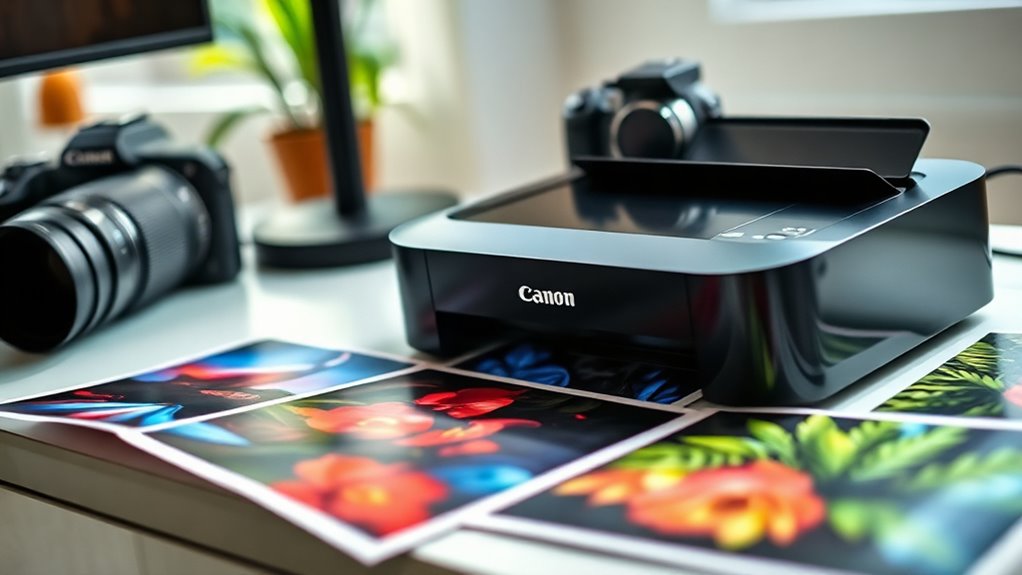
When you’re choosing a Canon inkjet printer for photos, there are several key factors to take into account. You’ll want to evaluate print resolution, ink system variability, and media size compatibility to guarantee you get the best results.
Speed and efficiency also matter, especially if you plan to print frequently. After all, nobody wants to wait forever for their photos to come out!
Key Features to Evaluate
Choosing the right Canon inkjet printer for photos involves evaluating several key features that can greatly impact your print quality. First, look for high print resolutions, ideally 4800 x 2400 dpi or higher, to achieve detailed images.
An advanced ink system, like an 8-color or 9-color setup, enhances color depth, making your photos more vibrant. Consider the maximum print size; printers supporting borderless printing and larger media (up to 13” x 19”) offer professional-quality results.
Don’t overlook print speed—aim for models that deliver A3+ prints in around 90 seconds for efficient high-volume printing. Finally, verify the printer can handle various media types, including glossy photo paper, to meet your diverse printing needs.
Print Resolution Importance
Print resolution greatly impacts the quality of your photo prints, making it one of the most important factors in your decision-making process. Measured in dots per inch (dpi), higher resolutions like 4800 x 2400 dpi deliver finer detail and sharper images, essential for stunning prints.
While 1200 x 1200 dpi might suffice for documents, you’ll want that extra clarity for photos, enhancing color depth and tonal gradation. Consider how the print size relates to resolution; larger prints need higher dpi to maintain clarity.
If you’re into professional photography, look for printers with borderless printing capabilities at high resolutions for a polished finish. Ultimately, choosing the right resolution guarantees your memories look as vibrant as they deserve.
Ink System Variability
While selecting a Canon inkjet printer for photos, understanding the ink system is essential. Canon offers both dye-based and pigment-based inks, each with distinct advantages.
Dye-based inks deliver vibrant colors and a wide color gamut, perfect for eye-catching glossy images. But keep in mind, they can fade when exposed to sunlight. On the other hand, pigment-based inks provide superior durability and resistance to fading, making them ideal for archival-quality prints.
Also, consider printers with multi-color systems, like 6 or 9 colors, as they really boost color accuracy and depth. And don’t forget to think about cost per print; MegaTank systems can greatly reduce costs for high-volume printing compared to traditional cartridges. So, you get more bang for your buck!
Media Size Compatibility
When it comes to selecting a Canon inkjet printer for photos, media size compatibility is an essential factor to take into account. Consider the maximum media size your printer can handle; options range from standard 8.5” x 11” to larger formats like 13” x 19” or even 17” x 22” for professional models.
Many Canon printers also offer borderless printing, allowing your images to extend to the edges, enhancing their presentation. Check the printer’s media handling capacity; some can hold up to 100 sheets, perfect for high-volume sessions.
Additionally, verify the printer supports various media types, including glossy, matte, and cardstock. It’s also good to see if it can accommodate custom sizes, especially if you’re looking to experiment with non-standard dimensions.
Speed and Efficiency
Choosing a Canon inkjet printer for photos involves considering speed and efficiency, as these factors can greatly impact your printing experience. Print speeds can vary widely; some printers can deliver bordered A3+ prints in just 90 seconds, while others may take longer.
You’ll also want to look at pages printed per minute—high-performance models can achieve up to 15 pages per minute for black and white and around 10 for color. A printer’s resolution matters too; options with up to 4800 x 2400 dpi produce stunning, vibrant images.
Additionally, consider borderless printing capabilities to maximize media use and enhance visual appeal. And don’t forget about sheet capacity—a higher maximum, ranging from 50 to 250 sheets, means you can handle bigger print jobs without constant refills.
Connectivity Options Available
After considering speed and efficiency, you’ll want to explore the connectivity options available with Canon inkjet printers for photos. Many models offer multiple choices like Wi-Fi, USB, and Ethernet, giving you flexibility based on your setup.
Wireless connectivity lets you print from your smartphone or tablet using apps like Apple AirPrint and Canon PRINT, which makes things super convenient. If you’re often on the go, some printers even feature Direct Wireless Connection, so you can print without needing a network router.
For those who prefer wired connections, Ethernet provides a stable and secure option, especially in office environments. Plus, dual-band Wi-Fi support (2.4GHz and 5GHz) guarantees a more reliable connection, helping reduce interference on busy networks.
User-Friendly Interface
A user-friendly interface can make all the difference in your printing experience, especially when working with Canon inkjet printers for photos. Look for models featuring intuitive touchscreen displays, like the 3.0 color LCD, which simplify navigation and settings adjustments.
Easy access to ink level monitoring is essential; you’ll want to check supplies without hassle. Many printers also offer mobile printing capabilities through apps like Canon PRINT, allowing you to print seamlessly from your smartphone or tablet.
An automatic document feeder (ADF) enhances your experience by enabling multi-page scanning and copying effortlessly. And finally, models with auto-duplex printing capabilities streamline your workflow and reduce paper consumption, making them even more convenient for your everyday printing needs.
Warranty and Support Options
When considering a Canon inkjet printer for photos, it’s vital to pay attention to warranty and support options. Most models come with a one-year limited warranty, covering defects in materials and workmanship.
Additionally, many printers offer a 30-day return guarantee when purchased through authorized retailers. This gives you a trial period to guarantee satisfaction.
Canon backs its customer support with an extensive service network, ready to assist you with warranty claims and technical inquiries. Warranty terms can vary by model, so it’s important to review individual product documentation for specific coverage details.
Some printers also provide online resources and user manuals in PDF format. This enhances your overall experience and makes troubleshooting easier.
Frequently Asked Questions
What Is the Average Lifespan of Canon Inkjet Printer Cartridges?
Canon inkjet printer cartridges typically last between 200 to 400 pages, depending on usage and printer model.
You’ll want to keep an eye on your ink levels. Replace cartridges when you notice the print quality starting to drop.
How Do I Maintain My Canon Inkjet Printer for Optimal Photo Quality?
To keep your Canon inkjet printer running smoothly, treat it like a fine-tuned instrument. Regularly clean the print heads and use high-quality paper.
Also, replace cartridges promptly to avoid any interruptions. Don’t forget to keep it dust-free for stunning photo quality. It really makes a difference!
Can I Print Photos From My Smartphone Using Canon Printers?
Yes, you can print photos from your smartphone using Canon printers. Just connect via Wi-Fi or Bluetooth, use the Canon PRINT app, and select your images.
You’ll get stunning prints straight from your device! It’s super easy and quick, so you don’t have to wait to see your photos in print.
What Types of Photo Paper Are Best for Canon Inkjet Printers?
For Canon inkjet printers, use glossy, satin, or matte photo paper. Glossy enhances color vibrancy, while satin offers a balance, and matte gives a classic finish.
Choose based on your desired look for your prints. It really depends on what vibe you want your photos to have!
Are There Eco-Friendly Options for Canon Inkjet Printers?
Did you know that over 2.5 million tons of printer cartridges end up in landfills each year?
It’s a huge environmental concern. But the good news is, yes, there are eco-friendly options for Canon inkjet printers.
These include recyclable cartridges and biodegradable paper. Using these can make a real difference!
Conclusion
So, there you have it—Canon’s lineup of inkjet printers that’ll make your photos look so good, they might just upstage you at family gatherings. Who needs a fancy gallery when you can showcase your art on the fridge?
Just remember, while you’re busy impressing everyone with your stunning prints, don’t forget to stock up on ink. After all, nothing says “professional photographer” like a frantic run to the store for last-minute supplies!
Canon inkjet printers are designed to deliver vibrant, high-quality photos that bring your memories to life. Whether you’re printing holiday snapshots or professional-grade images, these printers offer reliability and excellent color accuracy.
So, if you’re looking to elevate your photo printing game in 2027, investing in one of the best Canon inkjet printers is a smart move. Keep your ink cartridges ready, and get ready to create beautiful prints that’ll impress friends and family alike!